
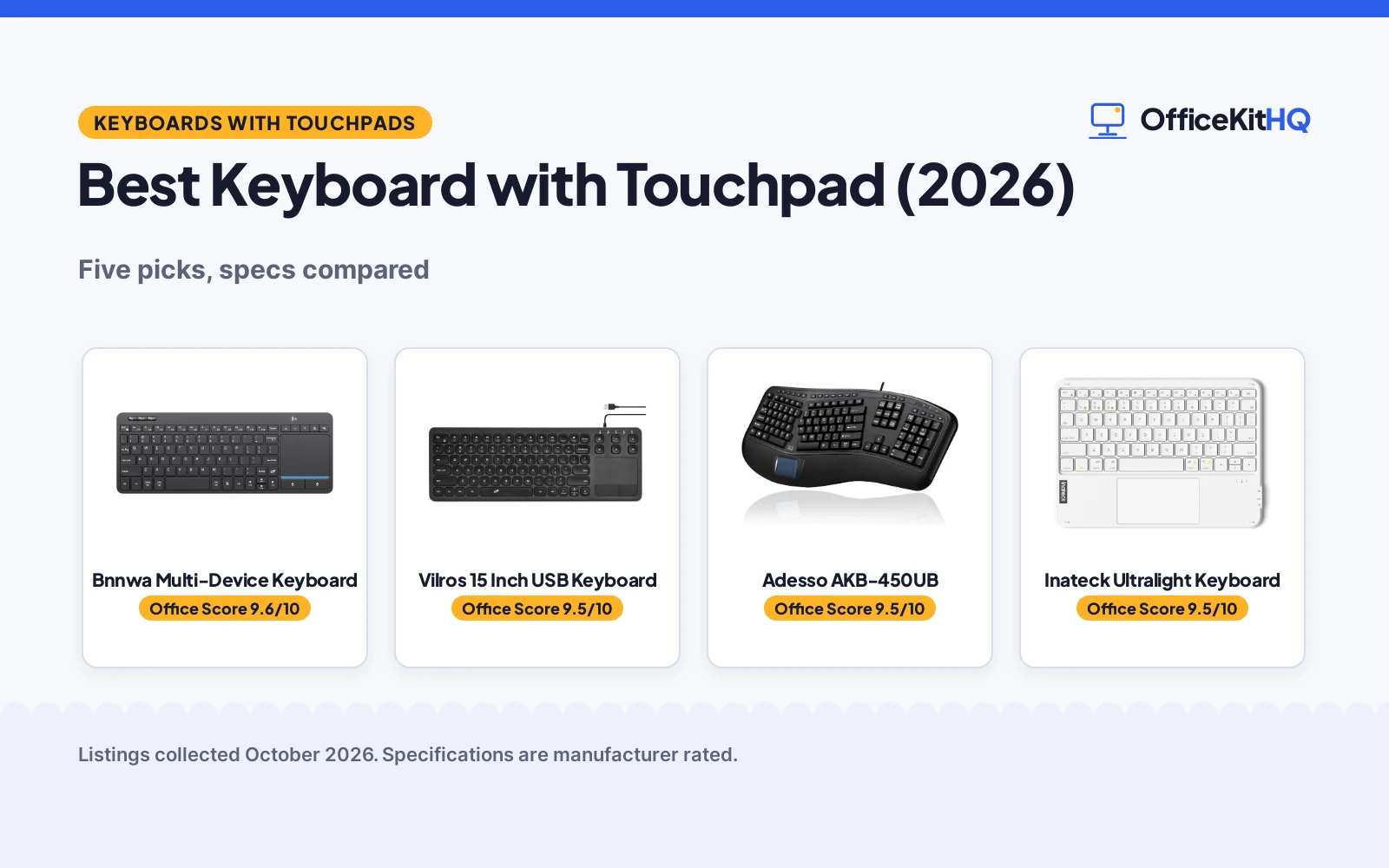
The best keyboard with touchpad earns its desk space on a Monday morning: a 9 a.m. call on a dim webcam, a laptop running everything off one hub, and no room for a separate mouse next to the coffee. Folding the pointer into the keyboard saves that footprint, which matters when the desk is a kitchen table or an apartment corner. We compared ten keyboards with built-in touchpads, ranked five of them by stated specs, and noted five more options, using only what each listing publishes.
OfficeKitHQ earns a commission when you buy through links on this page, at no extra cost to you. As an Amazon Associate I earn from qualifying purchases. Affiliate disclosure.
Quick picks
 Best Overall Bnnwa Multi-Device Keyboard: 90 keys, 3-device Bluetooth + 2.4GHz, 12-month warranty stated Check price on Amazon
 Best Wired Mechanical Vilros 15 Inch USB Keyboard: Cherry MX Red switches, wired USB-A, 1-year warranty stated Check price on Amazon
 Best Ergonomic Split Adesso AKB-450UB: Split keys, GlidePoint touchpad, palm rest, 1-year warranty Check price on Amazon
 Best Ultralight Inateck Ultralight Keyboard: 228g, 3-device Bluetooth, 150-day standby stated Check price on Amazon
 Best Mini Backlit Burhoo K808 Mini Keyboard: 7-color backlit, dual-mode 2.4G + Bluetooth, 600mAh battery Check price on Amazon
The picks
| # | Product | Office Score | Buy |
|---|---|---|---|
| 1 | Bnnwa Multi-Device Keyboard | 9.6/10 | Buy on Amazon |
| 2 | Vilros 15 Inch USB Keyboard | 9.5/10 | Buy on Amazon |
| 3 | Adesso AKB-450UB | 9.5/10 | Buy on Amazon |
| 4 | Inateck Ultralight Keyboard | 9.5/10 | Buy on Amazon |
| 5 | Burhoo K808 Mini Keyboard | 9.4/10 | Buy on Amazon |

Bnnwa Multi-Device Keyboard
A 90-key wireless keyboard with a multi-touch touchpad, switching between 3 devices over Bluetooth or 2.4GHz.
Pros
- Switches between 3 devices with one key press, per the listing.
- Bluetooth, a 2.4GHz receiver and 2 AAA batteries all in the box.
- Multi-touch trackpad with pointing, zooming and scrolling gestures.
- 12-month warranty stated, the clearest term of the five.
Cons
- Membrane switches; no mechanical option is stated.
- No backlighting is stated for the keys.
- 12.83 in width makes it the widest wireless pick here.
- No safety certification is stated.
Detailed Review
The Bnnwa listing states a 90-key wireless keyboard with a multi-touch trackpad, Bluetooth plus 2.4GHz connectivity, switching between 3 devices and a 33-foot (10 m) operating range. The maker lists a 12.83 x 4.86 x 0.7 in ABS body, auto-sleep after 30 minutes of non-use with wake on any key press, and 12 multimedia shortcut combinations. The title, bullets and spec table agree with each other, and the box includes 2 AAA batteries, a USB receiver and a manual.
Who it's for: anyone hopping between a laptop, tablet and phone at one desk who wants the receiver and batteries included. Who should skip it: anyone who wants backlit keys or a mini layout.
Its Office Score of 9.6/10 comes from performance 30/35, build 20/25, value 21/25, safety 0/10 and warranty 4/5: 75 of 100 points, placed on our 9.2 to 9.8 scale.
Key Specifications
| Connection | Bluetooth + 2.4GHz |
|---|---|
| Keys | 90, membrane |
| Size | 12.83 x 4.86 x 0.7 in |
| Warranty | 12 Month Warranty |
Figures as published on the retailer listing, collected 19 October 2026. Performance figures are manufacturer rated.
Safety and Warranty
What this listing states. This product does not plug in or run on a battery, so safety is not part of its score. 12 Month Warranty. It does not say everything a buyer needs, such as who pays return shipping, so warranty scores 4 of 5. See How We Pick.
Fit the desk first. Check the stated size against your desk depth and keyboard tray, and charge or pair as the manual describes. No keyboard, mouse or wrist rest prevents or treats injury.
This is general buying information, not professional advice. Follow each product manual and local rules, and see our Safety Disclaimer.

Vilros 15 Inch USB Keyboard
A wired USB keyboard with Cherry MX Red mechanical switches and an integrated trackpad, aimed at Raspberry Pi setups.
Pros
- Cherry MX Red mechanical switches stated.
- Wired USB-A connection with no pairing or batteries to manage.
- Slim 14.76 x 5.09 x 0.69 in body.
- 1-year manufacturer warranty stated.
Cons
- Spec table contradicts itself on key count: 78 buttons versus 104 keys.
- No multi-device pairing and no wireless option.
- No backlighting is stated.
- Spec table requires 1 battery on a wired USB keyboard.
Detailed Review
The Vilros listing states a 15-inch wired USB keyboard with a trackpad and Cherry MX Red mechanical switches in a 14.76 x 5.09 x 0.69 in body, aimed at the Raspberry Pi or any device with a USB input. Inside the spec table, Button Quantity says 78 while Number of Keys says 104, and the table requires 1 battery on a wired board. The title and bullets describe the wired USB layout and trackpad without stating a key count, so the count is best treated as uncertain.
Who it's for: a Raspberry Pi or desktop setup where a wired mechanical board with a trackpad is wanted. Who should skip it: anyone who needs wireless, multi-device switching or a key count they can rely on.
Its Office Score of 9.5/10 comes from performance 27/35, build 21/25, value 20/25, safety 0/10 and warranty 4/5: 72 of 100 points, placed on our 9.2 to 9.8 scale.
Key Specifications
| Connection | Wired USB-A |
|---|---|
| Switches | Cherry MX Red mechanical |
| Size | 14.76 x 5.09 x 0.69 in |
| Warranty | 1Year Manufacturer |
Figures as published on the retailer listing, collected 19 October 2026. Performance figures are manufacturer rated.
Safety and Warranty
What this listing states. This product does not plug in or run on a battery, so safety is not part of its score. 1Year Manufacturer. It does not say everything a buyer needs, such as who pays return shipping, so warranty scores 4 of 5. See How We Pick.
Fit the desk first. Check the stated size against your desk depth and keyboard tray, and charge or pair as the manual describes. No keyboard, mouse or wrist rest prevents or treats injury.
This is general buying information, not professional advice. Follow each product manual and local rules, and see our Safety Disclaimer.

Adesso AKB-450UB
A wired ergonomic keyboard with a split-key design, GlidePoint touchpad, palm rest and 20 multimedia hotkeys.
Pros
- Split-key design with an integrated palm rest stated.
- GlidePoint touchpad plus 20 internet and multimedia hotkeys.
- 5-million-keystroke membrane lifecycle stated.
- 1-year warranty from the purchased date stated.
Cons
- Model number conflicts: AKB-450UB in the title, AKB-425UB in the spec table.
- Dimensions conflict: 15.6 x 8.3 x 1.5 in in one spec row, 20.5 x 9.3 x 1.5 in in another.
- Key count conflicts: 105 keys against a 104-key US layout.
- 2.8 lb makes it the heaviest pick here, and it is wired only.
Detailed Review
The Adesso listing states an ergonomic keyboard with a split-key design that encourages a natural hand, wrist and forearm position, a GlidePoint touchpad, a built-in palm rest and 20 internet and multimedia hotkeys over wired USB. The listing contradicts itself in several places: the title says AKB-450UB while the spec table says AKB-425UB, one spec row gives 15.6 x 8.3 x 1.5 in and another gives 20.5 x 9.3 x 1.5 in, and the table lists 105 keys against a 104-key US layout. The title and bullets describe the ergonomic layout without resolving those figures, so they are best treated as uncertain.
Who it's for: a desk worker who wants a split layout and palm rest with a touchpad instead of a mouse. Who should skip it: anyone who needs wireless, a compact board or dimensions they can plan a desk around.
Its Office Score of 9.5/10 comes from performance 28/35, build 19/25, value 19/25, safety 0/10 and warranty 4/5: 70 of 100 points, placed on our 9.2 to 9.8 scale.
Key Specifications
| Connection | Wired USB 2.0 |
|---|---|
| Keys | 105, membrane |
| Touchpad | GlidePoint, 3.1 x 1.75 in |
| Warranty | 1 Year from Purchased Date |
Figures as published on the retailer listing, collected 19 October 2026. Performance figures are manufacturer rated.
Safety and Warranty
What this listing states. This product does not plug in or run on a battery, so safety is not part of its score. 1 Year from Purchased Date. It does not say everything a buyer needs, such as who pays return shipping, so warranty scores 4 of 5. See How We Pick.
Fit the desk first. Check the stated size against your desk depth and keyboard tray, and charge or pair as the manual describes. No keyboard, mouse or wrist rest prevents or treats injury.
This is general buying information, not professional advice. Follow each product manual and local rules, and see our Safety Disclaimer.

Inateck Ultralight Keyboard
A 228g Bluetooth keyboard with a trackpad, 3-device pairing and a stated 150-day standby.
Pros
- Pairs with up to 3 devices over Bluetooth.
- Ultralight at 228g with a slim body.
- Keys rated for over 5 million keystrokes; 150-day standby stated.
- 10-meter Bluetooth range stated.
Cons
- Bluetooth version conflicts: 5.4 in the title, 5.3 in the bullets.
- Thickness conflicts: 0.2 in in the bullets, 0.28 in in the spec table.
- No warranty term is stated.
- No switch type or backlighting is stated.
Detailed Review
The Inateck listing states an ultralight 228g Bluetooth keyboard with a trackpad, 3 Bluetooth channels for 3 devices, a larger and more precise touchpad, keys rated for over 5 million keystrokes and up to 150 days of standby. The listing contradicts itself twice: the title says Bluetooth 5.4 while the bullets say Bluetooth 5.3, and the bullets say 0.2 in thick while the spec table says 0.28 in. The title and bullets carry the version and thickness claims, so those figures are best treated as uncertain.
Who it's for: a traveler who wants a 228g board with 3-device Bluetooth and long standby. Who should skip it: anyone who wants a stated warranty or a single consistent spec sheet.
Its Office Score of 9.5/10 comes from performance 29/35, build 21/25, value 20/25, safety 0/10 and warranty 0/5: 70 of 100 points, placed on our 9.2 to 9.8 scale.
Key Specifications
| Connection | Bluetooth, 3 channels |
|---|---|
| Weight | 228g |
| Size | 9.85 x 7.11 x 0.28 in |
| Standby | 150 days |
Figures as published on the retailer listing, collected 19 October 2026. Performance figures are manufacturer rated.
Safety and Warranty
What this listing states. This product does not plug in or run on a battery, so safety is not part of its score. No warranty term, so warranty scores zero. See How We Pick.
Fit the desk first. Check the stated size against your desk depth and keyboard tray, and charge or pair as the manual describes. No keyboard, mouse or wrist rest prevents or treats injury.
This is general buying information, not professional advice. Follow each product manual and local rules, and see our Safety Disclaimer.

Burhoo K808 Mini Keyboard
A mini dual-mode keyboard with a flip-open touchpad, 7-color backlighting and a built-in laser pointer.
Pros
- Dual-mode 2.4G plus Bluetooth with an auto-pairing receiver.
- Flip-open 90-degree rotating touchpad with dedicated mouse buttons.
- 7-color backlit keys for dark rooms.
- 600mAh rechargeable battery over Type-C; no battery swaps.
Cons
- Width conflicts: about 6 x 2.33 in in the bullets, 6 x 2.4 in in the spec table.
- 69 keys is the smallest layout of the five.
- No warranty term is stated.
- No wireless range figure is stated for either mode.
Detailed Review
The Burhoo listing states a mini dual-mode keyboard with 2.4G and Bluetooth, a flip-open touchpad that rotates 90 degrees with dedicated left and right mouse buttons, 7-color backlit keys, a 600mAh rechargeable battery over Type-C and a built-in laser pointer. The bullets say the board is about 6 x 2.33 x 0.51 in while the spec table says 6 x 2.4 x 0.51 in; the bullets carry the size claim, so the spec-table width is best treated as uncertain.
Who it's for: a couch or travel setup where a tiny backlit board with a laser pointer for presentations is wanted. Who should skip it: anyone who wants a full-size layout, a stated warranty or a stated wireless range.
Its Office Score of 9.4/10 comes from performance 28/35, build 20/25, value 20/25, safety 0/10 and warranty 0/5: 68 of 100 points, placed on our 9.2 to 9.8 scale.
Key Specifications
| Connection | 2.4G + Bluetooth |
|---|---|
| Keys | 69 |
| Backlight | 7 colors |
| Battery | 600mAh, Type-C rechargeable |
Figures as published on the retailer listing, collected 19 October 2026. Performance figures are manufacturer rated.
Safety and Warranty
What this listing states. No FCC or other safety listing is stated, so safety scores zero. No warranty term, so warranty scores zero. See How We Pick.
Fit the desk first. Check the stated size against your desk depth and keyboard tray, and charge or pair as the manual describes. No keyboard, mouse or wrist rest prevents or treats injury.
This is general buying information, not professional advice. Follow each product manual and local rules, and see our Safety Disclaimer.
As an Amazon Associate I earn from qualifying purchases.
More picks to compare
 Logitech Wireless Touch Keyboard K400Check on Amazon
 Arteck 2.4G Wireless Touch TV KeyboardCheck on Amazon
 Arteck Universal Backlit 7-ColorsCheck on Amazon
 ProtoArc XK01 TP Foldable KeyboardCheck on Amazon
 Rapoo Mini Wireless Keyboard with TouchpadCheck on Amazon
Compare the picks
| Keyboard | Office Score | Connection | Keys | Touchpad | Warranty | Amazon |
|---|---|---|---|---|---|---|
| Bnnwa Multi-Device Keyboard | 9.6/10 | Bluetooth + 2.4GHz | 90 | Multi-touch gestures | 12 months | View on Amazon |
| Vilros 15 Inch USB Keyboard | 9.5/10 | Wired USB-A | Not stated | Trackpad | 1 year | View on Amazon |
| Adesso AKB-450UB | 9.5/10 | Wired USB 2.0 | Not stated | GlidePoint touchpad | 1 year | View on Amazon |
| Inateck Ultralight Keyboard | 9.5/10 | Bluetooth | Not stated | Trackpad | Not stated | View on Amazon |
| Burhoo K808 Mini Keyboard | 9.4/10 | 2.4G + Bluetooth | 69 | Flip-open, rotating | Not stated | View on Amazon |
Specifications are manufacturer rated as listed, collected 19 October 2026. Three of the five state a warranty term; none state a safety certification.
How we scored them
The Office Score weighs performance, build, value, safety and warranty. For a keyboard with a touchpad, safety would mean a stated certification or safety feature; none of the five listings state one, so safety adds nothing to any score here. Three listings state a warranty term: Bnnwa at 12 months, Vilros at 1 year and Adesso at 1 year from the purchased date, while the Inateck and Burhoo state no term. How we pick explains the weights.
| Product | Office Score | Perf. /35 | Build /25 | Value /25 | Safety /10 | Warranty /5 |
|---|---|---|---|---|---|---|
| Bnnwa Multi-Device Keyboard | 9.6 | 30 | 20 | 21 | 0 | 4 |
| Vilros 15 Inch USB Keyboard | 9.5 | 27 | 21 | 20 | 0 | 4 |
| Adesso AKB-450UB | 9.5 | 28 | 19 | 19 | 0 | 4 |
| Inateck Ultralight Keyboard | 9.5 | 29 | 21 | 20 | 0 | 0 |
| Burhoo K808 Mini Keyboard | 9.4 | 28 | 20 | 20 | 0 | 0 |
Scores run from 9.2 to 9.8: each product’s point total is placed on that range, so more points always means a higher score.
How to choose the best keyboard with touchpad
Match the connection to your setup
Start with how the keyboard reaches the computer. The Vilros and the Adesso are wired USB boards, the Vilros over USB-A and the Adesso over USB 2.0, so each needs a free port and keeps you tethered to the desk. The Bnnwa and the Inateck pair with up to 3 devices each over Bluetooth, and the Bnnwa adds a 2.4GHz receiver in the box for machines where Bluetooth is awkward. The Burhoo covers both with dual-mode 2.4G and Bluetooth plus an auto-pairing receiver. A Bluetooth pick keeps your ports free when the laptop lives on a USB hub for keyboard and mouse; see every keyboards and keyboard trays guide for more connection types.
Count the keys, then check the touchpad
Key count decides how much layout you give up. The Bnnwa states 90 keys with the direction buttons retained, and the Burhoo states 69 keys in a mini layout. The Vilros and Adesso listings contradict themselves on key count, so treat those figures as uncertain rather than as specs. Then look at the touchpad itself: the Bnnwa states a multi-touch trackpad with pointing, zooming and scrolling gestures, the Burhoo states a flip-open touchpad that rotates 90 degrees with dedicated left and right buttons, and the Adesso states a GlidePoint touchpad with a 3.1 x 1.75 in area, plus the only built-in palm rest of the five. If your pick has no palm rest, our best wrist rest for computer covers add-on options.
Measure the footprint before it ships
These five span very different desk space. The Burhoo is the smallest at about 6 x 2.33 x 0.51 in per its bullets, and the Inateck lists 9.85 x 7.11 in with 0.2 in thickness per its bullets. The Bnnwa lists 12.83 x 4.86 x 0.7 in and the Vilros lists 14.76 x 5.09 x 0.69 in, while the Adesso spec table lists two different dimensions, 15.6 x 8.3 x 1.5 in and 20.5 x 9.3 x 1.5 in. Measure your desk depth and leave room for the pointer hand to rest; a shallow desk favors the smaller two.
| Keyboard | Stated size | Stated weight |
|---|---|---|
| Bnnwa Multi-Device Keyboard | 12.83 x 4.86 x 0.7 in | Not stated |
| Vilros 15 Inch USB Keyboard | 14.76 x 5.09 x 0.69 in | Not stated |
| Adesso AKB-450UB | 15.6 x 8.3 x 1.5 in or 20.5 x 9.3 x 1.5 in | 2.8 lb |
| Inateck Ultralight Keyboard | 9.85 x 7.11 in, 0.2 in thick per bullets | 228g |
| Burhoo K808 Mini Keyboard | 6 x 2.33 x 0.51 in per bullets | 0.1 kg |
Sizes and weights as stated in each listing; where a listing’s bullets and spec table differ, the bullets are shown.
Read the power and warranty fine print
Wireless boards need a power plan. The Bnnwa runs on 2 AAA batteries, included in the box, and sleeps after 30 minutes without use; the Burhoo has a 600mAh rechargeable battery that charges over Type-C; the Inateck states up to 150 days of standby on a full charge. The wired Vilros and Adesso draw power from USB, so there is no charging routine at all. On warranties, three of the five state a term: 12 months for the Bnnwa, 1 year for the Vilros and 1 year from the purchased date for the Adesso. The Inateck and Burhoo state no warranty term, so read their support lines before you buy.
Five more touchpad keyboards fit specific setups but did not make the ranked five. The Logitech Wireless Touch Keyboard K400 states a 3.5-inch multi-touch touchpad, a 33-foot wireless range and a 3-year limited hardware warranty. The Arteck HW197 states a stainless-steel plate, scissor switches and a 2-year manufacturer warranty. The Arteck HB305-4B states 7-color backlighting, Bluetooth and a 2-year warranty. The ProtoArc XK01 TP states a tri-fold design with 88 keys, 3-device Bluetooth 5.1 switching and a 2-year warranty. The Rapoo E900T states Bluetooth 5.0/4.0 plus 2.4GHz tri-mode wireless, pairing with up to 4 devices, and a 1-year warranty.
Setup Notes
- Measure your desk depth against the stated footprint: the five range from about 6 in wide (Burhoo) to 20.5 in (Adesso), so confirm the board fits before it arrives.
- Plan ports and power: the Vilros (USB-A) and Adesso (USB 2.0) each need a wired port; the Bnnwa ships with a 2.4G receiver and 2 AAA batteries; the Burhoo needs a Type-C cable for its 600mAh battery.
- Check device compatibility in the listing: the Adesso lists Chromebook, desktop and laptop; the Inateck lists Windows and iPad OS; the Bnnwa lists Android, iOS, Mac OS and Windows.
- None of the five listings describe assembly steps; each connects by USB cable, receiver or Bluetooth pairing as its listing states.
Frequently Asked Questions
Which keyboards here pair with more than one device?
The Bnnwa and the Inateck each state pairing with up to 3 devices. The Burhoo states dual-mode 2.4G and Bluetooth. The Vilros and Adesso are wired USB keyboards for a single computer.
Which of these keyboards have backlit keys?
Only the Burhoo states backlit keys: 7 colors. The other four listings state no backlighting.
Which keyboards state a warranty term?
Three do: the Bnnwa states a 12-month warranty, the Vilros states a 1-year manufacturer warranty, and the Adesso states 1 year from the purchased date. The Inateck and Burhoo state no warranty term.
What switch types do the listings state?
The Vilros states Cherry MX Red mechanical switches; the Bnnwa and Adesso state membrane switches. The Burhoo and Inateck state no switch type.
What wireless range do the makers claim?
The Bnnwa claims 33 feet (10 m) and the Inateck claims up to 10 meters. The Burhoo states no range figure.
Related guides
See every keyboards and keyboard trays guide and all monitor mounts, keyboards and mice guides. Also see our best keyboard for the office. Also see our best keyboard with trackball. Also see our best USB hub for keyboard and mouse.
More picks: wrist rests, USB hubs, keyboard trays.



