
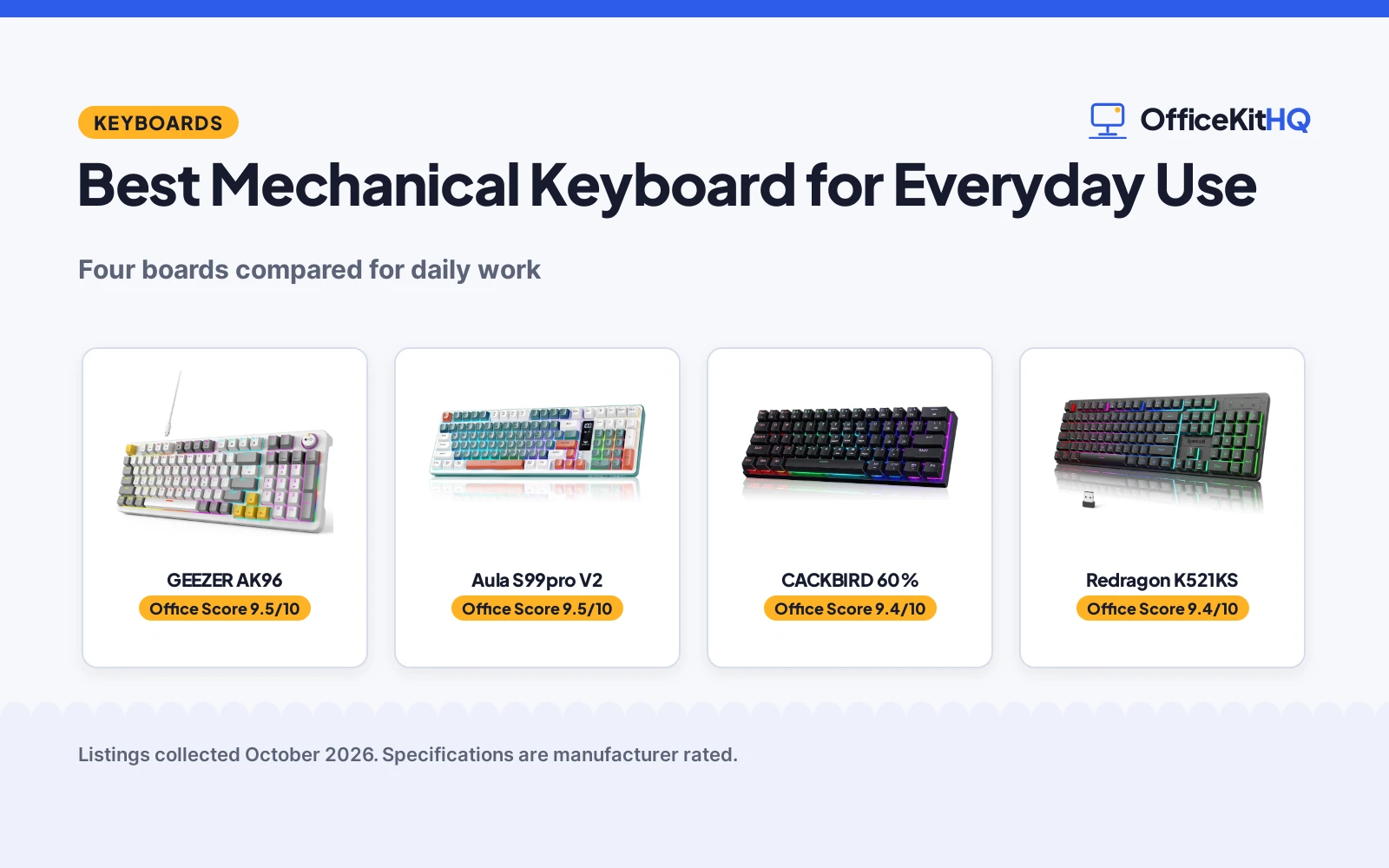
The best mechanical keyboard for everyday use is the one that fits your desk, your noise tolerance and your devices, because a daily driver has to disappear into the workday. A shared-office typist needs quiet keys, a spreadsheet worker needs a number pad, and a laptop hopper needs wireless that switches fast. We compared four keyboards by layout, switch type, connection options, noise, battery or wired power and warranty term, using only what each listing publishes.
OfficeKitHQ earns a commission when you buy through links on this page, at no extra cost to you. As an Amazon Associate I earn from qualifying purchases. Affiliate disclosure.
Quick picks
 Best Overall GEEZER AK96: 96% with numpad, pre-lubed reds, PBT keycaps. Check price on Amazon
 Quietest Pick Aula S99pro V2: Silent membrane, tri-mode, 4000 mAh. Check price on Amazon
 Most Compact CACKBIRD 60%: 60% wired mechanical, water resistant. Check price on Amazon
 Best Tri-Mode Redragon K521KS: BT, 2.4 GHz and USB-C, 5 devices. Check price on Amazon
The picks
| # | Product | Office Score | Buy |
|---|---|---|---|
| 1 | GEEZER AK96 | 9.5/10 | Buy on Amazon |
| 2 | Aula S99pro V2 | 9.5/10 | Buy on Amazon |
| 3 | CACKBIRD 60% | 9.4/10 | Buy on Amazon |
| 4 | Redragon K521KS | 9.4/10 | Buy on Amazon |

GEEZER AK96
A 96-key wired mechanical board with pre-lubed red switches, PBT keycaps and a volume knob; skip it if you need wireless.
Pros
- Pre-lubed red switches for a smoother, quieter keystroke
- High-quality PBT keycaps that resist fading, per the listing
- Dedicated media keys plus a volume knob
- 96% layout keeps arrows and number pad in a compact frame
Cons
- Wired only; no wireless option
- Plastic enclosure
- 12-month warranty is the shortest concrete term here
- Side LEDs add glow some offices may not want
Detailed Review
The GEEZER AK96 is the everyday-work pick: a 96% layout that keeps the arrows and number pad, pre-lubed red switches that stay quieter than clicky boards, PBT keycaps and a volume knob for media control. Plug-and-play over USB, with PC and Mac compatibility stated, means it works the moment it arrives.
The limits are a cable and plastic. Wired-only rules out device hopping, and the enclosure is plastic rather than metal. The 12-month warranty is stated but short. For a desk that never moves and a typist who wants quiet mechanical keys with a numpad, the trade fits.
Its Office Score of 9.5/10 comes from performance 30/35, build 20/25, value 21/25, safety 0/10 and warranty 1/5: 72 of 100 points, placed on our 9.2 to 9.8 scale.
Key Specifications
| Layout | 96%, 96 keys |
|---|---|
| Switch | Red, pre-lubed |
| Keycaps | PBT |
| Connection | Wired, USB-A |
| Backlight | 17 modes plus side LEDs |
| Dimensions | 15.35 x 5.51 x 1.18 in |
| Warranty | 12 Months |
Figures as published on the retailer listing, collected 17 October 2026. Performance figures are manufacturer rated.
Safety and Warranty
What this listing states. This product does not plug in or run on a battery, so safety is not part of its score. 12 Months. It does not say everything a buyer needs, such as who pays return shipping, so warranty scores 1 of 5. See How We Pick.
Fit the desk first. Check the stated size against your desk depth and keyboard tray, and charge or pair as the manual describes. No keyboard, mouse or wrist rest prevents or treats injury.
This is general buying information, not professional advice. Follow each product manual and local rules, and see our Safety Disclaimer.

Aula S99pro V2
A 99-key silent membrane board with tri-mode wireless and a TFT screen; skip it if you want true mechanical switches.
Pros
- Silent membrane design for shared offices, per the listing
- Tri-mode: Bluetooth 5.0, 2.4 GHz and USB-C
- TFT screen shows battery, mode and num lock status
- 4000 mAh battery
Cons
- Membrane, not mechanical, despite the roundup theme
- Not water resistant, per the spec table
- ABS keycaps; new units may feel oily from release agents, per the listing
- 99 keys in a 97% layout; check the layout before buying
Detailed Review
The Aula S99pro V2 is the quiet pick that happens to be in a mechanical roundup: a 99-key membrane board with a silent design aimed at shared offices, tri-mode wireless, a 4000 mAh battery and a TFT screen showing battery, connection mode and num lock. Separate Win and Mac Fn layouts cover both systems.
The catch is the switch type. Membrane keys feel softer and less crisp than mechanical switches, and the listing is candid that it is a membrane board. The spec table also says not water resistant. For a shared office where silence beats feel, it earns its place; for mechanical purists, it does not.
Its Office Score of 9.5/10 comes from performance 30/35, build 19/25, value 21/25, safety 0/10 and warranty 1/5: 71 of 100 points, placed on our 9.2 to 9.8 scale.
Key Specifications
| Layout | 97%, 99 keys |
|---|---|
| Switch | Membrane, silent |
| Connection | Bluetooth 5.0, 2.4 GHz, USB-C |
| Battery | 4000 mAh |
| Backlight | 16.8M RGB, 15 effects |
| Dimensions | 15.95 x 5.33 x 1.62 in |
| Warranty | 1 Year Manufacturer |
Figures as published on the retailer listing, collected 17 October 2026. Performance figures are manufacturer rated.
Safety and Warranty
What this listing states. No FCC or other safety listing is stated, so safety scores zero. 1 Year Manufacturer. It does not say everything a buyer needs, such as who pays return shipping, so warranty scores 1 of 5. See How We Pick.
Fit the desk first. Check the stated size against your desk depth and keyboard tray, and charge or pair as the manual describes. No keyboard, mouse or wrist rest prevents or treats injury.
This is general buying information, not professional advice. Follow each product manual and local rules, and see our Safety Disclaimer.

CACKBIRD 60%
A 61-key wired mechanical board with blue switches for tiny desks; skip it if you need arrow keys or a number pad.
Pros
- True blue mechanical switches with tactile click
- Water resistant, per the listing
- Steel keyboard plate under the ABS
- 11.4 x 3.93 in; the smallest footprint here
Cons
- 60% layout: no dedicated arrows, no number pad, no function row
- Wired only
- Blue switches are loud for shared spaces
- No warranty term stated in the listing
Detailed Review
The CACKBIRD is the minimalist pick: 61 keys, true blue mechanical switches, a steel plate under ABS keycaps and water resistance stated in the listing, all in an 11.4 by 3.93 inch footprint that leaves the desk to the mouse. The detachable Type-C cable suits a bag.
The 60% layout is the whole trade. Arrows live behind Fn+Space, there is no function row and no number pad, so it suits typists who never leave the home row and frustrates everyone else. Blue switches click loudly, and no warranty is stated.
Its Office Score of 9.4/10 comes from performance 26/35, build 20/25, value 19/25, safety 4/10 and warranty 0/5: 69 of 100 points, placed on our 9.2 to 9.8 scale.
Key Specifications
| Layout | 60%, 61 keys |
|---|---|
| Switch | Blue, mechanical |
| Connection | Wired, detachable Type-C |
| Backlight | 18 LED rainbow effects |
| Keycaps | Double injection ABS |
| Water resistance | Stated |
| Dimensions | 11.4 x 3.93 x 1.3 in |
Figures as published on the retailer listing, collected 17 October 2026. Performance figures are manufacturer rated.
Safety and Warranty
What this listing states. The listing states water resistance., so safety scores 4 of 10. No warranty term, so warranty scores zero. See How We Pick.
Fit the desk first. Check the stated size against your desk depth and keyboard tray, and charge or pair as the manual describes. No keyboard, mouse or wrist rest prevents or treats injury.
This is general buying information, not professional advice. Follow each product manual and local rules, and see our Safety Disclaimer.

Redragon K521KS
A tri-mode 'mechanical feeling' board with 5-device pairing and RGB; skip it if you want true mechanical switches.
Pros
- Tri-mode: Bluetooth, 2.4 GHz and USB-C, up to 5 devices
- 4000 mAh battery
- Programmable software for RGB, keys and macros
- 12 multimedia combination keys
Cons
- 'Mechanical feeling', not true mechanical switches
- No warranty term stated in the listing
- 25-key anti-ghosting, not full
- Plastic enclosure
Detailed Review
The Redragon K521KS is the connectivity pick: tri-mode wireless across Bluetooth, 2.4 GHz and USB-C, up to five devices paired at once within 10 meters, a 4000 mAh battery and programmable software for RGB, keys and macros. Twelve multimedia keys cover office shortcuts.
The asterisk is the switch type. 'Mechanical feeling' is the listing's own phrase, and it is not a mechanical switch, so buyers chasing crisp key feel should look at the GEEZER or CACKBIRD. No warranty is stated, and anti-ghosting covers 25 keys rather than the full board.
Its Office Score of 9.4/10 comes from performance 29/35, build 19/25, value 20/25, safety 0/10 and warranty 0/5: 68 of 100 points, placed on our 9.2 to 9.8 scale.
Key Specifications
| Switch | Mechanical feeling |
|---|---|
| Connection | Bluetooth, 2.4 GHz, USB-C |
| Devices | Up to 5 |
| Battery | 4000 mAh |
| Backlight | RGB, 8 modes |
| Anti-ghosting | 25 keys |
| Enclosure | Plastic |
Figures as published on the retailer listing, collected 17 October 2026. Performance figures are manufacturer rated.
Safety and Warranty
What this listing states. No FCC or other safety listing is stated, so safety scores zero. No warranty term, so warranty scores zero. See How We Pick.
Fit the desk first. Check the stated size against your desk depth and keyboard tray, and charge or pair as the manual describes. No keyboard, mouse or wrist rest prevents or treats injury.
This is general buying information, not professional advice. Follow each product manual and local rules, and see our Safety Disclaimer.
As an Amazon Associate I earn from qualifying purchases.
Compare the picks
| Product | Office Score | Layout | Switch | Connection | Warranty | Amazon |
|---|---|---|---|---|---|---|
| GEEZER AK96 | 9.5/10 | 96% 96-key | Red, pre-lubed | Wired USB-A | 12 Months | View on Amazon |
| Aula S99pro V2 | 9.5/10 | 97% 99-key | Membrane, silent | BT, 2.4 GHz, USB-C | 1 Year Manufacturer | View on Amazon |
| CACKBIRD 60% | 9.4/10 | 60% 61-key | Blue | Wired USB-C | Not stated | View on Amazon |
| Redragon K521KS | 9.4/10 | Full-size | Mechanical feeling | BT, 2.4 GHz, USB-C | Not stated | View on Amazon |
Specifications are manufacturer rated as listed, collected 17 October 2026.
How we scored them
| Product | Office Score | Perf. /35 | Build /25 | Value /25 | Safety /10 | Warranty /5 |
|---|---|---|---|---|---|---|
| GEEZER AK96 | 9.5 | 30 | 20 | 21 | 0 | 1 |
| Aula S99pro V2 | 9.5 | 30 | 19 | 21 | 0 | 1 |
| CACKBIRD 60% | 9.4 | 26 | 20 | 19 | 4 | 0 |
| Redragon K521KS | 9.4 | 29 | 19 | 20 | 0 | 0 |
Scores run from 9.2 to 9.8: each product’s point total is placed on that range, so more points always means a higher score.
The Office Score weighs performance, build, value, safety and warranty, as explained on our How we pick page. For everyday keyboards, performance covers layout fit, switch feel, noise and connectivity. The GEEZER earns the top mark for pairing a number pad with quiet pre-lubed switches, while the membrane Aula scores on silence and wireless at the cost of true mechanical feel.
How to choose the best mechanical keyboard for everyday use
Mechanical, membrane or “mechanical feeling”
Two of these are true mechanical boards: the GEEZER with pre-lubed red switches and the CACKBIRD with clicky blue switches. The Aula is a silent membrane board by its own description, and the Redragon is “mechanical feeling” rather than mechanical. Mechanical switches give the crisp feel typists buy these boards for; membrane is quieter and usually cheaper to make. Decide which side of that trade you sit on before comparing anything else.
Size against desk space
Layouts here run from 61 keys to 99. The CACKBIRD 60% frees the most desk space but drops arrows, the function row and the number pad. The GEEZER 96% and Aula 97% keep the number pad in a compact frame, which spreadsheet and data workers should prefer. Full travel distance matters too: the Aula’s two-stage feet adjust the typing angle, and the GEEZER’s kickstands do the same.
Quiet matters in shared spaces
Switch choice is a noise choice. The Aula’s silent membrane design is built for open offices, and the GEEZER’s pre-lubed reds are the quieter mechanical option here. The CACKBIRD’s blue switches click loudly with every keystroke, which suits a home office and not a shared one. The Redragon sits in the middle as a “mechanical feeling” board. Browse all keyboards for more options.
Frequently Asked Questions
Are all of these true mechanical keyboards?
No. The GEEZER and CACKBIRD use mechanical switches, while the Aula S99pro V2 is a membrane keyboard by its own description and the Redragon K521KS is “mechanical feeling” rather than mechanical.
Which keyboard is quietest for a shared office?
The Aula S99pro V2 lists a silent membrane design for shared workspaces. The GEEZER’s pre-lubed red switches are the quieter mechanical option; the CACKBIRD’s blue switches are the loudest here.
Which keyboards state a warranty?
The GEEZER lists 12 months and the Aula lists a 1 Year Manufacturer warranty. The Redragon and CACKBIRD listings state no warranty term.
Related guides
See every keyboard guide and all computer peripherals guides. Also see our best mechanical keyboard for office typing and our best mechanical keyboard for home office use.
More picks: wrist rests and computer peripherals.



