
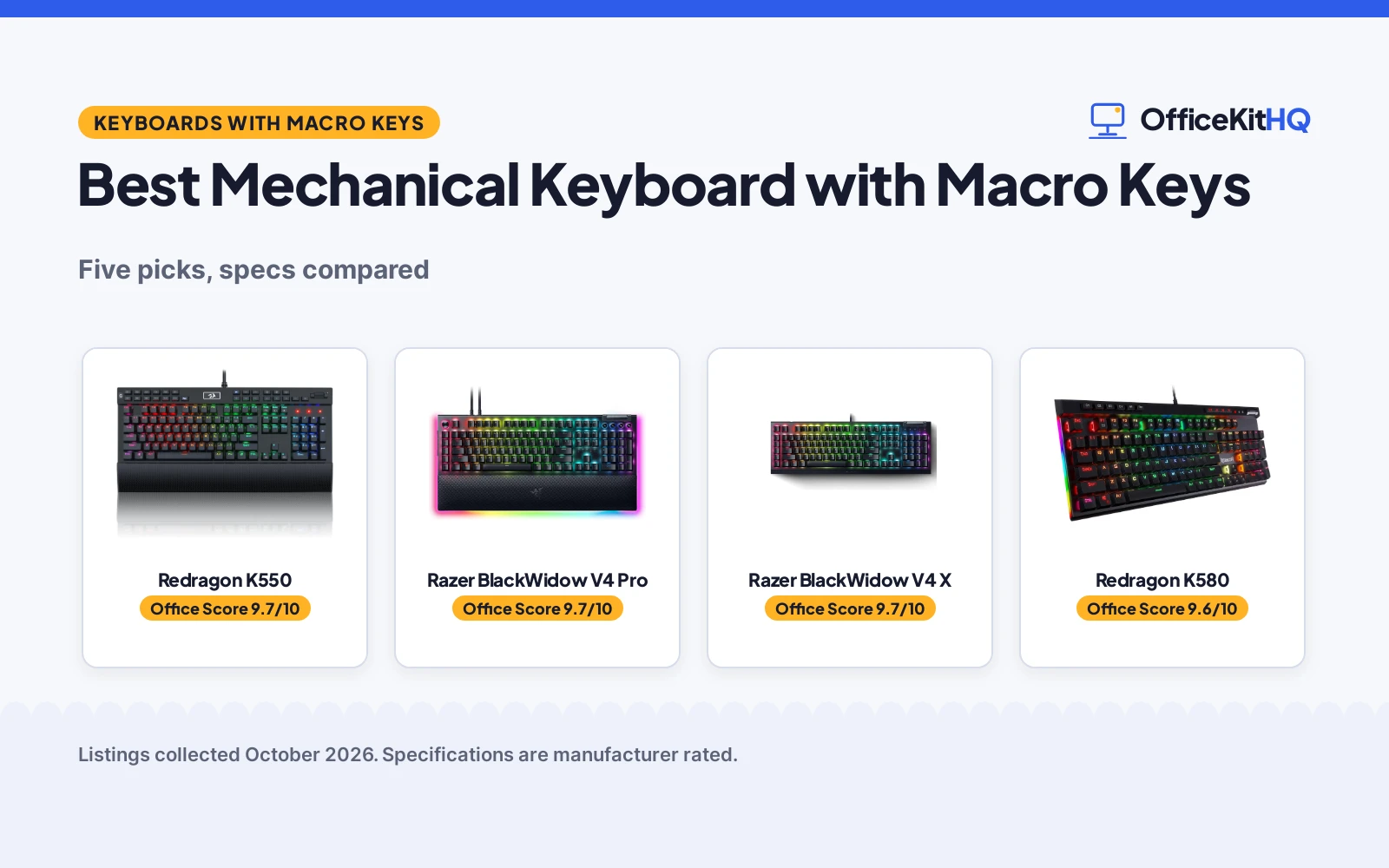
The best mechanical keyboard with macro keys is the one whose macro setup matches how you actually work: dedicated keys for gamers, programmable layers for streamers, and on-the-fly recording when you hate opening software. We compared five macro keyboards by stated macro count, switch type, programmability, extras and warranty, using only what each listing publishes. Macro counts run from 5 dedicated keys to 12, plus one board that makes every key programmable.
OfficeKitHQ earns a commission when you buy through links on this page, at no extra cost to you. As an Amazon Associate I earn from qualifying purchases. Affiliate disclosure.
Quick picks
 Best Overall Redragon K550: 12 onboard macros, aluminum plate, USB pass-through, 1-year warranty Check price on Amazon
 Best Premium Razer BlackWidow V4 Pro: 8 macros, command dial, wrist rest, 2-year warranty Check price on Amazon
 Best Silent Razer BlackWidow V4 X: 6 macros, silent yellow switches, Snap Tap, 2-year warranty Check price on Amazon
 Best Hot-Swap Redragon K580: 5 macros, hot-swappable brown switches, media wheel, 1-year warranty Check price on Amazon
 Best Stream Deck VSDINSIDE K1 Pro: 6 LCD keys, 3 knobs, full-key programmable, 12-month warranty Check price on Amazon
The picks
| # | Product | Office Score | Buy |
|---|---|---|---|
| 1 | Redragon K550 | 9.7/10 | Buy on Amazon |
| 2 | Razer BlackWidow V4 Pro | 9.7/10 | Buy on Amazon |
| 3 | Razer BlackWidow V4 X | 9.7/10 | Buy on Amazon |
| 4 | Redragon K580 | 9.6/10 | Buy on Amazon |
| 5 | VSDINSIDE K1 Pro | 9.6/10 | Buy on Amazon |

Redragon K550
A 131-key board with 12 onboard macro keys, an aluminum top plate, USB pass-through and a wrist rest.
Pros
- 12 onboard macro keys, most stated here
- Aluminum top plate with USB pass-through
- Wrist rest and dedicated media controls
- Custom purple clicky switches, 55g actuation
Cons
- Clicky switches are loud by design
- 600 g with a wide footprint
- Spec table switch type says linear, contradiction
- 1 year warranty, shorter than the Razers
Detailed Review
Redragon lists the K550 as a wired mechanical keyboard with 12 onboard macro keys programmable on the fly without software, custom purple clicky switches at 55g actuation with 1.1mm pretravel, an aluminum top plate, a USB pass-through port, dedicated media controls and a wrist rest. The listing states 131 keys and a 1 year warranty. One contradiction: the switch type field says linear while the description says clicky custom switches; we trust the description.
Who it is for: gamers and power users who want the most dedicated macro keys with no software. Who should skip it: quiet-office workers.
Its Office Score of 9.7/10 comes from performance 33/35, build 21/25, value 21/25, safety not scored (non-powered gear) and warranty 3/5: 78 of 90 points, placed on our 9.2 to 9.8 scale.
Key Specifications
| Macro keys | 12 onboard |
|---|---|
| Switches | Purple clicky |
| Plate | Aluminum |
| Warranty | 1 year |
Figures as published on the retailer listing, collected 17 October 2026. Performance figures are manufacturer rated.
Safety and Warranty
What this listing states. This product does not plug in or run on a battery, so safety is not part of its score. 1 year. It does not say everything a buyer needs, such as who pays return shipping, so warranty scores 3 of 5. See How We Pick.
Fit the desk first. Check the stated size against your desk depth and keyboard tray, and charge or pair as the manual describes. No keyboard, mouse or wrist rest prevents or treats injury.
This is general buying information, not professional advice. Follow each product manual and local rules, and see our Safety Disclaimer.

Razer BlackWidow V4 Pro
A premium board with 8 macro keys, a command dial and a leatherette wrist rest with underglow.
Pros
- 8 dedicated macro keys plus command dial
- Magnetic leatherette wrist rest with underglow
- Green tactile clicky switches
- 2 year manufacturer warranty
Cons
- 3.6 pounds, heaviest here
- Clicky switches are loud
- Underglow needs the wrist rest attached
- Premium positioning in the specs
Detailed Review
Razer lists the BlackWidow V4 Pro with green tactile clicky switches, 8 dedicated macro keys, a programmable command dial, doubleshot ABS keycaps, Chroma RGB per-key lighting and a magnetic plush leatherette wrist rest with underglow. The listing states 18.36 by 6.01 inches, 3.6 pounds and a 2 year manufacturer warranty.
Who it is for: gamers who want macros, a dial and a premium wrist rest in one board. Who should skip it: anyone who needs a light or quiet keyboard.
Its Office Score of 9.7/10 comes from performance 33/35, build 21/25, value 20/25, safety not scored (non-powered gear) and warranty 3/5: 77 of 90 points, placed on our 9.2 to 9.8 scale.
Key Specifications
| Macro keys | 8 dedicated |
|---|---|
| Switches | Green clicky |
| Extras | Command dial, wrist rest |
| Warranty | 2 years |
Figures as published on the retailer listing, collected 17 October 2026. Performance figures are manufacturer rated.
Safety and Warranty
What this listing states. This product does not plug in or run on a battery, so safety is not part of its score. 2 year manufacturer. It does not say everything a buyer needs, such as who pays return shipping, so warranty scores 3 of 5. See How We Pick.
Fit the desk first. Check the stated size against your desk depth and keyboard tray, and charge or pair as the manual describes. No keyboard, mouse or wrist rest prevents or treats injury.
This is general buying information, not professional advice. Follow each product manual and local rules, and see our Safety Disclaimer.

Razer BlackWidow V4 X
A quiet linear board with 6 macro keys, Snap Tap and Chroma RGB for shared spaces.
Pros
- 6 dedicated macro keys
- Yellow linear silent switches with dampeners
- Snap Tap for rapid inputs
- 2 year manufacturer warranty
Cons
- 6 macros, fewer than the V4 Pro and K550
- 20.5 by 8 inches, wide footprint
- 2.5 pounds
- No wrist rest included
Detailed Review
Razer lists the BlackWidow V4 X with yellow linear silent switches at 1.2mm actuation and 45g force, 6 dedicated macro keys, Chroma RGB per-key lighting, doubleshot ABS keycaps, a multi-function roller and Snap Tap. The listing states 20.5 by 8 inches, 2.5 pounds and a 2 year manufacturer warranty.
Who it is for: gamers in shared rooms who want silent switches with macros. Who should skip it: anyone who wants the most macro keys.
Its Office Score of 9.7/10 comes from performance 32/35, build 20/25, value 20/25, safety not scored (non-powered gear) and warranty 3/5: 75 of 90 points, placed on our 9.2 to 9.8 scale.
Key Specifications
| Macro keys | 6 dedicated |
|---|---|
| Switches | Yellow silent linear |
| Extras | Snap Tap, roller |
| Warranty | 2 years |
Figures as published on the retailer listing, collected 17 October 2026. Performance figures are manufacturer rated.
Safety and Warranty
What this listing states. This product does not plug in or run on a battery, so safety is not part of its score. 2 year manufacturer. It does not say everything a buyer needs, such as who pays return shipping, so warranty scores 3 of 5. See How We Pick.
Fit the desk first. Check the stated size against your desk depth and keyboard tray, and charge or pair as the manual describes. No keyboard, mouse or wrist rest prevents or treats injury.
This is general buying information, not professional advice. Follow each product manual and local rules, and see our Safety Disclaimer.

Redragon K580
A hot-swappable board with 5 on-the-fly macro keys and quiet tactile brown switches.
Pros
- 5 macro keys recorded on the fly, no software
- Hot-swappable sockets for switch changes
- Brown tactile switches, quieter than clicky
- Media wheel and 50M keystroke rating
Cons
- 5 macros, fewest dedicated keys here
- 104 keys, no extra macro column width
- 0.97 kg
- 1 year warranty
Detailed Review
Redragon lists the K580 as a wired mechanical keyboard with 5 dedicated macro keys recordable on the fly with no software, Outemu brown tactile switches, hot-swappable sockets, a dedicated media wheel and RGB backlight. The listing states 104 keys, a 50 million keystroke rating, double-shot keycaps and a 1 year warranty.
Who it is for: typists who want macros plus the freedom to swap switches later. Who should skip it: anyone who needs more than 5 dedicated macro keys.
Its Office Score of 9.6/10 comes from performance 30/35, build 20/25, value 20/25, safety not scored (non-powered gear) and warranty 3/5: 73 of 90 points, placed on our 9.2 to 9.8 scale.
Key Specifications
| Macro keys | 5 on-the-fly |
|---|---|
| Switches | Brown tactile |
| Extras | Hot-swap, media wheel |
| Warranty | 1 year |
Figures as published on the retailer listing, collected 17 October 2026. Performance figures are manufacturer rated.
Safety and Warranty
What this listing states. This product does not plug in or run on a battery, so safety is not part of its score. 1 year. It does not say everything a buyer needs, such as who pays return shipping, so warranty scores 3 of 5. See How We Pick.
Fit the desk first. Check the stated size against your desk depth and keyboard tray, and charge or pair as the manual describes. No keyboard, mouse or wrist rest prevents or treats injury.
This is general buying information, not professional advice. Follow each product manual and local rules, and see our Safety Disclaimer.

VSDINSIDE K1 Pro
An 87-key stream-deck-style board with 6 LCD macro keys, 3 knobs and full-key programmability.
Pros
- 6 LCD macro keys and 3 knobs
- Full-key programmable, any key a macro
- Hot-swappable with gasket mount
- TFT display with 16.8M colour RGB
Cons
- 87 keys, no numpad
- Wired only, no wireless
- 12 month warranty, shortest stated here
- Software needed for screen customization
Detailed Review
VSDINSIDE lists the K1 Pro as an 87-key wired mechanical keyboard with 6 custom LCD macro keys, 3 knobs, a TFT colour display, full-key programmability and macro recording, hot-swappable switches, a gasket mount with 5-layer dampening and RGB backlight. The listing states a 50 million keystroke rating and a 12 month warranty.
Who it is for: streamers and creators who want a macro deck and keyboard in one. Who should skip it: numpad users and wireless seekers.
Its Office Score of 9.6/10 comes from performance 30/35, build 20/25, value 19/25, safety not scored (non-powered gear) and warranty 3/5: 72 of 90 points, placed on our 9.2 to 9.8 scale.
Key Specifications
| Macro keys | 6 LCD + full-key |
|---|---|
| Switches | Linear red |
| Extras | 3 knobs, TFT display |
| Warranty | 12 months |
Figures as published on the retailer listing, collected 17 October 2026. Performance figures are manufacturer rated.
Safety and Warranty
What this listing states. This product does not plug in or run on a battery, so safety is not part of its score. 12 months. It does not say everything a buyer needs, such as who pays return shipping, so warranty scores 3 of 5. See How We Pick.
Fit the desk first. Check the stated size against your desk depth and keyboard tray, and charge or pair as the manual describes. No keyboard, mouse or wrist rest prevents or treats injury.
This is general buying information, not professional advice. Follow each product manual and local rules, and see our Safety Disclaimer.
As an Amazon Associate I earn from qualifying purchases.
More picks to compare
 RK ROYAL KLUDGE M70 Wireless MechanicalCheck on Amazon
 Turtle Beach Command Series KB5Check on Amazon
Compare the picks
| Keyboard | Office Score | Macro keys | Switches | Extras | Warranty | Amazon |
|---|---|---|---|---|---|---|
| Redragon K550 | 9.7/10 | 12 onboard | Purple clicky | USB pass-through, wrist rest | 1 year | View on Amazon |
| Razer BlackWidow V4 Pro | 9.7/10 | 8 dedicated | Green clicky | Command dial, wrist rest | 2 years | View on Amazon |
| Razer BlackWidow V4 X | 9.7/10 | 6 dedicated | Yellow silent linear | Snap Tap, roller | 2 years | View on Amazon |
| Redragon K580 | 9.6/10 | 5 on-the-fly | Brown tactile | Hot-swap, media wheel | 1 year | View on Amazon |
| VSDINSIDE K1 Pro | 9.6/10 | 6 LCD + full-key | Linear red | 3 knobs, TFT display | 12 months | View on Amazon |
Specifications are manufacturer rated as listed, collected 17 October 2026. All five state a warranty term, from 12 months to 2 years.
How we scored them
The Office Score weighs performance (stated macro count, switch type and programmability), build (stated materials and weight), value for the stated specs, safety and warranty. For a keyboard, safety means a stated protective feature; none of the five state one. All five state a warranty term: 2 years on the Razers, 1 year on the Redragons, 12 months on the VSDINSIDE. How we pick explains the weights.
| Product | Office Score | Perf. /35 | Build /25 | Value /25 | Safety /10 | Warranty /5 |
|---|---|---|---|---|---|---|
| Redragon K550 | 9.7 | 33 | 21 | 21 | n/a | 3 |
| Razer BlackWidow V4 Pro | 9.7 | 33 | 21 | 20 | n/a | 3 |
| Razer BlackWidow V4 X | 9.7 | 32 | 20 | 20 | n/a | 3 |
| Redragon K580 | 9.6 | 30 | 20 | 20 | n/a | 3 |
| VSDINSIDE K1 Pro | 9.6 | 30 | 20 | 19 | n/a | 3 |
Scores run from 9.2 to 9.8: each product’s point total is placed on that range, so more points always means a higher score. Safety counts only for powered gear or where the listing states safety features; where it does not apply, the score is taken over the remaining 90 points.
How to choose the best mechanical keyboard with macro keys
Start with the macro count and how macros are recorded. The Redragon K550 states 12 onboard macro keys programmable on the fly with no software, the most dedicated keys here. The Razer BlackWidow V4 Pro states 8 dedicated macro keys plus a programmable command dial, and the V4 X states 6. The Redragon K580 states 5 macro keys recordable on the fly with no software required. The VSDINSIDE K1 Pro takes a different path: 6 LCD macro keys and 3 knobs on a stream-deck-style panel, with full-key programmability so any key can carry a macro.
Next, match the switches to your noise tolerance. The K550 states custom purple clicky switches at 55g actuation with 1.1mm pretravel for a tactile thock, and the V4 Pro states green tactile clicky switches. The V4 X states yellow linear silent switches with sound dampeners, the K580 states brown tactile switches quieter than clicky, and the K1 Pro states linear red switches. Clicky suits private setups; silent linear suits shared rooms.
Then weigh the extras. The K550 states an aluminum top plate, a USB pass-through port and a wrist rest. The V4 Pro states a magnetic leatherette wrist rest with underglow. The V4 X states Snap Tap for rapid inputs and a multi-function roller. The K580 states hot-swappable sockets and a media wheel, and the K1 Pro states hot-swap, gasket mount and a TFT display. For warranty, the two Razers state 2 years, the Redragons state 1 year, and the VSDINSIDE states 12 months.
Setup Notes
- Macro recording: the K550 and K580 state on-the-fly macro recording with no software; the Razers use Chroma software for deeper profiles.
- Switch swaps: the K580 and K1 Pro state hot-swappable sockets, so switches change without soldering.
- Dial and knobs: the V4 Pro’s command dial and the K1 Pro’s 3 knobs handle volume and media; assign them before long sessions.
- USB pass-through: the K550’s built-in USB port takes a mouse or receiver for a cleaner desk.
- Wrist rest: the V4 Pro includes a magnetic leatherette rest; the K550 includes a standard rest.
Frequently Asked Questions
Which keyboard here has the most macro keys?
The Redragon K550 states 12 onboard macro keys. The V4 Pro states 8, the V4 X states 6, the K580 states 5, and the K1 Pro states 6 LCD keys with full-key programmability.
Which are hot-swappable?
The Redragon K580 and VSDINSIDE K1 Pro state hot-swappable sockets. The others do not state hot-swap.
Which have a wrist rest?
The V4 Pro states a magnetic leatherette wrist rest with underglow, and the K550 states a wrist rest. The others do not include one.
Which state the longest warranty?
The two Razers state a 2 year manufacturer warranty. The Redragons state 1 year, and the VSDINSIDE states 12 months.
Which is quietest?
The V4 X states yellow linear silent switches with built-in sound dampeners. The K550 and V4 Pro state clicky switches, the loudest stated here.
Related guides
See every keyboards guide and all monitor mounts, keyboards and mice guides. Also see our best mechanical keyboard with wrist rest.
More picks: mechanical keyboards for speed typing, mechanical keyboards with wrist rest and keyboards.



