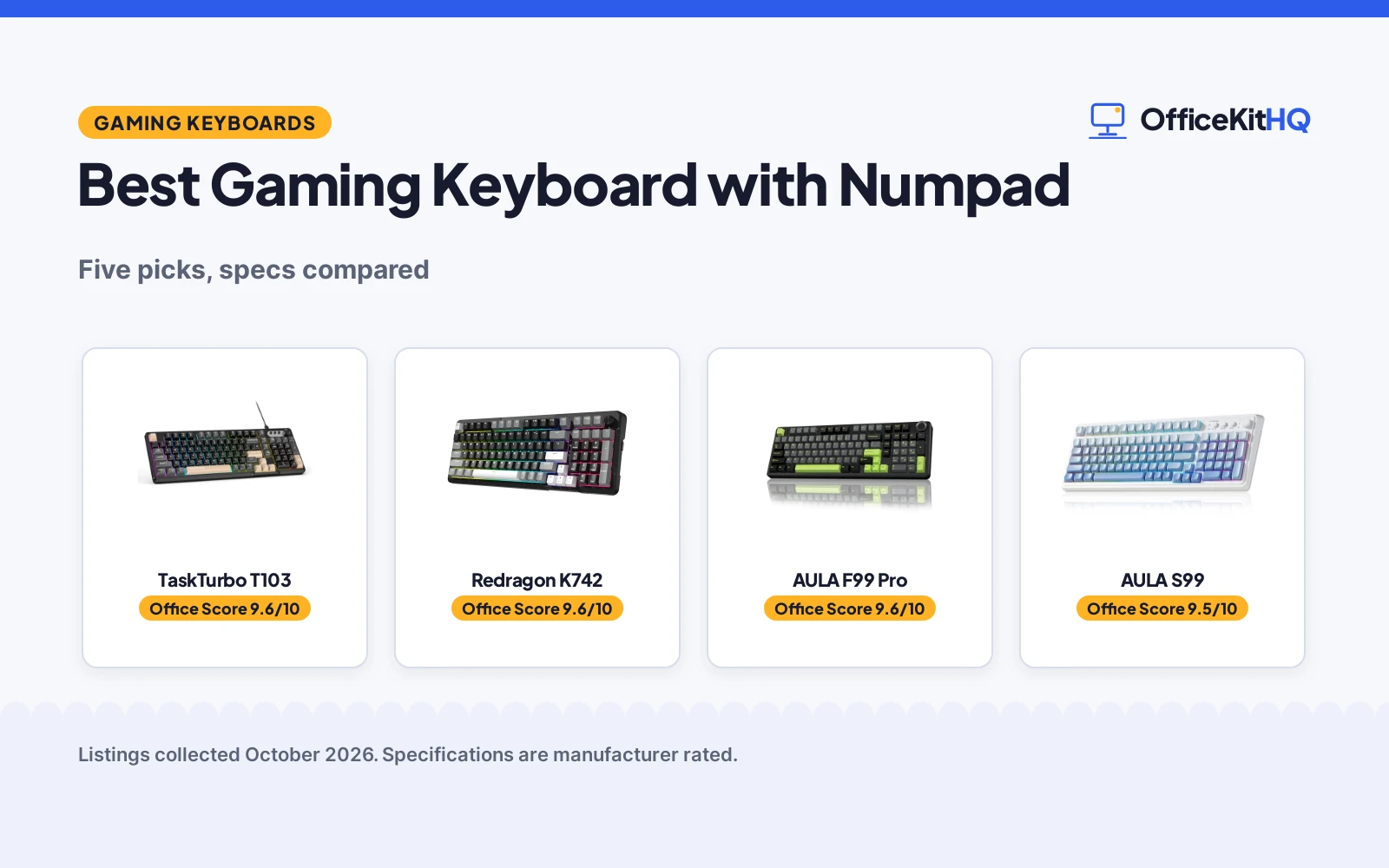
On a morning call the laptop keyboard is too cramped for the numbers the spreadsheet needs, and the best gaming keyboard with numpad is the one that adds a full number pad without taking over the desk. Five gaming keyboards with numpads are compared here by layout, switches, connection, battery and warranty, using only what each listing publishes. Two are mechanical boards with hot-swappable switches, and three are membrane boards built for quiet typing, so the choice comes down to feel, connection and how the board fits the desk.
OfficeKitHQ earns a commission when you buy through links on this page, at no extra cost to you. As an Amazon Associate I earn from qualifying purchases. Affiliate disclosure.
Quick picks
 Best Overall TaskTurbo T103: 26-key anti-ghosting, spill-resistant, RGB, 1-year warranty Check price on Amazon
 Best Mechanical Redragon K742: QMK/VIA, gasket build, hot-swap, 4000mAh battery Check price on Amazon
 Best Battery AULA F99 Pro: 8000mAh battery, hot-swap, gasket, PBT keycaps Check price on Amazon
 Best Tri-Mode AULA S99: Tri-mode, 16.8M RGB, media knob, 2000mAh battery Check price on Amazon
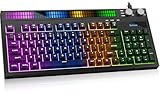 Best Warranty SABLUTE 94-Key: 2-year replacement support, dual knobs, sound-sync light bar Check price on Amazon
Our desk picks
| # | Product | Office Score | Buy |
|---|---|---|---|
| 1 | TaskTurbo T103 | 9.6/10 | Buy on Amazon |
| 2 | Redragon K742 | 9.6/10 | Buy on Amazon |
| 3 | AULA F99 Pro | 9.6/10 | Buy on Amazon |
| 4 | AULA S99 | 9.5/10 | Buy on Amazon |
| 5 | SABLUTE 94-Key | 9.5/10 | Buy on Amazon |

TaskTurbo T103
A wired membrane keyboard with a dedicated number pad, RGB backlight, 26-key anti-ghosting and a spill-resistant design.
Pros
- 26-key anti-ghosting registers complex multi-key combos without missed keystrokes
- Spill-resistant design with a protective membrane beneath the keys
- Dedicated media keys and a foldable two-stage stand
- Compatible with Windows, Linux, Mac, Android and iOS
Cons
- Wired only, so the cable stays on the desk
- Membrane keys, not mechanical switches
- Does not support hot-swapping
- No wireless mode for use away from the desk
Detailed Review
TaskTurbo lists the T103 as a wired membrane keyboard with a 98% layout, a dedicated numeric keypad, arrow keys and media buttons. The maker states soft, quiet keystrokes, RGB backlight, 26-key anti-ghosting and a spill-resistant design with a protective membrane beneath the keys. It measures 15.81 by 5.56 by 1.73 in. and weighs 1.5 pounds, and it works with Windows, Linux, Mac, Android and iOS. The maker states the keyboard does not support hot-swapping.
Who it's for: someone who types in a quiet room and wants a wired board with a number pad and media keys. Who should skip it: anyone who wants a wireless board or swappable switches.
Its Office Score of 9.6/10 comes from performance 28/35, build 20/25, value 21/25, safety 5/10 and warranty 3/5: 77 of 100 points, placed on our 9.2 to 9.8 scale.
Key Specifications
| Layout | 98% with numeric keypad |
|---|---|
| Connection | Wired USB |
| Anti-ghosting | 26 keys |
| Item weight | 1.5 pounds |
These specs mirror the retailer listing as of 19 November 2026; performance figures are stated by the brand.
Safety and Warranty
What this listing states. A spill-resistant design with a protective membrane beneath the keys is stated, so safety scores 5 of 10. 1 year warranty is stated. It does not say everything a buyer needs, such as who pays return shipping, so warranty scores 3 of 5. See How We Pick.
Fit the desk first. Check the stated size against your desk depth and keyboard tray, and charge or pair as the manual describes. No keyboard, mouse or wrist rest prevents or treats injury.
This is general buying information, not professional advice. Follow each product manual and local rules, and see our Safety Disclaimer.
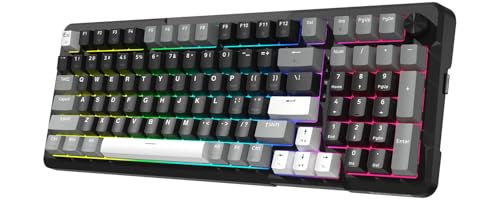
Redragon K742
A wireless mechanical keyboard with a gasket build, hot-swappable switches, QMK/VIA support and a 4000mAh battery.
Pros
- Gasket structure with 5-layer sound-absorbing padding for a quiet feel
- Hot-swappable sockets support 3-pin and 5-pin switches
- QMK/VIA support for remapping keys and editing macros
- 4000mAh battery lasts 53 hours with the backlight off
Cons
- Connects to up to 3 devices, fewer than the 5-device AULA boards
- Battery life falls to 16 hours with the backlight on
- 98% layout is not a full-size board
- The VIA JSON file must be requested from the maker
Detailed Review
Redragon lists the K742 as a wireless mechanical keyboard with a gasket structure filled with 5-layer sound-absorbing padding and pre-lubed RPC linear switches. The maker states tri-mode connectivity with Bluetooth 5.0, 2.4GHz wireless and USB-C wired modes, up to 3 devices at the same time, hot-swappable sockets for 3-pin and 5-pin switches, and QMK/VIA support. The built-in 4000mAh battery lasts 53 hours with the backlight off and 16 hours with the backlight on, and the switches are rated for 50,000,000 keystrokes. The package includes a K742 keyboard, 4 spare switches, a wired cable, a quick-start user manual and a keycap and switch puller.
Who it's for: someone who wants a mechanical board with QMK/VIA, hot-swappable switches and tri-mode connection. Who should skip it: anyone who needs more than 3 devices connected at once.
Its Office Score of 9.6/10 comes from performance 32/35, build 22/25, value 21/25, safety 0/10 and warranty 3/5: 78 of 100 points, placed on our 9.2 to 9.8 scale.
Key Specifications
| Switches | Pre-lubed RPC linear, hot-swappable |
|---|---|
| Connection | Tri-mode BT 5.0, 2.4GHz, USB-C |
| Battery | 4000mAh, 53 hours backlit off |
| Layout | 98% with multimedia knob |
These specs mirror the retailer listing as of 19 November 2026; performance figures are stated by the brand.
Safety and Warranty
What this listing states. No FCC or other safety listing is stated, so safety scores zero. 1-year warranty is stated. It does not say everything a buyer needs, such as who pays return shipping, so warranty scores 3 of 5. See How We Pick.
Fit the desk first. Check the stated size against your desk depth and keyboard tray, and charge or pair as the manual describes. No keyboard, mouse or wrist rest prevents or treats injury.
This is general buying information, not professional advice. Follow each product manual and local rules, and see our Safety Disclaimer.
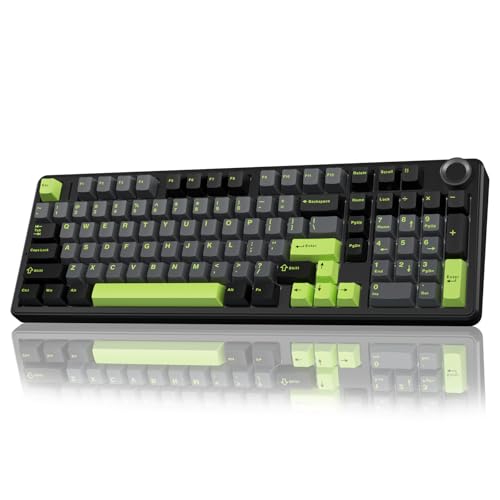
AULA F99 Pro
A wireless mechanical keyboard with a gasket build, hot-swappable switches, PBT keycaps and an 8000mAh battery.
Pros
- 8000mAh battery for longer use between charges
- Hot-swappable sockets for 3-pin and 5-pin switches, with a puller in the box
- Gasket structure with 5 layers of filling for a softer feel
- PBT keycaps with double shot molding that keeps characters from fading
Cons
- 6-month warranty is the lowest term stated here
- 96% layout is not a full-size board
- Macro customization and music rhythm lighting need the driver
- One colorway, black, grey and green
Detailed Review
AULA lists the F99 Pro as a wireless mechanical keyboard with a gasket structure, an extended integrated silicone pad and PCB single key slotting. The maker states three connection methods, Bluetooth 5.0, 2.4GHz wireless and USB wired, with up to five devices at the same time, hot-swappable sockets for 3-pin and 5-pin switches, pre-lubed linear switches, 16 RGB lighting effects and 16.8 million light colors. The built-in 8000mAh battery and double shot PBT keycaps round out the board, and a keycap and switch puller are included in the package.
Who it's for: someone who wants a mechanical board with a large battery, hot-swappable switches and a knob for volume and lighting. Who should skip it: anyone who wants a longer warranty term or a full-size layout.
Its Office Score of 9.6/10 comes from performance 32/35, build 22/25, value 21/25, safety 0/10 and warranty 2/5: 77 of 100 points, placed on our 9.2 to 9.8 scale.
Key Specifications
| Switches | Pre-lubed linear, hot-swappable |
|---|---|
| Connection | Tri-mode BT 5.0, 2.4GHz, USB wired |
| Battery | 8000mAh |
| Keycaps | Double shot PBT |
These specs mirror the retailer listing as of 19 November 2026; performance figures are stated by the brand.
Safety and Warranty
What this listing states. No FCC or other safety listing is stated, so safety scores zero. 6 Months warranty is stated. It does not say everything a buyer needs, such as who pays return shipping, so warranty scores 2 of 5. See How We Pick.
Fit the desk first. Check the stated size against your desk depth and keyboard tray, and charge or pair as the manual describes. No keyboard, mouse or wrist rest prevents or treats injury.
This is general buying information, not professional advice. Follow each product manual and local rules, and see our Safety Disclaimer.
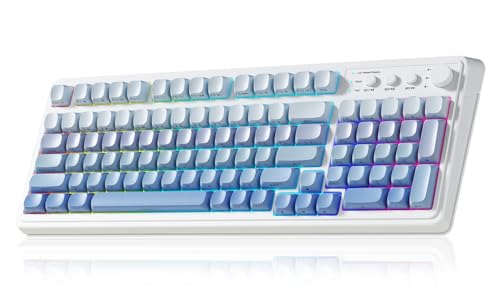
AULA S99
A wireless membrane keyboard with 99 keys, a media knob, 16.8 million RGB colors and a 2000mAh battery.
Pros
- Tri-mode connection with Bluetooth 5.0, 2.4GHz wireless and USB-C wired modes
- Connects to up to 5 devices at the same time
- 16.8 million RGB colors with 16 pre-set lighting effects
- Foldable 2-stage kickstand for tilt adjustment
Cons
- Membrane keys, not mechanical switches
- 2000mAh battery is the smallest stated here
- 96% layout is not a full-size board
- Heaviest board here at 2.64 pounds
Detailed Review
AULA lists the S99 as a wireless gaming keyboard with 99 keys, a media knob and a 96% layout with a separate numpad area. The maker states three connectivity modes, Bluetooth 5.0, 2.4GHz wireless and USB wired, with up to 5 devices at the same time, 16.8 million RGB colors with 16 pre-set lighting effects, and a 2000mAh rechargeable battery. The board measures 17.4 by 7.28 by 2.0 in. and weighs 2.64 pounds, and a foldable 2-stage kickstand adjusts the tilt angle.
Who it's for: someone who wants a tri-mode board with a number pad, a media knob and RGB lighting for work and play. Who should skip it: anyone who wants mechanical switches or a lighter board.
Its Office Score of 9.5/10 comes from performance 29/35, build 20/25, value 21/25, safety 0/10 and warranty 3/5: 73 of 100 points, placed on our 9.2 to 9.8 scale.
Key Specifications
| Keys | 99 keys, 96% layout |
|---|---|
| Connection | Tri-mode BT 5.0, 2.4GHz, USB-C |
| Battery | 2000mAh |
| Item weight | 2.64 pounds |
These specs mirror the retailer listing as of 19 November 2026; performance figures are stated by the brand.
Safety and Warranty
What this listing states. No FCC or other safety listing is stated, so safety scores zero. 1 Year Manufacturer warranty is stated. It does not say everything a buyer needs, such as who pays return shipping, so warranty scores 3 of 5. See How We Pick.
Fit the desk first. Check the stated size against your desk depth and keyboard tray, and charge or pair as the manual describes. No keyboard, mouse or wrist rest prevents or treats injury.
This is general buying information, not professional advice. Follow each product manual and local rules, and see our Safety Disclaimer.

SABLUTE 94-Key
A wired membrane keyboard with 94 keys, a sound-sync RGB light bar, dual knobs and a full numpad.
Pros
- Dual knobs control system volume and lighting within reach
- Sound sensor lets the RGB light bar react to game audio, music or voices
- Quiet membrane keys for gaming, streaming and everyday work
- 2-year replacement support at no additional cost for eligible quality issues
Cons
- Printed letters are not shine-through, so room light is needed to read the key labels
- USB-A cable is built in, so it cannot be removed
- Wired only, with no wireless mode
- Console game support varies
Detailed Review
SABLUTE lists a quiet gaming keyboard with 94 keys, a full numpad and separate arrow keys in a compact layout. The maker states a built-in sound sensor that lets the RGB light bar react to audible game audio, music or voices, 8 preset effects, and dual knobs for system volume and lighting. The USB-A cable connects directly to a compatible device, and the board works with Windows PC and laptop, PS5 and Xbox Series X|S, though console game support varies. The printed letters are not shine-through, so room light is needed to read the key labels.
Who it's for: someone who wants a quiet wired board with a sound-reactive light bar and dual knobs for a shared room. Who should skip it: anyone who wants a wireless board or shine-through key labels.
Its Office Score of 9.5/10 comes from performance 27/35, build 20/25, value 20/25, safety 0/10 and warranty 3/5: 70 of 100 points, placed on our 9.2 to 9.8 scale.
Key Specifications
| Keys | 94-key compact with full numpad |
|---|---|
| Connection | Wired USB-A |
| Lighting | RGB light bar, 8 preset effects |
| Compatibility | Windows, PS5, Xbox Series X|S |
These specs mirror the retailer listing as of 19 November 2026; performance figures are stated by the brand.
Safety and Warranty
What this listing states. No FCC or other safety listing is stated, so safety scores zero. 2-year replacement support is stated. It does not say everything a buyer needs, such as who pays return shipping, so warranty scores 3 of 5. See How We Pick.
Fit the desk first. Check the stated size against your desk depth and keyboard tray, and charge or pair as the manual describes. No keyboard, mouse or wrist rest prevents or treats injury.
This is general buying information, not professional advice. Follow each product manual and local rules, and see our Safety Disclaimer.
As an Amazon Associate I earn from qualifying purchases.
Specs compared
| Keyboard | Office Score | Layout | Connection | Battery | Warranty | Amazon |
|---|---|---|---|---|---|---|
| TaskTurbo T103 | 9.6/10 | 98% | Wired USB | Not stated | 1 year | View on Amazon |
| Redragon K742 | 9.6/10 | 98% | Tri-mode BT/2.4GHz/USB-C | 4000mAh | 1-year | View on Amazon |
| AULA F99 Pro | 9.6/10 | 96%, 99 keys | Tri-mode BT/2.4GHz/USB-C | 8000mAh | 6 months | View on Amazon |
| AULA S99 | 9.5/10 | 96%, 99 keys | Tri-mode BT/2.4GHz/USB-C | 2000mAh | 1 year | View on Amazon |
| SABLUTE 94-Key | 9.5/10 | 94-key compact | Wired USB-A | Not stated | 2-year | View on Amazon |
We quote these figures from each listing as the brand rates them; captured 19 November 2026. All five state a warranty term; one states a spill-resistant design.
How to choose the best gaming keyboard with numpad
Start with the layout and the number pad
The AULA S99 and AULA F99 Pro are 96% boards with 99 keys, a separate numpad area and arrow keys, while the Redragon K742 and TaskTurbo T103 are 98% boards and the SABLUTE is a 94-key compact board. A 96% or 98% layout keeps the number pad and arrow keys while saving desk space, and the SABLUTE maker states the 94-key layout uses less desk space than a spread-out full-size layout. On the SABLUTE, Home, End, Page Up, Page Down, Insert and Delete share labeled numpad positions, so turn Num Lock off for navigation and on for numbers. See mechanical keyboard sizes for how layouts compare.
Mechanical or membrane
The AULA F99 Pro and Redragon K742 are mechanical boards with pre-lubed linear switches, gasket structure and hot-swappable sockets for 3-pin and 5-pin switches, so switches and keycaps can be swapped without soldering. The AULA S99, TaskTurbo T103 and SABLUTE are membrane boards: the T103 states soft, quiet keystrokes with no loud click, and the SABLUTE states quiet membrane keys for gaming, streaming and everyday work. For a shared room, the quiet membrane boards suit typing beside other people; for a board that can be reconfigured, the hot-swappable mechanical boards suit switch changes. See quiet keyboard switches for quiet options.
Connection and battery
Three boards connect three ways: the AULA S99, AULA F99 Pro and Redragon K742 each state Bluetooth 5.0, 2.4GHz wireless and a USB-C wired mode, with one-click switching on the K742. The S99 and F99 Pro each connect to up to 5 devices at the same time, and the K742 connects to up to 3 devices. The TaskTurbo T103 and SABLUTE are wired boards with a USB cable, so there is no battery to charge and no pairing to manage.
| Keyboard | Connection | Battery | Battery life |
|---|---|---|---|
| AULA S99 | Tri-mode BT 5.0, 2.4GHz, USB-C | 2000mAh | Not stated |
| AULA F99 Pro | Tri-mode BT 5.0, 2.4GHz, USB wired | 8000mAh | Not stated |
| Redragon K742 | Tri-mode BT 5.0, 2.4GHz, USB-C | 4000mAh | 53 hours backlit off, 16 hours backlit on |
| TaskTurbo T103 | Wired USB | Not stated | Not stated |
| SABLUTE 94-Key | Wired USB-A | Not stated | Not stated |
Battery life is stated only for the Redragon K742: 53 hours with the backlight off and 16 hours with the backlight on. The AULA F99 Pro states the largest battery at 8000mAh, and the AULA S99 states 2000mAh.
Knobs, lighting and extras
A knob handles volume, lighting or both on the AULA S99, AULA F99 Pro, Redragon K742 and SABLUTE: the AULA S99 knob adjusts volume, connection mode, backlight brightness and speed, and RGB mode and color; the AULA F99 Pro knob switches backlight or multimedia mode; the Redragon K742 has a multimedia volume knob; and the SABLUTE has dual knobs for system volume and lighting. The S99 and F99 Pro each state 16.8 million RGB colors with 16 lighting effects, and the SABLUTE states 8 preset effects with a sound sensor that lets the light bar react to game audio, music or voices. The Redragon K742 adds QMK/VIA support for remapping keys and editing macros, and the AULA F99 Pro supports macro recording and editing with N-key rollover. The TaskTurbo T103 states 26-key anti-ghosting, so complex multi-key combos register without missed keystrokes.
FAQ
Do I need a number pad for gaming?
Every board here keeps a dedicated number pad: the AULA S99 and AULA F99 Pro are 96% boards with a separate numpad area, the Redragon K742 and TaskTurbo T103 are 98% boards with the number pad kept, and the SABLUTE is a 94-key board with a full numpad. A number pad suits data entry, macros and games that map commands to the pad, while a board without one saves desk space.
Which gaming keyboard with numpad has the largest battery?
The AULA F99 Pro states the largest battery at 8000mAh. The Redragon K742 states a 4000mAh battery with 53 hours of use with the backlight off and 16 hours with the backlight on, and the AULA S99 states a 2000mAh battery. The TaskTurbo T103 and SABLUTE are wired boards with no battery stated.
Are membrane keyboards good for gaming?
Three boards here are membrane: the AULA S99, TaskTurbo T103 and SABLUTE. The T103 states 26-key anti-ghosting for multi-key combos, and the S99 and SABLUTE state quiet keystrokes for shared rooms. The AULA F99 Pro and Redragon K742 are mechanical boards with N-key rollover.
Can I swap switches on these keyboards?
The AULA F99 Pro and Redragon K742 are hot-swappable and support 3-pin and 5-pin switches, with a keycap and switch puller in the box. The TaskTurbo T103 states it does not support hot-swapping, and the AULA S99 and SABLUTE state no hot-swapping.
Which keyboard has the longest warranty?
The SABLUTE states 2-year replacement support at no additional cost for eligible product quality issues. The AULA S99, Redragon K742 and TaskTurbo T103 each state a 1-year warranty, and the AULA F99 Pro states 6 months.
Score breakdown
The Office Score weighs performance (layout, switches, connection and key registration), build (keycaps, structure and item weight), value for the stated specs, safety and warranty. For a keyboard, safety means a stated spill-resistant design; the TaskTurbo T103 states one, the other picks do not. All five state a warranty term: the SABLUTE at 2 years, the AULA S99, Redragon K742 and TaskTurbo T103 at 1 year, and the AULA F99 Pro at 6 months. How we pick explains the weights.
| Product | Office Score | Perf. /35 | Build /25 | Value /25 | Safety /10 | Warranty /5 |
|---|---|---|---|---|---|---|
| TaskTurbo T103 | 9.6 | 28 | 20 | 21 | 5 | 3 |
| Redragon K742 | 9.6 | 32 | 22 | 21 | 0 | 3 |
| AULA F99 Pro | 9.6 | 32 | 22 | 21 | 0 | 2 |
| AULA S99 | 9.5 | 29 | 20 | 21 | 0 | 3 |
| SABLUTE 94-Key | 9.5 | 27 | 20 | 20 | 0 | 3 |
Score placement follows the weighted total: the lowest totals read 9.2, the highest 9.8, and everything between keeps its order.
More for your workspace
See every Keyboards and Keyboard Trays guide and all Monitor Mounts, Keyboards and Mice guides.
More picks: best gaming keyboard, best mechanical keyboard, best membrane gaming keyboard, best silent gaming keyboard.