The keyboard eats the whole desk, and the mouse has nowhere to go. Mechanical keyboard sizes decide how much desk is left for the mouse, from full-size boards with a number pad to compact layouts that drop the pad. The steps below walk through each size, with the boards that show it.
OfficeKitHQ earns a commission when you buy through links on this page, at no extra cost to you. As an Amazon Associate I earn from qualifying purchases. Affiliate disclosure.
The quick answer
Mechanical keyboard sizes are named by layout: full-size keeps the number pad, tenkeyless (TKL) drops the pad and keeps the function row, and smaller layouts drop more keys still. A TKL board such as the Razer Huntsman V3 Pro TKL or the Keychron V3 (on Amazon) keeps the arrows and function keys while freeing desk space for the mouse. Measure the desk first, then pick the smallest layout that keeps every key you use daily.
Step 1: Measure the desk space
Measure the width of the desk where the keyboard will sit, and the space the mouse needs beside it. The Razer Huntsman V3 Pro TKL measures 16.42 by 10.0 by 2.72 in, and the Keychron V3 measures 14.44 by 5.53 by 1.06 in, so a TKL board can still vary in width by the frame around the keys. Leave room for the mouse to sweep without hitting the keyboard edge.
Step 2: Count the keys you use daily
List the keys you press every day before you pick a size. A TKL layout such as the Keychron V3 has 87 keys, with the function row and arrows kept, so it suits a desk where the number pad goes unused. If the number pad is part of daily work, a full-size board fits better than a compact one.
Step 3: Check the switches and the feel
Size is not the only choice: check the switches, the keycaps and the sound layers too. The Razer board uses analog optical switches with adjustable 0.1 to 4.0 mm actuation, the Corsair board uses pre-lubricated MLX Red v2 linear switches with two sound dampening layers, and the Keychron V3 uses hot-swappable K Pro Brown switches. Double-shot PBT keycaps appear on the Razer and Keychron boards, while the Corsair board lists ABS double-shot keycaps.
Step 4: Look at the extras on the board
Media keys, a dial and a wrist rest change how a board feels on a long day. The Razer Huntsman V3 Pro TKL lists media keys and a dial plus a magnetic leatherette wrist rest, and the Corsair K70 CORE TKL (on Amazon) lists a multi-function rotary dial and a programmable media button. The Keychron V3 lists QMK and VIA support for programming and remapping each key.
Step 5: Match the board to the desk
A TKL board fits a tight desk and leaves room for low-sensitivity mouse movement, which the Razer listing names as the reason for its tenkeyless design. The Corsair listing makes the same point, noting the compact tenkeyless footprint fits tight setups. Set the board down, place the mouse beside it, and confirm the mouse hand rests clear of the keyboard edge.
The gear for mechanical keyboard sizes
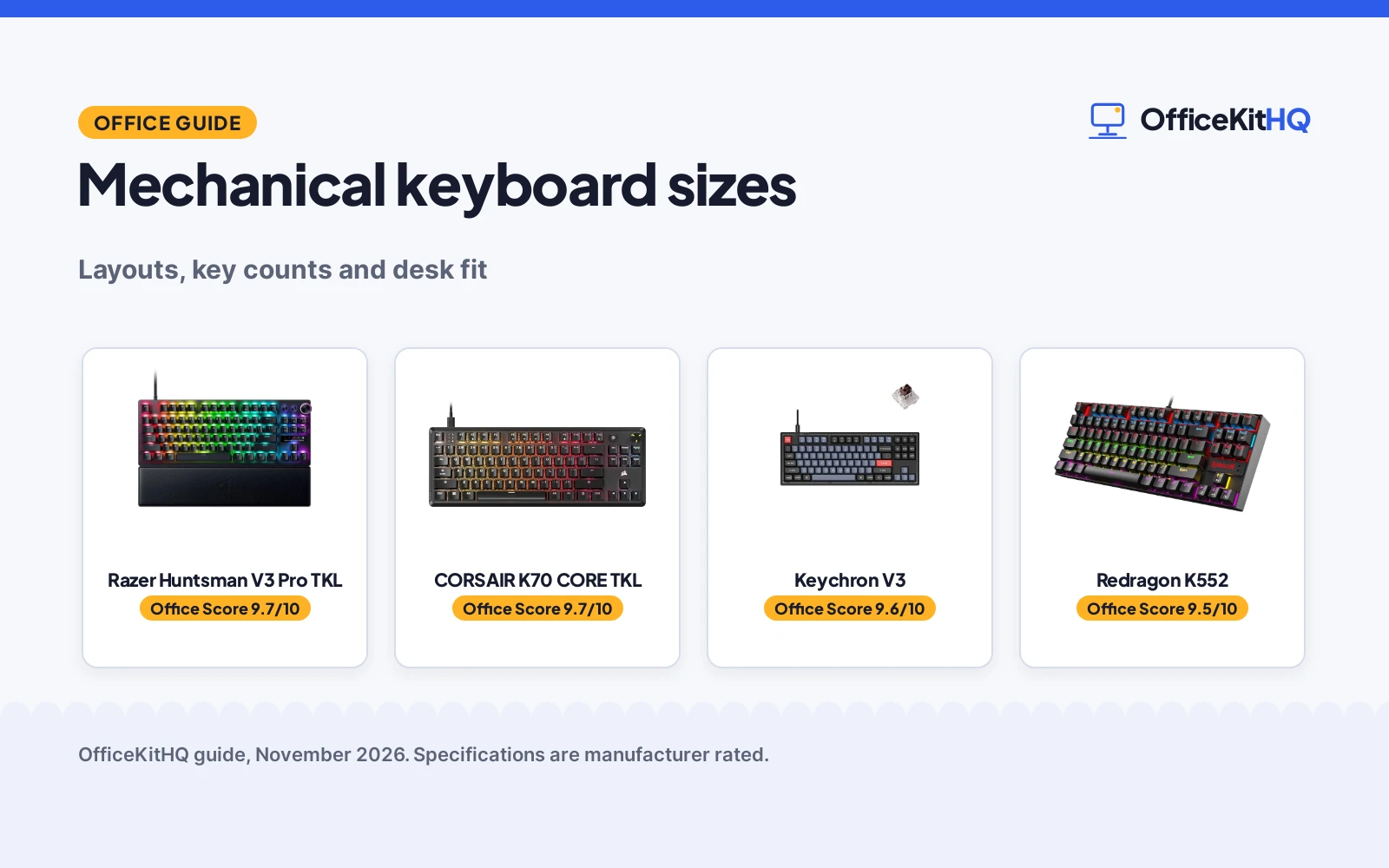
Each step above needs a board that shows it: the measuring step needs listed dimensions, the key-count step needs a stated key count, and the switch step needs stated switches. The boards below cover those steps, ranked by score, highest first.
| # | Product | Office Score | Buy |
|---|---|---|---|
| 1 |  Razer Huntsman V3 Pro TKL | 9.7/10 | Buy on Amazon |
| 2 |  CORSAIR K70 CORE TKL | 9.7/10 | Buy on Amazon |
| 3 |  Keychron V3 | 9.6/10 | Buy on Amazon |
| 4 |  Redragon K552 | 9.5/10 | Buy on Amazon |

Razer Huntsman V3 Pro TKL
A TKL board with analog optical switches, adjustable 0.1 to 4.0 mm actuation, a 100-million keystroke lifespan, media keys and dial, and a wrist rest.
Pros
- Adjustable 0.1 to 4.0 mm actuation with Rapid Trigger and Snap Tap
- 100-million keystroke lifespan is stated
- Doubleshot PBT keycaps and a 5052 aluminum alloy top plate are stated
- Media keys and dial plus a magnetic leatherette wrist rest are listed
Cons
- 1 year manufacturer warranty is the shorter stated term here
- 16.42 by 10.0 by 2.72 in is the widest board here
- 3.04 lb item weight is the heaviest stated here
- The listing leans on esports claims that cannot be checked from specs
Detailed Review
Razer lists the Huntsman V3 Pro TKL as an esports wired gaming keyboard with analog optical switches, Snap Tap, Rapid Trigger, adjustable actuation, media keys and a dial, doubleshot PBT keycaps and a wrist rest. The listing states adjustable 0.1 to 4.0 mm actuation, a 100-million keystroke lifespan, a 5052 aluminum alloy top plate, and a tenkeyless design that leaves more space for mouse movement. The spec table gives 16.42 by 10.0 by 2.72 in dimensions, a 3.04 lb item weight and a 1 year manufacturer warranty.
Who it's for: someone who wants a TKL board with adjustable actuation and a wrist rest for long sessions. Who should skip it: anyone who needs a narrower board, a lighter board, or a longer warranty.
Its Office Score of 9.7/10 comes from performance 32/35, build 22/25, value 20/25, safety not scored (non-powered gear) and warranty 3/5: 77 of 90 points, placed on our 9.2 to 9.8 scale.
Key Specifications
| Layout | TKL |
|---|---|
| Actuation | 0.1 to 4.0 mm adjustable |
| Keystroke lifespan | 100-million |
| Dimensions | 16.42 x 10.0 x 2.72 in |
Figures as published on the retailer listing, collected 12 November 2026. Performance figures are manufacturer rated.
Safety and Warranty
What this listing states. This product does not plug in or run on a battery, so safety is not part of its score. 1 year manufacturer. It does not say everything a buyer needs, such as who pays return shipping, so warranty scores 3 of 5. See How We Pick.
Fit the desk first. Check the stated size against your desk depth and keyboard tray, and charge or pair as the manual describes. No keyboard, mouse or wrist rest prevents or treats injury.
This is general buying information, not professional advice. Follow each product manual and local rules, and see our Safety Disclaimer.

CORSAIR K70 CORE TKL
A TKL board with pre-lubricated MLX Red v2 linear switches, two sound dampening layers, ABS double-shot keycaps, a rotary dial and a media button.
Pros
- Pre-lubricated MLX Red v2 linear switches, per the listing
- Two sound dampening layers for subdued typing, per the listing
- Multi-function rotary dial and programmable media button are listed
- 2 Year Manufacturer warranty is the longest term stated here
Cons
- ABS double-shot keycaps, not PBT
- No wrist rest is listed
- No keystroke lifespan is stated
Detailed Review
CORSAIR lists the K70 CORE TKL as a tenkeyless mechanical gaming keyboard with pre-lubricated MLX Red v2 linear switches, dual-layer sound dampening, ABS double-shot keycaps, a multi-function rotary dial and a programmable media button. The listing states the compact tenkeyless footprint fits tight setups and leaves more room for mouse movement, with two sound dampening layers made from foam and pre-lubricated stabilizers. The spec table gives long decimal dimensions and a 2 Year Manufacturer warranty.
Who it's for: someone who wants a quiet TKL board with a dial and a 2-year warranty. Who should skip it: anyone who wants PBT keycaps, a wrist rest, or a stated keystroke lifespan.
Its Office Score of 9.7/10 comes from performance 29/35, build 21/25, value 21/25, safety not scored (non-powered gear) and warranty 3/5: 74 of 90 points, placed on our 9.2 to 9.8 scale.
Key Specifications
| Switches | MLX Red v2 linear, pre-lubricated |
|---|---|
| Sound dampening | Two layers |
| Keycaps | ABS double-shot |
| Dial | Multi-function rotary dial |
Figures as published on the retailer listing, collected 12 November 2026. Performance figures are manufacturer rated.
Safety and Warranty
What this listing states. This product does not plug in or run on a battery, so safety is not part of its score. 2 Year Manufacturer. It does not say everything a buyer needs, such as who pays return shipping, so warranty scores 3 of 5. See How We Pick.
Fit the desk first. Check the stated size against your desk depth and keyboard tray, and charge or pair as the manual describes. No keyboard, mouse or wrist rest prevents or treats injury.
This is general buying information, not professional advice. Follow each product manual and local rules, and see our Safety Disclaimer.

Keychron V3
A TKL board with 87 keys, a classic TKL layout, QMK and VIA support, hot-swappable K Pro Brown switches and double-shot PBT keycaps.
Pros
- 87 keys in a classic TKL layout with QMK and VIA support
- Hot-swappable K Pro Brown switches with up to 50 million keystroke lifespan
- Double-shot PBT keycaps with south-facing RGB backlight
- Mac and Windows support with a system toggle and extra keycaps
Cons
- No warranty term is stated
- No media keys or dial are listed
- No wrist rest is listed
- 1.06 in height is the lowest profile here, so check the typing angle
Detailed Review
Keychron lists the V3 as a wired custom mechanical keyboard with 87 keys, a classic TKL layout, QMK and VIA support, and hot-swappable K Pro Brown switches. The listing states double-shot PBT keycaps, an acoustic silicone pad, screw-in stabilizers, pre-lubed switches, and a keystroke lifespan of up to 50 million. The spec table gives 14.44 by 5.53 by 1.06 in dimensions and no warranty term.
Who it's for: someone who wants a customizable TKL board with hot-swappable switches for Mac and Windows. Who should skip it: anyone who wants a stated warranty, media keys, or a wrist rest.
Its Office Score of 9.6/10 comes from performance 30/35, build 21/25, value 21/25, safety not scored (non-powered gear) and warranty 0/5: 72 of 90 points, placed on our 9.2 to 9.8 scale.
Key Specifications
| Keys | 87 keys |
|---|---|
| Layout | TKL |
| Switches | K Pro Brown, hot-swappable |
| Dimensions | 14.44 x 5.53 x 1.06 in |
Figures as published on the retailer listing, collected 12 November 2026. Performance figures are manufacturer rated.
Safety and Warranty
What this listing states. This product does not plug in or run on a battery, so safety is not part of its score. No warranty term, so warranty scores zero. See How We Pick.
Fit the desk first. Check the stated size against your desk depth and keyboard tray, and charge or pair as the manual describes. No keyboard, mouse or wrist rest prevents or treats injury.
This is general buying information, not professional advice. Follow each product manual and local rules, and see our Safety Disclaimer.

Redragon K552
A metal-framed TKL with red switches, for durable budget builds; skip it if a warranty term is required.
Pros
- Metal top plate.
- Red switches, quiet operation.
- 87-key TKL saves desk space.
- Anti-ghosting.
Cons
- No keystroke rating stated.
- No concrete warranty term stated.
- No PBT keycaps stated.
- No wireless stated.
Detailed Review
Redragon lists the K552 with red switches designed for rapid actuation and quiet operation, 87-key TKL layout, anti-ghosting and a metal top plate with anti-slip feet. The listing mentions a warranty for peace of mind without stating a term.
Who it's for: buyers who want a metal-framed board that stays put. Who should skip it: anyone who needs a stated keystroke rating or warranty term.
Its Office Score of 9.5/10 comes from performance 28/35, build 20/25, value 20/25, safety 7/10 and warranty 0/5: 75 of 100 points, placed on our 9.2 to 9.8 scale.
Key Specifications
| Switch | Red |
|---|---|
| Layout | 87-key TKL |
| Frame | Metal top plate |
| Feature | Anti-ghosting |
Figures as published on the retailer listing, collected 17 October 2026. Performance figures are manufacturer rated.
Safety and Warranty
What this listing states. Metal top plate with anti-slip feet, so safety scores 7 of 10. No warranty term, so warranty scores zero. See How We Pick.
Fit the desk first. Check the stated size against your desk depth and keyboard tray, and charge or pair as the manual describes. No keyboard, mouse or wrist rest prevents or treats injury.
This is general buying information, not professional advice. Follow each product manual and local rules, and see our Safety Disclaimer.
As an Amazon Associate I earn from qualifying purchases.
FAQ
What does TKL mean?
Tenkeyless: a keyboard without the number pad. The Razer Huntsman V3 Pro TKL, the Corsair K70 CORE TKL and the Keychron V3 are all TKL boards, and the Keychron V3 lists a classic TKL layout with 87 keys.
How many keys does the Keychron V3 have?
87 keys. The listing states a classic TKL layout with QMK and VIA support, hot-swappable K Pro Brown switches, and double-shot PBT keycaps.
What is the widest board here?
The Razer Huntsman V3 Pro TKL at 16.42 by 10.0 by 2.72 in. The Keychron V3 measures 14.44 by 5.53 by 1.06 in.
What warranty do these boards carry?
The Razer board lists a 1 year manufacturer warranty, and the Corsair board lists a 2 Year Manufacturer warranty. The Keychron V3 lists no warranty term.
More for your workspace
See the mechanical keyboard types, the keyboard switches types guide and the mechanical keyboard parts guide.