A morning call starts with a dim webcam, a chair that sinks by noon, and a laptop running everything off a hub, and the keyboard under your fingers gives no clear sign that a key has registered. Keyboard switches types is the question behind that feeling: the switch under each keycap decides how the press feels and sounds. Linear switches press straight down with no bump and no click, tactile switches add a bump partway down, and clicky switches add a bump and a click at the same point.
OfficeKitHQ earns a commission when you buy through links on this page, at no extra cost to you. As an Amazon Associate I earn from qualifying purchases. Affiliate disclosure.
The quick answer
Pick linear switches for a smooth press with no bump and no click, tactile switches for a bump that marks the press without a click, and clicky switches for a bump and a click together. The bump tells your fingers the key has registered, and the click adds sound to the same moment. If the keyboard sits in a shared room or on calls all day, linear or tactile suit the space better than clicky.
How keyboard switches types work
A mechanical switch sits under each keycap, and pressing the key pushes the switch down until the key registers. The parts inside the switch decide what the press feels like on the way down: a spring pushes back against the press, and the shape of the moving parts decides whether the press runs straight through or catches partway down. That catch is the bump in tactile and clicky switches, and the click in a clicky switch is a small part inside that snaps as the bump passes. Linear switches have no catch and no snap, so the press runs straight from top to bottom.
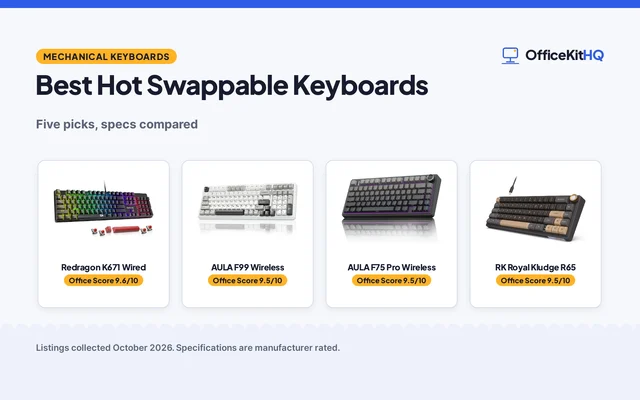
The switch type is set when the keyboard is built, and the keycaps sit on top of the switches, so the switch decides the feel while the keycap decides the look and the legends. Some keyboards list hot-swappable switches, which means the switches pull out of the board and press back in without soldering, so the switch type can change later. The listing for such a keyboard names the switch type it ships with, and the rest of this guide explains what each type does.
Linear switches
A linear switch presses straight down with no bump and no click. The resistance rises as the spring compresses, and the key registers at a point on the way down, so the press feels the same from the top of the travel to the bottom. The lack of a bump makes repeated presses quick and even, since nothing interrupts the motion, and the lack of a click keeps the sound to the tap of the keycap landing. Gamers and fast typists often favor the uninterrupted travel, since the key never catches on the way down.
The Logitech G316 lists hot-swappable linear switches with an 8 kHz report rate, and the same keyboard packs a 98% layout with a numpad in a compact footprint. Linear switches suit fast repeated presses and quiet rooms, and they suit typists who press through the key rather than resting on the bump. If the press feels vague, with no sign that the key has registered, that is the linear feel: the registration happens without a marker.
Tactile switches
A tactile switch adds a bump partway down the press. The bump is a small rise in resistance that the finger feels as the key passes the registration point, and then the resistance falls away as the key continues down. The press still makes no click, so the sound stays close to the tap of the keycap landing, and the bump gives the fingers a marker for the moment the key registers.
Tactile switches suit typing where the fingers want confirmation without noise: the bump marks each press, so the typist knows the key has registered without waiting for the key to hit bottom. The bump also lets the fingers ease off before the key hits bottom, since the marker arrives before the landing. They also suit shared rooms, since the sound stays low while the feedback stays clear. If the bump feels distracting during fast repeated presses, linear switches remove it entirely.
Clicky switches
A clicky switch adds a bump and a click at the same point in the press. A small part inside the switch snaps as the key passes the bump, and that snap is the click the ear hears. The click marks the registration moment with sound as well as feel, so the typist hears each key land as well as feeling the bump.
Clicky switches are the loudest of the types, and the click carries across a room and onto calls, so they suit a room where noise is no concern and the typist likes an audible marker for each press. In a shared room, on calls, or late at night, the click can wear on everyone nearby, and linear or tactile switches keep the sound down while keeping the press clear.
How to choose between the switch types
Start with where the keyboard sits and how the keys get used. A keyboard that lives in a shared room or on calls all day suits linear or tactile switches, since each keeps the sound to the tap of the keycaps. A keyboard in a room of its own suits clicky switches, since the click marks each press and nothing nearby minds the sound. Typists who want a marker for each press lean tactile or clicky, while typists who press fast and light lean linear.
Check the listing for the switch type before buying, since the type is set when the keyboard is built and the listing names it. If the listing names hot-swappable switches, the type can change later by swapping the switches, so the choice is less final. A mechanical keyboard with hot-swappable switches leaves room to change the feel after living with it, and a tenkeyless keyboard keeps the same switch choice in a smaller footprint. For typing-heavy work, a mechanical keyboard for typing lists the switch type alongside the layout, so the feel and the size get decided together.
If the choice stays unclear, start with the type that matches the noisiest limit: the room decides before the fingers do. A hot-swappable board keeps the decision open, since the switches can change after the keyboard has been lived with for a while. The layout, the keycaps, and the connection stay the same while the switches change, so the feel can be tuned without buying a whole new keyboard.
FAQ
What is the difference between linear and tactile switches?
A linear switch presses straight down with no bump, while a tactile switch adds a bump partway down that marks the moment the key registers. Neither type clicks, so the sound stays close between them.
Are clicky switches too loud for an office?
They are the loudest of the types, and the click carries across a room and onto calls. In a shared room, linear or tactile switches keep the sound down while keeping the press clear.
Can the switches on a keyboard be changed?
Only if the keyboard lists hot-swappable switches, which pull out of the board and press back in without soldering. If the listing does not name hot-swappable switches, the switches stay as built.
Are linear switches best for gaming?
No type is required for gaming, and the choice comes down to feel. Linear switches suit fast repeated presses, and the Logitech G316 lists linear switches with an 8 kHz report rate for quick signal transmission.
More for your workspace
See the best mechanical keyboards for typing, the best tenkeyless mechanical keyboards, the best ergonomic keyboards and the best mechanical keyboards for software developers.