A desk that doubles as a workstation and a battlestation needs a keyboard that keeps up, and the best tkl gaming keyboard with magnetic switches earns its place by letting each key register the moment it moves and reset the moment it lifts. Magnetic switches read key travel with a Hall effect sensor instead of a metal contact, so the actuation point can move along the travel. The comparison covers actuation range, polling rate, rapid trigger behaviour, layout, keycaps, dampening and warranty term.
OfficeKitHQ earns a commission when you buy through links on this page, at no extra cost to you. As an Amazon Associate I earn from qualifying purchases. Affiliate disclosure.
Quick picks
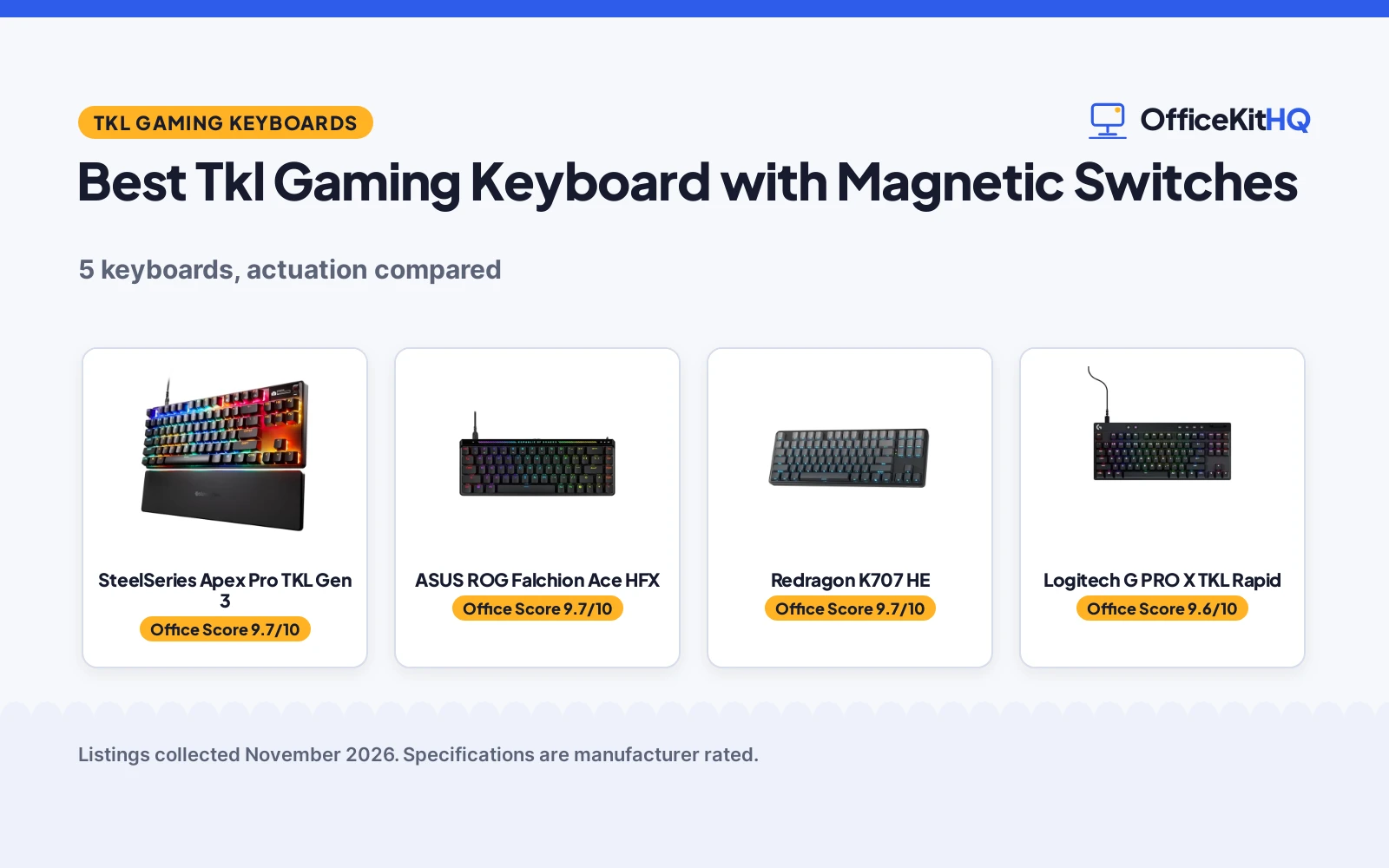
 Best Overall SteelSeries Apex Pro TKL Gen 3: 0.1 to 4.0 mm actuation, Rapid Tap, Protection Mode, dual wireless Check price on Amazon
 Best Touch Panel ASUS ROG Falchion Ace HFX: 0.1 to 4.0 mm actuation, 8000 Hz polling, touch panel, dual USB-C Check price on Amazon
 Best True TKL Redragon K707 HE: 87 keys, 0.1 to 3.9 mm actuation, 8000 Hz polling, dual-action keys Check price on Amazon
 Best for FPS Logitech G PRO X TKL Rapid: Rapid Trigger, magnetic analog switches, 35 g actuation, KEYCONTROL Check price on Amazon
 Most Compact ATTACK SHARK X68HE RT: 66 keys, 0.1 to 3.4 mm actuation, 8000 Hz polling, 16.8 million colors Check price on Amazon
Our desk picks
| # | Product | Office Score | Buy |
|---|---|---|---|
| 1 | SteelSeries Apex Pro TKL Gen 3 | 9.7/10 | Buy on Amazon |
| 2 | ASUS ROG Falchion Ace HFX | 9.7/10 | Buy on Amazon |
| 3 | Redragon K707 HE | 9.7/10 | Buy on Amazon |
| 4 | Logitech G PRO X TKL Rapid | 9.6/10 | Buy on Amazon |
| 5 | ATTACK SHARK X68HE RT | 9.6/10 | Buy on Amazon |

SteelSeries Apex Pro TKL Gen 3
A TKL keyboard with OmniPoint 3.0 magnetic switches, 40 levels of actuation from 0.1 to 4.0 mm, Rapid Tap, Protection Mode, OLED and dual wireless.
Pros
- Actuation adjusts across 40 levels from 0.1 to 4.0 mm
- Rapid Trigger, Rapid Tap and Protection Mode on one keyboard
- Dual wireless with 2.4 GHz and Bluetooth, plus OLED and PBT keycaps
- QuickSet auto-presets launch pro-level configs when a game loads
Cons
- No polling rate is stated
- Key count is not stated, only the TKL size
- Protection Mode is listed as patent pending
- No wired connection option is stated
Detailed Review
The Apex Pro TKL Gen 3 has OmniPoint 3.0 analog magnetic switches, 40 levels of adjustable actuation from 0.1 to 4.0 mm and a 45 g bottom out force. Rapid Trigger resets the moment a key is released, Rapid Tap snaps to the most recent press, and Protection Mode aims to cut accidental presses. QuickSet auto-presets launch pro-level configs when a game loads; the board connects over 2.4 GHz or Bluetooth with OLED and PBT keycaps and a 1-year warranty.
Who it's for: someone who wants the widest actuation range here with Rapid Tap and Protection Mode on a wireless TKL board. Who should skip it: anyone who wants a stated polling rate or wired connection.
Its Office Score of 9.7/10 comes from performance 32/35, build 22/25, value 20/25, safety not scored (non-powered gear) and warranty 3/5: 77 of 90 points, placed on our 9.2 to 9.8 scale.
Key Specifications
| Actuation | 0.1 to 4.0 mm |
|---|---|
| Bottom out force | 45 g |
| Connectivity | 2.4 GHz and Bluetooth |
| Warranty | 1 Year |
Figures as published on the retailer listing, collected 12 November 2026. Performance figures are manufacturer rated.
Safety and Warranty
What this listing states. This product does not plug in or run on a battery, so safety is not part of its score. 1 Year. It does not say everything a buyer needs, such as who pays return shipping, so warranty scores 3 of 5. See How We Pick.
Fit the desk first. Check the stated size against your desk depth and keyboard tray, and charge or pair as the manual describes. No keyboard, mouse or wrist rest prevents or treats injury.
This is general buying information, not professional advice. Follow each product manual and local rules, and see our Safety Disclaimer.

ASUS ROG Falchion Ace HFX
A 65% TKL keyboard with pre-lubed ROG HFX magnetic switches, 0.1 to 4.0 mm actuation, 8000 Hz polling, dual USB-C ports and a touch panel.
Pros
- Actuation adjusts from 0.1 to 4.0 mm
- 8000 Hz polling rate with a stated 0.125 ms delay
- Two USB-C ports let the keyboard connect to two PCs simultaneously
- Five-layer dampening, a silicone gasket mount, and a protective cover that doubles as a tray mount
Cons
- Key count is not stated
- Wired only, with no wireless option stated
- No RGB colour count is stated
- Only a 1-year warranty is stated
Detailed Review
The Falchion Ace HFX is a 65% TKL keyboard with pre-lubed ROG HFX magnetic switches, an adjustable actuation range from 0.1 to 4.0 mm and an 8000 Hz polling rate. Polling refreshes input up to 8x faster than most gaming keyboards and cuts delay from 1 millisecond to 0.125 ms. Two USB-C ports sit on the rear edge for connecting two PCs, a touch panel and multi-function button handle media and lighting, and five-layer dampening with a silicone gasket mount aims for a quiet sound. A protective cover is included, and a 1-year warranty is stated.
Who it's for: someone who wants a 65% board with 8000 Hz polling, dual USB-C and a touch panel. Who should skip it: anyone who wants a full 87-key TKL layout or wireless.
Its Office Score of 9.7/10 comes from performance 30/35, build 22/25, value 20/25, safety not scored (non-powered gear) and warranty 3/5: 75 of 90 points, placed on our 9.2 to 9.8 scale.
Key Specifications
| Actuation | 0.1 to 4.0 mm |
|---|---|
| Polling rate | 8000 Hz |
| Size | 12.4 in wide |
| Warranty | 1 year |
Figures as published on the retailer listing, collected 12 November 2026. Performance figures are manufacturer rated.
Safety and Warranty
What this listing states. This product does not plug in or run on a battery, so safety is not part of its score. 1 year. It does not say everything a buyer needs, such as who pays return shipping, so warranty scores 3 of 5. See How We Pick.
Fit the desk first. Check the stated size against your desk depth and keyboard tray, and charge or pair as the manual describes. No keyboard, mouse or wrist rest prevents or treats injury.
This is general buying information, not professional advice. Follow each product manual and local rules, and see our Safety Disclaimer.

Redragon K707 HE
An 87-key TKL keyboard with Hall Effect magnetic switches, 0.1 to 3.9 mm actuation, 8000 Hz hyper-polling and dual-action keys.
Pros
- True 87-key TKL layout with a stated 0.1 to 3.9 mm actuation range
- 8000 Hz hyper-polling with a stated 0.125 ms lowest latency
- Two actions can sit on one key through different actuation pressure
- 3.5 mm EVA foam, bottom socket foam and a silicone bottom pad dampen hollow noise
Cons
- The 0.1 to 0.2 mm actuation points may be affected by normal component tolerances
- Hall Effect switches are stated as incompatible with other brands' HE switches
- Wired only, with no wireless option stated
- No RGB colour count is stated
Detailed Review
The K707 HE is an 87-key TKL keyboard with Hall Effect magnetic switches and an actuation point adjustable with 0.1 mm precision between 0.1 and 3.9 mm. Native 8000 Hz hyper-polling, a 0.125 ms lowest latency and input up to 8x faster are stated, plus a rapid trigger mode and two actions on one key. Dampening is 3 layers: 3.5 mm EVA foam, bottom socket foam and a silicone bottom pad. The driver runs on desktop and the web, and a 1-year warranty is stated.
Who it's for: someone who wants a full 87-key TKL board with dual-action keys and the thickest stated foam layer here. Who should skip it: anyone who wants wireless or to mix these switches with another brand's HE switches.
Its Office Score of 9.7/10 comes from performance 30/35, build 21/25, value 20/25, safety not scored (non-powered gear) and warranty 3/5: 74 of 90 points, placed on our 9.2 to 9.8 scale.
Key Specifications
| Actuation | 0.1 to 3.9 mm |
|---|---|
| Polling rate | 8000 Hz |
| Keys | 87 keys |
| Warranty | 1 year |
Figures as published on the retailer listing, collected 12 November 2026. Performance figures are manufacturer rated.
Safety and Warranty
What this listing states. This product does not plug in or run on a battery, so safety is not part of its score. 1 year. It does not say everything a buyer needs, such as who pays return shipping, so warranty scores 3 of 5. See How We Pick.
Fit the desk first. Check the stated size against your desk depth and keyboard tray, and charge or pair as the manual describes. No keyboard, mouse or wrist rest prevents or treats injury.
This is general buying information, not professional advice. Follow each product manual and local rules, and see our Safety Disclaimer.

Logitech G PRO X TKL Rapid
A tenkeyless wired keyboard with magnetic analog switches, Rapid Trigger, KEYCONTROL layers and LIGHTSYNC RGB, listed as a renewed unit.
Pros
- Magnetic analog switches with Rapid Trigger and actuation at 35 g of force
- KEYCONTROL sets commands and multi-action combos across multiple layers on every key
- LIGHTSYNC RGB synchronises with music or on-screen action
- Rapid Trigger mode reactivates keys without a full release
Cons
- The listing is for a renewed unit
- No actuation travel range is stated, only the 35 g force
- No polling rate is stated
- 90-day limited warranty is the shortest term
Detailed Review
The PRO X TKL Rapid is a tenkeyless wired keyboard with magnetic analog switches, Rapid Trigger and actuation at 35 g of force. KEYCONTROL lets each key carry commands and multi-action combos across multiple layers, set through Logitech G HUB, and LIGHTSYNC RGB synchronises with music or on-screen action. Dimensions are 14.06 by 5.91 by 1.5 in, and a 90-day limited warranty is stated. It is a renewed unit with no polling rate or actuation travel range stated.
Who it's for: someone who wants Logitech G HUB control and LIGHTSYNC on a TKL board and accepts a renewed unit. Who should skip it: anyone who wants a new unit, a polling rate or an actuation range.
Its Office Score of 9.6/10 comes from performance 28/35, build 20/25, value 19/25, safety not scored (non-powered gear) and warranty 2/5: 69 of 90 points, placed on our 9.2 to 9.8 scale.
Key Specifications
| Actuation force | 35 g |
|---|---|
| Dimensions | 14.06 x 5.91 x 1.5 in |
| Connectivity | Wired |
| Warranty | 90 days limited warranty |
Figures as published on the retailer listing, collected 12 November 2026. Performance figures are manufacturer rated.
Safety and Warranty
What this listing states. This product does not plug in or run on a battery, so safety is not part of its score. 90 days limited warranty. It does not say everything a buyer needs, such as who pays return shipping, so warranty scores 2 of 5. See How We Pick.
Fit the desk first. Check the stated size against your desk depth and keyboard tray, and charge or pair as the manual describes. No keyboard, mouse or wrist rest prevents or treats injury.
This is general buying information, not professional advice. Follow each product manual and local rules, and see our Safety Disclaimer.

ATTACK SHARK X68HE RT
A 66-key keyboard with Hall Effect magnetic switches, 0.1 to 3.4 mm actuation, 8000 Hz polling and side-printed PBT keycaps.
Pros
- Actuation adjusts from 0.1 to 3.4 mm with 0.01 mm rapid trigger accuracy
- 8000 Hz polling rate with a stated 0.125 ms latency
- One key can bind 4 functions at 4 pressing degrees
- Top mount with an aluminum alloy plate and double-layer PORON, plus side-printed PBT keycaps
Cons
- The title calls it 60% and TKL, while the bullets describe a 66-key layout
- No warranty term is stated
- The 0.125 ms figure is labelled a theoretical value
- No wireless option is stated; the connection is wired USB-C
Detailed Review
The X68HE RT is a 66-key keyboard with adjustable Hall Effect magnetic switches, an actuation point from 0.1 to 3.4 mm, 0.01 mm rapid trigger accuracy and an 8000 Hz polling rate. One key can bind 4 functions at 4 pressing degrees, with a 0.125 ms latency stated as a theoretical value. The board is top mounted with an aluminum alloy plate, double-layer PORON and pre-lubed stabilizers, and side-printed PBT keycaps sit over RGB lighting with 16.8 million colors. The keyboard is wired USB-C with separate arrow keys and a curved wrist rest, and no warranty term is stated. The title calls the board 60% and TKL, while the bullets describe a 66-key layout.
Who it's for: someone who wants a compact 66-key board with 4 functions on one key and a wrist rest. Who should skip it: anyone who wants a full TKL key count or a warranty term.
Its Office Score of 9.6/10 comes from performance 29/35, build 21/25, value 21/25, safety not scored (non-powered gear) and warranty 0/5: 71 of 90 points, placed on our 9.2 to 9.8 scale.
Key Specifications
| Actuation | 0.1 to 3.4 mm |
|---|---|
| Polling rate | 8000 Hz |
| Keys | 66 keys |
| Keycaps | PBT, side printed |
Figures as published on the retailer listing, collected 12 November 2026. Performance figures are manufacturer rated.
Safety and Warranty
What this listing states. This product does not plug in or run on a battery, so safety is not part of its score. No warranty term, so warranty scores zero. See How We Pick.
Fit the desk first. Check the stated size against your desk depth and keyboard tray, and charge or pair as the manual describes. No keyboard, mouse or wrist rest prevents or treats injury.
This is general buying information, not professional advice. Follow each product manual and local rules, and see our Safety Disclaimer.
As an Amazon Associate I earn from qualifying purchases.
More picks to compare
 RK ROYAL KLUDGE C87A 75% TKL board with adjustable actuation and Rapid Trigger.Check on Amazon
 RK ROYAL KLUDGE C87 CyanThe same 75% TKL board in Cyan with adjustable actuation and Rapid Trigger.Check on Amazon
Specs compared
| Keyboard | Office Score | Actuation range | Polling rate | Keys | Warranty | Amazon |
|---|---|---|---|---|---|---|
| SteelSeries Apex Pro TKL Gen 3 | 9.7/10 | 0.1 to 4.0 mm | Not stated | TKL | 1 Year | View on Amazon |
| ASUS ROG Falchion Ace HFX | 9.7/10 | 0.1 to 4.0 mm | 8000 Hz | 65% TKL | 1 year | View on Amazon |
| Redragon K707 HE | 9.7/10 | 0.1 to 3.9 mm | 8000 Hz | 87 keys | 1 year | View on Amazon |
| Logitech G PRO X TKL Rapid | 9.6/10 | Not stated | Not stated | TKL | 90 days | View on Amazon |
| ATTACK SHARK X68HE RT | 9.6/10 | 0.1 to 3.4 mm | 8000 Hz | 66 keys | Not stated | View on Amazon |
All numbers are the manufacturer’s stated specs, not measured in an office, pulled on 12 November 2026.
How to choose the best tkl gaming keyboard with magnetic switches
Start with the actuation range
Actuation range is the widest gap between these listings. The SteelSeries and the ASUS state 0.1 to 4.0 mm, the Redragon states 0.1 to 3.9 mm, and the ATTACK SHARK states 0.1 to 3.4 mm. A wider range gives more room to set a hair trigger for fast games and a deeper press for typing. The Logitech states no travel range, only an actuation force of 35 g, so its range cannot be compared with the rest. For the finest control, look at step size: the ATTACK SHARK states 0.01 mm rapid trigger accuracy, and the SteelSeries states 40 levels of adjustment.
Polling rate and latency
The ASUS, the Redragon and the ATTACK SHARK state an 8000 Hz polling rate. The ASUS and the Redragon describe input refreshing up to 8x faster than most gaming keyboards, each stating a 0.125 ms latency figure, while the ATTACK SHARK labels its figure a theoretical value. The SteelSeries and the Logitech state no polling rate, so their speed cannot be checked against the 8000 Hz group. See our best gaming keyboard for FPS games guide for more on speed.
Layout: count the keys before you buy
TKL covers more than one layout here. The Redragon is a true 87-key TKL, the ASUS is a 65% TKL almost the same size as a 60% keyboard, and the ATTACK SHARK is a 66-key board even though its title also calls it TKL. The SteelSeries and the Logitech are listed as TKL with no key count stated. A smaller board frees desk space but drops keys some buyers expect on a TKL board, so check the layout against the keys you reach for without looking.
Keycaps, dampening and sound
PBT keycaps are stated on the SteelSeries, the ASUS, the Redragon and the ATTACK SHARK; the ATTACK SHARK adds side printing and a Cherry profile. Dampening differs most: the ASUS states five-layer dampening with a silicone gasket mount, the Redragon states 3.5 mm EVA foam plus bottom socket foam and a silicone bottom pad, and the ATTACK SHARK states a double layer of PORON under an aluminum alloy plate. The Logitech states no dampening layer and no keycap material; the SteelSeries states no dampening layer either. None of the listings states a sound level.
Warranty and the renewed listing
The SteelSeries, the ASUS and the Redragon state a 1-year warranty. The Logitech states a 90-day limited warranty, and its listing is for a renewed unit. The ATTACK SHARK states no warranty term at all. Our best long lasting gaming keyboard guide looks at durability across more boards, and a wireless keyboard for gaming suits anyone who wants to cut the cable.
Setup Notes
- Measure the desk width first: the ASUS states 12.4 in and the Logitech states 14.06 in.
- Plan the cable run: the ASUS has two USB-C ports on the rear edge, the Redragon uses a detachable USB-A to USB-C cable, and the ATTACK SHARK is wired USB-C.
- The SteelSeries connects over 2.4 GHz or Bluetooth, with no cable run stated.
- Each listing covers 1 item, with no assembly step stated.
FAQ
What does adjustable actuation mean on a magnetic switch keyboard?
It means the point in key travel where a press registers can move. The SteelSeries and the ASUS state 0.1 to 4.0 mm, the Redragon states 0.1 to 3.9 mm, and the ATTACK SHARK states 0.1 to 3.4 mm, set through software or a web driver.
Which of these keyboards has the widest actuation range?
The SteelSeries Apex Pro TKL Gen 3 and the ASUS ROG Falchion Ace HFX, each at 0.1 to 4.0 mm. The Redragon states 0.1 to 3.9 mm and the ATTACK SHARK 0.1 to 3.4 mm; the Logitech states no travel range.
What is Rapid Trigger?
Rapid Trigger lets a key reactivate without a full release. The SteelSeries, Logitech, ASUS and Redragon state a rapid trigger mode, and the ATTACK SHARK states one with 0.01 mm accuracy.
Do any of these keyboards work with Mac?
The ATTACK SHARK states it can switch between Win and Mac with one button. The other listings state no Mac support.
Which keyboard has the longest warranty?
The SteelSeries, the ASUS and the Redragon state 1 year; the Logitech states a 90-day limited warranty, and the ATTACK SHARK states no warranty term.
Is an 8000 Hz polling rate standard on magnetic switch keyboards?
Not across this group: the ASUS, Redragon and ATTACK SHARK state 8000 Hz, ; the SteelSeries and the Logitech state no polling rate.
Score breakdown
The Office Score weighs performance, build, value, safety and warranty. Performance covers actuation range, polling rate, rapid trigger and layout; build covers keycap material, plate and dampening. For a keyboard, safety means a stated certification or protective feature, and none of the 5 listings states one, so every pick scores 0 on safety. Warranties: 1 year on the SteelSeries, ASUS and Redragon, 90 days limited on the Logitech, none stated on the ATTACK SHARK. How we pick explains the weights.
| Product | Office Score | Perf. /35 | Build /25 | Value /25 | Safety /10 | Warranty /5 |
|---|---|---|---|---|---|---|
| SteelSeries Apex Pro TKL Gen 3 | 9.7 | 32 | 22 | 20 | n/a | 3 |
| ASUS ROG Falchion Ace HFX | 9.7 | 30 | 22 | 20 | n/a | 3 |
| Redragon K707 HE | 9.7 | 30 | 21 | 20 | n/a | 3 |
| Logitech G PRO X TKL Rapid | 9.6 | 28 | 20 | 19 | n/a | 2 |
| ATTACK SHARK X68HE RT | 9.6 | 29 | 21 | 21 | n/a | 0 |
We fit point totals onto a 9.2 low and 9.8 high in a straight line. One item can outscore another only by earning more points. Electrical items and listings with stated safety features earn safety points. Other items are scored on the 90 points that are left.
More for your workspace
See our best membrane gaming keyboard and best silent gaming keyboard guides for more picks.
More picks: gaming keyboard for FPS games, wireless keyboard for gaming, long lasting gaming keyboard, membrane gaming keyboard.