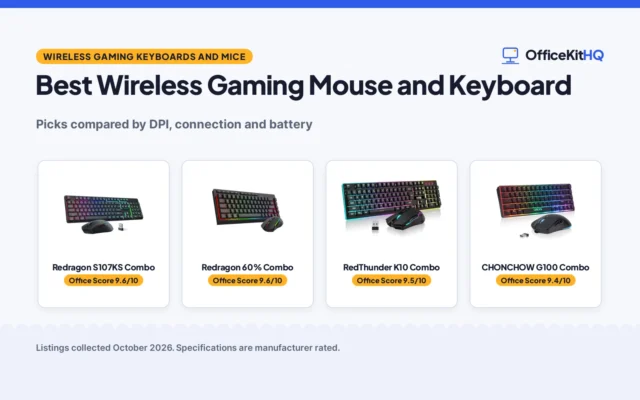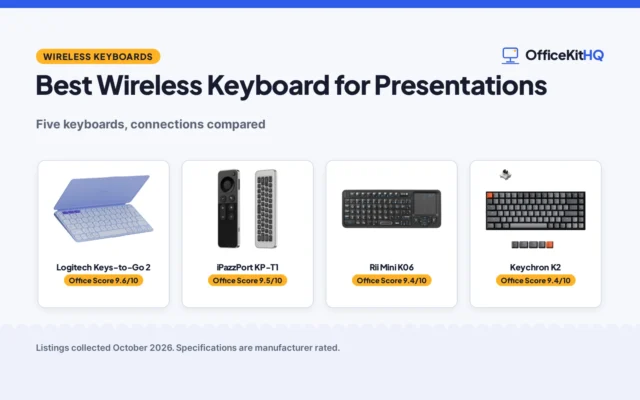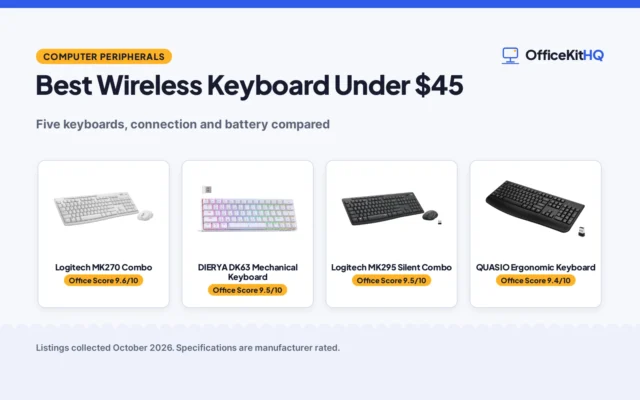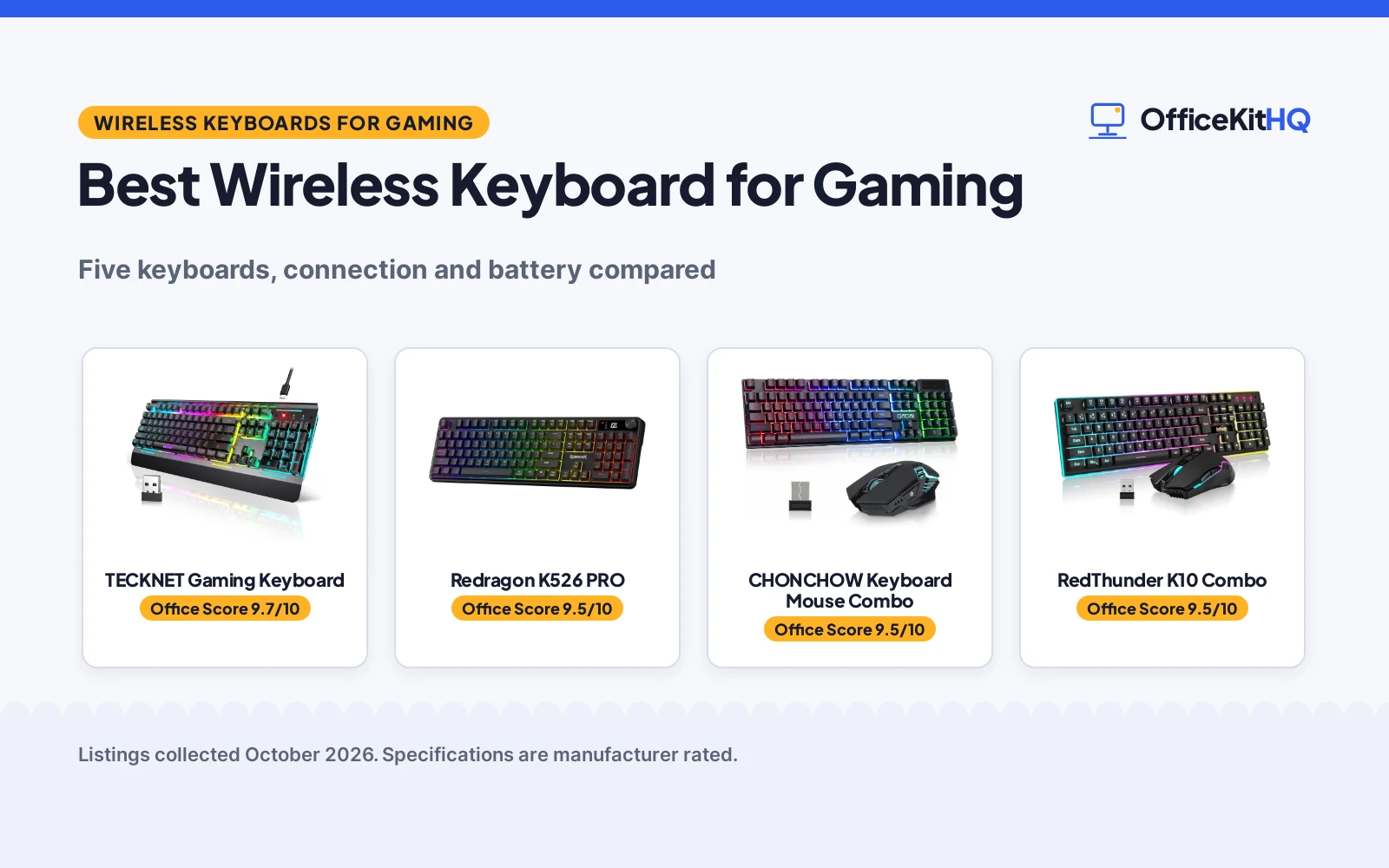
A wireless keyboard for gaming has to keep up when the match speeds up and the desk is already crowded with a headset, a mouse and a mug, and the best wireless keyboard for gaming is the one whose connection, battery and key feel match how the session runs. This guide compares 5 keyboards by connection mode, battery, anti-ghosting keys, backlighting, build and warranty term, using only what each listing publishes.
OfficeKitHQ earns a commission when you buy through links on this page, at no extra cost to you. As an Amazon Associate I earn from qualifying purchases. Affiliate disclosure.
Quick picks
 Top Pick TECKNET Gaming Keyboard: 4000mAh battery, 2.4G and wired modes, 25 anti-ghosting keys, IP32 spill-resistant. Check price on Amazon
 Best Tri-Mode Redragon K526 PRO: Tri-mode USB-C, Bluetooth and 2.4GHz, LED display, knob, 26 anti-ghosting keys. Check price on Amazon
 Best Combo CHONCHOW Keyboard Mouse Combo: Keyboard and mouse combo, 2500mAh keyboard battery, rainbow LED backlight. Check price on Amazon
Our desk picks
| # | Product | Office Score | Buy |
|---|---|---|---|
| 1 | TECKNET Gaming Keyboard | 9.7/10 | Buy on Amazon |
| 2 | Redragon K526 PRO | 9.5/10 | Buy on Amazon |
| 3 | CHONCHOW Keyboard Mouse Combo | 9.5/10 | Buy on Amazon |
| 4 |  RedThunder K10 Wireless | 9.5/10 | Buy on Amazon |
| 5 |  Redragon S101M-KS Combo | 9.5/10 | Buy on Amazon |

TECKNET Gaming Keyboard
A wireless gaming keyboard with 2.4G and wired modes, a 4000mAh battery, 15-zone RGB backlighting, 25 anti-ghosting keys and a metal panel.
Pros
- 4000mAh battery with up to 10 months on a full charge, per the listing
- 2.4G wireless and wired modes with a stated 33ft (10M) connection
- 15-zone RGB backlighting with 11 modes and 4 brightness levels
- Metal panel and metal base with ABS plastic keycaps, IP32 spill-resistant
Cons
- No stated keyboard dimensions, so desk fit cannot be checked from the listing
- Multimedia keys are not compatible with Mac, per the listing
Detailed Review
The TECKNET listing states a 2-in-1 keyboard with 2.4G wireless and wired connection, switched with FN+T/R keys, and a 4000mAh battery lasting up to 10 months on a full charge. It states 15-zone RGB backlighting with 11 modes and 4 brightness levels, 25 anti-ghosting keys, 12 multimedia keys, a 7 degree adjustable stand, a metal panel and base, and IP32 spill resistance with 4 drainage holes. One contradiction needs noting: the bullets promise lifetime support with registration required, while the spec table lists a 2 year warranty description, and the spec table lists 25 keys against a button quantity of 104, which matches the anti-ghosting count in the bullets.
Who it is for: a gamer who wants a long battery claim, dual connection modes and a spill-resistant metal build. Who should skip it: anyone who needs Mac multimedia keys, or a listing with a single clear warranty term.
Its Office Score of 9.7/10 comes from performance 30/35, build 21/25, value 21/25, safety 5/10 and warranty 4/5: 81 of 100 points, placed on our 9.2 to 9.8 scale.
Key Specifications
| Connection | 2.4G wireless and wired |
|---|---|
| Battery | 4000mAh |
| Backlighting | 15-zone RGB, 11 modes, 4 brightness levels |
| Anti-ghosting | 25 keys |
Figures as published on the retailer listing, collected 28 October 2026. Performance figures are manufacturer rated.
Safety and Warranty
What this listing states. IP32 spill-resistant, 4 drainage holes, so safety scores 5 of 10. Lifetime support (registration required). It does not say everything a buyer needs, such as who pays return shipping, so warranty scores 4 of 5. See How We Pick.
Fit the desk first. Check the stated size against your desk depth and keyboard tray, and charge or pair as the manual describes. No keyboard, mouse or wrist rest prevents or treats injury.
This is general buying information, not professional advice. Follow each product manual and local rules, and see our Safety Disclaimer.

Redragon K526 PRO
A tri-mode wireless gaming keyboard with USB-C, Bluetooth and 2.4GHz connection, an LED display, a control knob, 26 anti-ghosting keys and 14 preset lighting modes.
Pros
- Tri-mode connection across USB-C, Bluetooth and 2.4GHz wireless
- Built-in LED display showing battery level, connection mode and charging status
- Single control knob for backlight brightness and mode, volume and mute
- 26 anti-ghosting keys with 14 preset lighting modes and adjustable brightness
Cons
- No safety feature or certification is stated in the listing
- No battery duration is stated, only a USB power source and an LED readout
- Switch type is listed as linear in one spec row and membrane in another
- No stated weight, so heft cannot be compared from the listing
Detailed Review
The Redragon K526 PRO listing states tri-mode connectivity that jumps between USB-C, Bluetooth and 2.4GHz wireless without re-pairing, with a 0-delay claim, a built-in LED display for battery, mode and charging status, and a single knob for backlight and media control. It states 26 anti-ghosting keys, 14 preset lighting modes, 104 keys and dimensions of 17.5 inches long, 5.4 inches wide and 1.38 inches high. One mismatch needs noting: the spec table lists the switch type as linear in one row and names a Redragon membrane switch in another, so the switch description is not consistent within the listing.
Who it is for: a gamer with more than one device who wants tri-mode switching, a visible battery readout and a control knob. Who should skip it: anyone who wants a stated battery duration or a single consistent switch description.
Its Office Score of 9.5/10 comes from performance 32/35, build 20/25, value 20/25, safety 0/10 and warranty 3/5: 75 of 100 points, placed on our 9.2 to 9.8 scale.
Key Specifications
| Connection | USB-C, Bluetooth, 2.4GHz |
|---|---|
| Keys | 104 |
| Anti-ghosting | 26 keys |
| Dimensions | 17.5 inches long, 5.4 inches wide, 1.38 inches high |
Figures as published on the retailer listing, collected 28 October 2026. Performance figures are manufacturer rated.
Safety and Warranty
What this listing states. This product does not plug in or run on a battery, so safety is not part of its score. 1 year. It does not say everything a buyer needs, such as who pays return shipping, so warranty scores 3 of 5. See How We Pick.
Fit the desk first. Check the stated size against your desk depth and keyboard tray, and charge or pair as the manual describes. No keyboard, mouse or wrist rest prevents or treats injury.
This is general buying information, not professional advice. Follow each product manual and local rules, and see our Safety Disclaimer.

CHONCHOW Keyboard Mouse Combo
A wireless gaming keyboard and mouse combo with a shared 2.4G adapter, a 2500mAh keyboard battery, rainbow LED backlighting and a 104-key layout.
Pros
- Keyboard and mouse share one 2.4G USB adapter, with a stated 10 meter range
- 2500mAh keyboard battery with 10 hours of use with light, per the listing
- Rainbow LED backlighting with 3 brightness and breathing speeds
- 104-key layout with a stepped design, foldable stand and ABS plastic build
Cons
- No anti-ghosting key count is stated in the bullets
- Mouse battery is only 500mAh against the 2500mAh keyboard battery
Detailed Review
The CHONCHOW listing states a wireless gaming keyboard and mouse combo on a shared 2.4G adapter with a 10 meter effective distance, a 2500mAh keyboard battery and a 500mAh mouse battery, 10 hours of use with light, sleep after 5 minutes without operation, rainbow LED backlighting and a 104-key layout. The mouse is described with 7 buttons and 7 color auto changing breathing backlight, and compatibility spans PC, laptop, PS3, PS4, PS5, Xbox and Mac. Two contradictions need noting: the title states 3600DPI while the bullets list DPI levels of 1600, 2400 and 3200, and the bullets state a 2500mAh keyboard battery while the spec description states a 3000mAh battery; the bullets carry both figures here.
Who it is for: a gamer who wants a keyboard and mouse pair on one adapter with a stated console range. Who should skip it: anyone who wants a single consistent DPI figure or battery figure from the listing.
Its Office Score of 9.5/10 comes from performance 28/35, build 19/25, value 20/25, safety 0/10 and warranty 3/5: 70 of 100 points, placed on our 9.2 to 9.8 scale.
Key Specifications
| Connection | 2.4G wireless, shared adapter |
|---|---|
| Keyboard battery | 2500mAh |
| Mouse battery | 500mAh |
| Keys | 104 |
Figures as published on the retailer listing, collected 28 October 2026. Performance figures are manufacturer rated.
Safety and Warranty
What this listing states. No FCC or other safety listing is stated, so safety scores zero. 365 days warranty of quality. It does not say everything a buyer needs, such as who pays return shipping, so warranty scores 3 of 5. See How We Pick.
Fit the desk first. Check the stated size against your desk depth and keyboard tray, and charge or pair as the manual describes. No keyboard, mouse or wrist rest prevents or treats injury.
This is general buying information, not professional advice. Follow each product manual and local rules, and see our Safety Disclaimer.

RedThunder K10 Wireless
A 2.4G wireless 104-key combo with 3000mAh keyboard and 800mAh mouse batteries, a metal keyboard cover and a 1 year warranty.
Pros
- 2.4G wireless with a shared nano receiver
- 3000mAh keyboard and 800mAh mouse batteries per the bullets
- Frosted metal keyboard cover
- 1 year warranty stated
Cons
- 8 hours stated for light use only
- No safety certification stated
Detailed Review
The RedThunder K10 is a 2.4G wireless combo with a 3000mAh keyboard battery and an 800mAh mouse battery, rated for 8 hours of light use, with sleep after 2 minutes idle. The mouse runs 3200DPI with 7D buttons, the keyboard has a frosted metal cover and 10 000 000 keystroke keys. Note the battery mismatch: the title says 3800mAh while the bullets say 3000mAh for the keyboard and 800mAh for the mouse; we trust the bullets. The spec table lists an AZERTY layout.
Who it's for: gamers who want a wireless set with a metal keyboard cover and a stated 1 year warranty. Who should skip it: anyone who needs heavy daily use on one charge, at 8 hours stated for light use.
Its Office Score of 9.5/10 comes from performance 28/35, build 21/25, value 20/25, safety 0/10 and warranty 2/5: 71 of 100 points, placed on our 9.2 to 9.8 scale.
Key Specifications
| Connection | 2.4G wireless |
|---|---|
| Battery | 3000mAh keyboard, 800mAh mouse |
| Mouse DPI | 3200 |
| Keys | 104, 10 000 000 keystrokes |
Figures as published on the retailer listing, collected 23 October 2026. Performance figures are manufacturer rated.
Safety and Warranty
What this listing states. No FCC or other safety listing is stated, so safety scores zero. 1 Year. It does not say everything a buyer needs, such as who pays return shipping, so warranty scores 2 of 5. See How We Pick.
Fit the desk first. Check the stated size against your desk depth and keyboard tray, and charge or pair as the manual describes. No keyboard, mouse or wrist rest prevents or treats injury.
This is general buying information, not professional advice. Follow each product manual and local rules, and see our Safety Disclaimer.

Redragon S101M-KS Combo
For a full desk setup: a tri-mode wireless keyboard and mouse combo with a 300-hour battery.
Pros
- Tri-mode wireless: wired, Bluetooth and 2.4G
- Up to 300 hours battery with RGB off, per the listing
- 104 keys with 10 independent multimedia keys
- 36-month warranty with 7-day support, per the bullets
Cons
- A gaming combo, not a dedicated office keyboard
- No switch type is stated
- RGB lighting suits gaming more than office desks
- 1.06 kg with the mouse, heavier than keyboard-only picks
Detailed Review
Redragon lists the S101M-KS as a tri-mode wireless gaming keyboard and mouse combo with RGB backlighting, 8 backlight patterns, 104 keys and 10 independent multimedia keys. The keyboard battery lasts up to 300 hours with RGB off, the mouse offers 5 DPI levels up to 4800, and one 2.4G receiver controls both. The bullets state a 36-month warranty with 7-day technology support.
Who it's for: anyone setting up a desk from scratch who wants keyboard and mouse in one box. Who should skip it: anyone wanting a true mechanical office keyboard, since no switch type is stated.
Its Office Score of 9.5/10 comes from performance 26/35, build 21/25, value 20/25, safety 0/10 and warranty 4/5: 71 of 100 points, placed on our 9.2 to 9.8 scale.
Key Specifications
| Layout | 104 keys, 10 multimedia keys |
|---|---|
| Battery | 300 hours, RGB off |
| Mouse | 4800 DPI, 5 levels |
| Connection | Tri-mode wireless |
Figures as published on the retailer listing, collected 17 October 2026. Performance figures are manufacturer rated.
Safety and Warranty
What this listing states. No FCC or other safety listing is stated, so safety scores zero. The bullets state a 36-month warranty. It does not say everything a buyer needs, such as who pays return shipping, so warranty scores 4 of 5. See How We Pick.
Fit the desk first. Check the stated size against your desk depth and keyboard tray, and charge or pair as the manual describes. No keyboard, mouse or wrist rest prevents or treats injury.
This is general buying information, not professional advice. Follow each product manual and local rules, and see our Safety Disclaimer.
As an Amazon Associate I earn from qualifying purchases.
More picks to compare
 KLIM ChromaChromatic RGB lighting, membrane keys and spill-resistant build for PC, consoles and laptop.Check on Amazon
Specs compared
| Keyboard | Office Score | Connection | Battery | Anti-ghosting | Keys | Warranty | Amazon |
|---|---|---|---|---|---|---|---|
| TECKNET Gaming Keyboard | 9.7/10 | 2.4G wireless and wired | 4000mAh | 25 keys | 104 | Lifetime support | View on Amazon |
| Redragon K526 PRO | 9.5/10 | USB-C, Bluetooth, 2.4GHz | USB powered | 26 keys | 104 | 1 year | View on Amazon |
| CHONCHOW Keyboard Mouse Combo | 9.5/10 | 2.4G wireless, shared adapter | 2500mAh keyboard, 500mAh mouse | Not stated as a count | 104 | 365 days | View on Amazon |
| RedThunder K10 Combo | 9.5/10 | Wireless | Not stated | Not stated | Not stated | Not stated | |
| Redragon S101M-KS | 9.5/10 | Wireless | Not stated | Not stated | Not stated | Not stated |
We quote these figures from each listing as the brand rates them; captured 28 October 2026. 3 of the 5 listings state a warranty term; only 1 states a spill-resistance rating.
How to choose the best wireless keyboard for gaming
Connection mode comes first
The TECKNET switches between wired and 2.4G wireless with a press of FN+T/R keys, and the listing states a stable and responsive 33ft (10M) wireless connection with no drivers required. The Redragon K526 PRO goes further on modes, with tri-mode connectivity across USB-C, Bluetooth and 2.4GHz wireless, so it can move between PC, laptop and tablet without re-pairing, per the listing. The CHONCHOW combo shares a single USB adapter between keyboard and mouse on a 2.4G connection, with an effective distance of 10 meters stated. A keyboard that only lists one mode, like a keyboard for travel, suits a single machine, while tri-mode suits a desk with more than one device, as in a keyboard for two computers.
Battery and charging
Battery figures here vary widely, and each is the maker’s claim. The TECKNET states a 4000mAh battery with a full charge lasting up to 10 months. The CHONCHOW states a 2500mAh keyboard battery and a 500mAh mouse battery, with 10 hours of use with light, plus a sleep mode after 5 minutes without operation. The Redragon K526 PRO lists USB as its power source and shows battery level, connection mode and charging status on a built-in LED display, so the remaining charge stays visible without interrupting play. A wireless keyboard for iPad makes the same trade: a bigger battery means fewer charges, and a visible battery readout means fewer surprises.
Anti-ghosting and key feel
Anti-ghosting counts state how many keys can be pressed at once with every press registered. The Redragon K526 PRO states 26 anti-ghosting keys, and the TECKNET states 25 anti-ghosting keys with 12 multimedia keys for play, pause and skip. The CHONCHOW states anti-ghosting without a key count in its bullets, and its keyboard is described as mechanical feeling with volcano-shaped keys and a stepped layout. Switch type matters too: the TECKNET uses membrane switches described as whisper quiet, the K526 PRO uses a membrane switch with a linear listing, and the CHONCHOW uses a mechanical feeling design rather than a stated mechanical switch.
| Keyboard | Connection | Battery | Backlighting |
|---|---|---|---|
| TECKNET Gaming Keyboard | 2.4G wireless and wired | 4000mAh | 15-zone RGB, 11 modes, 4 brightness levels |
| Redragon K526 PRO | USB-C, Bluetooth, 2.4GHz | USB powered, LED display | True RGB, 14 preset modes |
| CHONCHOW Keyboard Mouse Combo | 2.4G wireless, shared adapter | 2500mAh keyboard, 500mAh mouse | Rainbow LED, 3 brightness and breathing speeds |
| RedThunder K10 Combo | Wireless | Not stated | Not stated |
| Redragon S101M-KS | Wireless | Not stated | Not stated |
Figures as stated in each listing. Backlighting counts and battery figures are the maker’s claims, not measured values.
Backlighting and the control knob
Backlighting ranges from the TECKNET with 15-zone RGB, 11 backlight modes and 4 brightness levels, to the K526 PRO with 14 preset lighting modes and adjustable brightness, to the CHONCHOW with rainbow LED backlighting at 3 brightness and breathing speeds. The K526 PRO adds a single control knob that adjusts backlight brightness and mode, plus volume and mute, and a built-in LED display for battery, mode and charging status. The TECKNET adds a 7 degree adjustable stand and a stepped key layout, while the CHONCHOW adds a foldable stand and a stepped layout, both described by the makers as supporting a natural hand position.
Setup Notes
- Measure desk space against the one stated footprint here: the Redragon K526 PRO at 17.5 inches long, 5.4 inches wide and 1.38 inches high. No other listing in this guide states dimensions.
- Find the receiver before the first session: the TECKNET receiver sits inside the keyboard stand, and the CHONCHOW adapter sits on the back of the mouse.
- Plan charging around the stated batteries: the TECKNET at 4000mAh, the CHONCHOW keyboard at 2500mAh with a 500mAh mouse battery, and the K526 PRO on USB power with an LED battery readout.
- Note the TECKNET multimedia keys are not compatible with Mac, per the listing, so check media-key plans against the machine in use.
- Keep the CHONCHOW sleep behavior in mind: keyboard and mouse go to sleep after 5 minutes without operation and wake on a key press.
FAQ
Do wireless gaming keyboards lag?
The listings claim no lag in different words: the TECKNET states a stable and responsive 2.4G connection, the CHONCHOW states no delay with a response speed comparable to a wired keyboard, and the K526 PRO states 0-delay tri-mode. Each is the maker’s claim, reported as stated.
How long does the battery last on these keyboards?
The TECKNET states up to 10 months on a full charge from its 4000mAh battery. The CHONCHOW states 10 hours of use with light from its 2500mAh keyboard battery and 500mAh mouse battery. The K526 PRO states no duration, but shows battery level on its LED display.
Are the multimedia keys compatible with Mac?
The TECKNET listing states its 12 multimedia keys are not compatible with Mac. The CHONCHOW listing states compatibility with Mac among PC, laptop, PS3, PS4, PS5 and Xbox, with plug and play and no additional drivers required.
What does anti-ghosting mean on these keyboards?
Anti-ghosting means every press is registered even when multiple keys are hit at once, per the listings. The K526 PRO states 26 anti-ghosting keys, the TECKNET states 25 anti-ghosting keys, and the CHONCHOW states anti-ghosting without a key count.
Which of these keyboards include a mouse?
The CHONCHOW is a keyboard and mouse combo with a 7D mouse, and the RedThunder K10 and Redragon S101M-KS are keyboard and mouse combos by title. The TECKNET and the Redragon K526 PRO are keyboards only, with no mouse in the stated box contents.
Score breakdown
The Office Score weighs performance, build, value, safety and warranty. For a keyboard, safety means a stated spill-resistance rating or drainage design; only the TECKNET states one, with IP32 spill resistance and drainage holes. 3 listings state a warranty term: the TECKNET with lifetime support in its bullets, the CHONCHOW with 365 days, and the Redragon K526 PRO with 1 year. How we pick explains the weights.
| Product | Office Score | Perf. /35 | Build /25 | Value /25 | Safety /10 | Warranty /5 |
|---|---|---|---|---|---|---|
| TECKNET Gaming Keyboard | 9.7 | 30 | 21 | 21 | 5 | 4 |
| Redragon K526 PRO | 9.5 | 32 | 20 | 20 | 0 | 3 |
| CHONCHOW Keyboard Mouse Combo | 9.5 | 28 | 19 | 20 | 0 | 3 |
Score placement follows the weighted total: the lowest totals read 9.2, the highest 9.8, and everything between keeps its order.
More for your workspace
See every Keyboards and Keyboard Trays guide and all Monitor Mounts, Keyboards and Mice guides.
More picks: wireless keyboard for iPad, keyboard for travel, keyboard for Mac and Windows.