The morning call starts on the work laptop, then the other machine on the desk needs the same keyboard, and swapping boards mid-sentence is nobody’s idea of a setup. The best keyboard for two computers is a board that switches between machines without a cable swap or a spare board crowding the desk. We compared keyboards by device switching, connection type, key count, stated battery life and warranty term, using only what each listing publishes.
OfficeKitHQ earns a commission when you buy through links on this page, at no extra cost to you. As an Amazon Associate I earn from qualifying purchases. Affiliate disclosure.
Quick picks
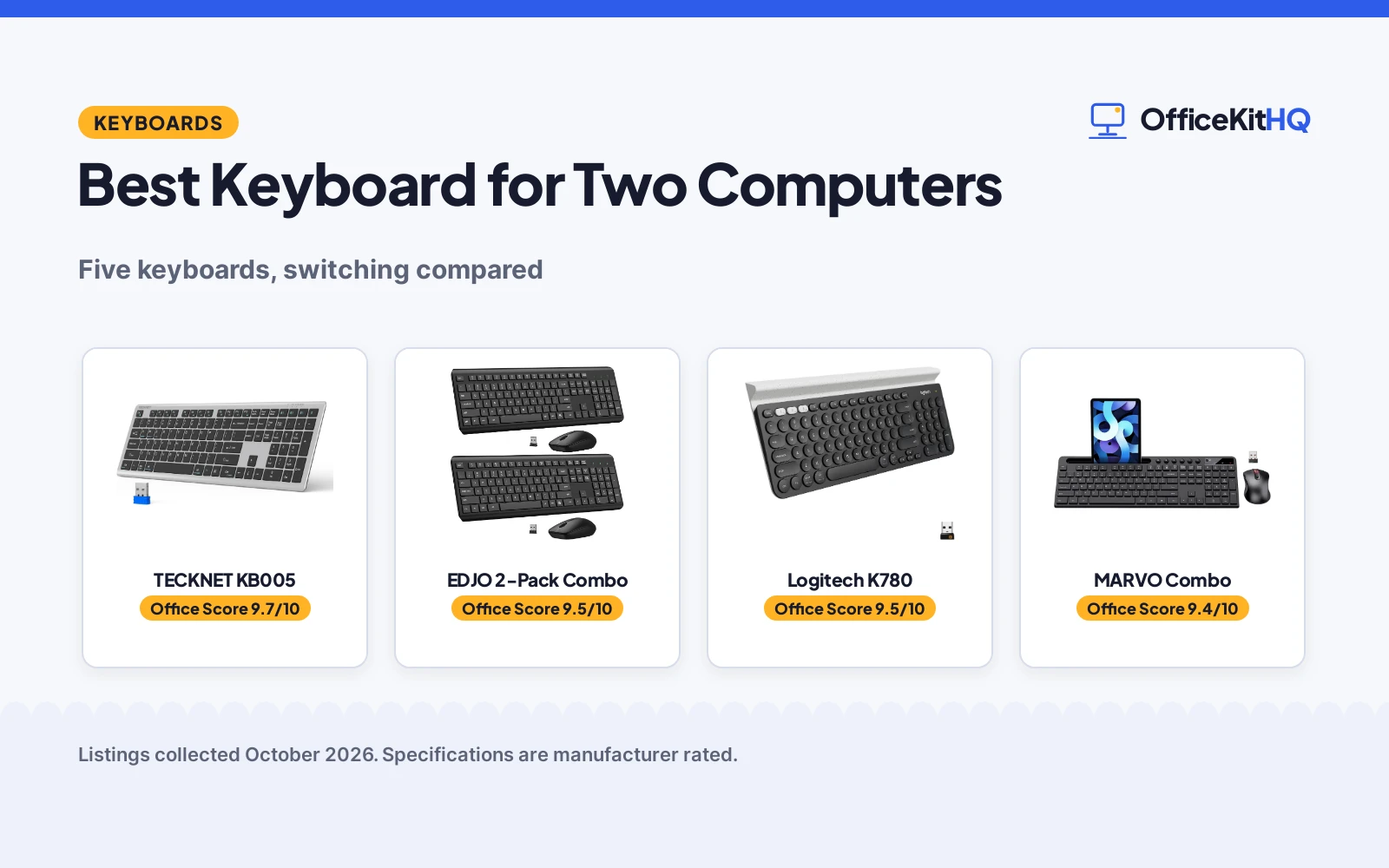
 Best Overall TECKNET KB005: Switches between 4 devices on 3 Bluetooth plus 2.4G Check price on Amazon
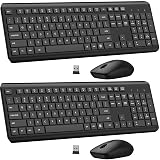 Best Two-Pack EDJO 2-Pack Combo: Two-pack combo with up to 365 days of battery life Check price on Amazon
 Best Wired Pick Lenovo Preferred Pro II: Wired full-size board with 104 keys and tilt legs Check price on Amazon
 Multi-Device Keyboard Logitech K780: Multi-device wireless keyboard, per its title Check price on Amazon
 Combo with Phone Holder MARVO Combo: Wireless keyboard and mouse combo with phone holder Check price on Amazon
Our desk picks
| # | Product | Office Score | Buy |
|---|---|---|---|
| 1 | TECKNET KB005 | 9.7/10 | Buy on Amazon |
| 2 | EDJO 2-Pack Combo | 9.5/10 | Buy on Amazon |
| 3 | Logitech K780 | 9.5/10 | Buy on Amazon |
| 4 | MARVO Wireless Combo | 9.4/10 | Buy on Amazon |
| 5 | Lenovo Preferred Pro II | 9.3/10 | Buy on Amazon |

TECKNET KB005
A rechargeable wireless keyboard that switches between 4 devices on 3 Bluetooth channels plus 2.4G, with 110 scissor-switch keys and a numeric keypad.
Pros
- Switches between 4 devices: 3 Bluetooth plus 2.4G wireless
- 110 scissor-switch keys with 2mm key travel and a numeric keypad
- Rechargeable 500mAh battery, up to 180 days on about a 2-hour charge
- Spill-resistant design rated for up to 10 million keystrokes
Cons
- Devices without Bluetooth need the included USB receiver
- Plastic enclosure, 586 g, in Silver and Grey only
- 17.13 in wide, so it needs a desk with room to spare
Detailed Review
The listing states 4-device switching, 110 scissor-switch keys, a 500mAh rechargeable battery and a spill-resistant design. One contradiction needs noting: the bullets describe scissor-switch keys, while the spec table lists a Clicky switch type and a Cherry MX Blue model, so this card trusts the bullets over the spec table.
Who it's for: readers who split time between machines and want one board for all of them. Who should skip it: readers who want a wired board or a mouse in the box.
Its Office Score of 9.7/10 comes from performance 32/35, build 21/25, value 21/25, safety 5/10 and warranty 4/5: 83 of 100 points, placed on our 9.2 to 9.8 scale.
Key Specifications
| Connection | Bluetooth and USB-A, 3 Bluetooth plus 2.4G |
|---|---|
| Keys | 110, scissor-switch, 2mm travel |
| Battery | 500mAh rechargeable, up to 180 days |
| Dimensions | 17.13 x 5.12 x 0.57 in |
Figures as published on the retailer listing, collected 27 October 2026. Performance figures are manufacturer rated.
Safety and Warranty
What this listing states. Spill-resistant design shields internal components from accidental liquid damage, as stated, so safety scores 5 of 10. 36 months. It does not say everything a buyer needs, such as who pays return shipping, so warranty scores 4 of 5. See How We Pick.
Fit the desk first. Check the stated size against your desk depth and keyboard tray, and charge or pair as the manual describes. No keyboard, mouse or wrist rest prevents or treats injury.
This is general buying information, not professional advice. Follow each product manual and local rules, and see our Safety Disclaimer.
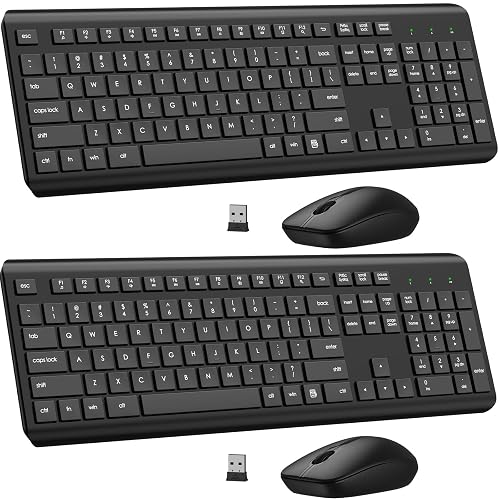
EDJO 2-Pack Combo
A 2-pack of full-size wireless keyboard and mouse sets with a shared USB receiver per set, quiet keys and up to 365 days of battery life.
Pros
- Two full keyboard and mouse sets in one 2-pack
- Up to 365 days of battery life for keyboard and mouse
- 2.4 GHz wireless connection up to 33 feet, plug and play
- 12 multimedia shortcut keys, numeric keypad and silent mouse clicks
Cons
- No multi-device switching between computers is stated
- Needs 1 AAA battery for the keyboard and 1 AA for the mouse per set
- No rechargeable option is stated
- Full-size layout with numeric keypad needs desk room
Detailed Review
The listing states a 2-pack of full-size combos, each sharing one USB receiver stored in the mouse, with 1600 DPI optical tracking and a 12-month free warranty. The title spells the system Window while the bullets list Windows 11, 10, 8 and 7, so this card trusts the bullets. Nothing in the listing states switching between two computers, which matters for this topic.
Who it's for: readers who want a spare set or a set for a second desk. Who should skip it: readers who need one board that switches between machines.
Its Office Score of 9.5/10 comes from performance 26/35, build 20/25, value 21/25, safety 0/10 and warranty 3/5: 70 of 100 points, placed on our 9.2 to 9.8 scale.
Key Specifications
| Connection | 2.4 GHz wireless, shared USB receiver |
|---|---|
| Battery life | Up to 365 days |
| Mouse | 1600 DPI optical, silent clicks |
| Batteries | 1 AAA keyboard, 1 AA mouse |
Figures as published on the retailer listing, collected 27 October 2026. Performance figures are manufacturer rated.
Safety and Warranty
What this listing states. No FCC or other safety listing is stated, so safety scores zero. 12 Months Free Warranty. It does not say everything a buyer needs, such as who pays return shipping, so warranty scores 3 of 5. See How We Pick.
Fit the desk first. Check the stated size against your desk depth and keyboard tray, and charge or pair as the manual describes. No keyboard, mouse or wrist rest prevents or treats injury.
This is general buying information, not professional advice. Follow each product manual and local rules, and see our Safety Disclaimer.

Logitech K780
A multi-device wireless keyboard with a phone and tablet cradle, suited to virtual assistants juggling a computer, tablet and phone.
Pros
- Pairs with up to 3 devices as stated
- Built-in cradle holds a phone and large tablet as stated
- Large, quiet keys with number pad as stated
- Works with Windows, Mac, Chrome OS, iOS and Android as stated
Cons
- Compact 96-key layout, not full size
- 1.9 pounds is heavier than the K270 as listed
- Listed as not water resistant
- 2 AAA batteries required as stated
Detailed Review
The listing states a compact wireless keyboard that pairs with up to three devices over Bluetooth or USB, with an easy-switch button and a built-in cradle that holds a smartphone and a large tablet. It has large, quiet membrane keys, a number pad and wide compatibility across Windows, Mac, Chrome OS, iOS and Android. The warranty description states 1 - year limited warranty.
Who it's for: a virtual assistant juggling a computer, tablet and phone who wants one keyboard. Who should skip it: someone who wants a full-size layout, since this one is compact with 96 keys.
Its Office Score of 9.5/10 comes from performance 33/35, build 21/25, value 20/25, safety 0/10 and warranty 0/5: 74 of 100 points, placed on our 9.2 to 9.8 scale.
Key Specifications
| Keys | 96 |
|---|---|
| Connectivity | Bluetooth plus USB |
| Features | 3-device switch, cradle |
| Warranty | 1-year limited |
Figures as published on the retailer listing, collected 17 October 2026. Performance figures are manufacturer rated.
Safety and Warranty
What this listing states. This product does not plug in or run on a battery, so safety is not part of its score. No warranty term, so warranty scores zero. See How We Pick.
Fit the desk first. Check the stated size against your desk depth and keyboard tray, and charge or pair as the manual describes. No keyboard, mouse or wrist rest prevents or treats injury.
This is general buying information, not professional advice. Follow each product manual and local rules, and see our Safety Disclaimer.

MARVO Wireless Combo
A 2.4GHz wireless keyboard and mouse combo with 92 keys, 9.84-inch phone holder, silent 6-button mouse and 12-month warranty.
Pros
- 9.84 in phone holder
- Silent 6-button mouse
- 92 keys, full size
- Ergonomic per listing
Cons
- Batteries not included
- 92 keys (fewer)
- 1 AA battery required
- 12-month warranty
Detailed Review
The listing states a 2.4GHz wireless keyboard and mouse combo with 92 keys, a 9.84-inch phone and tablet holder, 6 multimedia keys and a silent mouse with 6 buttons and 3 DPI levels (800/1200/1600). Batteries are not included; it needs 1 AA. The listing provides a 12-month warranty.
Who it's for: users who want a phone holder on the keyboard for home office multitasking. Who should skip it: anyone who needs included batteries or more keys.
Its Office Score of 9.4/10 comes from performance 26/35, build 19/25, value 19/25, safety 0/10 and warranty 1/5: 65 of 100 points, placed on our 9.2 to 9.8 scale.
Key Specifications
| Connection | 2.4GHz |
|---|---|
| Keys | 92 |
| DPI | 800/1200/1600 |
| Holder | 9.84 in phone holder |
Figures as published on the retailer listing, collected 22 October 2026. Performance figures are manufacturer rated.
Safety and Warranty
What this listing states. This product does not plug in or run on a battery, so safety is not part of its score. 12-month warranty stated. It does not say everything a buyer needs, such as who pays return shipping, so warranty scores 1 of 5. See How We Pick.
Fit the desk first. Check the stated size against your desk depth and keyboard tray, and charge or pair as the manual describes. No keyboard, mouse or wrist rest prevents or treats injury.
This is general buying information, not professional advice. Follow each product manual and local rules, and see our Safety Disclaimer.

Lenovo Preferred Pro II
A wired full-size USB keyboard with adjustable tilt legs and a 10 million click key lifecycle, for a single machine at a fixed desk.
Pros
- Wired USB 2.0 connection, no batteries to manage
- Full-size layout with numeric keypad and adjustable tilt legs
- 10 million click lifecycle under normal operation
- Three operation mode LEDs for Number Lock, Caps Lock and Scroll Lock
Cons
- Wired only, with no wireless or multi-device switching stated
- Hotkeys are not supported on Linux, per the bullets
- Single color black, with no wireless option in the listing
Detailed Review
The listing states a wired full-size keyboard with rubber dome switch keys, adjustable tilt legs and USB 2.0 compatibility. One contradiction needs noting: the bullets describe a configurable 104/105/106/107/109 key layout, while the spec table states 104 keys, so this card reports 104 keys with the configurable range noted.
Who it's for: readers who want a simple wired board for one machine. Who should skip it: readers who need wireless switching between machines.
Its Office Score of 9.3/10 comes from performance 21/35, build 20/25, value 18/25, safety 0/10 and warranty 3/5: 62 of 100 points, placed on our 9.2 to 9.8 scale.
Key Specifications
| Connection | Wired USB 2.0, corded electric |
|---|---|
| Keys | 104, rubber dome |
| Key lifecycle | 10 million clicks |
| Item weight | 16 ounces |
Figures as published on the retailer listing, collected 27 October 2026. Performance figures are manufacturer rated.
Safety and Warranty
What this listing states. No FCC or other safety listing is stated, so safety scores zero. 1 Year Manufacturer. It does not say everything a buyer needs, such as who pays return shipping, so warranty scores 3 of 5. See How We Pick.
Fit the desk first. Check the stated size against your desk depth and keyboard tray, and charge or pair as the manual describes. No keyboard, mouse or wrist rest prevents or treats injury.
This is general buying information, not professional advice. Follow each product manual and local rules, and see our Safety Disclaimer.
As an Amazon Associate I earn from qualifying purchases.
Specs compared
| Keyboard | Office Score | Devices | Connection | Keys | Warranty | Amazon |
|---|---|---|---|---|---|---|
| TECKNET KB005 | 9.7/10 | 4 devices | Bluetooth plus 2.4G | 110 | 36 months | View on Amazon |
| EDJO 2-Pack Combo | 9.5/10 | Not stated | 2.4 GHz | Not stated | 12 months | View on Amazon |
| Lenovo Preferred Pro II | 9.3/10 | Not stated | Wired USB | 104 | 1 year | View on Amazon |
| Logitech K780 | 9.5/10 | Multi-device, per title | Not stated | Not stated | Not stated | View on Amazon |
| MARVO Combo | 9.4/10 | Not stated | Not stated | Not stated | Not stated |
Specs reflect manufacturer claims on each product listing (as of 27 October 2026). Three of the five state a warranty term; one states a spill-resistant design.
How to choose the best keyboard for two computers
Count the machines first
Switching is the feature that decides this topic. The TECKNET switches between 4 devices on 3 Bluetooth channels plus 2.4G, so it covers a work laptop, a home machine and more from one board. The EDJO and Lenovo state no switching at all, and the MARVO title names no switching either, while the Logitech title names multi-device use without further details. If the desk holds more than one machine, start from the switching line, not the key count. Readers setting up keyboards for working from home often face the same split between a work machine and a personal one.
Wireless, wired, or both
The TECKNET pairs over Bluetooth and falls back to 2.4G through the included USB receiver on devices without Bluetooth. The EDJO runs on 2.4 GHz wireless up to 33 feet with a shared receiver per set, and the Lenovo is wired USB 2.0 with corded electric power. A wireless board keeps the desk clear, while a wired board never needs batteries. For a desk that also needs a mouse, wireless mouse and keyboard sets for work are worth a look alongside these picks.
| Keyboard | Devices | Connection | Keys | Battery |
|---|---|---|---|---|
| TECKNET KB005 | 4 devices | Bluetooth plus 2.4G | 110 | 500mAh rechargeable |
| EDJO 2-Pack Combo | Not stated | 2.4 GHz | Not stated | Up to 365 days |
| Lenovo Preferred Pro II | Not stated | Wired USB | 104 | Not stated |
| Logitech K780 | Multi-device, per title | Not stated | Not stated | Not stated |
| MARVO Combo | Not stated | Not stated | Not stated | Not stated |
Figures as stated in each listing. A board that states no switching can still serve one machine well, but it will not move between machines on its own.
Check the battery story
Battery claims differ a lot here. The TECKNET states up to 180 days on about a 2-hour charge, based on 2 hours of daily use, and it sleeps after 30 minutes of inactivity. The EDJO states up to 365 days, needs 1 AAA battery for the keyboard and 1 AA for the mouse per set, and sleeps after 10 minutes of inactivity. The Lenovo needs no batteries at all, since it draws corded electric power. Match the battery story to how often the board gets used, and keep spares on hand for the battery-powered sets.
Measure the board against the desk
Only the TECKNET states full dimensions at 17.13 x 5.12 x 0.57 in and 586 g, with a tilt stand that adjusts between 3 and 7 degrees. The EDJO lists adjustable tilt legs and a 1.47 kg weight for the 2-pack, and the Lenovo lists adjustable tilt legs at 16 ounces. The Logitech and MARVO listings state no dimensions, so measure the desk before counting on them to fit beside a second machine.
Read the warranty line, not the headline
Three listings state a warranty term: the TECKNET at 36 months, the EDJO at 12 months and the Lenovo at 1 year. The Logitech and MARVO listings state no warranty term. A stated term beats a vague promise when a key or a receiver gives out, so weigh the warranty line alongside the switching and battery claims.
Setup Notes
- Measure desk width for the TECKNET at 17.13 in wide before it shares space with a second machine.
- Keep the included USB receiver plugged into the machine without Bluetooth when using the TECKNET.
- Stock 1 AAA battery and 1 AA battery per EDJO set; the TECKNET charges with its included USB-C cable.
- Set the TECKNET tilt stand between 3 and 7 degrees to match typing posture; the EDJO and Lenovo list adjustable tilt legs.
- Check cable reach for the wired Lenovo before routing it between machines.
FAQ
Can one keyboard switch between two computers?
Yes, when the listing states switching. The TECKNET switches between 4 devices on 3 Bluetooth channels plus 2.4G, while the EDJO and Lenovo state no switching, so check the switching line before buying.
Do both computers need Bluetooth for the TECKNET?
No. The TECKNET pairs over 3 Bluetooth channels, and devices without Bluetooth use the included USB receiver for a 2.4G connection.
How long does the TECKNET battery last?
The listing states up to 180 days on about a 2-hour charge, based on 2 hours of daily use, and the keyboard sleeps after 30 minutes of inactivity.
What comes in the EDJO 2-pack?
Two wireless keyboard and mouse sets. Each set shares one USB receiver stored in the mouse, and each keyboard needs 1 AAA battery while each mouse needs 1 AA battery.
Is the Lenovo keyboard wireless?
No. The Lenovo Preferred Pro II is a wired USB keyboard with corded electric power, so it suits a single machine at a fixed desk.
Which of these keyboards state a warranty term?
Three of them: the TECKNET at 36 months, the EDJO at 12 months and the Lenovo at 1 year. The Logitech and MARVO listings state no warranty term.
Score breakdown
The Office Score weighs performance, build, value, safety and warranty. For a keyboard, safety means a stated spill-resistant design or other stated protection on the listing; only the TECKNET states one. Three listings state a warranty term: the TECKNET at 36 months, the EDJO at 12 months and the Lenovo at 1 year. How we pick explains the weights.
| Product | Office Score | Perf. /35 | Build /25 | Value /25 | Safety /10 | Warranty /5 |
|---|---|---|---|---|---|---|
| TECKNET KB005 | 9.7 | 32 | 21 | 21 | 5 | 4 |
| EDJO 2-Pack Combo | 9.5 | 26 | 20 | 21 | 0 | 3 |
| Lenovo Preferred Pro II | 9.3 | 21 | 20 | 18 | 0 | 3 |
The scale opens at 9.2 and closes at 9.8; between those marks, weighted points translate linearly into the score you see.
More for your workspace
See every keyboards and keyboard trays guide and all monitor mounts, keyboards and mice guides. Also see our best keyboard for desktop computer. Also see our best keyboard and mouse pad for work.
More picks: mice and mouse pads, monitor arms and stands, standing desks.