A flick shot that lands late feels like the mouse, not the player, and a heavy mouse makes every correction cost more movement than it should. The best gaming mouse for valorant is a mouse whose sensor, polling rate, weight and grip fit the way you aim, because those things decide whether the cursor stops where you meant it to stop. We compared wireless gaming mice by stated DPI, polling rate, weight, buttons, battery life and warranty.
OfficeKitHQ earns a commission when you buy through links on this page, at no extra cost to you. As an Amazon Associate I earn from qualifying purchases. Affiliate disclosure.
Quick picks
 Best Overall GLORIOUS Model O 2: 68g ambidextrous mouse with 26,000 DPI and 210 hours on Bluetooth Check price on Amazon
 Best Battery Life Redragon M814W: 250 hours in 2.4G mode with RGB off and a rapid fire key Check price on Amazon
 Best Hollowed Design GravaStar Mercury M2: 79g hollowed-out mouse with 26,000 DPI and 85 hours of battery Check price on Amazon
 Best Charging Dock ATTACK SHARK X11: RGB charging dock, grip tape and 22,000 DPI sensor Check price on Amazon
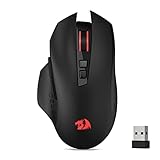 Best Simple Wireless Redragon M656: 4000 DPI wireless mouse with 7 programmable buttons Check price on Amazon
Our desk picks
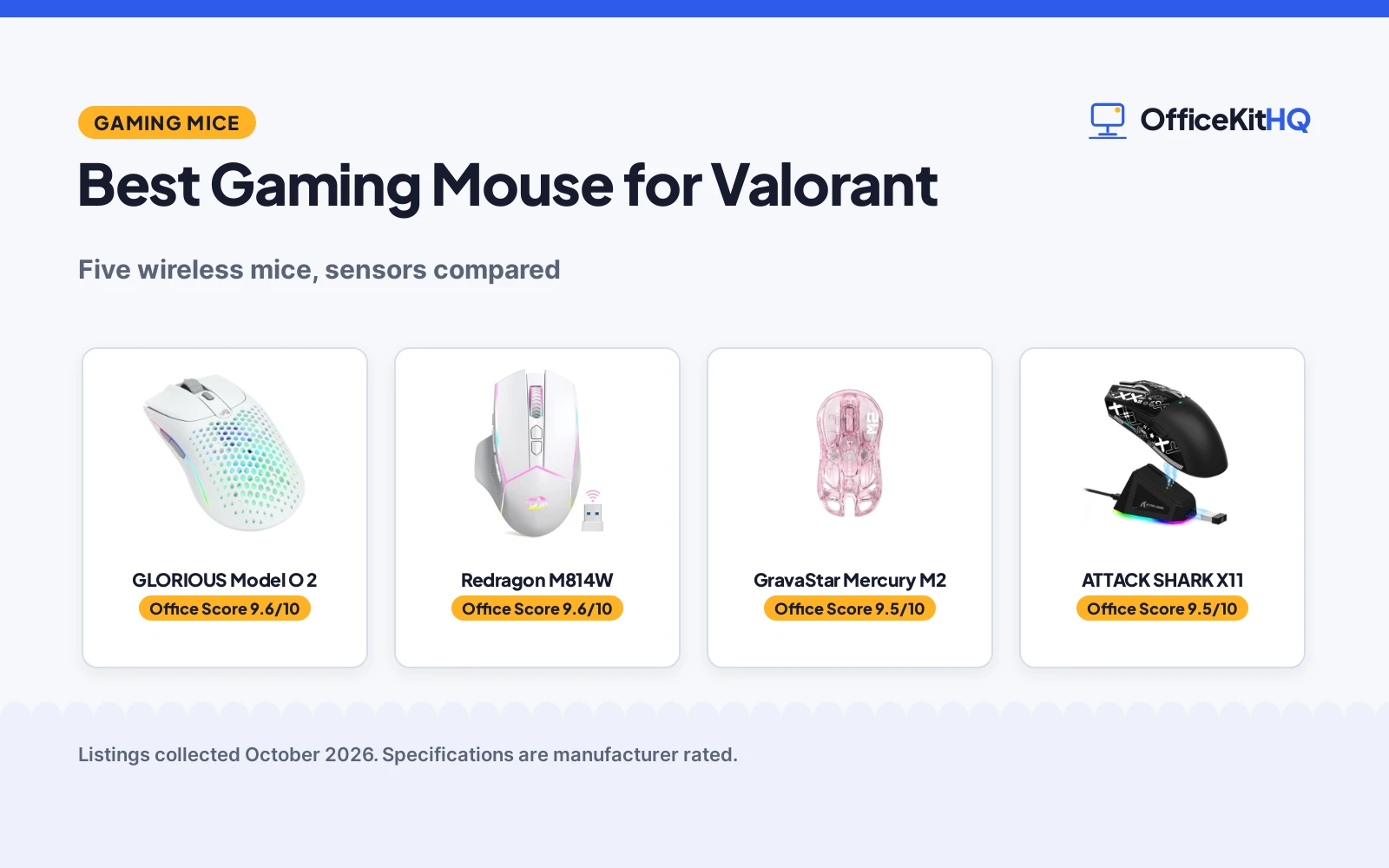
| # | Product | Office Score | Buy |
|---|---|---|---|
| 1 | GLORIOUS Model O 2 | 9.6/10 | Buy on Amazon |
| 2 | Redragon M814W | 9.6/10 | Buy on Amazon |
| 3 | GravaStar Mercury M2 | 9.5/10 | Buy on Amazon |
| 4 | ATTACK SHARK X11 | 9.5/10 | Buy on Amazon |
| 5 | Redragon M656 | 9.3/10 | Buy on Amazon |

GLORIOUS Model O 2
A 68g ambidextrous wireless mouse with a BAMF 2.0 sensor, long battery life by mode and PTFE feet.
Pros
- Up to 26,000 DPI with 650 IPS tracking and 50G acceleration
- 68g frame with smaller shell holes and a grippy surface texture
- 110 hours in 2.4GHz mode and 210 hours on Bluetooth with RGB off
- Glorious Switches rated for 80M clicks with a split-button design
Cons
- No polling rate is stated in the listing
- No battery capacity figure is stated, only hours by mode
- RGB customization needs Glorious CORE software for deep changes
- Ambidextrous shape may suit fewer right-hand-only grips
Detailed Review
GLORIOUS lists the Model O 2 Wireless as a hybrid 2.4GHz and Bluetooth mouse with a BAMF 2.0 sensor, 650 IPS tracking, 50G acceleration and up to 26,000 DPI, plus Motion Sync. It weighs 68g, uses custom Glorious Switches rated for 80M clicks in a split-button design meant to prevent pre- and post-travel movement, and rides on PTFE feet. Battery life is listed at 110 hours in 2.4GHz mode and 210 hours on Bluetooth 5.2 LE, both measured with RGB off. The ambidextrous shape suits claw, palm and fingertip styles for medium to large hands, and RGB offers 16.8M colours adjustable with or without Glorious CORE.
Who it suits: gamers who want a light ambidextrous mouse with a high sensor ceiling and long battery life in either mode. The listing states a 2 year manufacturer warranty, and no polling rate is stated, which is the main spec gap.
Its Office Score of 9.6/10 comes from performance 32/35, build 22/25, value 21/25, safety 0/10 and warranty 3/5: 78 of 100 points, placed on our 9.2 to 9.8 scale.
Key Specifications
| Sensor | BAMF 2.0, up to 26,000 DPI |
|---|---|
| Battery | 110 hours in 2.4GHz mode; 210 hours on Bluetooth |
| Weight | 68g |
| Buttons | 6 buttons |
Figures as published on the retailer listing, collected 30 October 2026. Performance figures are manufacturer rated.
Safety and Warranty
What this listing states. No FCC or other safety listing is stated, so safety scores zero. 2 year manufacturer. It does not say everything a buyer needs, such as who pays return shipping, so warranty scores 3 of 5. See How We Pick.
Fit the desk first. Check the stated size against your desk depth and keyboard tray, and charge or pair as the manual describes. No keyboard, mouse or wrist rest prevents or treats injury.
This is general buying information, not professional advice. Follow each product manual and local rules, and see our Safety Disclaimer.

Redragon M814W
A tri-mode wireless mouse with 24000 DPI, a rapid fire key and up to 250 hours of battery life with RGB off.
Pros
- 24000 DPI range from 400 to 24000 DPI with a 1000Hz polling rate
- Up to 250 hours in 2.4G mode with RGB off
- Dedicated rapid fire key where 1 click equals 3 clicks
- Tri-mode 2.4G, Bluetooth and USB-C with charging during use
Cons
- No weight is stated in the listing
- Software customization is for Windows PCs only, Mac is not supported for it
- Battery capacity claim is high for a mouse, stated as the maker claim
- Contoured shape is aimed at medium to large hands, not small hands
Detailed Review
Redragon lists the M814W as a tri-mode wireless mouse switching between 2.4G, Bluetooth and wired USB-C, with sensitivity adjustable from 400 to 24000 DPI and a 1000Hz polling rate. Battery capacity is listed up to 10,000 mAh with up to 250 hours in 2.4G mode with RGB off, and the flexible USB-C cable allows charging while gaming. Seven primary buttons can be customized through software, excluding the pre-set rapid fire key, where 1 click equals 3 clicks. The contoured shape with textured grips is designed for medium to large hands.
Who it suits: gamers who want long battery life, a rapid fire key and three connection modes in one mouse. The listing states a 2 year warranty, and advanced RGB lighting and button remapping require downloadable Windows software, with Mac OS not supported for customization.
Its Office Score of 9.6/10 comes from performance 30/35, build 21/25, value 21/25, safety 0/10 and warranty 3/5: 75 of 100 points, placed on our 9.2 to 9.8 scale.
Key Specifications
| DPI | 400 to 24000 DPI |
|---|---|
| Polling | 1000Hz |
| Battery | Up to 250 hours in 2.4G mode with RGB off |
| Buttons | 7 programmable buttons plus Rapid Fire key |
Figures as published on the retailer listing, collected 30 October 2026. Performance figures are manufacturer rated.
Safety and Warranty
What this listing states. No FCC or other safety listing is stated, so safety scores zero. 2 year. It does not say everything a buyer needs, such as who pays return shipping, so warranty scores 3 of 5. See How We Pick.
Fit the desk first. Check the stated size against your desk depth and keyboard tray, and charge or pair as the manual describes. No keyboard, mouse or wrist rest prevents or treats injury.
This is general buying information, not professional advice. Follow each product manual and local rules, and see our Safety Disclaimer.

GravaStar Mercury M2
A 79g hollowed-out wireless mouse with 26,000 DPI, a 1K Hz polling rate and up to 85H of battery life.
Pros
- 26,000 DPI with a PAW3395DM sensor and 1K Hz polling rate
- 79g lightweight frame with a hollowed-out design for airflow
- Up to 85H of battery life across 2.4G, Bluetooth and wired modes
- 5 dynamic light modes with GLOWSYNC RGB customization
Cons
- No grip style guidance is stated in the listing
- Hollowed-out design may collect dust in the openings over time
- Only 5 programmable buttons, fewer than the 7-button mice here
Detailed Review
GravaStar lists the Mercury M2 as a hollowed-out wireless mouse with a 1K Hz polling rate, 26,000 DPI and a PAW3395DM sensor, in a 79g frame. Connection options cover 2.4G, Bluetooth and wired use through TUROSPEED Wireless technology; battery life is listed up to 85H. Five programmable buttons can be configured through software for macros, DPI settings and button functions, and GLOWSYNC RGB lighting offers five dynamic light modes with custom profiles. The hollowed-out design gives a distinctive look and airflow to keep the grip cool during intense sessions.
Who it suits: gamers who want a light, distinctive mouse with a high DPI ceiling and three connection modes. The spec table lists a 1 year warranty, but its dimension figures read far larger than a handheld mouse and do not match the title or bullets, so the title and bullets win.
Its Office Score of 9.5/10 comes from performance 30/35, build 20/25, value 20/25, safety 0/10 and warranty 2/5: 72 of 100 points, placed on our 9.2 to 9.8 scale.
Key Specifications
| Sensor | PAW3395DM, 26,000 DPI |
|---|---|
| Polling | 1K Hz |
| Battery | Up to 85H |
| Weight | 79g |
Figures as published on the retailer listing, collected 30 October 2026. Performance figures are manufacturer rated.
Safety and Warranty
What this listing states. No FCC or other safety listing is stated, so safety scores zero. 1 year. It does not say everything a buyer needs, such as who pays return shipping, so warranty scores 2 of 5. See How We Pick.
Fit the desk first. Check the stated size against your desk depth and keyboard tray, and charge or pair as the manual describes. No keyboard, mouse or wrist rest prevents or treats injury.
This is general buying information, not professional advice. Follow each product manual and local rules, and see our Safety Disclaimer.

ATTACK SHARK X11
A 62 gram tri-mode wireless mouse with a PAW3311 sensor, an RGB charging dock and included grip tape.
Pros
- PAW3311 sensor at 22,000 DPI with 300 IPS and 35G acceleration
- 1,000Hz polling rate with 6 adjustable DPI levels
- RGB charging dock with the receiver stored in the dock
- Included anti-slip grip tape for grip stability
Cons
- No warranty term is stated in the listing
- No battery life hours figure is stated, only a charging dock
- 62 gram frame may feel too light for gamers who prefer weight
- Driver software is needed for macros, DPI, polling rate and LOD changes
Detailed Review
ATTACK SHARK lists the X11 as a tri-mode wireless mouse with 2.4GHz, Bluetooth 5.2 and USB-C wired modes, a PAW3311 optical sensor at 22,000 DPI, 6 adjustable DPI levels, 300 IPS tracking speed, 35G acceleration and a 1,000Hz polling rate. It weighs 62 gram in an ergonomic shape for palm, claw and fingertip styles, and ships with sweat-resistant, residue-free grip tape. An RGB backlit charging base holds the USB receiver for instant 2.4GHz connection, and 5 programmable buttons use HUYU switches with a TTC encoder rated to 20 million clicks.
Who it suits: gamers who want a very light mouse with a charging dock and grip tape included, switching between work and gaming setups. No warranty term is stated, and the listing gives no battery life hours figure, only the dock for charging.
Its Office Score of 9.5/10 comes from performance 29/35, build 22/25, value 22/25, safety 0/10 and warranty 0/5: 73 of 100 points, placed on our 9.2 to 9.8 scale.
Key Specifications
| Sensor | PAW3311, 22,000 DPI |
|---|---|
| Polling | 1,000Hz |
| Weight | 62 gram |
| Buttons | 5 programmable buttons |
Figures as published on the retailer listing, collected 30 October 2026. Performance figures are manufacturer rated.
Safety and Warranty
What this listing states. This product does not plug in or run on a battery, so safety is not part of its score. No warranty term, so warranty scores zero. See How We Pick.
Fit the desk first. Check the stated size against your desk depth and keyboard tray, and charge or pair as the manual describes. No keyboard, mouse or wrist rest prevents or treats injury.
This is general buying information, not professional advice. Follow each product manual and local rules, and see our Safety Disclaimer.
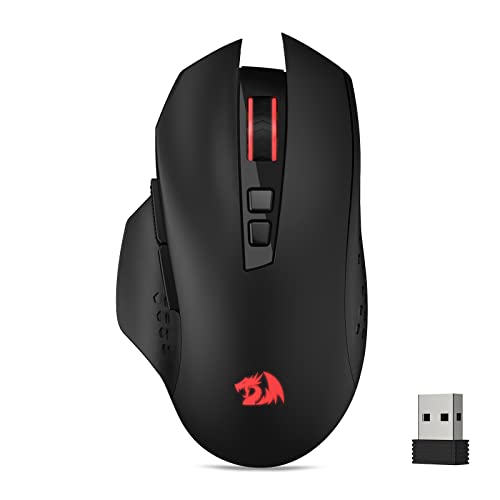
Redragon M656
A wireless optical mouse with 4000 DPI, 7 programmable buttons and a 2.4Ghz nano receiver for cable-free use.
Pros
- 7 programmable buttons with custom macro keybinds
- 5 on-board DPI levels from 1000 to 4000 DPI
- 2.4Ghz nano receiver for cable-free movement
- PAW3104 optical sensor with smart ECO sleep mode
Cons
- Battery is not included, per the listing
- 500Hz polling rate is lower than the 1000Hz mice here
- 4000 DPI ceiling is the lowest on this list
- Scroll wheel backlight is not always on, per the listing
Detailed Review
Redragon lists the M656 as a wireless optical gaming mouse with a 2.4Ghz nano receiver, a PAW3104 optical sensor and a 500Hz polling rate in 3 levels. It offers 5 adjustable DPI levels from 1000 to 4000 DPI, customizable with software, and 7 programmable buttons with 2 side macro buttons. A smart ECO sleep mode saves battery power during intermittent use, and Redragon Pro driver software supports red LED styling, with the logo lighting red when on.
Who it suits: gamers who want a simple wireless mouse with remappable buttons and no high DPI ceiling. The listing states a 1 year warranty, but the battery is not included, the clearest practical gap here.
Its Office Score of 9.3/10 comes from performance 22/35, build 19/25, value 18/25, safety 0/10 and warranty 2/5: 61 of 100 points, placed on our 9.2 to 9.8 scale.
Key Specifications
| Sensor | PAW3104 optical, 4000 DPI |
|---|---|
| Polling | 500Hz |
| Buttons | 7 programmable buttons |
| Power | Battery not included |
Figures as published on the retailer listing, collected 30 October 2026. Performance figures are manufacturer rated.
Safety and Warranty
What this listing states. No FCC or other safety listing is stated, so safety scores zero. 1 year. It does not say everything a buyer needs, such as who pays return shipping, so warranty scores 2 of 5. See How We Pick.
Fit the desk first. Check the stated size against your desk depth and keyboard tray, and charge or pair as the manual describes. No keyboard, mouse or wrist rest prevents or treats injury.
This is general buying information, not professional advice. Follow each product manual and local rules, and see our Safety Disclaimer.
As an Amazon Associate I earn from qualifying purchases.
More picks to compare
 SOLAKAKA SM802 MouseTri-mode wireless gaming mouse with programmable buttons and swappable shells.Check on Amazon
 Hongfuzhih Valorant Mat ChamberLarge XXL gaming mouse pad with a non-slip rubber base and washable surface.Check on Amazon
 Hongfuzhih Valorant Mat FiveLarge XXL gaming mouse pad with a non-slip rubber base and washable surface.Check on Amazon
 Hongfuzhih Valorant Mat Viper-1Large XXL gaming mouse pad with a non-slip rubber base and washable surface.Check on Amazon
- Hongfuzhih Valorant Mouse MatLarge XXL long extended mousepad for computer, PC and laptop.Check on Amazon
Specs compared
| Mouse | Office Score | Sensor / DPI | Polling | Weight | Buttons | Warranty | Amazon |
|---|---|---|---|---|---|---|---|
| GLORIOUS Model O 2 | 9.6/10 | BAMF 2.0, up to 26,000 DPI | Not stated | 68g | 6 | 2 year manufacturer | View on Amazon |
| Redragon M814W | 9.6/10 | 400 to 24000 DPI | 1000Hz | Not stated | 7 plus Rapid Fire | 2 year | View on Amazon |
| GravaStar Mercury M2 | 9.5/10 | PAW3395DM, 26,000 DPI | 1K Hz | 79g | 5 | 1 year | View on Amazon |
| ATTACK SHARK X11 | 9.5/10 | PAW3311, 22,000 DPI | 1,000Hz | 62 gram | 5 | Not stated | View on Amazon |
| Redragon M656 | 9.3/10 | PAW3104, 4000 DPI | 500Hz | Not stated | 7 | 1 year | View on Amazon |
We quote these figures from each listing as the brand rates them; captured 30 October 2026. Four of the five state a warranty term.
How to choose the best gaming mouse for valorant
Start with sensor and polling rate
Sensor ceiling and polling rate set report speed. GLORIOUS lists up to 26,000 DPI with a BAMF 2.0 sensor, 650 IPS tracking and 50G acceleration, while GravaStar lists 26,000 DPI with a PAW3395DM sensor and a 1K Hz polling rate. ATTACK SHARK lists a PAW3311 sensor at 22,000 DPI, 300 IPS and 35G with a 1,000Hz polling rate, and Redragon M814W lists 400 to 24000 DPI with a 1000Hz polling rate. Redragon M656 sits lower, with 4000 DPI and a 500Hz polling rate for slower, steadier aiming.
Weight and grip shape decide comfort
Weight differences here are small on paper and obvious over a long session. ATTACK SHARK lists 62 gram, GLORIOUS lists 68g and GravaStar lists 79g, while the two Redragon listings state no weight. Grip shape matters as much as weight: GLORIOUS is ambidextrous for claw, palm and fingertip styles, ATTACK SHARK suits palm, claw and fingertip styles and adds grip tape, and Redragon M814W uses textured grips for medium to large hands. For claw grips, check shape notes before the DPI headline, since a cramping mouse will not stay accurate.
| Mouse | DPI | Polling | Weight |
|---|---|---|---|
| GLORIOUS Model O 2 | Up to 26,000 DPI | Not stated | 68g |
| Redragon M814W | 400 to 24000 DPI | 1000Hz | Not stated |
| GravaStar Mercury M2 | 26,000 DPI | 1K Hz | 79g |
| ATTACK SHARK X11 | 22,000 DPI | 1,000Hz | 62 gram |
| Redragon M656 | 4000 DPI | 500Hz | Not stated |
Battery life and charging
Battery claims vary more than sensor claims. Redragon M814W lists up to 250 hours in 2.4G mode with RGB off, GLORIOUS lists 110 hours in 2.4GHz mode and 210 hours on Bluetooth 5.2 LE with RGB off, and GravaStar lists up to 85H. ATTACK SHARK uses an RGB charging dock, so the mouse charges between sessions instead of running for weeks. Redragon M656 is the outlier: its battery is not included, so plan a battery with that purchase. Our gaming mouse with long battery life guide compares more long-running options.
Buttons and software
Button count and software decide how much you can remap. Redragon M656 and Redragon M814W each list 7 programmable buttons, GLORIOUS lists 6 buttons, and GravaStar and ATTACK SHARK each list 5 programmable buttons. Redragon M814W adds a rapid fire key where 1 click equals 3 clicks, a distinct feature here. Software support is not uniform: Redragon M814W requires downloadable Windows software and states Mac OS is not supported for customization, while ATTACK SHARK lists driver software for Windows and Mac. If you need extra side controls, our gaming mouse with side buttons guide covers that layout.
Setup Notes
- Match hand size to listings naming medium to large hands before choosing the Redragon M814W or GLORIOUS.
- Keep the ATTACK SHARK receiver in its RGB charging dock between sessions.
- Use the included ATTACK SHARK grip tape for extra grip.
- Check that the Redragon M656 needs a battery, since none is included.
- Charge the Redragon M814W over USB-C while playing.
FAQ
What DPI range suits fast aiming?
It depends on sensitivity preference, not the ceiling alone. GLORIOUS and GravaStar list up to 26,000 DPI, ATTACK SHARK lists 22,000 DPI, Redragon M814W lists 400 to 24000 DPI, and Redragon M656 lists 4000 DPI with 5 levels.
Does polling rate matter on a wireless mouse?
Polling rate is how often the mouse reports position. GravaStar lists 1K Hz, ATTACK SHARK lists 1,000Hz and Redragon M814W lists 1000Hz, while Redragon M656 lists 500Hz. GLORIOUS states no polling rate in its listing.
Which of these mice is lightest?
ATTACK SHARK lists 62 gram, GLORIOUS lists 68g and GravaStar lists 79g. The two Redragon listings state no weight.
Which mice state a warranty?
GLORIOUS and Redragon M814W state a 2 year warranty; GravaStar and Redragon M656 state a 1 year warranty. ATTACK SHARK states no warranty term.
Do these mice work on Mac?
ATTACK SHARK lists Mac OS compatibility alongside Windows. Redragon M814W states software customization is for Windows PCs, with Mac OS not supported. The other three listings state no Mac compatibility.
Score breakdown
The Office Score weighs performance, build, value, safety and warranty. For a gaming mouse, safety means a stated certification on the listing, and none of the five names one, so no safety points were given. Four listings state a warranty term: GLORIOUS and Redragon M814W at 2 years, and GravaStar and Redragon M656 at 1 year. How we pick explains the weights.
| Product | Office Score | Perf. /35 | Build /25 | Value /25 | Safety /10 | Warranty /5 |
|---|---|---|---|---|---|---|
| GLORIOUS Model O 2 | 9.6 | 32 | 22 | 21 | 0 | 3 |
| Redragon M814W | 9.6 | 30 | 21 | 21 | 0 | 3 |
| GravaStar Mercury M2 | 9.5 | 30 | 20 | 20 | 0 | 2 |
| ATTACK SHARK X11 | 9.5 | 29 | 22 | 22 | 0 | 0 |
| Redragon M656 | 9.3 | 22 | 19 | 18 | 0 | 2 |
Score placement follows the weighted total: the lowest totals read 9.2, the highest 9.8, and everything between keeps its order.
More for your workspace
See every mice and mouse pads guide and all monitor mounts, keyboards and mice guides. Also see our best gaming mouse for esports players. Also see our best gaming mouse with optical switches. Also see our best mouse pad for gaming and work.
More picks: gaming chairs, desk mats and pads, keyboards.