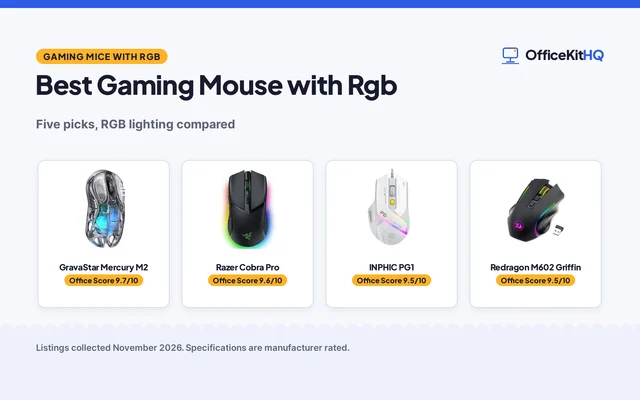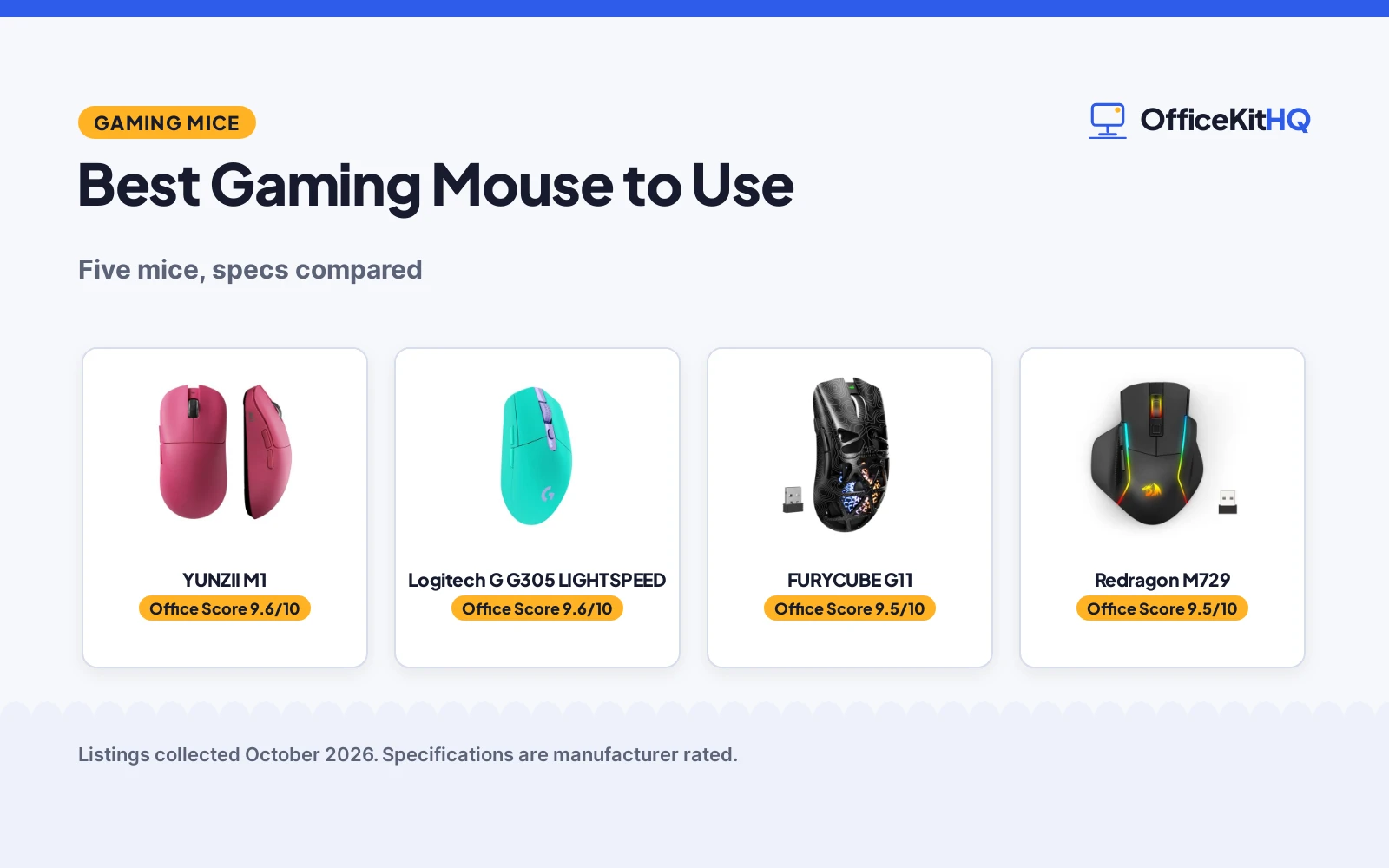
The best gaming mouse to use at a home desk is the one whose sensor, DPI range and connection modes match the games and the desk you already have, because a mouse that needs a cable across the keyboard tray or a receiver you keep losing is a mouse you stop reaching for. We compared five gaming mice by sensor, stated DPI range, polling rate, connection modes, stated weight, battery figures and warranty term, using only what each maker publishes.
OfficeKitHQ earns a commission when you buy through links on this page, at no extra cost to you. As an Amazon Associate I earn from qualifying purchases. Affiliate disclosure.
Quick picks
 Best Overall YUNZII M1: PAW3311 sensor, 7 DPI levels to 10000, 60 grams stated Check price on Amazon
 Stated 80-Hour Battery FURYCUBE G11: Up to 22,000 DPI, up to 80 hours with RGB off stated Check price on Amazon
 Wired-Only Pick Guiheng Wired Gaming Mouse: Wired USB mouse, 1200 to 3600 range, RGB light stated Check price on Amazon
 Wireless HERO Sensor Logitech G G305 LIGHTSPEED: LIGHTSPEED wireless gaming mouse with HERO 12K sensor Check price on Amazon
 Bluetooth Macro Pick Redragon M729: Wireless Bluetooth mouse, 24000 DPI, programmable macro buttons Check price on Amazon
Our desk picks
| # | Product | Office Score | Buy |
|---|---|---|---|
| 1 | YUNZII M1 | 9.6/10 | Buy on Amazon |
| 2 | Logitech G G305 LIGHTSPEED | 9.6/10 | Buy on Amazon |
| 3 | FURYCUBE G11 | 9.5/10 | Buy on Amazon |
| 4 | Redragon M729 | 9.5/10 | Buy on Amazon |
| 5 | Guiheng Wired Gaming Mouse | 9.2/10 | Buy on Amazon |

YUNZII M1
A tri-mode wireless gaming mouse with a PAW3311 sensor, 7 DPI levels from 400 to 10000, a stated 1000Hz polling rate and a stated weight of 60 grams.
Pros
- PAW3311 sensor with 300 IPS tracking and 35G acceleration stated
- 7 DPI settings from 400 to 10000, adjustable between 50 and 22000 in software
- 4 adjustable polling rates of 125Hz, 250Hz, 500Hz and 1000Hz stated
- Stated weight of 60 grams with a contoured shape for multiple grip styles
Cons
- Battery figure is stated as 500mAh capacity, with no hour figure stated
- DPI levels past 10000 need the official software or web interface
- Five responsive buttons is a smaller set than the FURYCUBE driver remapping set
- Pink colorway only in this pick, which will not suit every desk
Detailed Review
YUNZII lists the M1 as a wireless gaming mouse with a PAW3311 sensor, 300 IPS tracking speed and 35G acceleration. It states a stable 1000Hz polling rate with 1ms latency and 4 adjustable polling rates, plus 7 DPI settings from 400 to 10000 cycled by a bottom button, each adjustable between 50 and 22000 in software. Connection modes stated are 2.4GHz wireless, Bluetooth and USB-C wired, for Windows and macOS. The battery is stated as 500mAh with smart sleep technology and charging indicators, and the weight is stated as 60 grams. The set includes the mouse unit, a Type-C cable, a 2.4G receiver with storage compartment and a user manual.
Who it's for: a player who wants a light tri-mode mouse with DPI levels on the mouse and deeper settings in software. Who should skip it: anyone who wants a stated battery hour figure or a wired-only mouse.
Its Office Score of 9.6/10 comes from performance 30/35, build 21/25, value 21/25, safety 0/10 and warranty 3/5: 75 of 100 points, placed on our 9.2 to 9.8 scale.
Key Specifications
| Sensor | PAW3311 |
|---|---|
| DPI | 400 to 10000, 50 to 22000 in software |
| Polling rate | 125Hz, 250Hz, 500Hz, 1000Hz |
| Weight | 60 grams |
These specs mirror the retailer listing as of 20 November 2026; performance figures are stated by the brand.
Safety and Warranty
What this listing states. No FCC or other safety listing is stated, so safety scores zero. 1 Year. It does not say everything a buyer needs, such as who pays return shipping, so warranty scores 3 of 5. See How We Pick.
Fit the desk first. Check the stated size against your desk depth and keyboard tray, and charge or pair as the manual describes. No keyboard, mouse or wrist rest prevents or treats injury.
This is general buying information, not professional advice. Follow each product manual and local rules, and see our Safety Disclaimer.

Logitech G G305 LIGHTSPEED
A lightweight wireless gaming mouse with a HERO sensor rated to 12000 DPI, a stated 1 ms report rate and 250 hours of stated battery life on 1 AA battery.
Pros
- Stated 250 hours on 1 AA battery, up to 9 months in Endurance mode
- LIGHTSPEED wireless with a stated 1 ms report rate
- Lowest stated weight figure here at 3.4 oz, receiver storage inside
- 6 programmable buttons and on-board memory are stated
Cons
- Runs on an AA battery rather than a rechargeable cell
- No Bluetooth mode is stated, so a receiver takes a laptop port
- No RGB lighting modes are stated
- Compact shell may feel small for larger hands
Detailed Review
Logitech G lists the G305 LIGHTSPEED with a HERO optical sensor rated to 12000 DPI and 400 IPS, a 1 ms report rate over LIGHTSPEED wireless, and 6 programmable buttons with on-board memory. The maker states 250 hours of continuous gameplay on 1 AA battery, extended to 9 months in Endurance mode through Logitech G HUB software. Stated dimensions are 1.5 by 2.4 by 4.6 inches, the stated weight is 3.4 oz, and the nano receiver stores inside the mouse. A 1 Year Limited Hardware Warranty is stated.
Who it's for: a laptop player who wants a light mouse, a long stated battery run and a receiver that travels inside the shell. Who should skip it: anyone who needs Bluetooth, rechargeable power or RGB lighting.
Its Office Score of 9.6/10 comes from performance 32/35, build 22/25, value 21/25, safety 0/10 and warranty 3/5: 78 of 100 points, placed on our 9.2 to 9.8 scale.
Key Specifications
| Max DPI | 12000 |
|---|---|
| Battery | 250 hours on 1 AA battery |
| Weight | 3.4 oz |
| Buttons | 6 programmable |
These specs mirror the retailer listing as of 19 November 2026; performance figures are stated by the brand.
Safety and Warranty
What this listing states. No FCC or other safety listing is stated, so safety scores zero. 1 Year Limited Hardware Warranty. It does not say everything a buyer needs, such as who pays return shipping, so warranty scores 3 of 5. See How We Pick.
Fit the desk first. Check the stated size against your desk depth and keyboard tray, and charge or pair as the manual describes. No keyboard, mouse or wrist rest prevents or treats injury.
This is general buying information, not professional advice. Follow each product manual and local rules, and see our Safety Disclaimer.

FURYCUBE G11
A tri-mode wireless gaming mouse with PAW3311 tracking up to 22,000 DPI, a stated weight of 64 g and a stated battery life of up to 80 hours with RGB off.
Pros
- PAW3311 tracking with 300 IPS, 35 G acceleration and up to 1000 Hz polling stated
- Six preset DPI levels from 800 to 12,000, fine-tuned up to 22,000 DPI in the driver
- Up to 80 hours of use with RGB off stated for the 400 mAh battery
- Driver supports remapping, macros, profiles and RGB control on Windows and macOS
Cons
- Stated weight of 64 g is higher than the 60 grams stated for the YUNZII M1
- Shape is stated for medium to large hands, which will not suit smaller hands
- The 80 hour figure is stated with RGB off, so RGB use is a different figure
- Fine-tuning past the presets needs the driver on Windows or macOS
Detailed Review
FURYCUBE lists the G11 as a wireless gaming mouse with PAW3311 tracking, 300 IPS, 35 G acceleration and up to 1000 Hz polling. It states six preset DPI levels from 800 to 12,000, fine-tuned up to 22,000 DPI in the driver, with six-button remapping across seven programming options, macros, profiles and RGB control. Connection modes stated are 2.4 GHz wireless, BT and USB-C wired, and the included cable keeps the mouse playing while it charges. The shape is stated as 123 x 63 x 41 mm for medium to large hands at approximately 64 g without the receiver, and the 400 mAh battery is stated at up to 80 hours with RGB off.
Who it's for: a player with medium to large hands who wants driver remapping and a stated battery hour figure. Who should skip it: anyone with smaller hands or anyone who wants the lighter 60 gram figure stated for the YUNZII M1.
Its Office Score of 9.5/10 comes from performance 30/35, build 21/25, value 20/25, safety 0/10 and warranty 3/5: 74 of 100 points, placed on our 9.2 to 9.8 scale.
Key Specifications
| Sensor | PAW3311 |
|---|---|
| DPI | 800 to 12,000 presets, up to 22,000 |
| Weight | 64 g |
| Battery | 400 mAh, up to 80 hours with RGB off |
These specs mirror the retailer listing as of 20 November 2026; performance figures are stated by the brand.
Safety and Warranty
What this listing states. No FCC or other safety listing is stated, so safety scores zero. 1 Year. It does not say everything a buyer needs, such as who pays return shipping, so warranty scores 3 of 5. See How We Pick.
Fit the desk first. Check the stated size against your desk depth and keyboard tray, and charge or pair as the manual describes. No keyboard, mouse or wrist rest prevents or treats injury.
This is general buying information, not professional advice. Follow each product manual and local rules, and see our Safety Disclaimer.

Redragon M729
A wireless mouse with up to 24000 DPI, a 1000mAh battery rated up to 240 hours with RGB off and 1000Hz polling.
Pros
- Up to 24000 DPI through software, with 5 onboard DPI levels
- Up to 240 hours with RGB off from a 1000mAh battery
- 3-mode connectivity with Bluetooth and a 2.4GHz receiver
- 1000Hz polling rate in dual mode
Cons
- Up to 240 hours applies only with RGB off
- Onboard DPI levels top out at 3200; the full 24000 DPI needs the software
- Full button and lighting customization needs the Redragon Pro driver
- Charging while playing still needs the cable attached
Detailed Review
Redragon lists the M729 as a wireless Bluetooth gaming mouse with up to 24000 DPI and 5 onboard DPI levels topping out at 3200, set through software. All buttons take custom keybinds, and the Redragon Pro driver adds lighting modes. The 1000mAh battery lasts up to 240 hours with RGB off, and it supports charging while playing with a 1000Hz polling rate in dual mode. The warranty is 2 Year.
Who it's for: players who want long battery life and a wireless mouse with software control of DPI and lighting. Who should skip it: anyone who wants a thumb grid for MMO rotations or onboard DPI above 3200.
Its Office Score of 9.5/10 comes from performance 29/35, build 20/25, value 21/25, safety 0/10 and warranty 4/5: 74 of 100 points, placed on our 9.2 to 9.8 scale.
Key Specifications
| DPI | 24000 |
|---|---|
| Battery | Up to 240 hr with RGB off |
| Polling | 1000Hz |
| Connection | Bluetooth, 2.4GHz, 3-mode |
These specs mirror the retailer listing as of 18 November 2026; performance figures are stated by the brand.
Safety and Warranty
What this listing states. No FCC or other safety listing is stated, so safety scores zero. 2 Year. It does not say everything a buyer needs, such as who pays return shipping, so warranty scores 4 of 5. See How We Pick.
Fit the desk first. Check the stated size against your desk depth and keyboard tray, and charge or pair as the manual describes. No keyboard, mouse or wrist rest prevents or treats injury.
This is general buying information, not professional advice. Follow each product manual and local rules, and see our Safety Disclaimer.

Guiheng Wired Gaming Mouse
A wired USB gaming mouse with a stated range of 1200 to 3600, 7-color RGB light and programmable buttons for Windows and Linux systems.
Pros
- Wired USB connection needs no receiver and no battery charging
- Stated range of 1200 to 3600 covers everyday sensitivity settings
- 7-color RGB light stated for the mouse body
- System support stated for Windows 7, 8 and 10, XP, Vista, Linux and Chromebook
Cons
- Wired-only connection keeps a cable on the desk at all times
- Stated range tops out at 3600, below the ranges stated for the tri-mode picks
- No polling rate figure is stated for this mouse
- No weight figure is stated, so grip fit is harder to check before ordering
Detailed Review
Guiheng lists this mouse as a wired gaming mouse with 7-color optical USB connection, a stated range of 1200 to 3600 and RGB light. Programmable buttons are stated, along with system support for Windows XP, Vista, Windows 7, Windows 8, Windows 10, Linux and Chromebook. The maker gives two button counts, 7 programmable buttons in one place and six buttons in another; check before ordering. No polling rate, weight or battery figure applies to a wired mouse of this type in the stated material, and no warranty term is stated as a written term.
Who it's for: a player who wants a simple wired mouse and does not want to charge or pair anything. Who should skip it: anyone who wants wireless modes, a stated polling rate, or DPI settings past 3600.
Its Office Score of 9.2/10 comes from performance 21/35, build 16/25, value 18/25, safety 0/10 and warranty 0/5: 55 of 100 points, placed on our 9.2 to 9.8 scale.
Key Specifications
| Connection | Wired USB |
|---|---|
| DPI | 1200 to 3600 |
| Light | 7-color RGB |
| Systems | Windows, Linux, Chromebook |
These specs mirror the retailer listing as of 20 November 2026; performance figures are stated by the brand.
Safety and Warranty
What this listing states. No FCC or other safety listing is stated, so safety scores zero. No warranty term, so warranty scores zero. See How We Pick.
Fit the desk first. Check the stated size against your desk depth and keyboard tray, and charge or pair as the manual describes. No keyboard, mouse or wrist rest prevents or treats injury.
This is general buying information, not professional advice. Follow each product manual and local rules, and see our Safety Disclaimer.
As an Amazon Associate I earn from qualifying purchases.
Specs compared
| Mouse | Office Score | Sensor | DPI | Connection | Weight | Warranty | Amazon |
|---|---|---|---|---|---|---|---|
| YUNZII M1 | 9.6/10 | PAW3311 | 400 to 10000, 50 to 22000 in software | 2.4GHz, Bluetooth, USB-C | 60 grams | 1 Year | View on Amazon |
| FURYCUBE G11 | 9.5/10 | PAW3311 | 800 to 12,000 presets, up to 22,000 | 2.4 GHz, BT, USB-C | 64 g | 1 Year | View on Amazon |
| Guiheng Wired Gaming Mouse | 9.2/10 | Optical | 1200 to 3600 | Wired USB | Not stated | Not stated | View on Amazon |
| Logitech G G305 LIGHTSPEED | 9.6/10 | HERO 12K | Not stated | Wireless | Not stated | Not stated | View on Amazon |
| Redragon M729 | 9.5/10 | Not stated | 24000 | Wireless Bluetooth | Not stated | Not stated | View on Amazon |
All numbers are the manufacturer’s stated specs, not measured in an office, pulled on 20 November 2026. Two of the five state a warranty term of 1 Year.
How to choose the best gaming mouse to use
Start with the sensor and DPI range
The YUNZII M1 and the FURYCUBE G11 both state a PAW3311 sensor with 300 IPS tracking and 35 G acceleration. The YUNZII states 7 DPI settings from 400 to 10000 on the mouse, with each level adjustable between 50 and 22000 in software. The FURYCUBE states six preset levels from 800 to 12,000 DPI, fine-tuned up to 22,000 DPI in the driver. The Guiheng states a range of 1200 to 3600, and the Redragon M729 states 24000 DPI. Pick the range that covers the sensitivity you actually play at, and check whether the adjustment happens on the mouse or in software.
Match the connection to your desk
The YUNZII M1 and the FURYCUBE G11 each state three connection modes: 2.4 GHz wireless, Bluetooth and USB-C wired. The FURYCUBE states that the included cable keeps the mouse playing while it charges. The Guiheng is a wired USB mouse, so the cable stays on the desk. The Logitech G G305 states LIGHTSPEED wireless in its name, and the Redragon M729 states wireless Bluetooth. If your desk already has a hub and a receiver slot free, a 2.4 GHz receiver is the simple route; if you move between machines, Bluetooth or a cable gives you a second way in. For button-heavy play, see gaming mice with extra buttons.
Weigh the mouse, then check the battery figure
Stated weights are 60 grams for the YUNZII M1 and 64 g for the FURYCUBE G11, which states its shape as 123 x 63 x 41 mm for medium to large hands. The YUNZII states a 500mAh battery with smart sleep technology and a default 10-minute idle sleep. The FURYCUBE states a 400 mAh battery with up to 80 hours of use with RGB off. The Guiheng, Logitech G and Redragon do not state a weight figure in the material compared here, so check the stated weight on the exact model before you order if grams matter to your grip.
Read the warranty line before you decide
Two of the five state a warranty term: the YUNZII M1 at 1 Year and the FURYCUBE G11 at 1 Year. The other three do not state a warranty term in the material compared here. A stated term is a checkable figure, so it earns warranty points in the score, while an unstated term earns none. If a written term matters to you, the two tri-mode mice are the ones that publish one.
Setup Notes
- Check the stated weight against your grip: 60 grams for the YUNZII M1 and 64 g for the FURYCUBE G11 are the two stated figures here.
- Keep a USB-C cable within reach for the tri-mode mice, since the FURYCUBE states the cable keeps the mouse playing while it charges.
- Store the 2.4 GHz receiver where you can find it: the YUNZII M1 states a storage compartment for its receiver.
- Set the DPI level on the mouse first, then fine-tune in software where the maker states that option.
FAQ
What DPI range do these gaming mice state?
The YUNZII M1 states 7 settings from 400 to 10000, adjustable between 50 and 22000 in software. The FURYCUBE G11 states presets from 800 to 12,000 DPI, up to 22,000 DPI in the driver. The Guiheng states 1200 to 3600, and the Redragon M729 states 24000 DPI.
Which of these mice are wireless?
The YUNZII M1 and FURYCUBE G11 each state 2.4 GHz wireless, Bluetooth and USB-C wired modes. The Logitech G G305 states LIGHTSPEED wireless, and the Redragon M729 states wireless Bluetooth. The Guiheng is a wired USB mouse.
How long does the battery last on the wireless picks?
The FURYCUBE G11 states up to 80 hours of use with RGB off from its 400 mAh battery. The YUNZII M1 states a 500mAh battery with smart sleep technology and a default 10-minute idle sleep, without a stated hour figure.
Which mice state a warranty term?
The YUNZII M1 and the FURYCUBE G11 each state a warranty term of 1 Year. The other three do not state a warranty term in the material compared here.
What polling rates are stated?
The YUNZII M1 states a stable 1000Hz polling rate with 4 adjustable polling rates of 125Hz, 250Hz, 500Hz and 1000Hz. The FURYCUBE G11 states up to 1000 Hz polling with PAW3311 tracking at 300 IPS and 35 G acceleration.
Score breakdown
The Office Score weighs performance (sensor, DPI range, polling rate and tracking figures), build (stated weight, shape and button set), value for the stated specs, safety and warranty. For a mouse, safety means a stated safety certification or safety feature on the listing; none of the five states one, so safety scores zero across the group and no cert is claimed. Two listings state a warranty term: the YUNZII M1 and the FURYCUBE G11, each at 1 Year. How we pick explains the weights.
| Product | Office Score | Perf. /35 | Build /25 | Value /25 | Safety /10 | Warranty /5 |
|---|---|---|---|---|---|---|
| YUNZII M1 | 9.6 | 30 | 21 | 21 | 0 | 3 |
| FURYCUBE G11 | 9.5 | 30 | 21 | 20 | 0 | 3 |
| Guiheng Wired Gaming Mouse | 9.2 | 21 | 16 | 18 | 0 | 0 |
We fit point totals onto a 9.2 low and 9.8 high in a straight line. One item can outscore another only by earning more points.
More for your workspace
See every Mice and Mouse Pads guide and all Monitor Mounts, Keyboards and Mice guides.
More picks: gaming mice for competitive FPS, gaming mice for Linux, mouse pad types, gaming mice with extra buttons.