
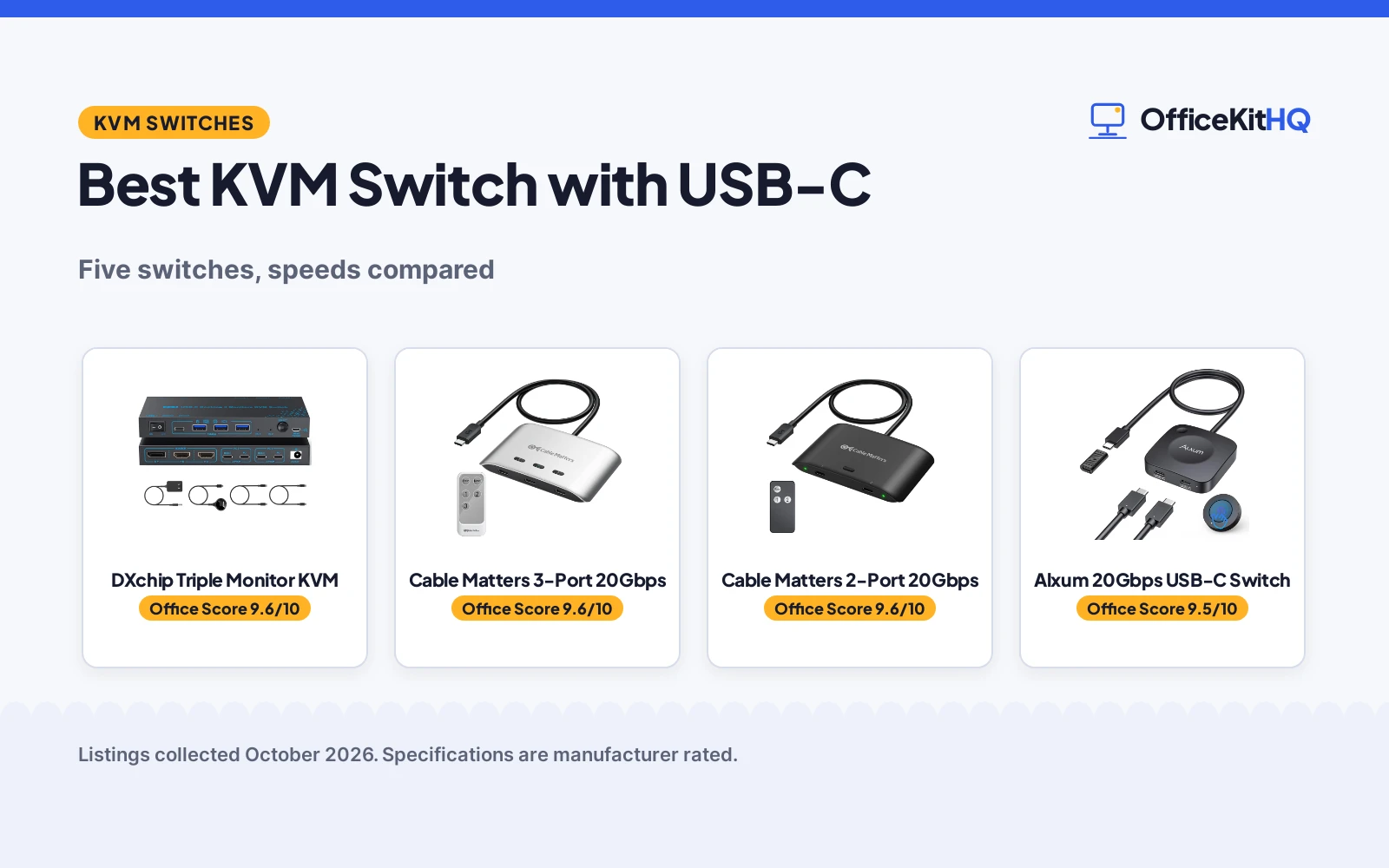
A 9 a.m. call on the work laptop, then a personal project on the home machine, and the best kvm switch with usb c is what keeps one monitor, one keyboard and one mouse serving both without replugging cables. We compared five USB-C KVM switches by computer count, data speed, video resolution, power delivery, materials and warranty, using only what each listing publishes.
OfficeKitHQ earns a commission when you buy through links on this page, at no extra cost to you. As an Amazon Associate I earn from qualifying purchases. Affiliate disclosure.
Quick picks
 Best Overall DXchip Triple Monitor KVM: Triple monitor KVM with 1 year warranty and 100W charging Check price on Amazon
 Best for 3 PCs Cable Matters 3-Port 20Gbps: Shares 3 computers at 20Gbps with 140W PD and remote Check price on Amazon
 Best 2-Port Cable Matters 2-Port 20Gbps: 20Gbps with 8K video and included USB4 cables Check price on Amazon
 Most Compact Alxum 20Gbps USB-C Switch: 20Gbps and 8K in a 2.17 inch square with FCC listed Check price on Amazon
 USB Only BENFEI USB 3.0 Switch: Shares USB devices between 2 PCs, 18-month warranty, no video Check price on Amazon
The picks
| # | Product | Office Score | Buy |
|---|---|---|---|
| 1 | DXchip Triple Monitor KVM | 9.6/10 | Buy on Amazon |
| 2 | Cable Matters 3-Port 20Gbps | 9.6/10 | Buy on Amazon |
| 3 | Cable Matters 2-Port 20Gbps | 9.6/10 | Buy on Amazon |
| 4 | Alxum 20Gbps USB-C Switch | 9.5/10 | Buy on Amazon |
| 5 | BENFEI USB 3.0 Switch | 9.4/10 | Buy on Amazon |

DXchip Triple Monitor KVM
A USB-C docking KVM that shares 3 monitors and 4 USB ports between 2 laptops.
Pros
- Drives 3 monitors: dual 4K at 60Hz plus 1080P
- 4 USB 3.1 Gen2 ports at 10Gbps
- 100W Power Delivery charging stated
- 1 year warranty is stated
Cons
- 10Gbps is slower than the 20Gbps picks here
- Triple display needs 11th gen CPU or above
- MacOS does not support MST extended mode
- Actual charging is 73 to 80W, not full 100W
Detailed Review
The listing states a 2-laptop, 3-monitor USB-C docking KVM with 2 HDMI and 1 DisplayPort outputs, supporting dual 4K at 60Hz plus 1080P at 60Hz. It has 4 USB 3.1 Gen2 ports at 10Gbps and 100W Power Delivery, though actual charging is 73 to 80W. The unit measures 5.91 by 3.94 by 1.97 inches and carries a 1 year warranty.
Who it's for: a Windows user with 2 laptops and 3 monitors who wants a dock and KVM in one. Who should skip it: anyone needing 20Gbps speeds or full MacOS multi-monitor support.
Its Office Score of 9.6/10 comes from performance 29/35, build 20/25, value 20/25, safety 3/10 and warranty 3/5: 75 of 100 points, placed on our 9.2 to 9.8 scale.
Key Specifications
| Video | Dual 4K@60Hz + 1080P@60Hz |
|---|---|
| USB | 4x USB 3.1 Gen2, 10Gbps |
| Power | 100W PD (73-80W actual) |
| Size | 5.91 x 3.94 x 1.97 in |
Figures as published on the retailer listing, collected 22 October 2026. Performance figures are manufacturer rated.
Safety and Warranty
What this listing states. CE specification and metal housing are stated, no UL listing is stated, so safety scores 3 of 10. A 1 year warranty is stated. It does not say everything a buyer needs, such as who pays return shipping, so warranty scores 3 of 5. See How We Pick.
Power and heat. Use the supplied adapter, treat power delivery wattage and display support as the maker's claims for your laptop model, and give the dock room to vent.
This is general buying information, not professional advice. Follow each product manual and local rules, and see our Safety Disclaimer.

Cable Matters 3-Port 20Gbps
A 3-computer USB-C switch with 20Gbps speed and 140W charging for shared monitors or docks.
Pros
- Shares between 3 computers, the most here
- 20Gbps USB4 with 8K at 30Hz on Windows
- 140W Power Delivery to the active computer
- RF remote control included
Cons
- No warranty term is stated
- 20Gbps limits some Thunderbolt 4 docks vs 40Gbps direct
- Not for docks with captive cables
- macOS supports one external display only
Detailed Review
The listing states a 3-in-1-out USB-C switch sharing a USB-C or Thunderbolt 4 monitor or dock between 3 computers at 20Gbps. It supports 8K at 30Hz and 4K at 144Hz on Windows, 4K at 60Hz on macOS, with 140W Power Delivery to the active computer and an RF remote. It is not for docks with built-in cables.
Who it's for: a 3-computer desk sharing one USB-C monitor or dock. Who should skip it: anyone needing a stated warranty or full 40Gbps dock bandwidth.
Its Office Score of 9.6/10 comes from performance 32/35, build 21/25, value 21/25, safety 4/10 and warranty 0/5: 78 of 100 points, placed on our 9.2 to 9.8 scale.
Key Specifications
| Computers | 3 |
|---|---|
| Speed | 20Gbps USB4 |
| Video | 8K@30Hz Windows, 4K@60Hz macOS |
| Power | 140W PD |
Figures as published on the retailer listing, collected 22 October 2026. Performance figures are manufacturer rated.
Safety and Warranty
What this listing states. Thunderbolt 4 compatibility is stated, no safety listing is stated, so safety scores 4 of 10. No warranty term, so warranty scores zero. See How We Pick.
Power and heat. Use the supplied adapter, treat power delivery wattage and display support as the maker's claims for your laptop model, and give the dock room to vent.
This is general buying information, not professional advice. Follow each product manual and local rules, and see our Safety Disclaimer.

Cable Matters 2-Port 20Gbps
A 2-computer USB-C switch with 20Gbps speed, 140W charging and included USB4 cables.
Pros
- 20Gbps with 8K at 30Hz on Windows
- 140W PD pass-through to active computer
- Includes 3.3ft USB4 20Gbps cables
- Works with listed Thunderbolt 4 docks
Cons
- No warranty term is stated
- Not for docks with attached host cables
- macOS limited to 4K at 60Hz
- 20Gbps is half the bandwidth of direct Thunderbolt 4
Detailed Review
The listing states a 2-computer USB-C switch for sharing a USB-C or Thunderbolt 4 monitor or dock at 20Gbps, with 8K at 30Hz on Windows and 4K at 60Hz on macOS. It provides 140W Power Delivery pass-through and includes 3.3ft USB-C USB4 cables. It warns against Thunderbolt 3/4/5 cables and docks with built-in host cables.
Who it's for: a 2-laptop desk with a USB-C monitor or detachable-cable dock. Who should skip it: anyone with a captive-cable dock or needing a stated warranty.
Its Office Score of 9.6/10 comes from performance 30/35, build 21/25, value 21/25, safety 4/10 and warranty 0/5: 76 of 100 points, placed on our 9.2 to 9.8 scale.
Key Specifications
| Computers | 2 |
|---|---|
| Speed | 20Gbps |
| Video | 8K@30Hz / 4K@144Hz Windows |
| Cables | 3.3ft USB4 included |
Figures as published on the retailer listing, collected 22 October 2026. Performance figures are manufacturer rated.
Safety and Warranty
What this listing states. Thunderbolt 4 compatibility is stated, no safety listing is stated, so safety scores 4 of 10. No warranty term, so warranty scores zero. See How We Pick.
Power and heat. Use the supplied adapter, treat power delivery wattage and display support as the maker's claims for your laptop model, and give the dock room to vent.
This is general buying information, not professional advice. Follow each product manual and local rules, and see our Safety Disclaimer.

Alxum 20Gbps USB-C Switch
A compact 2-computer USB-C switch with 20Gbps, 8K video and 140W charging.
Pros
- 20Gbps with 8K at 30Hz or 4K at 144Hz
- 140W pass-through charging stated
- FCC specification is met
- Compact at 2.17 by 2.17 by 0.51 inches
Cons
- No warranty term is stated
- Not for Dell docking stations
- Pigtail over 50CM may limit performance
- Power supply is not included
Detailed Review
The listing states a 2-in-1-out USB-C switch for 2 computers sharing a USB-C or Thunderbolt 4 monitor or dock, with 20Gbps data, 8K at 30Hz or 4K at 144Hz, and 140W PD charging. It measures 2.17 by 2.17 by 0.51 inches, meets FCC specification, and includes a wireless remote. It does not support Dell docking stations.
Who it's for: a portable 2-computer setup needing 8K and fast charging. Who should skip it: Dell dock users or anyone wanting a stated warranty.
Its Office Score of 9.5/10 comes from performance 30/35, build 20/25, value 20/25, safety 5/10 and warranty 0/5: 75 of 100 points, placed on our 9.2 to 9.8 scale.
Key Specifications
| Speed | 20Gbps |
|---|---|
| Video | 8K@30Hz / 4K@144Hz |
| Power | 140W PD |
| Size | 2.17 x 2.17 x 0.51 in |
Figures as published on the retailer listing, collected 22 October 2026. Performance figures are manufacturer rated.
Safety and Warranty
What this listing states. FCC specification is met, no UL listing is stated, so safety scores 5 of 10. No warranty term, so warranty scores zero. See How We Pick.
Power and heat. Use the supplied adapter, treat power delivery wattage and display support as the maker's claims for your laptop model, and give the dock room to vent.
This is general buying information, not professional advice. Follow each product manual and local rules, and see our Safety Disclaimer.

BENFEI USB 3.0 Switch
A USB-only switch that shares 3 USB 3.0 and 1 USB-C device between 2 computers.
Pros
- Shares 3 USB 3.0 plus 1 USB-C between 2 computers
- 5Gbps data transfer stated
- 18-month warranty is stated
- Remote control and button switching
Cons
- No video support, USB devices only
- 5Gbps is slower than the 20Gbps picks
- Requires BENFEI USB A to USB A cable
- ABS plastic build
Detailed Review
The listing states a 2-in-4-out USB switch for 2 computers sharing 3 USB 3.0 and 1 USB-C devices at up to 5Gbps, with button or remote switching and LED indicators. It is driver-free for Windows, Mac, Linux and Chrome OS, and carries an 18-month warranty. It shares USB peripherals only, with no video.
Who it's for: sharing keyboards, printers and drives between 2 computers without video. Who should skip it: anyone needing monitor switching, which this does not do.
Its Office Score of 9.4/10 comes from performance 22/35, build 19/25, value 19/25, safety 2/10 and warranty 4/5: 66 of 100 points, placed on our 9.2 to 9.8 scale.
Key Specifications
| Computers | 2 |
|---|---|
| Ports | 3x USB 3.0 + 1x USB-C |
| Speed | 5Gbps |
| Warranty | 18 months |
Figures as published on the retailer listing, collected 22 October 2026. Performance figures are manufacturer rated.
Safety and Warranty
What this listing states. Driver-free plug and play is stated, no safety listing is stated, so safety scores 2 of 10. An 18-month warranty is stated. It does not say everything a buyer needs, such as who pays return shipping, so warranty scores 4 of 5. See How We Pick.
Power and heat. Use the supplied adapter, treat power delivery wattage and display support as the maker's claims for your laptop model, and give the dock room to vent.
This is general buying information, not professional advice. Follow each product manual and local rules, and see our Safety Disclaimer.
As an Amazon Associate I earn from qualifying purchases.
More picks to compare
 KCEVE KVM Switch 3 Monitors 3 Computers USB CCheck on Amazon
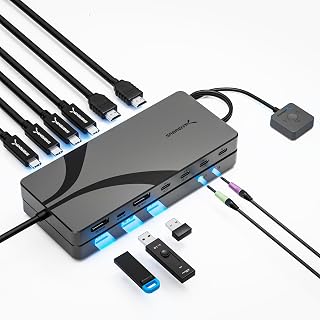 SABRENT USB-C DisplayPort KVM SwitchCheck on Amazon
 Cable Matters 40Gbps USB C KVM SwitchCheck on Amazon
Compare the picks
| KVM Switch | Office Score | Computers | Speed | Video | Power | Amazon |
|---|---|---|---|---|---|---|
| DXchip Triple Monitor KVM | 9.6/10 | 2 | 10Gbps | Dual 4K@60Hz + 1080P | 100W PD | View on Amazon |
| Cable Matters 3-Port 20Gbps | 9.6/10 | 3 | 20Gbps | 8K@30Hz Windows | 140W PD | View on Amazon |
| Cable Matters 2-Port 20Gbps | 9.6/10 | 2 | 20Gbps | 8K@30Hz Windows | 140W PD | View on Amazon |
| Alxum 20Gbps USB-C Switch | 9.5/10 | 2 | 20Gbps | 8K@30Hz / 4K@144Hz | 140W PD | View on Amazon |
| BENFEI USB 3.0 Switch | 9.4/10 | 2 | 5Gbps | No video | None | View on Amazon |
Specifications are manufacturer rated as listed, collected 22 October 2026.
How we scored them
The Office Score weighs performance (computer count, data speed, video resolution and power delivery), build, value, safety and warranty. For a KVM switch, safety means stated specifications like FCC or CE and the materials of the housing. Only the DXchip states a warranty term, with 1 year. How we pick explains the weights.
| Product | Office Score | Perf. /35 | Build /25 | Value /25 | Safety /10 | Warranty /5 |
|---|---|---|---|---|---|---|
| DXchip Triple Monitor KVM | 9.6 | 29 | 20 | 20 | 3 | 3 |
| Cable Matters 3-Port 20Gbps | 9.6 | 32 | 21 | 21 | 4 | 0 |
| Cable Matters 2-Port 20Gbps | 9.6 | 30 | 21 | 21 | 4 | 0 |
| Alxum 20Gbps USB-C Switch | 9.5 | 30 | 20 | 20 | 5 | 0 |
| BENFEI USB 3.0 Switch | 9.4 | 22 | 19 | 19 | 2 | 4 |
Scores run from 9.2 to 9.8: each product’s point total is placed on that range, so more points always means a higher score.
How to choose the best kvm switch with usb c
How many computers will you switch?
Three of the five handle 2 computers: the DXchip, the Cable Matters 201352 and the Alxum. The Cable Matters 201343 handles 3 computers, the most here. The BENFEI also handles 2 computers but only for USB devices, with no video. Count your machines before choosing, because a 2-port switch cannot grow to a third computer later. See best kvm switch for 2 computers for more two-machine options.
20Gbps or 10Gbps data speed
The Alxum and both Cable Matters switches list 20Gbps, which suits large file transfers and high-resolution video. The DXchip lists 10Gbps on its 4 USB 3.1 Gen2 ports, which is fine for keyboards, mice, printers and everyday drives. The BENFEI lists 5Gbps on USB 3.0. Faster is not always necessary; match the speed to what you actually move across the switch.
| Switch | Speed | Computers |
|---|---|---|
| Cable Matters 201343 | 20Gbps | 3 |
| Alxum | 20Gbps | 2 |
| DXchip | 10Gbps | 2 |
| BENFEI | 5Gbps | 2 |
Video resolution and the macOS limit
The 20Gbps switches list 8K at 30Hz or 4K at 144Hz on Windows. On macOS, the Cable Matters switches list 4K at 60Hz, and the Alxum notes that macOS supports one 4K at 60Hz monitor. The DXchip lists dual 4K at 60Hz plus 1080P at 60Hz but notes that extended mode is not supported on Mac OS. If you use a Mac, confirm the monitor count the listing promises for macOS specifically.
Power delivery to the laptop
The Alxum and both Cable Matters switches list 140W Power Delivery pass-through to the active computer. The DXchip lists 100W Power Delivery, though the listing notes actual charging is 73 to 80W. The BENFEI has no power delivery; it is a USB data switch. Note that only the selected computer receives charging, not all connected machines at once.
Cables and dock compatibility
Several listings warn about cables. The Cable Matters switches require the included USB4 20Gbps cables and warn against Thunderbolt 3/4/5 cables or docks with built-in host cables. The Alxum notes that dock pigtails over 50CM may limit performance and does not support Dell docking stations. The DXchip asks for USB-C 3.1 Gen 2 cables within 1M. Use the cables the listing includes. See best usb hub with hdmi if you need a hub rather than a switch.
Setup Notes
- Check that each laptop USB-C port supports DisplayPort Alt Mode, as the listings require for video.
- Measure cable runs: the DXchip wants USB-C cables within 1M and HDMI/DP within 1.5M.
- For high-power devices, connect the extra power the BENFEI listing describes.
- Place the 5.91 by 3.94 by 1.97 inch DXchip where its vents have airflow.
- Keep the remote where you can reach it; the Alxum and Cable Matters 201343 include one.
Frequently Asked Questions
What does a KVM switch with USB-C do?
It lets 2 or 3 computers share one monitor, keyboard and mouse over USB-C, switching between machines with a button or remote. The DXchip also shares 3 monitors between 2 laptops.
Can a USB-C KVM switch charge my laptop?
The Alxum and both Cable Matters switches list 140W Power Delivery pass-through to the active computer. The DXchip lists 100W, with 73 to 80W actual. Only the selected computer charges.
Why does macOS support fewer monitors on these switches?
The listings note macOS limits: the Cable Matters switches list 4K at 60Hz on macOS, and the DXchip states extended mode is not supported on Mac OS. This is a platform limit the listings disclose.
Do I need special cables for a USB-C KVM switch?
Yes. The Cable Matters listings require the included USB4 20Gbps cables and warn against substitutes. The Alxum includes USB4 20Gbps cables. Use what the listing provides.
What is the difference between 20Gbps and 10Gbps on a KVM switch?
20Gbps, listed on the Alxum and Cable Matters switches, moves large files faster. 10Gbps, listed on the DXchip, is fine for peripherals and everyday drives. The BENFEI lists 5Gbps for USB 3.0 devices.
Related guides
See every docking stations and usb hubs guide and all connectivity guides.
More picks: see best kvm switch for laptop and desktop, best docking station for ally x and best kvm switch for 2 computers.



