The best long range hdmi extender for a distant display is the extender that carries the signal across the room without a long cable run underfoot. A display on the far wall of a conference room or a home theater shows how awkward a direct cable can be, and an extender over network cable changes the layout. We compared the HDBaseT extenders in this guide by stated range, resolution, control passthrough and power, using only what each listing publishes, so the differences below come from the listings themselves rather than from guesswork.
OfficeKitHQ earns a commission when you buy through links on this page, at no extra cost to you. As an Amazon Associate I earn from qualifying purchases. Affiliate disclosure.
Quick picks
 Best Overall J-Tech UHDT150: 4K at 60Hz to 394 ft, 1080p to 492 ft Check price on Amazon
 Best 4K 400 ft OREI EXB400R-K: 4K at 60Hz to 400 feet with loop out Check price on Amazon
 Best 1080p HDBaseT J-Tech HDT150: 1080p to 500 feet with PoC and EDID Check price on Amazon
 Best 500 ft 1080p OREI EX-500IR: 1080p at 60Hz to 500 feet with loop out Check price on Amazon
Our desk picks
| # | Product | Office Score | Buy |
|---|---|---|---|
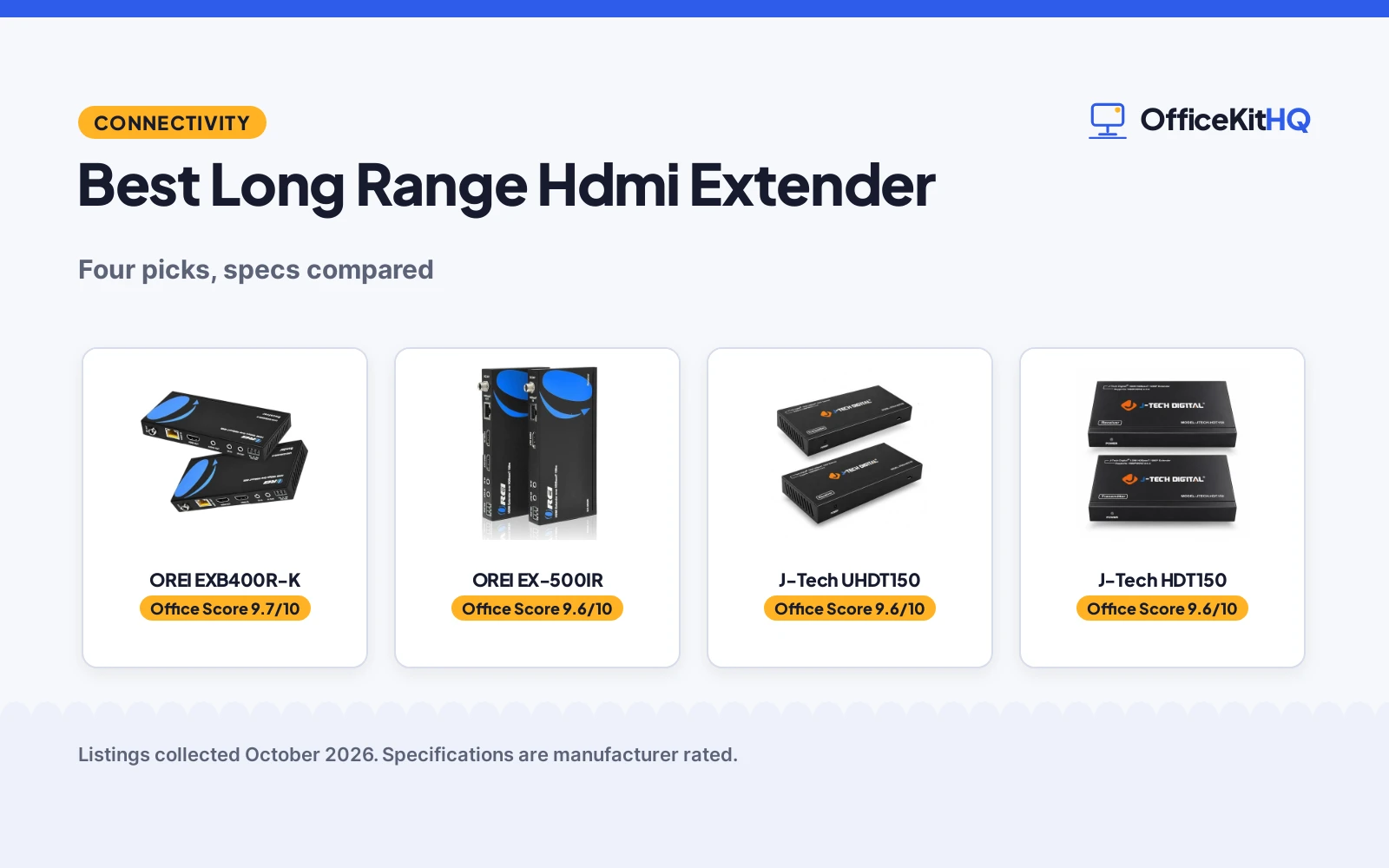
| 1 | OREI EXB400R-K | 9.7/10 | Buy on Amazon |
| 2 | OREI EX-500IR | 9.6/10 | Buy on Amazon |
| 3 | J-Tech UHDT150 | 9.6/10 | Buy on Amazon |
| 4 | J-Tech HDT150 | 9.6/10 | Buy on Amazon |

OREI EXB400R-K
A 4K HDBaseT extender that sends 4K at 60Hz up to 400 feet over Cat5e/6/7 cable, with loop out, PoC and two-way IR.
Pros
- 4K at 60Hz to 400 feet with HDR10+ and Dolby Vision stated
- HDMI loop out on the transmitter for a local display
- Power over Cable runs both units from a single power adapter
- Box includes sender, receiver, power adapter, IR kit and mounting ears
Cons
- Only works with its own matching transmitter and receiver pair
- Not interchangeable with other OREI models or other brands, per the listing
- 400 feet is shorter than the 492 feet and 500 feet 1080p runs here
- International use needs the provided adapter/converter, per the listing
Detailed Review
OREI lists this extender at 4K 60Hz up to 400 feet over Cat5e/6/7 cable, with HDMI 2.0a, HDCP 2.2, 18Gbps bandwidth, HDR, HDR10+ and Dolby Vision, plus a 3.5mm audio connection. The listing states bi-directional IR, CEC, RS-232 control, Power over Cable with a single power adapter at either side, and a transmitter loop out. The box holds a sender, a receiver, a power adapter, an IR kit and mounting ears, per the listing. OREI states that its HDBaseT models work only with their own matching transmitter and receiver, so the pair must stay together.
Who it's for: a reader who needs 4K at 60Hz to 400 feet with a local loop out display. Who should skip it: a reader who wants to mix units across brands or models, since the listing rules that out.
Its Office Score of 9.7/10 comes from performance 30/35, build 21/25, value 21/25, safety not scored (non-powered gear) and warranty 3/5: 75 of 90 points, placed on our 9.2 to 9.8 scale.
Key Specifications
| Range | 400 feet |
|---|---|
| Resolution | 4K 60Hz |
| Bandwidth | 18Gbps |
| Control | Two-way IR, CEC, RS-232 |
Figures as published on the retailer listing, collected 1 November 2026. Performance figures are manufacturer rated.
Safety and Warranty
What this listing states. This product does not plug in or run on a battery, so safety is not part of its score. 1 Year Warranty. It does not say everything a buyer needs, such as who pays return shipping, so warranty scores 3 of 5. See How We Pick.
Follow the manual. Assemble and use the product as the maker describes, stay under any stated capacity, and read the manual before first use.
This is general buying information, not professional advice. Follow each product manual and local rules, and see our Safety Disclaimer.

OREI EX-500IR
A 1080p HDBaseT extender that sends 1080p at 60Hz up to 500 feet over one Cat5e/6/7 cable, with loop out, two-way IR and PoC.
Pros
- 1080p at 60Hz to 500 feet over one Cat5e/6/7 cable
- Dolby Atmos and DTS:X audio stated, plus LPCM 7.1CH
- HDMI loop out allows local screen viewing while extending
- Box includes transmitter, receiver, IR cables, power adapter, mounting kit and manual
Cons
- HDCP 1.4, against HDCP 2.2 on the 4K picks here
- 1080p only, with no 4K resolution stated
- Only works with its own matching transmitter and receiver pair
- Unit size of 7.83 x 7.59 x 2.73 inches is larger than the other units here
Detailed Review
OREI lists this extender at 1080p at 60Hz up to 500 feet through one Cat5e/6/7 cable, with HDBaseT, HDMI loop out, two-way IR passthrough, RS-232 control and Power over Cable from a single power adapter at either unit. The listing states HDMI and HDCP 1.4, HDR and 8-bit color, plus LPCM 7.1CH, Dolby Digital, DTS 5.1, Dolby True HD and Dolby Atmos. The box holds a transmitter, a receiver, IR cables, a power adapter, a mounting kit and a manual, per the listing. OREI states that its HDBaseT models only work with their matching transmitter and receiver.
Who it's for: a reader who needs a 500-foot 1080p run with loop out and strong audio format support. Who should skip it: a reader who needs 4K or HDCP 2.2, since neither is stated here.
Its Office Score of 9.6/10 comes from performance 29/35, build 20/25, value 20/25, safety not scored (non-powered gear) and warranty 3/5: 72 of 90 points, placed on our 9.2 to 9.8 scale.
Key Specifications
| Range | 500 feet |
|---|---|
| Resolution | 1080p 60Hz |
| Audio | Dolby Atmos, DTS:X, LPCM 7.1CH |
| Control | Two-way IR, RS-232 |
Figures as published on the retailer listing, collected 1 November 2026. Performance figures are manufacturer rated.
Safety and Warranty
What this listing states. This product does not plug in or run on a battery, so safety is not part of its score. 12-month warranty. It does not say everything a buyer needs, such as who pays return shipping, so warranty scores 3 of 5. See How We Pick.
Follow the manual. Assemble and use the product as the maker describes, stay under any stated capacity, and read the manual before first use.
This is general buying information, not professional advice. Follow each product manual and local rules, and see our Safety Disclaimer.

J-Tech UHDT150
A 4K HDBaseT extender that sends 4K at 60Hz up to 394 ft and 1080p up to 492 ft over a single Cat5e/6 cable, with PoC, IR, CEC and RS-232 passthrough.
Pros
- 4K at 60Hz with 4:4:4, HDR, HDR-10 and Dolby Vision stated
- Transmitter loop out connects a local display by the source
- Power over Cable runs both units from a single power adapter
- EDID passthrough plus Dolby TrueHD and DTS HD Master audio stated
Cons
- 4K range is limited to 394 ft against 492 ft for 1080p
- Title range of 150m/492ft covers 1080p, not 4K
- Cable inclusion is not stated in the listing
- Support is stated for weekday hours only
Detailed Review
J-Tech Digital lists this extender at 4K 60Hz 4:4:4 HDR up to 394 ft (120m) and 1080p up to 492 ft (150m) over a single Cat5e/6 cable, with a transmitter loop out, bi-directional IR, CEC and RS-232 passthrough, Power over Cable and EDID passthrough. The listing states HDR, HDR-10 and Dolby Vision metadata, 18Gbps bandwidth and surround formats including Dolby TrueHD, DTS HD Master and Dolby Digital +. The title gives 150m/492ft as the headline range, while the bullets split that figure by resolution; this article trusts the bullets, so the 492 ft figure covers 1080p and the 4K figure is 394 ft.
Who it's for: a reader who needs 4K at 60Hz across a long run with loop out and control passthrough. Who should skip it: a reader who only needs 1080p, since the 1080p picks here cover that range with simpler specs.
Its Office Score of 9.6/10 comes from performance 32/35, build 21/25, value 21/25, safety not scored (non-powered gear) and warranty 0/5: 74 of 90 points, placed on our 9.2 to 9.8 scale.
Key Specifications
| 4K range | 394 ft (120m) |
|---|---|
| 1080p range | 492 ft (150m) |
| Bandwidth | 18Gbps |
| Control | IR, CEC, RS-232 passthrough |
Figures as published on the retailer listing, collected 1 November 2026. Performance figures are manufacturer rated.
Safety and Warranty
What this listing states. This product does not plug in or run on a battery, so safety is not part of its score. No warranty term, so warranty scores zero. See How We Pick.
Follow the manual. Assemble and use the product as the maker describes, stay under any stated capacity, and read the manual before first use.
This is general buying information, not professional advice. Follow each product manual and local rules, and see our Safety Disclaimer.

J-Tech HDT150
A 1080p HDBaseT extender that sends 1080p up to 500 feet over Cat5e/6 cable, with PoC, EDID passthrough and IR, CEC and RS-232 passthrough.
Pros
- 1080p signal to 500 feet over Cat5e/6 cable, per the bullets
- Bi-directional PoC lets power sit at either the transmitter or receiver
- EDID passthrough suits quick setup with the connected display
- HD audio formats include Dolby Digital, Dolby TrueHD, DTS 5.1 and PCM
Cons
- 1080p only, with no 4K resolution stated
- Transmitter loop out is not stated
- HDR is not stated
Detailed Review
J-Tech Digital lists this extender at 1080p up to 500 feet (150 meters) over Cat5e/6 cable using HDBaseT, with bi-directional PoC, EDID passthrough, bi-directional IR and CEC, and RS-232 passthrough. The listing states HD audio formats including Dolby Digital, Dolby TrueHD, DTS 5.1 and PCM, plus support for common 16:10 aspect ratios for desktops and laptops. The title gives 150m/492ft while the bullets give 500 feet (150 meters); this article trusts the bullets for the range figure.
Who it's for: a reader who needs a long 1080p run with control passthrough and power at either end. Who should skip it: a reader who needs 4K or a transmitter loop out, since neither is stated here.
Its Office Score of 9.6/10 comes from performance 28/35, build 21/25, value 20/25, safety not scored (non-powered gear) and warranty 0/5: 69 of 90 points, placed on our 9.2 to 9.8 scale.
Key Specifications
| Range | 500 feet (150 meters) |
|---|---|
| Resolution | 1080p |
| Cable | Cat5e/6 |
| Control | IR, CEC, RS-232 passthrough |
Figures as published on the retailer listing, collected 1 November 2026. Performance figures are manufacturer rated.
Safety and Warranty
What this listing states. This product does not plug in or run on a battery, so safety is not part of its score. No warranty term, so warranty scores zero. See How We Pick.
Follow the manual. Assemble and use the product as the maker describes, stay under any stated capacity, and read the manual before first use.
This is general buying information, not professional advice. Follow each product manual and local rules, and see our Safety Disclaimer.
As an Amazon Associate I earn from qualifying purchases.
More picks to compare
 OREI EX-165C+ Extender1080p to 230 ft or 4K at 30Hz for shorter runsCheck on Amazon
Specs compared
| Extender | Office Score | Range | Resolution | Control | Power | Amazon |
|---|---|---|---|---|---|---|
| J-Tech UHDT150 | 9.6/10 | 4K 394 ft, 1080p 492 ft | 4K 60Hz | IR, CEC, RS-232 | PoC, one adapter | View on Amazon |
| OREI EXB400R-K | 9.7/10 | 400 feet | 4K 60Hz | IR, CEC, RS-232 | PoC, one adapter | View on Amazon |
| J-Tech HDT150 | 9.6/10 | 1080p 500 feet | 1080p | IR, CEC, RS-232 | PoC, one adapter | View on Amazon |
| OREI EX-500IR | 9.6/10 | 1080p 500 feet | 1080p 60Hz | IR, RS-232 | PoC, one adapter | View on Amazon |
All numbers are the manufacturer’s stated specs, not measured in an office, pulled on 1 November 2026. Each pick states a warranty term of 1 year or 12 months, and each pick states Power over Cable.
How to choose the best long range hdmi extender
Start with the display and the distance, not the cable drawer. Check the resolution the display must show, measure the cable run, and decide whether the source must be controlled from the display side, because those answers narrow the field fast. The picks below show how range changes with resolution, and why a headline range figure needs a closer look.
Match range to resolution
Range figures depend on resolution: the J-Tech UHDT150 lists 4K at 60Hz to 394 ft and 1080p to 492 ft, while the OREI EX-500IR lists 1080p at 60Hz to 500 feet. Measure the run first, then match it against the range at the resolution you will actually use, since a 4K run that fits the 1080p figure may still fall short. A HDMI cable for 4K monitor guide can help with short runs, but for a long run the extender range at the right resolution matters more.
| If you need | Look at |
|---|---|
| 4K at 60Hz over a long run | J-Tech UHDT150 at 394 ft for 4K |
| 4K to 400 feet with loop out | OREI EXB400R-K at 400 feet |
| 1080p to 500 feet | OREI EX-500IR at 500 feet |
Control passthrough
Control passthrough decides whether the source can be driven from the display side. The J-Tech picks and the OREI EXB400R-K list IR, CEC and RS-232 passthrough, while the OREI EX-500IR lists two-way IR and RS-232 control. If the source must answer a remote from the far display, pick a unit that lists the control path you will use, and check the remote kit in the box, since the OREI EXB400R-K box includes an IR kit.
Power over cable and matched pairs
Power over Cable lets a single power adapter at either side run both units, and each pick here lists that feature, so outlet placement matters less than it would with two adapters. Keep each transmitter with its own receiver: the OREI listings state that their HDBaseT models work only with their matching pair, and are not interchangeable with other models or brands. Readers splitting a signal to another display can also browse a HDMI splitter for dual monitors guide, and readers wiring a desk setup can browse a HDMI cable for home office guide.
Setup Notes
- Measure the cable run and compare it with the range at the resolution you will use, such as 394 ft for 4K on the J-Tech UHDT150 or 500 feet for 1080p on the OREI EX-500IR.
- Place the single power adapter at the side with the nearer outlet, since Power over Cable runs both units from one adapter on each pick here.
- Keep each transmitter with its matching receiver, since the OREI listings state their pairs are not interchangeable with other models or brands.
- Check the control path before mounting, such as IR, CEC or RS-232, and confirm the IR kit contents where the listing includes one.
FAQ
What is an HDMI extender?
An HDMI extender sends an HDMI signal over a network cable, such as Cat5e or Cat6, to a display that sits too far away for a direct HDMI cable. Each pick here pairs a transmitter at the source with a receiver at the display.
How does an HDMI extender work?
The transmitter takes the HDMI signal from the source and sends it over a single Cat cable, and the receiver at the far end turns it back into HDMI for the display. Power over Cable lets one adapter run both units, and control signals such as IR can travel back along the same path where the listing states it.
What does loop out do on an extender?
Loop out on the transmitter connects a local display by the source, so the same signal shows on a nearby screen while the extender also feeds the distant display. The J-Tech UHDT150, the OREI EXB400R-K and the OREI EX-500IR list a transmitter loop out.
How far can these extenders send a signal?
It depends on resolution: the J-Tech UHDT150 lists 4K to 394 ft and 1080p to 492 ft, the OREI EXB400R-K lists 4K to 400 feet, and the J-Tech HDT150 and the OREI EX-500IR list 1080p to 500 feet.
Score breakdown
The Office Score weighs performance, build, value, safety and warranty. For an extender, performance means stated range at the stated resolution plus control passthrough; build means the stated unit and box contents; safety means stated safety features, and none of the listings states a safety certification, so safety scores are zero across the group. Each listing states a warranty term, so warranty scores are counted here, and the ranking turns on range, resolution, control and box contents instead. How we pick explains the weights.
| Product | Office Score | Perf. /35 | Build /25 | Value /25 | Safety /10 | Warranty /5 |
|---|---|---|---|---|---|---|
| OREI EXB400R-K | 9.7 | 30 | 21 | 21 | n/a | 3 |
| OREI EX-500IR | 9.6 | 29 | 20 | 20 | n/a | 3 |
| J-Tech UHDT150 | 9.6 | 32 | 21 | 21 | n/a | 0 |
| J-Tech HDT150 | 9.6 | 28 | 21 | 20 | n/a | 0 |
We fit point totals onto a 9.2 low and 9.8 high in a straight line. One item can outscore another only by earning more points. Safety is scored for powered desks, chairs and gadgets and for any listing that names safety features; if neither applies, the remaining 90 points decide.
More for your workspace
See every Docking Stations and USB Hubs guide and all Audio, Power and Connectivity guides.
More picks: HDMI cable for home office, HDMI splitter for dual monitors, HDMI cable for 4K monitor.