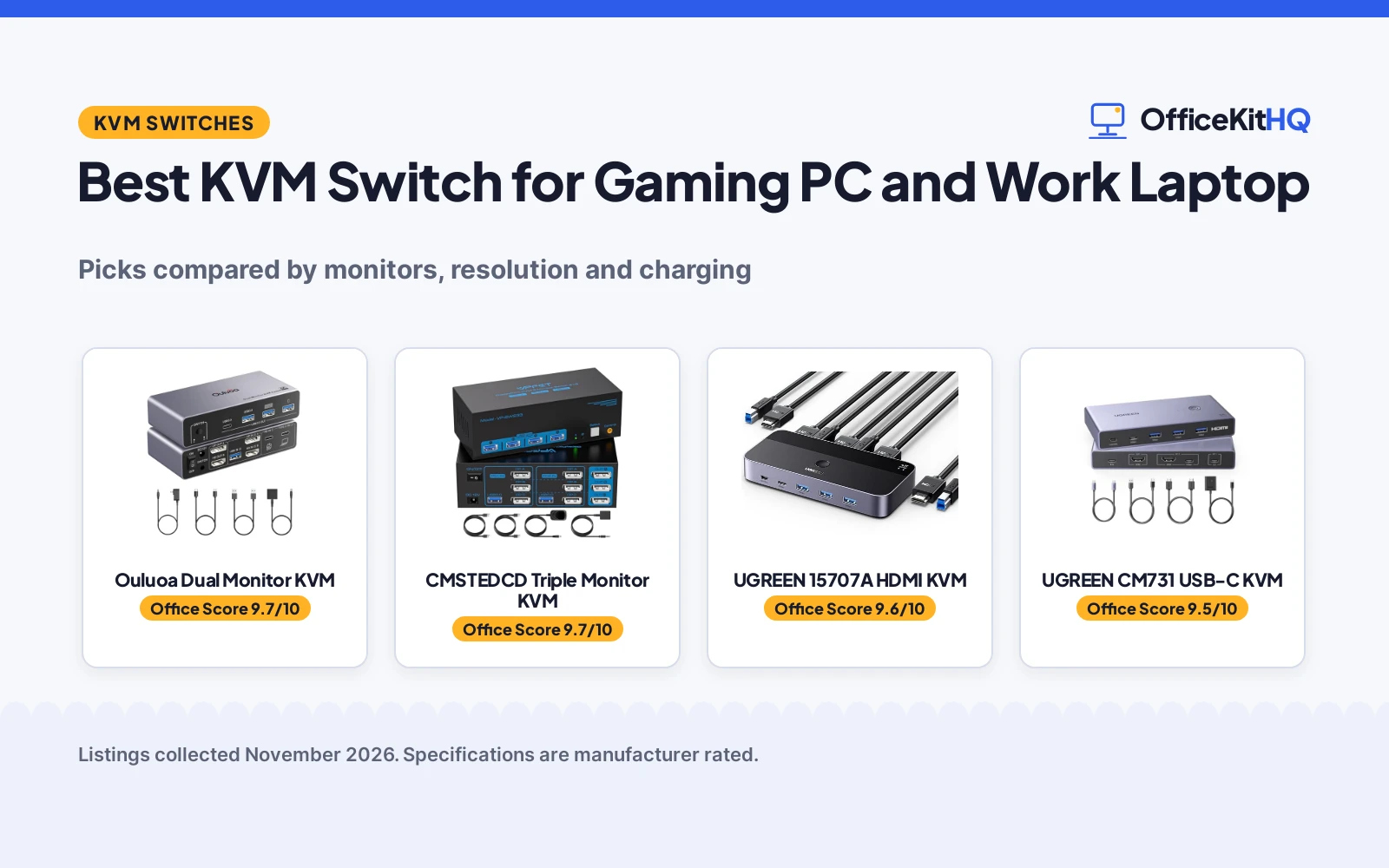
A work laptop and a gaming PC share a desk, and the best kvm switch for gaming pc and work laptop is the box that lets both use the same monitors, keyboard and mouse. Swapping cables between calls and games gets old fast. This guide compares switches by monitor count, top resolution, USB ports, laptop charging and warranty term, using only what each listing publishes.
OfficeKitHQ earns a commission when you buy through links on this page, at no extra cost to you. As an Amazon Associate I earn from qualifying purchases. Affiliate disclosure.
Quick picks
 Best Overall Ouluoa Dual Monitor KVM: Dual monitors, 8K@60Hz, 100W PD charging for the laptop Check price on Amazon
 Best Triple Monitor CMSTEDCD Triple Monitor KVM: 3 monitors, 8K@60Hz, 4K@120Hz, 2-year warranty Check price on Amazon
 Best Single Monitor UGREEN 15707A HDMI KVM: 4K@60Hz, 4 USB 3.0, cables and controller included Check price on Amazon
 Best USB-C Laptop UGREEN CM731 USB-C KVM: USB-C laptop and desktop share 1 monitor at 4K@60Hz Check price on Amazon
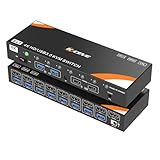 Best 8 Computers KCEVE 8-Port HDMI KVM: 8 computers share 1 monitor with hotkey switching Check price on Amazon
Our desk picks
| # | Product | Office Score | Buy |
|---|---|---|---|
| 1 | Ouluoa Dual Monitor KVM | 9.7/10 | Buy on Amazon |
| 2 | CMSTEDCD Triple Monitor KVM | 9.7/10 | Buy on Amazon |
| 3 | UGREEN 15707A HDMI KVM | 9.6/10 | Buy on Amazon |
| 4 | UGREEN CM731 USB-C KVM | 9.5/10 | Buy on Amazon |
| 5 | KCEVE 8-Port HDMI KVM | 9.4/10 | Buy on Amazon |

Ouluoa Dual Monitor KVM
A dual-monitor USB-C KVM switch with 8K@60Hz on the desktop input, 4K@60Hz from the laptop, 4 USB 3.0 ports and 100W PD charging.
Pros
- 2 monitors through DP and HDMI in extended or mirrored mode
- 8K@60Hz on the desktop input, with 4K@144Hz and 4K@120Hz supported
- 100W PD charging keeps the laptop powered through the USB-C connection
- Wired remote included, plus a 12V power adapter
Cons
- macOS works in SST mode only; MST display mode requires Windows
- HDMI cables within 6.56 feet are recommended for a stable signal
- Laptop input tops out at 4K@60Hz through USB-C
- 12-month warranty is the shortest term among the 3 switches here that state one
Detailed Review
This switch for 1 desktop and 1 laptop sharing 2 monitors through DP and HDMI, with a single keyboard and mouse. The desktop input runs 8K@60Hz, with 4K@144Hz, 4K@120Hz, 4K@60Hz and 1080P@60Hz also listed, while the laptop input runs 4K@60Hz through USB-C. MST mode requires Windows; macOS works in SST mode only. A 100W PD port charges the laptop, a 12V adapter powers the switch, and 3 USB 3.0 ports plus 1 USB-C port share peripherals at up to 5Gbps per port. The box includes 1 USB-C cable, 1 USB 3.0 cable, 1 12V power adapter, 1 wired remote and 1 user manual, and the listing states a 12-month warranty.
Who it's for: a gamer with a desktop PC and work laptop who wants 2 monitors, high refresh rates and laptop charging from one switch. Who should skip it: anyone on macOS who needs MST extended mode, or who wants a longer warranty than 12 months.
Its Office Score of 9.7/10 comes from performance 33/35, build 22/25, value 21/25, safety 7/10 and warranty 3/5: 86 of 100 points, placed on our 9.2 to 9.8 scale.
Key Specifications
| Monitors | 2 |
|---|---|
| Max resolution | 8K@60Hz |
| USB ports | 4 USB 3.0 |
| Laptop charging | 100W PD |
These specs mirror the retailer listing as of 20 November 2026; performance figures are stated by the brand.
Safety and Warranty
What this listing states. External 12V power adapter and 100W PD charging are stated; the switch does not draw power from the computer USB ports, so safety scores 7 of 10. 12-month warranty. It does not say everything a buyer needs, such as who pays return shipping, so warranty scores 3 of 5. See How We Pick.
Power and heat. Use the supplied adapter, treat power delivery wattage and display support as the maker's claims for your laptop model, and give the dock room to vent.
This is general buying information, not professional advice. Follow each product manual and local rules, and see our Safety Disclaimer.

CMSTEDCD Triple Monitor KVM
A triple-monitor DisplayPort KVM switch for 2 computers, with 8K@60Hz, 4K@120Hz, 4 USB 3.0 ports and a 2-year manufacturer warranty.
Pros
- 3 monitors shared between 2 computers in extended or duplicate mode
- 8K@60Hz and 4K@120Hz through DisplayPort 1.4
- 4 USB 3.0 ports at up to 5Gbps for keyboards, mice, printers and webcams
- 2-year manufacturer warranty is stated
Cons
- Each computer needs 3 DP ports and multi-monitor support
- No USB-C laptop input is stated
- 8K video needs the source, monitor and DP cable to all support 8K
- No laptop charging is stated
Detailed Review
This switch for 2 computers sharing 3 monitors and 4 USB 3.0 ports, with extended and duplicate display modes. The DisplayPort 1.4 connection runs up to 8K@60Hz and 4K@120Hz, with 4K@60Hz, 3D, 1080P and 720P also listed. USB 3.0 runs at up to 5Gbps for keyboards, mice, printers, hard disks, scanners and webcams. Switching uses a built-in button or a wired controller, and a 12V power adapter is included. The listing states a 2-year manufacturer warranty and a no-charge replacement within 12 months.
Who it's for: a desktop gamer with 3 monitors who wants the highest refresh rates here and a 2-year warranty. Who should skip it: anyone whose laptop lacks 3 DP ports, or who needs a USB-C laptop input.
Its Office Score of 9.7/10 comes from performance 32/35, build 21/25, value 21/25, safety 5/10 and warranty 4/5: 83 of 100 points, placed on our 9.2 to 9.8 scale.
Key Specifications
| Monitors | 3 |
|---|---|
| Max resolution | 8K@60Hz |
| USB ports | 4 USB 3.0 |
| Warranty | 2 years |
These specs mirror the retailer listing as of 20 November 2026; performance figures are stated by the brand.
Safety and Warranty
What this listing states. 12V power adapter is stated for stable performance, so safety scores 5 of 10. 2 Year Manufacturer warranty. It does not say everything a buyer needs, such as who pays return shipping, so warranty scores 4 of 5. See How We Pick.
Power and heat. Use the supplied adapter, treat power delivery wattage and display support as the maker's claims for your laptop model, and give the dock room to vent.
This is general buying information, not professional advice. Follow each product manual and local rules, and see our Safety Disclaimer.

UGREEN 15707A HDMI KVM
An aluminum HDMI KVM switch for 2 computers sharing 1 monitor, with 4K@60Hz, 4 USB 3.0 ports, 2 HDMI cables, 2 USB cables and a desktop controller in the box.
Pros
- 4K@60Hz with HDMI 2.0, HDCP 2.2 and HDR stated
- 3 USB-A ports and 1 USB-C port share drives, printers and other devices
- 2 HDMI cables, 2 USB A to B cables and a desktop controller are included
- 24-month warranty is stated
Cons
- 1 monitor only, so it cannot run a dual-monitor desk
- No USB-C video input for a laptop
- No laptop charging is stated
- USB-C power cable and power adapter are not included
Detailed Review
This aluminum switch for 2 computers sharing 1 monitor and 4 USB 3.0 devices, with keyboard, mouse, hard drives, U disk and printer named as examples. Resolution runs up to 4K@60Hz, with 4K@30Hz, 2560*1440@120Hz and 1920*1080@240Hz also listed, plus HDMI 2.0, HDCP 2.2 and HDR. Switching uses a one-button switch or a desktop controller. The box includes 2 HDMI cables, 2 USB A to B cables and 1 desktop controller, and the listing states a 24-month warranty. A USB-C power cable and power adapter are not included, and both USB A to B cables must connect for power and data.
Who it's for: someone with 2 HDMI computers and 1 monitor who wants the cables in the box and a 24-month warranty. Who should skip it: anyone who needs 2 monitors, a USB-C laptop input or laptop charging.
Its Office Score of 9.6/10 comes from performance 29/35, build 21/25, value 22/25, safety 0/10 and warranty 4/5: 76 of 100 points, placed on our 9.2 to 9.8 scale.
Key Specifications
| Monitors | 1 |
|---|---|
| Max resolution | 4K@60Hz |
| USB ports | 4 USB 3.0 |
| Warranty | 24 months |
These specs mirror the retailer listing as of 20 November 2026; performance figures are stated by the brand.
Safety and Warranty
What this listing states. No UL, FCC or over-current protection statement is stated, so safety scores zero. 24 Months warranty. It does not say everything a buyer needs, such as who pays return shipping, so warranty scores 4 of 5. See How We Pick.
Power and heat. Use the supplied adapter, treat power delivery wattage and display support as the maker's claims for your laptop model, and give the dock room to vent.
This is general buying information, not professional advice. Follow each product manual and local rules, and see our Safety Disclaimer.
UGREEN CM731 USB-C KVM
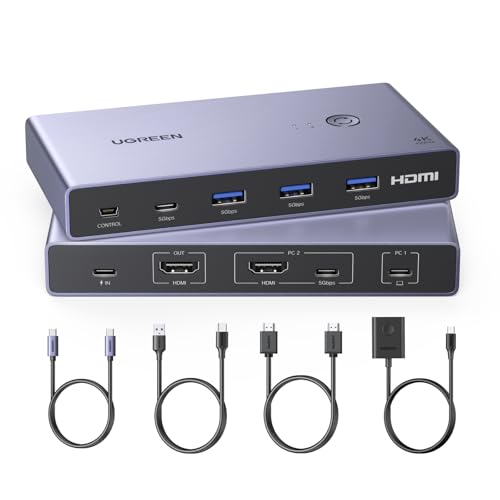
A USB-C and HDMI KVM switch for a laptop and a desktop sharing 1 monitor, with 4K@60Hz, 4 USB 3.0 ports, 1 HDMI cable and 2 Type-C cables in the box.
Pros
- USB-C laptop input plus HDMI for the desktop on 1 monitor
- 4K@60Hz with HDMI 2.0, HDCP 2.2 and HDR 10+ stated
- 3 USB-A 3.0 ports and 1 USB-C port share printers, drives and other devices
- 1 HDMI cable, 1 USB-C cable, 1 USB-A to C cable and a desktop controller are included
Cons
- 1 monitor only, so it cannot run a dual-monitor desk
- Power cable and power adapter are not included
- No warranty term is stated
- No laptop charging is stated
Detailed Review
This switch for a USB-C laptop and a computer sharing 1 monitor and 4 USB devices, switching with a single button between work, gaming and home setups. Resolution runs up to 4K@60Hz, with 4K@30Hz and 2560*1440@120Hz also listed, plus HDMI 2.0, HDCP 2.2, 3D and HDR 10+. The switch has 3 USB-A 3.0 ports and 1 USB-C port, with USB 3.0 at up to 5Gbps and USB 2.0 at 480Mbps. The box includes 1 HDMI cable, 1 USB-C cable, 1 USB-A to C data cable and 1 desktop controller. No warranty term is stated, and the power cable and power adapter are not included.
Who it's for: someone with a USB-C laptop and desktop who wants 1 monitor, 4K@60Hz and the cables in the box. Who should skip it: anyone who needs 2 monitors, laptop charging or a stated warranty term.
Its Office Score of 9.5/10 comes from performance 29/35, build 20/25, value 21/25, safety 0/10 and warranty 0/5: 70 of 100 points, placed on our 9.2 to 9.8 scale.
Key Specifications
| Monitors | 1 |
|---|---|
| Max resolution | 4K@60Hz |
| USB ports | 4 USB 3.0 |
| Cables included | 1 HDMI, 2 Type-C |
These specs mirror the retailer listing as of 20 November 2026; performance figures are stated by the brand.
Safety and Warranty
What this listing states. No UL, FCC or over-current protection statement is stated, so safety scores zero. No warranty term, so warranty scores zero. See How We Pick.
Power and heat. Use the supplied adapter, treat power delivery wattage and display support as the maker's claims for your laptop model, and give the dock room to vent.
This is general buying information, not professional advice. Follow each product manual and local rules, and see our Safety Disclaimer.

KCEVE 8-Port HDMI KVM
An 8-port HDMI KVM switch for 8 computers sharing 1 monitor, with 4K@60Hz, 4 USB ports and hotkey switching.
Pros
- 8 computers share 1 monitor through 1 keyboard and mouse
- 4K@60Hz with 4K@30Hz, 3D and 1080P also listed
- Hotkey switching with Scroll Lock or Ctrl plus a number key
- 4 USB ports for hard drives, printers, scanners and wireless keyboards and mice
Cons
- 1 monitor only, so it cannot run a dual-monitor desk
- No warranty term is stated
- No USB-C input or laptop charging is stated
- Hotkey switching needs the keyboard on the 2 marked USB ports
Detailed Review
This switch for 8 computers sharing 1 monitor, controlled by 1 set of keyboard and mouse. Resolution runs up to 4K@60Hz, with 4K@30Hz, 3D and 1080P also listed. Hotkey switching uses Scroll Lock or Ctrl plus a number key, and a TTL control way is also listed. The switch has 4 USB ports for hard drives, printers and scanners, and works with wireless keyboards and mice. No warranty term is stated.
Who it's for: someone who runs many computers into 1 monitor and wants hotkey switching between them. Who should skip it: anyone who needs 2 monitors, a USB-C laptop input or a stated warranty term.
Its Office Score of 9.4/10 comes from performance 28/35, build 20/25, value 20/25, safety 0/10 and warranty 0/5: 68 of 100 points, placed on our 9.2 to 9.8 scale.
Key Specifications
| Computers | 8 |
|---|---|
| Monitors | 1 |
| Max resolution | 4K@60Hz |
| USB ports | 4 |
These specs mirror the retailer listing as of 20 November 2026; performance figures are stated by the brand.
Safety and Warranty
What this listing states. No UL, FCC or over-current protection statement is stated, so safety scores zero. No warranty term, so warranty scores zero. See How We Pick.
Power and heat. Use the supplied adapter, treat power delivery wattage and display support as the maker's claims for your laptop model, and give the dock room to vent.
This is general buying information, not professional advice. Follow each product manual and local rules, and see our Safety Disclaimer.
As an Amazon Associate I earn from qualifying purchases.
More picks to compare
 AV Access iDock P10-S2Dual 4K monitors, 65W charging and Ethernet for a USB-C laptop and desktop.Check on Amazon
Specs compared
| KVM Switch | Office Score | Monitors | Max resolution | USB ports | Charging | Warranty | Amazon |
|---|---|---|---|---|---|---|---|
| Ouluoa Dual Monitor KVM | 9.7/10 | 2 | 8K@60Hz | 4 USB 3.0 | 100W PD | 12 months | View on Amazon |
| CMSTEDCD Triple Monitor KVM | 9.7/10 | 3 | 8K@60Hz | 4 USB 3.0 | Not stated | 2 years | View on Amazon |
| UGREEN 15707A HDMI KVM | 9.6/10 | 1 | 4K@60Hz | 4 USB 3.0 | Not stated | 24 months | View on Amazon |
| UGREEN CM731 USB-C KVM | 9.5/10 | 1 | 4K@60Hz | 4 USB 3.0 | Not stated | Not stated | View on Amazon |
| KCEVE 8-Port HDMI KVM | 9.4/10 | 1 | 4K@60Hz | 4 USB | Not stated | Not stated | View on Amazon |
Specs reflect manufacturer claims on each product listing (as of 20 November 2026). 3 of the 5 state a warranty term; 2 state a 12V power adapter.
How to choose the best kvm switch for gaming pc and work laptop
Count the monitors first
Monitor count is the first filter, because it decides which switches stay on the list. The Ouluoa runs 2 monitors through DP and HDMI in extended or mirrored mode, and the CMSTEDCD runs 3 monitors in extended or duplicate mode. The UGREEN 15707A, the UGREEN CM731 and the KCEVE each run 1 monitor. The best KVM switch for 2 computers and 1 monitor guide covers the single-monitor side in more depth.
| KVM switch | Monitors | Max resolution | USB ports | Charging |
|---|---|---|---|---|
| Ouluoa Dual Monitor KVM | 2 | 8K@60Hz | 4 USB 3.0 | 100W PD |
| CMSTEDCD Triple Monitor KVM | 3 | 8K@60Hz | 4 USB 3.0 | Not stated |
| UGREEN 15707A HDMI KVM | 1 | 4K@60Hz | 4 USB 3.0 | Not stated |
| UGREEN CM731 USB-C KVM | 1 | 4K@60Hz | 4 USB 3.0 | Not stated |
| KCEVE 8-Port HDMI KVM | 1 | 4K@60Hz | 4 USB | Not stated |
Figures as stated in each listing. Charging means power delivered to the laptop through the switch.
Match the resolution and refresh to the games
Top resolution and refresh decide how smooth fast games look. The Ouluoa and CMSTEDCD both list 8K@60Hz, with the Ouluoa adding 4K@144Hz and the CMSTEDCD adding 4K@120Hz. The UGREEN 15707A, the UGREEN CM731 and the KCEVE each top out at 4K@60Hz, with the 15707A also listing 1920*1080@240Hz. A high refresh rate matters most on the gaming PC input; the work laptop input on the Ouluoa tops out at 4K@60Hz through USB-C. The CMSTEDCD listing states that 8K needs the monitor, cable and source to support it.
Check the laptop connection and charging
The work laptop is the awkward part, because laptops leave the desk every day. The Ouluoa takes the laptop through USB-C and charges it at up to 100W, so 1 cable carries video, data and power. The UGREEN CM731 also takes a USB-C laptop, but it states no charging, and its power cable and adapter are not included. The UGREEN 15707A and the KCEVE use HDMI inputs with no USB-C video input, and the CMSTEDCD needs DP inputs. The best USB hub for gaming PC guide covers hubs that add ports without switching.
Count the USB ports and the cables in the box
Every switch here shares peripherals, but port counts and box contents differ. The Ouluoa, the CMSTEDCD, the UGREEN 15707A and the UGREEN CM731 each state 4 USB 3.0 ports, while the KCEVE states 4 USB ports. The 15707A box includes 2 HDMI cables, 2 USB A to B cables and 1 desktop controller; the CM731 box includes 1 HDMI cable, 1 USB-C cable, 1 USB-A to C cable and 1 desktop controller; the Ouluoa box includes 1 USB-C cable, 1 USB 3.0 cable, 1 12V power adapter, 1 wired remote and 1 user manual. The best HDMI cable for laptop to monitor guide covers cable length and fit.
Read the warranty line, not the headline
3 of the 5 switches state a warranty term. The UGREEN 15707A states 24 months, the Ouluoa states 12 months, and the CMSTEDCD states a 2-year manufacturer warranty with a no-charge replacement within 12 months. The UGREEN CM731 and the KCEVE state no warranty term.
Setup Notes
- Check the monitor inputs first: the Ouluoa needs DP and HDMI for 2 monitors, and the CMSTEDCD needs 3 DP ports on each computer.
- Keep HDMI cables within 6.56 feet on the Ouluoa, and keep the output HDMI cable within 3 meters on the UGREEN CM731.
- Plan power first: the Ouluoa and CMSTEDCD ship with a 12V adapter; the UGREEN CM731 ships without a power cable or adapter.
- Connect both USB A to B cables on the UGREEN 15707A; both are needed for power and data.
FAQ
Which KVM switch here supports 2 monitors?
The Ouluoa supports 2 monitors through DP and HDMI in extended or mirrored mode. The CMSTEDCD supports 3 monitors; the other 3 switches support 1 monitor each.
Can a KVM switch charge the work laptop?
The Ouluoa charges a laptop at up to 100W through its PD port. The other 4 switches here state no laptop charging.
What resolution do these KVM switches support?
The Ouluoa and the CMSTEDCD list 8K@60Hz. The UGREEN 15707A, the UGREEN CM731 and the KCEVE list 4K@60Hz.
Which switches include the cables in the box?
The UGREEN 15707A includes 2 HDMI cables and 2 USB A to B cables. The UGREEN CM731 includes 1 HDMI cable and 2 Type-C cables; the Ouluoa includes 1 USB-C cable and 1 USB 3.0 cable.
Do these switches need a power adapter?
The Ouluoa and the CMSTEDCD include a 12V power adapter. The UGREEN CM731 ships without a power cable or adapter, and the UGREEN 15707A needs both USB A to B cables connected for power.
Score breakdown
The Office Score weighs performance (monitor count, top resolution, USB ports and laptop charging), build (case material, included cables and footprint), value for the stated specs, safety and warranty. For a KVM switch, safety means a stated external power adapter or charging limit that keeps the switch from drawing power from the computer ports; the Ouluoa and CMSTEDCD state a 12V adapter, the other 3 do not. 3 listings state a warranty term: the UGREEN 15707A at 24 months, Ouluoa at 12 months and CMSTEDCD at 2 years. How we pick explains the weights.
| Product | Office Score | Perf. /35 | Build /25 | Value /25 | Safety /10 | Warranty /5 |
|---|---|---|---|---|---|---|
| Ouluoa Dual Monitor KVM | 9.7 | 33 | 22 | 21 | 7 | 3 |
| CMSTEDCD Triple Monitor KVM | 9.7 | 32 | 21 | 21 | 5 | 4 |
| UGREEN 15707A HDMI KVM | 9.6 | 29 | 21 | 22 | 0 | 4 |
| UGREEN CM731 USB-C KVM | 9.5 | 29 | 20 | 21 | 0 | 0 |
| KCEVE 8-Port HDMI KVM | 9.4 | 28 | 20 | 20 | 0 | 0 |
The scale opens at 9.2 and closes at 9.8; between those marks, weighted points translate linearly into the score you see.
More for your workspace
See every docking station and USB hub guide and all audio, power and connectivity guides. Also see the best KVM switch for 2 computers and 1 monitor, best KVM switch for 2 laptops and best KVM switch for 3 computers guides.
More picks: docking station for MacBook Pro dual monitor, dual monitor setup, HDMI cable for laptop to monitor.