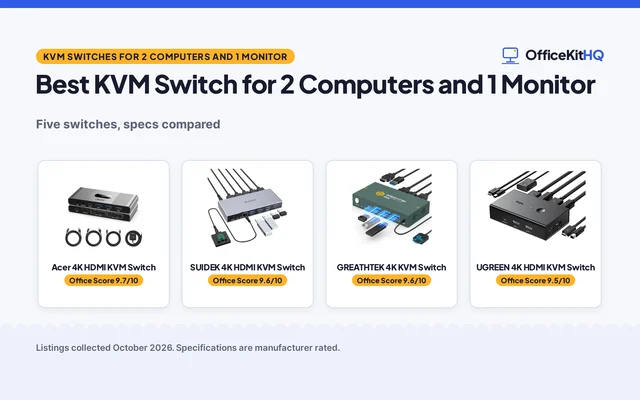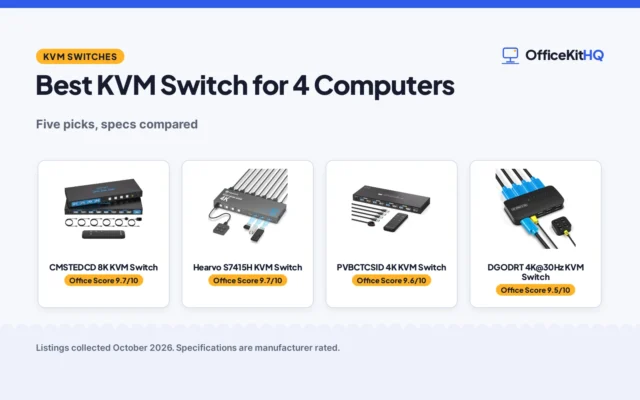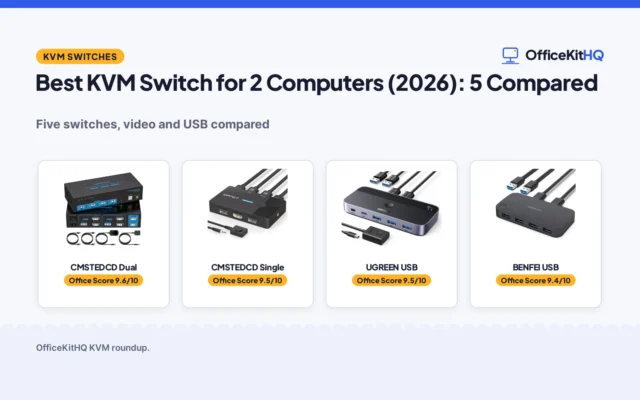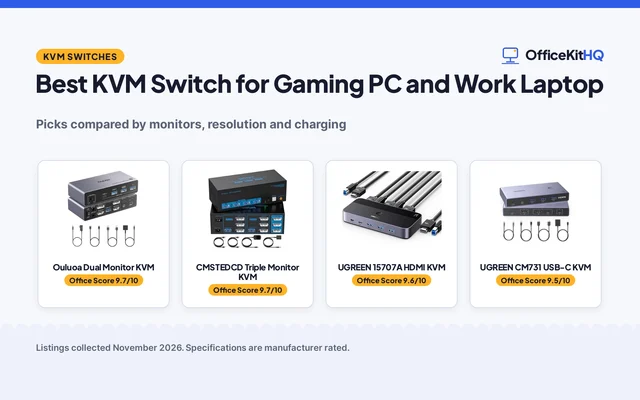
A desk with a work laptop, a home desktop and a spare machine for calls turns into cable spaghetti fast, and the best kvm switch for 3 computers is the box that lets a shared keyboard, mouse and monitor set serve them all. The comparison covers switches by computer count, monitor count, video resolution, USB ports, switching method and warranty term, using only what each maker publishes. The TJCXELE SW330 is the main pick built for 3 computers, while the rest take 2 or 4, and the more picks list holds further 3-computer options.
OfficeKitHQ earns a commission when you buy through links on this page, at no extra cost to you. As an Amazon Associate I earn from qualifying purchases. Affiliate disclosure.
Quick picks
 Best Overall CMSTEDCD SW232: 8K@60Hz and 4K@120Hz across 3 monitors, 2-year warranty Check price on Amazon
 Best 3-Computer Pick TJCXELE SW330: The only main pick built for 3 computers and 2 monitors Check price on Amazon
 Best Complete Kit GREATHTEK S7415H: HDMI and USB cables, wired remote and mounting brackets included Check price on Amazon
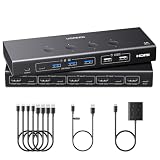 Most USB Ports UGREEN 85115: 6 USB ports for 4 computers sharing 1 monitor Check price on Amazon
 Best HDMI Triple Monitor CMSTEDCD SW231: 8K@60Hz triple-monitor switching over HDMI 2.1 Check price on Amazon
Our desk picks
| # | Product | Office Score | Buy |
|---|---|---|---|
| 1 | CMSTEDCD SW232 | 9.8/10 | Buy on Amazon |
| 2 | CMSTEDCD SW231 | 9.7/10 | Buy on Amazon |
| 3 | TJCXELE SW330 | 9.7/10 | Buy on Amazon |
| 4 | GREATHTEK S7415H | 9.5/10 | Buy on Amazon |
| 5 | UGREEN 85115 | 9.5/10 | Buy on Amazon |

CMSTEDCD SW232
A triple-monitor switch for 2 computers with HDMI 2.1 and DisplayPort 1.4, 8K@60Hz video, 4 USB 3.0 ports and a 2-year manufacturer warranty.
Pros
- 8K@60Hz and 4K@120Hz video across 3 monitors
- HDMI 2.1 and DisplayPort 1.4 inputs for mixed monitor setups
- 4 USB 3.0 ports with transfer speeds up to 5Gbps
- Wired controller and panel button for switching
Cons
- Takes 2 computers, so it does not cover a 3-computer desk
- Each computer needs 2 DisplayPort and 1 HDMI connection
- DP to HDMI and DP to DVI adapter cables are not supported
- High-power USB devices need a separate power supply
Detailed Review
CMSTEDCD lists this switch for 2 computers sharing 3 monitors and 1 set of keyboard, mouse, microphone and headphones, with HDMI 2.1 and DisplayPort 1.4 inputs and video up to 8K@60Hz or 4K@120Hz. The 4 USB 3.0 ports run at up to 5Gbps, and switching runs by panel button or wired controller. A 12V 1A power adapter is included, and the maker states a 2-year manufacturer warranty.
Who it's for: a desk with 2 computers and 3 monitors, including a DisplayPort monitor, that needs 8K video and fast USB sharing. Who should skip it: anyone with 3 computers, or a desk where each machine lacks 2 DisplayPort outputs and 1 HDMI output.
Its Office Score of 9.8/10 comes from performance 33/35, build 22/25, value 21/25, safety 8/10 and warranty 4/5: 88 of 100 points, placed on our 9.2 to 9.8 scale.
Key Specifications
| Computers | 2 |
|---|---|
| Monitors | 3 |
| Max resolution | 8K@60Hz |
| USB ports | 4 USB 3.0 |
These specs mirror the retailer listing as of 19 November 2026; performance figures are stated by the brand.
Safety and Warranty
What this listing states. 12V 1A power adapter is stated, so safety scores 8 of 10. 2 Year Manufacturer. It does not say everything a buyer needs, such as who pays return shipping, so warranty scores 4 of 5. See How We Pick.
Follow the manual. Assemble and use the product as the maker describes, stay under any stated capacity, and read the manual before first use.
This is general buying information, not professional advice. Follow each product manual and local rules, and see our Safety Disclaimer.

CMSTEDCD SW231
A triple-monitor HDMI switch for 2 computers with 8K@60Hz video, 4 USB 3.0 ports, a wired controller and a 2-year warranty.
Pros
- 8K@60Hz and 4K@120Hz video across 3 monitors
- HDMI 2.1 with backward compatibility to 4K@30Hz, 1080P, 720P and 3D
- 4 USB 3.0 ports for shared keyboards, mice, printers and drives
- Wired controller lets the switch hide while the controller stays on the desk
Cons
- Takes 2 computers, so it does not cover a 3-computer desk
- HDMI only, with no DisplayPort input
- No EDID support is stated
- No USB-C port is stated
Detailed Review
CMSTEDCD lists this switch for 2 computers sharing 3 monitors and 1 set of keyboard, mouse, printer and USB peripherals, with extended and duplicate modes. Video runs up to 8K@60Hz or 4K@120Hz over HDMI 2.1, and the 4 USB 3.0 ports share drives, printers and other devices. Switching runs by wired controller or the Select key on the body, and a DC 12V/1A adapter is included. The maker states a 2-year warranty.
Who it's for: a desk with 2 computers and 3 HDMI monitors that wants 8K video and a wired controller. Who should skip it: anyone with 3 computers, or a desk with a DisplayPort-only monitor.
Its Office Score of 9.7/10 comes from performance 32/35, build 22/25, value 21/25, safety 8/10 and warranty 4/5: 87 of 100 points, placed on our 9.2 to 9.8 scale.
Key Specifications
| Computers | 2 |
|---|---|
| Monitors | 3 |
| Max resolution | 8K@60Hz |
| USB ports | 4 USB 3.0 |
These specs mirror the retailer listing as of 19 November 2026; performance figures are stated by the brand.
Safety and Warranty
What this listing states. DC 12V/1A adapter is included, so safety scores 8 of 10. 2 year. It does not say everything a buyer needs, such as who pays return shipping, so warranty scores 4 of 5. See How We Pick.
Follow the manual. Assemble and use the product as the maker describes, stay under any stated capacity, and read the manual before first use.
This is general buying information, not professional advice. Follow each product manual and local rules, and see our Safety Disclaimer.

TJCXELE SW330
The only main pick built for 3 computers, sharing 2 monitors and 4 USB 3.0 ports at 4K@60Hz with EDID simulation and a 24-month replacement term.
Pros
- Built for 3 computers sharing 2 monitors, the only main pick that fits the keyword
- EDID simulation keeps window order when switching back to a computer
- 4 USB 3.0 ports with transfer speeds up to 5Gbps
- 12V 1A external power supply included for stable operation
Cons
- Video tops out at 4K@60Hz, below the 8K picks here
- Hotkey switching is not supported
- Each computer needs 2 HDMI ports and a USB-A port
- The maker says dual-screen use needs a computer with 2 graphics cards
Detailed Review
TJCXELE lists this switch for 3 computers sharing 2 monitors and 4 USB 3.0 devices, with extended and copy modes and video up to 4K@60Hz. EDID simulation keeps windows in the same order when switching back to a computer, and the 4 USB 3.0 ports run at up to 5Gbps. Switching runs by controller or panel button, and a 12V 1A external power supply is included. The maker describes the controller as both wireless and wired in different places, so check which one ships before ordering. Within 24 months, the maker will replace the switch.
Who it's for: a desk with 3 computers and 2 HDMI monitors that needs EDID simulation and a stated replacement term. Who should skip it: anyone who needs 8K video or hotkey switching.
Its Office Score of 9.7/10 comes from performance 30/35, build 20/25, value 21/25, safety 8/10 and warranty 4/5: 83 of 100 points, placed on our 9.2 to 9.8 scale.
Key Specifications
| Computers | 3 |
|---|---|
| Monitors | 2 |
| Max resolution | 4K@60Hz |
| USB ports | 4 USB 3.0 |
These specs mirror the retailer listing as of 19 November 2026; performance figures are stated by the brand.
Safety and Warranty
What this listing states. 12V 1A external power supply is stated, so safety scores 8 of 10. Within 24 months, we will replace the switch. It does not say everything a buyer needs, such as who pays return shipping, so warranty scores 4 of 5. See How We Pick.
Follow the manual. Assemble and use the product as the maker describes, stay under any stated capacity, and read the manual before first use.
This is general buying information, not professional advice. Follow each product manual and local rules, and see our Safety Disclaimer.

GREATHTEK S7415H
A 4-computer switch with the most complete kit here: HDMI and USB cables, a wired remote, under-desk mounting brackets and EDID adaptive video at 4K@60Hz.
Pros
- Kit includes 1 HDMI cable, 4 USB 3.0 cables, a USB-C power cable and a wired remote
- Under-desk mounting brackets and screws included
- EDID adaptive technology keeps resolution settings across switches
- Front-panel buttons and a numbered remote for one-touch switching
Cons
- Shares 1 monitor across 4 computers, so it does not suit a multi-monitor desk
- No warranty term is stated
- Hotkey switching is not supported
- Video tops out at 4K@60Hz, below the 8K picks here
Detailed Review
GREATHTEK lists this switch for 4 computers sharing 1 monitor, keyboard, mouse and USB peripherals, with video up to 3840x2160 at 60Hz over HDMI 2.0 and up to 18Gbps bandwidth. The 3 USB-A 3.0 ports and 1 USB-C data port share keyboards, mice, drives, webcams and printers at up to 5Gbps. Switching runs by front-panel buttons or the included wired remote, and the kit adds 1 HDMI cable, 4 USB 3.0 cables, a USB-C power cable, 2 under-desk mounting brackets and 6 self-tapping screws. No warranty term is stated.
Who it's for: a desk with 4 computers and 1 monitor that wants every cable and bracket in the box. Who should skip it: anyone who needs 2 or 3 monitors, or a warranty term in writing.
Its Office Score of 9.5/10 comes from performance 29/35, build 22/25, value 22/25, safety 0/10 and warranty 0/5: 73 of 100 points, placed on our 9.2 to 9.8 scale.
Key Specifications
| Computers | 4 |
|---|---|
| Monitors | 1 |
| Max resolution | 4K@60Hz |
| USB ports | 3 USB-A 3.0, 1 USB-C |
These specs mirror the retailer listing as of 19 November 2026; performance figures are stated by the brand.
Safety and Warranty
What this listing states. No safety listing or safety feature is stated, so safety scores zero. No warranty term, so warranty scores zero. See How We Pick.
Follow the manual. Assemble and use the product as the maker describes, stay under any stated capacity, and read the manual before first use.
This is general buying information, not professional advice. Follow each product manual and local rules, and see our Safety Disclaimer.
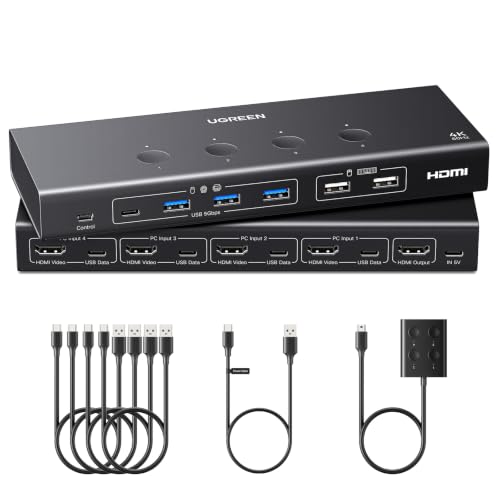
UGREEN 85115
A 4-computer switch with the most USB ports here, 6 in total, EDID emulation and a desktop controller, though HDMI cables and the power adapter stay out of the box.
Pros
- 6 USB ports: 4 USB 3.0 and 2 USB 2.0 for shared drives, printers and webcams
- EDID emulation keeps monitor identification and window layout across switches
- 4K@60Hz video with HDMI 2.0 support
- Desktop controller and one-button switch for changing computers
Cons
- HDMI cables and power adapter are not included
- No warranty term is stated
- Shares 1 monitor across 4 computers, so it does not suit a multi-monitor desk
- Not supported for use with a docking station
Detailed Review
UGREEN lists this switch for 4 computers sharing 1 monitor and 4 USB 3.0 plus 2 USB 2.0 devices, with video up to 4K@60Hz over HDMI 2.0. EDID emulation keeps monitor identification, resolution and display configuration when switching, and the desktop controller or one-button switch changes computers. USB 3.0 runs at up to 5Gbps and USB 2.0 at 480Mbps. HDMI cables and the power adapter are not included, and the switch is not supported for use with a docking station. No warranty term is stated.
Who it's for: a desk with 4 computers and 1 monitor that needs 6 USB ports and EDID emulation. Who should skip it: anyone who needs the HDMI cables and power adapter in the box, or a docking station in the chain.
Its Office Score of 9.5/10 comes from performance 30/35, build 21/25, value 20/25, safety 0/10 and warranty 0/5: 71 of 100 points, placed on our 9.2 to 9.8 scale.
Key Specifications
| Computers | 4 |
|---|---|
| Monitors | 1 |
| Max resolution | 4K@60Hz |
| USB ports | 6 |
These specs mirror the retailer listing as of 19 November 2026; performance figures are stated by the brand.
Safety and Warranty
What this listing states. No safety listing or safety feature is stated, so safety scores zero. No warranty term, so warranty scores zero. See How We Pick.
Follow the manual. Assemble and use the product as the maker describes, stay under any stated capacity, and read the manual before first use.
This is general buying information, not professional advice. Follow each product manual and local rules, and see our Safety Disclaimer.
As an Amazon Associate I earn from qualifying purchases.
More picks to compare
 UGREEN 553978K@60Hz switching for 4 computers with 4 HDMI cables includedCheck on Amazon
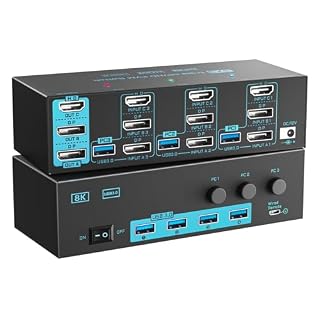 DXchip KVM303DHTriple-monitor switching for 3 computers with a wired remote and 12V power portCheck on Amazon
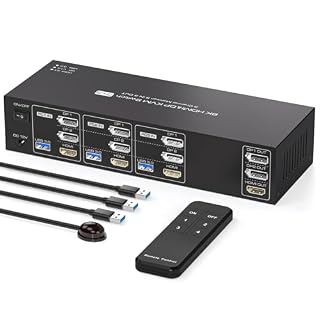 PVBCTCSID KVM Switch3 monitors and 3 computers with 8K@60Hz and a remote controlCheck on Amazon
 AOOCOO AO-302ASDual-monitor switching for 3 computers with EDID emulation and a wired remoteCheck on Amazon
 Generic RNKVM0014K@60Hz switching for 3 computers with a 4-port USB 3.0 hubCheck on Amazon
Specs compared
| KVM Switch | Office Score | Computers | Monitors | Max resolution | USB ports | Warranty | Amazon |
|---|---|---|---|---|---|---|---|
| CMSTEDCD SW232 | 9.8/10 | 2 | 3 | 8K@60Hz | 4 USB 3.0 | 2 years | View on Amazon |
| CMSTEDCD SW231 | 9.7/10 | 2 | 3 | 8K@60Hz | 4 USB 3.0 | 2 years | View on Amazon |
| TJCXELE SW330 | 9.7/10 | 3 | 2 | 4K@60Hz | 4 USB 3.0 | 24 months | View on Amazon |
| GREATHTEK S7415H | 9.5/10 | 4 | 1 | 4K@60Hz | 3 USB-A 3.0, 1 USB-C | Not stated | View on Amazon |
| UGREEN 85115 | 9.5/10 | 4 | 1 | 4K@60Hz | 6 | Not stated | View on Amazon |
Dimensions, weight limits and ranges are the maker’s ratings as each listing gives them, collected 19 November 2026. 3 of the 5 state a warranty term; 3 state a 12V adapter.
How to choose the best kvm switch for 3 computers
Count computers first, then monitors
The keyword names 3 computers, and only the TJCXELE SW330 among the main picks takes 3 computers with 2 monitors. The 2 CMSTEDCD switches take 2 computers across 3 monitors, while the GREATHTEK and UGREEN take 4 computers on 1 monitor. A switch with fewer computer inputs than the desk holds leaves a machine on a separate keyboard, so match the input count to the machine count before weighing resolution or ports. Readers with 4 machines can start with the best KVM switch for 4 computers guide.
Match the video inputs to the monitors
Resolution tops out at 8K@60Hz on the 2 CMSTEDCD switches, with 4K@120Hz also stated, while the TJCXELE, GREATHTEK and UGREEN top out at 4K@60Hz. The CMSTEDCD SW232 adds DisplayPort 1.4 beside HDMI 2.1, so it suits monitors with DisplayPort inputs; the other switches use HDMI only. EDID support matters when switching: the UGREEN, TJCXELE and GREATHTEK state EDID emulation, EDID simulation or EDID adaptive technology, which keeps window layouts in place across switches. The KVM switch setup guide walks through the cable order for a first install.
Check the USB ports and the cables in the box
USB ports run from 4 on most picks to 6 on the UGREEN, and every port here is USB 3.0 except the 2 USB 2.0 ports on the UGREEN. The GREATHTEK kit is the most complete: 1 HDMI cable, 4 USB 3.0 cables, a USB-C power cable, a wired remote and under-desk mounting brackets with screws. The UGREEN kit is the sparsest: it includes 4 USB cables but no HDMI cables and no power adapter. Count the cables before ordering, since a missing HDMI cable leaves a monitor dark.
| Switch | Computers | Monitors | USB ports |
|---|---|---|---|
| CMSTEDCD SW232 | 2 | 3 | 4 USB 3.0 |
| CMSTEDCD SW231 | 2 | 3 | 4 USB 3.0 |
| TJCXELE SW330 | 3 | 2 | 4 USB 3.0 |
| GREATHTEK S7415H | 4 | 1 | 3 USB-A 3.0, 1 USB-C |
| UGREEN 85115 | 4 | 1 | 4 USB 3.0, 2 USB 2.0 |
Counts as stated by each maker. A switch with more computer inputs than the desk needs still works; a switch with fewer does not cover the desk.
Plan power and the controller spot
Switching needs power as well as cables. The 2 CMSTEDCD switches and the TJCXELE include a 12V adapter, the GREATHTEK includes a USB-C power cable, and the UGREEN needs a power source connected while its adapter stays out of the box. Every main pick also offers a controller or remote beside the panel button, so the switch can sit behind a monitor with the controller on the desk. Readers who want the controller detail can see the best KVM switch with remote control guide.
Setup Notes
- Measure the footprint before ordering: the GREATHTEK measures 3.0 x 2.0 x 1.0 in, while the CMSTEDCD SW231 measures 5.91 x 2.56 x 1.91 in.
- Count HDMI, DisplayPort and USB cables per computer before ordering: the UGREEN ships no HDMI cables, and the GREATHTEK kit includes 1 HDMI cable and 4 USB cables.
- Place the 12V adapter near an outlet: the 2 CMSTEDCD switches and the TJCXELE include one, and the UGREEN needs a power source connected.
- Mount the GREATHTEK under a desk with its included brackets, with the wired remote on the desktop.
- Check monitor inputs first: the CMSTEDCD SW232 needs DisplayPort and HDMI, while the rest use HDMI only.
FAQ
Can a 2-computer switch run a third computer?
No. A switch with 2 computer inputs switches between those 2 machines only, so a third machine needs its own keyboard or a switch with 3 inputs, such as the TJCXELE SW330 or the 3-computer switches in the more picks list.
What is the highest resolution among these switches?
8K@60Hz, stated on the 2 CMSTEDCD switches, with 4K@120Hz also stated. The other main picks top out at 4K@60Hz.
Do these switches work without a power adapter?
The 2 CMSTEDCD switches and the TJCXELE include a 12V adapter. The GREATHTEK includes a USB-C power cable, and the UGREEN needs a power source connected, with its adapter not included.
How do you switch between computers on these switches?
By panel button on every main pick, or by controller or remote: the CMSTEDCD switches and the UGREEN include a desktop controller, the GREATHTEK includes a wired remote, and the TJCXELE includes a controller with a panel button.
Can these switches switch with a keyboard hotkey?
The TJCXELE and GREATHTEK state that hotkey switching is not supported. The other main picks state no hotkey option, so plan on the button or controller.
Score breakdown
The Office Score weighs performance (computer count, monitor count, resolution, USB ports and switching options), build (ports, controller, included cables and size), value for the stated specs, safety and warranty. For a KVM switch, safety means a stated external power adapter that keeps USB devices powered while switching; the 2 CMSTEDCD switches and the TJCXELE state a 12V adapter, the other 2 do not. Warranty terms appear on 3 of the 5: the 2 CMSTEDCD switches at 2 years and the TJCXELE at 24 months. How we pick explains the weights.
| Product | Office Score | Perf. /35 | Build /25 | Value /25 | Safety /10 | Warranty /5 |
|---|---|---|---|---|---|---|
| CMSTEDCD SW232 | 9.8 | 33 | 22 | 21 | 8 | 4 |
| CMSTEDCD SW231 | 9.7 | 32 | 22 | 21 | 8 | 4 |
| TJCXELE SW330 | 9.7 | 30 | 20 | 21 | 8 | 4 |
| GREATHTEK S7415H | 9.5 | 29 | 22 | 22 | 0 | 0 |
| UGREEN 85115 | 9.5 | 30 | 21 | 20 | 0 | 0 |
Office Scores run on a short 9.2 to 9.8 scale. We place each item’s weighted point total on it in proportion, so a larger total is always shown as a larger score.
More for your workspace
See every docking stations and USB hubs guide and all audio, power and connectivity guides. Also see the KVM switch setup guide. Also see the best KVM switch for 4 computers guide. Also see the best KVM switch with remote control guide. Also see the docking station types guide.
More picks: docking stations and USB hubs, best docking station USB 3.0, USB hub types.