The laptop sits on the desk with cables running everywhere, and docking station types decide which box ties it all together with a single cable. The types differ by the laptop connection, the power they deliver and the video they carry, so the choice starts with the ports on the laptop. The steps below show how to match a dock to the laptop, the monitors and the desk.
OfficeKitHQ earns a commission when you buy through links on this page, at no extra cost to you. As an Amazon Associate I earn from qualifying purchases. Affiliate disclosure.
The quick answer
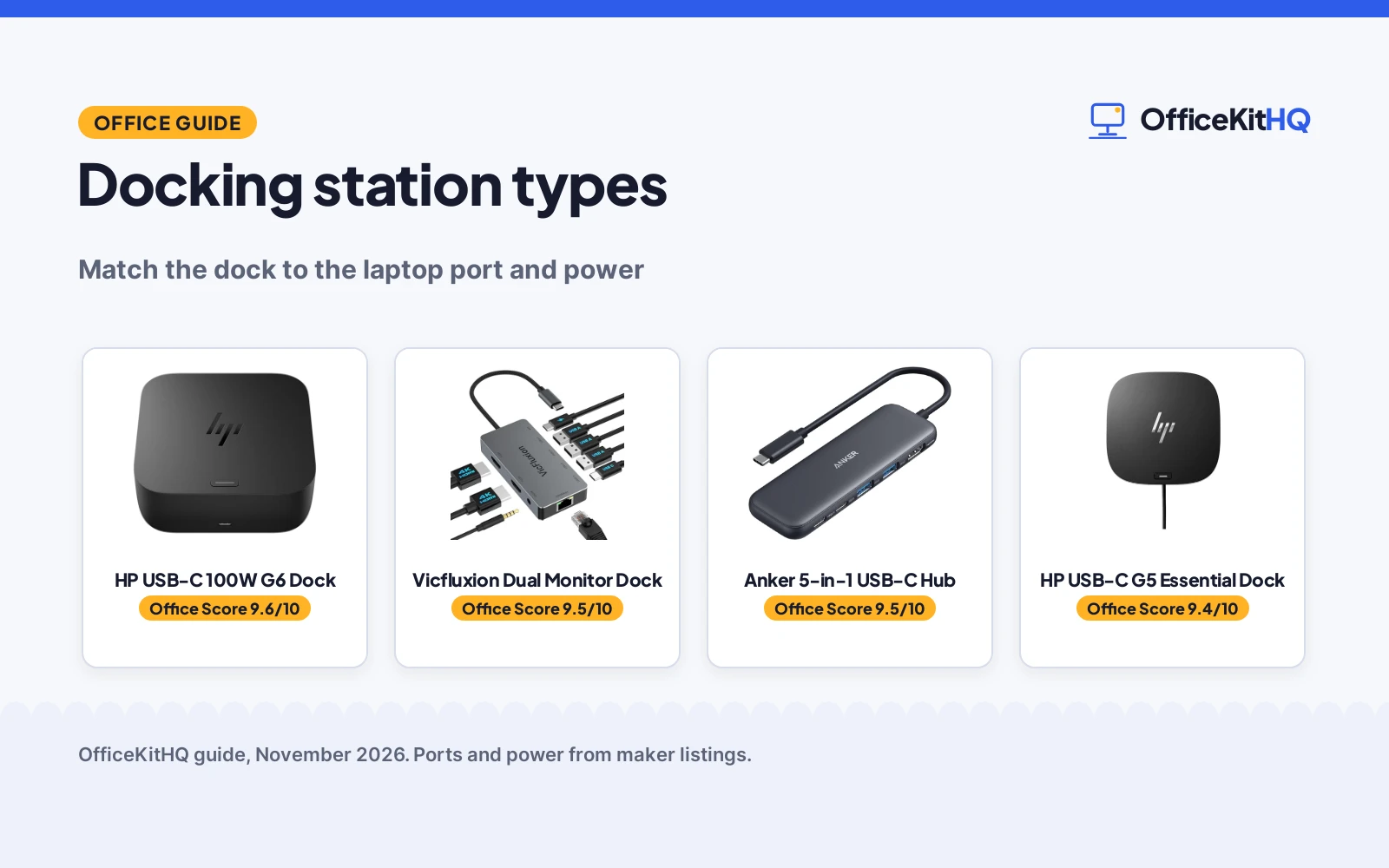
Docking station types split by connection and power: USB-C docks such as the HP G6 and HP G5 connect with a single USB-C cable, dual-monitor docks such as the Vicfluxion add 2 HDMI outputs, and USB-C hubs such as the Anker 5-in-1 pass (on Amazon) power through from the laptop charger. Power delivery runs from 15W on the HP G5 to 85W pass-through on the Anker and up to 100W on the HP G6 and the Vicfluxion. Video runs from HDMI on the Anker to 4K 60Hz on the Vicfluxion and HDMI 2.1 at 120Hz on the HP G6.
Step 1: Check the laptop connection
Start with the port on the laptop. The HP G6 states broad compatibility with most USB-C or Thunderbolt laptops, so a laptop with either port takes the dock. A single USB-C cable connects the dock and delivers power to the laptop, which clears the desk of separate cables for power, video and accessories. Check the laptop for a USB-C or Thunderbolt port before choosing a dock, since a laptop without USB-C cannot use a USB-C dock. See when a docking station earns its place on a desk.
Step 2: Match power delivery and video
Power delivery decides whether the dock charges the laptop. The HP G6 delivers up to 100W, the Vicfluxion states PD 100W, the Anker passes through 85W from the laptop charger, and the HP G5 delivers up to 15W. A laptop that needs more power than the dock delivers will charge slowly or not at all, so match the figure to the laptop. Video decides the monitors: the HP G6 names HDMI 2.1 at 120Hz, the Vicfluxion names 2 HDMI at 4K 60Hz for dual monitors, and the Anker names HDMI for a single display. USB hub types explain how hubs differ from docks, and types of HDMI adapters cover the cables between the dock and the monitor.
Docking station types compared
| Dock | Connection | Power delivery | Video | Amazon |
|---|---|---|---|---|
| HP USB-C 100W G6 Dock | USB-C | Up to 100W | HDMI 2.1, 120Hz | View on Amazon |
| HP USB-C G5 Essential Dock | USB-C | Up to 15W | Not stated | View on Amazon |
| Vicfluxion Dual Monitor Dock | USB-C | PD 100W | 2 HDMI, 4K 60Hz | |
| Anker 5-in-1 USB-C Hub | USB-C | 85W pass-through | HDMI | View on Amazon |
Figures as stated in each listing. The HP G5 states no video output.
How the gear was scored
The Office Score weighs performance, build, value, safety and warranty. For docks, performance means the connection, the power delivery and the video stated, build means the size, weight and construction stated, and value means the ports and power for the stated specs. Safety means a stated safety certification, and none of the listings state one, so no pick earns safety points. One listing states a warranty term: the HP G6 at 1 year. The Vicfluxion and Anker score lower because no size, weight or warranty term is stated for them.
Gear for the desk
Once the laptop connection, the power figure and the video are matched, the gear below covers the types above: USB-C docks, a dual-monitor dock and a USB-C hub.
| # | Product | Office Score | Buy |
|---|---|---|---|
| 1 |  HP USB-C 100W G6 Dock | 9.6/10 | Buy on Amazon |
| 2 |  Vicfluxion 9-Port Dock | 9.5/10 | Buy on Amazon |
| 3 |  Anker 5-in-1 USB-C Hub | 9.5/10 | Buy on Amazon |
| 4 |  HP USB-C G5 Essential Dock | 9.4/10 | Buy on Amazon |

HP USB-C 100W G6 Dock
A compact USB-C dock that delivers up to 100W over a single cable, with HDMI 2.1 at 120Hz, extra USB-C ports and LED lighting.
Pros
- Delivers up to 100W of power over a single USB-C cable
- HDMI 2.1 at 120Hz for a high-refresh display
- Extra USB-C cable included in the box
- Ambient LED lighting and on-screen notifications for device status
Cons
- HDMI 2.1 is the only video output named
- USB-C laptops only; a laptop without USB-C cannot use it
- 1.49 pounds with a rear cable, so it suits a desk more than a bag
- No USB-A port is named for older accessories
Detailed Review
HP lists the USB-C 100W G6 Dock as a single-cable dock for USB-C or Thunderbolt laptops, delivering up to 100W of power to the laptop. It has HDMI 2.1 at 120Hz, extra USB-C ports, ambient LED lighting and on-screen notifications for device status, plus an extra USB-C cable in the box. The dock is compact with a rear USB-C cable, has replaceable components, and carries a 1 year warranty. It weighs 1.49 pounds.
Who it's for: someone with a USB-C or Thunderbolt laptop who wants one cable for power and a 120Hz display. Who should skip it: anyone whose laptop has no USB-C port, or who needs another video output.
Its Office Score of 9.6/10 comes from performance 32/35, build 21/25, value 21/25, safety 0/10 and warranty 3/5: 77 of 100 points, placed on our 9.2 to 9.8 scale.
Key Specifications
| Connection | USB-C |
|---|---|
| Power delivery | Up to 100W |
| Video | HDMI 2.1 at 120Hz |
| Item weight | 1.49 pounds |
These specs mirror the retailer listing as of 14 November 2026; performance figures are stated by the brand.
Safety and Warranty
What this listing states. No UL, FCC or over-current protection statement is stated, so safety scores zero. 1 year warranty. It does not say everything a buyer needs, such as who pays return shipping, so warranty scores 3 of 5. See How We Pick.
Power and heat. Use the supplied adapter, treat power delivery wattage and display support as the maker's claims for your laptop model, and give the dock room to vent.
This is general buying information, not professional advice. Follow each product manual and local rules, and see our Safety Disclaimer.

Vicfluxion 9-Port Dock
A 9-port USB-C dock with dual 4K at 60Hz on 2 HDMI ports, 100W power delivery in and 90W to the laptop, gigabit ethernet, 3 USB-A 3.0 ports and a 3.5mm audio port.
Pros
- Dual 4K at 60Hz on 2 HDMI ports
- 100W power delivery in, 90W to the laptop
- 0.18 lb, the lowest weight stated here
- 3 USB-A 3.0 ports at 5Gbps plus a USB-C 2.0 port at 480Mbps
Cons
- Power adapter not included
- Dual extended displays on Windows only; macOS runs mirror mode only
- Some 65W laptops may show a Slow Charger warning
- No DisplayPort output; the 2 monitors connect over HDMI
Detailed Review
Vicfluxion lists this 9-port USB-C docking station with dual extended displays on Windows, 2 HDMI ports at 4K 60Hz, gigabit ethernet, 3 USB-A 3.0 ports at 5Gbps, 1 USB-C 2.0 port at 480Mbps and a 3.5mm audio port. It states 100W power delivery in and 90W to the laptop, and the power adapter is not included. The listing says dual extended displays work on Windows only and macOS runs mirror mode only, and some 65W laptops may show a Slow Charger warning because the dock needs about 10W. The spec table gives 4.72 by 2.36 by 0.59 in and a 0.18 lb weight, and the listing states a 2-year manufacturer warranty.
Who it's for: a Windows laptop user who wants dual 4K monitors, 90W charging and the lowest weight stated here. Who should skip it: anyone on macOS who needs extended displays, or anyone who wants a power adapter in the box.
Its Office Score of 9.5/10 comes from performance 30/35, build 20/25, value 20/25, safety 0/10 and warranty 3/5: 73 of 100 points, placed on our 9.2 to 9.8 scale.
Key Specifications
| Displays | Dual, 2x HDMI 4K 60Hz |
|---|---|
| Power delivery | 100W in, 90W to laptop |
| USB ports | 3x USB-A 3.0, 1x USB-C 2.0 |
| Weight | 0.18 lb |
Figures as published on the retailer listing, collected 10 November 2026. Performance figures are manufacturer rated.
Safety and Warranty
What this listing states. No UL, FCC or over-current protection statement is stated, so safety scores zero. 2-year manufacturer warranty. It does not say everything a buyer needs, such as who pays return shipping, so warranty scores 3 of 5. See How We Pick.
Power and heat. Use the supplied adapter, treat power delivery wattage and display support as the maker's claims for your laptop model, and give the dock room to vent.
This is general buying information, not professional advice. Follow each product manual and local rules, and see our Safety Disclaimer.

Anker 5-in-1 USB-C Hub
A 5-in-1 USB-C hub with HDMI, data ports and pass-through charging for USB-C laptops.
Pros
- 4K HDMI port for an external monitor at up to 4K@30Hz
- Up to 85W pass-through charging while using the hub
- USB-C and USB-A data ports at up to 5 Gbps
- 18-month warranty is stated
Cons
- PD-IN port supports charging only, not data devices
- USB-C data port does not support video output
- Charger is not included for pass-through charging
- Not compatible with Linux
Detailed Review
Anker lists a 4K HDMI port at up to 4K@30Hz, a 5 Gbps USB-C data port, two 5 Gbps USB-A ports, and a USB-C PD-IN port, with up to 85W pass-through charging and an 18-month warranty, in a body measuring 4.78 by 1.59 by 0.45 inches. The listing names MacBook models on macOS 12 and newer, Windows 10 and 11, and ChromeOS, with DP Alt Mode and Power Delivery. The title and bullets count 5 ports while the spec table lists Total Usb Ports as 3; the three are the data ports, with HDMI and PD-IN making five in total, so the title and bullets are followed here. The PD-IN port accepts up to 100W while pass-through charging tops out at 85W.
Who it's for: USB-C laptop owners who want one HDMI display plus data ports and charging in a small hub. Who should skip it: anyone who needs video from a USB-C data port, or Linux support.
Its Office Score of 9.5/10 comes from performance 30/35, build 20/25, value 21/25, safety 0/10 and warranty 2/5: 73 of 100 points, placed on our 9.2 to 9.8 scale.
Key Specifications
| Ports | HDMI, USB-C data, 2 USB-A, PD-IN |
|---|---|
| Video | 4K@30Hz via HDMI |
| Charging | Up to 85W pass-through |
| Size | 4.78 by 1.59 by 0.45 inches |
Figures as published on the retailer listing, collected 24 October 2026. Performance figures are manufacturer rated.
Safety and Warranty
What this listing states. No UL, FCC or over-current protection statement is stated, so safety scores zero. 18-month warranty. It does not say everything a buyer needs, such as who pays return shipping, so warranty scores 2 of 5. See How We Pick.
Power and heat. Use the supplied adapter, treat power delivery wattage and display support as the maker's claims for your laptop model, and give the dock room to vent.
This is general buying information, not professional advice. Follow each product manual and local rules, and see our Safety Disclaimer.

HP USB-C G5 Essential Dock
A compact USB-C dock with a SuperSpeed USB Type-C port at 5Gbps and up to 15W power delivery, sized 4.8 x 4.8 x 1.77 inches.
Pros
- SuperSpeed USB Type-C at 5Gbps signaling rate
- Up to 15W USB power delivery over the USB-C port
- Compact form at 4.8 x 4.8 x 1.77 inches
- Windows 10 compatibility is stated
Cons
- 15W power delivery is lower than the 100W and 85W options here
- No HDMI or DisplayPort output is named for an external display
- No warranty term is stated
- 3.15 pounds, heavier than the 1.49 pound G6
Detailed Review
HP lists the USB-C G5 Essential Dock as a compact dock with a SuperSpeed USB Type-C port at a 5Gbps signaling rate and up to 15W USB power delivery. It measures 4.8 x 4.8 x 1.77 inches, weighs 3.15 pounds, and states Windows 10 compatibility. No video output or warranty term is stated.
Who it's for: someone who needs a compact USB-C dock for basic connections and 15W charging. Who should skip it: anyone who needs video output, higher power delivery, or a stated warranty term.
Its Office Score of 9.4/10 comes from performance 28/35, build 20/25, value 20/25, safety 0/10 and warranty 0/5: 68 of 100 points, placed on our 9.2 to 9.8 scale.
Key Specifications
| Connection | USB-C |
|---|---|
| Signaling rate | 5Gbps |
| Power delivery | Up to 15W |
| Size | 4.8 x 4.8 x 1.77 inches |
These specs mirror the retailer listing as of 14 November 2026; performance figures are stated by the brand.
Safety and Warranty
What this listing states. No UL, FCC or over-current protection statement is stated, so safety scores zero. No warranty term, so warranty scores zero. See How We Pick.
Power and heat. Use the supplied adapter, treat power delivery wattage and display support as the maker's claims for your laptop model, and give the dock room to vent.
This is general buying information, not professional advice. Follow each product manual and local rules, and see our Safety Disclaimer.
As an Amazon Associate I earn from qualifying purchases.
FAQ
What is the difference between a docking station and a USB-C hub?
A docking station connects with a single cable and delivers power from its own supply, such as the HP G6 at up to 100W, while a USB-C hub such as the Anker passes 85W through from the laptop charger. Docks state more ports and video outputs, while the Anker hub states 5 ports in one.
What power delivery do these docks state?
The HP G6 delivers up to 100W, the Vicfluxion states PD 100W, the Anker passes through 85W, and the HP G5 delivers up to 15W.
Can a docking station run dual monitors?
The Vicfluxion states dual monitor support with 2 HDMI outputs at 4K 60Hz. The HP G6 names HDMI 2.1 at 120Hz for a display, and the Anker names HDMI for a single display.
Do docking stations work with Thunderbolt laptops?
The HP G6 states broad compatibility with most USB-C or Thunderbolt laptops. Check the laptop port against the dock connection before ordering.
More for your workspace
See every audio, power and connectivity guide and all docking stations and USB hubs guides. Also see the best docking stations for hot desking, the best USB-C hub for travel laptops and the docking station setup guide.