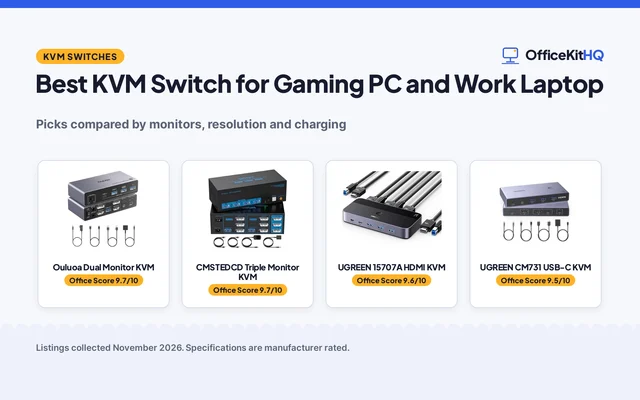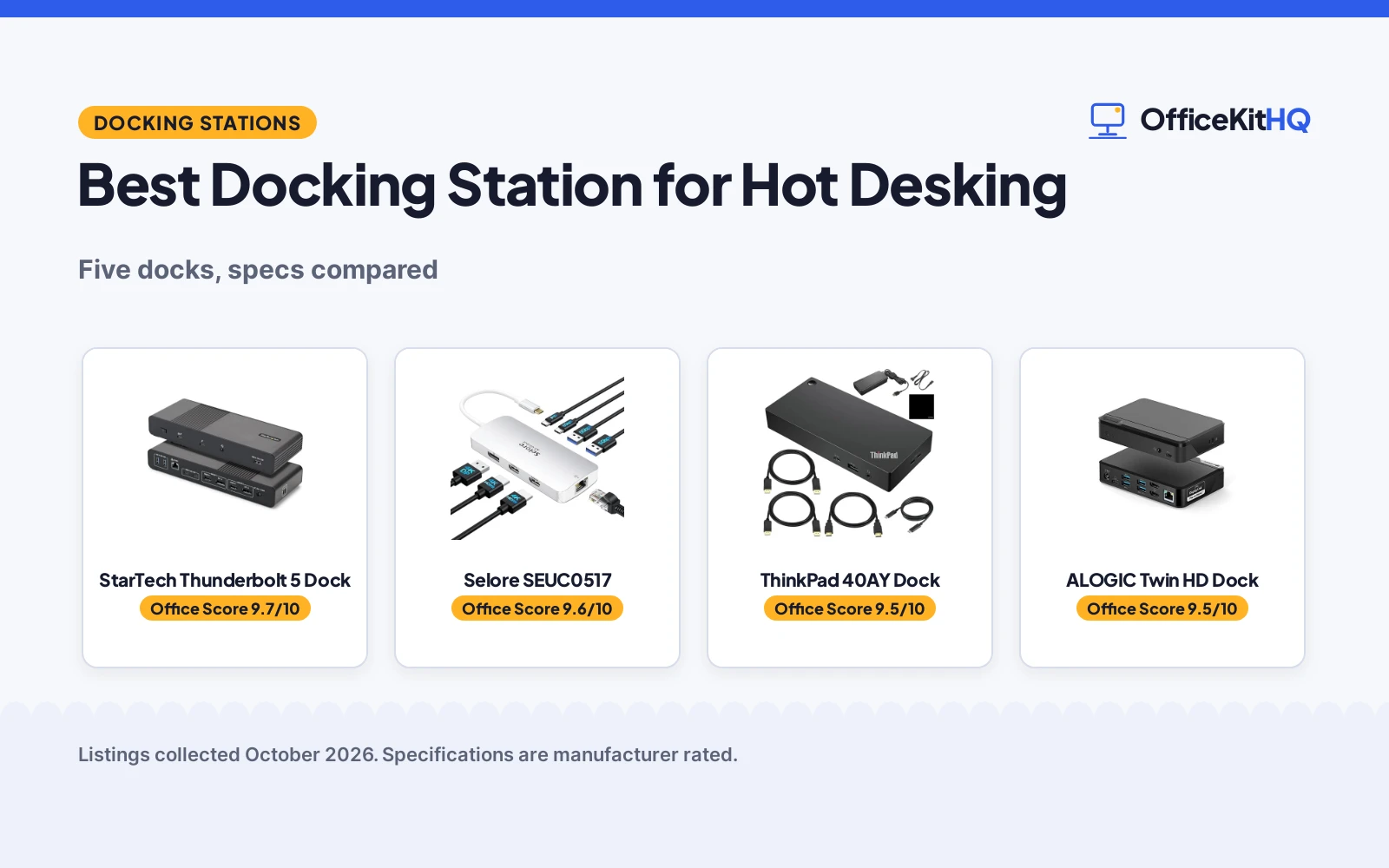
The shared desk is already taken when you arrive with a laptop and a bag of adapters, and the best docking station for hot desking is the one that turns that pile into a tidy connection. This guide compares docking stations by display outputs, charging wattage, Ethernet, lock slots and warranty term, using only what each listing publishes. Shared desks reward docks that connect fast, hold the laptop charge and stay put when the next person sits down.
OfficeKitHQ earns a commission when you buy through links on this page, at no extra cost to you. As an Amazon Associate I earn from qualifying purchases. Affiliate disclosure.
Quick picks
 Best Overall StarTech Thunderbolt 5 Dock: Quad 4K displays, 140W charging, driverless setup for shared desks Check price on Amazon
 Best Triple Display Selore SEUC0517: Triple 4K over one USB-C port, 100W charging, Gigabit Ethernet Check price on Amazon
 Best Cable Bundle ThinkPad 40AY Dock: Three displays plus HDMI and DisplayPort cables in the box Check price on Amazon
 Best Desk Security ALOGIC Twin HD Dock: Lock slot and Nano lock slot for desks used by many people Check price on Amazon
 Best Compact Pick RefurbTek DOCK423TT: Dual 4K HDMI, 100W pass-thru charging, SD readers, renewed unit Check price on Amazon
Our desk picks
| # | Product | Office Score | Buy |
|---|---|---|---|
| 1 | StarTech Thunderbolt 5 Dock | 9.7/10 | Buy on Amazon |
| 2 | Selore SEUC0517 | 9.6/10 | Buy on Amazon |
| 3 | ThinkPad 40AY Dock | 9.5/10 | Buy on Amazon |
| 4 | ALOGIC Twin HD Dock | 9.5/10 | Buy on Amazon |
| 5 | RefurbTek DOCK423TT | 9.4/10 | Buy on Amazon |

StarTech Thunderbolt 5 Dock
A Thunderbolt 5 dock with quad 4K display support, 140W charging and lock slots, built for driverless setup on shared desks.
Pros
- Quad 4K display support on Windows, plus dual 6K on MacBook Pro and Max models
- 140W power delivery charging for laptops
- Driverless plug-and-play setup across macOS and Windows
- K-slot and Nano lock slots for desks in shared spaces
Cons
- No Ethernet port is stated in the listing
- Display count depends on the laptop model and OS
- Quad 4K on Mac needs 2 daisy-chained Thunderbolt monitors and M5 Max
- No included cable is named in the listing
Detailed Review
StarTech lists a Thunderbolt 5 universal dock with quad monitor support and 140W power delivery charging. On Windows it connects up to 4 extended 4K 60Hz displays through HDMI and DisplayPort, and on MacBook Pro and Max models it supports dual 6K, with triple 4K at 120Hz on MacBook Pro with M5 Pro. Setup is driverless plug-and-play across macOS and Windows, and integrated K-slot and Nano lock slots suit desks in shared spaces. The listing measures 9.6 by 3.6 by 1.4 in and weighs 1.61 lb.
Who it's for: shared desks where different laptops arrive each day and need up to 4 displays without driver setup. Who should skip it: desks that need a stated Ethernet port or a dock that works the same on every laptop model.
Its Office Score of 9.7/10 comes from performance 33/35, build 22/25, value 20/25, safety 8/10 and warranty 4/5: 87 of 100 points, placed on our 9.2 to 9.8 scale.
Key Specifications
| Displays | Up to 4 4K displays on Windows; dual 6K on MacBook Pro and Max |
|---|---|
| Power delivery | 140W |
| Size | 9.6 by 3.6 by 1.4 in |
| Weight | 1.61 lb |
Figures as published on the retailer listing, collected 30 October 2026. Performance figures are manufacturer rated.
Safety and Warranty
What this listing states. Integrated K-slot and Nano lock slots, so safety scores 8 of 10. 3-Year warranty. It does not say everything a buyer needs, such as who pays return shipping, so warranty scores 4 of 5. See How We Pick.
Power and heat. Use the supplied adapter, treat power delivery wattage and display support as the maker's claims for your laptop model, and give the dock room to vent.
This is general buying information, not professional advice. Follow each product manual and local rules, and see our Safety Disclaimer.

Selore SEUC0517
A USB-C dock that turns one port into triple 4K displays with 100W charging and Gigabit Ethernet.
Pros
- Triple 4K display output through 2 HDMI ports and DisplayPort
- 100W power delivery charging, with output limited to 85W for safety reasons
- Gigabit Ethernet at 10/100/1000 Mbps for wired networks
- Data transfer up to 5 Gbps through USB-C and USB-A ports
Cons
- On macOS the second external monitor only mirrors the first
- Needs a Thunderbolt 3/4/5, full-featured USB-C or USB4 host port
- Power delivery works only with devices that support the PD protocol
Detailed Review
Selore lists a USB-C dock that extends one Thunderbolt or USB-C port into 8 ports: 2 4K HDMI ports, a 4K DisplayPort, 2 USB 3.0 ports, a USB-C 3.0 port and a Gigabit Ethernet port, plus a power delivery port. The listing states 100W power delivery, then limits output to 85W for safety reasons; plan around the 85W figure. The spec table warranty entry reads as a bare 1, while the bullets state an 18-month warranty, and the bullets carry the term used here. On macOS the second external monitor only mirrors the first, so triple extended displays are a Windows setup.
Who it's for: Windows desks that need 3 4K displays, wired Ethernet and charging from one port. Who should skip it: Mac desks that need extended displays on every monitor, or laptops without a Thunderbolt or full-featured USB-C port.
Its Office Score of 9.6/10 comes from performance 29/35, build 20/25, value 21/25, safety 5/10 and warranty 3/5: 78 of 100 points, placed on our 9.2 to 9.8 scale.
Key Specifications
| Displays | Triple 4K: 2 HDMI and DisplayPort |
|---|---|
| Power delivery | 100W PD, 85W output limit |
| Ethernet | 1 Gbps, 10/100/1000 Mbps |
| Data transfer | Up to 5 Gbps |
Figures as published on the retailer listing, collected 30 October 2026. Performance figures are manufacturer rated.
Safety and Warranty
What this listing states. Power output limited to 85W for safety reasons, so safety scores 5 of 10. 18-month warranty. It does not say everything a buyer needs, such as who pays return shipping, so warranty scores 3 of 5. See How We Pick.
Power and heat. Use the supplied adapter, treat power delivery wattage and display support as the maker's claims for your laptop model, and give the dock room to vent.
This is general buying information, not professional advice. Follow each product manual and local rules, and see our Safety Disclaimer.

ThinkPad 40AY Dock
A USB-C dock with 3 external display outputs, a 90W adapter and a cable bundle for one-cable desk setups.
Pros
- 3 external displays: 2 DisplayPort 1.4 and 1 HDMI 2.0
- Bundle includes an HDMI cable, 2 DisplayPort cables and a 1 m USB-C cable
- 90W power adapter in the box for charging USB-C notebooks
- Combo audio jack plus 3 USB 3.1, 2 USB 2.0 and 1 USB-C port
Cons
- Third display runs at 30Hz while the other 2 run at 60Hz
- No lock slot is stated in the listing
- No Thunderbolt support is stated in the listing
Detailed Review
The listing presents a ThinkPad Universal USB-C Dock with one-cable connection for displays and accessories. It supports 3 external displays through 2 DisplayPort 1.4 ports and 1 HDMI 2.0 port, with 2 displays at 3840x2160 at 60Hz and 1 at 3840x2160 at 30Hz. The box includes a 1 m USB-C cable, a 90W power adapter and a multimedia connectivity bundle, and the title adds an UltraHD HDMI cable and 2 DisplayPort cables. The title names the dock 40AY0090US while the spec table lists part number 40AS0090; the title and bullets are the guide here.
Who it's for: desks that want 3 displays with cables in the box and one-cable connection. Who should skip it: desks that need all 3 displays at 60Hz, or a dock with a stated lock slot.
Its Office Score of 9.5/10 comes from performance 29/35, build 21/25, value 20/25, safety 0/10 and warranty 2/5: 72 of 100 points, placed on our 9.2 to 9.8 scale.
Key Specifications
| Displays | 3 external: 2 DisplayPort 1.4, 1 HDMI 2.0 |
|---|---|
| Power adapter | 90W |
| Weight | 3.0 lb |
| In the box | Dock, 1 m USB-C cable, 90W adapter, HDMI cable, 2 DisplayPort cables |
Figures as published on the retailer listing, collected 30 October 2026. Performance figures are manufacturer rated.
Safety and Warranty
What this listing states. No UL, FCC or over-current protection statement is stated, so safety scores zero. 1 year warranty. It does not say everything a buyer needs, such as who pays return shipping, so warranty scores 2 of 5. See How We Pick.
Power and heat. Use the supplied adapter, treat power delivery wattage and display support as the maker's claims for your laptop model, and give the dock room to vent.
This is general buying information, not professional advice. Follow each product manual and local rules, and see our Safety Disclaimer.

ALOGIC Twin HD Dock
A universal dock with dual 1080p HDMI outputs, USB-C and USB-A host connections and lock slots for shared offices.
Pros
- Dual 1080p displays at 60Hz through 2 HDMI ports
- Universal host cable with a USB-C to USB-A adapter for both laptop types
- Gigabit Ethernet at 10/100/1000 Mbps
- Lock slot and Nano lock slot for shared offices and public spaces
Cons
- Displays top out at 1080p, below the 4K outputs on the other docks
- No charging wattage is stated in the listing
- No warranty term is stated in the listing
- Dual displays need external displays compatible with 1920x1080 at 60Hz
Detailed Review
ALOGIC lists a universal twin HD dock with dual displays at up to 1080p through 2 HDMI ports at 60Hz. The host cable carries a USB-C to USB-A adapter, so the dock accepts USB-C and USB-A laptops, and the port mix covers USB-C 3.1 Gen 1 at 5 Gbps, 3 USB-A 3.0 ports, 1 USB-A 3.0 port with BC 1.2, Gigabit Ethernet and a 3.5 mm headphone and microphone combo jack. A lock slot and a Nano lock slot suit shared offices and public spaces. The listing states no warranty term.
Who it's for: shared desks with older USB-A laptops and 1080p monitors that need lock slots. Who should skip it: desks that need 4K displays, stated charging wattage or a stated warranty term.
Its Office Score of 9.5/10 comes from performance 23/35, build 20/25, value 20/25, safety 7/10 and warranty 0/5: 70 of 100 points, placed on our 9.2 to 9.8 scale.
Key Specifications
| Displays | Dual 1080p at 60Hz via 2 HDMI |
|---|---|
| Host connection | USB-C with USB-A adapter |
| Ethernet | Gigabit, 10/100/1000 Mbps |
| Audio | 3.5 mm headphone and microphone combo jack |
Figures as published on the retailer listing, collected 30 October 2026. Performance figures are manufacturer rated.
Safety and Warranty
What this listing states. Lock slot and Nano lock slot, so safety scores 7 of 10. No warranty term, so warranty scores zero. See How We Pick.
Power and heat. Use the supplied adapter, treat power delivery wattage and display support as the maker's claims for your laptop model, and give the dock room to vent.
This is general buying information, not professional advice. Follow each product manual and local rules, and see our Safety Disclaimer.

RefurbTek DOCK423TT
A renewed compact USB-C dock with dual 4K HDMI, 100W pass-thru charging and SD card readers for mobile desks.
Pros
- Dual HDMI 4K output for 2 independent screens on Windows or Chromebook
- 100W power delivery pass-thru charging at 20V and 5A
- SD and Micro SD card readers with UHS-I support
- Transfer speeds up to 5 Gbps per USB-A port
Cons
- Renewed unit that may arrive in a generic box
- On macOS it shows 1 screen, or dual mirror, not 2 independent screens
- Needs a USB-C DisplayPort Alt Mode host
- Minimum 90-day warranty term, below the 3-year, 18-month and 1-year terms
Detailed Review
RefurbTek lists a compact USB-C dual HDMI 4K dock with 100W power delivery pass-thru for mobile and hot desking workers. It connects 2 HDMI monitors, a Gigabit Ethernet connection and USB-A ports for mice, keyboards and hard drives, with SD and Micro SD readers supporting UHS-I. The model in the spec table adds an R suffix to the DOCK423TT name in the title. This is a renewed product that ships with all relevant accessories and a minimum 90-day warranty, and it may arrive in a generic box.
Who it's for: mobile desks that need dual 4K HDMI, card readers and pass-thru charging in a compact dock. Who should skip it: Mac desks that need 2 independent screens, or buyers who want a new unit with a longer warranty term.
Its Office Score of 9.4/10 comes from performance 27/35, build 18/25, value 21/25, safety 0/10 and warranty 1/5: 67 of 100 points, placed on our 9.2 to 9.8 scale.
Key Specifications
| Displays | Dual HDMI 4K, independent screens on Windows or Chromebook |
|---|---|
| Power delivery | 100W pass-thru, 20V and 5A |
| Card readers | SD and Micro SD, UHS-I |
| Data transfer | Up to 5 Gbps per port |
Figures as published on the retailer listing, collected 30 October 2026. Performance figures are manufacturer rated.
Safety and Warranty
What this listing states. No UL, FCC or over-current protection statement is stated, so safety scores zero. Minimum 90-day warranty. It does not say everything a buyer needs, such as who pays return shipping, so warranty scores 1 of 5. See How We Pick.
Power and heat. Use the supplied adapter, treat power delivery wattage and display support as the maker's claims for your laptop model, and give the dock room to vent.
This is general buying information, not professional advice. Follow each product manual and local rules, and see our Safety Disclaimer.
As an Amazon Associate I earn from qualifying purchases.
More picks to compare
 Apricorn ATB4DSThunderbolt 4 dock with dual 4K monitors, 96W charging and lock slots.Check on Amazon
 HP 3005pr Port ReplicatorOne-cable replicator with six USB devices and two external displays for hot desking.Check on Amazon
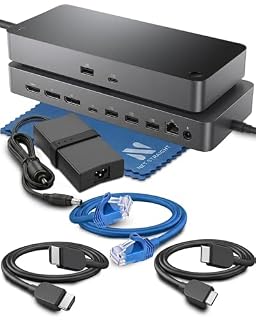 Net Straight SD25 ProUSB-C dock with dual 4K monitors, 130W charging and 2.5GbE Ethernet for fleets.Check on Amazon
Specs compared
| Docking station | Office Score | Displays | Power delivery | Ethernet | Warranty | Amazon |
|---|---|---|---|---|---|---|
| StarTech Thunderbolt 5 Dock | 9.7/10 | Quad 4K | 140W | Not stated | 3 years | View on Amazon |
| Selore SEUC0517 | 9.6/10 | Triple 4K | 100W, 85W output | 1 Gbps | 18 months | View on Amazon |
| ThinkPad 40AY Dock | 9.5/10 | Triple 4K | 90W adapter | Gigabit | 1 year | View on Amazon |
| ALOGIC Twin HD Dock | 9.5/10 | Dual 1080p | Not stated | Gigabit | Not stated | View on Amazon |
| RefurbTek DOCK423TT | 9.4/10 | Dual 4K | 100W pass-thru | Gigabit | 90 days | View on Amazon |
Specs reflect manufacturer claims on each product listing (as of 30 October 2026). Four of the five state a warranty term; three state lock slots or a stated charging limit for safety.
How to choose the best docking station for hot desking
Count the monitors first
Display count is the first number to check, because it decides how many screens the desk can run from one connection. The StarTech runs up to 4 extended 4K 60Hz displays on Windows, plus dual 6K on MacBook Pro and Max models, while the Selore and the Sixdrop each run 3 displays and the RefurbTek and the ALOGIC each run 2. On macOS the picture changes: the Selore mirrors its second external monitor instead of extending it, and the RefurbTek shows 1 screen, or dual mirror. If the desk serves Mac laptops, check the macOS line for each dock before counting on the Windows figure.
Charging wattage decides the laptop
Charging wattage decides whether the laptop gains charge while it drives monitors. The StarTech delivers 140W, the Selore lists 100W with an 85W output limit, the RefurbTek passes through up to 100W at 20V and 5A, and the Sixdrop ships with a 90W adapter. The ALOGIC listing states no charging wattage, so plan a separate charger for that desk. For a desk where charging matters as much as video, see the best usb hub with power delivery guide as well.
| Docking station | Displays | Power delivery | Ethernet | Warranty |
|---|---|---|---|---|
| StarTech Thunderbolt 5 Dock | Quad 4K | 140W | Not stated | 3 years |
| Selore SEUC0517 | Triple 4K | 100W, 85W output | 1 Gbps | 18 months |
| ThinkPad 40AY Dock | Triple 4K | 90W adapter | Gigabit | 1 year |
| ALOGIC Twin HD Dock | Dual 1080p | Not stated | Gigabit | Not stated |
| RefurbTek DOCK423TT | Dual 4K | 100W pass-thru | Gigabit | 90 days |
Figures as stated in each listing; the Selore 85W figure is the stated output limit behind its 100W headline.
Lock slots and shared desks
Lock slots are the shared-desk feature that keeps a dock where it belongs. The StarTech has an integrated K-slot and a Nano lock slot, and the ALOGIC has a lock slot and a Nano lock slot, while the other three listings state no lock slot. A dock without a lock slot still works on a shared desk, but it needs a drawer or a shelf at the end of the day. A shared desk also needs peripherals that move with the user; see the best wireless mouse for hot desking guide for mice that pair with these docks.
Cables, ports and the host port
The host port decides whether the dock works at all. The Selore needs a Thunderbolt 3, 4 or 5 port, a full-featured USB-C port or a USB4 port, and the RefurbTek needs a USB-C DisplayPort Alt Mode host, while the ALOGIC accepts USB-C and USB-A laptops through its adapter. Port mix matters next: the Sixdrop bundle adds an HDMI cable and 2 DisplayPort cables, the RefurbTek adds SD and Micro SD readers, and the ALOGIC and Sixdrop each add an audio jack. Keep the cable runs tidy with the best usb hub for cable management guide.
Setup Notes
- Measure the dock footprint against the desk: the StarTech measures 9.6 by 3.6 by 1.4 in and the Sixdrop measures 3.2 by 1.2 by 6.7 in.
- Check the host port before buying: the Selore needs a Thunderbolt 3, 4 or 5 port, a full-featured USB-C port or a USB4 port, and the RefurbTek needs a USB-C DisplayPort Alt Mode host.
- Plan power around the stated figures: the StarTech delivers 140W, the Selore output is limited to 85W, and the Sixdrop ships with a 90W adapter.
- Check the box contents: the Sixdrop bundle includes an HDMI cable, 2 DisplayPort cables and a 1 m USB-C cable.
FAQ
Can one dock serve every laptop on a shared desk?
Not every dock: the StarTech is driverless across macOS and Windows, the ALOGIC accepts USB-C and USB-A hosts, and the Selore needs a Thunderbolt or full-featured USB-C port. Check the host port on each laptop before choosing.
How many monitors can these docks run?
The StarTech runs up to 4 4K displays on Windows, the Selore and Sixdrop run 3 displays, the RefurbTek runs 2, and the ALOGIC runs 2 at 1080p. On macOS the Selore mirrors the second monitor and the RefurbTek shows 1 screen, or dual mirror.
Does a docking station charge the laptop?
The StarTech delivers 140W, the Selore lists 100W with an 85W output limit, the RefurbTek passes through up to 100W, and the Sixdrop ships with a 90W adapter. The ALOGIC listing states no charging wattage.
What keeps a dock on a shared desk?
The StarTech has K-slot and Nano lock slots, and the ALOGIC has a lock slot and a Nano lock slot. The other three listings state no lock slot.
Is a renewed dock worth considering for hot desking?
The RefurbTek is a renewed unit with dual 4K HDMI, 100W pass-thru charging and a minimum 90-day warranty, and it may arrive in a generic box. Compare that term with the 3-year StarTech term, the 18-month Selore term and the 1-year Sixdrop term before deciding.
Score breakdown
The Office Score weighs performance (display count and resolution, charging wattage and port mix), build (housing, footprint and lock slots where stated), value for the stated specs, safety and warranty. For a docking station, safety means stated lock slots or a stated charging limit on the listing; the StarTech and ALOGIC state lock slots, and the Selore states an 85W output limit, while the other two state neither. Four listings state a warranty term: StarTech at 3 years, Selore at 18 months, Sixdrop at 1 year and RefurbTek at 90 days. How we pick explains the weights.
| Product | Office Score | Perf. /35 | Build /25 | Value /25 | Safety /10 | Warranty /5 |
|---|---|---|---|---|---|---|
| StarTech Thunderbolt 5 Dock | 9.7 | 33 | 22 | 20 | 8 | 4 |
| Selore SEUC0517 | 9.6 | 29 | 20 | 21 | 5 | 3 |
| ThinkPad 40AY Dock | 9.5 | 29 | 21 | 20 | 0 | 2 |
| ALOGIC Twin HD Dock | 9.5 | 23 | 20 | 20 | 7 | 0 |
| RefurbTek DOCK423TT | 9.4 | 27 | 18 | 21 | 0 | 1 |
The scale opens at 9.2 and closes at 9.8; between those marks, weighted points translate linearly into the score you see.
More for your workspace
See every docking station and USB hub guide and all audio, power and connectivity guides.
More picks: best docking station for home office, best docking station for macbook pro, best usb hub for standing desk, best docking station for lenovo laptop.