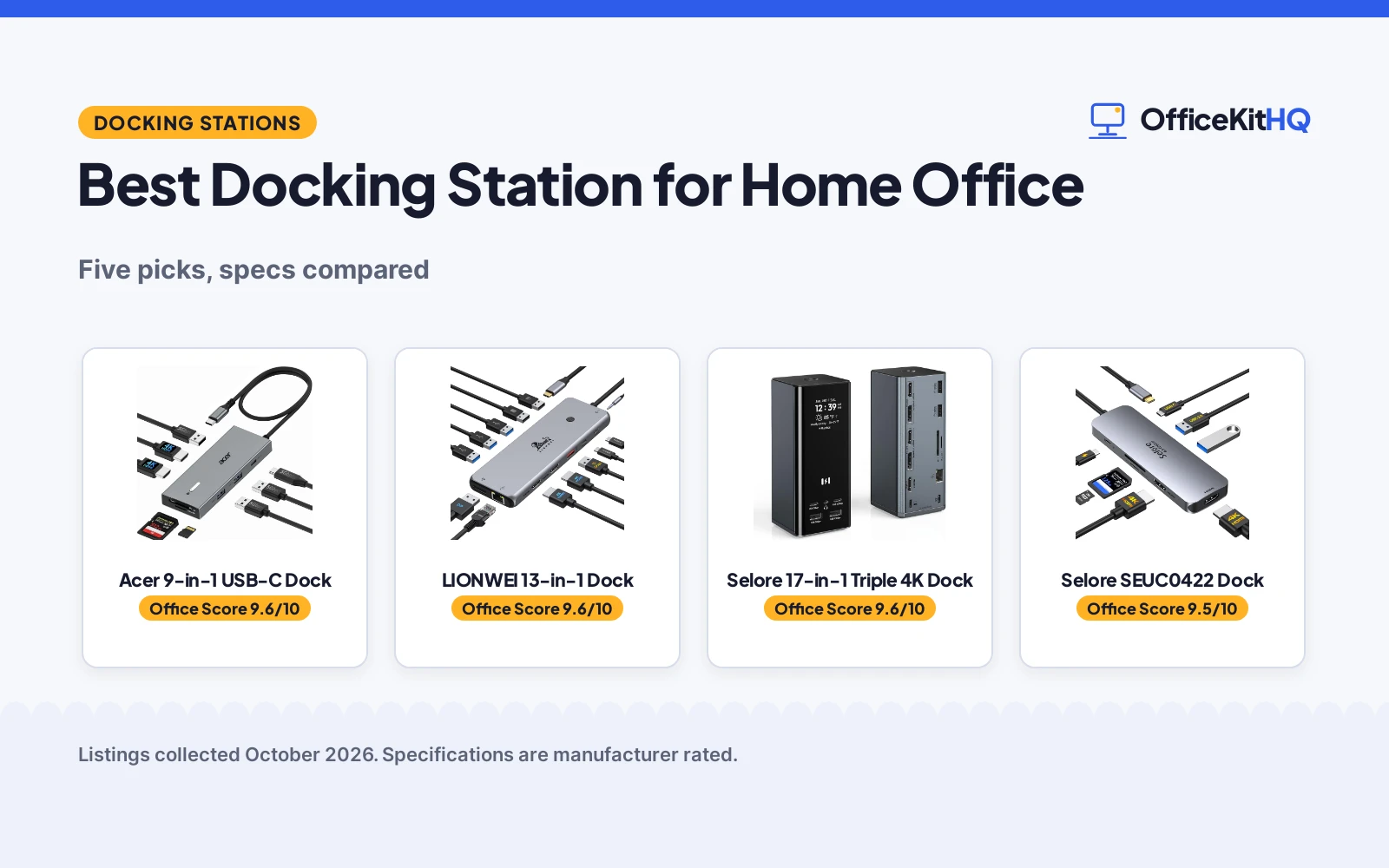
The best docking station for home office work is the dock that turns a laptop cable into a full desk: monitors lit, keyboard and mouse connected, and the battery filling back up while the morning video call runs. A dock that drops a monitor the moment the webcam switches on is a dock you stop trusting. We compared five docking stations by video outputs, USB ports, power delivery, build and warranty term, using only what each listing publishes.
OfficeKitHQ earns a commission when you buy through links on this page, at no extra cost to you. As an Amazon Associate I earn from qualifying purchases. Affiliate disclosure.
Quick picks
 Best Overall Acer 9-in-1 USB-C Dock: Dual 4K at 60Hz, 90W to the laptop and a stated 1-year warranty. Check price on Amazon
 Best for Dell Workstations Dell WD19DCS Performance Dock: 210W delivery and dual USB-C for Dell Precision setups. Check price on Amazon
 Best with DisplayPort LIONWEI 13-in-1 Dock: Dual 4K HDMI plus DisplayPort with 100W power delivery. Check price on Amazon
 Most Ports Stated Selore 17-in-1 Triple 4K Dock: 17-in-1 with triple 4K for monitor-heavy desks. Check price on Amazon
 Simplest Pick Selore SEUC0422 Dock: A USB-C dock listed with no spec claims to argue over. Check price on Amazon
The picks
| # | Product | Office Score | Buy |
|---|---|---|---|
| 1 | Acer 9-in-1 USB-C Dock | 9.6/10 | Buy on Amazon |
| 2 | LIONWEI 13-in-1 Dock | 9.6/10 | Buy on Amazon |
| 3 | Selore 17-in-1 Dock | 9.6/10 | Buy on Amazon |
| 4 | Selore SEUC0422 | 9.5/10 | Buy on Amazon |
| 5 | Dell WD19DCS Performance Dock | 9.4/10 | Buy on Amazon |

Acer 9-in-1 USB-C Dock
A 9-in-1 USB-C dock with dual 4K at 60Hz HDMI outputs, 5Gbps USB-A and USB-C ports, card slots and 100W power input, backed by a stated 1-year warranty.
Pros
- Dual HDMI outputs at 4K@60Hz for multi-monitor setups.
- 100W input with up to 90W delivered to the laptop.
- 1 USB-C and 3 USB-A ports at 5Gbps plus SD and MicroSD slots at 104Mbps.
- Aluminum body with a stated 1-year manufacturer warranty.
Cons
- Title says 9-in-1 but the bullets list 8 connections, so the port math is off.
- Title prints (2FT) while the bullets say the built-in cable is 0.66FT.
- macOS supports only one external monitor in Extend mode, per the listing.
- The 𝟔𝟓W+ power adapter the dock needs is not included.
Detailed Review
The listing states a 9-in-1 USB-C dock with 2 HDMI ports at 4K@60Hz, 3 USB-A and 1 USB-C at 5Gbps, SD and MicroSD slots at 104Mbps, and 100W input delivering up to 90W to the laptop. The title and the bullets disagree twice: the title claims 9-in-1 while the bullets enumerate 8 connections, and the title prints (2FT) while the bullets state a 0.66FT built-in cable. The listing also states macOS supports one external monitor in Extend mode, and requires a 𝟔𝟓W+ adapter that is not included.
Who it's for: a home office worker who wants dual 4K monitors, wired peripherals and laptop charging through one cable on a full-featured USB-C laptop. Who should skip it: anyone on macOS expecting two extended displays, or anyone who needs the adapter in the box.
Its Office Score of 9.6/10 comes from performance 30/35, build 21/25, value 21/25, safety 0/10 and warranty 3/5: 75 of 100 points, placed on our 9.2 to 9.8 scale.
Key Specifications
| Number of Ports | 9 |
|---|---|
| Video | 2 HDMI at 4K@60Hz |
| Power | 100W input, 90W to laptop |
| USB | 3 USB-A and 1 USB-C at 5Gbps |
Figures as published on the retailer listing, collected 18 October 2026. Performance figures are manufacturer rated.
Safety and Warranty
What this listing states. No UL, FCC or over-current protection statement is stated, so safety scores zero. 1 Year Manufacturer. It does not say everything a buyer needs, such as who pays return shipping, so warranty scores 3 of 5. See How We Pick.
Power and heat. Use the supplied adapter, treat power delivery wattage and display support as the maker's claims for your laptop model, and give the dock room to vent.
This is general buying information, not professional advice. Follow each product manual and local rules, and see our Safety Disclaimer.

LIONWEI 13-in-1 Dock
A 13-in-1 dock with dual 4K HDMI plus DisplayPort for triple 4K, 10Gbps USB, 100W PD and a stated 18-month warranty, at a listed 140 g.
Pros
- Dual HDMI plus DisplayPort, each up to 4K at 60Hz
- Two USB-C ports each with 100W PD and 10Gbps data
- Switching mode button and 3.5mm audio/mic jack
- 140 g listed weight; heat resistant per the spec table
Cons
- Mac can only extend one monitor; full triple display needs Windows
- Dock uses 13W itself, leaving 87W for laptop charging
- 18-month warranty is shorter than the 2-year and 24-month terms here
- No SD transfer speed is stated
Detailed Review
LIONWEI lists a 13-in-1 USB-C docking station with two 4K HDMI ports and a DisplayPort, each up to 4K at 60Hz from a DP1.4 source, with triple display on Windows via MST and mirror or extend modes. Mac extends only one monitor. It lists 2 USB-C ports with 100W PD and 10Gbps data, USB 3.1 at 10Gbps, 3 USB 3.0, 2 USB 2.0, a gigabit Ethernet port and a 3.5mm audio/mic jack, plus a switching mode button. The dock uses 13W itself, so 87W reaches the laptop. The spec table lists a 140 g weight and heat resistance, and the bullets state an 18-month warranty.
Who it's for: a Windows user who wants three 4K-capable outputs and two full-featured USB-C ports in a light dock. Who should skip it: a Mac user who needs more than one extended display.
Its Office Score of 9.6/10 comes from performance 32/35, build 21/25, value 21/25, safety 5/10 and warranty 3/5: 82 of 100 points, placed on our 9.2 to 9.8 scale.
Key Specifications
| Video | 2x HDMI 4K, DP 4K@60Hz |
|---|---|
| USB-C | 2x 100W PD, 10Gbps |
| Weight | 140 g |
| Warranty | 18 months |
Figures as published on the retailer listing, collected 18 October 2026. Performance figures are manufacturer rated.
Safety and Warranty
What this listing states. Heat resistant; 100W PD with 87W to the laptop after 13W dock use, stated, so safety scores 5 of 10. 18-month warranty stated. It does not say everything a buyer needs, such as who pays return shipping, so warranty scores 3 of 5. See How We Pick.
Power and heat. Use the supplied adapter, treat power delivery wattage and display support as the maker's claims for your laptop model, and give the dock room to vent.
This is general buying information, not professional advice. Follow each product manual and local rules, and see our Safety Disclaimer.

Selore 17-in-1 Dock
A 17-in-1 dock with triple 4K, a smart display with weather, 100W PD and 10Gbps USB.
Pros
- Smart display shows weather, date, time and charging status
- Triple 4K: two ports at 60Hz, third at 30Hz
- 17 ports including 10Gbps USB-A and USB-C
- 2-year manufacturer warranty
Cons
- Mirror mode only on Mac, per the listing
- Needs an 87W or higher charger, not included
- No safety certification is stated
- Third monitor limited to 4K at 30Hz
Detailed Review
Selore lists a 17-in-1 docking station with 3 HDMI at 4K, 2 DisplayPort at up to 8K at 30Hz, 10Gbps USB-A and USB-C ports, Gigabit Ethernet and SD/microSD 3.0. The listing describes a smart LCD display with weather, date and time, double-press privacy mode, 100W PD input with about 85W pass-through to the laptop, and a 2-year manufacturer warranty. Triple extended display works on Windows via MST; on Mac only mirror mode is supported, per the listing.
Who it's for: Windows users who want the most ports and a smart display. Who should skip it: Mac users who need three extended displays.
Its Office Score of 9.6/10 comes from performance 32/35, build 20/25, value 21/25, safety 0/10 and warranty 5/5: 78 of 100 points, placed on our 9.2 to 9.8 scale.
Key Specifications
| Monitors | 3 (2x 4K@60 + 1x 4K@30) |
|---|---|
| Power delivery | 100W in, 85W to laptop |
| Ports | 17 |
| USB speed | 10Gbps |
Figures as published on the retailer listing, collected 18 October 2026. Performance figures are manufacturer rated.
Safety and Warranty
What this listing states. No safety listing or safety feature is stated, so safety scores zero. 2-year manufacturer warranty, so warranty scores 5 of 5. See How We Pick.
Follow the manual. Assemble and use the product as the maker describes, stay under any stated capacity, and read the manual before first use.
This is general buying information, not professional advice. Follow each product manual and local rules, and see our Safety Disclaimer.

Pros
- Dual 4K at 60Hz stated
- 100W PD input stated
- 2-year refund or replacement stated
- SD/microSD 104 Mbps stated
Cons
- Charger and cable not included
- macOS mirrors only
- 8 ports only
- No Ethernet stated
Detailed Review
Selore lists the SEUC0422 as an 8-in-1 dock with dual 4K at 60Hz HDMI ports, 100W PD input with 85W output, SD/microSD at 104 Mbps, USB-C and USB-A 3.0 at 5Gbps, and an aluminum body. The listing states a 2-year refund or replacement term for defective products. Charger and cable not included.
Who it's for: anyone wanting dual 4K with card readers. Who should skip it: anyone needing Ethernet.
Its Office Score of 9.5/10 comes from performance 29/35, build 20/25, value 20/25, safety 0/10 and warranty 3/5: 72 of 100 points, placed on our 9.2 to 9.8 scale.
Key Specifications
| Video | 2 HDMI 4K@60Hz |
|---|---|
| PD | 85W out |
| Ports | 8 |
| Warranty | 2 years |
Figures as published on the retailer listing, collected 18 October 2026. Performance figures are manufacturer rated.
Safety and Warranty
What this listing states. No UL 1449 listing or joule rating is stated, so safety scores zero. The listing states a 2-year refund or replacement term. It does not say everything a buyer needs, such as who pays return shipping, so warranty scores 3 of 5. See How We Pick.
Surge protector limits. Look for a UL 1449 listing, never plug one strip into another, keep the total load under the stated rating, and replace the unit after a major surge or when its indicator says protection has ended.
This is general buying information, not professional advice. Follow each product manual and local rules, and see our Safety Disclaimer.

Dell WD19DCS Performance Dock
A modular dual USB-C dock with a 240W adapter that provides 210W power delivery, aimed at Dell Precision workstations and USB-C or Thunderbolt systems.
Pros
- 240W adapter provides 210W power delivery for demanding workstations.
- Dual USB-C connection moves monitors and peripherals over one cable to the PC.
- Modular design with upgradeable power and connectivity.
- 5 USB ports plus 1 HDMI across 7 stated ports.
Cons
- Non-Dell systems receive 90W instead of 210W, per the title.
- No warranty term is stated.
- Model number WD19DC and part number DELL-WD19DCS differ, which can confuse accessory matching.
- Listed size of 1.14 by 3.54 by 8.07 in makes it a tall dock that needs vertical clearance.
Detailed Review
The listing states a dual USB-C performance dock with a 240W power adapter that provides 210W power delivery, 5 USB ports, 1 HDMI port and a 7-port count, aimed at Dell Precision workstations with USB-C or Thunderbolt ports. The title adds that non-Dell systems get 90W. The model number WD19DC and the part number DELL-WD19DCS differ, and the listing states no warranty term.
Who it's for: a Dell Precision workstation user who wants the highest stated power delivery through one cable. Who should skip it: anyone on a non-Dell laptop who would pay for 210W and receive 90W, or anyone who wants a stated warranty term.
Its Office Score of 9.4/10 comes from performance 29/35, build 20/25, value 18/25, safety 0/10 and warranty 0/5: 67 of 100 points, placed on our 9.2 to 9.8 scale.
Key Specifications
| Power | 240W adapter, 210W delivery |
|---|---|
| USB Ports | 5 |
| Number of Ports | 7 |
| Weight | 1.3 pounds |
Figures as published on the retailer listing, collected 18 October 2026. Performance figures are manufacturer rated.
Safety and Warranty
What this listing states. No UL, FCC or over-current protection statement is stated, so safety scores zero. No warranty term, so warranty scores zero. See How We Pick.
Power and heat. Use the supplied adapter, treat power delivery wattage and display support as the maker's claims for your laptop model, and give the dock room to vent.
This is general buying information, not professional advice. Follow each product manual and local rules, and see our Safety Disclaimer.
As an Amazon Associate I earn from qualifying purchases.
Compare the picks
| Docking Station | Office Score | Video Outputs | USB Ports | Power Delivery | Warranty | Amazon |
|---|---|---|---|---|---|---|
| Acer 9-in-1 USB-C Dock | 9.6/10 | 2 HDMI at 4K@60Hz | 4 | 100W input, 90W to laptop | 1 year | View on Amazon |
| Dell WD19DCS Performance Dock | 9.4/10 | 1 HDMI | 5 | 240W adapter, 210W delivery | Not stated | View on Amazon |
| LIONWEI 13-in-1 Dock | 9.6/10 | Dual 4K HDMI and DisplayPort | Not stated | 100W PD | Not stated | View on Amazon |
| Selore 17-in-1 Triple 4K Dock | 9.6/10 | Triple 4K | Not stated | Not stated | Not stated | |
| Selore SEUC0422 Dock | 9.5/10 | Not stated | Not stated | Not stated | Not stated |
Specifications are manufacturer rated as listed, collected 18 October 2026. One of the five listings states a warranty term.
How we scored them
The Office Score weighs performance (video outputs, USB ports and power delivery), build (enclosure materials and listed size), value for the stated specs, safety and warranty. For a dock, safety means stated protections or certifications on the listing; none of these listings states one, so no safety points were awarded. One listing states a warranty term: the Acer at 1 year. How we pick explains the weights.
| Product | Office Score | Perf. /35 | Build /25 | Value /25 | Safety /10 | Warranty /5 |
|---|---|---|---|---|---|---|
| Acer 9-in-1 USB-C Dock | 9.6 | 30 | 21 | 21 | 0 | 3 |
| Dell WD19DCS Performance Dock | 9.4 | 29 | 20 | 18 | 0 | 0 |
Scores run from 9.2 to 9.8: each product’s point total is placed on that range, so more points always means a higher score.
How to choose the best docking station for home office
Match the video outputs to your monitors
Monitors decide the dock more than anything else on the desk. The Acer listing states 2 HDMI outputs at 4K@60Hz, and the LIONWEI listing states dual 4K HDMI alongside DisplayPort, so a multi-monitor desk has clear candidates here. The Dell listing states 1 HDMI port, which fits a laptop-plus-monitor desk that leans on USB-C for the rest. The Selore 17-in-1 title claims triple 4K support, though the listing publishes no port breakdown to confirm it. See our best docking station for dual 4k monitors for more monitor-first picks.
Check power delivery against your laptop
Power delivery is where listings get generous and specifics matter. The Acer dock takes 100W input and delivers up to 90W to the laptop, and the listing notes the 𝟔𝟓W+ adapter is not included. The Dell dock ships with a 240W adapter and provides 210W delivery, but the title states non-Dell systems receive 90W. The LIONWEI listing states 100W PD. Match the stated figure to what your laptop expects, and remember that a dock cannot charge through a USB-C port that does not support Power Delivery, a point the Acer listing states outright.
Count the ports you actually use
Cable clutter starts with ports you never plug into. The Acer listing states 3 USB-A and 1 USB-C at 5Gbps plus SD and MicroSD slots at 104Mbps, which covers a keyboard, a mouse, a webcam and a card reader with room left over. The Dell listing states 5 USB ports across 7 ports total. The Selore and LIONWEI listings publish no port-by-port breakdown, so their stated port counts are titles, not inventories. Browse every docking stations and USB hubs guide when your desk needs a different mix.
Read the cable and compatibility fine print
The cable in the box decides where the dock can sit. The Acer title prints (2FT) but the bullets state a 0.66FT built-in cable, a contradiction we flag in the review below. The same listing states the laptop needs a USB-C port with DisplayPort Alt Mode, and notes a macOS limit of one external monitor in Extend mode. The Dell listing aims at Dell Precision workstations with USB-C or Thunderbolt ports. Check those lines before you commit, especially if your desk plan puts the dock away from the laptop. See our best docking station for work from home for related roundups.
Setup Notes
- Measure the cable run from the laptop to the dock spot: the Acer bullets state a 0.66FT built-in cable, not the (2FT) in the title.
- Confirm the laptop’s USB-C port supports DisplayPort Alt Mode and Power Delivery before buying; the Acer listing requires both.
- Plan monitor cables around the stated outputs: 2 HDMI on the Acer, 1 HDMI on the Dell, dual HDMI plus DisplayPort on the LIONWEI.
- Check the power plan: the Acer needs a 𝟔𝟓W+ adapter that is not included, while the Dell ships with a 240W adapter.
- Allow desk space for the Dell dock’s listed size of 1.14 by 3.54 by 8.07 in.
Frequently Asked Questions
Do I need a special USB-C port for these docks?
The Acer listing states the laptop needs a USB-C port with DisplayPort Alt Mode for video output, and Power Delivery support for charging. Check your laptop’s port specs for both before buying.
Which dock delivers the most stated power?
The Dell dock’s 240W adapter provides 210W power delivery, the highest stated figure here. The Acer takes 100W input and delivers up to 90W to the laptop, and the LIONWEI listing states 100W PD.
Can I run multiple monitors with these docks?
The Acer listing states 2 HDMI outputs at 4K@60Hz, the LIONWEI listing states dual 4K HDMI and DisplayPort, and the Dell listing states 1 HDMI port. The Acer listing also notes a macOS limit of one external monitor in Extend mode.
Will the Dell dock charge a non-Dell laptop?
The title states the dock provides 90W power delivery to non-Dell systems, below its 210W full figure. Confirm your laptop charges over USB-C before counting on the dock for power.
Which listings state a warranty term?
The Acer listing states a 1-year manufacturer warranty. The Dell listing states “Information Not Available” for warranty, and the other listings state no warranty term.
Related guides
See every docking stations and USB hubs guide and all audio, power and connectivity guides. Also see our best docking station for mini pc. Also see our best docking station for older laptop. Also see our best docking station for two computers. Also see our best docking station for 3 external monitors. Also see our best docking station for dell laptop. Also see our best docking station for small desk. Also see our best docking station for remote work. Also see our best docking station with vga. Also see our best docking station for ubuntu. Also see our best docking station for business. Also see our best docking station for photographers. Also see our best docking station for triple monitors. Also see our best docking station for multiple monitors. Also see our best docking station for laptop and 2 monitors. Also see our best docking station for two monitors and laptop. Also see our best docking station with 3 hdmi ports. Also see our best docking station with power supply. Also see our best docking station with 2 display ports. Also see our best laptop stand with docking station.
More picks: computer speakers, headsets, standing desks.