
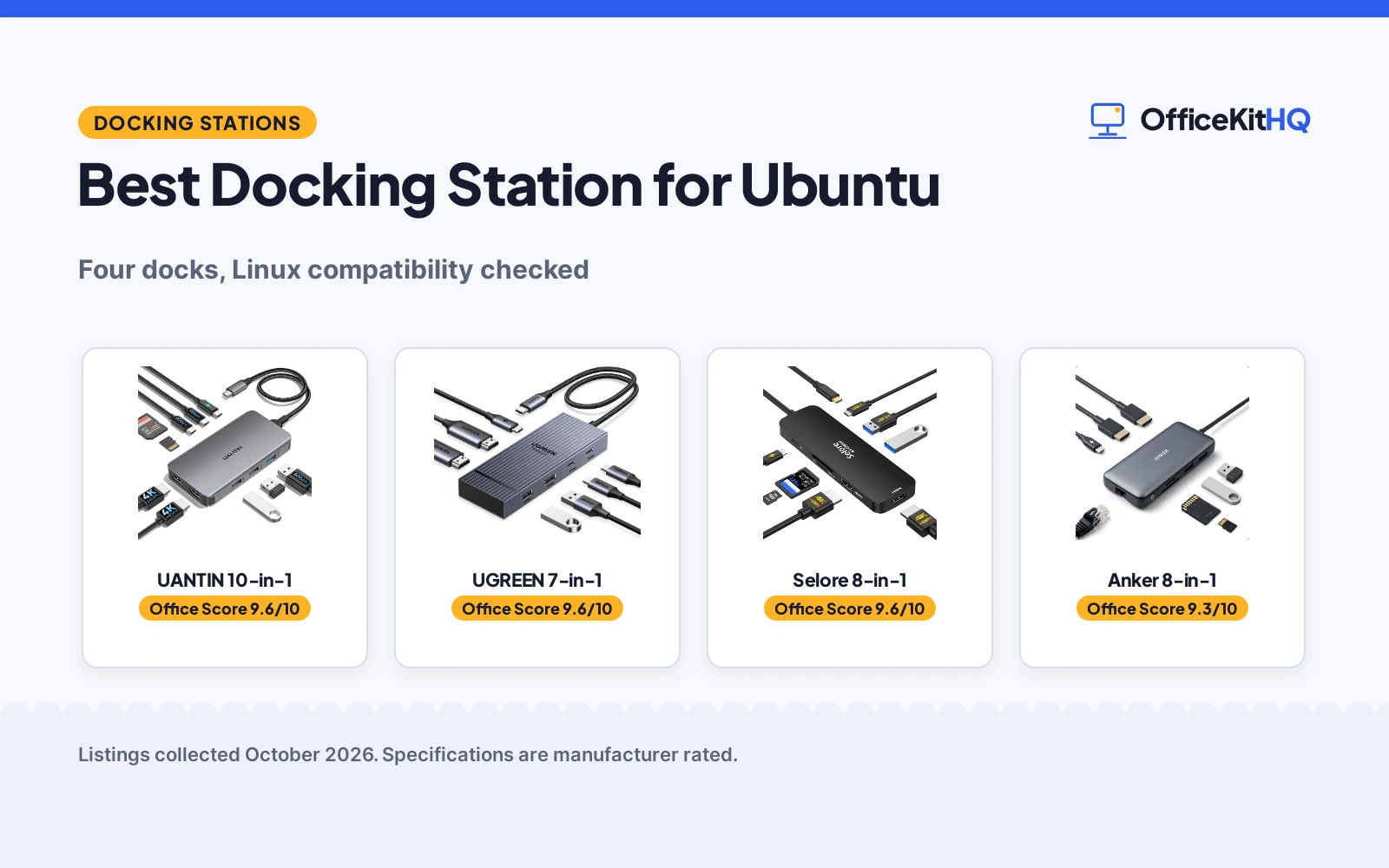
The best docking station for ubuntu starts with one line most listings bury: operating system support. A dock can have every port you want and still be useless if the maker states it does not work with Linux. We compared four USB-C docking stations by display output, port count, USB speed, power delivery and stated OS compatibility, using only what each listing publishes.
OfficeKitHQ earns a commission when you buy through links on this page, at no extra cost to you. As an Amazon Associate I earn from qualifying purchases. Affiliate disclosure.
Quick picks
 Top pick UANTIN 10-in-1: 10 ports, dual 4K@30Hz, 100W PD, aluminum body, 2-year warranty Check price on Amazon
 Best display UGREEN 7-in-1: Dual 4K@60Hz, 10Gbps USB, 100W PD, 2-year warranty Check price on Amazon
 Best dual 4K Selore 8-in-1: Dual 4K@60Hz, 100W PD in, 85W out, 1-year warranty Check price on Amazon
 Skip for Ubuntu Anker 8-in-1: States it is not compatible with Linux; Ubuntu users should skip it Check price on Amazon
The picks
| # | Product | Office Score | Buy |
|---|---|---|---|
| 1 | UANTIN 10-in-1 | 9.6/10 | Buy on Amazon |
| 2 | UGREEN 7-in-1 | 9.6/10 | Buy on Amazon |
| 3 | Selore 8-in-1 | 9.6/10 | Buy on Amazon |
| 4 | Anker 8-in-1 | 9.3/10 | Buy on Amazon |

UANTIN 10-in-1
A 10-port aluminum dock with dual 4K@30Hz HDMI, 100W PD and a 2-year warranty, for the biggest stated port count here.
Pros
- 10 ports: dual HDMI, 2 USB-C 5Gbps, 3 USB-A and SD/Micro SD
- Aluminum body with stated superior heat dissipation
- 2-year warranty is stated
- 100W PD input delivers up to 85W to the laptop
Cons
- Dual monitors top out at 4K@30Hz, not 4K@60Hz
- No Linux or Ubuntu support is stated on the listing
- The 30CM built-in cable limits desk placement
- 100W PD needs a 100W+ charger, not included
Detailed Review
UANTIN lists the 10-in-1 as a USB-C docking station with dual HDMI up to 4K@30Hz, 100W PD pass-through charging, 2 USB-C 5Gbps data ports, 1 USB-A 3.0, 2 USB-A 2.0 and SD/Micro SD slots. The listing states an aluminum alloy body with superior heat dissipation, a tangle-resistant 30CM nylon braided cable, and no drivers required for USB-C and Thunderbolt 3/4/5 laptops. It reserves about 15W for internal operation, delivering up to 85W to the device. The spec table states a 2 Year warranty. The listing does not mention Linux or Ubuntu, so buyers should confirm OS support before ordering.
Who it's for: someone who wants the most ports and stated heat dissipation in this group. Who should skip it: anyone who needs dual 4K@60Hz or confirmed Ubuntu support in writing.
Its Office Score of 9.6/10 comes from performance 29/35, build 21/25, value 21/25, safety 5/10 and warranty 4/5: 80 of 100 points, placed on our 9.2 to 9.8 scale.
Key Specifications
| Ports | 10 |
|---|---|
| Display | Dual 4K@30Hz |
| Power | 100W PD in, 85W to device |
| Cable | 30CM nylon braided |
Figures as published on the retailer listing, collected 19 October 2026. Performance figures are manufacturer rated.
Safety and Warranty
What this listing states. Aluminum alloy body delivers superior heat dissipation, so safety scores 5 of 10. 2 Year. It does not say everything a buyer needs, such as who pays return shipping, so warranty scores 4 of 5. See How We Pick.
Power and heat. Use the supplied adapter, treat power delivery wattage and display support as the maker's claims for your laptop model, and give the dock room to vent.
This is general buying information, not professional advice. Follow each product manual and local rules, and see our Safety Disclaimer.

UGREEN 7-in-1
A 7-port aluminum dock with dual 4K@60Hz HDMI and 10Gbps USB, for the sharpest stated dual-display output here.
Pros
- Dual 4K@60Hz HDMI, the highest stated dual refresh here
- 4x10Gbps USB-A and USB-C data ports
- 2-year warranty is stated
- 100W PD charging port
Cons
- No Linux or Ubuntu support is stated on the listing
- No safety features are stated
- Charging cable and power adapter are not included
- 7 ports is the fewest in this group
Detailed Review
UGREEN lists the 7-in-1 Revodok Pro as an aluminum USB-C docking station with 2 HDMI ports at dual 4K@60Hz, two 10Gbps USB-A ports, two 10Gbps USB-C ports and a 100W PD charging port. The listing states it needs a full-function or Thunderbolt 3/4 port and a 100W+ charger (not included), and the spec table states a 2 year warranty. The 10Gbps ports do not support charging, video or audio transfer. The listing does not mention Linux or Ubuntu.
Who it's for: someone who wants dual 4K@60Hz and fast 10Gbps data on Ubuntu-capable hardware. Who should skip it: anyone who needs more than 7 ports or confirmed Ubuntu support in writing.
Its Office Score of 9.6/10 comes from performance 32/35, build 21/25, value 20/25, safety 0/10 and warranty 4/5: 77 of 100 points, placed on our 9.2 to 9.8 scale.
Key Specifications
| Ports | 7 |
|---|---|
| Display | Dual 4K@60Hz |
| USB speed | 10Gbps |
| Power | 100W PD |
Figures as published on the retailer listing, collected 19 October 2026. Performance figures are manufacturer rated.
Safety and Warranty
What this listing states. No UL, FCC or over-current protection statement is stated, so safety scores zero. 2 year. It does not say everything a buyer needs, such as who pays return shipping, so warranty scores 4 of 5. See How We Pick.
Power and heat. Use the supplied adapter, treat power delivery wattage and display support as the maker's claims for your laptop model, and give the dock room to vent.
This is general buying information, not professional advice. Follow each product manual and local rules, and see our Safety Disclaimer.

Selore 8-in-1
An 8-port aluminum dock with dual 4K@60Hz HDMI and 100W PD input, for dual 4K on a mid-size dock.
Pros
- Dual 4K@60Hz HDMI ports
- 100W PD input with 85W output to the laptop
- Temperature control and stable performance are stated
- 1-year defective product refund/replacement is stated
Cons
- No Linux or Ubuntu support is stated on the listing
- Power charger and charging cable are not included
- USB-C data ports top out at 5Gbps, not 10Gbps
- The second USB-C port is data only, per the listing
Detailed Review
Selore&S-Global lists the 8-in-1 as a USB-C docking station with dual 4K@60Hz HDMI, a 100W PD charging port (85W output), a USB-C port up to 5Gbps, two USB 3.0 ports and a TF/SD card slot up to 104 Mbps. The bullets state temperature control and stable performance, and the listing states a 1-year defective product refund/replacement. It requires a Thunderbolt or full-featured USB-C port. The listing does not mention Linux or Ubuntu.
Who it's for: someone who wants dual 4K@60Hz with stated temperature control. Who should skip it: anyone who needs 10Gbps USB or confirmed Ubuntu support in writing.
Its Office Score of 9.6/10 comes from performance 28/35, build 21/25, value 20/25, safety 4/10 and warranty 3/5: 76 of 100 points, placed on our 9.2 to 9.8 scale.
Key Specifications
| Ports | 8 |
|---|---|
| Display | Dual 4K@60Hz |
| Power | 100W in, 85W out |
| USB speed | 5Gbps |
Figures as published on the retailer listing, collected 19 October 2026. Performance figures are manufacturer rated.
Safety and Warranty
What this listing states. Temperature control and stable performance stated, so safety scores 4 of 10. 1-year defective product refund/replacement. It does not say everything a buyer needs, such as who pays return shipping, so warranty scores 3 of 5. See How We Pick.
Power and heat. Use the supplied adapter, treat power delivery wattage and display support as the maker's claims for your laptop model, and give the dock room to vent.
This is general buying information, not professional advice. Follow each product manual and local rules, and see our Safety Disclaimer.

Anker 8-in-1
An 8-port dock with 1Gbps Ethernet and an 18-month warranty, but the listing states it is not compatible with Linux.
Pros
- 1Gbps Ethernet port, the only wired networking here
- 18-month warranty is stated
- 4K@60Hz single display or 4K@30Hz dual
- Compact 4.65 by 2.01 in body at 3.2 ounces
Cons
- The listing states this device is not compatible with Linux, so Ubuntu users should skip it
- No safety features are stated
- 100W PD wall charger and USB-C to C cable are required but not included
- 85W max PD is lower than the 100W PD inputs here
Detailed Review
Anker lists the PowerExpand 8-in-1 as a USB-C media hub with 2 HDMI ports (4K@60Hz single or 4K@30Hz dual), 85W max PD pass-through, 1Gbps Ethernet, 2 USB-A data ports and a microSD/SD card reader. The listing states it needs a 100W PD wall charger and USB-C to C cable, neither included, and states an 18-month warranty. Critically for this list, the compatibility section states plainly: this device is not compatible with Linux. We scored performance low because the one stated OS fact disqualifies it for Ubuntu.
Who it's for: Windows, ChromeOS or Thunderbolt laptop users who do not need Linux. Who should skip it: anyone running Ubuntu or any Linux distribution, per the listing itself.
Its Office Score of 9.3/10 comes from performance 21/35, build 19/25, value 19/25, safety 0/10 and warranty 3/5: 62 of 100 points, placed on our 9.2 to 9.8 scale.
Key Specifications
| Ports | 8 |
|---|---|
| Display | 4K@60Hz single, 4K@30Hz dual |
| Power | 85W max PD |
| Ethernet | 1Gbps |
Figures as published on the retailer listing, collected 19 October 2026. Performance figures are manufacturer rated.
Safety and Warranty
What this listing states. No UL, FCC or over-current protection statement is stated, so safety scores zero. 18-month warranty. It does not say everything a buyer needs, such as who pays return shipping, so warranty scores 3 of 5. See How We Pick.
Power and heat. Use the supplied adapter, treat power delivery wattage and display support as the maker's claims for your laptop model, and give the dock room to vent.
This is general buying information, not professional advice. Follow each product manual and local rules, and see our Safety Disclaimer.
As an Amazon Associate I earn from qualifying purchases.
Compare the picks
| Dock | Office Score | Ports | Display | Power | Warranty | Amazon |
|---|---|---|---|---|---|---|
| UANTIN 10-in-1 | 9.6/10 | 10 | Dual 4K@30Hz | 100W PD in, 85W out | 2 Year | View on Amazon |
| UGREEN 7-in-1 | 9.6/10 | 7 | Dual 4K@60Hz | 100W PD | 2 year | View on Amazon |
| Selore 8-in-1 | 9.6/10 | 8 | Dual 4K@60Hz | 100W in, 85W out | 1-year | View on Amazon |
| Anker 8-in-1 | 9.3/10 | 8 | 4K@60Hz single, 4K@30Hz dual | 85W PD | 18-month warranty | View on Amazon |
Specifications are manufacturer rated as listed, collected 19 October 2026. All four listings state a warranty term; none of the four states Ubuntu support, and one states it is not compatible with Linux.
How we scored them
The Office Score weighs performance (display output, port count, USB speed and Ubuntu fit), build (materials and cable), value for the stated specs, safety and warranty. For a dock, safety means stated temperature control, heat dissipation or a sturdy build; the UANTIN states heat dissipation and the Selore states temperature control. All four state a warranty term: two at 2 years, one at 18 months and one at 1 year. The Anker scored lowest on performance because its listing explicitly excludes Linux. How we pick explains the weights.
| Product | Office Score | Perf. /35 | Build /25 | Value /25 | Safety /10 | Warranty /5 |
|---|---|---|---|---|---|---|
| UANTIN 10-in-1 | 9.6 | 29 | 21 | 21 | 5 | 4 |
| UGREEN 7-in-1 | 9.6 | 32 | 21 | 20 | 0 | 4 |
| Selore 8-in-1 | 9.6 | 28 | 21 | 20 | 4 | 3 |
| Anker 8-in-1 | 9.3 | 21 | 19 | 19 | 0 | 3 |
Scores run from 9.2 to 9.8: each product’s point total is placed on that range, so more points always means a higher score.
How to choose the best docking station for ubuntu
Read the compatibility line first
Every dock here needs a Thunderbolt or full-featured USB-C port on the laptop, and that is stated on all four listings. The Anker goes further and states it is not compatible with Linux, which rules it out for Ubuntu outright. The other three do not mention Linux at all, so confirm OS support with the maker before ordering. If dual 4K is your goal, a docking station for dual 4K monitors guide compares more options.
Count ports against your desk
Port counts run from 7 on the UGREEN to 10 on the UANTIN, with the Selore and Anker at 8 each. USB speed splits the group: the UGREEN states 10Gbps on four ports, while the Selore and UANTIN state 5Gbps. The Anker is the only pick with 1Gbps Ethernet, and all four include an SD or microSD card reader. For bigger multi-screen plans, see docking stations for multiple monitors.
Plan power before you plug in
Three docks take 100W PD input, but the charger is never included: the Anker requires a 100W PD wall charger and USB-C to C cable, and the UANTIN delivers up to 85W to the laptop after reserving about 15W for itself. The Selore takes 100W in and outputs 85W. Check your laptop’s draw against those figures so the dock can actually charge it under load.
Setup Notes
- Confirm your laptop has a Thunderbolt or full-featured USB-C port with DP Alt Mode; every listing here requires one.
- Budget for a 100W PD charger and cable where needed: the Anker, Selore and UGREEN all note the charger is not included.
- Plan cable reach: the UANTIN’s built-in cable is 30CM, so the dock sits close to the laptop.
- Dual-monitor behavior varies by OS: the listings describe Windows extended and macOS mirror modes, with no Ubuntu statement except the Anker’s exclusion.
Frequently Asked Questions
Does the Anker dock work with Ubuntu?
No. The listing states this device is not compatible with Linux, so Ubuntu users should skip it.
Do these docks need drivers on Ubuntu?
The UANTIN states no drivers are required and the Selore states plug-and-play; the others do not state driver requirements. All four require a Thunderbolt or full-featured USB-C port.
What charger do I need for these docks?
The Anker needs a 100W PD wall charger and USB-C to C cable, neither included. The Selore and UGREEN also note the charger is not included, and the UANTIN delivers up to 85W to the laptop from a 100W input.
Can I run two 4K monitors?
The UGREEN and Selore state dual 4K@60Hz, the UANTIN states dual 4K@30Hz, and the Anker states 4K@60Hz on one monitor or 4K@30Hz on two.
Related guides
See every docking stations and USB hubs guide and all audio, power and connectivity guides.
More picks: docking stations for business, docking stations for photographers, monitor arms and stands.



