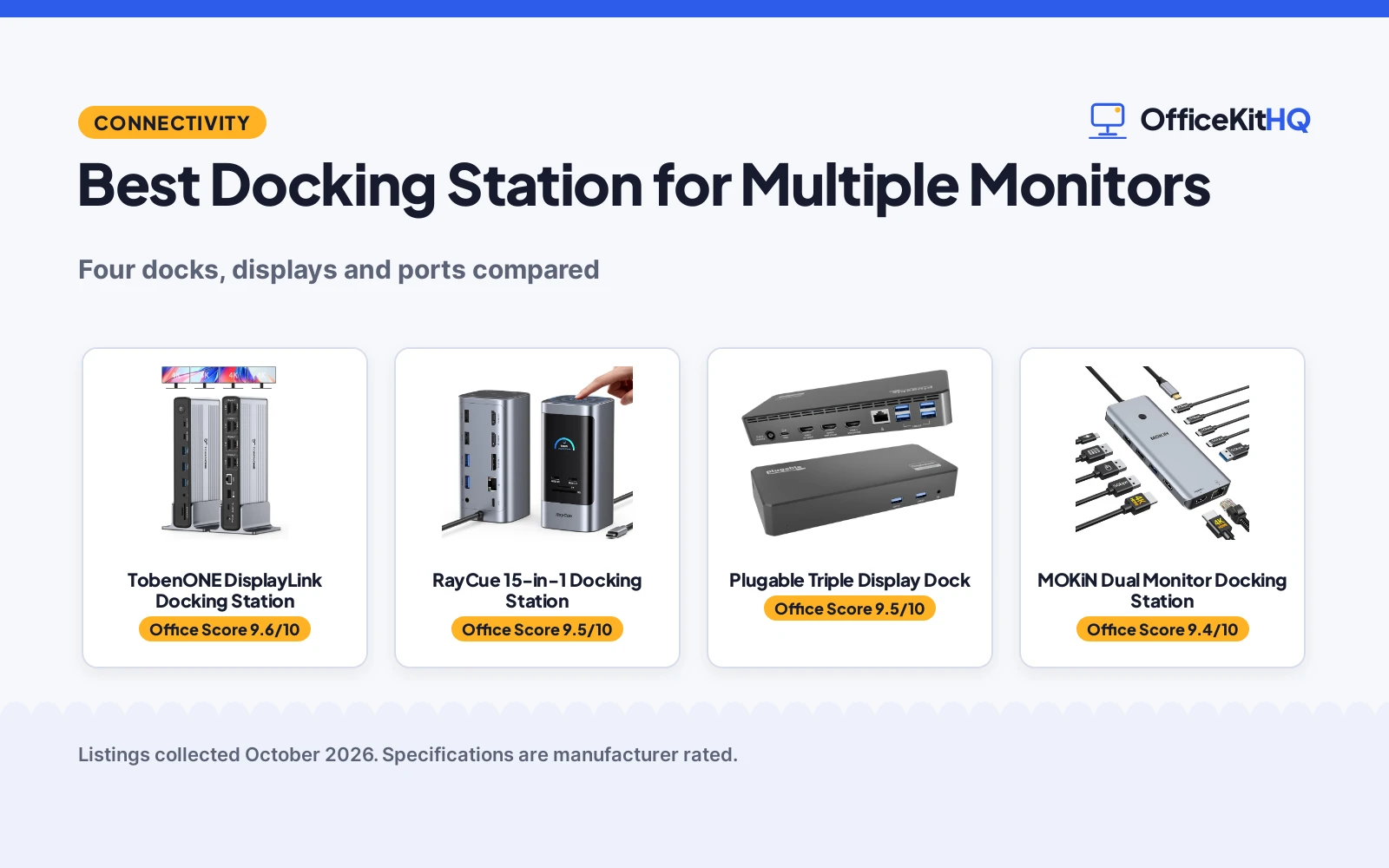
The best docking station for multiple monitors turns one laptop port into a full desk setup. One cable in the morning should give you every screen, every peripheral, and a charged battery; the wrong dock gives you a tangle of adapters instead. I compared four docking stations on display support, resolution, ports, and power delivery, using only what each listing states. The picks range from dual-monitor docks to a quad-display DisplayLink station, so match the dock to your monitor count first.
OfficeKitHQ earns a commission when you buy through links on this page, at no extra cost to you. As an Amazon Associate I earn from qualifying purchases. Affiliate disclosure.
Quick picks
 Best Overall TobenONE DisplayLink Docking Station: Quad 4K@60Hz, 20-in-1, 150W, 2-year warranty. Check price on Amazon
 Best Triple 8K RayCue 15-in-1 Docking Station: Triple display with 8K@30Hz, 15-in-1, 100W PD. Check price on Amazon
 Best Cross-Platform Plugable Triple Display Dock: Triple display, Windows/macOS/ChromeOS, 100W PD. Check price on Amazon
 Best Dual 4K MOKiN Dual Monitor Docking Station: Dual 4K@60Hz, 13-in-1, 100W charging. Check price on Amazon
Compare the picks
| Dock | OKH Score | Displays | Ports | Power | Standout | Amazon |
|---|---|---|---|---|---|---|
| TobenONE DisplayLink Docking Station | 9.6/10 | Quad 4K@60Hz | 20-in-1 | 150W | 2-year warranty | View on Amazon |
| RayCue 15-in-1 Docking Station | 9.5/10 | Triple, 8K@30Hz | 15-in-1 | 100W PD | 5 shortcut buttons | View on Amazon |
| Plugable Triple Display Dock | 9.5/10 | Triple, 4K@30Hz | 12-in-1 | 100W PD | Windows/macOS/ChromeOS | View on Amazon |
| MOKiN Dual Monitor Docking Station | 9.4/10 | Dual 4K@60Hz | 13-in-1 | 100W | Screen-off button | View on Amazon |
Dock details as published on each listing, collected 18 October 2026.
The picks
| # | Product | Office Score | Buy |
|---|---|---|---|
| 1 | TobenONE DisplayLink Docking Station | 9.6/10 | Buy on Amazon |
| 2 | RayCue 15-in-1 Docking Station | 9.5/10 | Buy on Amazon |
| 3 | Plugable Triple Display Dock | 9.5/10 | Buy on Amazon |
| 4 | MOKiN Dual Monitor Docking Station | 9.4/10 | Buy on Amazon |

TobenONE DisplayLink Docking Station
Quad 4K@60Hz DisplayLink dock, 20-in-1, 150W, 2-year warranty.
Pros
- Quad 4K@60Hz through 4 HDMI and 4 DP
- 20-in-1 port expansion
- 150W power supply included
- 2-year warranty stated
Cons
- DisplayLink driver install required
- Largest dock needs desk space
- No wireless display stated
- Premium feature set, premium size
Detailed Review
TobenONE lists a DisplayLink docking station with quad 4K@60Hz output through 4 HDMI and 4 DisplayPort, plus 20 ports total.
A 150W power supply is included, with Thunderbolt 5, 4, 3, and USB-C compatibility across Windows, Chrome, and MacBook.
Its Office Score of 9.6/10 comes from performance 32/35, build 21/25, value 20/25, safety 0/10 and warranty 4/5: 77 of 100 points, placed on our 9.2 to 9.8 scale.
Key Specifications
| Displays | Quad 4K@60Hz |
|---|---|
| Video out | 4 HDMI, 4 DP |
| Ports | 20-in-1 |
| Warranty | 2-year |
Figures as published on the retailer listing, collected 18 October 2026. Performance figures are manufacturer rated.
Safety and Warranty
What this listing states. No safety lock or safety listing is stated, so safety scores zero. 2-year warranty. It does not say everything a buyer needs, such as who pays return shipping, so warranty scores 4 of 5. See How We Pick.
Shredder and printer safety. Keep hair, ties, jewelry, children and pets away from the feed slot, use the safety lock, unplug when not in use, and give printers and adapters room to vent.
This is general buying information, not professional advice. Follow each product manual and local rules, and see our Safety Disclaimer.

RayCue 15-in-1 Docking Station
Triple-display dock with 8K@30Hz, 15-in-1, 100W PD.
Pros
- Triple display with 8K@30Hz
- 15-in-1 expansion
- 5 shortcut buttons
- 100W PD input
Cons
- No power adapter included
- Only 85W reaches the laptop from the 100W input
- MacOS limits not fully stated
- Triple display needs Windows
Detailed Review
RayCue lists a 15-in-1 docking station with triple display at 8K@30Hz and 4K@60Hz through HDMI and DisplayPort.
Six USB ports, gigabit Ethernet, an SD and TF reader, and five shortcut buttons round out the expansion; no power adapter is included.
Its Office Score of 9.5/10 comes from performance 30/35, build 20/25, value 19/25, safety 0/10 and warranty 4/5: 73 of 100 points, placed on our 9.2 to 9.8 scale.
Key Specifications
| Displays | Triple, 8K@30Hz |
|---|---|
| Video out | HDMI and DisplayPort |
| Ports | 15-in-1 |
| Power | 100W PD in |
Figures as published on the retailer listing, collected 18 October 2026. Performance figures are manufacturer rated.
Safety and Warranty
What this listing states. No safety lock or safety listing is stated, so safety scores zero. 1 Year. It does not say everything a buyer needs, such as who pays return shipping, so warranty scores 4 of 5. See How We Pick.
Shredder and printer safety. Keep hair, ties, jewelry, children and pets away from the feed slot, use the safety lock, unplug when not in use, and give printers and adapters room to vent.
This is general buying information, not professional advice. Follow each product manual and local rules, and see our Safety Disclaimer.

Plugable Triple Display Dock
Triple-display dock for Windows, macOS, and ChromeOS, 100W PD.
Pros
- Windows, macOS, and ChromeOS named
- Triple HDMI display support
- 100W power delivery
- 6x USB 5Gbps ports
Cons
- Only one 4K output
- Linux not supported
- 1080p on two outputs
- No card reader stated
Detailed Review
Plugable lists a triple-display docking station with one 4K@30Hz and two 1080p@60Hz HDMI outputs.
USB-C, USB4, and Thunderbolt laptops are supported across Windows, macOS, and ChromeOS, with 100W power delivery.
Its Office Score of 9.5/10 comes from performance 28/35, build 20/25, value 20/25, safety 0/10 and warranty 4/5: 72 of 100 points, placed on our 9.2 to 9.8 scale.
Key Specifications
| Displays | Triple HDMI |
|---|---|
| Resolution | 1x 4K@30Hz, 2x 1080p@60Hz |
| USB | 6x 5Gbps |
| Power | 100W PD |
Figures as published on the retailer listing, collected 18 October 2026. Performance figures are manufacturer rated.
Safety and Warranty
What this listing states. No safety lock or safety listing is stated, so safety scores zero. 2 Year. It does not say everything a buyer needs, such as who pays return shipping, so warranty scores 4 of 5. See How We Pick.
Shredder and printer safety. Keep hair, ties, jewelry, children and pets away from the feed slot, use the safety lock, unplug when not in use, and give printers and adapters room to vent.
This is general buying information, not professional advice. Follow each product manual and local rules, and see our Safety Disclaimer.

MOKiN Dual Monitor Docking Station
Dual 4K@60Hz dock, 13-in-1, 100W max charging.
Pros
- Dual 4K@60Hz display
- 13-in-1 port expansion
- 100W max charging
- Screen-off button
Cons
- Needs Thunderbolt or full-function USB-C
- macOS limited to SST mirrored mode
- Charger not included
- Dual display only
Detailed Review
MOKiN lists a dual-monitor docking station with two HDMI outputs at 4K@60Hz and 13-in-1 expansion.
The dock requires Thunderbolt 3 or 4 or a full-functional USB-C port; macOS laptops only support SST mirrored mode.
Its Office Score of 9.4/10 comes from performance 27/35, build 19/25, value 20/25, safety 0/10 and warranty 4/5: 70 of 100 points, placed on our 9.2 to 9.8 scale.
Key Specifications
| Displays | Dual 4K@60Hz |
|---|---|
| Video out | 2 HDMI |
| Ports | 13-in-1 |
| Power | 100W max |
Figures as published on the retailer listing, collected 18 October 2026. Performance figures are manufacturer rated.
Safety and Warranty
What this listing states. No safety lock or safety listing is stated, so safety scores zero. 2 Years. It does not say everything a buyer needs, such as who pays return shipping, so warranty scores 4 of 5. See How We Pick.
Shredder and printer safety. Keep hair, ties, jewelry, children and pets away from the feed slot, use the safety lock, unplug when not in use, and give printers and adapters room to vent.
This is general buying information, not professional advice. Follow each product manual and local rules, and see our Safety Disclaimer.
As an Amazon Associate I earn from qualifying purchases.
How we scored
The OKH Score weighs dock performance, build, value, safety features, and warranty. Performance covers display count, resolution, and ports; build covers construction and power supply; value weighs the feature set. No pick states a safety certification, so the safety column scores zero across the board. Every pick states a warranty term. How we pick explains the weights.
| Product | Office Score | Perf. /35 | Build /25 | Value /25 | Safety /10 | Warranty /5 |
|---|---|---|---|---|---|---|
| TobenONE DisplayLink Docking Station | 9.6 | 32 | 21 | 20 | 0 | 4 |
| RayCue 15-in-1 Docking Station | 9.5 | 30 | 20 | 19 | 0 | 4 |
| Plugable Triple Display Dock | 9.5 | 28 | 20 | 20 | 0 | 4 |
| MOKiN Dual Monitor Docking Station | 9.4 | 27 | 19 | 20 | 0 | 4 |
Scores run from 9.2 to 9.8: each product’s point total is placed on that range, so more points always means a higher score.
How to choose the best docking station for multiple monitors
Count your monitors first
Display count is the first filter, and it is the one buyers get wrong most often. The TobenONE drives four monitors at 4K@60Hz through 4 HDMI and 4 DisplayPort outputs, the most here, which suits trading desks and video walls. The RayCue and Plugable each support three: the RayCue lists triple 8K@30Hz and 4K@60Hz through HDMI and DisplayPort for high-resolution work, while the Plugable lists one 4K@30Hz plus two 1080p@60Hz outputs, fine for office apps and browsers. The MOKiN covers two monitors at 4K@60Hz, the classic dual-screen desk. Buy for the monitor count you have today, with one spare output for growth, because adding a second dock later is never as clean.
Check the laptop port requirement
Not every USB-C port can drive a dock, and this is where returns happen. The MOKiN states it only works with Thunderbolt 3 or 4 or a full-functional USB-C port, and notes that macOS laptops only support SST (mirrored) mode, so Mac users get duplication rather than extension. The TobenONE lists Thunderbolt 5, 4, 3, and USB-C compatibility across Windows, Chrome, and MacBook, the widest net here. The Plugable names Windows, macOS, and ChromeOS explicitly. Confirm your laptop’s port type on the maker’s spec page before ordering; a dock cannot add display outputs your port lacks, and a charge-only USB-C port will power nothing but disappointment.
Weigh ports, power, and extras
Count what else the dock carries, because the monitor outputs are only half the purchase. The TobenONE lists 20 ports with a 150W power supply, the largest here, which also future-proofs the power budget. The RayCue lists 15-in-1 expansion with 100W PD, a gigabit Ethernet port, an SD and TF card reader, and five shortcut buttons, but no power adapter is included, so budget for a 100W brick if you do not own one. The MOKiN lists 13-in-1 with 100W max charging and a screen-off button for privacy. The Plugable lists 12-in-1 with 100W PD and six USB 5Gbps ports for peripherals. If your desk already has a charger you like, the missing adapter on the RayCue matters less. For related gear, see docking stations and USB hubs.
Read the warranty line
Every pick here states a warranty term: 2 years on the TobenONE, the Plugable and the MOKiN, and 1 year on the RayCue. Docks run warm and stay plugged in for years, which is exactly the use pattern that exposes weak power circuits, so check the stated term against your own use before you commit.
Plan the cable layout
A dock earns its keep by hiding cable chaos, so plan the runs before you plug in. Put the dock behind the monitors or under the desk with the ports facing you, and route one USB-C cable to the laptop as the single daily connection. The TobenONE’s power button controls all external devices at once, which makes one-touch shutdown real. Label each HDMI cable at both ends while the setup is fresh; six months from now you will thank yourself.
Setup notes
Connect the dock to the laptop’s Thunderbolt or full-function USB-C port, not a charge-only port. Install the DisplayLink driver first if you chose the TobenONE, then reboot before connecting monitors. Arrange the monitors in the OS display settings to match their physical order, then set the refresh rate per screen; mismatched rates cause the flicker people blame on the dock. Use the dock’s power supply rather than a weaker spare, and keep the dock ventilated instead of buried under papers.
Frequently Asked Questions
Which dock supports four monitors?
The TobenONE, with quad 4K@60Hz through 4 HDMI and 4 DisplayPort outputs. The RayCue and Plugable each support three monitors.
Which dock works with macOS?
The Plugable names macOS among Windows and ChromeOS; the TobenONE lists MacBook compatibility. The MOKiN notes macOS laptops only support SST mirrored mode, so Mac users wanting extended displays should skip it.
Do these docks charge the laptop?
The MOKiN lists 100W max charging, the RayCue and Plugable list 100W PD, and the TobenONE includes a 150W power supply. The RayCue ships with no power adapter.
Which has the most ports?
The TobenONE at 20-in-1, followed by the RayCue at 15-in-1 and the MOKiN at 13-in-1.
Related guides
See every Docking Stations and USB Hubs guide and all Audio, Power and Connectivity guides.
More picks: docking stations for laptop and 2 monitors, docking stations for laptop and 3 monitors.