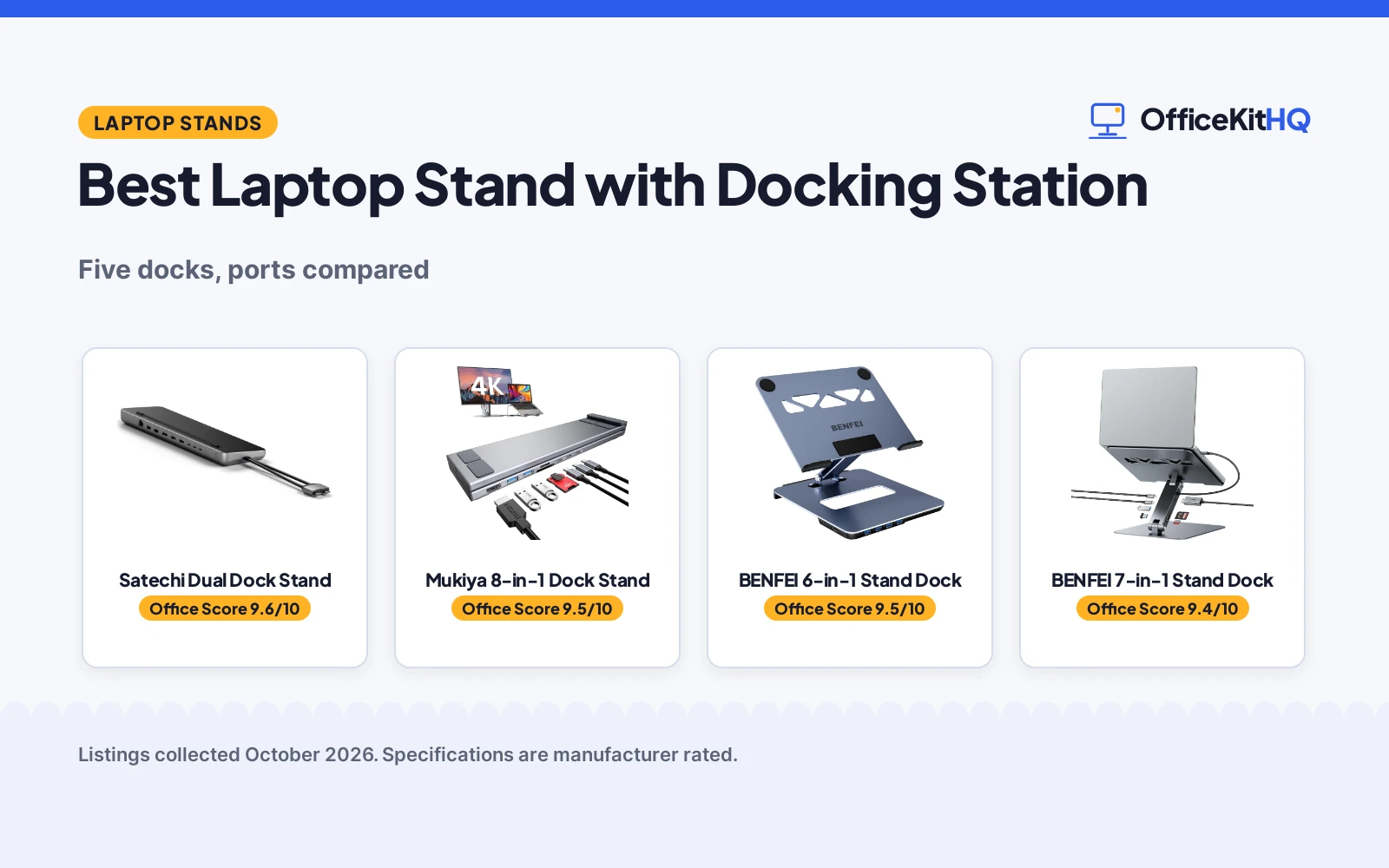
The 9 a.m. call starts and the laptop is flat on the desk, the webcam pointing up your nose, while the one USB-C hub on the table runs the monitor, the keyboard and the charger in a tangle. The best laptop stand with docking station fixes both problems at once: it lifts the screen and replaces the cable spaghetti with one dock. We compared five stand-and-dock combos by ports, power, adjustability and warranty, using only what each listing publishes.
OfficeKitHQ earns a commission when you buy through links on this page, at no extra cost to you. As an Amazon Associate I earn from qualifying purchases. Affiliate disclosure.
Quick picks
 Best Overall Satechi Dual Dock Stand: Dual 4K HDMI, SSD enclosure, 75W PD, 2-year warranty Check price on Amazon
 Best Portable Mukiya 8-in-1 Dock Stand: 8-in-1, 9-level adjust, folds to 0.7 lb, 2-year warranty Check price on Amazon
 Best 4K60 BENFEI 6-in-1 Stand Dock: 6-in-1, 4K@60Hz, 100W PD, 18-month warranty Check price on Amazon
 Best Card Reader BENFEI 7-in-1 Stand Dock: 7-in-1, SD/MicroSD 160MB/s, 10Gbps USB-C Check price on Amazon
 Best Swivel HC 9-in-1 Dock Stand: 9-in-1, 360-degree swivel, 3.5mm audio jack Check price on Amazon
The picks
| # | Product | Office Score | Buy |
|---|---|---|---|
| 1 | Satechi Dual Dock Stand | 9.6/10 | Buy on Amazon |
| 2 | Mukiya 8-in-1 Dock Stand | 9.5/10 | Buy on Amazon |
| 3 | BENFEI 6-in-1 Stand Dock | 9.5/10 | Buy on Amazon |
| 4 | BENFEI 7-in-1 Stand Dock | 9.4/10 | Buy on Amazon |
| 5 | HC 9-in-1 Dock Stand | 9.4/10 | Buy on Amazon |

Satechi Dual Dock Stand
A dual-monitor dock and stand with 2x 4K HDMI, DisplayPort, Ethernet and an SSD enclosure, with 75W power delivery.
Pros
- 2x 4K HDMI plus DisplayPort for dual monitors
- SSD enclosure with NVMe 10Gbps and SATA 6Gbps
- 75W PD charging with 10Gbps USB-C and USB-A data
- 2-year limited warranty is stated
Cons
- No height adjustment is stated
- Not compatible with single-USB-C MacBooks, per the listing
- No 4K@60Hz refresh rate is stated
- SSD is not included in the box
Detailed Review
Satechi lists a dual docking station and stand with 2x 4K HDMI, a DisplayPort, Gigabit Ethernet, an SSD enclosure for NVMe at 10Gbps and SATA at 6Gbps, and USB-C and USB-A data at up to 10Gbps, with 75W PD charging. The box includes a screw and screwdriver for the SSD enclosure, and the listing states a 2-year limited warranty.
The listing notes the MacBook Pro M3 supports only one external monitor in extended mode, and marks incompatibility with the iPhone and MacBooks with a single USB-C port. No height adjustment is stated, so it is a fixed stand.
Who it's for: desk workers who want dual monitors, wired networking and extra storage in one dock. Who should skip it: anyone who needs an adjustable-height stand or a single-cable travel dock.
Its Office Score of 9.6/10 comes from performance 32/35, build 21/25, value 20/25, safety 0/10 and warranty 3/5: 76 of 100 points, placed on our 9.2 to 9.8 scale.
Key Specifications
| HDMI | 2x 4K + DisplayPort |
|---|---|
| Ports | 9 (2x USB-C, 2x USB-A, Ethernet, SSD) |
| Power | 75W PD |
| Warranty | 2-year limited |
Figures as published on the retailer listing, collected 17 October 2026. Performance figures are manufacturer rated.
Safety and Warranty
What this listing states. No safety feature or listing is stated, so safety scores zero. 2-year limited warranty. It does not say everything a buyer needs, such as who pays return shipping, so warranty scores 3 of 5. See How We Pick.
Match the mount. Check your screen's VESA pattern, size and weight against the stated range, and check that your desk thickness and edge suit a clamp or grommet mount before you drill or clamp.
This is general buying information, not professional advice. Follow each product manual and local rules, and see our Safety Disclaimer.

Mukiya 8-in-1 Dock Stand
An 8-in-1 USB-C dock stand with 4K HDMI, 100W power delivery and 9-level height adjustment that folds for travel.
Pros
- 4K@30Hz HDMI with 2x USB-A 3.0 and USB-C data
- 100W PD with 90W laptop charging
- 9-level height adjustment, supports 40 lb laptops
- Folds to 10.5 x 2.2 x 0.9 in at 0.7 lb with a storage bag
Cons
- HDMI is 4K@30Hz, not 60Hz
- No Ethernet port is stated
- SD/TF transfer capped at 25MB/s per the listing
- No SSD enclosure is stated
Detailed Review
Mukiya lists an 8-in-1 USB-C dock stand with 4K@30Hz HDMI, 2x USB-A 3.0 at 5Gbps, USB-C data, SD and TF slots at 25MB/s, and 100W PD with 90W laptop charging. The aluminum stand adjusts through 9 levels, supports laptops to 40 lb, and folds to 10.5 x 2.2 x 0.9 in at 0.7 lb with a storage bag.
The HDMI tops out at 4K@30Hz against the 4K@60Hz of the BENFEI docks, and the card slots cap at 25MB/s. The spec table gives a 2-year warranty.
Who it's for: travelers and hot-deskers who want a folding stand with full ports. Who should skip it: anyone who needs 4K@60Hz or wired Ethernet.
Its Office Score of 9.5/10 comes from performance 29/35, build 21/25, value 21/25, safety 0/10 and warranty 3/5: 74 of 100 points, placed on our 9.2 to 9.8 scale.
Key Specifications
| HDMI | 4K@30Hz |
|---|---|
| Ports | 8 (USB-A x2, USB-C data, SD/TF) |
| Power | 100W PD, 90W charge |
| Size | Folds 10.5 x 2.2 x 0.9 in |
Figures as published on the retailer listing, collected 17 October 2026. Performance figures are manufacturer rated.
Safety and Warranty
What this listing states. No safety feature or listing is stated, so safety scores zero. 2 years. It does not say everything a buyer needs, such as who pays return shipping, so warranty scores 3 of 5. See How We Pick.
Match the mount. Check your screen's VESA pattern, size and weight against the stated range, and check that your desk thickness and edge suit a clamp or grommet mount before you drill or clamp.
This is general buying information, not professional advice. Follow each product manual and local rules, and see our Safety Disclaimer.

BENFEI 6-in-1 Stand Dock
A 6-in-1 aluminum stand with 4K@60Hz HDMI, four USB 3.0 ports and 100W power delivery, with an 18-month warranty.
Pros
- HDMI 4K@60Hz with 4x USB 3.0 at 5Gbps
- 100W PD with 90W pass-through charging
- Height adjusts 68 to 178mm in aluminum
- 18-month warranty is stated
Cons
- No SD card reader is stated
- No Ethernet port is stated
- Pass-through charging is 90W against the 100W dock rating
- No SSD enclosure is stated
Detailed Review
BENFEI lists a 6-in-1 stand with HDMI 4K@60Hz, 4x USB 3.0 at 5Gbps, and 100W PD with 90W pass-through charging. The aluminum stand adjusts 68 to 178mm, and the listing states an 18-month warranty.
No SD card reader or Ethernet is stated. The spec table lists the form factor as Tower against the stand title; we follow the title and bullets.
Who it's for: desk workers who want 4K@60Hz and four USB-A ports with a written warranty. Who should skip it: anyone who needs card readers or a travel fold.
Its Office Score of 9.5/10 comes from performance 27/35, build 20/25, value 20/25, safety 0/10 and warranty 3/5: 70 of 100 points, placed on our 9.2 to 9.8 scale.
Key Specifications
| HDMI | 4K@60Hz |
|---|---|
| Ports | 4x USB 3.0 |
| Power | 100W PD, 90W pass |
| Height | 68-178mm |
Figures as published on the retailer listing, collected 17 October 2026. Performance figures are manufacturer rated.
Safety and Warranty
What this listing states. No safety feature or listing is stated, so safety scores zero. 18-month warranty. It does not say everything a buyer needs, such as who pays return shipping, so warranty scores 3 of 5. See How We Pick.
Match the mount. Check your screen's VESA pattern, size and weight against the stated range, and check that your desk thickness and edge suit a clamp or grommet mount before you drill or clamp.
This is general buying information, not professional advice. Follow each product manual and local rules, and see our Safety Disclaimer.

BENFEI 7-in-1 Stand Dock
A 7-in-1 aluminum stand with 4K@60Hz HDMI, SD and Micro SD slots and 10Gbps USB-C, with 100W power delivery.
Pros
- HDMI 4K@60Hz with 10Gbps USB-C 3.2 and 2x USB-A 3.2
- SD and Micro SD slots with 160MB/s UHS-I transfer
- 100W PD with 85W pass-through charging
- Height adjusts 68 to 178mm in aluminum
Cons
- No warranty term is stated
- No Ethernet port is stated
- Pass-through charging is 85W against the 100W dock rating
- No SSD enclosure is stated
Detailed Review
BENFEI lists a 7-in-1 stand with HDMI 4K@60Hz, 10Gbps USB-C 3.2, 2x USB-A 3.2, SD and Micro SD with 160MB/s UHS-I transfer, and 100W PD with 85W pass-through charging. The aluminum stand adjusts 68 to 178mm.
No warranty term, Ethernet port or SSD enclosure is stated. The 85W pass-through sits below the 100W dock rating, so high-draw laptops may charge slowly.
Who it's for: photographers and creators who move SD cards at speed. Who should skip it: anyone who wants a stated warranty or wired networking.
Its Office Score of 9.4/10 comes from performance 28/35, build 20/25, value 20/25, safety 0/10 and warranty 0/5: 68 of 100 points, placed on our 9.2 to 9.8 scale.
Key Specifications
| HDMI | 4K@60Hz |
|---|---|
| Ports | USB-C 3.2, 2x USB-A, SD/MicroSD |
| Power | 100W PD, 85W pass |
| Height | 68-178mm |
Figures as published on the retailer listing, collected 17 October 2026. Performance figures are manufacturer rated.
Safety and Warranty
What this listing states. No safety feature or listing is stated, so safety scores zero. No warranty term, so warranty scores zero. See How We Pick.
Match the mount. Check your screen's VESA pattern, size and weight against the stated range, and check that your desk thickness and edge suit a clamp or grommet mount before you drill or clamp.
This is general buying information, not professional advice. Follow each product manual and local rules, and see our Safety Disclaimer.

HC 9-in-1 Dock Stand
A 9-in-1 aluminum stand with 4K HDMI, 360-degree swivel and a 3.5mm audio jack for 7 to 15.6 in laptops.
Pros
- 4K@30Hz HDMI with 2x USB-A 3.0 and 1x USB-C 3.0 at 5Gbps
- 360-degree swivel for sharing the screen
- 3.5mm audio jack for private listening
- Fits 7 to 15.6 in laptops with a 20 in cable
Cons
- No warranty term is stated
- No SD card reader is stated
- No Ethernet port is stated
- HDMI is 4K@30Hz, not 60Hz
Detailed Review
HC lists a 9-in-1 stand with 4K@30Hz HDMI, 2x USB-A 3.0 and 1x USB-C 3.0 at 5Gbps, a 3.5mm audio jack, and a 360-degree swivel. It fits 7 to 15.6 in laptops and ships with a 20 in Type-C cable.
No wattage, warranty term, SD reader or Ethernet is stated. The spec table is empty, so every figure here comes from the title and bullets.
Who it's for: collaborators who swivel the screen to share, with wired audio. Who should skip it: anyone who needs stated power delivery or 4K@60Hz.
Its Office Score of 9.4/10 comes from performance 26/35, build 20/25, value 21/25, safety 0/10 and warranty 0/5: 67 of 100 points, placed on our 9.2 to 9.8 scale.
Key Specifications
| HDMI | 4K@30Hz |
|---|---|
| Ports | 2x USB-A, USB-C 3.0, 3.5mm audio |
| Laptops | 7-15.6 in |
| Swivel | 360-degree |
Figures as published on the retailer listing, collected 17 October 2026. Performance figures are manufacturer rated.
Safety and Warranty
What this listing states. This product does not plug in or run on a battery, so safety is not part of its score. No warranty term, so warranty scores zero. See How We Pick.
Match the mount. Check your screen's VESA pattern, size and weight against the stated range, and check that your desk thickness and edge suit a clamp or grommet mount before you drill or clamp.
This is general buying information, not professional advice. Follow each product manual and local rules, and see our Safety Disclaimer.
As an Amazon Associate I earn from qualifying purchases.
More picks to compare
 BENFEI Laptop StandCheck on Amazon
 Satechi USB-C Hub Monitor StandCheck on Amazon
 Mukiya Portable Laptop StandCheck on Amazon
Compare the picks
| Stand | Office Score | HDMI | USB Ports | Power | Adjust | Warranty | Amazon |
|---|---|---|---|---|---|---|---|
| Satechi Dual Dock Stand | 9.6/10 | 2x 4K + DisplayPort | 2x USB-C, 2x USB-A | 75W PD | Not stated | 2-year limited | View on Amazon |
| Mukiya 8-in-1 Dock Stand | 9.5/10 | 4K@30Hz | 2x USB-A, USB-C data | 100W PD, 90W charge | 9-level | 2 years | View on Amazon |
| BENFEI 6-in-1 Stand Dock | 9.5/10 | 4K@60Hz | 4x USB 3.0 | 100W PD, 90W pass | 68-178mm | 18-month | View on Amazon |
| BENFEI 7-in-1 Stand Dock | 9.4/10 | 4K@60Hz | USB-C 3.2, 2x USB-A | 100W PD, 85W pass | 68-178mm | Not stated | View on Amazon |
| HC 9-in-1 Dock Stand | 9.4/10 | 4K@30Hz | 2x USB-A, USB-C 3.0 | Not stated | Height and angle | Not stated | View on Amazon |
Specifications are manufacturer rated as listed, collected 17 October 2026.
How we scored them
The Office Score weighs performance, build, value, safety and warranty. For a stand with a docking station, performance means ports, display output and power delivery; three of the five state a warranty term. How we pick explains the weights.
| Product | Office Score | Perf. /35 | Build /25 | Value /25 | Safety /10 | Warranty /5 |
|---|---|---|---|---|---|---|
| Satechi Dual Dock Stand | 9.6 | 32 | 21 | 20 | 0 | 3 |
| Mukiya 8-in-1 Dock Stand | 9.5 | 29 | 21 | 21 | 0 | 3 |
| BENFEI 6-in-1 Stand Dock | 9.5 | 27 | 20 | 20 | 0 | 3 |
| BENFEI 7-in-1 Stand Dock | 9.4 | 28 | 20 | 20 | 0 | 0 |
| HC 9-in-1 Dock Stand | 9.4 | 26 | 20 | 21 | 0 | 0 |
Scores run from 9.2 to 9.8: each product’s point total is placed on that range, so more points always means a higher score.
How to choose the best laptop stand with docking station
Count the ports you actually use
The Satechi lists 9 ports with dual 4K HDMI, DisplayPort, Ethernet and an SSD enclosure; the Mukiya lists 8 ports with one 4K@30Hz HDMI; the BENFEI 7-in-1 lists 7 with SD and Micro SD at 160MB/s; the BENFEI 6-in-1 lists 6 with four USB 3.0; the HC lists 9 with a 3.5mm audio jack. Match the dock to your monitor count first. See every monitor arm and stand for mounting options.
Check the power and the refresh rate
Power delivery runs 75W on the Satechi, 100W on the Mukiya and both BENFEI docks, with pass-through charging of 90W, 90W and 85W on the three that state it; the HC states no wattage. For refresh, the BENFEI docks list 4K@60Hz while the Mukiya and HC list 4K@30Hz. If your laptop needs full power while docked, check its charger wattage against these figures.
| Stand | HDMI | Power delivery | Warranty |
|---|---|---|---|
| Satechi Dual Dock Stand | 2x 4K + DisplayPort | 75W | 2-year limited |
| Mukiya 8-in-1 Dock Stand | 4K@30Hz | 100W (90W charge) | 2 years |
| BENFEI 6-in-1 Stand Dock | 4K@60Hz | 100W (90W pass) | 18-month |
| BENFEI 7-in-1 Stand Dock | 4K@60Hz | 100W (85W pass) | Not stated |
| HC 9-in-1 Dock Stand | 4K@30Hz | Not stated | Not stated |
Height, swivel and travel
Both BENFEI stands adjust 68 to 178mm; the Mukiya offers 9 levels and folds to 10.5 x 2.2 x 0.9 in at 0.7 lb with a storage bag; the HC swivels 360 degrees for sharing the screen. The Satechi states no adjustment, so it suits a fixed desk. For more stand options, see our laptop stands with adjustable height.
Frequently Asked Questions
Do these docks work with any laptop?
They need a full-featured USB-C port; the HC lists 7 to 15.6 in laptops, and the Satechi notes incompatibility with single-USB-C MacBooks.
Can I run two monitors from these docks?
The Satechi lists dual 4K HDMI plus DisplayPort for two external monitors; the others list a single HDMI port.
Which stand folds for travel?
The Mukiya folds to 10.5 x 2.2 x 0.9 in at 0.7 lb with a storage bag; the HC also folds but states no folded size.
Do any include an Ethernet port?
The Satechi lists a Gigabit Ethernet port; the others state none.
Related guides
See every monitor arm and stand guide and all computer peripherals guides.
More picks: laptop stands for external keyboards, dual monitor stands and monitor stands with cable management.