A laptop sits on the desk with a monitor beside it, and the cable between them has the wrong plug on the far end. Types of HDMI adapters cover that gap: each adapter joins a port on the source to a port on the display so the screen, the laptop and the cable can talk. The right adapter matches the port on the source, the port on the display, and the resolution the screen runs at.
OfficeKitHQ earns a commission when you buy through links on this page, at no extra cost to you. As an Amazon Associate I earn from qualifying purchases. Affiliate disclosure.
The quick answer
Start from the ports: the adapter must match the port on the source device and the port on the display. A USB-C to HDMI adapter connects a USB-C laptop to an HDMI display, a right-angle adapter changes the direction of an HDMI port in a tight space, and a female-to-female coupler joins two HDMI cables into a longer run. The resolution and refresh rate matter too: the adapters in these listings support 4K at 60Hz, and some support 8K at 60Hz or 4K at 120Hz.
Types of HDMI adapters at a glance
| Adapter type | What it connects | Listed support |
|---|---|---|
| USB-C to HDMI | USB-C laptop, tablet or phone to an HDMI display | 4K at 60Hz |
| USB-C to HDMI with charging | USB-C phone, tablet or laptop to an HDMI display, plus a charging cable | 4K at 60Hz |
| Right-angle HDMI | HDMI port to HDMI cable in a tight space | 8K at 60Hz, 4K at 120Hz |
| HDMI coupler, female to female | Two HDMI cables joined into a longer run | 8K at 60Hz, 4K at 120Hz |
| Mini and micro HDMI | Tablet, camera or Raspberry Pi to an HDMI display | 8K at 60Hz, 4K at 120Hz |
| RCA to HDMI | Composite video source to an HDMI display | 1080p |
| HDMI extension cable | Hard-to-reach HDMI port to an HDMI cable | 4K at 60Hz, 18 Gbps |
The table covers the common shapes; the sections below explain when each shape fits.
Step 1: Check the ports on both ends
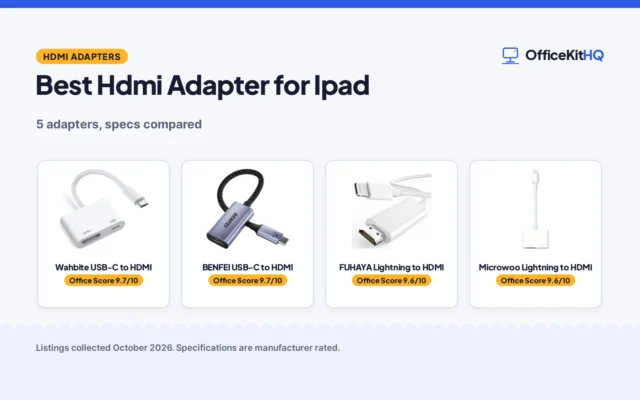
Look at the port on the source and the port on the display before ordering. A laptop with a USB-C port needs a USB-C to HDMI adapter, and the Highwings adapter states that the USB-C port must support DP Alt Mode. A monitor with an HDMI port takes a standard HDMI plug, and a camera or tablet with a mini or micro HDMI port needs the matching adapter from the AIMHDUTY kit, which holds 7 pieces. The Apple adapter (on Amazon) connects a USB-C Mac or iPad to an HDMI display and also adds a standard USB port and a USB-C charging port.
Step 2: Match the resolution and refresh rate
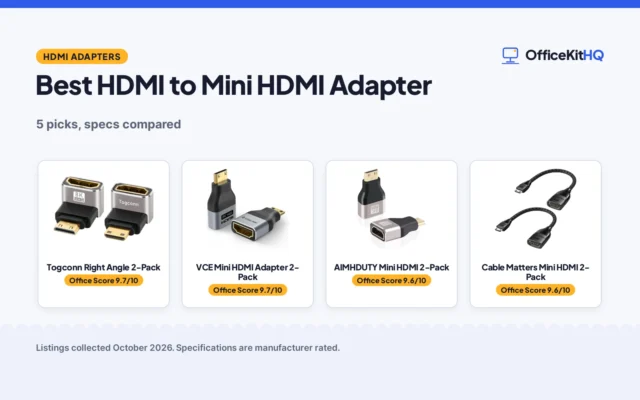
The adapter must support the resolution and refresh rate the screen runs at. The Apple adapter lists 4K video output, and the Acer cable supports 4K (on Amazon) at 60Hz and also lists 1440P at 60Hz and 1080p at 120Hz. The Togconn adapter supports 8K (on Amazon) at 60Hz and 4K at 120Hz, and the VCELINK coupler supports (on Amazon) the same figures with 48Gbps bandwidth. The VCE extension cable (on Amazon) supports 4K at 60Hz with 18 Gbps bandwidth. The Tengchi converter tops out at 1080p and does not support 4K. The Highwings adapter also works with HDMI 1.4, 1.3 and 1.2 screens. The Togconn, BMKZAYR and VCELINK adapters list gold-plated contacts and aluminum shells.
Step 3: Check the direction and the cable length
Some adapters work in one direction only. The Highwings adapter sends video and audio from a USB-C device to an HDMI display and does not support the HDMI-to-USB-C direction, and the Acer cable is a one-way cord from USB-C host devices to HDMI displays. The micro HDMI adapter in the AIMHDUTY kit supports bi-directional transmission. Length matters too: the Acer cable comes in 3.3FT, 6.6FT and 10FT lengths, and the Highwings adapter notes that a High Speed HDMI cable within 4.5m (15ft) keeps 4K output stable. The VCE extension cable measures 0.4FT and extends to HDMI ports in tight spaces behind a TV. For the desk around the display, a monitor setup with a laptop covers stands and cables.
Step 4: Check power and extra ports
Some adapters need power or add ports. The Tengchi converter runs on an external USB cable from a 5V 1A power source, and the Kinhaly adapter adds a charging port beside its HDMI port so a phone can charge while it plays video. The Apple adapter adds a standard USB port for a flash drive or camera and a USB-C port for charging. The Highwings adapter states that it does not support charging, and the Acer cable has no power supply and cannot charge a device, so a laptop that needs power while it plays video needs a separate charger.
FAQ
What does a USB-C to HDMI adapter do?
It connects a USB-C laptop, tablet or phone to an HDMI display. The Apple adapter mirrors a Mac display to an HDMI TV or display, and the Highwings adapter sends video and audio from a USB-C device to an HDMI display.
Does a USB-C port need video support for an adapter?
Yes: the Highwings adapter states that the USB-C port must support DP Alt Mode, and the Acer cable notes the same requirement. Check the device specs before ordering, since not every USB-C port sends video.
What is an HDMI coupler?
A coupler joins two HDMI cables into a longer run. The BMKZAYR coupler connects two HDMI cables and supports 8K at 60Hz and 4K at 120Hz, and the VCELINK coupler does the same with 48Gbps bandwidth.
Can an HDMI adapter show 8K video?
Some can: the Togconn adapter supports 8K at 60Hz, and the BMKZAYR and VCELINK couplers support 8K at 60Hz too. The cables, devices and ports must also support HDMI 2.1 for 8K performance.
What is a right-angle HDMI adapter for?
It changes the direction of an HDMI port in a tight space. The Togconn adapter comes in 90 degree and 270 degree versions and suits wall-mounted devices, and the AIMHDUTY kit includes 4 right angle adapters.
More for your workspace
See the HDMI cable specs guide, the best portable monitors for laptops, the docking station guide and every connectivity guide.