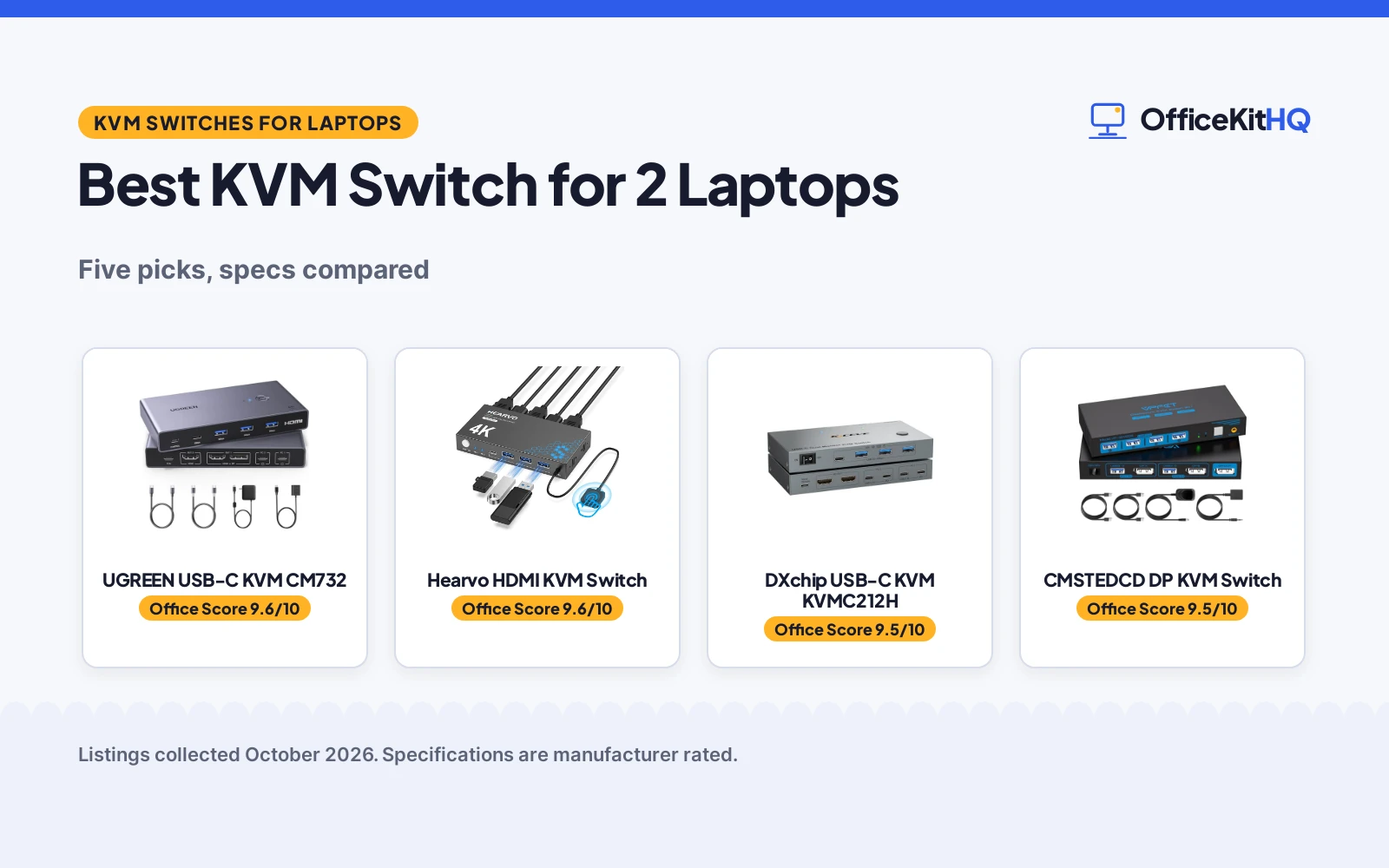
The best kvm switch for 2 laptops is the one that matches your monitors, your laptop ports and the way you switch during a workday at a home desk. Cable swaps between laptops waste desk space and break focus on calls and deadlines. We compared KVM switches by monitor count, stated resolution, USB ports, charging and warranty term, using only what each maker states.
OfficeKitHQ earns a commission when you buy through links on this page, at no extra cost to you. As an Amazon Associate I earn from qualifying purchases. Affiliate disclosure.
Quick picks
 Best Overall UGREEN USB-C KVM CM732: Dual monitors, PD100W adapter included, 24 Months warranty Check price on Amazon
 Best Dual Charging Ports DXchip USB-C KVM KVMC212H: Dual 4K@60Hz monitors, dual 100W PD ports stated Check price on Amazon
 Best Single Monitor Resolution CMSTEDCD DP KVM Switch: 8K@60Hz DisplayPort, 4 USB 3.0 ports, 2 Year warranty Check price on Amazon
 Best Cable Bundle UGREEN HDMI KVM 15707: HDMI and USB cables included, 4K@60Hz, 4 USB ports Check price on Amazon
Our desk picks
| # | Product | Office Score | Buy |
|---|---|---|---|
| 1 | UGREEN USB-C KVM CM732 | 9.6/10 | Buy on Amazon |
| 2 |  Hearvo 2 PC KVM Switch | 9.6/10 | Buy on Amazon |
| 3 | DXchip USB-C KVM KVMC212H | 9.5/10 | Buy on Amazon |
| 4 | CMSTEDCD DP KVM Switch | 9.5/10 | Buy on Amazon |
| 5 | UGREEN HDMI KVM 15707 | 9.4/10 | Buy on Amazon |

UGREEN USB-C KVM CM732
A USB-C KVM switch for 2 laptops and dual monitors with PD100W adapter included and 4 USB 3.0 ports.
Pros
- Dual monitors stated as HDMI+DP or HDMI+HDMI for 2 laptops
- PD100W power adapter included, output up to 73W stated
- 4 USB 3.0 ports stated at 5Gbps for shared devices
- 24 Months warranty term stated
Cons
- Charges only the laptop in use, not two at once
- macOS states SST same image only, no extended mode
- Out1 HDMI and DP cannot output at the same time
- Power connection required for charging as stated
Detailed Review
UGREEN lists the CM732 as a USB-C KVM switch for 2 laptops sharing dual monitors and 4 USB 3.0 devices. Resolution is stated up to 4K@60Hz with backward figures at 4K@30Hz, 2560*1440@60Hz and 1080P@120Hz, plus HDCP2.2/1.4 and HDR. Windows MST mode and macOS SST mode are stated separately, and the PD100W adapter is stated as included with reverse charging up to 73W for the laptop in use. Dimensions are stated as 5.78 inches x 2.95 inches x 0.82 inches.
Who it's for: a home desk with 2 USB-C laptops, dual monitors and shared keyboard, mouse and drives. Who should skip it: a Mac user who needs extended dual monitors, since macOS extended mode is stated as not supported.
Its Office Score of 9.6/10 comes from performance 30/35, build 21/25, value 21/25, safety 0/10 and warranty 4/5: 76 of 100 points, placed on our 9.2 to 9.8 scale.
Key Specifications
| Monitors | 2 |
|---|---|
| Resolution | 4K@60Hz |
| USB ports | 4 USB 3.0 |
| Charging | PD100W adapter included, up to 73W |
These specs mirror the retailer listing as of 19 November 2026; performance figures are stated by the brand.
Safety and Warranty
What this listing states. No UL, FCC or over-current protection statement is stated, so safety scores zero. 24 Months. It does not say everything a buyer needs, such as who pays return shipping, so warranty scores 4 of 5. See How We Pick.
Power and heat. Use the supplied adapter, treat power delivery wattage and display support as the maker's claims for your laptop model, and give the dock room to vent.
This is general buying information, not professional advice. Follow each product manual and local rules, and see our Safety Disclaimer.

Hearvo 2 PC KVM Switch
A 2 computer, 1 monitor HDMI switch with 4 USB 3.0 ports, EDID adaptive tuning and no power supply needed.
Pros
- No power supply or driver software needed
- Adaptive EDID for stable image transmission
- 4 USB 3.0 ports at 5Gbps, including USB-C
- Button plus wired remote switching
Cons
- No audio support is stated
- Single monitor only, no dual-monitor mode
- Protection Plan terms are not detailed
- Two USB cables included, no HDMI cables stated
Detailed Review
Hearvo lists this as a USB 3.0 HDMI KVM switch for 2 computers and 1 monitor, with 4K at 60Hz, 4 USB 3.0 ports, EDID adaptive tuning and a wired desktop controller. The bullets state data transfer up to 5Gbps, HDCP 2.2 compliance, button and wired remote switching, and no power supply or driver software needed. The package includes 2 USB 3.0 cables, a wired remote switch, a Protection Plan card and 4 anti-slip rubber pads. No audio support is stated. The bullets mention a lifetime Protection Plan.
Who it's for: someone who wants a simple 2 computer, 1 monitor switch without a power adapter. Who should skip it: anyone who needs audio support or a second monitor.
Its Office Score of 9.6/10 comes from performance 26/35, build 21/25, value 20/25, safety 7/10 and warranty 3/5: 77 of 100 points, placed on our 9.2 to 9.8 scale.
Key Specifications
| Computers | 2 |
|---|---|
| Monitors | 1 |
| Video | 4K@60Hz |
| USB | 4 USB 3.0 ports |
Figures as published on the retailer listing, collected 25 October 2026. Performance figures are manufacturer rated.
Safety and Warranty
What this listing states. FCC specification met, so safety scores 7 of 10. Lifetime Protection Plan. It does not say everything a buyer needs, such as who pays return shipping, so warranty scores 3 of 5. See How We Pick.
Power and heat. Use the supplied adapter, treat power delivery wattage and display support as the maker's claims for your laptop model, and give the dock room to vent.
This is general buying information, not professional advice. Follow each product manual and local rules, and see our Safety Disclaimer.

DXchip USB-C KVM KVMC212H
A USB-C docking KVM switch for 2 laptops and dual 4K@60Hz monitors with dual 100W PD ports.
Pros
- Dual 4K@60Hz output stated for 2 external monitors
- Dual 100W PD ports stated for both laptops
- 4 USB 3.0 ports stated at 5Gbps for peripherals
- Button and wired remote switching with LED indicators
Cons
- 100W adapter not included as stated
- Extend mode not supported on Mac OS as stated
- Requires DP Alt support on laptop USB-C port
- System must be 11th or above as stated
Detailed Review
DXchip lists the KVMC212H as a USB-C docking KVM switch for 2 laptops with 2 external HDMI monitors at dual 4K@60Hz. USB sharing covers 4 USB 3.0 ports at 5Gbps, and dual 100W PD ports are stated with laptop power at 73~80W and an adapter not included. Cable guidance states USB-C cables under 1M and HDMI cables under 1.5M, with DP Alt support needed for video, data and power transfer.
Who it's for: a desk with 2 USB-C laptops and dual HDMI monitors that need shared peripherals and charging ports. Who should skip it: a Mac user who needs extend mode, since extend mode is stated as not supported on Mac OS.
Its Office Score of 9.5/10 comes from performance 29/35, build 20/25, value 20/25, safety 0/10 and warranty 3/5: 72 of 100 points, placed on our 9.2 to 9.8 scale.
Key Specifications
| Monitors | 2 |
|---|---|
| Resolution | Dual 4K@60Hz |
| USB ports | 4 USB 3.0 |
| Charging | Dual 100W PD ports |
These specs mirror the retailer listing as of 19 November 2026; performance figures are stated by the brand.
Safety and Warranty
What this listing states. No UL, FCC or over-current protection statement is stated, so safety scores zero. 1 Year Warranty. It does not say everything a buyer needs, such as who pays return shipping, so warranty scores 3 of 5. See How We Pick.
Power and heat. Use the supplied adapter, treat power delivery wattage and display support as the maker's claims for your laptop model, and give the dock room to vent.
This is general buying information, not professional advice. Follow each product manual and local rules, and see our Safety Disclaimer.

CMSTEDCD DP KVM Switch
A DisplayPort KVM switch for 2 computers and 1 monitor with 8K@60Hz stated and 4 USB 3.0 ports.
Pros
- Resolution stated up to 8K@60Hz and 4K@120Hz
- 4 USB 3.0 ports stated at 5Gbps for peripherals
- 12V power adapter and USB cables stated as included
- 2 Year Manufacturer warranty term stated
Cons
- 1 monitor only, not dual monitor setups
- DP 1.4 cable not included for 8K use
- Keyboard shortcut toggles not supported as stated
- DC 12V power connection needed in use as stated
Detailed Review
CMSTEDCD lists this DisplayPort KVM switch for 2 computers sharing 1 monitor with resolution up to 8K@60Hz. USB sharing covers 4 USB 3.0 ports at 5Gbps, backward compatible with USB 2.0, 1.1 and 1.0 as stated, with LED indicators for the active port. The maker gives wire and wireless controller wording; check before ordering. Dimensions are stated as 5.9 inches x 2.55 inches x 0.86 inches.
Who it's for: a desk with 2 computers, 1 DisplayPort monitor and shared USB peripherals. Who should skip it: a user who needs dual monitors or hotkey switching, since 1 monitor is stated and hotkeys are stated as not supported.
Its Office Score of 9.5/10 comes from performance 27/35, build 20/25, value 19/25, safety 0/10 and warranty 4/5: 70 of 100 points, placed on our 9.2 to 9.8 scale.
Key Specifications
| Monitors | 1 |
|---|---|
| Resolution | 8K@60Hz |
| USB ports | 4 USB 3.0 |
| Warranty | 2 Year Manufacturer |
These specs mirror the retailer listing as of 19 November 2026; performance figures are stated by the brand.
Safety and Warranty
What this listing states. No UL, FCC or over-current protection statement is stated, so safety scores zero. 2 Year Manufacturer. It does not say everything a buyer needs, such as who pays return shipping, so warranty scores 4 of 5. See How We Pick.
Power and heat. Use the supplied adapter, treat power delivery wattage and display support as the maker's claims for your laptop model, and give the dock room to vent.
This is general buying information, not professional advice. Follow each product manual and local rules, and see our Safety Disclaimer.

UGREEN HDMI KVM 15707
An HDMI KVM switch for 2 computers and 1 monitor with 4K@60Hz stated and cables included.
Pros
- HDMI cables and USB cables stated as included
- Resolution stated up to 4K@60Hz with HDR support
- 4 USB ports stated as 3 USB-A and 1 USB-C
- Button and desktop controller switching stated
Cons
- 1 monitor only, not dual monitor setups
- USB C power cable or adapter not included
- Hotkey switching and EDID emulation not supported
- Both USB A to B cables must connect as stated
Detailed Review
UGREEN lists the 15707 as an HDMI KVM switch for 2 computers sharing 1 monitor and 4 USB 3.0 devices. Resolution is stated up to 4K@60Hz with backward figures at 4K@30Hz, 2560*1440@120Hz and 1920*1080@240Hz, plus HDMI 2.0, HDCP2.2/1.4, 3D, CEC and HDR. Item weight is stated as 1.0 Kilograms, and system support covers Windows, Mac OS and Linux as stated.
Who it's for: a desk with 2 computers, 1 HDMI monitor and shared keyboard, mouse and drives. Who should skip it: a user who needs DisplayPort or dual monitors, since HDMI single monitor use is stated.
Its Office Score of 9.4/10 comes from performance 26/35, build 20/25, value 19/25, safety 0/10 and warranty 0/5: 65 of 100 points, placed on our 9.2 to 9.8 scale.
Key Specifications
| Monitors | 1 |
|---|---|
| Resolution | 4K@60Hz |
| USB ports | 4 USB 3.0 |
| Warranty | Not stated |
These specs mirror the retailer listing as of 19 November 2026; performance figures are stated by the brand.
Safety and Warranty
What this listing states. No UL, FCC or over-current protection statement is stated, so safety scores zero. No warranty term, so warranty scores zero. See How We Pick.
Power and heat. Use the supplied adapter, treat power delivery wattage and display support as the maker's claims for your laptop model, and give the dock room to vent.
This is general buying information, not professional advice. Follow each product manual and local rules, and see our Safety Disclaimer.
As an Amazon Associate I earn from qualifying purchases.
Specs compared
| KVM Switch | Office Score | Monitors | Max resolution | USB ports | Warranty | Amazon |
|---|---|---|---|---|---|---|
| UGREEN USB-C KVM CM732 | 9.6/10 | 2 | 4K@60Hz | 4 USB 3.0 | 24 Months | View on Amazon |
| DXchip USB-C KVM KVMC212H | 9.5/10 | 2 | Dual 4K@60Hz | 4 USB 3.0 | 1 Year Warranty | View on Amazon |
| CMSTEDCD DP KVM Switch | 9.5/10 | 1 | 8K@60Hz | 4 USB 3.0 | 2 Year Manufacturer | View on Amazon |
| UGREEN HDMI KVM 15707 | 9.4/10 | 1 | 4K@60Hz | 4 USB 3.0 | Not stated | View on Amazon |
| Hearvo HDMI KVM Switch | 9.6/10 | 1 | Not stated | USB 3.0 | Not stated |
Dimensions, weight limits and ranges are the maker’s ratings as each listing gives them, collected 19 November 2026.
How to choose the best kvm switch for 2 laptops
Start with monitor count and connection type
Monitor count splits this group. UGREEN USB-C KVM CM732 and DXchip USB-C KVM KVMC212H each state 2 monitors for 2 laptops, while CMSTEDCD DP KVM Switch, UGREEN HDMI KVM 15707 and Hearvo HDMI KVM Switch each state 1 monitor. Connection type matters as much as count: the CMSTEDCD pick uses DisplayPort, the UGREEN HDMI and Hearvo picks use HDMI, and the UGREEN USB-C and DXchip picks connect laptops by USB-C. Match the switch to the ports your laptops and monitors already have before comparing resolution. Our KVM switch setup guide covers cable order for a home desk.
Check resolution and display modes by system
Stated resolution runs to 8K@60Hz on CMSTEDCD DP KVM Switch, dual 4K@60Hz on DXchip USB-C KVM KVMC212H, and 4K@60Hz on UGREEN USB-C KVM CM732 and UGREEN HDMI KVM 15707. Display modes differ by system: UGREEN USB-C KVM CM732 states Windows MST mode for same or different content on dual monitors and macOS SST mode for the same image, with extended mode not supported on macOS. DXchip USB-C KVM KVMC212H states extend mode is not supported on Mac OS. Keep each resolution figure with the switch and system that state it, and check laptop USB-C video support before ordering dual monitor gear.
USB ports, switching and included cables
USB sharing covers 4 USB 3.0 ports on UGREEN USB-C KVM CM732, DXchip USB-C KVM KVMC212H, CMSTEDCD DP KVM Switch and UGREEN HDMI KVM 15707, each stated at 5Gbps where a rate is given. Switching uses a button or desktop controller on the UGREEN picks, a button or wired remote on the DXchip pick, and button methods with LED indicators on the CMSTEDCD pick. Included cables differ: UGREEN HDMI KVM 15707 states 2 HDMI cables and 2 USB A to B cables, UGREEN USB-C KVM CM732 states 2 USB-C cables, and CMSTEDCD DP KVM Switch states USB3.0 cable x2 with a DP 1.4 cable not included for 8K use. See docking station types for port layouts across desk gear.
Charging and power for laptops
Laptop charging appears only on the USB-C dual monitor picks. UGREEN USB-C KVM CM732 states a PD100W power adapter included, reverse charging for the laptop in use up to 73W, and no charging for two laptops at the same time. DXchip USB-C KVM KVMC212H states dual 100W PD ports with an adapter not included, powering a laptop at 73~80W as stated. Single monitor picks state switch power instead: CMSTEDCD DP KVM Switch states a 12V power adapter included, and UGREEN HDMI KVM 15707 states USB C power cable or adapter not included. For dual monitor laptop desks, compare docking stations for dual monitors alongside KVM charging figures.
Setup Notes
- Check laptop USB-C video support before dual monitor use: DXchip USB-C KVM KVMC212H states DP Alt support is needed, and UGREEN USB-C KVM CM732 states a fully functional USB-C port is needed.
- Plan cable lengths from stated guidance: DXchip USB-C KVM KVMC212H recommends USB-C cables under 1M and HDMI cables under 1.5M for 4K transmission.
- Connect power as stated for each switch: CMSTEDCD DP KVM Switch states DC 12V power in use, and UGREEN HDMI KVM 15707 states both USB A to B cables must connect for power and data.
- Wake laptops before switching where stated: UGREEN USB-C KVM CM732 states to check the laptop is awakened from sleep mode before switching.
FAQ
Can a KVM switch run dual monitors on Mac?
UGREEN USB-C KVM CM732 states macOS SST mode with the same image on both monitors and no extended mode on macOS. DXchip USB-C KVM KVMC212H states extend mode is not supported on Mac OS.
Which picks charge laptops through the switch?
UGREEN USB-C KVM CM732 states PD100W adapter included with output up to 73W for the laptop in use. DXchip USB-C KVM KVMC212H states dual 100W PD ports with an adapter not included.
Do these switches support hotkey switching?
CMSTEDCD DP KVM Switch states keyboard shortcuts toggles are not supported. UGREEN HDMI KVM 15707 states hotkey switching and EDID emulation are not supported.
What resolution does each single monitor pick state?
CMSTEDCD DP KVM Switch states up to 8K@60Hz and 4K@120Hz. UGREEN HDMI KVM 15707 states up to 4K@60Hz. Hearvo HDMI KVM Switch resolution is Not stated.
Which cables are included in the box?
UGREEN HDMI KVM 15707 states 2 HDMI cables and 2 USB A to B cables. UGREEN USB-C KVM CM732 states 2 USB-C cables and a PD100W power adapter. CMSTEDCD DP KVM Switch states USB3.0 cable x2 and a 12V power adapter.
Score breakdown
The Office Score weighs performance, build, value, safety and warranty. For docking and hub gear, safety means stated certification or stated power features on the maker text; none of the picks here state a certification, so safety scores zero across the group. Warranty terms are stated on 3 picks: UGREEN USB-C KVM CM732 at 24 Months, CMSTEDCD DP KVM Switch at 2 Year Manufacturer and DXchip USB-C KVM KVMC212H at 1 Year Warranty. How we pick explains the weights.
| Product | Office Score | Perf. /35 | Build /25 | Value /25 | Safety /10 | Warranty /5 |
|---|---|---|---|---|---|---|
| UGREEN USB-C KVM CM732 | 9.6 | 30 | 21 | 21 | 0 | 4 |
| DXchip USB-C KVM KVMC212H | 9.5 | 29 | 20 | 20 | 0 | 3 |
| CMSTEDCD DP KVM Switch | 9.5 | 27 | 20 | 19 | 0 | 4 |
| UGREEN HDMI KVM 15707 | 9.4 | 26 | 20 | 19 | 0 | 0 |
Office Scores run on a short 9.2 to 9.8 scale. We place each item’s weighted point total on it in proportion, so a larger total is always shown as a larger score.
More for your workspace
See every docking stations and USB hubs guide and all audio, power and connectivity guides.
More picks: best KVM switch with remote control, USB-C docking for multiple monitors, do I need a docking station and USB hub types.