A morning call starts with a dim webcam, a laptop running everything off a hub and monitors that stay dark until the cable seats. The desk corner needs a box that drives the displays and charges the laptop at the same time, without a tangle of chargers behind it. The best usb c docking station for multiple monitors with power delivery does that job, and the picks below compare docks by monitors, power, ports and warranty.
OfficeKitHQ earns a commission when you buy through links on this page, at no extra cost to you. As an Amazon Associate I earn from qualifying purchases. Affiliate disclosure.
Quick picks
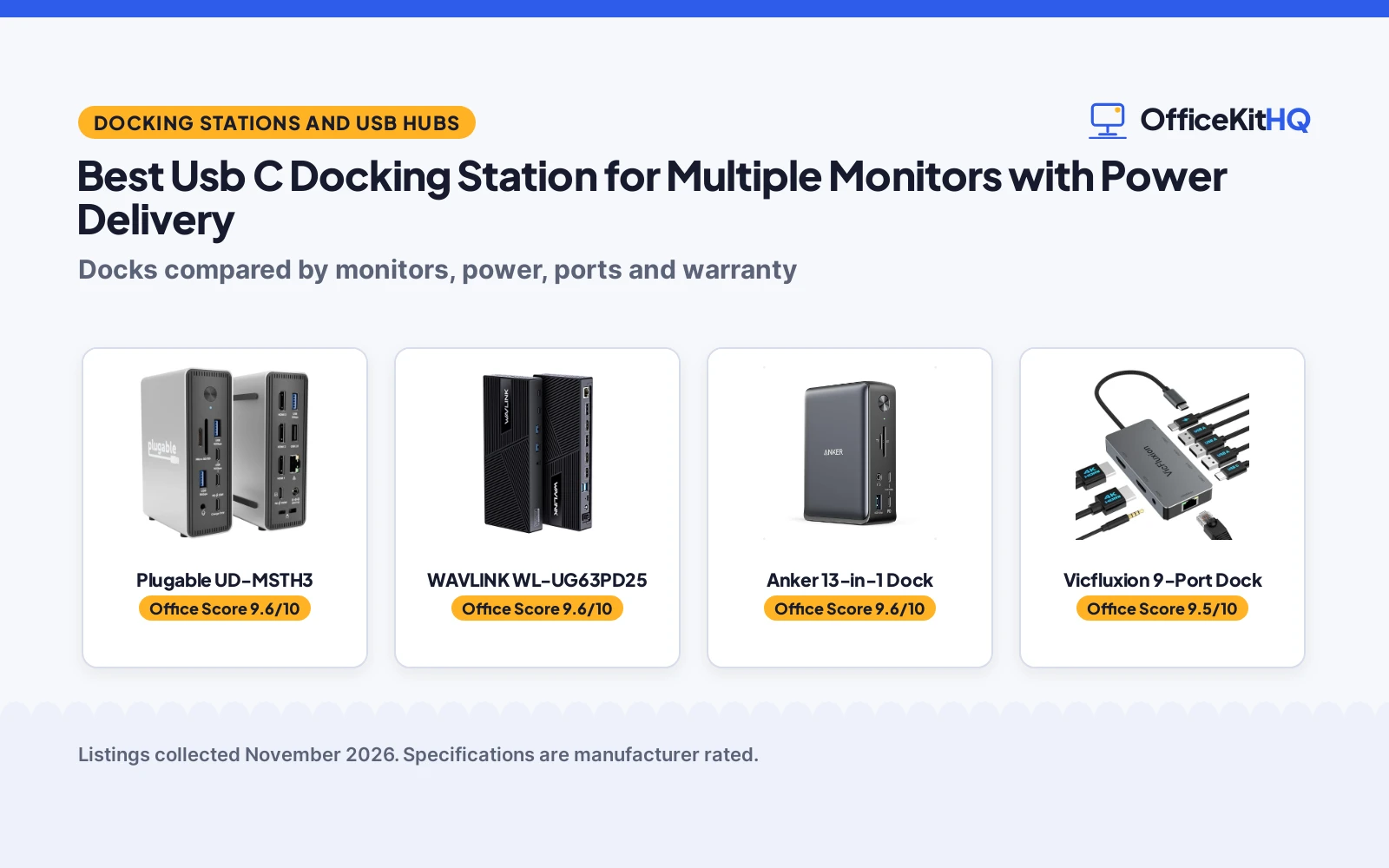
 Best Overall Plugable UD-MSTH3: 15 ports, triple display, 100W PD plus a 30W charge port, 2.5GbE Check price on Amazon
 Best Triple Display WAVLINK WL-UG63PD25: 4K plus 2K plus 2K on 3 monitors, 100W PD, 130W adapter included Check price on Amazon
 Best Dual Display Vicfluxion 9-Port Dock: Dual 4K at 60Hz, 100W PD in, 90W to the laptop, 9 ports Check price on Amazon
 Best Renewed Dell D6000 Dock: Dual 4K or single 5K, 130W PD, renewed with a 90-day warranty Check price on Amazon
 Also Listed Anker 13-in-1 Dock: 13-in-1 triple-display dock, per its title Check price on Amazon
Our desk picks
| # | Product | Office Score | Buy |
|---|---|---|---|
| 1 | Plugable UD-MSTH3 | 9.6/10 | Buy on Amazon |
| 2 | WAVLINK WL-UG63PD25 | 9.6/10 | Buy on Amazon |
| 3 | Anker 13-in-1 Dock | 9.6/10 | Buy on Amazon |
| 4 | Vicfluxion 9-Port Dock | 9.5/10 | Buy on Amazon |
| 5 | Dell D6000 Dock | 9.4/10 | Buy on Amazon |

Plugable UD-MSTH3
A 15-in-1 USB-C dock with triple display on 3 HDMI ports, 100W power delivery, a 30W USB-C charge port, 6 USB ports, SD and microSD slots and 2.5GbE.
Pros
- Triple display on 3 HDMI ports: dual 4K 60Hz or 1x 4K 60Hz plus 2x 1080p
- 100W power delivery plus a 30W USB-C charge port
- 2.5GbE ethernet, while the other docks here list gigabit ethernet
- Driverless for Windows and ChromeOS, with a 2-year warranty and lifetime support
Cons
- Not recommended for Mac or ARM systems, per the listing
- 2 of the 3 displays run at 1080p in triple mode, not 2K
- No power adapter is stated in the listing
- 1.02 lb, the heaviest dock here after the Dell
Detailed Review
Plugable lists the UD-MSTH3 as a 15-in-1 USB-C docking station with triple display on 3 HDMI ports: dual 4K 60Hz or 1x 4K 60Hz plus 2x 1080p. It states 100W power delivery, a 30W USB-C charge port, 6 USB ports (2x 10Gbps USB-C, 1x 10Gbps USB-A, 2x 5Gbps USB-A and 1x USB 2.0), SD and microSD slots, a 3.5mm audio port and 2.5GbE ethernet. The listing says it is driverless for Windows and ChromeOS and not recommended for Mac or ARM, and it states a 2-year manufacturer warranty with lifetime support. The spec table gives 3.39 by 1.65 by 4.8 in and a 1.02 lb weight.
Who it's for: a Windows or ChromeOS desk with 3 monitors, 2.5GbE ethernet and a laptop that charges over USB-C. Who should skip it: anyone on a Mac or ARM machine, or anyone who wants all 3 displays at 2K or above.
Its Office Score of 9.6/10 comes from performance 32/35, build 21/25, value 21/25, safety 0/10 and warranty 3/5: 77 of 100 points, placed on our 9.2 to 9.8 scale.
Key Specifications
| Displays | Triple, 3x HDMI |
|---|---|
| Power delivery | 100W plus 30W charge port |
| USB ports | 6 USB, 2x 10Gbps USB-C |
| Weight | 1.02 lb |
Figures as published on the retailer listing, collected 10 November 2026. Performance figures are manufacturer rated.
Safety and Warranty
What this listing states. No UL, FCC or over-current protection statement is stated, so safety scores zero. 2-year manufacturer warranty. It does not say everything a buyer needs, such as who pays return shipping, so warranty scores 3 of 5. See How We Pick.
Power and heat. Use the supplied adapter, treat power delivery wattage and display support as the maker's claims for your laptop model, and give the dock room to vent.
This is general buying information, not professional advice. Follow each product manual and local rules, and see our Safety Disclaimer.

WAVLINK WL-UG63PD25
A DisplayLink dock with 3 monitors at 4K 60Hz plus 2K 60Hz plus 2K 60Hz, 100W power delivery, a 130W power adapter in the box, 6 10Gbps USB ports and gigabit ethernet.
Pros
- 3 monitors at 4K 60Hz plus 2K 60Hz plus 2K 60Hz, the highest triple-display resolution here
- 130W power adapter included in the box
- 6 USB ports at 10Gbps: 2 USB-C and 4 USB-A
- 3 HDMI and 2 DisplayPort outputs, plus gigabit ethernet
Cons
- DisplayLink driver installation is required
- MacBook M1 to M5 needs the DisplayLink driver
- Does not support USB-A laptops or gaming consoles
- Not recommended for gaming or HDCP-protected 4K streaming
Detailed Review
WAVLINK lists the WL-UG63PD25 as a DisplayLink docking station with 3 monitors: 4K 60Hz on HDMI plus 2K 60Hz on HDMI and DisplayPort plus 2K 60Hz on HDMI and DisplayPort. It states 100W power delivery, a 130W power adapter in the box, 6 USB ports at 10Gbps (2 USB-C and 4 USB-A), gigabit ethernet and a 2-year warranty. The listing says driver installation is required, MacBook M1 to M5 needs the DisplayLink driver, and it does not support USB-A laptops or gaming consoles. It also says the dock is not recommended for gaming or HDCP-protected 4K streaming. The spec table gives 8.78 by 3.58 by 1.14 in and a 0.82 lb weight.
Who it's for: a Windows desk with 3 monitors that wants the highest triple-display resolution here and a power adapter in the box. Who should skip it: anyone on a USB-A laptop or a gaming console, or anyone who wants driverless setup or 4K streaming with HDCP.
Its Office Score of 9.6/10 comes from performance 32/35, build 21/25, value 20/25, safety 0/10 and warranty 3/5: 76 of 100 points, placed on our 9.2 to 9.8 scale.
Key Specifications
| Displays | Triple, 4K plus 2K plus 2K |
|---|---|
| Power delivery | 100W, 130W adapter included |
| USB ports | 6x 10Gbps, 2 USB-C, 4 USB-A |
| Weight | 0.82 lb |
Figures as published on the retailer listing, collected 10 November 2026. Performance figures are manufacturer rated.
Safety and Warranty
What this listing states. No UL, FCC or over-current protection statement is stated, so safety scores zero. 2-year warranty. It does not say everything a buyer needs, such as who pays return shipping, so warranty scores 3 of 5. See How We Pick.
Power and heat. Use the supplied adapter, treat power delivery wattage and display support as the maker's claims for your laptop model, and give the dock room to vent.
This is general buying information, not professional advice. Follow each product manual and local rules, and see our Safety Disclaimer.

Anker 13-in-1 Dock
A 13-port dock with triple display support and 85W charging for small desks.
Pros
- 13 ports through a single cable: 2 HDMI, DisplayPort, 3 USB-C, 3 USB-A, Ethernet, SD/microSD and audio
- Up to 3 monitors at 1080p@60Hz, or a single 4K@60Hz display
- 85W laptop charging plus 18W phone charging at the same time, with a 135W adapter included
- 18-month warranty; compact 4.9 x 3.5 x 1.6 in, 13.1 oz vertical design
Cons
- On a Mac, external monitors are limited to mirror mode
- Triple displays require Windows 10/11 or ChromeOS with MST
- No safety certifications are stated on the listing
- The included 135W power adapter is one more item to place
Detailed Review
The listing states 13 ports: 2 HDMI, a DisplayPort, three USB-C (85W host, 18W PD, 10Gbps data), three USB-A at 5Gbps, Gigabit Ethernet, SD and microSD, 3.5mm audio and DC-IN, all through a single cable. It charges a laptop at 85W and a phone at 18W at the same time, and a 135W power adapter is included. It runs up to 3 external monitors at 1080p@60Hz, or one 4K@60Hz display, with extended triple displays on Windows 10/11 and ChromeOS; on a Mac the monitors are limited to mirror mode. The compact vertical design measures 4.9 x 3.5 x 1.6 inches and weighs 13.1 ounces, and an 18-month warranty is included.
Who it's for: a Windows user who wants one dock for three monitors and full-speed charging on a small desk. Who should skip it: a Mac user who needs extended multi-monitor displays.
Its Office Score of 9.6/10 comes from performance 32/35, build 21/25, value 21/25, safety 0/10 and warranty 4/5: 78 of 100 points, placed on our 9.2 to 9.8 scale.
Key Specifications
| Ports | 13 |
|---|---|
| Display | Triple 1080p@60Hz or single 4K@60Hz |
| Charging | 85W laptop, 18W phone |
| Size | 4.9 x 3.5 x 1.6 in, 13.1 oz |
Figures as published on the retailer listing, collected 21 October 2026. Performance figures are manufacturer rated.
Safety and Warranty
What this listing states. No UL, FCC or over-current protection statement is stated, so safety scores zero. Includes an 18-month warranty. It does not say everything a buyer needs, such as who pays return shipping, so warranty scores 4 of 5. See How We Pick.
Power and heat. Use the supplied adapter, treat power delivery wattage and display support as the maker's claims for your laptop model, and give the dock room to vent.
This is general buying information, not professional advice. Follow each product manual and local rules, and see our Safety Disclaimer.

Vicfluxion 9-Port Dock
A 9-port USB-C dock with dual 4K at 60Hz on 2 HDMI ports, 100W power delivery in and 90W to the laptop, gigabit ethernet, 3 USB-A 3.0 ports and a 3.5mm audio port.
Pros
- Dual 4K at 60Hz on 2 HDMI ports
- 100W power delivery in, 90W to the laptop
- 0.18 lb, the lowest weight stated here
- 3 USB-A 3.0 ports at 5Gbps plus a USB-C 2.0 port at 480Mbps
Cons
- Power adapter not included
- Dual extended displays on Windows only; macOS runs mirror mode only
- Some 65W laptops may show a Slow Charger warning
- No DisplayPort output; the 2 monitors connect over HDMI
Detailed Review
Vicfluxion lists this 9-port USB-C docking station with dual extended displays on Windows, 2 HDMI ports at 4K 60Hz, gigabit ethernet, 3 USB-A 3.0 ports at 5Gbps, 1 USB-C 2.0 port at 480Mbps and a 3.5mm audio port. It states 100W power delivery in and 90W to the laptop, and the power adapter is not included. The listing says dual extended displays work on Windows only and macOS runs mirror mode only, and some 65W laptops may show a Slow Charger warning because the dock needs about 10W. The spec table gives 4.72 by 2.36 by 0.59 in and a 0.18 lb weight, and the listing states a 2-year manufacturer warranty.
Who it's for: a Windows laptop user who wants dual 4K monitors, 90W charging and the lowest weight stated here. Who should skip it: anyone on macOS who needs extended displays, or anyone who wants a power adapter in the box.
Its Office Score of 9.5/10 comes from performance 30/35, build 20/25, value 20/25, safety 0/10 and warranty 3/5: 73 of 100 points, placed on our 9.2 to 9.8 scale.
Key Specifications
| Displays | Dual, 2x HDMI 4K 60Hz |
|---|---|
| Power delivery | 100W in, 90W to laptop |
| USB ports | 3x USB-A 3.0, 1x USB-C 2.0 |
| Weight | 0.18 lb |
Figures as published on the retailer listing, collected 10 November 2026. Performance figures are manufacturer rated.
Safety and Warranty
What this listing states. No UL, FCC or over-current protection statement is stated, so safety scores zero. 2-year manufacturer warranty. It does not say everything a buyer needs, such as who pays return shipping, so warranty scores 3 of 5. See How We Pick.
Power and heat. Use the supplied adapter, treat power delivery wattage and display support as the maker's claims for your laptop model, and give the dock room to vent.
This is general buying information, not professional advice. Follow each product manual and local rules, and see our Safety Disclaimer.

Dell D6000 Dock
A renewed universal docking station with dual 4K displays or a single 5K display, USB 3.0 and USB-C connections, 130W power delivery and a 90-day warranty.
Pros
- Dual 4K displays or a single 5K display
- 130W power delivery, the highest charging figure stated here
- Package includes an Original Dell 130, an HDMI cable and a microfiber cloth
- Compatible with Dell and non-Dell systems, per the listing
Cons
- Sold as renewed, not new
- 90-day warranty, against 2-year terms on the other full-data picks
- 2.5 lb, the highest weight stated here
- No USB port count is stated
Detailed Review
Dell lists the D6000 as a universal docking station, sold as renewed, with dual 4K displays or a single 5K display, USB 3.0 and USB-C connections and 130W power delivery. The listing says it works with Dell and non-Dell systems, and the package includes the Dell Dock D6000, an Original Dell 130, 1 HDMI cable and a microfiber cloth. The spec table gives 8.3 by 3.2 by 1.0 in and a 2.5 lb weight, and the listing states a 90-day warranty.
Who it's for: a desk that wants dual 4K or single 5K from a renewed Dell dock with 130W charging and the adapter in the box. Who should skip it: anyone who wants a new dock or a 2-year warranty term.
Its Office Score of 9.4/10 comes from performance 29/35, build 20/25, value 18/25, safety 0/10 and warranty 2/5: 69 of 100 points, placed on our 9.2 to 9.8 scale.
Key Specifications
| Displays | Dual 4K or single 5K |
|---|---|
| Power delivery | 130W |
| USB ports | Not stated |
| Weight | 2.5 lb |
Figures as published on the retailer listing, collected 10 November 2026. Performance figures are manufacturer rated.
Safety and Warranty
What this listing states. No UL, FCC or over-current protection statement is stated, so safety scores zero. 90-day warranty. It does not say everything a buyer needs, such as who pays return shipping, so warranty scores 2 of 5. See How We Pick.
Power and heat. Use the supplied adapter, treat power delivery wattage and display support as the maker's claims for your laptop model, and give the dock room to vent.
This is general buying information, not professional advice. Follow each product manual and local rules, and see our Safety Disclaimer.
As an Amazon Associate I earn from qualifying purchases.
Specs compared
| Dock | Office Score | Displays | Power delivery | USB ports | Ethernet | Weight | Warranty | Amazon |
|---|---|---|---|---|---|---|---|---|
| Plugable UD-MSTH3 | 9.6/10 | Triple, 3x HDMI | 100W plus 30W port | 6 USB | 2.5GbE | 1.02 pounds | 2 years | View on Amazon |
| WAVLINK WL-UG63PD25 | 9.6/10 | Triple, 3x HDMI, 2x DisplayPort | 100W | 6x 10Gbps | Gigabit | 0.82 pounds | 2 years | View on Amazon |
| Vicfluxion 9-Port Dock | 9.5/10 | Dual, 2x HDMI 4K 60Hz | 100W in, 90W out | 3x USB-A, 1x USB-C | Gigabit | 0.18 pounds | 2 years | View on Amazon |
| Dell D6000 Dock | 9.4/10 | Dual 4K or single 5K | 130W | Not stated | Not stated | 2.5 pounds | 90 days | View on Amazon |
| Anker 13-in-1 Dock | 9.6/10 | Triple, per title | Not stated | Not stated | Not stated | Not stated | Not stated | View on Amazon |
All numbers are the manufacturer’s stated specs, not measured in an office, pulled on 10 November 2026. The Vicfluxion, WAVLINK, Dell and Plugable listings state a warranty term; the Anker listing states none. No listing here states an electrical certification.
How to choose the best usb c docking station for multiple monitors with power delivery
How many monitors, and at what resolution
Count the monitors, then the resolution each display needs. The WAVLINK drives 3 monitors at 4K 60Hz plus 2K 60Hz plus 2K 60Hz, and the Plugable drives 3 monitors at 4K 60Hz plus 1080p plus 1080p. The Vicfluxion and the Dell each drive 2 monitors: the Vicfluxion at 4K 60Hz on 2 HDMI ports, the Dell at dual 4K or a single 5K display. The Anker title promises triple display but states no resolution, so it sits last until its listing says more.
Power delivery and the adapter in the box
Power delivery decides whether the laptop charges while it drives the displays, and the adapter is the part that hides the cost. The Dell states 130W power delivery, the WAVLINK and the Plugable state 100W, and the Vicfluxion states 100W in with 90W to the laptop. The WAVLINK includes a 130W power adapter, the Dell package includes an Original Dell 130, and the Vicfluxion states that the power adapter is not included. Some 65W laptops may show a Slow Charger warning on the Vicfluxion because the dock needs about 10W. A charging station with USB-C ports covers the rest of the desk when the dock leaves a port short.
Ports, ethernet and card readers
Count the USB ports by speed, not by count alone. The WAVLINK lists 6 USB ports at 10Gbps, 2 USB-C and 4 USB-A, while the Plugable lists 6 USB ports split across 10Gbps USB-C, 10Gbps USB-A, 5Gbps USB-A and USB 2.0. The Vicfluxion lists 3 USB-A 3.0 ports at 5Gbps and 1 USB-C 2.0 port at 480Mbps, and the Dell states multiple USB ports without a count. For wired networking, the Plugable states 2.5GbE while the Vicfluxion and the WAVLINK state gigabit ethernet, and the Plugable is the only pick here with SD and microSD slots. A USB-C hub for a travel laptop suits a bag better than a desk dock when the monitors stay home.
Drivers and system compatibility
Check the system before the ports. The Plugable is driverless for Windows and ChromeOS and not recommended for Mac or ARM, while the WAVLINK needs a DisplayLink driver and MacBook M1 to M5 needs the DisplayLink driver. The Vicfluxion runs dual extended displays on Windows only and mirror mode only on macOS. The Dell states universal compatibility with Dell and non-Dell systems. A docking station for hot desking matters when the desk changes hands each day, since driverless setup saves a step each time.
Warranty and support
Warranty terms run from 90 days to 2 years across the picks that state one. The Vicfluxion, WAVLINK and Plugable listings state a 2-year warranty, the Dell states a 90-day warranty, and the Plugable adds lifetime support. The Anker listing states no warranty term, so it scores nothing for warranty. A longer term matters when the dock stays plugged in all day, since the power delivery circuit and the ports carry the load.
Setup Notes
- Measure the desk depth against the dock: the WAVLINK measures 8.78 by 3.58 by 1.14 in, the Dell 8.3 by 3.2 by 1.0 in, the Vicfluxion 4.72 by 2.36 by 0.59 in and the Plugable 3.39 by 1.65 by 4.8 in.
- Plan the power first: the WAVLINK includes a 130W adapter and the Dell package includes an Original Dell 130, while the Vicfluxion needs a separate adapter and states 100W in with 90W to the laptop.
- Install the DisplayLink driver before plugging in the WAVLINK, and check the MacBook M1 to M5 note if the desk runs macOS.
- Place the dock where the HDMI and USB-C cables reach without pulling, and leave room behind it for the ethernet cable.
FAQ
Can a USB-C dock drive 2 monitors at 4K 60Hz?
Yes. The Vicfluxion drives 2 monitors at 4K 60Hz on 2 HDMI ports, the Plugable drives dual 4K 60Hz on 3 HDMI ports, and the Dell drives dual 4K displays.
Does a USB-C dock charge the laptop?
Yes, when the listing states power delivery. The Dell states 130W, the WAVLINK and the Plugable state 100W, and the Vicfluxion states 100W in with 90W to the laptop. The Anker listing states no power delivery figure.
Will a dock work with a Mac?
It depends on the dock. The Vicfluxion runs mirror mode only on macOS, the WAVLINK needs a DisplayLink driver for MacBook M1 to M5, and the Plugable is not recommended for Mac. The Dell states compatibility with Dell and non-Dell systems.
Does a dock need a driver installed?
The WAVLINK needs a DisplayLink driver, and MacBook M1 to M5 needs the DisplayLink driver. The Plugable is driverless for Windows and ChromeOS. The Vicfluxion and Dell listings state no driver requirement.
What if the dock has no power adapter in the box?
The Vicfluxion states that the power adapter is not included, so it needs a separate adapter. The WAVLINK includes a 130W power adapter and the Dell package includes an Original Dell 130. The Plugable listing states no adapter.
Score breakdown
The Office Score weighs performance, build, value, safety and warranty. For a dock, safety means a stated electrical listing or certification, and no listing here states one, so safety adds nothing to any score. The Vicfluxion, WAVLINK, Dell and Plugable listings state a warranty term; the Anker listing states none. How we pick explains the weights.
| Product | Office Score | Perf. /35 | Build /25 | Value /25 | Safety /10 | Warranty /5 |
|---|---|---|---|---|---|---|
| Plugable UD-MSTH3 | 9.6 | 32 | 21 | 21 | 0 | 3 |
| WAVLINK WL-UG63PD25 | 9.6 | 32 | 21 | 20 | 0 | 3 |
| Vicfluxion 9-Port Dock | 9.5 | 30 | 20 | 20 | 0 | 3 |
| Dell D6000 Dock | 9.4 | 29 | 20 | 18 | 0 | 2 |
We fit point totals onto a 9.2 low and 9.8 high in a straight line. One item can outscore another only by earning more points.
More for your workspace
See every docking station and USB hub guide and all audio, power and connectivity guides.
More picks: surge protectors and cable management, docking station for teachers, docking station for musicians.