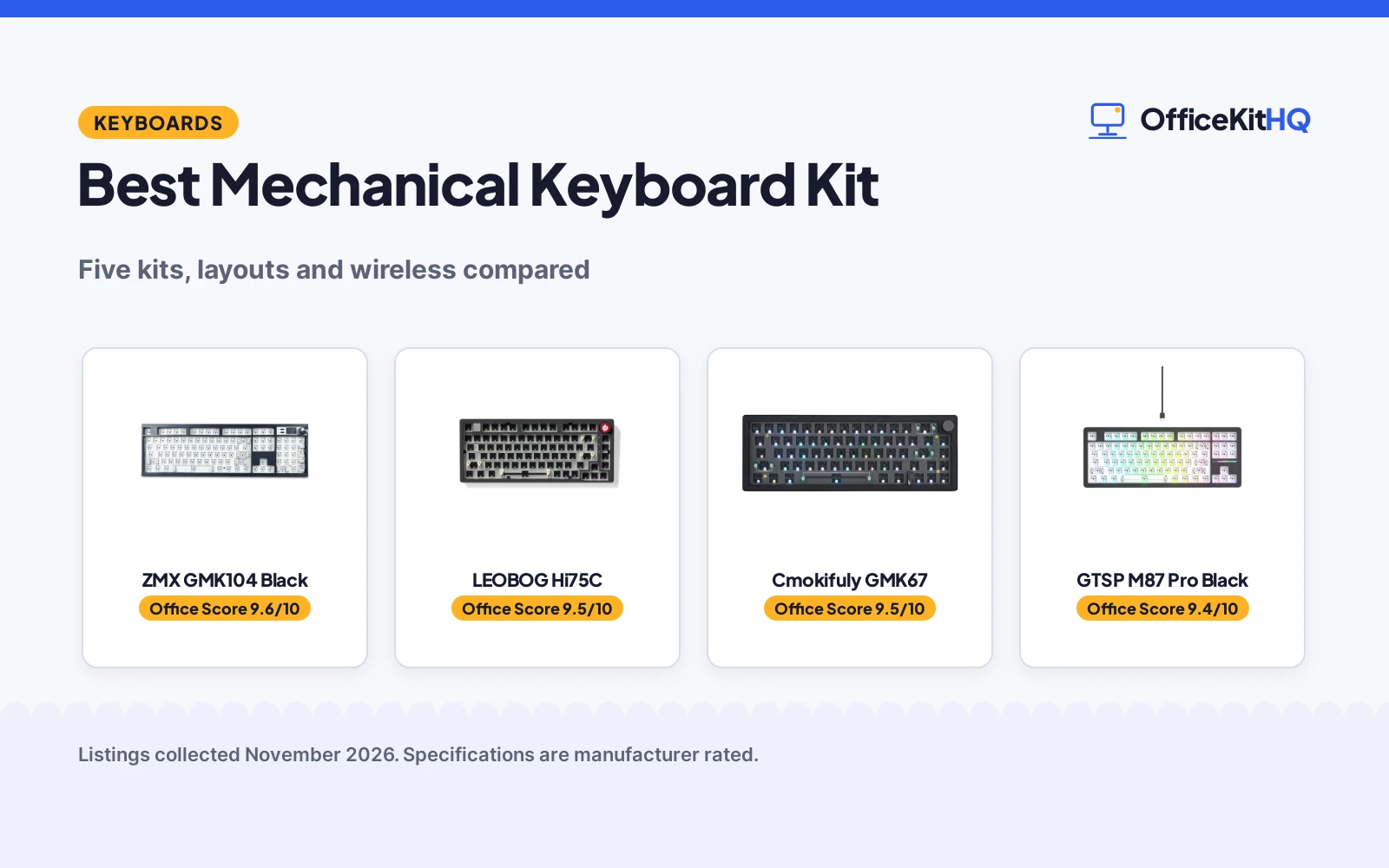
A home desk in the morning is where a best mechanical keyboard kit proves itself: a board that is too wide crowds the mouse, a layout without a numpad slows number entry, and a wired-only kit ties the build to the same port every day. The kits below are compared by layout, connectivity, switch support, lighting and warranty term, using only what each listing publishes, plus extra color options at the end.
OfficeKitHQ earns a commission when you buy through links on this page, at no extra cost to you. As an Amazon Associate I earn from qualifying purchases. Affiliate disclosure.
Quick picks
 Best Overall ZMX GMK104 Black: 104 keys with a screen, knob, VIA and tri-mode wireless Check price on Amazon
 Best Aluminum LEOBOG Hi75C: CNC aluminum frame with gasket mount and 17 RGB effects Check price on Amazon
 Best 65% Cmokifuly GMK67: Tri-mode 66-key kit with a knob and 3000mAh battery Check price on Amazon
 Best for Win/Mac GTSP M87 Pro Black: 75% barebones kit with south-facing RGB and hot-swap sockets Check price on Amazon
 Best Tool Kit Minatee Puller Tool Kit: 9-piece puller and lube tool set for switch modding Check price on Amazon
Our desk picks
Each kit below is ranked by layout, connectivity, switch support and warranty.
| # | Product | Office Score | Buy |
|---|---|---|---|
| 1 | ZMX GMK104 Black | 9.6/10 | Buy on Amazon |
| 2 | LEOBOG Hi75C | 9.5/10 | Buy on Amazon |
| 3 | Cmokifuly GMK67 | 9.5/10 | Buy on Amazon |
| 4 | GTSP M87 Pro Black | 9.4/10 | Buy on Amazon |
| 5 | Minatee Puller Tool Kit | 9.3/10 | Buy on Amazon |

ZMX GMK104 Black
A full-size 104-key kit with a smart display, metal volume knob, VIA programming and tri-mode wireless.
Pros
- 104 keys with numpad and NKRO
- Smart display with customizable image
- Tri-mode wireless with 4000mAh battery
- VIA programming for every key
Cons
- No battery runtime in hours stated, only 4000mAh capacity
- No included switches or keycaps stated
- No RGB effect count stated
- Device switching needs FN+Q/W/E combinations
Detailed Review
The GMK104 lists a 104-key full-size layout with arrow keys, number pad and function keys, all keys with NKRO, plus a smart display that updates and customizes in real time and a metal knob for volume control. Tri-mode connectivity covers Bluetooth 5.0, wireless and USB-C wired, with a 4000mAh battery, and the gasket mount with silencing and cotton rubber pads gives a cushioned typing feel. VIA software programs all 104 keys, and south-facing RGB backlight switches with FN+|.
Who it's for: someone who wants a full-size board with a numpad, a screen and a knob, and tri-mode wireless for three devices. Who should skip it: anyone who wants a compact layout or a stated battery runtime in hours.
Its Office Score of 9.6/10 comes from performance 32/35, build 21/25, value 21/25, safety 0/10 and warranty 2/5: 76 of 100 points, placed on our 9.2 to 9.8 scale.
Key Specifications
| Layout | 104 keys, full size |
|---|---|
| Connectivity | Bluetooth 5.0, wireless, USB-C |
| Battery | 4000mAh |
| Display | Smart display and metal knob |
Figures as published on the retailer listing, collected 3 November 2026. Performance figures are manufacturer rated.
Safety and Warranty
What this listing states. No FCC or other safety listing is stated, so safety scores zero. 1 Year. It does not say everything a buyer needs, such as who pays return shipping, so warranty scores 2 of 5. See How We Pick.
Fit the desk first. Check the stated size against your desk depth and keyboard tray, and charge or pair as the manual describes. No keyboard, mouse or wrist rest prevents or treats injury.
This is general buying information, not professional advice. Follow each product manual and local rules, and see our Safety Disclaimer.
LEOBOG Hi75C
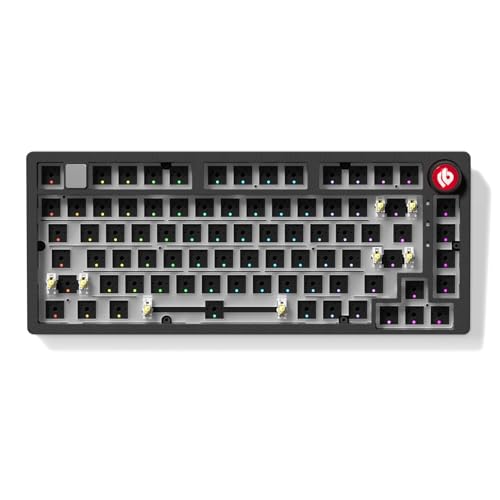
A wired 75% kit with a CNC aluminum case, gasket mount, hot-swap PCB and a volume knob.
Pros
- CNC-machined aluminum case
- Gasket mount for a cushioned typing feel
- 17 RGB effects plus 10 music rhythm modes
- Volume knob and mute button built in
Cons
- Wired only, no wireless or battery stated
- No switches or keycaps stated as included
- Macro software named only as compatible software
- No item weight stated
Detailed Review
The Hi75C is the aluminum pick: a CNC-machined aluminum case with a refined PCB and an optimized gasket mount for stability, typing feel and sound quality. The hot-swap PCB takes 3-pin or 5-pin switches with no soldering, and RGB backlighting offers 17 lighting effects plus 10 music rhythm modes. An integrated volume knob and mute button sit beside a retractable Type-C to USB-A cable stated at 1.8m to 2m, and macro programming covers key remapping, layer customization and firmware updates.
Who it's for: someone building a wired 75% board who wants an aluminum case, a knob and music-responsive RGB. Who should skip it: anyone who wants wireless play or a battery, or a stated item weight.
Its Office Score of 9.5/10 comes from performance 30/35, build 22/25, value 20/25, safety 0/10 and warranty 1/5: 73 of 100 points, placed on our 9.2 to 9.8 scale.
Key Specifications
| Layout | 75% |
|---|---|
| Case | CNC aluminum |
| Switches | Hot-swap 3-pin or 5-pin |
| Cable | Retractable Type-C to USB-A, 1.8m to 2m |
Figures as published on the retailer listing, collected 3 November 2026. Performance figures are manufacturer rated.
Safety and Warranty
What this listing states. This product does not plug in or run on a battery, so safety is not part of its score. 6 Months. It does not say everything a buyer needs, such as who pays return shipping, so warranty scores 1 of 5. See How We Pick.
Fit the desk first. Check the stated size against your desk depth and keyboard tray, and charge or pair as the manual describes. No keyboard, mouse or wrist rest prevents or treats injury.
This is general buying information, not professional advice. Follow each product manual and local rules, and see our Safety Disclaimer.

Cmokifuly GMK67
A 65% tri-mode kit with 66 keys plus a knob, a 3000mAh battery and poron noise pads.
Pros
- Tri-mode wireless with 3000mAh battery
- 66 keys plus 1 knob in a 65% layout
- Hot-swap socket for 3-pin or 5-pin switches
- Poron pads and foam between case and PCB
Cons
- Switches and keycaps are not included, per the listing
- Tri-mode connections are not enumerated in the listing
- V2 owners must ask for new software
- No item weight stated
Detailed Review
The GMK67 lists a 66-key plus 1 knob layout in 65% size with tri-mode connection and a built-in 3000mAh battery for outside work and travel. The hot-swap socket and gasket structure plate take most 3-pin or 5-pin switches, and a poron pad, a poron switch underpad and foam between case and PCB cut inner noise. RGB offers 18 lighting modes with adjustable speed, brightness and mode, and the driver customizes key functions. The listing is explicit that MX switches and keycaps are not included.
Who it's for: someone who wants a compact tri-mode board with a knob and does not mind ordering switches and keycaps separately. Who should skip it: anyone who wants a complete kit out of the box or a stated item weight.
Its Office Score of 9.5/10 comes from performance 29/35, build 20/25, value 19/25, safety 0/10 and warranty 2/5: 70 of 100 points, placed on our 9.2 to 9.8 scale.
Key Specifications
| Layout | 65%, 66 keys + knob |
|---|---|
| Battery | 3000mAh |
| Switches | Hot-swap 3-pin or 5-pin |
| Lighting | 18 lighting modes |
Figures as published on the retailer listing, collected 3 November 2026. Performance figures are manufacturer rated.
Safety and Warranty
What this listing states. No FCC or other safety listing is stated, so safety scores zero. 1 year (non-human damages). It does not say everything a buyer needs, such as who pays return shipping, so warranty scores 2 of 5. See How We Pick.
Fit the desk first. Check the stated size against your desk depth and keyboard tray, and charge or pair as the manual describes. No keyboard, mouse or wrist rest prevents or treats injury.
This is general buying information, not professional advice. Follow each product manual and local rules, and see our Safety Disclaimer.

GTSP M87 Pro Black
A 75% barebones kit with a gasket mount, south-facing RGB and hot-swap sockets for 3-pin or 5-pin switches.
Pros
- Hot-swap terminals for 3-pin or 5-pin MX switches
- South-facing RGB with 18 factory-set lights and music rhythm modes
- Silencing pads and silicon bottom pad for sound absorption
- Windows and Mac compatible with detachable USB-C cable
Cons
- Listing names both M87pro and M75pro models
- No battery or wireless stated, wired USB-C only
- No item weight stated
- No keycaps or switches stated as included
Detailed Review
The GTSP lists a 75% barebones base with a gasket mount, sound absorption foam and a silicon bottom pad for sound absorption, plus hot-swap terminals for 3-pin or 5-pin MX switches with NKRO support. Lighting covers 18 factory-set lights and music rhythm modes with custom software for per-key lighting, macros and effects. One wrinkle: the bullets name the model M87pro in one place and M75pro in another, while the spec table and color name say M87 Pro, so treat M87 as the model. Full-key anti-ghosting and a detachable USB-C cable round out a Windows and Mac compatible kit.
Who it's for: someone building a 75% board who wants south-facing RGB, quiet pads and broad MX switch support. Who should skip it: anyone who wants wireless, a battery, or a listing without a model-name wrinkle.
Its Office Score of 9.4/10 comes from performance 28/35, build 20/25, value 20/25, safety 0/10 and warranty 1/5: 69 of 100 points, placed on our 9.2 to 9.8 scale.
Key Specifications
| Layout | 75% barebones |
|---|---|
| Switches | Hot-swap 3-pin or 5-pin |
| Lighting | South-facing RGB, 18 modes |
| Cable | Detachable USB-C |
Figures as published on the retailer listing, collected 3 November 2026. Performance figures are manufacturer rated.
Safety and Warranty
What this listing states. This product does not plug in or run on a battery, so safety is not part of its score. 30days. It does not say everything a buyer needs, such as who pays return shipping, so warranty scores 1 of 5. See How We Pick.
Fit the desk first. Check the stated size against your desk depth and keyboard tray, and charge or pair as the manual describes. No keyboard, mouse or wrist rest prevents or treats injury.
This is general buying information, not professional advice. Follow each product manual and local rules, and see our Safety Disclaimer.

Minatee Puller Tool Kit
A 9-piece puller and lube tool set for switch modding, cleaning and maintenance, not a keyboard base.
Pros
- 9 pieces cover pullers, tweezers, brushes and an IC extractor
- 4-claw stem holder grips small parts like springs
- Non-slip IC extractor for a firmer hold
- Grease brushes in flat and fine heads for lubing
Cons
- Not a keyboard: no board, switches or keycaps included
- No warranty term stated
- Tool sizes suit small parts, not full keyboard assembly
- No case or storage stated for the 9 pieces
Detailed Review
The Minatee is the odd one out: a 9-piece tool set, not a keyboard kit, with an IC extractor, switch puller, keycap puller, elbow tweezers, pointed tweezers, 2 flat head grease brushes and 2 fine head grease brushes. The stem holder is a 4-forked clamp for small parts such as springs, and the non-slip IC extractor is made to reduce hand fatigue. Stated tool lengths run from the 10.5 cm switch puller to the 16.7 cm grease brushes, and the set suits cleaning, switch swaps and lubing during a build.
Who it's for: someone already building or maintaining a board who wants pullers, tweezers and lube brushes in one set. Who should skip it: anyone shopping for an actual keyboard base, or who wants a warranty term.
Its Office Score of 9.3/10 comes from performance 23/35, build 19/25, value 18/25, safety 0/10 and warranty 0/5: 60 of 100 points, placed on our 9.2 to 9.8 scale.
Key Specifications
| Pieces | 9 tools |
|---|---|
| Includes | Pullers, tweezers, brushes, IC extractor |
| Holder | 4-forked stem holder |
| Longest tool | 16.7 cm grease brushes |
Figures as published on the retailer listing, collected 3 November 2026. Performance figures are manufacturer rated.
Safety and Warranty
What this listing states. This product does not plug in or run on a battery, so safety is not part of its score. No warranty term, so warranty scores zero. See How We Pick.
Fit the desk first. Check the stated size against your desk depth and keyboard tray, and charge or pair as the manual describes. No keyboard, mouse or wrist rest prevents or treats injury.
This is general buying information, not professional advice. Follow each product manual and local rules, and see our Safety Disclaimer.
As an Amazon Associate I earn from qualifying purchases.
More picks to compare
 GTSP M87 Pro WhiteSuits buyers wanting the same 75% barebones kit in white.Check on Amazon
 ZMX GMK104 WhiteSuits buyers wanting the full-size screen and knob kit in white.Check on Amazon
Specs compared
The table lines up the kits by layout, standout feature and warranty.
| Keyboard Kit | Office Score | Layout | Standout feature | Warranty | Amazon |
|---|---|---|---|---|---|
| ZMX GMK104 Black | 9.6/10 | 104 keys, full size | Screen and knob | 1 Year | View on Amazon |
| LEOBOG Hi75C | 9.5/10 | 75% | Aluminum frame | 6 Months | View on Amazon |
| Cmokifuly GMK67 | 9.5/10 | 66 keys + knob | Tri-mode, 3000mAh | 1 year | View on Amazon |
| GTSP M87 Pro Black | 9.4/10 | 75% | South-facing RGB | 30days | View on Amazon |
| Minatee Puller Tool Kit | 9.3/10 | 9-piece set | Pullers and tweezers | Not stated | View on Amazon |
Specs reflect manufacturer claims on each product listing (as of 3 November 2026). Four of the five state a warranty term; none states a safety certification.
How to choose the best mechanical keyboard kit
Layout first: full-size, 75% or 65%
Layout decides what stays on the desk. The GMK104 keeps a full-size board with arrow keys, number pad and function keys, while the Hi75C and GTSP give a 75% board and the GMK67 gives a 65% board with 66 keys plus a knob. A numpad suits number entry, while a compact board frees mouse room on a small desk. The Minatee set is not a board at all, so pair it with one of the kits above rather than counting it as a layout choice. Check the stated footprint before ordering: the Hi75C lists 14.0 by 7.0 by 2.7 inches and the GMK104 lists 14.0 by 5.0 by 1.0 inches, so the Hi75C runs deeper while the GMK104 runs flatter.
Wireless, battery and knobs
Only two kits cut the cord: the GMK104 with Bluetooth 5.0, wireless and USB-C wired plus a 4000mAh battery, and the GMK67 with tri-mode connection and a 3000mAh battery. The Hi75C and GTSP are wired USB-C kits, so the desk needs a free port and the cable run matters. Knobs differ too: the GMK104 pairs a metal knob with a smart display, the GMK67 adds a single knob to a compact board, and the Hi75C pairs its knob with a mute button. If the board moves between rooms, battery and tri-mode matter more than a screen.
Switches, lighting and the extras
Every keyboard kit here takes 3-pin or 5-pin switches with no soldering, so switch choice stays open across all four boards. Lighting splits by count: the Hi75C lists 17 effects plus 10 music rhythm modes, the GTSP lists 18 factory-set lights and music rhythm modes, and the GMK67 lists 18 lighting modes, while the GMK104 lists south-facing RGB with no effect count stated. Programming splits by software: the GMK104 uses VIA for all 104 keys, the Hi75C and GTSP use compatible or custom software for macros and per-key lighting, and the GMK67 uses its own driver. The Minatee tool set covers the other half of a build: pullers, tweezers and lube brushes for swaps and cleaning. For related desk gear, see the mice and mouse pads and monitor arms and stands guides.
Setup Notes
- Measure the footprint first: the Hi75C lists 14.0 by 7.0 by 2.7 inches and the GMK104 lists 14.0 by 5.0 by 1.0 inches.
- Order switches and keycaps with the GMK67, since the listing states they are not included.
- Keep a USB-C port free for the wired kits; the GMK104 recharges over its detachable USB-C cable while in use.
- Check the box version on the GMK67: V2 owners must ask for the new software.
- Add a puller set like the Minatee kit for switch swaps and cleaning.
FAQ
What is a mechanical keyboard kit?
A barebones base with a case, PCB and plate that takes your own switches and keycaps. The kits here are barebones bases: the GMK104, Hi75C, GTSP and GMK67 all take 3-pin or 5-pin switches with no soldering, while the GMK67 listing states switches and keycaps are not included.
How do I choose a mechanical keyboard kit?
Start with layout: full-size with a numpad, 75% or 65% with a knob. Then check connectivity: tri-mode wireless on the GMK104 and GMK67, or wired USB-C on the Hi75C and GTSP. Then check switch support and programming: all four boards take 3-pin or 5-pin switches, and the GMK104 programs every key through VIA.
How do I set up a mechanical keyboard on Mac?
Pick a kit that states Mac compatibility: the GTSP states Windows and Mac systems, and the GMK104 states Windows and macOS environments. Plug in over USB-C, then use the kit software to remap keys and lighting: VIA on the GMK104, custom software on the GTSP.
What switches fit these keyboard kits?
All four keyboard kits take 3-pin or 5-pin switches with no soldering. The GTSP names Cherry, Otemu, Gateron, Kailh and other MX switches and clones, and the GMK67 takes most 3-pin or 5-pin switches on the market.
Do these kits include switches and keycaps?
The GMK67 listing states switches and keycaps are not included, so order them separately. The other keyboard kits are barebones bases, and the Minatee set is a tool kit, not a board.
Score breakdown
The Office Score weighs performance, build, value, safety and warranty. For a keyboard kit, safety would mean a stated safety certification, and none of the five listings names one, so no safety points were given. Four of the five listings state a warranty term: the GMK104 and GMK67 at 1 year, the Hi75C at 6 months and the GTSP at 30 days, while the tool kit states none. How we pick explains the weights.
| Product | Office Score | Perf. /35 | Build /25 | Value /25 | Safety /10 | Warranty /5 |
|---|---|---|---|---|---|---|
| ZMX GMK104 Black | 9.6 | 32 | 21 | 21 | 0 | 2 |
| LEOBOG Hi75C | 9.5 | 30 | 22 | 20 | 0 | 1 |
| Cmokifuly GMK67 | 9.5 | 29 | 20 | 19 | 0 | 2 |
| GTSP M87 Pro Black | 9.4 | 28 | 20 | 20 | 0 | 1 |
| Minatee Puller Tool Kit | 9.3 | 23 | 19 | 18 | 0 | 0 |
The scale opens at 9.2 and closes at 9.8; between those marks, weighted points translate linearly into the score you see.
More for your workspace
See every keyboards and keyboard trays guide and all monitor mounts, keyboards and mice guides.
More picks: mice and mouse pads, monitor arms and stands, webcams and ring lights.