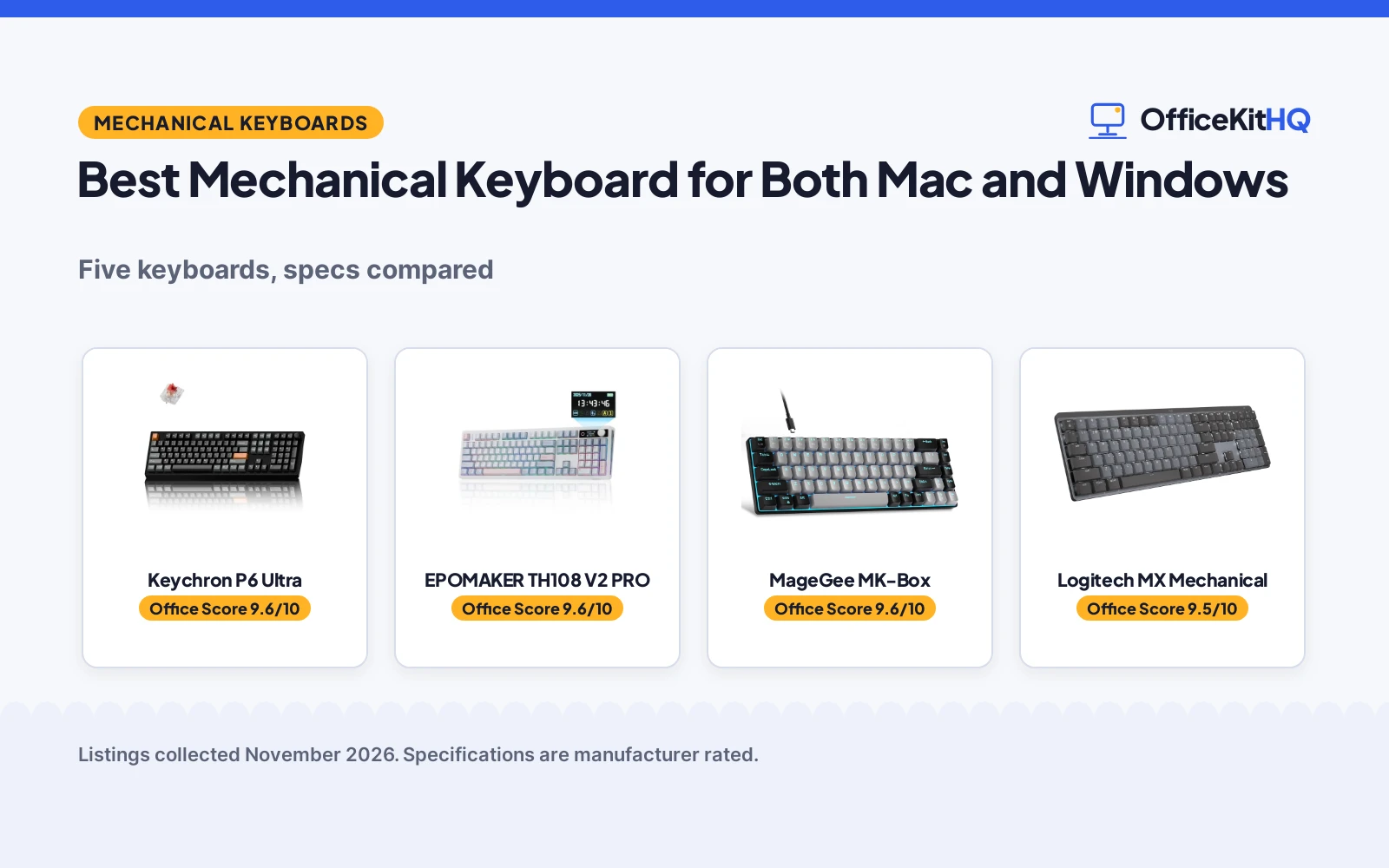
The best mechanical keyboard for both mac and windows is the board that keeps its Mac legends readable while its Windows shortcuts still land where fingers expect them, because a board that forces a relearn on every switch is a board that stays in a drawer. At a desk shared by a Mac and a Windows machine, the keyboard has to move between systems without a spare board, a spare cable or a spare set of habits. We compared the keyboards in this guide by layout, connection, battery, switch and warranty, and ranked them by Office Score.
OfficeKitHQ earns a commission when you buy through links on this page, at no extra cost to you. As an Amazon Associate I earn from qualifying purchases. Affiliate disclosure.
Quick picks
 Best Overall Keychron P6 Ultra: 8000 Hz polling, up to 660 hours with backlight off, aluminum build Check price on Amazon
 Best Screen and Knob EPOMAKER TH108 V2 PRO: Screen and knob, 10000 mAh battery, up to 200 hours of use Check price on Amazon
 Best Low-Profile Logitech MX Mechanical: Low-profile clicky switches, smart backlight, up to 15 days per charge Check price on Amazon
 Best Full-Size Value Keychron K10: 104 keys, Bluetooth for 3 devices, 4000 mAh battery Check price on Amazon
 Compact 60% Pick MageGee MK-Box: 60% layout with Blue switch, the smallest board here Check price on Amazon
Our desk picks
| # | Product | Office Score | Buy |
|---|---|---|---|
| 1 | Keychron P6 Ultra | 9.6/10 | Buy on Amazon |
| 2 | EPOMAKER TH108 V2 PRO | 9.6/10 | Buy on Amazon |
| 3 | MageGee MK-Box Blue Keyboard | 9.6/10 | Buy on Amazon |
| 4 | Logitech MX Mechanical | 9.5/10 | Buy on Amazon |
| 5 | Keychron K10 | 9.4/10 | Buy on Amazon |
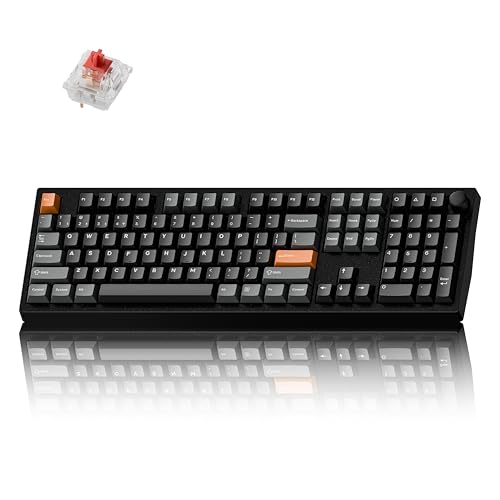
Keychron P6 Ultra
A full-size aluminum wireless keyboard with 8000 Hz polling, hot-swappable silent switches and up to 660 hours of battery life with the backlight off.
Pros
- 8000 Hz polling in wired and 2.4 GHz wireless modes, the fastest stated here
- Up to 660 hours of battery life with the backlight off, or up to 200 hours with RGB at lowest brightness
- Hot-swappable K Pro Silent Red switch rated for up to 80 million keystrokes
- Aluminum alloy build that the maker says resists bending more than 10 times better than typical plastics
Cons
- The longest battery figure needs the backlight off; RGB at lowest brightness drops it to 200 hours
- The up to 4 months figure is based on 5 hours of daily use
- Heavier aluminum mass suits a fixed desk better than a board that moves daily
- Silent switch suits quiet rooms, so anyone who wants audible click feedback should look elsewhere
Detailed Review
Keychron lists the P6 Ultra as a full-size aluminum wireless mechanical keyboard with tri-mode connection: 2.4 GHz wireless, Bluetooth 5.3 for three devices and wired use. The 8000 Hz polling rate applies in wired and 2.4 GHz wireless modes, and the battery lasts up to 660 hours with the backlight off or up to 200 hours with RGB at lowest brightness. The hot-swappable K Pro Silent Red switch is factory pre-lubed, with 45±10gf actuation, gold alloy contacts and a rating of up to 80 million keystrokes. Multiple layers of acoustic foam sit under the keys, and the Keychron Launcher web app with ZMK programmability handles remapping, macros and per-key RGB. The maker states a 1 Year Manufacturer warranty.
Who it's for: someone who wants one full-size board for Mac, Windows and Linux with the longest stated battery life and a quiet switch. Who should skip it: anyone who wants a clicky switch or a compact layout without a number pad.
Its Office Score of 9.6/10 comes from performance 33/35, build 24/25, value 21/25, safety 0/10 and warranty 3/5: 81 of 100 points, placed on our 9.2 to 9.8 scale.
Key Specifications
| Polling rate | 8000 Hz |
|---|---|
| Battery life | Up to 660 hours, backlight off |
| Switch | K Pro Silent Red, hot-swappable |
| Warranty | 1 Year Manufacturer |
These specs mirror the retailer listing as of 20 November 2026; performance figures are stated by the brand.
Safety and Warranty
What this listing states. No FCC or other safety listing is stated, so safety scores zero. 1 Year Manufacturer warranty. It does not say everything a buyer needs, such as who pays return shipping, so warranty scores 3 of 5. See How We Pick.
Fit the desk first. Check the stated size against your desk depth and keyboard tray, and charge or pair as the manual describes. No keyboard, mouse or wrist rest prevents or treats injury.
This is general buying information, not professional advice. Follow each product manual and local rules, and see our Safety Disclaimer.

EPOMAKER TH108 V2 PRO
A full-size 104-key keyboard with a screen and rotary knob, Mac modifier keycaps, a 10000 mAh battery and up to 200 hours of use.
Pros
- Screen and rotary knob show keyboard info and backlight settings and control volume at default
- 10000 mAh battery fuels up to 200 hours of continuous use
- Dedicated Mac modifier letters on durable PBT keycaps for hybrid Mac and Windows use
- Gasket mount with PORON, latex, IXPE, silicone and foam layers for a soft typing feel
Cons
- Weight over 1 kg anchors the board, so it suits a fixed desk better than a setup that moves daily
- The screen, knob and web software add setup steps a plain keyboard does not need
- Full-size 104-key layout with a number pad takes more desk space than a compact board
- The 1000 Hz polling and 2 ms latency are gaming figures a plain typing setup does not need
Detailed Review
EPOMAKER lists the TH108 V2 PRO as a full-size mechanical keyboard with a 104-key layout, a dedicated number pad and a screen with a rotary knob. The tri-mode connection switches across devices with FN+Q/W/E, and the Mac modifier letters sit on PBT keycaps for hybrid use across Mac and Windows. The 10000 mAh battery fuels up to 200 hours of continuous use, the 1000 Hz polling rate and 2 ms latency keep keystrokes instant, and the factory-lubed switches sit in a gasket mount cushioned with PORON, latex, IXPE, silicone and foam layers. RGB lighting runs through an integrated light bar and south-facing backlight, and the web-based software handles macro recording, key remap and screen customisation without installers. The maker states a 1 Year Warranty.
Who it's for: someone who wants a full-size board with a screen and knob, Mac legends and long battery life on one desk. Who should skip it: anyone who wants a compact board or a plain keyboard without a screen.
Its Office Score of 9.6/10 comes from performance 32/35, build 22/25, value 21/25, safety 0/10 and warranty 3/5: 78 of 100 points, placed on our 9.2 to 9.8 scale.
Key Specifications
| Layout | Full-size, 104 keys |
|---|---|
| Battery | 10000 mAh, up to 200 hours |
| Polling rate | 1000 Hz, 2 ms latency |
| Warranty | 1 Year Warranty |
These specs mirror the retailer listing as of 20 November 2026; performance figures are stated by the brand.
Safety and Warranty
What this listing states. No FCC or other safety listing is stated, so safety scores zero. 1 Year Warranty. It does not say everything a buyer needs, such as who pays return shipping, so warranty scores 3 of 5. See How We Pick.
Fit the desk first. Check the stated size against your desk depth and keyboard tray, and charge or pair as the manual describes. No keyboard, mouse or wrist rest prevents or treats injury.
This is general buying information, not professional advice. Follow each product manual and local rules, and see our Safety Disclaimer.

MageGee MK-Box Blue Keyboard
A compact 68-key keyboard with clicky blue switches, blue LED backlight and a detachable cable.
Pros
- Blue clicky switches with crisp tactile feedback
- Compact 68 keys with separate arrow keys
- Blue LED backlight with about 15 modes stated
- Detachable USB cable for portability
Cons
- Blue switches are loud for shared spaces
- 68 keys drop the number pad and function row
- No warranty term is stated
- Compact layout has a learning curve for newbies
Detailed Review
MageGee lists the MK-Box as a 68-key compact wired keyboard with blue clicky switches, blue LED backlight with about 15 modes and full anti-ghosting on all 68 keys. The listing states separate arrow keys, ergonomic double-color injection keycaps, double kickstand feet and a detachable USB cable, with plug and play on Windows, Linux and Mac. No warranty term is stated.
Who it's for: newbies who want clicky feedback in a compact board. Who should skip it: anyone who needs quiet switches or a full layout.
Its Office Score of 9.6/10 comes from performance 28/35, build 20/25, value 20/25, safety not scored (non-powered gear) and warranty 0/5: 68 of 90 points, placed on our 9.2 to 9.8 scale.
Key Specifications
| Layout | 68 keys |
|---|---|
| Switch | Blue clicky |
| Backlight | Blue LED |
| Extras | Detachable USB |
Figures as published on the retailer listing, collected 17 October 2026. Performance figures are manufacturer rated.
Safety and Warranty
What this listing states. This product does not plug in or run on a battery, so safety is not part of its score. No warranty term, so warranty scores zero. See How We Pick.
Fit the desk first. Check the stated size against your desk depth and keyboard tray, and charge or pair as the manual describes. No keyboard, mouse or wrist rest prevents or treats injury.
This is general buying information, not professional advice. Follow each product manual and local rules, and see our Safety Disclaimer.

Logitech MX Mechanical
A full-size low-profile wireless keyboard with 3-device pairing and smart backlighting for multi-device desk workers; skip it if you need a compact board.
Pros
- Pairs with up to 3 devices via Bluetooth or the included Logi Bolt receiver
- Smart backlight lights up as hands approach and auto-adjusts to the room
- Up to 15 days per charge, up to 10 months with backlighting off
- Logi Options+ enables Flow cross-computer control and Fn customization
Cons
- No stated switch lifespan in the listing
- Single-color backlighting, not RGB
- Enclosure material not stated in the spec table
- 2.5 pounds; not the lightest to move around
Detailed Review
The Logitech MX Mechanical is the most purpose-built productivity board here: low-profile clicky switches, a full-size layout, smart illumination and three-device pairing aimed squarely at desk workers who live across machines. The 15-day battery with backlighting on, stretching to 10 months with it off, means charging is a rare event.
What it gives up is tinkering. There is no hot-swap socket, no RGB, and the enclosure material is not stated, so buyers who customize switches or chase per-key lighting should look at the Keychron picks. For a type-all-day, switch-between-devices workflow, though, the feature set lines up exactly with the job.
Its Office Score of 9.5/10 comes from performance 33/35, build 20/25, value 20/25, safety 0/10 and warranty 1/5: 74 of 100 points, placed on our 9.2 to 9.8 scale.
Key Specifications
| Layout | Full-size, 104 keys |
|---|---|
| Switch | Clicky, low-profile |
| Connection | Bluetooth, Logi Bolt receiver, USB-C |
| Devices | Up to 3 |
| Battery | Up to 15 days; up to 10 months backlight off |
| Backlight | Single color, smart auto-adjust |
| Dimensions | 20.5 x 6.4 x 1.02 in |
| Weight | 2.5 pounds |
| Warranty | 1 Year Limited Hard Warranty |
Figures as published on the retailer listing, collected 17 October 2026. Performance figures are manufacturer rated.
Safety and Warranty
What this listing states. No FCC or other safety listing is stated, so safety scores zero. 1 Year Limited Hard Warranty. It does not say everything a buyer needs, such as who pays return shipping, so warranty scores 1 of 5. See How We Pick.
Fit the desk first. Check the stated size against your desk depth and keyboard tray, and charge or pair as the manual describes. No keyboard, mouse or wrist rest prevents or treats injury.
This is general buying information, not professional advice. Follow each product manual and local rules, and see our Safety Disclaimer.
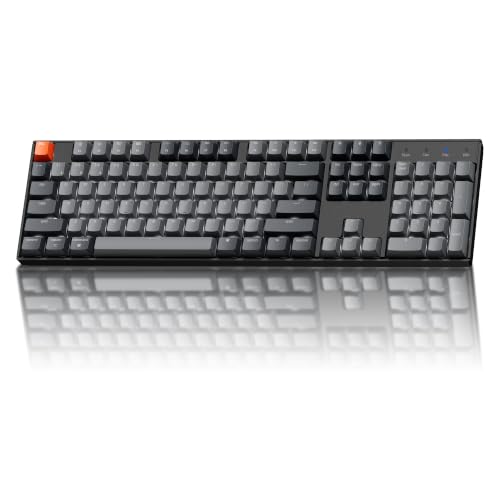
Keychron K10
A 104-key full-size keyboard with a Mac layout, Bluetooth for up to 3 devices and a 4000 mAh battery.
Pros
- 104-key full-size layout with a number pad for spreadsheets and data entry
- Mac layout with extra keycaps included to match a Windows setup
- Bluetooth for up to 3 devices, or USB-C wired for a stable desk setup
- 4000 mAh rechargeable battery with an adjustable white LED backlight
Cons
- No warranty term is stated
- White LED backlight only, so anyone who wants RGB should look elsewhere
- Full-size layout with a number pad takes more desk space than a compact board
- Linear Apex Red switch suits light keystrokes, so anyone who wants tactile or clicky feedback should look elsewhere
Detailed Review
Keychron lists the K10 as a 104-key full-size keyboard with a number pad, built around the Keychron Apex Red switch for a smooth linear feel. It connects to up to 3 devices over Bluetooth and switches between them, or runs wired over USB-C. The board is designed with a Mac layout and fully compatible with Windows, with extra keycaps included to match a preferred system. A 4000 mAh rechargeable battery supports extended wireless use, and the adjustable white LED backlight keeps keys visible in low light.
Who it's for: someone who wants a full-size Mac-layout board that also works on Windows, with a number pad and a white backlight. Who should skip it: anyone who wants a warranty term in writing or a compact layout.
Its Office Score of 9.4/10 comes from performance 28/35, build 20/25, value 21/25, safety 0/10 and warranty 0/5: 69 of 100 points, placed on our 9.2 to 9.8 scale.
Key Specifications
| Layout | Full-size, 104 keys |
|---|---|
| Connection | Bluetooth, up to 3 devices, USB-C wired |
| Battery | 4000 mAh |
| Warranty | Not stated |
These specs mirror the retailer listing as of 20 November 2026; performance figures are stated by the brand.
Safety and Warranty
What this listing states. No FCC or other safety listing is stated, so safety scores zero. No warranty term, so warranty scores zero. See How We Pick.
Fit the desk first. Check the stated size against your desk depth and keyboard tray, and charge or pair as the manual describes. No keyboard, mouse or wrist rest prevents or treats injury.
This is general buying information, not professional advice. Follow each product manual and local rules, and see our Safety Disclaimer.
As an Amazon Associate I earn from qualifying purchases.
Specs compared
| Keyboard | Office Score | Layout | Connection | Battery | Switch | Warranty | Amazon |
|---|---|---|---|---|---|---|---|
| Keychron P6 Ultra | 9.6/10 | Full-size, aluminum | 2.4 GHz, Bluetooth 5.3, wired | Up to 660 hours | K Pro Silent Red | 1 year | View on Amazon |
| EPOMAKER TH108 V2 PRO | 9.6/10 | Full-size, 104 keys | Bluetooth, 2.4 GHz | Up to 200 hours | Sea Salt Silent | 1 year | View on Amazon |
| Logitech MX Mechanical | 9.5/10 | Full-size, low-profile | Bluetooth, Logi Bolt | Up to 15 days | Clicky | Not stated | View on Amazon |
| Keychron K10 | 9.4/10 | Full-size, 104 keys | Bluetooth, USB-C wired | 4000 mAh | Apex Red | Not stated | View on Amazon |
| MageGee MK-Box | 9.6/10 | 60% | Not stated | Not stated | Blue | Not stated |
Specs reflect manufacturer claims on each product listing (as of 20 November 2026). A warranty term is stated for the EPOMAKER TH108 V2 PRO and the Keychron P6 Ultra.
How to choose the best mechanical keyboard for both mac and windows
Start with the Mac legends, then check Windows
A board for both systems has to label the Mac keys and still work on Windows. The EPOMAKER TH108 V2 PRO puts dedicated Mac modifier letters on PBT keycaps, and the Keychron K10 is designed with a Mac layout, is fully compatible with Windows, and ships with extra keycaps to match a preferred system. The Keychron P6 Ultra is listed for Mac, Windows and Linux, and the Logitech MX Mechanical pairs with nearly any operating system. If your desk pairs a MacBook with a Windows desktop, the best ergonomic keyboard for MacBook Pro guide covers boards built around the Mac first.
Count the devices before you count the keys
The Keychron P6 Ultra connects over Bluetooth 5.3 to three devices, the Keychron K10 connects to up to 3 devices over Bluetooth, and the Logitech MX Mechanical pairs with up to 3 devices over Bluetooth Low Energy or the included Logi Bolt receiver. The EPOMAKER TH108 V2 PRO switches across devices with FN+Q/W/E. If Linux sits beside the Mac and Windows machines, the best mechanical keyboard for Linux guide lists boards that name Linux support. A wired fallback matters when the battery runs out mid-call, so check whether the board offers USB-C wired use as the K10 does.
Battery life is a backlight setting
The headline battery figure usually assumes the lights are off. The Keychron P6 Ultra states up to 660 hours with the backlight off and up to 200 hours with RGB at lowest brightness, based on 5 hours of daily use for the up to 4 months figure. The EPOMAKER TH108 V2 PRO states up to 200 hours from a 10000 mAh battery, and the Logitech MX Mechanical states up to 15 days on a full charge or up to 10 months with the backlight turned off. The Keychron K10 states a 4000 mAh battery without a stated hour figure, and the MageGee MK-Box states no battery detail at all.
| Keyboard | Battery | Switch |
|---|---|---|
| Keychron P6 Ultra | Up to 660 hours, backlight off | K Pro Silent Red |
| EPOMAKER TH108 V2 PRO | Up to 200 hours | Sea Salt Silent |
| Logitech MX Mechanical | Up to 15 days | Clicky |
| Keychron K10 | 4000 mAh | Apex Red |
| MageGee MK-Box | Not stated | Blue |
Figures as stated in each listing. Compare backlight off against backlight off before judging one battery against another.
Read the warranty line, not the headline
The EPOMAKER TH108 V2 PRO states a 1 Year Warranty and the Keychron P6 Ultra states a 1 Year Manufacturer warranty. The Keychron K10, the Logitech MX Mechanical and the MageGee MK-Box state no warranty term. A stated term is worth more than a vague promise, so read the warranty line before ordering, and see mechanical keyboard benefits for what a mechanical board offers over a membrane one.
Setup Notes
- Measure the desk depth before ordering a full-size board: the 104-key layouts here need room for a number pad beside the mouse.
- Check the cable route and the USB-C port before pairing: the K10 and the MX Mechanical charge and connect over USB-C.
- Keep the Logi Bolt receiver in a known spot: the MX Mechanical pairs over Bluetooth or the included receiver.
- Note the switch named in each title before ordering: silent, clicky and linear switches feel different under the same fingers.
FAQ
Which of these keyboards has the longest stated battery life?
The Keychron P6 Ultra states up to 660 hours with the backlight off. The EPOMAKER TH108 V2 PRO states up to 200 hours, and the Logitech MX Mechanical states up to 15 days on a full charge or up to 10 months with the backlight off.
Do any of these keyboards work with Linux as well as Mac and Windows?
The Keychron P6 Ultra is listed for Mac, Windows and Linux. The Logitech MX Mechanical is listed for nearly any operating system, and the other boards are listed for Mac and Windows.
Which keyboard here has a screen and a knob?
The EPOMAKER TH108 V2 PRO has a screen and a rotary knob. The screen shows keyboard info and backlight settings, and the knob toggles screen pages and controls volume at default.
Can I switch between three devices on these keyboards?
The Keychron P6 Ultra, the Keychron K10 and the Logitech MX Mechanical each pair with up to 3 devices. The EPOMAKER TH108 V2 PRO switches across devices with FN+Q/W/E.
Which of these keyboards states a warranty term?
The EPOMAKER TH108 V2 PRO states a 1 Year Warranty and the Keychron P6 Ultra states a 1 Year Manufacturer warranty. The remaining listings state no warranty term.
Is the MageGee MK-Box a full-size keyboard?
No. The MageGee MK-Box is a 60% keyboard, so it has no number pad and states no connection or battery detail.
Score breakdown
The Office Score weighs performance (layout, connection, battery life and switch), build (frame, keycaps and item weight), value for the stated specs, safety and warranty. For a keyboard, safety means a stated certification or safety-relevant feature on the listing; none of these listings states one, so safety adds nothing to any score here. A warranty term is stated for the EPOMAKER TH108 V2 PRO and the Keychron P6 Ultra; the remaining keyboards state none. How we pick explains the weights.
| Product | Office Score | Perf. /35 | Build /25 | Value /25 | Safety /10 | Warranty /5 |
|---|---|---|---|---|---|---|
| Keychron P6 Ultra | 9.6 | 33 | 24 | 21 | 0 | 3 |
| EPOMAKER TH108 V2 PRO | 9.6 | 32 | 22 | 21 | 0 | 3 |
| Keychron K10 | 9.4 | 28 | 20 | 21 | 0 | 0 |
The scale opens at 9.2 and closes at 9.8; between those marks, weighted points translate linearly into the score you see.
More for your workspace
See every keyboards guide and all computer peripherals guides. Also see our best mechanical keyboard for linux. Also see our best mechanical keyboard for ipad. Also see our best ergonomic keyboard for work. Also see our how long do gaming keyboards last. Also see our mechanical keyboard maintenance.
More picks: split keyboards for programmers, keyboard for android tablet, ergonomic keyboard for programmers.