The cursor blinks on a blank editor at the start of a long coding day, and the keyboard under your fingers sets the tone for the whole session. The best ergonomic keyboard for programmers splits the keys to match the hands, keeps the wrists level and stays out of the way of the work. The keyboards here range from a wireless split combo with a mouse to a wired wave board, and they differ on layout, connection, battery and warranty.
OfficeKitHQ earns a commission when you buy through links on this page, at no extra cost to you. As an Amazon Associate I earn from qualifying purchases. Affiliate disclosure.
Quick picks
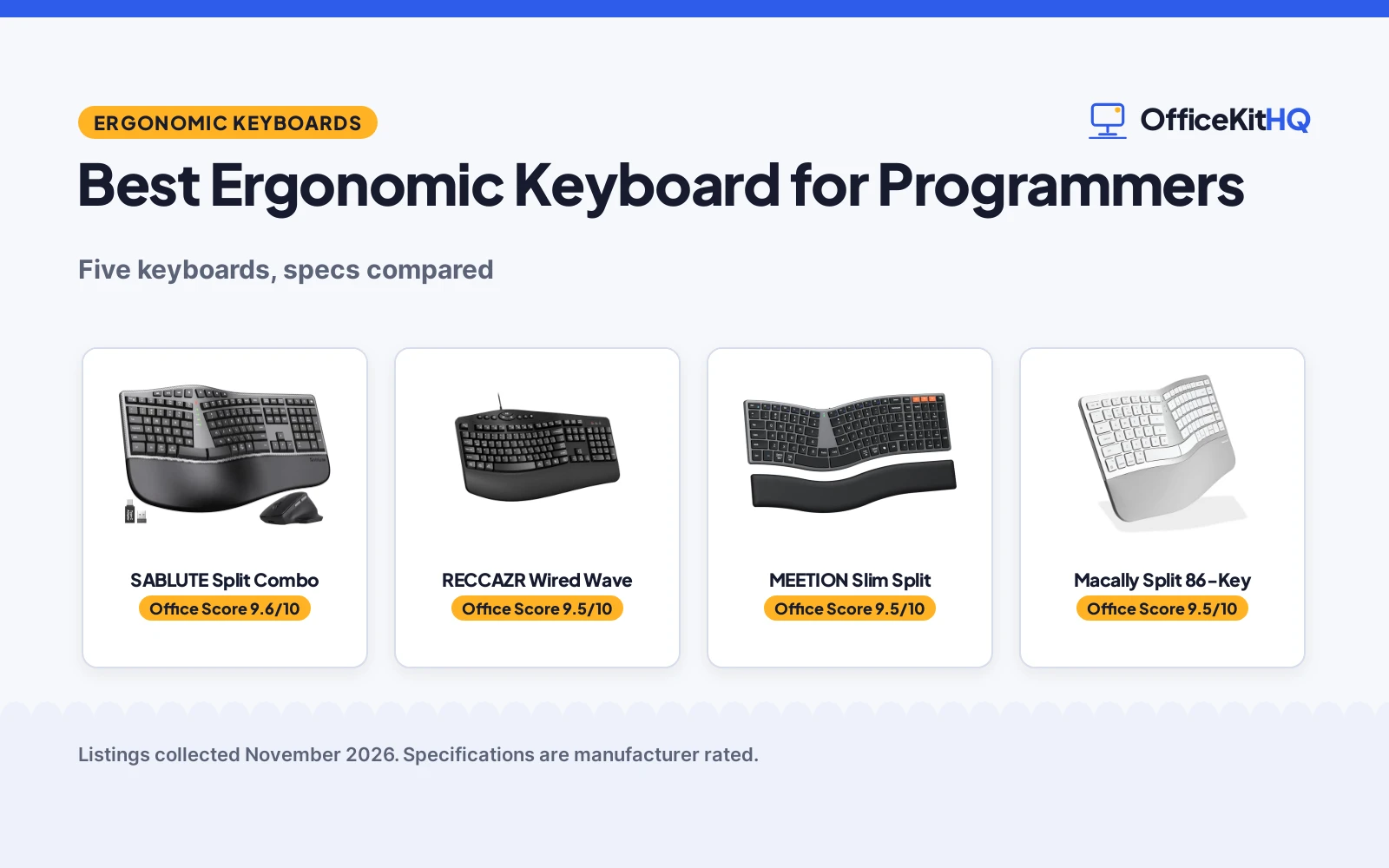
 Best Overall SABLUTE Split Combo: Split keyboard and mouse combo with a 2-year warranty Check price on Amazon
 Best Wired RECCAZR Wired Wave: 104 keys, spill-resistant design and a USB hub Check price on Amazon
 Best Slim Split MEETION Slim Split: Slim split layout with a separate wrist rest Check price on Amazon
 Best for Mac Macally Split 86-Key: 86 keys, 3-device switching and Mac shortcuts Check price on Amazon
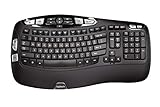 Best Battery Life Logitech K350 Wave: Up to 3 years of battery life on a wave layout Check price on Amazon
Our desk picks
| # | Product | Office Score | Buy |
|---|---|---|---|
| 1 | SABLUTE Split Combo | 9.6/10 | Buy on Amazon |
| 2 | RECCAZR Wired Wave | 9.5/10 | Buy on Amazon |
| 3 | MEETION Slim Split | 9.5/10 | Buy on Amazon |
| 4 | Macally Split 86-Key | 9.5/10 | Buy on Amazon |
| 5 | Logitech K350 Wave | 9.4/10 | Buy on Amazon |

SABLUTE Split Combo
A full-size split keyboard and mouse combo with a memory foam wrist rest, 2.4GHz wireless and a 2-year warranty.
Pros
- Full-size split layout with a number pad
- Memory foam wrist rest and 4 adjustable tilt legs
- Mouse with 800/1200/1600/2400 DPI in 4 levels
- 2-year warranty stated
Cons
- 3.39 lb and 19 in wide, needs more desk space than a compact keyboard
- Suits medium to large hands; smaller hands may find the wide split less comfortable
- Mouse and keyboard share one 2.4GHz receiver
- No Bluetooth connection is stated
Detailed Review
The maker lists a full-size split keyboard with a curved key layout, a number pad and a memory foam wrist rest, plus a contoured mouse with palm and thumb rests. Four adjustable tilt legs set the typing angle, and shortcut keys cover media, calculator, screenshot and emoji. The combo connects over 2.4GHz with a USB-A receiver and a USB-C adapter, works up to 33 ft, and gives up to 250 hours of keyboard standby and 350 hours of mouse standby. It measures 19 by 10.45 by 1.88 inches and weighs 3.39 lb, with a 2-year warranty.
Who it's for: programmers who want a full-size split layout with a mouse in the box and a wrist rest. Who should skip it: owners with smaller hands or a compact desk.
Its Office Score of 9.6/10 comes from performance 30/35, build 21/25, value 21/25, safety 0/10 and warranty 3/5: 75 of 100 points, placed on our 9.2 to 9.8 scale.
Key Specifications
| Layout | Split, full-size |
|---|---|
| Size | 19 x 10.45 x 1.88 in |
| Weight | 3.39 lb |
| Mouse DPI | 800/1200/1600/2400 |
| Range | Up to 33 ft |
These specs mirror the retailer listing as of 18 November 2026; performance figures are stated by the brand.
Safety and Warranty
What this listing states. No FCC or other safety listing is stated, so safety scores zero. 2-year warranty stated. It does not say everything a buyer needs, such as who pays return shipping, so warranty scores 3 of 5. See How We Pick.
Fit the desk first. Check the stated size against your desk depth and keyboard tray, and charge or pair as the manual describes. No keyboard, mouse or wrist rest prevents or treats injury.
This is general buying information, not professional advice. Follow each product manual and local rules, and see our Safety Disclaimer.

RECCAZR Wired Wave
A wired 104-key wave keyboard with a wrist rest, silent membrane keys, a USB hub and 9 shortcut keys.
Pros
- 104 keys with a number pad and F-keys
- Spill-resistant design with bottom drain holes
- Integrated USB hub with USB-A ports
- 9 independent shortcut keys
Cons
- Wired only, with no wireless connection stated
- No weight is stated
- No dimensions are stated
- USB-C port is only for the keyboard connection
Detailed Review
The maker lists a 104-key full-size keyboard with a wave key layout, a wrist rest and a foldable stand, with silent rubber dome membrane keys and 9 independent shortcut keys. The spill-resistant design has bottom drain holes, and an integrated USB hub adds USB-A ports for external devices. The maker gives two connection types, wired and wireless; check before ordering. The warranty is 1 year manufacturer.
Who it's for: programmers who want a wired wave keyboard with a wrist rest and a USB hub. Who should skip it: owners who want a wireless connection or a split layout.
Its Office Score of 9.5/10 comes from performance 28/35, build 20/25, value 20/25, safety 3/10 and warranty 2/5: 73 of 100 points, placed on our 9.2 to 9.8 scale.
Key Specifications
| Keys | 104 keys |
|---|---|
| Layout | Wave |
| Connection | Wired |
| Shortcut keys | 9 |
| Warranty | 1 year |
These specs mirror the retailer listing as of 18 November 2026; performance figures are stated by the brand.
Safety and Warranty
What this listing states. Spill-resistant design with bottom drain holes stated, so safety scores 3 of 10. 1 year manufacturer warranty stated. It does not say everything a buyer needs, such as who pays return shipping, so warranty scores 2 of 5. See How We Pick.
Fit the desk first. Check the stated size against your desk depth and keyboard tray, and charge or pair as the manual describes. No keyboard, mouse or wrist rest prevents or treats injury.
This is general buying information, not professional advice. Follow each product manual and local rules, and see our Safety Disclaimer.

MEETION Slim Split
A slim split keyboard with quiet scissor keys, a separate wrist rest and connections for up to 3 devices.
Pros
- Slim split layout at 0.72 in thick
- Separate wrist rest that moves to fit the desk
- Connects to up to 3 devices over Bluetooth and 2.4GHz
- Quiet scissor keys with a laptop-style feel
Cons
- No weight is stated
- Split layout may feel unfamiliar at first
- USB-C port is for charging only
- No number pad is stated
Detailed Review
The maker lists a slim split keyboard at 16.88 by 8.88 by 0.72 inches with low-profile scissor keys and a separate, unattached wrist rest. It connects through a 2.4GHz USB receiver, Bluetooth 1 or Bluetooth 2, and switches between up to three devices. The built-in rechargeable battery removes disposable batteries, and the USB-C port is for charging only. The warranty is 1 year manufacturer.
Who it's for: programmers who want a slim split keyboard that moves between three devices. Who should skip it: owners who want a number pad or a fixed wrist rest.
Its Office Score of 9.5/10 comes from performance 29/35, build 21/25, value 20/25, safety 0/10 and warranty 2/5: 72 of 100 points, placed on our 9.2 to 9.8 scale.
Key Specifications
| Size | 16.88 x 8.88 x 0.72 in |
|---|---|
| Layout | Split, slim |
| Devices | Up to 3 |
| Keys | Scissor-switch |
| Warranty | 1 year |
These specs mirror the retailer listing as of 18 November 2026; performance figures are stated by the brand.
Safety and Warranty
What this listing states. This product does not plug in or run on a battery, so safety is not part of its score. 1 year manufacturer warranty stated. It does not say everything a buyer needs, such as who pays return shipping, so warranty scores 2 of 5. See How We Pick.
Fit the desk first. Check the stated size against your desk depth and keyboard tray, and charge or pair as the manual describes. No keyboard, mouse or wrist rest prevents or treats injury.
This is general buying information, not professional advice. Follow each product manual and local rules, and see our Safety Disclaimer.

Macally Split 86-Key
A compact 86-key split keyboard for Mac with Bluetooth and wired modes, 3-device switching and a wrist cushion.
Pros
- True 2-zone split in a compact 86-key layout
- Connects to up to 3 devices with instant switching
- Bluetooth plus USB-C and USB-A wired modes
- 15 shortcut keys for Mac, iPad and iPhone
Cons
- No weight is stated
- No dimensions are stated
- Made for Mac, iPad and iPhone, with no Windows layout stated
- No number pad is stated
Detailed Review
The maker lists a compact 86-key split keyboard with a 2-zone split, an angled design and a cushioned palm rest, made for macOS, iPadOS and iOS. It connects over Bluetooth or wired USB-C or USB-A, switches between up to 3 devices, and has 15 shortcut keys including Mission Control, Spotlight and media controls. Scissor-switch keys give a quiet typing feel, and the 500mAh battery charges in about 2 hours and lasts up to 1-2 months. The warranty is 1 year North America.
Who it's for: programmers on Mac, iPad and iPhone who want a compact split keyboard across three devices. Who should skip it: owners who want a Windows layout or a number pad.
Its Office Score of 9.5/10 comes from performance 29/35, build 20/25, value 20/25, safety 0/10 and warranty 2/5: 71 of 100 points, placed on our 9.2 to 9.8 scale.
Key Specifications
| Keys | 86 keys |
|---|---|
| Layout | Split, 2-zone |
| Devices | Up to 3 |
| Battery | 500mAh |
| Warranty | 1 year |
These specs mirror the retailer listing as of 18 November 2026; performance figures are stated by the brand.
Safety and Warranty
What this listing states. No FCC or other safety listing is stated, so safety scores zero. 1 year North America warranty stated. It does not say everything a buyer needs, such as who pays return shipping, so warranty scores 2 of 5. See How We Pick.
Fit the desk first. Check the stated size against your desk depth and keyboard tray, and charge or pair as the manual describes. No keyboard, mouse or wrist rest prevents or treats injury.
This is general buying information, not professional advice. Follow each product manual and local rules, and see our Safety Disclaimer.
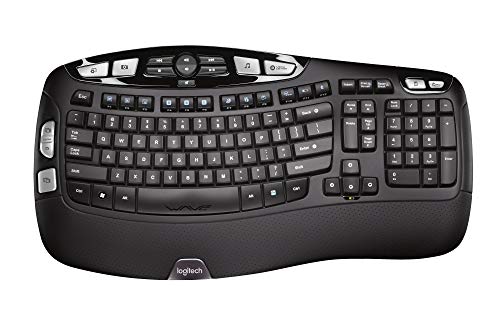
Logitech K350 Wave
A wave keyboard with a Constant Curve layout, a cushioned palm rest and up to 3 years of battery life.
Pros
- Wave design with Constant Curve layout
- Cushioned palm rest
- Up to 3 years of battery life
- Unifying receiver stays in the notebook
Cons
- No manufacturer warranty
- Wave layout, not a true split
- No shortcut keys are stated
- No USB-C charging is stated
Detailed Review
The maker lists a wave keyboard with a Constant Curve layout that guides the hands into position, a cushioned palm rest and a Logitech Unifying receiver that stays in the notebook. Battery life runs up to three years, based on an estimated 2 million keystrokes per year in an office environment. The listing states no manufacturer warranty.
Who it's for: programmers who want a wave layout with a long battery life and a tiny receiver. Who should skip it: owners who want a split layout or a stated warranty.
Its Office Score of 9.4/10 comes from performance 27/35, build 20/25, value 19/25, safety 0/10 and warranty 0/5: 66 of 100 points, placed on our 9.2 to 9.8 scale.
Key Specifications
| Layout | Wave, Constant Curve |
|---|---|
| Connection | Unifying wireless |
| Battery | Up to 3 years |
| Warranty | No manufacturer warranty |
These specs mirror the retailer listing as of 18 November 2026; performance figures are stated by the brand.
Safety and Warranty
What this listing states. No FCC or other safety listing is stated, so safety scores zero. No warranty term, so warranty scores zero. See How We Pick.
Fit the desk first. Check the stated size against your desk depth and keyboard tray, and charge or pair as the manual describes. No keyboard, mouse or wrist rest prevents or treats injury.
This is general buying information, not professional advice. Follow each product manual and local rules, and see our Safety Disclaimer.
As an Amazon Associate I earn from qualifying purchases.
More picks to compare
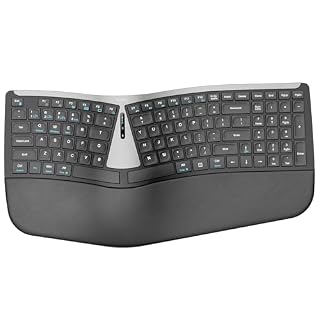 Nulea RT07B SplitSplit layout with a cushioned wrist rest and 200-hour battery lifeCheck on Amazon
 OMOTON WK017 WiredWired split keyboard with a leather wrist rest and adjustable tiltCheck on Amazon
 Microsoft Ergonomic BusinessWired ergonomic keyboard with a cushioned palm rest and number padCheck on Amazon
Specs compared
| Keyboard | Office Score | Layout | Connection | Power | Warranty | Amazon |
|---|---|---|---|---|---|---|
| SABLUTE Split Combo | 9.6/10 | Split, full-size | 2.4GHz wireless | Rechargeable | 2 years | View on Amazon |
| RECCAZR Wired Wave | 9.5/10 | Wave, 104 keys | Wired | Wired | 1 year | View on Amazon |
| MEETION Slim Split | 9.5/10 | Split, slim | Bluetooth, 2.4GHz | Rechargeable | 1 year | View on Amazon |
| Macally Split 86-Key | 9.5/10 | Split, 86 keys | Bluetooth, wired | 500mAh | 1 year | View on Amazon |
| Logitech K350 Wave | 9.4/10 | Wave, full-size | Unifying wireless | Up to 3 years | No warranty | View on Amazon |
All numbers are the manufacturer’s stated specs, not measured in an office, pulled on 18 November 2026.
How to choose the best ergonomic keyboard for programmers
Split or wave
Split keyboards separate the keys into two zones so the hands sit wider apart, while wave keyboards keep one board with a curved row. The SABLUTE, MEETION and Macally keyboards use a split layout, and the RECCAZR and Logitech keyboards use a wave layout. The SABLUTE split is full-size with a number pad, the MEETION split is slim at 0.72 in thick, and the Macally split is a compact 86-key layout. See types of ergonomic keyboards for the full range of layouts.
Wired or wireless
Connection decides how the keyboard reaches the computer and how many devices it serves. The SABLUTE combo connects over 2.4GHz with a USB-A receiver and a USB-C adapter, and the Logitech uses a Unifying receiver that stays in the notebook. The MEETION and Macally keyboards each connect to up to 3 devices, the MEETION over 2.4GHz and Bluetooth, the Macally over Bluetooth and wired USB-C or USB-A. The RECCAZR keyboard is wired only, and its USB-C port is only for the keyboard connection.
| Keyboard | Connection | Power |
|---|---|---|
| SABLUTE Split Combo | 2.4GHz wireless | Rechargeable |
| RECCAZR Wired Wave | Wired | Wired |
| MEETION Slim Split | Bluetooth, 2.4GHz | Rechargeable |
| Macally Split 86-Key | Bluetooth, wired | 500mAh |
| Logitech K350 Wave | Unifying wireless | Up to 3 years |
Wrist rests and tilt
Every keyboard here has some form of wrist support. The SABLUTE combo has a memory foam wrist rest with a soft-touch leather surface and four adjustable tilt legs. The RECCAZR keyboard has a wrist rest with a foldable stand, the MEETION keyboard has a separate wrist rest that moves closer or farther away, and the Macally keyboard has a cushioned palm rest. The Logitech keyboard has a cushioned palm rest under a Constant Curve layout. Tilt legs matter most on a tall desk, and a separate rest matters most when the desk depth is tight.
Battery and charging
Rechargeable boards remove disposable batteries from the desk. The SABLUTE combo is USB-C rechargeable and gives up to 250 hours of keyboard standby and 350 hours of mouse standby, with a 5-second auto sleep. The Macally keyboard has a 500mAh battery that charges in about 2 hours and lasts up to 1-2 months. The MEETION keyboard is rechargeable with no hours stated. The Logitech keyboard runs on batteries for up to 3 years, based on an estimated 2 million keystrokes per year, and the RECCAZR keyboard is wired.
Desk space and hand size
Size decides whether the board fits the desk and the hands. The SABLUTE keyboard measures 19 by 10.45 by 1.88 inches and suits medium to large hands, while the MEETION keyboard measures 16.88 by 8.88 by 0.72 inches in a slim split. The Macally keyboard is a compact 86-key layout for a small desk, and the RECCAZR and Logitech keyboards are full-size boards. Check the desk depth before ordering, and see full size split keyboard and ergonomic laptop set up for fitting a split board into a home desk.
Setup Notes
- Measure the desk first: the SABLUTE keyboard measures 19 by 10.45 by 1.88 inches and the MEETION measures 16.88 by 8.88 by 0.72 inches.
- Check the ports: the SABLUTE combo uses a 2.4GHz USB-A receiver with a USB-C adapter, and the RECCAZR keyboard connects over USB-C with USB-A ports for external devices.
- Plan charging: the Macally keyboard charges over USB-C in about 2 hours, and the SABLUTE combo is USB-C rechargeable.
- Count the devices: the MEETION and Macally keyboards each connect to up to 3 devices.
FAQ
Do I need a split or a wave keyboard for programming?
Either layout suits long typing sessions: the SABLUTE, MEETION and Macally keyboards use a split layout, and the RECCAZR and Logitech keyboards use a wave layout. Pick the split layout when the hands need room, and the wave layout when the keys should stay in a full-size row.
Which keyboards here connect to more than one device?
The MEETION and Macally keyboards each connect to up to 3 devices. The SABLUTE combo connects over one 2.4GHz receiver, and the Logitech uses one Unifying receiver.
Which keyboards here are rechargeable?
The SABLUTE combo, the MEETION keyboard and the Macally keyboard are rechargeable. The Logitech runs on batteries for up to 3 years, and the RECCAZR keyboard is wired.
What is the difference between scissor keys and membrane keys?
The Macally and MEETION keyboards use scissor-switch keys for a quiet, laptop-style feel. The RECCAZR keyboard uses rubber dome membrane keys for silent typing.
Which keyboard here has a number pad?
The SABLUTE keyboard has a number pad in its full-size layout, and the RECCAZR keyboard has a number pad with 104 keys. The Macally keyboard uses a compact 86-key layout.
Score breakdown
The Office Score weighs performance, build, value, safety and warranty. For a keyboard, safety means a stated spill-resistant design or drain holes on the listing; the RECCAZR states both, and the other four state neither. Four of the five state a warranty term, from 1 year to 2 years, and the Logitech states no manufacturer warranty. How we pick explains the weights.
| Product | Office Score | Perf. /35 | Build /25 | Value /25 | Safety /10 | Warranty /5 |
|---|---|---|---|---|---|---|
| SABLUTE Split Combo | 9.6 | 30 | 21 | 21 | 0 | 3 |
| RECCAZR Wired Wave | 9.5 | 28 | 20 | 20 | 3 | 2 |
| MEETION Slim Split | 9.5 | 29 | 21 | 20 | 0 | 2 |
| Macally Split 86-Key | 9.5 | 29 | 20 | 20 | 0 | 2 |
| Logitech K350 Wave | 9.4 | 27 | 20 | 19 | 0 | 0 |
We fit point totals onto a 9.2 low and 9.8 high in a straight line. One item can outscore another only by earning more points.
More for your workspace
See every Keyboards and Keyboard Trays guide and all Monitor Mounts, Keyboards and Mice guides. Also see our best ergonomic keyboard for writers. Also see our types of ergonomic keyboards. Also see our full size split keyboard. Also see our best mechanical keyboard for macbook pro. Also see our ergonomic laptop set up. Also see our mechanical keyboard maintenance.
More picks: best ergonomic keyboard for writers, best mechanical keyboard for macbook pro, full size wireless keyboard and mouse.