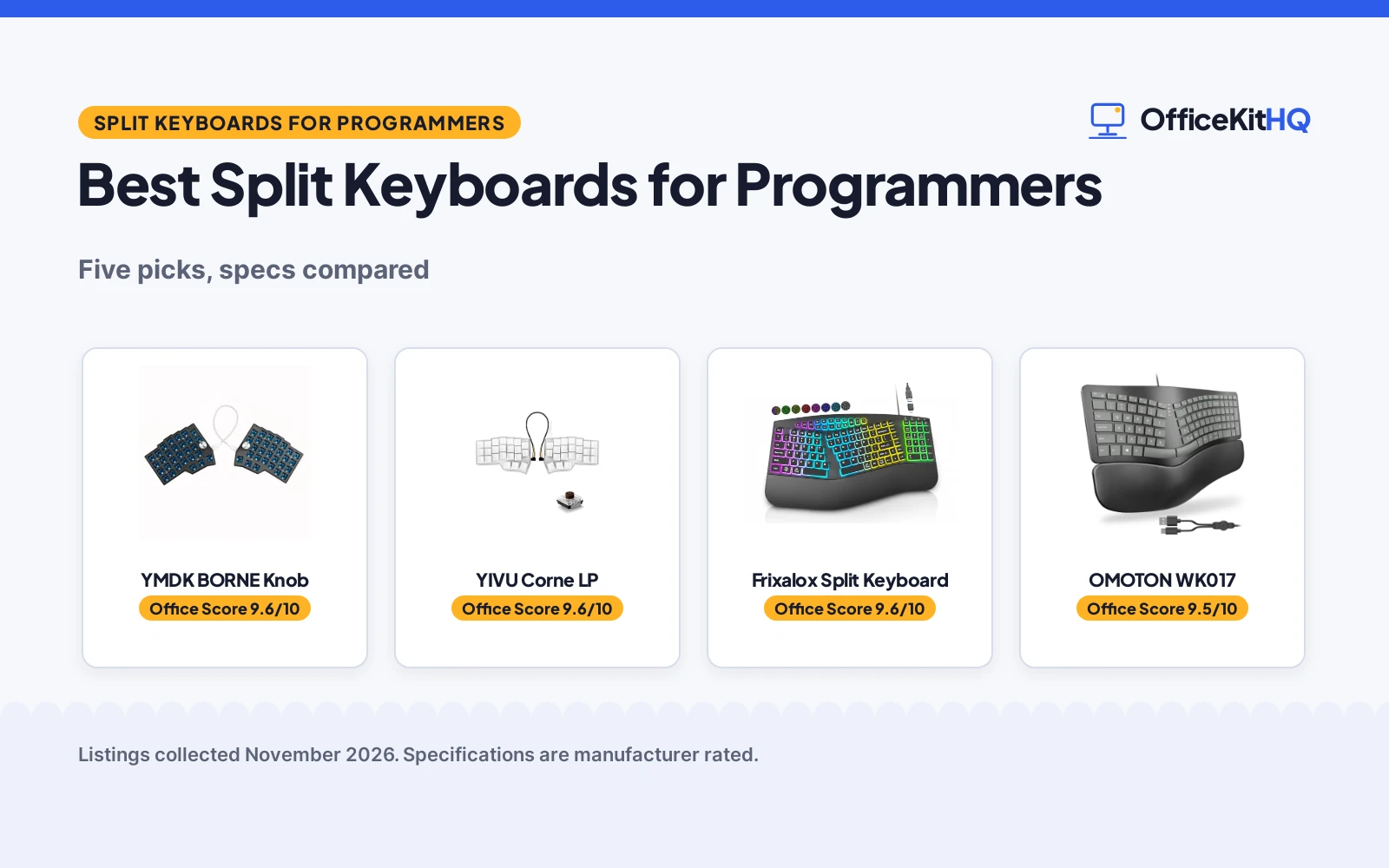
The best split keyboards for programmers are the boards that let each half sit where the hands rest, with keys you can remap for the shortcuts and macros you use all day. A programmable board turns repeated code patterns into a key press, and a split layout keeps the hands in the position the makers describe as natural. We compared the split keyboards below by key count, programmability, knobs, number pad, wrist rest and warranty term, using only what each listing publishes.
OfficeKitHQ earns a commission when you buy through links on this page, at no extra cost to you. As an Amazon Associate I earn from qualifying purchases. Affiliate disclosure.
Quick picks
 Best Overall YMDK BORNE Knob: 58 keys, dual metal knobs, QMK and VIAL, hot-swap MX sockets Check price on Amazon
 Best Low-Profile YIVU Corne LP: 46 keys, low-profile hot-swap switches, VIAL, 45 light modes Check price on Amazon
 Best with Number Pad OMOTON WK017: Full number pad, leather wrist rest, USB-A and USB-C, tilt legs Check price on Amazon
 RGB Split with Numpad Frixalox Split Keyboard: Split ergonomic layout with RGB backlight and numpad, wired Check price on Amazon
 Slim Split with Wrist Rest MEETION Split Keyboard: Slim split ergonomic keyboard with wrist rest Check price on Amazon
Our desk picks
| # | Product | Office Score | Buy |
|---|---|---|---|
| 1 | YMDK BORNE Knob | 9.6/10 | Buy on Amazon |
| 2 | YIVU Corne LP | 9.6/10 | Buy on Amazon |
| 3 | Frixalox ES1000-A | 9.6/10 | Buy on Amazon |
| 4 | OMOTON WK017 | 9.5/10 | Buy on Amazon |
| 5 | MEETION Slim Split | 9.5/10 | Buy on Amazon |

YMDK BORNE Knob
A 58-key split keyboard with dual metal knobs, hot-swap MX sockets, QMK and VIAL programming, and a 1-year warranty.
Pros
- Dual metal knobs give one-tap control of volume, navigation or layers
- 58-key Corne 4×6 layout adjusts hand spacing to shoulder width
- Hot-swap MX sockets take Kailh and Gateron switches without soldering
- QMK and VIAL programming records macros for code snippets and shortcuts
Cons
- No number pad is stated, so number entry runs through a layer
- Wired only, so the board stays tethered to the computer
- PLA case is plastic, not metal
- 58 keys means layers for functions a full-size board puts on dedicated keys
Detailed Review
YMDK lists the BORNE Knob as a 58-key Corne 4×6 split keyboard with dual metal knobs, hot-swap MX sockets and per-key south RGB backlighting. The knobs support QMK and VIAL customization for one-tap control of volume, navigation or layers, and the board records macros for code snippets and shortcuts with N-key rollover. The case is high-toughness PLA with an FR4 plate, the connection is USB-C wired, and the board works with Windows, macOS and Linux. The listing states a 1-year warranty.
Who it's for: a programmer who wants knobs and layers for shortcuts and macros, and swaps switches without soldering. Who should skip it: anyone who needs a number pad or a wireless connection.
Its Office Score of 9.6/10 comes from performance 33/35, build 22/25, value 21/25, safety 0/10 and warranty 3/5: 79 of 100 points, placed on our 9.2 to 9.8 scale.
Key Specifications
| Keys | 58 keys |
|---|---|
| Knobs | Dual metal knobs |
| Connection | USB-C wired |
| Warranty | 1 year |
These specs mirror the retailer listing as of 18 November 2026; performance figures are stated by the brand.
Safety and Warranty
What this listing states. No FCC or other safety listing is stated, so safety scores zero. 1-year warranty. It does not say everything a buyer needs, such as who pays return shipping, so warranty scores 3 of 5. See How We Pick.
Fit the desk first. Check the stated size against your desk depth and keyboard tray, and charge or pair as the manual describes. No keyboard, mouse or wrist rest prevents or treats injury.
This is general buying information, not professional advice. Follow each product manual and local rules, and see our Safety Disclaimer.

YIVU Corne LP
A 46-key low-profile split keyboard with hot-swap switches, VIAL programming, RGB backlight and a 180-day warranty.
Pros
- 46-key layout with 3 thumb keys on each hand puts common keys under the thumbs
- Pre-lubed low-profile linear switches actuate at 40g for a light press
- Hot-swap sockets change low-profile switches with the included puller
- VIAL programming remaps every key and builds a custom quick access layer
Cons
- 46 keys means heavy reliance on layers for numbers and function keys
- 180-day warranty is shorter than the 1-year and 12-month terms here
- Low-profile switches limit you to low-profile switch options
- 40% layout leaves no room for a dedicated function row
Detailed Review
YIVU lists the Corne LP as a 40% ortholinear split keyboard with 46 keys in a 3x6 column staggered layout and 3 thumb keys on each hand. The pre-lubed low-profile linear switches actuate at 40g, the sockets are hot-swappable, and a two-in-one keycap and switch puller is included. RGB backlighting covers about 16.8 million colors with 45 preset light modes, and every key programs through VIAL. The board ships with a 1.5m USB-C cable and a 28cm TRS cable, measures 5.51 by 3.87 by 1.33 in, and carries a 180-day warranty.
Who it's for: a programmer who wants a compact 46-key board with light low-profile switches and full VIAL remapping. Who should skip it: anyone who needs a number pad or a full-size layout.
Its Office Score of 9.6/10 comes from performance 32/35, build 21/25, value 21/25, safety 0/10 and warranty 2/5: 76 of 100 points, placed on our 9.2 to 9.8 scale.
Key Specifications
| Keys | 46 keys |
|---|---|
| Switches | Low-profile linear, 40g actuation |
| Cable | 1.5m USB-C, 28cm TRS |
| Warranty | 180 days |
These specs mirror the retailer listing as of 18 November 2026; performance figures are stated by the brand.
Safety and Warranty
What this listing states. No FCC or other safety listing is stated, so safety scores zero. 180-day warranty. It does not say everything a buyer needs, such as who pays return shipping, so warranty scores 2 of 5. See How We Pick.
Fit the desk first. Check the stated size against your desk depth and keyboard tray, and charge or pair as the manual describes. No keyboard, mouse or wrist rest prevents or treats injury.
This is general buying information, not professional advice. Follow each product manual and local rules, and see our Safety Disclaimer.

Frixalox ES1000-A
A wired ergonomic split keyboard with an RGB backlight, a numpad, a wrist rest, 3 typing angles, 17 light modes, 5 brightness levels and 17 multimedia shortcut keys, with a 5.6FT USB-A cable and a USB-C adapter.
Pros
- Split frame with an integrated wrist rest and 2 pairs of adjustable kickstands
- 17 light modes with 10 dynamic rainbow modes and 7 solid colors
- Full-size keyboard with a numpad and 17 multimedia shortcut keys
- FCC certified with a 10-million-keystroke lifespan stated
Cons
- Wired USB-A connection needs a cable to the computer
- 17.1 in width needs desk space for a full-size keyboard
- Black color is the color in the data
- Backlight adds light modes that some typists may not use
Detailed Review
Frixalox lists this keyboard as a split-frame ergonomic keyboard with an integrated wrist rest and 2 pairs of adjustable kickstands, for 3 typing angles. The RGB backlight offers 10 dynamic rainbow modes and 7 solid colors, for 17 customizable lighting effects, with 5 brightness levels. It is a full-size keyboard with a numpad and 17 multimedia shortcut keys for Play/Pause, Volume, Tracks, Screen Brightness and Lock, plus Calculator, Emoji, Search, Home and PrintScreen.
The wired connection uses a 5.6FT USB-A cable, with a USB-C adapter included, and the maker states a 10-million-keystroke lifespan and FCC certification. The keyboard measures 17.1 x 9.4 x 1.1 in, works with Windows, macOS, Chrome OS and Linux, and the maker states it is not compatible with gaming consoles such as PS5 or Xbox.
Who it is for: writers who want a full-size split keyboard with a numpad, RGB backlight and shortcut keys. Who should skip it: writers who want a wireless keyboard.
Its Office Score of 9.6/10 comes from performance 30/35, build 21/25, value 20/25, safety 5/10 and warranty 0/5: 76 of 100 points, placed on our 9.2 to 9.8 scale.
Key Specifications
| Layout | Split frame, full size |
|---|---|
| Backlight | RGB, 17 light modes, 5 brightness levels |
| Connection | Wired USB-A, 5.6FT cable, USB-C adapter |
| Shortcuts | 17 multimedia shortcut keys |
| Certification | FCC certified |
These specs mirror the retailer listing as of 18 November 2026; performance figures are stated by the brand.
Safety and Warranty
What this listing states. FCC certified, so safety scores 5 of 10. No warranty term, so warranty scores zero. See How We Pick.
Fit the desk first. Check the stated size against your desk depth and keyboard tray, and charge or pair as the manual describes. No keyboard, mouse or wrist rest prevents or treats injury.
This is general buying information, not professional advice. Follow each product manual and local rules, and see our Safety Disclaimer.

OMOTON WK017
A curved split keyboard with a full 0-9 number pad, leather wrist rest, dual USB-A and USB-C interface and a 12-month warranty.
Pros
- Full 0-9 number pad speeds data entry for spreadsheets and invoices
- Leather wrist rest with a sponge core supports wrists without hovering
- Dual USB-A and USB-C interface moves from desktop to laptop without an adapter
- Adjustable tilt legs lift the back 4.8 degrees or the front 1.8 degrees
Cons
- Fixed layout with no remapping stated, so coding shortcuts stay on the default keys
- 16.33 in wide footprint is the largest here and needs a wide desk
- 1.98 lb weight makes it a desk board rather than a travel board
- One-piece curved split, so the halves cannot be spaced apart or angled separately
Detailed Review
OMOTON lists the WK017 as a curved split keyboard with a full 0-9 number pad, a leather wrist rest and dual USB-A and USB-C interfaces. The tilt legs lift the back 4.8 degrees or the front 1.8 degrees, the wrist rest has a sponge core, and the board measures 16.33 by 9.44 by 1.38 in at 1.98 lb. The listing states a 12-month warranty.
Who it's for: a programmer who enters numbers often and wants a number pad and a wrist rest on one board. Who should skip it: anyone who wants programmable keys or a split board whose halves move apart.
Its Office Score of 9.5/10 comes from performance 28/35, build 20/25, value 20/25, safety 0/10 and warranty 3/5: 71 of 100 points, placed on our 9.2 to 9.8 scale.
Key Specifications
| Size | 16.33 x 9.44 x 1.38 in |
|---|---|
| Weight | 1.98 lb |
| Tilt | 4.8 degrees back, 1.8 degrees front |
| Warranty | 12 months |
These specs mirror the retailer listing as of 18 November 2026; performance figures are stated by the brand.
Safety and Warranty
What this listing states. No FCC or other safety listing is stated, so safety scores zero. 12-month warranty. It does not say everything a buyer needs, such as who pays return shipping, so warranty scores 3 of 5. See How We Pick.
Fit the desk first. Check the stated size against your desk depth and keyboard tray, and charge or pair as the manual describes. No keyboard, mouse or wrist rest prevents or treats injury.
This is general buying information, not professional advice. Follow each product manual and local rules, and see our Safety Disclaimer.

MEETION Slim Split
A slim split keyboard with quiet scissor keys, a separate wrist rest and connections for up to 3 devices.
Pros
- Slim split layout at 0.72 in thick
- Separate wrist rest that moves to fit the desk
- Connects to up to 3 devices over Bluetooth and 2.4GHz
- Quiet scissor keys with a laptop-style feel
Cons
- No weight is stated
- Split layout may feel unfamiliar at first
- USB-C port is for charging only
- No number pad is stated
Detailed Review
The maker lists a slim split keyboard at 16.88 by 8.88 by 0.72 inches with low-profile scissor keys and a separate, unattached wrist rest. It connects through a 2.4GHz USB receiver, Bluetooth 1 or Bluetooth 2, and switches between up to three devices. The built-in rechargeable battery removes disposable batteries, and the USB-C port is for charging only. The warranty is 1 year manufacturer.
Who it's for: programmers who want a slim split keyboard that moves between three devices. Who should skip it: owners who want a number pad or a fixed wrist rest.
Its Office Score of 9.5/10 comes from performance 29/35, build 21/25, value 20/25, safety 0/10 and warranty 2/5: 72 of 100 points, placed on our 9.2 to 9.8 scale.
Key Specifications
| Size | 16.88 x 8.88 x 0.72 in |
|---|---|
| Layout | Split, slim |
| Devices | Up to 3 |
| Keys | Scissor-switch |
| Warranty | 1 year |
These specs mirror the retailer listing as of 18 November 2026; performance figures are stated by the brand.
Safety and Warranty
What this listing states. This product does not plug in or run on a battery, so safety is not part of its score. 1 year manufacturer warranty stated. It does not say everything a buyer needs, such as who pays return shipping, so warranty scores 2 of 5. See How We Pick.
Fit the desk first. Check the stated size against your desk depth and keyboard tray, and charge or pair as the manual describes. No keyboard, mouse or wrist rest prevents or treats injury.
This is general buying information, not professional advice. Follow each product manual and local rules, and see our Safety Disclaimer.
As an Amazon Associate I earn from qualifying purchases.
Specs compared
| Keyboard | Office Score | Keys | Programmable | Connection | Warranty | Amazon |
|---|---|---|---|---|---|---|
| YMDK BORNE Knob | 9.6/10 | 58 | QMK and VIAL | USB-C wired | 1 year | View on Amazon |
| YIVU Corne LP | 9.6/10 | 46 | VIAL | USB-C wired | 180 days | View on Amazon |
| OMOTON WK017 | 9.5/10 | Not stated | Not stated | USB-A and USB-C | 12 months | View on Amazon |
| Frixalox Split Keyboard | 9.6/10 | Not stated | Not stated | Wired | Not stated | |
| MEETION Split Keyboard | 9.5/10 | Not stated | Not stated | Not stated | Not stated |
Dimensions, weight limits and ranges are the maker’s ratings as each listing gives them, collected 18 November 2026. Three of the five state a warranty term; none of the five states a safety certification.
How to choose the best split keyboards for programmers
Start with key count and layout
Key count decides how much of the board lives on layers. The YMDK lists 58 keys in a 4×6 split layout with dual metal knobs, while the YIVU lists 46 keys in a 3×6 layout with 3 thumb keys on each hand. The OMOTON, Frixalox and MEETION state no key count. A larger key count keeps more keys under the fingers, while a smaller board trades keys for desk space: the YIVU measures 5.51 by 3.87 by 1.33 in, and the OMOTON measures 16.33 by 9.44 by 1.38 in. If you code with layers and macros, the YMDK layout gives you more to work with; if you want the most compact board here, the YIVU is the pick.
| Keyboard | Keys | Layout | Warranty |
|---|---|---|---|
| YMDK BORNE Knob | 58 | 4×6 split, dual knobs | 1 year |
| YIVU Corne LP | 46 | 3×6 split, thumb keys | 180 days |
| OMOTON WK017 | Not stated | Curved split | 12 months |
| Frixalox Split Keyboard | Not stated | Split | Not stated |
| MEETION Split Keyboard | Not stated | Split | Not stated |
Figures as stated in each listing. Key count is the number of keys on the board; a split layout puts the halves where the hands rest.
Programmability is the programmer difference
Two boards here program through VIAL: the YIVU remaps every key through VIAL and builds a custom quick access layer, and the YMDK works with QMK firmware and VIAL, records macros for code snippets and shortcuts, and adds dual metal knobs for one-tap control of volume, navigation or layers. The OMOTON, Frixalox and MEETION state no programmability, so their keys stay on the default layout. If your work runs on shortcuts and macros, a programmable board pays off every day; if you type on a fixed layout, the OMOTON number pad and wrist rest matter more. A mechanical keyboard for programming with hot-swap sockets also lets you change the feel later: the YMDK takes MX switches without soldering, and the YIVU takes low-profile switches with the included puller.
Number pad, wrist rest and desk space
The OMOTON is the board for number entry: a full 0-9 number pad sits beside the split layout, and a leather wrist rest with a sponge core supports the wrists without hovering. The Frixalox also has a numpad, and the MEETION has a wrist rest. The YMDK and YIVU have neither a number pad nor a wrist rest stated, so they suit a setup where the board stays small and the hands move to a separate pad. Desk space matters here: the OMOTON is 16.33 in wide and weighs 1.98 lb, while the YIVU is 5.51 in wide and fits a tight desk. A separate ergonomic wrist rest for keyboard and mouse is the fallback if your board has none. Also see our keyboard for engineers guide.
Cables and connections
Cable details matter for a tidy desk. The YMDK connects by USB-C, the YIVU ships with a 1.5m USB-C cable and a 28cm TRS cable between the halves, and the OMOTON takes USB-A or USB-C, so it moves from a desktop to a laptop without an adapter. The Frixalox is wired, and the MEETION states no connection type. Check the port on the computer before ordering, and check the cable length against the distance from the computer to the board.
Read the warranty line before ordering
Three of the five state a warranty term: the YMDK states 1 year, the OMOTON states 12 months, and the YIVU states 180 days. The Frixalox and MEETION state no warranty term, so there is no term to compare for those two. A longer term matters more on a board you will type on all day, and a term stated in months or years beats a vague promise. Check the warranty text on the product page before ordering, and keep the order details in case a key or a switch needs attention later.
Setup Notes
- Measure the desk first: the OMOTON is 16.33 in wide and the YIVU is 5.51 in wide, so the two boards need very different amounts of desk space.
- Check the cable run: the YIVU ships with a 1.5m USB-C cable and a 28cm TRS cable between the halves, and the YMDK connects by USB-C.
- Check the port on the computer: the OMOTON takes USB-A or USB-C, while the YMDK and YIVU take USB-C.
- Plan for the wrist rest: the OMOTON and MEETION include one, so leave desk depth for the rest as well as the board.
FAQ
Which split keyboard here has the most keys?
The YMDK lists 58 keys, and the YIVU lists 46 keys. The OMOTON, Frixalox and MEETION state no key count.
Can I remap the keys on these split keyboards?
The YMDK and YIVU program through QMK and VIAL, and the YMDK also records macros for code snippets and shortcuts. The OMOTON, Frixalox and MEETION state no remapping feature.
Do any of these split keyboards have a number pad?
The OMOTON has a full 0-9 number pad, and the Frixalox is a split keyboard with a numpad. The YMDK, YIVU and MEETION state no number pad.
Which split keyboard here has the longest warranty?
The YMDK states 1 year and the OMOTON states 12 months, the longest terms here. The YIVU states 180 days, and the Frixalox and MEETION state no warranty term.
Are these split keyboards wired or wireless?
The YMDK, YIVU, OMOTON and Frixalox are all wired, and the MEETION states no connection type. The YMDK connects by USB-C, the YIVU by USB-C with a TRS cable between the halves, and the OMOTON by USB-A or USB-C.
Score breakdown
The Office Score weighs performance (key count, layout, programmability, knobs and number pad), build (case, plate, switches and item weight), value for the stated specs, safety and warranty. For a keyboard, safety means a stated certification or safety-relevant feature on the listing; none of the five states one, so safety adds nothing to any board here. Three listings state a warranty term: YMDK at 1 year, OMOTON at 12 months and YIVU at 180 days. How we pick explains the weights.
| Product | Office Score | Perf. /35 | Build /25 | Value /25 | Safety /10 | Warranty /5 |
|---|---|---|---|---|---|---|
| YMDK BORNE Knob | 9.6 | 33 | 22 | 21 | 0 | 3 |
| YIVU Corne LP | 9.6 | 32 | 21 | 21 | 0 | 2 |
| OMOTON WK017 | 9.5 | 28 | 20 | 20 | 0 | 3 |
Office Scores run on a short 9.2 to 9.8 scale. We place each item’s weighted point total on it in proportion, so a larger total is always shown as a larger score.
More for your workspace
See every keyboards and keyboard trays guide and all monitor mounts, keyboards and mice guides. Also see our best ergonomic keyboard for programmers.
More picks: ergonomic keyboard for work, desk mat for mechanical keyboard, computer keyboard cleaning spray, desk mat for mouse and keyboard.