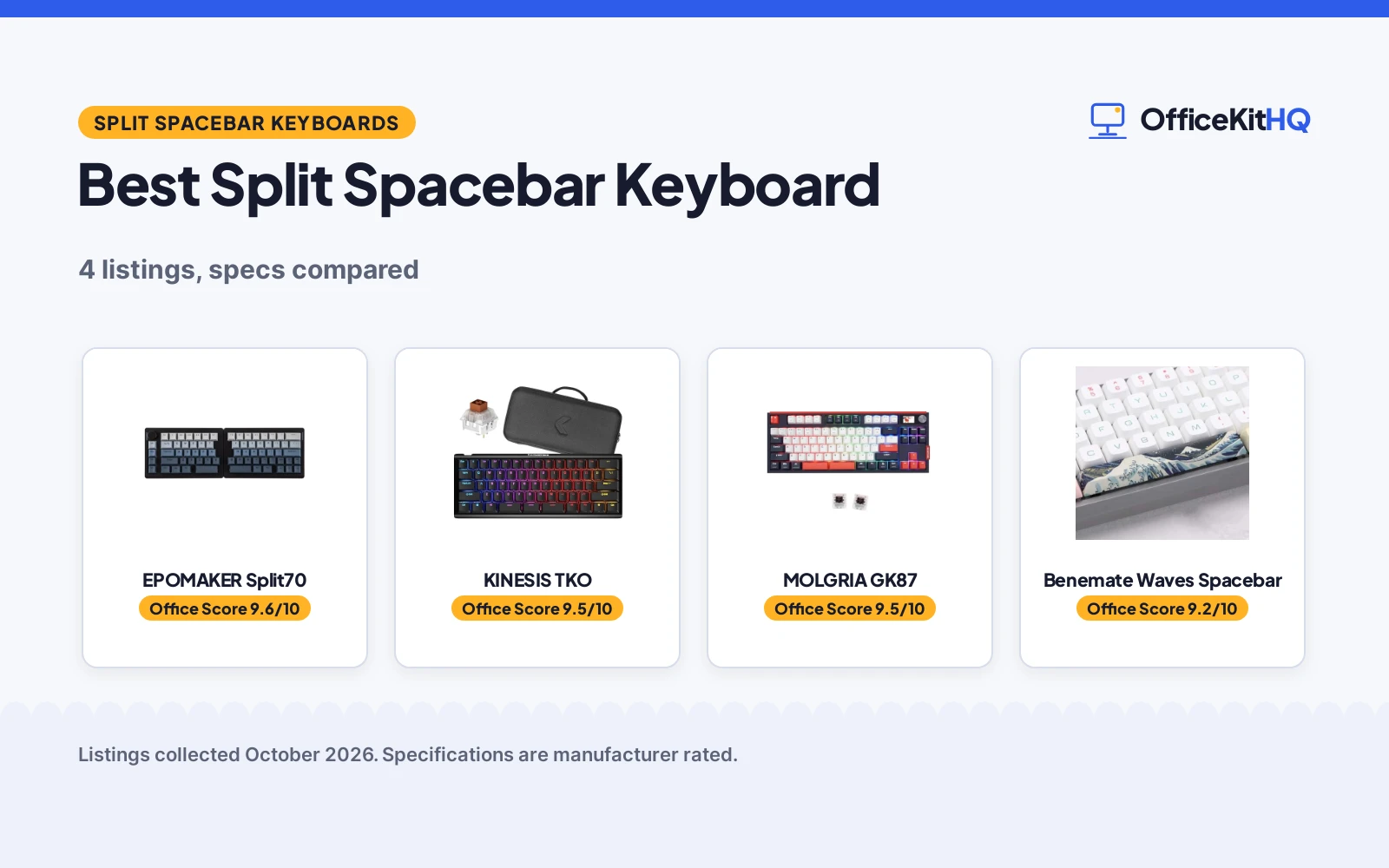
A home desk at the start of a workday shows the problem plainly: a keyboard that crowds the mouse, a spacebar that sits where thumbs cannot reach it with ease, and a cable snaking across the desk. The best split spacebar keyboard changes that shape, splitting the board or splitting the spacebar itself so each hand and thumb gets its own zone. The listings below are compared by layout, connection, switches, keycap material and warranty term, using only what each listing publishes.
OfficeKitHQ earns a commission when you buy through links on this page, at no extra cost to you. As an Amazon Associate I earn from qualifying purchases. Affiliate disclosure.
Quick picks
 Best Overall EPOMAKER Split70: Split halves, tri-mode wireless, QMK/VIA, knob, 3000mAh battery Check price on Amazon
 Split Spacebar Pick KINESIS TKO: Modular triple-space bar, hotswap Brown switches, aluminum body Check price on Amazon
 Dual-Space Pick MOLGRIA GK87: Dual-space bar, tri-mode connection, knobs, LCD display Check price on Amazon
 Spacebar Cap Only Benemate Waves Spacebar: 6.25U PBT cap for cross-switch boards, not a full keyboard Check price on Amazon
Our desk picks
| # | Product | Office Score | Buy |
|---|---|---|---|
| 1 | EPOMAKER Split70 | 9.6/10 | Buy on Amazon |
| 2 | KINESIS TKO | 9.5/10 | Buy on Amazon |
| 3 | MOLGRIA GK87 | 9.5/10 | Buy on Amazon |
| 4 | Benemate Waves Spacebar | 9.2/10 | Buy on Amazon |

EPOMAKER Split70
A 70% split keyboard whose halves detach or link with a cable, with Bluetooth 5.0, 2.4GHz and USB-C modes, a programmable knob and hot-swap switches.
Pros
- Halves detach or link with a cable for flexible typing angles
- Bluetooth 5.0, 2.4GHz and USB-C modes connect to 5 paired devices
- QMK/VIA programming, a rotary knob and hot-swap support for 3/5-pin switches
- 71 south-facing LEDs and a 3000mAh rechargeable battery are stated
Cons
- No safety certification is stated on the listing
- Split layout is a whole-board split, not a split spacebar
- Dimensions of 14.65 inches x 4.65 inches x 1.56 inches need desk room for separated halves
- Battery life in hours is not stated, only the 3000mAh capacity
Detailed Review
The listing states a 70% split layout with halves that detach or link with a cable, tri-mode wireless through Bluetooth 5.0, 2.4GHz and a USB-C cable mode, and connection to 5 paired devices. The maker lists QMK/VIA programming, a rotary knob for volume, brightness and multimedia, factory-lubed Wisteria Linear V2 switches with hot-swap support for 3/5-pin switches, 71 south-facing LEDs, 5 layers of cushioning material and a 3000mAh rechargeable battery with 1000Hz low latency on 2.4G and cable modes. No safety certification is stated, and the listing states a 1 Year Warranty.
Who it's for: typists who want a split board with wireless modes, programmable keys and a knob. Who should skip it: shoppers looking for a split spacebar on a compact board, since this board splits the whole layout rather than the spacebar.
Its Office Score of 9.6/10 comes from performance 32/35, build 22/25, value 21/25, safety 0/10 and warranty 3/5: 78 of 100 points, placed on our 9.2 to 9.8 scale.
Key Specifications
| Layout | 70% split, detachable halves |
|---|---|
| Connection | Bluetooth 5.0, 2.4GHz, USB-C |
| Battery | 3000mAh |
| Dimensions | 14.65 inches x 4.65 inches x 1.56 inches |
Figures as published on the retailer listing, collected 3 November 2026. Performance figures are manufacturer rated.
Safety and Warranty
What this listing states. No FCC or other safety listing is stated, so safety scores zero. 1 Year Warranty. It does not say everything a buyer needs, such as who pays return shipping, so warranty scores 3 of 5. See How We Pick.
Fit the desk first. Check the stated size against your desk depth and keyboard tray, and charge or pair as the manual describes. No keyboard, mouse or wrist rest prevents or treats injury.
This is general buying information, not professional advice. Follow each product manual and local rules, and see our Safety Disclaimer.

KINESIS TKO
A 60% aluminum keyboard with a modular triple-space bar, hotswap Kailh Brown switches, dual-zone RGB lighting and a hard-shell travel case.
Pros
- Modular triple-space bar adds 2 extra thumb activation actions
- Hotswap Kailh Brown switches are plug-and-play for swapping the feel
- 12 customizable RGB modes plus edge lighting with underglow
- Double-shot PBT keycaps, aluminum plate and hard-shell travel case
Cons
- No connection mode is stated on the listing
- No safety certification is stated on the listing
- Tenting is listed as optional, not included as standard
- No battery capacity is stated on the listing
Detailed Review
The listing states a 60% layout with a modular triple-space bar, hotswap Kailh Brown switches with tactile feedback, dual-zone RGB lighting with 12 customizable modes and edge lighting with underglow, a zero-degree slope with pop-up feet for front and back tilting, optional left and right tenting, double-shot PBT keycaps, an aluminum plate and a hard-shell travel case. The spec table states an item weight of 1.25 Pounds, dimensions of 11.61 inches x 4.53 Inches x 1.3 inches and a 1 Year Limited Warranty. No connection mode and no safety certification are stated.
Who it's for: typists who want a compact board with a split spacebar and thumb actions for gaming, typing or coding. Who should skip it: shoppers who need a stated wireless mode, since the listing states none.
Its Office Score of 9.5/10 comes from performance 32/35, build 21/25, value 20/25, safety 0/10 and warranty 3/5: 76 of 100 points, placed on our 9.2 to 9.8 scale.
Key Specifications
| Layout | 60% layout, split spacebar |
|---|---|
| Switches | Kailh Brown, hotswap |
| Item weight | 1.25 Pounds |
| Dimensions | 11.61 inches x 4.53 Inches x 1.3 inches |
Figures as published on the retailer listing, collected 3 November 2026. Performance figures are manufacturer rated.
Safety and Warranty
What this listing states. This product does not plug in or run on a battery, so safety is not part of its score. 1 Year Limited Warranty. It does not say everything a buyer needs, such as who pays return shipping, so warranty scores 3 of 5. See How We Pick.
Fit the desk first. Check the stated size against your desk depth and keyboard tray, and charge or pair as the manual describes. No keyboard, mouse or wrist rest prevents or treats injury.
This is general buying information, not professional advice. Follow each product manual and local rules, and see our Safety Disclaimer.
MOLGRIA GK87
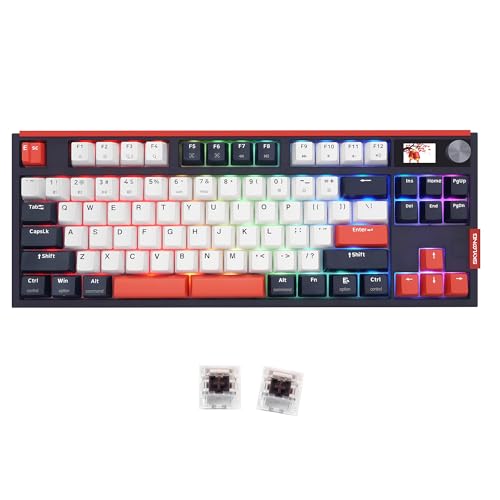
A GK87 keyboard with a dual-space bar, Type-C wired, Bluetooth and 2.4G connection, hot swappable KTT Brown switches, knobs and an LCD display.
Pros
- Dual-space bar plus a spare 6.25U space and stabilizer for a personal layout
- Type-C wired, Bluetooth and 2.4G wireless connection modes
- Hot swappable KTT Brown switches and programmable knobs
- LCD display and multiple RGB light shine modes
Cons
- Keycap color is unclear, with Red and Black listed in one bullet and Dark Blue and Pink in another
- Dark Blue and Pink double-shot keycaps cannot let RGB light go through, per the listing
- No safety certification is stated on the listing
- No dimensions or item weight are stated on the listing
Detailed Review
The listing states a GK87 keyboard with a dual-space bar, hot swappable KTT Brown switches, Type-C wired, Bluetooth and 2.4G wireless connection, knobs that can be defined and programmed, an LCD display and multiple RGB light shine modes. The bullets also state that a spare 6.25U space and stabilizer are included for a personal layout, and that the Dark Blue and Pink double-shot keycaps cannot let RGB light go through. The bullets list Red and Black keycaps in one place and Dark Blue and Pink keycaps in another, and the spec table color reads Brwon Switche, so the stated color is unclear; the dual-space layout and connection modes are consistent across the listing. The listing states a 1 year warranty.
Who it's for: typists who want a dual-space bar with knobs and a display. Who should skip it: shoppers who want light to shine through the keycaps, since the listed caps block it.
Its Office Score of 9.5/10 comes from performance 29/35, build 20/25, value 19/25, safety 0/10 and warranty 3/5: 71 of 100 points, placed on our 9.2 to 9.8 scale.
Key Specifications
| Layout | GK87, dual-space |
|---|---|
| Connection | Type-C wired, Bluetooth, 2.4G |
| Switches | KTT Brown, hot swappable |
| Display | LCD display |
Figures as published on the retailer listing, collected 3 November 2026. Performance figures are manufacturer rated.
Safety and Warranty
What this listing states. This product does not plug in or run on a battery, so safety is not part of its score. 1 year. It does not say everything a buyer needs, such as who pays return shipping, so warranty scores 3 of 5. See How We Pick.
Fit the desk first. Check the stated size against your desk depth and keyboard tray, and charge or pair as the manual describes. No keyboard, mouse or wrist rest prevents or treats injury.
This is general buying information, not professional advice. Follow each product manual and local rules, and see our Safety Disclaimer.

Benemate Waves Spacebar
A replacement spacebar keycap in PBT with a Cherry profile and 6.25U size, not a full keyboard, for mechanical boards with cross switches.
Pros
- 5-side dye-sub printing keeps the picture clear, per the listing
- PBT material, described as resistant to wear in the listing
- Cherry profile in 6.25U size for cross-switch boards
- Fits Cherry MX, Gateron, Kailh, Outemu and clones with cross switches
Cons
- It is a keycap only, not a keyboard, so it cannot type on its own
- No warranty term is stated
- No safety certification is stated on the listing
- Compatibility depends on measuring the current spacebar first, per the listing
Detailed Review
The listing states a Waves spacebar keycap in PBT for custom mechanical keyboards, with 5-side dye-sub printing, a Cherry profile and a 6.25U size. The maker lists fit for mechanical keyboards with cross switches, such as Cherry MX, Gateron, Kailh, Outemu and clones, and advises measuring the current spacebar to check compatibility. This listing is a keycap, not a keyboard: it adds a spacebar to a board, and it states no warranty term and no safety certification.
Who it's for: owners of a cross-switch mechanical board who need a replacement 6.25U spacebar cap. Who should skip it: shoppers looking for a complete keyboard, since this listing contains a cap only.
Its Office Score of 9.2/10 comes from performance 18/35, build 15/25, value 12/25, safety 0/10 and warranty 0/5: 45 of 100 points, placed on our 9.2 to 9.8 scale.
Key Specifications
| Profile | Cherry profile, 6.25U |
|---|---|
| Material | PBT |
| Printing | 5-side dye-sub |
| Color | wave |
Figures as published on the retailer listing, collected 3 November 2026. Performance figures are manufacturer rated.
Safety and Warranty
What this listing states. This product does not plug in or run on a battery, so safety is not part of its score. No warranty term, so warranty scores zero. See How We Pick.
Fit the desk first. Check the stated size against your desk depth and keyboard tray, and charge or pair as the manual describes. No keyboard, mouse or wrist rest prevents or treats injury.
This is general buying information, not professional advice. Follow each product manual and local rules, and see our Safety Disclaimer.
As an Amazon Associate I earn from qualifying purchases.
Specs compared
| Keyboard | Office Score | Layout | Connection | Switches | Warranty | Amazon |
|---|---|---|---|---|---|---|
| EPOMAKER Split70 | 9.6/10 | 70% split, detachable halves | Bluetooth 5.0, 2.4GHz, USB-C | Wisteria Linear V2, hot-swap | 1 Year Warranty | View on Amazon |
| KINESIS TKO | 9.5/10 | 60% layout, split spacebar | Not stated | Kailh Brown, hotswap | 1 Year Limited Warranty | View on Amazon |
| MOLGRIA GK87 | 9.5/10 | GK87, dual-space | Type-C wired, Bluetooth, 2.4G | KTT Brown, hot swappable | 1 year | View on Amazon |
| Benemate Waves Spacebar | 9.2/10 | Spacebar cap, Cherry profile | Not stated | Fits cross switches | Not stated | View on Amazon |
Specs reflect manufacturer claims on each product listing (as of 3 November 2026). 3 of the 4 listings state a warranty term. None states a safety certification.
How to choose the best split spacebar keyboard
Split layout or split spacebar
The EPOMAKER Split70 is a 70% split keyboard whose halves detach or link with a cable for flexible typing angles. The KINESIS TKO uses a modular triple-space bar with 2 extra thumb activation actions. The MOLGRIA GK87 uses a dual-space bar, with a spare 6.25U space and stabilizer included for a personal layout. The Benemate Waves Spacebar is a replacement cap, not a board, so it adds a spacebar to a board rather than changing the board layout. For travel, the KINESIS hard-shell travel case is stated, and a split keyboard carry case guide covers carrying options.
| Keyboard | Layout | Spacebar | Switches |
|---|---|---|---|
| EPOMAKER Split70 | 70% split, detachable halves | Whole-board split | Wisteria Linear V2, hot-swap |
| KINESIS TKO | 60% layout | Modular triple-space bar | Kailh Brown, hotswap |
| MOLGRIA GK87 | GK87 layout | Dual-space bar | KTT Brown, hot swappable |
| Benemate Waves Spacebar | Cap only | 6.25U spacebar cap | Fits cross switches |
Connection and device switching
The EPOMAKER connects over Bluetooth 5.0 and 2.4GHz, plus a USB-C cable mode, and connects to 5 paired devices at once across PC, Mac and Android Tablet. The MOLGRIA connects over Type-C wired, Bluetooth and 2.4G wireless modes for PC, laptop, tablet and mobile phone use. The KINESIS listing states no connection mode. A wireless mechanical keyboard guide covers wireless modes in general, but only the EPOMAKER and the MOLGRIA state wireless modes in this group.
Switches you can swap
The EPOMAKER supports hot-swap to any 3/5-pin mechanical switch, with factory-lubed Wisteria Linear V2 switches fitted. The KINESIS switches are plug-and-play, so the feel of WASD can be changed by swapping switches. The MOLGRIA switches are hot swappable KTT Brown switches. The Benemate listing contains a keycap only, not switches, and the cap fits boards with cross switches, such as Cherry MX, Gateron, Kailh, Outemu and clones. A mechanical keyboard keycaps guide covers cap options in general.
Measure before you buy
The EPOMAKER measures 14.65 inches x 4.65 inches x 1.56 inches, so desk room for separated halves should be checked. The KINESIS measures 11.61 inches x 4.53 Inches x 1.3 inches. The MOLGRIA listing states no dimensions, and the spare 6.25U space and stabilizer should be checked against the board it fits. The Benemate listing advises measuring the current spacebar to check compatibility before ordering. A mechanical keyboard guide covers switch types in general.
Setup Notes
- Check desk depth and width against the stated dimensions: the EPOMAKER measures 14.65 inches x 4.65 inches x 1.56 inches, and the KINESIS measures 11.61 inches x 4.53 Inches x 1.3 inches, with room for separated halves on the EPOMAKER.
- Plan cable and power around the stated modes: the EPOMAKER lists a USB-C cable mode and a 3000mAh rechargeable battery, and the MOLGRIA lists a Type-C wired mode.
- Confirm switch and cap fit before ordering spares: the MOLGRIA includes a spare 6.25U space and stabilizer, and the Benemate cap needs a measurement of the current spacebar.
- Confirm the spacebar style before ordering: the KINESIS uses a modular triple-space bar, and the MOLGRIA uses a dual-space bar.
FAQ
What is a split spacebar keyboard?
A keyboard whose spacebar is divided into separate sections for thumb actions. The KINESIS uses a modular triple-space bar. The MOLGRIA uses a dual-space bar. The EPOMAKER splits the whole board into halves instead of splitting the spacebar.
How does a split spacebar differ from a standard spacebar layout?
The KINESIS triple-space bar adds 2 extra thumb activation actions. The MOLGRIA dual-space bar comes with a spare 6.25U space and stabilizer. The Benemate listing is a 6.25U cap for a board, not a split bar.
Which of these keyboards connect wirelessly?
The EPOMAKER connects over Bluetooth 5.0 and 2.4GHz, plus a USB-C cable mode. The MOLGRIA connects over Bluetooth and 2.4G, plus a Type-C wired mode. The KINESIS listing states no connection mode.
Can the switches be changed on these keyboards?
The EPOMAKER supports hot-swap to any 3/5-pin mechanical switch. The KINESIS switches are plug-and-play. The MOLGRIA switches are hot swappable. The Benemate listing contains a keycap only, not switches.
What should be checked before buying a replacement spacebar cap?
Measure the current spacebar to check compatibility, as the Benemate listing advises. Confirm the Cherry profile and 6.25U size. Confirm cross-switch fit, such as Cherry MX, Gateron, Kailh, Outemu and clones.
Score breakdown
The Office Score weighs performance, build, value, safety and warranty. For keyboards, performance covers layout, connection and switch options, build covers materials and stated construction, value covers the stated specs for the listing, safety covers a stated safety certification or safety-relevant feature, and warranty covers a stated term. None of the 4 listings states a safety certification, so safety scores are zero across the group. 3 listings state a warranty term. The EPOMAKER states 1 Year Warranty. The KINESIS states 1 Year Limited Warranty. The MOLGRIA states 1 year. How we pick explains the weights.
| Product | Office Score | Perf. /35 | Build /25 | Value /25 | Safety /10 | Warranty /5 |
|---|---|---|---|---|---|---|
| EPOMAKER Split70 | 9.6 | 32 | 22 | 21 | 0 | 3 |
| KINESIS TKO | 9.5 | 32 | 21 | 20 | 0 | 3 |
| MOLGRIA GK87 | 9.5 | 29 | 20 | 19 | 0 | 3 |
| Benemate Waves Spacebar | 9.2 | 18 | 15 | 12 | 0 | 0 |
The scale opens at 9.2 and closes at 9.8; between those marks, weighted points translate linearly into the score you see.
More for your workspace
See every keyboards guide and all computer peripherals guides.
More picks: wireless mechanical keyboard, keyboard for home office, desk mat for mechanical keyboard.