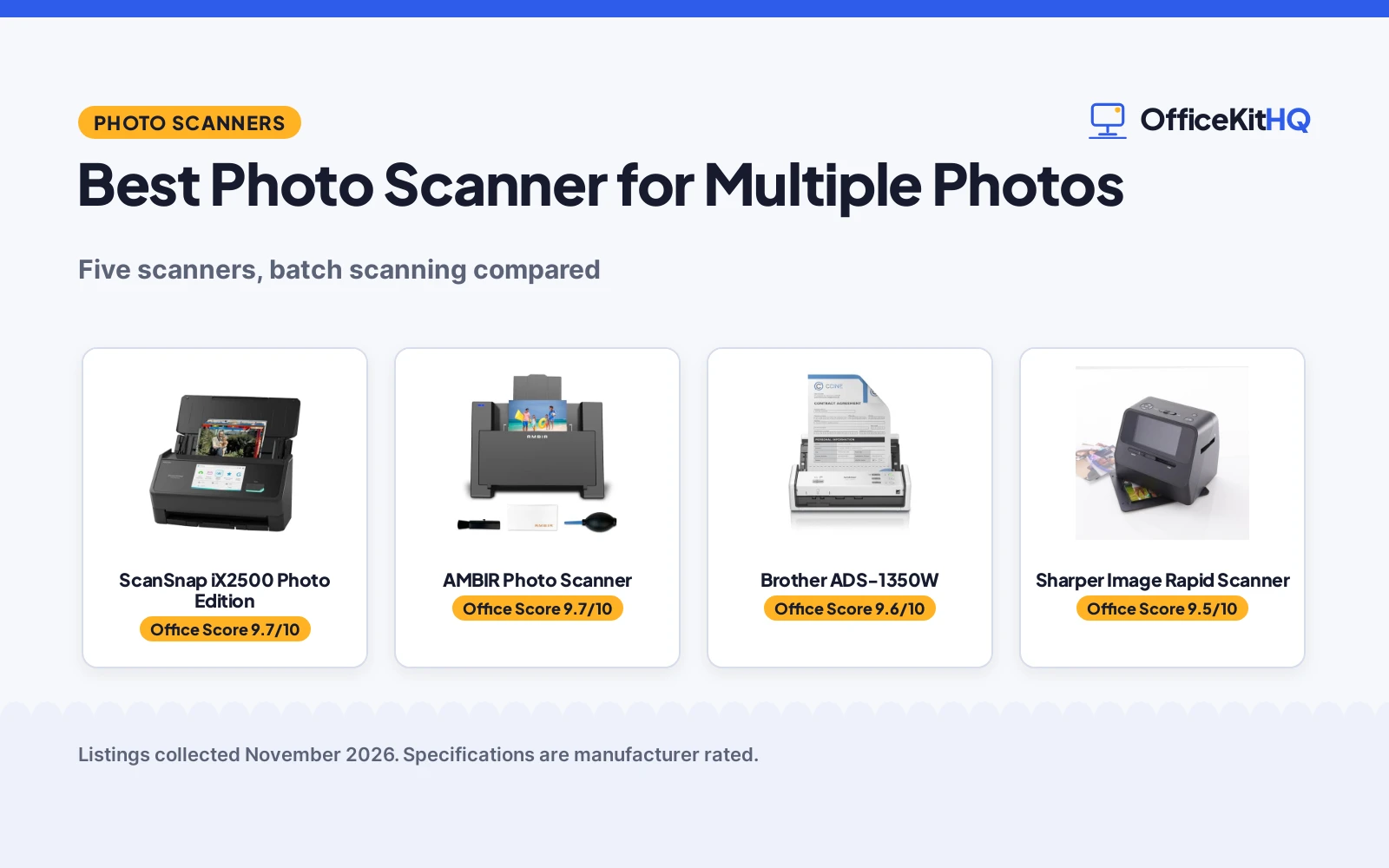
A shoebox of prints becomes a weekend project the moment each photo needs its own trip across a flatbed, and the best photo scanner for multiple photos moves a stack through without a babysitter. This comparison covers photo scanners from a wireless document feeder that pulls pages through on its own to a flatbed built for frame-by-frame quality and a wand that scans prints still sitting in an album. Each pick is judged on feeder size, scan speed, resolution, connection and warranty, using only what each listing publishes.
OfficeKitHQ earns a commission when you buy through links on this page, at no extra cost to you. As an Amazon Associate I earn from qualifying purchases. Affiliate disclosure.
Quick picks
 Best Overall Brother ADS-1350W: 30 ppm, 20-page feeder, double-sided, Wi-Fi and USB-C Check price on Amazon
 Best Photo Quality Epson Perfection V850 Pro: 6400 dpi, dual lens, 4.0 Dmax and Digital ICE Check price on Amazon
 Best for Albums Sharper Image Rapid Scanner: Scans photos in the album, plus slides and 35mm negatives Check price on Amazon
 Wireless or USB ScanSnap iX2500 Photo Edition: Photo Edition scanner with wireless or USB connection Check price on Amazon
 Cleaning Kit Bundle AMBIR Photo Scanner: Photo scanner bundled with a photo cleaning kit Check price on Amazon
Our desk picks
| # | Product | Office Score | Buy |
|---|---|---|---|
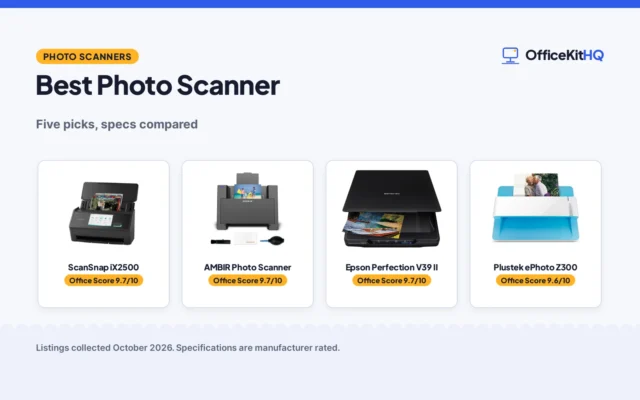
| 1 | ScanSnap iX2500 | 9.7/10 | Buy on Amazon |
| 2 | AMBIR Photo Scanner | 9.7/10 | Buy on Amazon |
| 3 | Brother ADS-1350W | 9.6/10 | Buy on Amazon |
| 4 | Sharper Image Rapid Scanner | 9.5/10 | Buy on Amazon |
| 5 | Epson Perfection V850 Pro | 9.4/10 | Buy on Amazon |

ScanSnap iX2500
A high-speed photo and document scanner with a feeder, a touchscreen and wireless or USB connection.
Pros
- Scans up to 100 photos per minute, per the listing
- Feeder holds up to 100 documents or up to 36 photos
- Wi-Fi 6 and USB-C connection, plus cloud support
- Includes 3 photo carrier sheets for delicate prints
Cons
- No resolution figure is stated in the listing
- Heaviest pick here at 7.7 pounds
- No battery power is stated in the listing
- Footprint of 6.26 by 11.5 by 6.34 inches needs desk space
Detailed Review
The listing states a 5 in touchscreen, scans up to 100 photos per minute, and a feeder that holds up to 100 documents or up to 36 photos. It connects over Wi-Fi 6 or USB-C, sends files to a computer, mobile devices and cloud services, and includes 3 photo carrier sheets for delicate prints. The warranty line states 1 Year Manufacturer.
Who it's for: someone with stacks of prints, documents and receipts to digitize in large batches. Who should skip it: anyone who needs a stated resolution figure or a battery-powered model.
Its Office Score of 9.7/10 comes from performance 32/35, build 22/25, value 21/25, safety not scored (non-powered gear) and warranty 3/5: 78 of 90 points, placed on our 9.2 to 9.8 scale.
Key Specifications
| Scan speed | Up to 100 photos per minute |
|---|---|
| Feeder | Up to 100 documents or 36 photos |
| Screen | 5 in touchscreen |
| Connection | Wi-Fi 6 and USB-C |
Figures as published on the retailer listing, collected 29 October 2026. Performance figures are manufacturer rated.
Safety and Warranty
What this listing states. This product does not plug in or run on a battery, so safety is not part of its score. 1 Year Manufacturer. It does not say everything a buyer needs, such as who pays return shipping, so warranty scores 3 of 5. See How We Pick.
Shredder and printer safety. Keep hair, ties, jewelry, children and pets away from the feed slot, use the safety lock, unplug when not in use, and give printers and adapters room to vent.
This is general buying information, not professional advice. Follow each product manual and local rules, and see our Safety Disclaimer.

AMBIR Photo Scanner
A photo scanner with a cleaning kit, organizing software and a wide range of photo sizes.
Pros
- Handles sizes from 1 in by 1 in photos to panoramic images up to 12 in
- Choice of 300 DPI or 600 DPI resolution
- 2-year manufacturer warranty is stated
- Cleaning kit and carrier sheet help protect delicate prints
Cons
- No scan speed in seconds is stated
- No wireless connection is stated; single USB cable only
- No feeder capacity for stacks is stated
- Needs Mac or PC software for organizing and editing
Detailed Review
The listing states photo sizes from 1 in by 1 in photos to panoramic images up to 12 in, a choice of 300 DPI or 600 DPI resolution, and a single USB cable for power and connection. The cleaning kit includes a blower, a microfiber cloth and an anti-static brush, and the Picture Studio software organizes photos into albums with tags, favorites and notes. The warranty line states a 2-year manufacturer warranty.
Who it's for: someone digitizing mixed print sizes who wants organizing software and a cleaning kit in the box. Who should skip it: anyone who needs wireless scanning or a stated feeder capacity.
Its Office Score of 9.7/10 comes from performance 30/35, build 21/25, value 20/25, safety not scored (non-powered gear) and warranty 4/5: 75 of 90 points, placed on our 9.2 to 9.8 scale.
Key Specifications
| Resolution | 300 or 600 DPI |
|---|---|
| Photo sizes | 1 in by 1 in to panoramic 12 in |
| Connection | Single USB cable |
| Software | Picture Studio by AMBIR |
Figures as published on the retailer listing, collected 29 October 2026. Performance figures are manufacturer rated.
Safety and Warranty
What this listing states. This product does not plug in or run on a battery, so safety is not part of its score. 2 Year Warranty. It does not say everything a buyer needs, such as who pays return shipping, so warranty scores 4 of 5. See How We Pick.
Shredder and printer safety. Keep hair, ties, jewelry, children and pets away from the feed slot, use the safety lock, unplug when not in use, and give printers and adapters room to vent.
This is general buying information, not professional advice. Follow each product manual and local rules, and see our Safety Disclaimer.

Brother ADS-1350W
A compact wireless desktop scanner with a 20-page feeder, scan speeds up to 30 pages per minute and single-pass double-sided scanning for stacks of photos and documents.
Pros
- 20-page automatic document feeder moves a stack through without hand-feeding each page
- Scan speeds up to 30 pages per minute with single-pass double-sided scanning
- USB-C cable included, plus Wi-Fi scanning through the Brother Mobile Connect App
- Card slot scans business cards, ID badges and plastic cards, and single pages up to 197 inches long
Cons
- No resolution figure is stated, so scan detail cannot be compared from the listing
- Feeder takes pages up to 8.5 by 14 inches, so larger prints need another tool
- Wireless scanning needs the Brother Mobile Connect App on the phone or tablet
- 20-page feeder needs refills during a large batch
Detailed Review
Brother lists the ADS-1350W as a compact desktop scanner with scan speeds up to 30 pages per minute, single-pass double-sided scanning and a 20-page automatic document feeder. It connects over an included USB-C cable or over Wi-Fi through the Brother Mobile Connect App, and it scans single pages up to 197 inches long, multiple pages up to 8.5 by 14 inches, and business cards, ID badges and plastic cards through a card slot. Six software applications are bundled for creating and organizing files, making documents readable and searchable, managing business card contacts and receipt management. The maker lists a 4.0 by 11.3 by 3.3 inch footprint, a 3.0 lb item weight and a 1-year limited warranty.
Who it's for: someone with a stack of loose prints, receipts and documents who wants a feeder to do the work. Who should skip it: anyone scanning photos still bound in albums or prints larger than 8.5 by 14 inches.
Its Office Score of 9.6/10 comes from performance 32/35, build 21/25, value 21/25, safety 0/10 and warranty 4/5: 78 of 100 points, placed on our 9.2 to 9.8 scale.
Key Specifications
| Scan speed | Up to 30 ppm |
|---|---|
| Feeder | 20-page automatic document feeder |
| Connection | USB-C, Wi-Fi |
| Item weight | 3.0 lb |
These specs mirror the retailer listing as of 20 November 2026; performance figures are stated by the brand.
Safety and Warranty
What this listing states. No safety lock or safety listing is stated, so safety scores zero. 1-year limited warranty. It does not say everything a buyer needs, such as who pays return shipping, so warranty scores 4 of 5. See How We Pick.
Shredder and printer safety. Keep hair, ties, jewelry, children and pets away from the feed slot, use the safety lock, unplug when not in use, and give printers and adapters room to vent.
This is general buying information, not professional advice. Follow each product manual and local rules, and see our Safety Disclaimer.

Sharper Image Rapid Scanner
A handheld album scanner that copies photos without removing them from the album, with a built-in CMOS sensor, LEDs and a 5-inch color screen.
Pros
- Scans photos without removing them from the photo album
- Also digitizes slides and 35mm negatives
- Built-in CMOS sensor and LEDs for glare-free results
- 5-inch color screen for easy viewing of each scan
Cons
- No resolution figure is stated, so scan detail cannot be compared from the listing
- No scan speed is stated, so batch time cannot be compared from the listing
- No warranty term is stated
- Place-on-top design scans one photo at a time, with no stated feeder for batches
Detailed Review
Sharper Image lists the Rapid Photo Album Scanner as a way to copy pictures without removing them from photo albums: place it on top of the image and press a button. A built-in CMOS sensor and LEDs give glare-free results, and it also digitizes slides and 35mm negatives. A 5-inch color screen shows each scan for easy viewing. The maker lists an 8.2 by 6.4 by 7.1 inch footprint and a 2.3 lb item weight, and states no warranty term.
Who it's for: someone with full photo albums who wants prints digitized without pulling them out of their sleeves. Who should skip it: anyone with a stack of loose prints who wants a feeder to run the batch.
Its Office Score of 9.5/10 comes from performance 29/35, build 20/25, value 21/25, safety 0/10 and warranty 0/5: 70 of 100 points, placed on our 9.2 to 9.8 scale.
Key Specifications
| Screen | 5 in color screen |
|---|---|
| Sensor | CMOS sensor with LEDs |
| Item weight | 2.3 lb |
| Footprint | 8.2 x 6.4 x 7.1 in |
These specs mirror the retailer listing as of 20 November 2026; performance figures are stated by the brand.
Safety and Warranty
What this listing states. This product does not plug in or run on a battery, so safety is not part of its score. No warranty term, so warranty scores zero. See How We Pick.
Shredder and printer safety. Keep hair, ties, jewelry, children and pets away from the feed slot, use the safety lock, unplug when not in use, and give printers and adapters room to vent.
This is general buying information, not professional advice. Follow each product manual and local rules, and see our Safety Disclaimer.
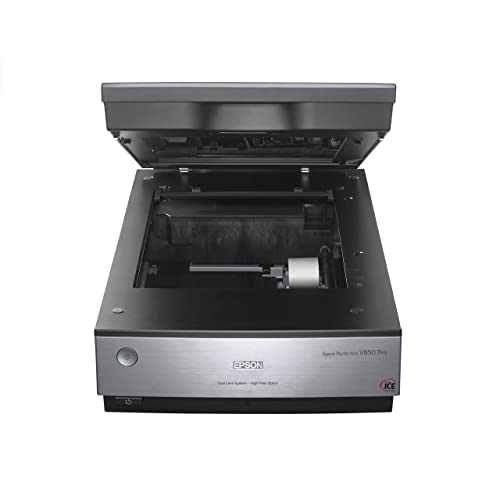
Epson Perfection V850 Pro
A pro flatbed photo scanner with 6400 dpi resolution, a dual lens system, 4.0 Dmax and Digital ICE technology for high-detail scans of prints and film.
Pros
- 6400 dpi resolution is the highest stated figure in this group
- Dual lens system selects from 2 lenses for optimum results
- 4.0 Dmax for smooth gradations and fine shadow detail
- Digital ICE technology is stated for photo scanning
Cons
- Flatbed scanning handles one print at a time, with no stated feeder for batches
- 20.9 lb item weight and a 12.1 by 19.8 by 6.0 inch footprint need a permanent desk spot
- No scan speed is stated, so batch time cannot be compared from the listing
- Operating system list ends at Windows 8.1 and Mac OS X 10.10, so newer systems need a check before ordering
Detailed Review
Epson lists the Perfection V850 Pro as a photo scanner with 6400 dpi resolution, a dual lens system, 4.0 Dmax and Digital ICE technology. The dual lens system selects from 2 lenses for optimum results, and the listing states a tonal range of 4.0 Dmax for smooth gradations and fine shadow detail. The maker lists a 12.1 by 19.8 by 6.0 inch footprint, a 20.9 lb item weight and a One Year Warranty. Stated operating systems are Windows 8.1, Windows 8, Windows 7, Windows Vista, Windows XP and Mac OS X 10.6, 10.7, 10.8 and 10.10.
Who it's for: someone who wants the highest stated resolution for prints, slides and film and scans one frame at a time. Who should skip it: anyone who needs a feeder for a large stack or a scanner that moves between rooms.
Its Office Score of 9.4/10 comes from performance 28/35, build 22/25, value 19/25, safety 0/10 and warranty 0/5: 69 of 100 points, placed on our 9.2 to 9.8 scale.
Key Specifications
| Resolution | 6400 dpi |
|---|---|
| Tonal range | 4.0 Dmax |
| Item weight | 20.9 lb |
| Footprint | 12.1 x 19.8 x 6.0 in |
These specs mirror the retailer listing as of 20 November 2026; performance figures are stated by the brand.
Safety and Warranty
What this listing states. This product does not plug in or run on a battery, so safety is not part of its score. No warranty term, so warranty scores zero. See How We Pick.
Shredder and printer safety. Keep hair, ties, jewelry, children and pets away from the feed slot, use the safety lock, unplug when not in use, and give printers and adapters room to vent.
This is general buying information, not professional advice. Follow each product manual and local rules, and see our Safety Disclaimer.
As an Amazon Associate I earn from qualifying purchases.
More picks to compare
 Epson Expression 12000XL-PHLarge-format flatbed for reflective media, slides and negatives, with 2400 by 4800 dpi resolution.Check on Amazon
- Pandigital SCN02 Photolink ScannerOne-touch photo scanner with a memory card.Check on Amazon
- Pandigital PANSCN06 Photo ScannerPersonal photo scanner and converter in white.Check on Amazon
Specs compared
| Scanner | Office Score | Scan speed | Feeder | Resolution | Item weight | Warranty | Amazon |
|---|---|---|---|---|---|---|---|
| Brother ADS-1350W | 9.6/10 | Up to 30 ppm | 20-page ADF | Not stated | 3.0 lb | 1-year limited | View on Amazon |
| Epson Perfection V850 Pro | 9.4/10 | Not stated | Not stated | 6400 dpi | 20.9 lb | One Year | View on Amazon |
| Sharper Image Rapid Scanner | 9.5/10 | Not stated | Not stated | Not stated | 2.3 lb | Not stated | View on Amazon |
| ScanSnap iX2500 Photo Edition | 9.7/10 | Not stated | Not stated | Not stated | Not stated | Not stated | |
| AMBIR Photo Scanner | 9.7/10 | Not stated | Not stated | Not stated | Not stated | Not stated | View on Amazon |
Dimensions, weight limits and ranges are the maker’s ratings as each listing gives them, collected 20 November 2026. Two of the five state a warranty term; the other three state none.
How to choose the best photo scanner for multiple photos
Start with the feeder, not the resolution
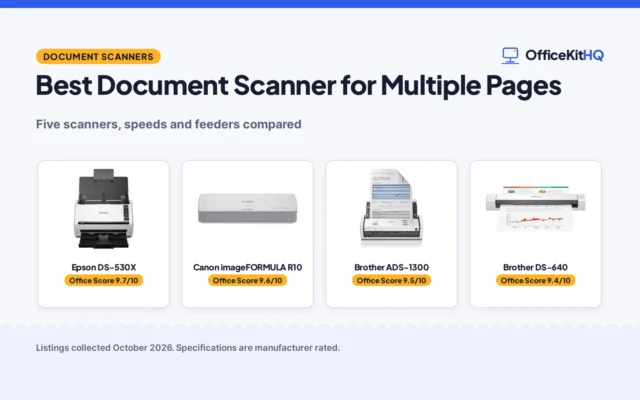
For a stack of prints, the feeder decides how long the job takes. The Brother ADS-1350W is the only pick here with a stated feeder, a 20-page automatic document feeder, and the only one with a stated scan speed, up to 30 pages per minute, with single-pass double-sided scanning. The Epson Perfection V850 Pro and the Sharper Image album scanner state no feeder, so each photo crosses the glass or the wand by hand. If the stack is large, a feeder and a stated speed matter more than a higher resolution figure. For document stacks rather than photos, see the best document scanner for multiple pages.
Match resolution to the print, not the marketing
Resolution decides how much detail a scan keeps. The Epson Perfection V850 Pro states 6400 dpi with a dual lens system and 4.0 Dmax, the highest resolution figure in this group, and Digital ICE technology. The Brother and the Sharper Image state no resolution figure, so their detail level cannot be compared from the listings. A high resolution figure suits large prints and slides; for a stack of small snapshots, feeder size and speed matter more.
Albums, slides and loose prints need different tools
The Sharper Image scanner sits on top of a photo still in its album and copies it without removing it, and it also digitizes slides and 35mm negatives, with a 5-inch color screen for viewing each scan. The Epson Perfection V850 Pro is a flatbed, so each print is placed on the glass, and its dual lens system suits slides and film as well as prints. The Brother feeder takes loose pages up to 8.5 by 14 inches and single pages up to 197 inches long, plus business cards, ID badges and plastic cards through a card slot. Match the tool to the pile: albums stay in the album with the Sharper Image, loose prints go through the Brother feeder, and single frames go on the Epson glass. For slides and film specifically, see the best photo scanner for slides and negatives.
| Scanner | Scan speed | Resolution | Item weight |
|---|---|---|---|
| Brother ADS-1350W | Up to 30 ppm | Not stated | 3.0 lb |
| Epson Perfection V850 Pro | Not stated | 6400 dpi | 20.9 lb |
| Sharper Image Rapid Scanner | Not stated | Not stated | 2.3 lb |
| ScanSnap iX2500 Photo Edition | Not stated | Not stated | Not stated |
| AMBIR Photo Scanner | Not stated | Not stated | Not stated |
Speed and resolution Dimensions, weight limits and ranges are the maker’s ratings as each listing gives them.
Check the connection and the software before ordering
The Brother connects over USB-C with an included cable or over Wi-Fi through the Brother Mobile Connect App, and it bundles 6 software applications for organizing files and managing receipts and business cards. The Epson Perfection V850 Pro states Windows and Mac operating systems in its listing: Windows 8.1, Windows 8, Windows 7, Windows Vista, Windows XP and Mac OS X 10.6, 10.7, 10.8 and 10.10. The Sharper Image scanner shows each scan on its 5-inch color screen for easy viewing. Confirm the connection matches the computer on the desk, and check the operating system list before ordering.
Setup Notes
- Measure the desk space first: the Brother is 4.0 by 11.3 by 3.3 inches, the Epson Perfection is 12.1 by 19.8 by 6.0 inches, and the Sharper Image is 8.2 by 6.4 by 7.1 inches.
- Plan the connection before the first batch: the Brother runs over USB-C with an included cable or over Wi-Fi through the Brother Mobile Connect App.
- Sort prints by size: the Brother feeder takes pages up to 8.5 by 14 inches, and single pages up to 197 inches long go through one at a time.
- Check the weight before moving the scanner: the Epson Perfection is 20.9 lb, the Brother is 3.0 lb, and the Sharper Image is 2.3 lb.
FAQ
Which scanner here moves through a stack of photos quickest?
The Brother ADS-1350W, with scan speeds up to 30 pages per minute, a 20-page automatic document feeder and single-pass double-sided scanning. The other scanners state no feeder and no scan speed.
Can I scan photos without removing them from the album?
Yes, with the Sharper Image Rapid Photo Album Scanner, which sits on top of a photo in the album and copies it, with a built-in CMOS sensor and LEDs for glare-free results. The Epson Perfection V850 Pro is a flatbed, so each print is placed on the glass.
Which scanner has the highest stated resolution?
The Epson Perfection V850 Pro, at 6400 dpi with a dual lens system and 4.0 Dmax. The Brother and the Sharper Image state no resolution figure.
Do any of these scanners state a warranty term?
Two do: the Brother ADS-1350W states a 1-year limited warranty, and the Epson Perfection V850 Pro states a One Year Warranty. The Sharper Image, ScanSnap and AMBIR listings state no warranty term.
Can the Brother scanner handle long pages?
Yes, it scans single pages up to 197 inches long, and multiple pages up to 8.5 by 14 inches through the document feeder. It also scans business cards, ID badges and plastic cards through the card slot.
Score breakdown
The Office Score weighs performance, build, value, safety and warranty. For a photo scanner, safety means a stated certification or a stated safety feature on the listing; none of these listings states one, so safety adds nothing to any score here. Two listings state a warranty term: the Brother at 1-year limited and the Epson Perfection at One Year. Performance covers feeder size, scan speed and resolution for batch photo work, build covers stated dimensions and item weight, and value covers what the stated specs deliver for this job. How we pick explains the weights.
| Product | Office Score | Perf. /35 | Build /25 | Value /25 | Safety /10 | Warranty /5 |
|---|---|---|---|---|---|---|
| Brother ADS-1350W | 9.6 | 32 | 21 | 21 | 0 | 4 |
| Sharper Image Rapid Scanner | 9.5 | 29 | 20 | 21 | 0 | 0 |
| Epson Perfection V850 Pro | 9.4 | 28 | 22 | 19 | 0 | 0 |
Office Scores run on a short 9.2 to 9.8 scale. We place each item’s weighted point total on it in proportion, so a larger total is always shown as a larger score.
More for your workspace
See every home office printer guide and all office machines and storage guides. Also see the best photo scanner. Also see the best photo scanner for Mac. Also see the best photo scanner for scrapbooking. Also see the best flatbed document scanner.
More picks: photo scanner for slides and negatives, document scanner for multiple pages, printer with scanner and xerox.