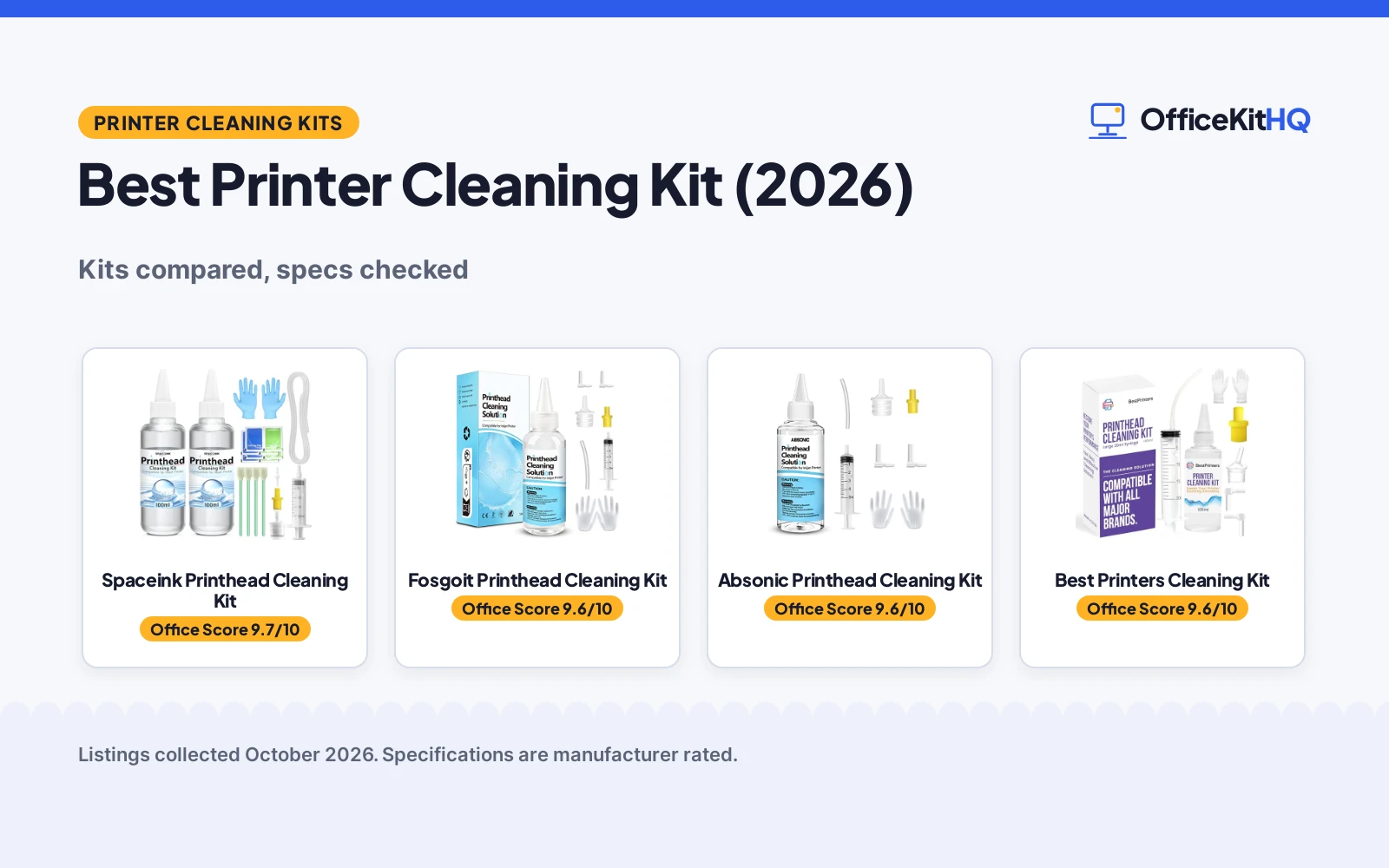
A report that prints with lines through every page turns a quick task into another print run and a wasted sheet. The best printer cleaning kit is the set of fluid, syringe and nozzles that flushes a clogged inkjet printhead instead of replacing it. This guide compares printhead cleaning kits for Epson, HP, Canon and Brother inkjet printers, using only what each listing states about solution size, tools, nozzle fit and ink types.
The kits below all pair cleaning fluid with a syringe and nozzles, but they differ in fluid size, syringe size and the tools in the box. Each pick is scored on performance, build and value, with safety and warranty scored only where a listing states them.
OfficeKitHQ earns a commission when you buy through links on this page, at no extra cost to you. As an Amazon Associate I earn from qualifying purchases. Affiliate disclosure.
Quick picks
 Best Overall Spaceink Printhead Cleaning Kit: 200mL kit with 20ml syringe, stoppers, swabs and wipes Check price on Amazon
 Best 100mL Kit Fosgoit Printhead Cleaning Kit: 100mL kit with color-coded nozzles for Epson, HP and Canon Check price on Amazon
 Best Large Syringe Best Printers Cleaning Kit: 100mL kit with a large 20ml syringe and video support Check price on Amazon
Our desk picks
| # | Product | Office Score | Buy |
|---|---|---|---|
| 1 | Spaceink Printhead Cleaning Kit | 9.7/10 | Buy on Amazon |
| 2 | Fosgoit Printhead Cleaning Kit | 9.6/10 | Buy on Amazon |
| 3 |  Absonic Printhead Cleaning Kit | 9.6/10 | Buy on Amazon |
| 4 | Best Printers Cleaning Kit | 9.6/10 | Buy on Amazon |
| 5 |  Wawocs Printhead Cleaning Kit | 9.6/10 | Buy on Amazon |

Spaceink Printhead Cleaning Kit
A 200mL kit with a 20ml syringe, stoppers, swabs and wipes for Epson, HP, Canon and Brother inkjet printers.
Pros
- 200mL of cleaning fluid, the largest size in this guide
- 20ml syringe plus stoppers, swabs and wipes in the box
- Enzymes stated to dissolve dry ink and protect the printhead
- Works with OEM, dye, sublimation and heat transfer inks
Cons
- No safety certification is stated
- No L-shaped tubes are listed in the contents
- No nozzle color split is stated for this kit
- 1-year warranty is the only stated term in the guide
Detailed Review
The listing states a 200mL kit with a 20ml syringe, a silicone tube, 4 large rubber stoppers, 4 cotton swabs, gloves, 4 dry and wet wipes and an instruction manual. The fluid contains enzymes stated to dissolve dry ink, and the kit covers OEM, dye, sublimation and heat transfer inks across Epson, HP, Canon, Brother, EcoTank, Lexmark, Kodak and Samsung printers. The spec table lists a 1-year warranty term.
Who it's for: someone facing a stubborn clog who wants the largest fluid size and the fullest tool set. Who should skip it: anyone who wants a small 100mL kit, or a stated safety certification.
Its Office Score of 9.7/10 comes from performance 32/35, build 22/25, value 21/25, safety not scored (non-powered gear) and warranty 2/5: 77 of 90 points, placed on our 9.2 to 9.8 scale.
Key Specifications
| Solution | 200mL |
|---|---|
| Syringe | 20ml |
| Ink types | OEM, dye, sublimation, heat transfer |
| Warranty | 1 year |
Figures as published on the retailer listing, collected 29 October 2026. Performance figures are manufacturer rated.
Safety and Warranty
What this listing states. This product does not plug in or run on a battery, so safety is not part of its score. 1 year. It does not say everything a buyer needs, such as who pays return shipping, so warranty scores 2 of 5. See How We Pick.
Shredder and printer safety. Keep hair, ties, jewelry, children and pets away from the feed slot, use the safety lock, unplug when not in use, and give printers and adapters room to vent.
This is general buying information, not professional advice. Follow each product manual and local rules, and see our Safety Disclaimer.

Fosgoit Printhead Cleaning Kit
A 100mL kit with a syringe, silicone hose, stoppers and gloves for Epson, HP, Canon and Brother inkjet printers.
Pros
- Yellow nozzle for Epson and white nozzle for HP and Canon
- Works with OEM, dye, pigment, sublimation and heat transfer inks
- Fluid stated to dissolve hardened ink without corroding the printhead
- Complete instructions included in the kit
Cons
- No warranty term is stated
- No safety certification is stated
- No syringe size is stated
- Long model lists need checking against the reader's printer
Detailed Review
The listing states a 100mL printhead cleaning solution with a syringe, a silicone hose, a large rubber stopper, a small rubber stopper, gloves and instructions. The yellow nozzle fits Epson printers and the white nozzle fits HP and Canon printers, with each nozzle size designed to fit different ink ports and avoid leakage. The fluid contains degradation factors stated to dissolve hardened ink and impurities without corroding the printhead.
Who it's for: someone cleaning an Epson, HP, Canon or Brother inkjet who wants color-coded nozzles. Who should skip it: anyone who needs a stated syringe size or a warranty term.
Its Office Score of 9.6/10 comes from performance 30/35, build 21/25, value 21/25, safety not scored (non-powered gear) and warranty 0/5: 72 of 90 points, placed on our 9.2 to 9.8 scale.
Key Specifications
| Solution | 100mL |
|---|---|
| Nozzles | Yellow for Epson, white for HP and Canon |
| Ink types | OEM, dye, pigment, sublimation, heat transfer |
| Contents | Syringe, hose, stoppers, gloves |
Figures as published on the retailer listing, collected 29 October 2026. Performance figures are manufacturer rated.
Safety and Warranty
What this listing states. This product does not plug in or run on a battery, so safety is not part of its score. No warranty term, so warranty scores zero. See How We Pick.
Shredder and printer safety. Keep hair, ties, jewelry, children and pets away from the feed slot, use the safety lock, unplug when not in use, and give printers and adapters room to vent.
This is general buying information, not professional advice. Follow each product manual and local rules, and see our Safety Disclaimer.

Absonic Printhead Cleaning Kit
A 100mL kit with a syringe, nozzles, L-shaped tubes, tubing, gloves and instructions for all major inkjet brands.
Pros
- Yellow nozzle for Epson and Brother, white nozzle for HP and Canon
- Different nozzle sizes fit different ink-filling ports
- Covers Epson EcoTank, WorkForce, Expression and Stylus lines
- Fluid works with factory, dye, sublimation and heat transfer inks
Cons
- No warranty term is stated
- No safety certification is stated
- No syringe size is stated
- Model lists run long and need checking against the reader's printer
Detailed Review
The listing states a 100mL inkjet printhead cleaning fluid with a syringe, a white nozzle, a yellow nozzle, L-shaped tubes, silicone tubing, gloves and instructions. The yellow nozzle is for Epson and Brother printers and the white nozzle is for HP and Canon printers, with different nozzle sizes for different ink-filling ports.
Who it's for: someone with an Epson, HP, Canon, Brother, Samsung or Lexmark inkjet who wants a full nozzle set. Who should skip it: anyone who needs a stated syringe size or a warranty term.
Its Office Score of 9.6/10 comes from performance 30/35, build 21/25, value 20/25, safety not scored (non-powered gear) and warranty 0/5: 71 of 90 points, placed on our 9.2 to 9.8 scale.
Key Specifications
| Solution | 100mL |
|---|---|
| Nozzles | Yellow for Epson and Brother, white for HP and Canon |
| Contents | Syringe, nozzles, L-shaped tubes, tubing, gloves |
| Ink types | Factory, dye, sublimation, heat transfer |
Figures as published on the retailer listing, collected 29 October 2026. Performance figures are manufacturer rated.
Safety and Warranty
What this listing states. This product does not plug in or run on a battery, so safety is not part of its score. No warranty term, so warranty scores zero. See How We Pick.
Shredder and printer safety. Keep hair, ties, jewelry, children and pets away from the feed slot, use the safety lock, unplug when not in use, and give printers and adapters room to vent.
This is general buying information, not professional advice. Follow each product manual and local rules, and see our Safety Disclaimer.
Best Printers Cleaning Kit
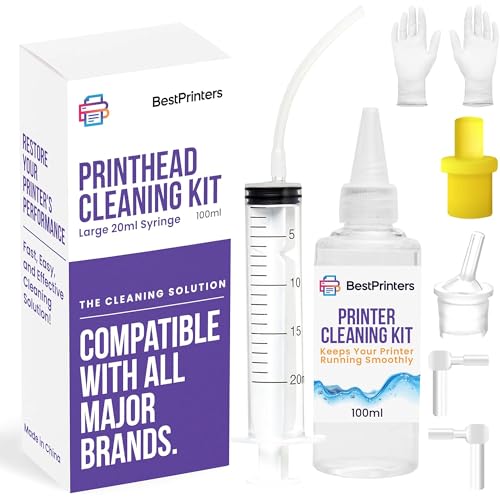
A 100mL kit with a large 20ml syringe and multiple attachments for Epson, HP, Canon, Brother and DTF printers.
Pros
- Large 20ml syringe for printhead flushing
- Ionized cleaning solution stated safe on all printer components
- Video support noted on the maker's channel
- Covers Epson EcoTank, WorkForce, HP SmartTank, OfficeJet, Canon Pixma and Brother MFC
Cons
- No warranty term is stated
- No safety certification is stated
- Video support sits outside the kit itself
- No nozzle color split is stated
Detailed Review
The listing states a 100mL printer cleaning fluid with a large 20ml syringe and multiple attachments, plus an ionized cleaning solution the maker states is safe on all printer components. The maker notes video support on its channel and advises running a printhead or power cleaning after use to bring ink back into the printhead.
Who it's for: someone who wants a large syringe and video guidance for a DIY flush. Who should skip it: anyone who needs color-coded nozzles or a stated warranty term.
Its Office Score of 9.6/10 comes from performance 29/35, build 21/25, value 20/25, safety not scored (non-powered gear) and warranty 0/5: 70 of 90 points, placed on our 9.2 to 9.8 scale.
Key Specifications
| Solution | 100mL |
|---|---|
| Syringe | 20ml |
| Solution type | Ionized cleaning solution |
| Compatibility | Epson, HP, Canon, Brother, DTF |
Figures as published on the retailer listing, collected 29 October 2026. Performance figures are manufacturer rated.
Safety and Warranty
What this listing states. This product does not plug in or run on a battery, so safety is not part of its score. No warranty term, so warranty scores zero. See How We Pick.
Shredder and printer safety. Keep hair, ties, jewelry, children and pets away from the feed slot, use the safety lock, unplug when not in use, and give printers and adapters room to vent.
This is general buying information, not professional advice. Follow each product manual and local rules, and see our Safety Disclaimer.

Wawocs Printhead Cleaning Kit
A 100mL kit with a 5ml syringe, silicone tube, nozzles, L-shaped tubes, gloves and instructions for inkjet printers.
Pros
- White and yellow nozzles plus 2 L-shaped tubes in the box
- Fluid stated to dissolve clogs from dye, pigment and sublimation inks
- Clear instruction included with the kit
- Stated to avoid corroding the printer nozzle
Cons
- Small 5ml syringe against the 20ml syringes in this guide
- No warranty term is stated
- No safety certification is stated
- Printhead must stand 2-3 hours after cleaning before use
Detailed Review
The listing states a 100mL printhead cleaner with a 5ml syringe, a silicone tube, a white nozzle, a yellow nozzle, 2 L-shaped tubes, gloves and instructions. The maker advises unplugging the power plug before cleaning, keeping the printhead dry, adding no water during cleaning, and letting the printhead stand for 2-3 hours after cleaning before using the printer.
Who it's for: someone who wants a careful, instruction-led clean with a small syringe. Who should skip it: anyone who needs a large syringe or a stated warranty term.
Its Office Score of 9.6/10 comes from performance 29/35, build 20/25, value 20/25, safety not scored (non-powered gear) and warranty 0/5: 69 of 90 points, placed on our 9.2 to 9.8 scale.
Key Specifications
| Solution | 100mL |
|---|---|
| Syringe | 5ml |
| Nozzles | White nozzle, yellow nozzle |
| Wait after cleaning | 2-3 hours |
Figures as published on the retailer listing, collected 29 October 2026. Performance figures are manufacturer rated.
Safety and Warranty
What this listing states. This product does not plug in or run on a battery, so safety is not part of its score. No warranty term, so warranty scores zero. See How We Pick.
Shredder and printer safety. Keep hair, ties, jewelry, children and pets away from the feed slot, use the safety lock, unplug when not in use, and give printers and adapters room to vent.
This is general buying information, not professional advice. Follow each product manual and local rules, and see our Safety Disclaimer.
As an Amazon Associate I earn from qualifying purchases.
More picks to compare
 Absonic Printhead Cleaning Kit 250mL250mL printhead cleaning kit for Epson, HP, Canon and Brother inkjet printersCheck on Amazon
 Osinkjet Printhead Cleaning Kit 250ml250ml printhead cleaning kit for Epson, HP, Canon and Brother inkjet printersCheck on Amazon
 Generic Printhead Cleaning Kit 100mL100mL printhead cleaning kit for HP, Canon, Brother and Epson inkjet printersCheck on Amazon
 EXCERCUS Printhead Cleaning Kit 100ml100ml printhead cleaning kit with 5ml syringe for Brother, Epson, HP and CanonCheck on Amazon
 RCEKAHOD Printhead Cleaning Kit 100ML100ML printhead cleaning kit for Epson, HP, Canon and Brother inkjet printersCheck on Amazon
Specs compared
| Printer Cleaning Kit | Solution | Syringe | Nozzles | Amazon |
|---|---|---|---|---|
| Spaceink Printhead Cleaning Kit | 200mL | 20ml | Not stated | View on Amazon |
| Fosgoit Printhead Cleaning Kit | 100mL | Syringe | Yellow and white | View on Amazon |
| Absonic Printhead Cleaning Kit | 100mL | Syringe | Yellow and white | View on Amazon |
| Best Printers Cleaning Kit | 100mL | 20ml | Not stated | View on Amazon |
| Wawocs Printhead Cleaning Kit | 100mL | 5ml | White and yellow | View on Amazon |
We quote these figures from each listing as the brand rates them; captured 29 October 2026.
How to choose the best printer cleaning kit
Match the fluid size to the clog
Fluid size sets how many flushes one kit covers. Most kits here hold 100mL of cleaning solution, while the Spaceink kit holds 200mL, which suits a stubborn clog that needs more than a single pass. The more-picks list below adds 250mL kits for readers who want still more fluid. A light clog may clear with a smaller kit, but a reader facing repeated streaks should weigh the larger size before ordering.
Check the nozzle fit for the brand
Nozzle color is the quickest fit check in these listings. The Fosgoit and Absonic kits state a yellow nozzle for Epson printers and a white nozzle for HP and Canon printers, with Absonic adding Brother to the yellow nozzle. The Wawocs kit lists a white nozzle and a yellow nozzle without assigning brands. Match the nozzle to the printer brand in the listing before ordering, and check the model lists the listings publish. Home Office Printers covers the printer side of the same desk setup.
Look at the syringe and tools
The syringe decides how the fluid reaches the printhead, and the extra tools decide how tidy the job stays. The Spaceink and Best Printers kits list a 20ml syringe, while the Wawocs kit lists a 5ml syringe, and the Fosgoit and Absonic kits list a syringe with no size stated. Beyond the syringe, the Spaceink kit adds stoppers, swabs and wipes, and the Wawocs kit adds L-shaped tubes, so the box contents matter as much as the fluid.
Confirm the ink types
Every kit here lists the ink types its fluid suits, and the lists differ. The Fosgoit kit lists OEM, dye, pigment, sublimation and heat transfer inks, while the Spaceink and Absonic kits list OEM, dye, sublimation and heat transfer inks. The Wawocs kit lists dye, pigment and sublimation inks. Check the ink in the printer against the listing before ordering, since a fluid matched to the wrong ink type wastes the flush.
Plan the downtime
Cleaning takes the printer offline for a stretch, so plan the job around it. Several listings advise unplugging the power supply before cleaning to avoid short-circuit damage, and the Wawocs listing adds letting the printhead stand for 2-3 hours after cleaning before using the printer. The Best Printers listing advises running a printhead or power cleaning after use to bring ink back into the printhead. Like label makers and shredders, a printer repays a planned maintenance window better than a rushed one.
Setup Notes
- Unplug the power supply before cleaning, as several listings advise, to avoid short-circuit damage to the printer.
- Match the nozzle color to the printer brand: yellow for Epson and Brother, white for HP and Canon, where the listing states the split.
- Let the printhead stand for 2-3 hours after cleaning before using the printer, per the Wawocs listing.
- Run a printhead or power cleaning after use, per the Best Printers listing, to bring ink back into the printhead.
FAQ
What is printer cleaning solution made of?
The listings describe it by function rather than a full formula. The Fosgoit listing states degradation factors that dissolve hardened ink, and the Spaceink listing states enzymes that dissolve dry ink and protect the printhead.
How to use printer cleaning sheets?
These kits flush fluid rather than feeding sheets. The Spaceink kit is the one that lists dry and wet wipes among its tools, while the other kits clean through a syringe and nozzle, so follow the kit instructions rather than a sheet routine.
How to do a printer cleaning?
Unplug the power supply first, per several listings, then flush the printhead with the kit syringe and nozzle following the included instructions. The Best Printers listing advises running a printhead or power cleaning after use, and the Wawocs listing advises letting the printhead stand for 2-3 hours before using the printer.
How to use cleaning solution for printer?
Fit the nozzle for the printer brand, yellow for Epson and Brother and white for HP and Canon where the listing states the split, then flush the printhead with the syringe per the kit instructions. Keep the printhead dry and add no water during cleaning, per the Wawocs listing.
How to use printer cleaning card?
None of the kits in this guide lists a cleaning card. They clean through fluid and a syringe, so a reader who wants a card-based routine needs a different product type than the kits compared here.
Score breakdown
The Office Score weighs performance, build, value, safety and warranty. Safety here means stated safety-relevant features or certifications, and none of these listings states one, so every safety score is zero. Warranty scores are zero except for the Spaceink kit, which states a 1-year term, so the ranking turns mainly on performance, build and value. How we pick explains the weights.
| Product | Office Score | Perf. /35 | Build /25 | Value /25 | Safety /10 | Warranty /5 |
|---|---|---|---|---|---|---|
| Spaceink Printhead Cleaning Kit | 9.7 | 32 | 22 | 21 | n/a | 2 |
| Fosgoit Printhead Cleaning Kit | 9.6 | 30 | 21 | 21 | n/a | 0 |
| Absonic Printhead Cleaning Kit | 9.6 | 30 | 21 | 20 | n/a | 0 |
| Best Printers Cleaning Kit | 9.6 | 29 | 21 | 20 | n/a | 0 |
| Wawocs Printhead Cleaning Kit | 9.6 | 29 | 20 | 20 | n/a | 0 |
Score placement follows the weighted total: the lowest totals read 9.2, the highest 9.8, and everything between keeps its order. Safety is scored for powered desks, chairs and gadgets and for any listing that names safety features; if neither applies, the remaining 90 points decide.
More for your workspace
See every Home Office Printers guide and all Office Machines and Storage guides.
More picks: bookshelves and file cabinets, desk organizers and whiteboards, label makers and shredders.