Thermal printer cleaning pen how to use is a short job: turn the printer off, open the cover, swipe the pen across the printhead, and wait before printing again. A dirty printhead leaves faint lines, streaks and pale patches on receipts and labels, and a cleaning pen wipes that residue away with an IPA solution. The steps below follow what the makers of these pens state, so the clean stays gentle on the printhead.
OfficeKitHQ earns a commission when you buy through links on this page, at no extra cost to you. As an Amazon Associate I earn from qualifying purchases. Affiliate disclosure.
The quick answer
Turn the thermal printer off, open the cover, and find the printhead. Remove the cap from the cleaning pen and swipe the tip across the whole printhead surface in a smooth pass, then close the cover and wait before printing again. The Clobeau pen (on Amazon) states a wait of 10 minutes after cleaning before using the printer again, so give the IPA solution time to dry and the printhead time to cool.
Thermal printer cleaning pen how to use
Follow the steps in order, and let the solution dry before the next print.
Turn the power off
Turn the thermal printer off before cleaning the printhead. ZHYIN and BIHYM both state this in their guidance: clean with the power off, so the printhead is still and the pen meets a cool surface. Keep the printer off until the cleaning pass is done.
Open the cover and find the printhead
Open the printer cover and find the printhead position. On a receipt printer the printhead sits where the paper passes under the cover; on a card printer it sits over the card path. Lift the cover fully so the pen can reach the whole printhead surface.
Swipe the pen across the printhead
Remove the cap and swipe the pen tip across the exposed printhead. ZHYIN states to slide the pen over the entire print head surface, GREUS states to swipe the pen across the printhead surface gently, and Zetek states to swipe the pen tip across the exposed print head. The chisel-shaped ZHYIN pen and the diagonal-cut nib on the Zetek and Starsouce pens (on Amazon) reach the full printhead surface, while the soft, flexible tip on the Clobeau pen will not scratch the printer parts, by the maker. Wipe away dust, dirt, adhesive residue and oil stains, and keep the pass smooth rather than scrubbing one spot.
Wait before printing again
Close the cover and wait before printing again. The Clobeau pen states to use the printer again after 10 minutes of cleaning, so the IPA solution dries fully and the printhead is ready. A pen with a sealed barrel, such as the Starsouce pen, keeps the cleaning solution from drying out between uses, so recap the pen after the pass.
What a cleaning pen does
A cleaning pen carries an IPA solution on a nib that wipes the printhead clean. The IPA solution dissolves dirt, grime, residue and other debris, by the makers, and wiping away adhesive buildup and dust keeps prints clear and sharp. ZHYIN states the pens help with discoloration and poor printing results, and with adhesive residue on the printer’s thermal elements after a paper jam. Starsouce states that a printhead kept free of residue transfers heat evenly for sharper barcodes and clearer receipt text, and that routine wiping helps reduce streaks, smudges, reprints and premature printhead wear between service intervals.
The pens suit thermal receipt, shipping label, POS terminal, card and barcode printers, by the makers. GREUS states its pens work with card printing, receipt printing and heat transfer printers, and Clobeau states its pen suits barcode printers, POS machines, thermal printers and thermal transfer models. A pen made for thermal printheads is not an inkjet printhead cleaner: inkjet cleaning kits use fluid and a syringe, and they belong to a different printer type.
Picking a cleaning pen
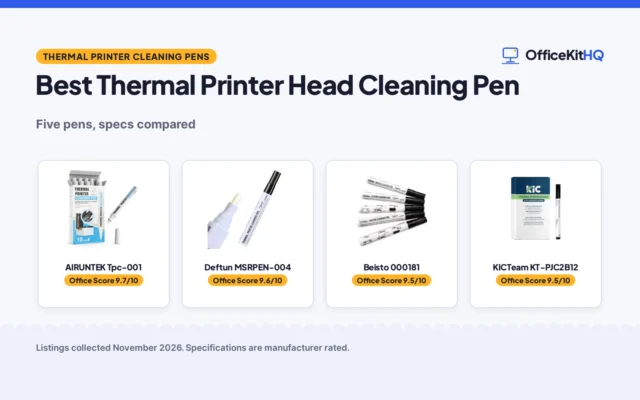
Pack size is the main difference between the pens in this guide. A pack of 24 pens, such as the Paper Rolls Plus pack, suits a site with several printers, while a pack of 3 pens, such as the BIHYM pack, suits a desk with a printer that sees light use. The Zetek pen states 99.7% IPA and a diagonal cut stiff rugged nib, and its pen measures 6.0 inches x 1.0 inches x 1.0 inches. The Paper Rolls Plus pack carries a 1 Year Manufacturer warranty. See the best thermal printer head cleaning pens for the pens compared.
| Pen | Pack size | Nib | IPA |
|---|---|---|---|
| ZHYIN thermal pen, 20PCS | 20 pens | Not stated | IPA solution |
| ZHYIN thermal pen, 5PCS | 5 pens | Chisel-shaped | Not stated |
| GREUS thermal pen | 5 pens | Not stated | Not stated |
| BIHYM thermal pen, 12PCS | 12 pens | Not stated | IPA solution |
| BIHYM thermal pen, 3PCS | 3 pens | Not stated | IPA solution |
| Zetek 105950-035 | 12 pens | Diagonal cut, stiff, rugged | 99.7% IPA |
| Clobeau thermal pen | 5 pens | Soft and flexible | Not stated |
| Starsouce thermal pen | 5 pens | Stiff diagonal-cut | Not stated |
| Paper Rolls Plus thermal pen | 24 pens | Not stated | Not stated |
All pack sizes above come from the makers. A pen with a sealed barrel stays ready between uses, and a pack with individually sealed pens, such as the Starsouce pack of 5, keeps each pen ready until opened.
How often to clean the printhead
Clean the printhead when prints show the signs: faint or unclear prints, streaks, smudges, uneven prints or discoloration. ZHYIN states its pens help when adhesive residue reaches the thermal elements after a paper jam, and Starsouce states to swipe across the printhead after a label run or at shift start. A routine wipe between service intervals keeps residue from building up, and a pen kept at the station is ready when the next print comes out faint.
FAQ
How do you use a thermal printer cleaning pen?
Turn the printer off, open the cover, remove the cap from the pen and swipe the tip across the whole printhead surface. Close the cover and wait before printing again; the Clobeau pen states a wait of 10 minutes after cleaning.
Do you need to turn the printer off before cleaning the printhead?
Yes. ZHYIN and BIHYM both state to turn the power off before cleaning the printhead, so the head is still and the pen meets a cool surface.
What is inside a thermal printer cleaning pen?
An IPA solution on a nib. Zetek states its pens use 99.7% IPA, and the nib shapes vary: chisel-shaped on the ZHYIN pen, diagonal-cut on the Zetek and Starsouce pens, and soft and flexible on the Clobeau pen.
Will a cleaning pen clear up faint prints?
A pen wipes away the dust, adhesive and grime that cause faint or unclear prints, and the makers state it improves print quality with each use. If prints stay faint after a clean pass, check the paper and the printer guidance for the next step.
More for your workspace
See every computer peripherals guide, plus the best thermal label printers, the best thermal printer head cleaning pens and the best thermal printer cleaning cards.