The best portable monitor with touch screen turns a laptop on a kitchen table into a proper workstation, because a laptop screen on its own forces every window into a crowded stack. A morning video call with a dim webcam, a chair that sinks by midday, and a laptop running everything off a hub is the usual starting point, and a touch display that props up beside it gives the call, the notes and the inbox room to sit side by side. We compared the touch screen portable monitors in this roundup by screen and resolution, touch response, ports, stand, speakers and warranty term, using only what each listing publishes.
OfficeKitHQ earns a commission when you buy through links on this page, at no extra cost to you. As an Amazon Associate I earn from qualifying purchases. Affiliate disclosure.
Quick picks
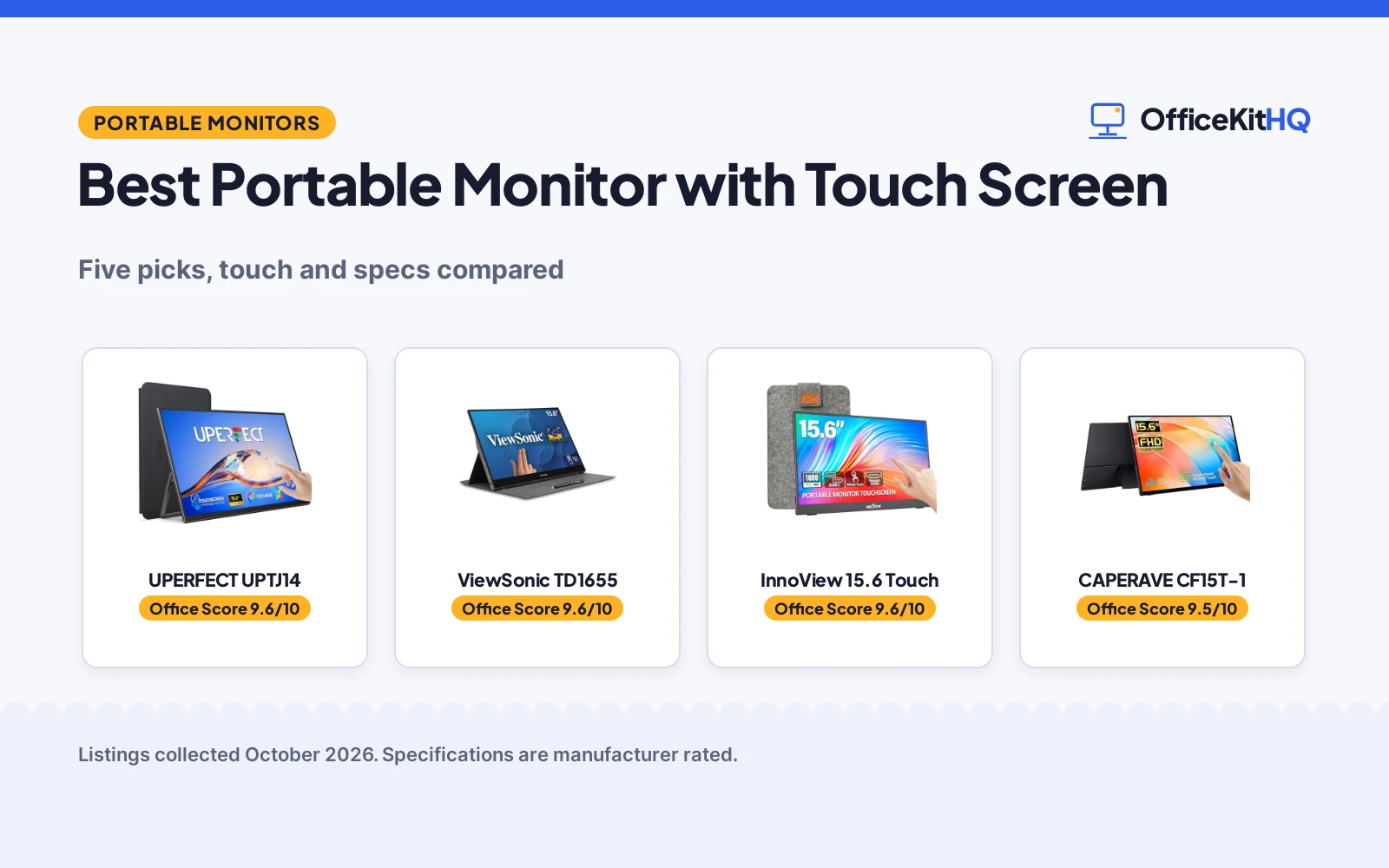
 Best Overall UPERFECT UPTJ14: 125% sRGB, 1500:1 contrast, 1.4 lb, VESA mount Check price on Amazon
 Longest Warranty ViewSonic TD1655: 3-year warranty, 60W USB-C, built-in stand and cover Check price on Amazon
 Best Eye Comfort CAPERAVE CF15T-1: 178-degree IPS panel, flicker-free, blue light reduction Check price on Amazon
 Best Connectivity KOOFORWAY T8: Two USB-C ports plus HDMI, dual speakers, two-angle stand Check price on Amazon
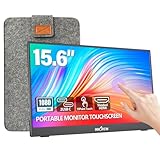 Title-Only Listing InnoView 15.6 Touch: 15.6-inch touch screen, 1080P IPS, sleeve and stand Check price on Amazon
Our desk picks
| # | Product | Office Score | Buy |
|---|---|---|---|
| 1 | UPERFECT UPTJ14 | 9.6/10 | Buy on Amazon |
| 2 | ViewSonic TD1655 | 9.6/10 | Buy on Amazon |
| 3 | InnoView Touchscreen Monitor | 9.6/10 | Buy on Amazon |
| 4 | CAPERAVE CF15T-1 | 9.5/10 | Buy on Amazon |
| 5 | KOOFORWAY T8 | 9.5/10 | Buy on Amazon |

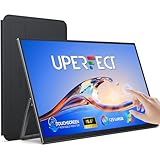
UPERFECT UPTJ14
A 15.6-inch FHD touch monitor with 125% sRGB, 1500:1 contrast, a 1.4 lb body and a VESA mount, the lowest-weight pick here.
Pros
- 125% sRGB, 1500:1 contrast, HDR and 300 nits are the strongest display specs stated here
- 1.4 lb weight is the lowest stated weight in this group
- VESA mountable with a 180-degree adjustable stand for horizontal and vertical use
- Protective case is included, and the full-function USB-C port carries signal and touch
Cons
- No flicker-free or blue light reduction feature is stated
- Mini HDMI needs a power supply and a USB-A to USB-C cable for touch to work
- 2-year warranty is shorter than the ViewSonic's 3-year term
- No second USB-C port is stated, so charging and video share one connection
Detailed Review
UPERFECT lists the UPTJ14 as a 15.6-inch portable monitor with 10-point touch, a FHD IPS matte panel, 125% sRGB, 1500:1 contrast, HDR and 300 nits of brightness. The maker states a 1.4 lb weight, a protective case, a speaker, VESA mounting and a 180-degree adjustable stand that supports horizontal and vertical use. The full-function USB-C port carries signal and touch, and the Mini HDMI port needs a power supply and a USB-A to USB-C cable for touch. The maker gives two thicknesses, 0.23 and 0.39 inches; check before ordering.
Who it's for: someone who wants the strongest stated color specs and the lowest-weight body for travel, and who plans to mount it or stand it at different angles. Who should skip it: anyone who needs touch over Mini HDMI without an extra cable, or who wants flicker-free and blue light reduction stated.
Its Office Score of 9.6/10 comes from performance 33/35, build 22/25, value 22/25, safety 0/10 and warranty 4/5: 81 of 100 points, placed on our 9.2 to 9.8 scale.
Key Specifications
| Screen | 15.6 in, FHD IPS |
|---|---|
| Touch | 10-point |
| Item weight | 1.4 lb |
| Stand | 180-degree adjustable, VESA mountable |
These specs mirror the retailer listing as of 20 November 2026; performance figures are stated by the brand.
Safety and Warranty
What this listing states. This product does not plug in or run on a battery, so safety is not part of its score. 2 Year Warranty. It does not say everything a buyer needs, such as who pays return shipping, so warranty scores 4 of 5. See How We Pick.
Follow the manual. Assemble and use the product as the maker describes, stay under any stated capacity, and read the manual before first use.
This is general buying information, not professional advice. Follow each product manual and local rules, and see our Safety Disclaimer.

ViewSonic TD1655
A 15.6-inch 1080p touch monitor with 60W USB-C, Mini HDMI, dual speakers, a built-in stand and cover, and the longest warranty here.
Pros
- 60W USB-C carries display, data, audio and power over one cable
- 3-year warranty is the longest term stated in this group
- Built-in stand, protective cover and dual speakers are all included
- 10-point touch and 1920 by 1080 resolution suit presentations and remote work
Cons
- No IPS panel, viewing angle or color coverage figure is stated
- No flicker-free or blue light reduction feature is stated
- 2.2 lb weight is heavier than the UPERFECT at 1.4 lb
- No VESA mounting is stated
Detailed Review
ViewSonic lists the TD1655 as a 15.6-inch portable monitor with 1920 by 1080 resolution and 10-point touch for presentations, remote work, study and travel. The two-way USB-C port supports display, data, audio and up to 60W of power, and Mini HDMI adds a second connection. A built-in stand, protective cover and dual speakers are included, and the maker states Mac, PC and laptop compatibility. The body measures 8.8 by 0.6 by 14.0 in, the item weight is 2.2 lb, and the warranty is a 3-year limited warranty.
Who it's for: someone who wants one-cable power and video with a long warranty, and who works across Mac and PC. Who should skip it: anyone who wants an IPS panel or color coverage stated, or a lighter body for daily travel.
Its Office Score of 9.6/10 comes from performance 30/35, build 21/25, value 21/25, safety 0/10 and warranty 4/5: 76 of 100 points, placed on our 9.2 to 9.8 scale.
Key Specifications
| Screen | 15.6 in, 1920 by 1080 |
|---|---|
| Touch | 10-point |
| Power | 60W USB-C |
| Item weight | 2.2 lb |
These specs mirror the retailer listing as of 20 November 2026; performance figures are stated by the brand.
Safety and Warranty
What this listing states. No safety listing or safety feature is stated, so safety scores zero. 3-year Limited Warranty. It does not say everything a buyer needs, such as who pays return shipping, so warranty scores 4 of 5. See How We Pick.
Follow the manual. Assemble and use the product as the maker describes, stay under any stated capacity, and read the manual before first use.
This is general buying information, not professional advice. Follow each product manual and local rules, and see our Safety Disclaimer.

InnoView Touchscreen Monitor
A 15.6-inch 10-point touchscreen portable monitor with a protective sleeve, a 90-degree stand and an 18-month warranty.
Pros
- 10-point touchscreen with 1200:1 contrast and HDR
- Protective sleeve with a built-in 90-degree stand
- Low blue light and flicker-free functions stated
- Two full-function Type-C ports plus HDMI
Cons
- Touch does not work on iPad, per the maker's note
- Power adapter is not included, and a 15W or higher adapter is needed when brightness or volume is low
- No VESA mounting stated
- 60Hz refresh is lower than the 100Hz Upperizon
Detailed Review
The InnoView is a 15.6-inch 1080P IPS touchscreen at 60Hz with 10-point touch, a 178-degree viewing angle, a 1200:1 contrast ratio and HDR. The maker states low blue light and flicker-free functions, two full-function Type-C ports and one HDMI port, and a protective sleeve with a built-in 90-degree adjustable stand. The maker notes that iPad cannot support touch, and that a 15W or higher power adapter is needed when brightness or volume is low, with the adapter not included.
Who it's for: someone who wants a touchscreen second screen for a laptop, with a sleeve and stand in the box. Who should skip it: anyone who wants touch on an iPad or a VESA mount.
Its Office Score of 9.6/10 comes from performance 30/35, build 20/25, value 20/25, safety 5/10 and warranty 3/5: 78 of 100 points, placed on our 9.2 to 9.8 scale.
Key Specifications
| Screen | 15.6 in |
|---|---|
| Resolution | 1080P |
| Touch | 10-point |
| Ports | 2x USB-C, HDMI |
These specs mirror the retailer listing as of 19 November 2026; performance figures are stated by the brand.
Safety and Warranty
What this listing states. Low blue light and flicker-free functions, so safety scores 5 of 10. 18-month warranty. It does not say everything a buyer needs, such as who pays return shipping, so warranty scores 3 of 5. See How We Pick.
Follow the manual. Assemble and use the product as the maker describes, stay under any stated capacity, and read the manual before first use.
This is general buying information, not professional advice. Follow each product manual and local rules, and see our Safety Disclaimer.

CAPERAVE CF15T-1
A 15.6-inch 1080p IPS touch monitor with a 178-degree viewing angle, flicker-free and blue light reduction, a kickstand and speakers.
Pros
- 178-degree IPS viewing angle is the widest stated here
- Blue light reduction and flicker-free technology are stated
- Built-in kickstand props the screen at different angles
- Standard HDMI and USB-C ports cover laptops, desktops, consoles and phones
Cons
- 4.25 lb weight is the heaviest stated in this group
- 1-year warranty is the briefest term stated here
- No VESA mounting is stated
- No power delivery wattage is stated for the USB-C port
Detailed Review
CAPERAVE lists the CF15T-1 as a 15.6-inch touchscreen with 1920 by 1080 resolution, a 10-point capacitive touch panel and an IPS display with a 178-degree viewing angle. The maker states blue light reduction and flicker-free technology, a tempered glass and metal case, a built-in kickstand and built-in speakers. Standard HDMI and USB-C ports are stated, with Windows and macOS compatibility. The body measures 0.46 by 13.99 by 8.38 in, the item weight is 4.25 lb, and the warranty is 1 year manufacturer.
Who it's for: someone who watches video or shares the screen at an angle and wants flicker-free and blue light reduction stated. Who should skip it: anyone who carries the monitor daily and wants the lowest-weight body, or who wants a longer warranty term.
Its Office Score of 9.5/10 comes from performance 28/35, build 19/25, value 19/25, safety 7/10 and warranty 2/5: 75 of 100 points, placed on our 9.2 to 9.8 scale.
Key Specifications
| Screen | 15.6 in, 1920 by 1080 IPS |
|---|---|
| Touch | 10-point |
| Viewing angle | 178 degrees |
| Item weight | 4.25 lb |
These specs mirror the retailer listing as of 20 November 2026; performance figures are stated by the brand.
Safety and Warranty
What this listing states. Blue light reduction and flicker-free technology are stated, so safety scores 7 of 10. 1 year manufacturer. It does not say everything a buyer needs, such as who pays return shipping, so warranty scores 2 of 5. See How We Pick.
Follow the manual. Assemble and use the product as the maker describes, stay under any stated capacity, and read the manual before first use.
This is general buying information, not professional advice. Follow each product manual and local rules, and see our Safety Disclaimer.

KOOFORWAY T8
A 15.6-inch 1080p IPS touch monitor with HDR, flicker-free and low blue light, dual speakers, two USB-C ports and HDMI.
Pros
- Two USB-C ports plus HDMI allow video and charging at the same time
- Flicker-free and low blue light technology are stated
- Dual speakers and a protective case with two viewing angles are included
- HDR support and an A+ IPS panel are stated for video and gaming
Cons
- Touch is stated for Windows only and may not work with macOS, iOS, PS5 or Xbox
- No warranty term is stated
- HDMI carries video and audio only, so touch needs a separate USB-C cable
- Devices with 3W or less output need an external PD power adapter
Detailed Review
KOOFORWAY lists the T8 as a 15.6-inch portable monitor with 1920 by 1080 resolution, 10-point capacitive touch and an A+ IPS panel with HDR support. The maker states flicker-free and low blue light technology, dual speakers and a protective case that doubles as a stand with two viewing angles. A full-function Type-C port, a charging Type-C port and an HDMI port are stated. The body measures 8.9 by 14.17 by 0.2 in, the item weight is 2.2 lb, and no warranty term is stated. Touch is stated for Windows systems and may not work with macOS, iOS, iPadOS, PS5 or Xbox, and HDMI carries video and audio only, so a separate USB-C cable is required for touch.
Who it's for: a Windows user who wants two USB-C ports, HDR and dual speakers in one travel screen. Who should skip it: anyone on a Mac or a console who needs touch, or anyone who wants a warranty term stated.
Its Office Score of 9.5/10 comes from performance 28/35, build 20/25, value 20/25, safety 7/10 and warranty 0/5: 75 of 100 points, placed on our 9.2 to 9.8 scale.
Key Specifications
| Screen | 15.6 in, 1920 by 1080 IPS |
|---|---|
| Touch | 10-point, Windows |
| Ports | USB-C, USB-C, HDMI |
| Item weight | 2.2 lb |
These specs mirror the retailer listing as of 20 November 2026; performance figures are stated by the brand.
Safety and Warranty
What this listing states. Flicker-free and low blue light technology are stated, so safety scores 7 of 10. No warranty term, so warranty scores zero. See How We Pick.
Follow the manual. Assemble and use the product as the maker describes, stay under any stated capacity, and read the manual before first use.
This is general buying information, not professional advice. Follow each product manual and local rules, and see our Safety Disclaimer.
As an Amazon Associate I earn from qualifying purchases.
Specs compared
| Monitor | Office Score | Screen | Touch | Ports | Weight | Warranty | Amazon |
|---|---|---|---|---|---|---|---|
| UPERFECT UPTJ14 | 9.6/10 | 15.6 in, FHD IPS | 10-point | USB-C, Mini HDMI | 1.4 lb | 2 years | View on Amazon |
| ViewSonic TD1655 | 9.6/10 | 15.6 in, 1920 by 1080 | 10-point | USB-C 60W, Mini HDMI | 2.2 lb | 3 years | View on Amazon |
| CAPERAVE CF15T-1 | 9.5/10 | 15.6 in, 1920 by 1080 IPS | 10-point | USB-C, HDMI | 4.25 lb | 1 year | View on Amazon |
| KOOFORWAY T8 | 9.5/10 | 15.6 in, 1920 by 1080 IPS | 10-point | USB-C, USB-C, HDMI | 2.2 lb | Not stated | View on Amazon |
| InnoView 15.6 Touch | 9.6/10 | 15.6 in, 1080P IPS | Touch | Not stated | Not stated | Not stated |
Specs reflect manufacturer claims on each product listing (as of 20 November 2026). Three of the five state a warranty term; two state flicker-free and blue light reduction features.
How to choose the best portable monitor with touch screen
Start with the screen and the touch panel
All five picks share a 15.6-inch screen, and three state 1920 by 1080 resolution with 10-point touch, while the UPERFECT states a FHD panel with 10-point touch. The UPERFECT adds the strongest stated color specs in this group: 125% sRGB, 1500:1 contrast, HDR and 300 nits of brightness on a matte IPS panel. The CAPERAVE states an IPS display with a 178-degree viewing angle, and the KOOFORWAY states an A+ IPS panel with HDR support. The ViewSonic states 1920 by 1080 resolution and 10-point touch without naming a panel type, and the InnoView names a 1080P IPS panel. If the screen will be shared across a desk, the viewing angle figure matters; if it stays in front of one user, the UPERFECT’s color specs are the difference to weigh.
Check the ports and the cable plan
A touch monitor is only as portable as its cable plan. The ViewSonic runs display, data, audio and up to 60W of power over one USB-C cable, with Mini HDMI as a second connection. The CAPERAVE pairs a standard HDMI port with USB-C, and on devices without a Type-C 3.1 DP Alt-Mode or Thunderbolt 3/4 port it needs an HDMI cable plus a power cable and a USB-A to USB-C cable. The UPERFECT pairs a full-function USB-C port with Mini HDMI, and touch over Mini HDMI needs a power supply and a USB-A to USB-C cable. The KOOFORWAY gives the most ports here: a full-function Type-C port, a charging Type-C port and HDMI, so video and charging can run at the same time. For a laptop-first setup, see our best portable monitor for laptop guide.
| Monitor | Ports | Touch cable | Stand |
|---|---|---|---|
| UPERFECT UPTJ14 | USB-C, Mini HDMI | USB-C carries touch; Mini HDMI needs power and USB-A to USB-C | 180-degree stand, VESA |
| ViewSonic TD1655 | USB-C 60W, Mini HDMI | USB-C carries touch | Built-in stand and cover |
| CAPERAVE CF15T-1 | USB-C, HDMI | HDMI needs power and USB-A to USB-C | Built-in kickstand |
| KOOFORWAY T8 | USB-C, USB-C, HDMI | HDMI needs separate USB-C cable | Case and stand, two angles |
| InnoView 15.6 Touch | Not stated | Not stated | Sleeve and stand |
Figures as stated in each listing. A full-function USB-C port carries video and touch together; an HDMI connection needs a separate cable for touch on the picks that state it.
Weigh the body: weight, stands and speakers
Weight decides whether the monitor travels or stays on the desk. The UPERFECT states 1.4 lb, the ViewSonic and the KOOFORWAY each state 2.2 lb, and the CAPERAVE states 4.25 lb, the heaviest here. The ViewSonic pairs a built-in stand with a protective cover, the CAPERAVE has a built-in kickstand, the KOOFORWAY cover doubles as a stand with two viewing angles, and the UPERFECT adds a 180-degree adjustable stand with VESA mounting and a protective case. Dual speakers are stated on the ViewSonic and the KOOFORWAY, and speakers are stated on the CAPERAVE and the UPERFECT. A portable monitor setup with a stand and the right cables keeps the screen steady on a shallow desk, and a portable monitor stand is worth a look when the built-in stand does not tilt far enough.
Read the warranty line, not the headline
Three listings state a warranty term. The ViewSonic states a 3-year limited warranty, the UPERFECT states a 2 year warranty, and the CAPERAVE states a 1 year manufacturer warranty. The KOOFORWAY and the InnoView state no warranty term. A longer stated term is worth more than a vague promise when the screen travels in a bag every week, so weigh the ViewSonic’s 3-year term against the UPERFECT’s lighter body before choosing.
Setup Notes
- Measure the desk against the widths stated here: 13.78 in for the UPERFECT, 13.99 in for the CAPERAVE, 14.0 in for the ViewSonic and 14.17 in for the KOOFORWAY, so the screen fits beside the laptop.
- Plan the cables before ordering: a full-function USB-C cable carries video and touch on the ViewSonic and the UPERFECT, while touch over Mini HDMI or HDMI needs a power supply and a USB-A to USB-C cable.
- Check the host port: the CAPERAVE needs a Type-C 3.1 DP Alt-Mode or Thunderbolt 3/4 port for a one-cable connection, and devices with 3W or less output need an external PD power adapter for the KOOFORWAY.
- Leave room behind the screen for the stand: the CAPERAVE kickstand, the KOOFORWAY two-angle case and the UPERFECT 180-degree stand all tilt back from the desk edge.
- Only the UPERFECT states VESA mounting, so plan desk space for a stand on the other picks.
FAQ
Do these touch screens work with a Mac?
Four picks state 10-point touch. ViewSonic states Mac, PC and laptop compatibility, CAPERAVE states Windows and macOS compatibility, and UPERFECT states touch for Windows laptops and Android phones and tablets. KOOFORWAY states touch is supported on Windows systems and may not work with macOS, iOS, iPadOS, PS5 or Xbox.
What cables do I need for touch to work over HDMI?
HDMI carries video and audio only on the KOOFORWAY, so a separate USB-C cable is required for touch. CAPERAVE needs an HDMI cable plus a power cable and a USB-A to USB-C cable on devices without a Type-C 3.1 DP Alt-Mode or Thunderbolt 3/4 port. UPERFECT needs a power supply and a USB-A to USB-C cable for touch over Mini HDMI.
Which pick weighs the least?
The UPERFECT at 1.4 lb. The ViewSonic and KOOFORWAY each state 2.2 lb, and the CAPERAVE states 4.25 lb.
Which of these has the longest warranty?
The ViewSonic at 3 years. The UPERFECT states 2 years, the CAPERAVE states 1 year, and the KOOFORWAY and InnoView state no warranty term.
Can I mount one of these on a monitor arm?
Only the UPERFECT states VESA mounting. The ViewSonic, CAPERAVE and KOOFORWAY state built-in stands, kickstands or covers instead, and the InnoView names a sleeve and a stand.
Score breakdown
The Office Score weighs performance (screen, touch response, ports and power), build (case, stand and item weight), value for the stated specs, safety and warranty. For a portable monitor, safety means stated flicker-free and blue light reduction features; the CAPERAVE and KOOFORWAY state them, the other three do not. Three listings state a warranty term: ViewSonic at 3 years, UPERFECT at 2 years and CAPERAVE at 1 year. How we pick explains the weights.
| Product | Office Score | Perf. /35 | Build /25 | Value /25 | Safety /10 | Warranty /5 |
|---|---|---|---|---|---|---|
| UPERFECT UPTJ14 | 9.6 | 33 | 22 | 22 | 0 | 4 |
| ViewSonic TD1655 | 9.6 | 30 | 21 | 21 | 0 | 4 |
| CAPERAVE CF15T-1 | 9.5 | 28 | 19 | 19 | 7 | 2 |
| KOOFORWAY T8 | 9.5 | 28 | 20 | 20 | 7 | 0 |
The scale opens at 9.2 and closes at 9.8; between those marks, weighted points translate linearly into the score you see.
More for your workspace
See every computer peripherals guide. Also see our best portable monitor for laptop. Also see our best portable monitor with stylus. Also see our best portable monitor for macbook pro. Also see our best long monitor riser. Also see our best hdmi cable for laptop to monitor.
More picks: monitor arms and stands, docking stations and USB hubs, keyboards.