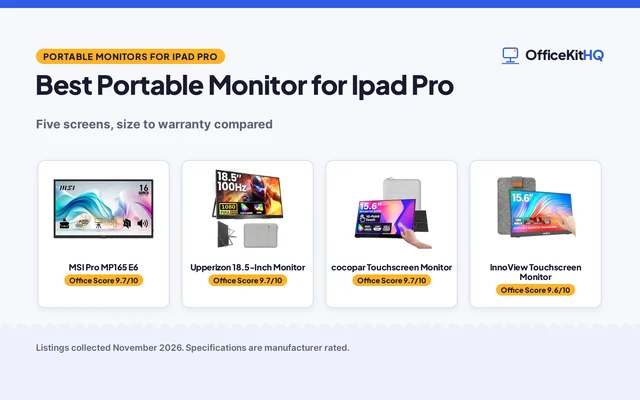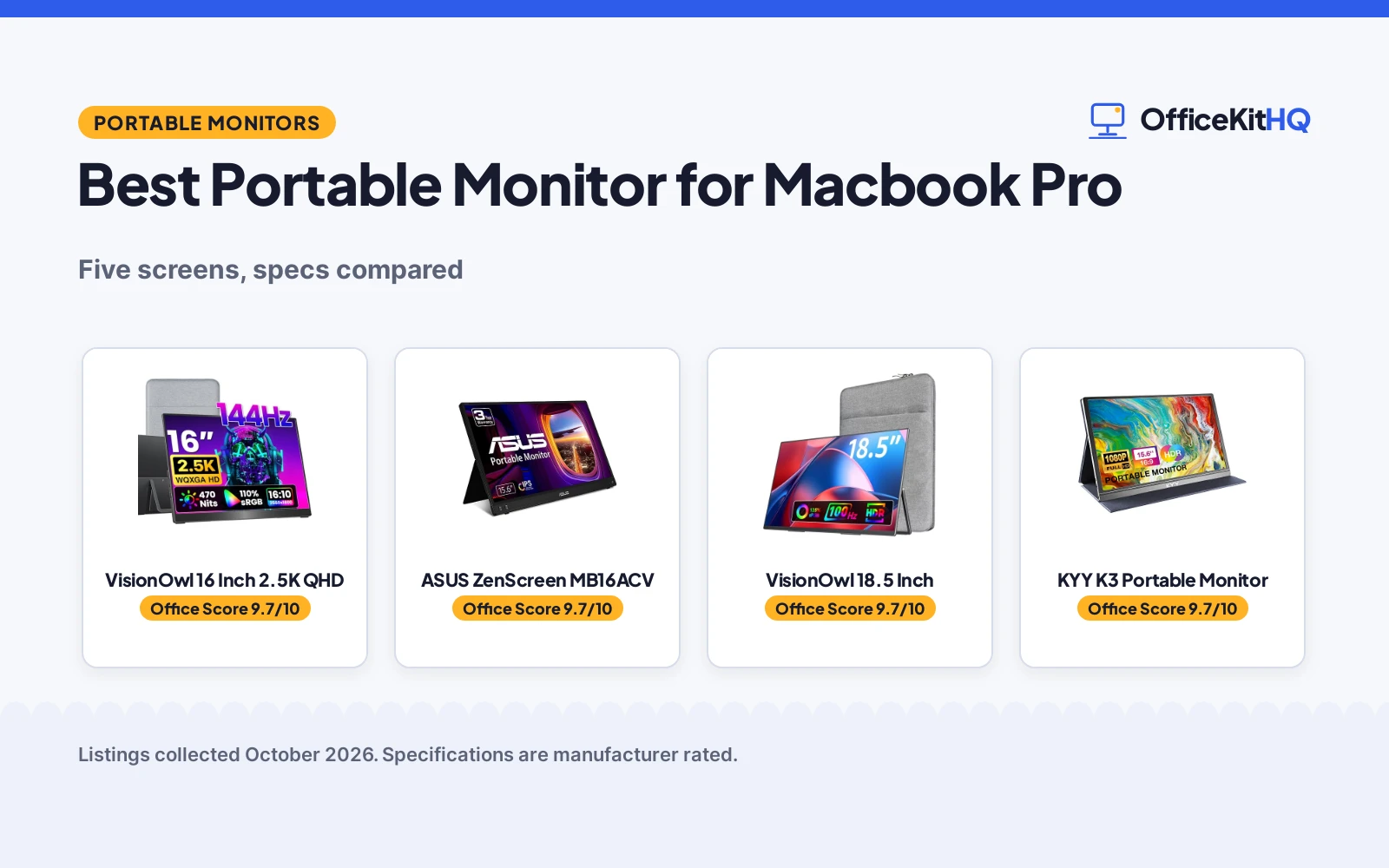
The best portable monitor for macbook pro turns a crowded laptop screen into a workable desk, with room for the call and the notes at the same time. A video call starts, the laptop fills with faces and shared slides, and the notes for the call sit behind the window that is already open. We compared five portable monitors by screen size, resolution, refresh rate, weight, ports and warranty term, using only what each listing publishes.
OfficeKitHQ earns a commission when you buy through links on this page, at no extra cost to you. As an Amazon Associate I earn from qualifying purchases. Affiliate disclosure.
Quick picks
 Best Overall VisionOwl 16 Inch 2.5K QHD: 2.5K 144Hz panel, 470 nits, and a full cable kit Check price on Amazon
 Best Warranty ASUS ZenScreen MB16ACV: 3-year warranty with Advanced Replacement and a Flicker-free panel Check price on Amazon
 Largest Screen VisionOwl 18.5 Inch: 18.5-inch 1080p screen with a 100Hz refresh rate and a metal stand Check price on Amazon
 Slimmest Pick cocopar 15.6 Inch 1080P: 4mm at the slimmest point with a cover stand and single-cable setup Check price on Amazon
 Basic Pick KYY K3 Portable Monitor: 15.6-inch FHD IPS screen with USB-C, HDMI, and speakers Check price on Amazon
Our desk picks
| # | Product | Office Score | Buy |
|---|---|---|---|
| 1 | VisionOwl 16 Inch 2.5K QHD | 9.7/10 | Buy on Amazon |
| 2 | ASUS ZenScreen MB16ACV | 9.7/10 | Buy on Amazon |
| 3 | VisionOwl 18.5 Inch | 9.7/10 | Buy on Amazon |
| 4 | KYY K3 | 9.7/10 | Buy on Amazon |
| 5 | cocopar 15.6 Inch 1080P | 9.6/10 | Buy on Amazon |

VisionOwl 16 Inch 2.5K QHD
A 16-inch 2.5K QHD portable monitor with a 144Hz refresh rate, 470 nits of brightness, a built-in kickstand and a full cable kit.
Pros
- 2560x1600 resolution with a 144Hz refresh rate and a 16:10 ratio that matches MacBooks
- 470 nits brightness and a 110% sRGB color gamut with 1.07 billion colors stated
- Sleeve case, power adapter, HDMI cable and two USB-C display cables are in the box
- Metal body at 1.48 pounds with a built-in kickstand and dual VESA holes
Cons
- 2-year warranty is shorter than the 3-year term on the ASUS
- 16-inch screen needs more bag space than the 15.6-inch picks
- Single-cable power and video needs Thunderbolt 3/4 or DP Alt Mode on the laptop
- No low blue light mode is named, unlike the cocopar and the ASUS
Detailed Review
VisionOwl lists the 16-inch screen at 2560x1600 with a 144Hz refresh rate, a 16:10 ratio, 470 nits brightness and a 110% sRGB color gamut with 1.07 billion colors from an 8-bit plus 2FRC IPS panel. The monitor has dual USB-C ports and a full-size standard HDMI port, speakers, a built-in kickstand and dual VESA holes, and the maker lists a metal body at 1.48 pounds. The box holds a sleeve case, a power adapter, a standard HDMI cable and two USB-C display cables, and the maker states a 2 Year Manufacturer warranty.
Who it's for: a MacBook Pro owner who wants the sharpest stated picture here for editing, design or smooth scrolling. Who should skip it: anyone whose laptop lacks Thunderbolt 3/4 or DP Alt Mode for single-cable use.
Its Office Score of 9.7/10 comes from performance 32/35, build 22/25, value 21/25, safety 8/10 and warranty 3/5: 86 of 100 points, placed on our 9.2 to 9.8 scale.
Key Specifications
| Screen | 16 inch, 2560x1600 |
|---|---|
| Refresh rate | 144Hz |
| Brightness | 470 nits |
| Item weight | 1.48 pounds |
These specs mirror the retailer listing as of 15 November 2026; performance figures are stated by the brand.
Safety and Warranty
What this listing states. VESA mountable with dual VESA holes and a metal body, so safety scores 8 of 10. 2 Year Manufacturer. It does not say everything a buyer needs, such as who pays return shipping, so warranty scores 3 of 5. See How We Pick.
Follow the manual. Assemble and use the product as the maker describes, stay under any stated capacity, and read the manual before first use.
This is general buying information, not professional advice. Follow each product manual and local rules, and see our Safety Disclaimer.

ASUS ZenScreen MB16ACV
A 15.6-inch 1080p portable monitor with USB-C power delivery, an anti-glare IPS panel, a kickstand and the longest stated warranty here.
Pros
- 3-year warranty with Advanced Replacement and Repair service is the longest here
- TV Rheinland-certified Flicker-free and Low Blue Light technologies are stated
- Hybrid-signal USB-C works with USB Type-C or Type A ports
- Anti-glare IPS panel with a kickstand for portrait or landscape use
Cons
- No refresh rate is stated, unlike the 144Hz and 100Hz picks here
- No VESA mounting is stated, unlike the VisionOwl picks and the cocopar
- No speakers are stated, unlike the VisionOwl picks and the cocopar
- 15.6-inch screen is smaller than the 18.5-inch VisionOwl
Detailed Review
ASUS lists the ZenScreen MB16ACV as a 15.6-inch Full HD portable monitor with an anti-glare IPS panel at 1920x1080, a kickstand for portrait or landscape use and a hybrid-signal connection that works with USB Type-C or Type A ports. USB-C Power Delivery carries power and video over one cable, and the maker lists TV Rheinland-certified Flicker-free and Low Blue Light technologies. The monitor weighs 1.83 pounds and measures 8.85 by 14.09 by 0.41 inches. The maker gives two sizes, 15.6 and 16 inches; check before ordering. The maker states a 3 Year Warranty with Advanced Replacement and Repair service and a free 3-month Adobe Creative Cloud subscription with an offer valid to 8/31/2028.
Who it's for: a MacBook Pro owner who wants the longest stated warranty and an anti-glare panel for long workdays. Who should skip it: anyone who wants a stated refresh rate or VESA mounting.
Its Office Score of 9.7/10 comes from performance 28/35, build 21/25, value 20/25, safety 9/10 and warranty 4/5: 82 of 100 points, placed on our 9.2 to 9.8 scale.
Key Specifications
| Screen | 15.6 inch, 1920x1080 |
|---|---|
| Panel | Anti-glare IPS |
| Item weight | 1.83 pounds |
| Warranty | 3 Year Warranty with ARR |
These specs mirror the retailer listing as of 15 November 2026; performance figures are stated by the brand.
Safety and Warranty
What this listing states. TV Rheinland-certified Flicker-free and Low Blue Light technologies, so safety scores 9 of 10. 3 Year Warranty with Advanced Replacement and Repair service. It does not say everything a buyer needs, such as who pays return shipping, so warranty scores 4 of 5. See How We Pick.
Follow the manual. Assemble and use the product as the maker describes, stay under any stated capacity, and read the manual before first use.
This is general buying information, not professional advice. Follow each product manual and local rules, and see our Safety Disclaimer.

VisionOwl 18.5 Inch
An 18.5-inch 1080p portable monitor with a 100Hz refresh rate, a 125% sRGB color gamut and a metal back panel with a built-in stand.
Pros
- 18.5-inch screen is the largest here, with a 100Hz refresh rate
- 125% sRGB color gamut with 8-bit color depth and 16.7M colors stated
- 75x75mm VESA holes and a built-in stand give two mounting options
- Metal back panel with an integrated metal stand
Cons
- 2.7 pounds is the heaviest here
- 0.55-inch maximum thickness is the thickest here
- 1080p resolution is lower than the 2.5K panel on the 16-inch VisionOwl
- 18.5-inch screen needs the most bag space here
Detailed Review
VisionOwl lists the 18.5-inch screen at 1080p FHD on an IPS panel with a 100Hz refresh rate, a 125% sRGB color gamut (88% NTSC) and 8-bit color depth with 16.7M colors. The monitor has two USB-C ports and one upgraded standard HDMI port, speakers, a built-in stand and standard 75x75mm VESA holes, with a metal back panel and an integrated metal stand. The maker lists a weight of 2.7 pounds with a 0.24-inch minimum thickness and a 0.55-inch maximum thickness, and a 2 Year Warranty.
Who it's for: a MacBook Pro owner who wants the biggest second screen here for spreadsheets and video. Who should skip it: anyone who carries the monitor daily and wants a lighter bag.
Its Office Score of 9.7/10 comes from performance 29/35, build 21/25, value 20/25, safety 8/10 and warranty 3/5: 81 of 100 points, placed on our 9.2 to 9.8 scale.
Key Specifications
| Screen | 18.5 inch, 1080p FHD |
|---|---|
| Refresh rate | 100Hz |
| Color gamut | 125% sRGB |
| Item weight | 2.7 pounds |
These specs mirror the retailer listing as of 15 November 2026; performance figures are stated by the brand.
Safety and Warranty
What this listing states. 75x75mm VESA holes and a metal back panel, so safety scores 8 of 10. 2 Year Warranty. It does not say everything a buyer needs, such as who pays return shipping, so warranty scores 3 of 5. See How We Pick.
Follow the manual. Assemble and use the product as the maker describes, stay under any stated capacity, and read the manual before first use.
This is general buying information, not professional advice. Follow each product manual and local rules, and see our Safety Disclaimer.

KYY K3
A 15.6-inch FHD IPS portable monitor with a 178° viewing angle, 2 built-in speakers, a 3.5mm audio input and a menu control wheel, at 1.7 pounds with a smart cover.
Pros
- Menu control wheel for settings is stated
- 2 built-in speakers plus a 3.5mm audio input
- 178° wide viewing angle with HDR technology
- 12 months warranty with a 30-days return policy
Cons
- 1.7 pounds is heavier than the MNN, AOC and ForHelp weights stated here
- No VESA mount is stated
- Warranty is 12 months, shorter than the AOC and MNN terms stated here
Detailed Review
KYY lists the K3 as a 15.6-inch portable monitor with a 1920*1080 FHD IPS screen, a 178° wide viewing angle and HDR technology, with low blue light and no flickering. It has 2 Full Function Type-C ports and a Mini-HDMI port, 2 built-in speakers, a 3.5mm audio input and a menu control wheel, and the smart cover doubles as a stand with two grooves for the viewing angle. The spec table lists the item weight as 1.7 pounds and the dimensions as 8.85 inches x 14.48 inches x 0.35 inches, while the bullets describe a 0.3inch profile, so the thickness figures disagree and we use the 0.3inch figure from the bullets. The warranty description reads 12 months warranty with a 30-days return policy.
Who it's for: someone who wants built-in speakers, a 3.5mm audio input and a menu wheel on a light screen for travel. Who should skip it: anyone who needs a VESA mount or a longer warranty term than 12 months.
Its Office Score of 9.7/10 comes from performance 30/35, build 21/25, value 20/25, safety 7/10 and warranty 3/5: 81 of 100 points, placed on our 9.2 to 9.8 scale.
Key Specifications
| Screen size | 15.6-inch |
|---|---|
| Resolution | 1920*1080 |
| Item weight | 1.7 pounds |
| Warranty | 12 months |
These specs mirror the retailer listing as of 13 November 2026; performance figures are stated by the brand.
Safety and Warranty
What this listing states. Low blue light and no flickering are stated, so safety scores 7 of 10. 12 months warranty. It does not say everything a buyer needs, such as who pays return shipping, so warranty scores 3 of 5. See How We Pick.
Follow the manual. Assemble and use the product as the maker describes, stay under any stated capacity, and read the manual before first use.
This is general buying information, not professional advice. Follow each product manual and local rules, and see our Safety Disclaimer.

cocopar 15.6 Inch 1080P
A 15.6-inch 1080p portable monitor with a 60Hz refresh rate, an 85% sRGB color gamut and a magnetic cover that doubles as a stand.
Pros
- 4mm at the slimmest point is the thinnest stated here
- Weighs 1.5 pounds without the magnetic cover, so it travels light
- Single USB-C cable carries power and display with power pass-through reverse charging
- Two full-featured USB-C ports plus an HDMI port, with speakers
Cons
- 60Hz refresh rate is the lowest stated here
- 85% sRGB color gamut is the lowest stated here
- 2-year warranty is shorter than the 3-year term on the ASUS
- 1080p resolution is lower than the 2.5K panel on the 16-inch VisionOwl
Detailed Review
cocopar lists the 15.6-inch screen at 1080P with a 60Hz refresh rate, an 85% color gamut, a 178-degree viewing angle, HDR and Low Blue Light on an IPS A-grade panel. The monitor has two full-featured USB-C ports and an HDMI port, speakers and two VESA holes, and one USB-C cable carries power and display with power pass-through reverse charging. The maker lists 4mm at the slimmest point and 1.5 pounds without the magnetic cover, 2.4 pounds with it, and a smart stand case is included. The maker states a 2-years warranty.
Who it's for: a MacBook Pro owner who wants the slimmest stated screen here with a cover that doubles as a stand. Who should skip it: anyone who wants a refresh rate above 60Hz or a wider color gamut.
Its Office Score of 9.6/10 comes from performance 28/35, build 20/25, value 20/25, safety 7/10 and warranty 3/5: 78 of 100 points, placed on our 9.2 to 9.8 scale.
Key Specifications
| Screen | 15.6 inch, 1080P |
|---|---|
| Refresh rate | 60Hz |
| Color gamut | 85% sRGB |
| Item weight | 1.5 pounds without cover; 2.4 pounds with cover |
These specs mirror the retailer listing as of 15 November 2026; performance figures are stated by the brand.
Safety and Warranty
What this listing states. VESA mountable with two VESA holes, so safety scores 7 of 10. 2-years warranty. It does not say everything a buyer needs, such as who pays return shipping, so warranty scores 3 of 5. See How We Pick.
Follow the manual. Assemble and use the product as the maker describes, stay under any stated capacity, and read the manual before first use.
This is general buying information, not professional advice. Follow each product manual and local rules, and see our Safety Disclaimer.
As an Amazon Associate I earn from qualifying purchases.
Specs compared
| Portable Monitor | Office Score | Screen | Resolution | Refresh Rate | Weight | Warranty | Amazon |
|---|---|---|---|---|---|---|---|
| VisionOwl 16 Inch 2.5K QHD | 9.7/10 | 16 inch | 2560×1600 | 144Hz | 1.48 pounds | 2 Year Manufacturer | View on Amazon |
| ASUS ZenScreen MB16ACV | 9.7/10 | 15.6 inch | 1920×1080 | Not stated | 1.83 pounds | 3 Year Warranty with ARR | View on Amazon |
| VisionOwl 18.5 Inch | 9.7/10 | 18.5 inch | 1080p FHD | 100Hz | 2.7 pounds | 2 Year Warranty | View on Amazon |
| cocopar 15.6 Inch 1080P | 9.6/10 | 15.6 inch | 1080P | 60Hz | 1.5 pounds | 2-years warranty | View on Amazon |
| KYY K3 Portable Monitor | 9.7/10 | 15.6 inch | FHD | Not stated | Not stated | Not stated |
All numbers are the manufacturer’s stated specs, not measured in an office, pulled on 15 November 2026. All but the KYY state a warranty term; the VisionOwl 16 Inch, the VisionOwl 18.5 Inch and the cocopar state VESA mounting.
How to choose the best portable monitor for macbook pro
Match the screen size to the bag
Screen size runs from 15.6 inches on the cocopar, the ASUS and the KYY to 16 inches on the VisionOwl 16 Inch and 18.5 inches on the VisionOwl 18.5 Inch. Weight follows size: the VisionOwl 16 Inch is 1.48 pounds, the cocopar is 1.5 pounds without its magnetic cover, the ASUS is 1.83 pounds and the VisionOwl 18.5 Inch is 2.7 pounds. The cocopar is 4mm at the slimmest point, the ASUS is 0.41 inches thick, and the VisionOwl 18.5 Inch runs from 0.24 inches at its thinnest to 0.55 inches at its thickest. Measure the laptop bag before ordering, and read our best portable monitor for laptop guide for more on carrying a second screen.
Read the resolution and refresh rate together
Resolution and refresh rate decide how smooth the picture looks. The VisionOwl 16 Inch pairs 2560×1600 with a 144Hz refresh rate, the VisionOwl 18.5 Inch pairs 1080p FHD with a 100Hz refresh rate, and the cocopar pairs 1080P with a 60Hz refresh rate. The ASUS states 1920×1080 with no refresh rate, and the KYY states FHD with no refresh rate. A higher refresh rate suits motion and scrolling, while a higher resolution suits text and photo work; see the best portable monitor for gaming guide for more on refresh rates.
| Monitor | Screen | Resolution | Refresh rate | Weight |
|---|---|---|---|---|
| VisionOwl 16 Inch 2.5K QHD | 16 inch | 2560×1600 | 144Hz | 1.48 pounds |
| ASUS ZenScreen MB16ACV | 15.6 inch | 1920×1080 | Not stated | 1.83 pounds |
| VisionOwl 18.5 Inch | 18.5 inch | 1080p FHD | 100Hz | 2.7 pounds |
| cocopar 15.6 Inch 1080P | 15.6 inch | 1080P | 60Hz | 1.5 pounds |
| KYY K3 Portable Monitor | 15.6 inch | FHD | Not stated | Not stated |
Figures as stated in each listing. The VisionOwl 16 Inch states a 16:10 ratio that matches MacBooks for full-screen mirroring without black bars.
Check the ports before you buy
Every pick here has USB-C and HDMI. The cocopar has two full-featured USB-C ports and an HDMI port, and one USB-C cable carries power and display with power pass-through reverse charging. The VisionOwl 16 Inch and the VisionOwl 18.5 Inch each have dual USB-C ports and a standard HDMI port, and the ASUS has a hybrid-signal connection for USB Type-C or Type A ports. Single-cable power and video needs Thunderbolt 3/4 or DP Alt Mode on the laptop, so check the port on the MacBook Pro before ordering; see do all USB-C cables support video before buying a spare cable.
Weigh the warranty and the stand
The ASUS states a 3-year warranty with Advanced Replacement and Repair service, the longest term here. The VisionOwl 16 Inch, the VisionOwl 18.5 Inch and the cocopar each state a 2-year warranty, and the KYY states no warranty term. Stands differ too: the VisionOwl 16 Inch has a built-in kickstand, the VisionOwl 18.5 Inch has a built-in stand, the cocopar uses its magnetic cover as a stand, and the ASUS kickstand props the monitor in portrait or landscape mode. The VisionOwl picks and the cocopar also state VESA holes for an arm or wall mount.
Setup Notes
- Measure the bag: the screens run from 15.6 to 18.5 inches, and the VisionOwl 18.5 Inch is the widest pick here.
- Check the port: single-cable power and video needs Thunderbolt 3/4 or DP Alt Mode, and the ASUS also works with a USB Type-A port.
- Plan the power: the VisionOwl 16 Inch ships with a power adapter, and the cocopar passes power through with reverse charging.
- Set the stand: the VisionOwl picks have a built-in kickstand or stand, the cocopar uses its magnetic cover as a stand, and the VisionOwl picks and the cocopar also offer VESA holes.
- Keep the cables: the VisionOwl 16 Inch includes an HDMI cable and two USB-C display cables in the box.
FAQ
Which portable monitor here has the highest stated refresh rate?
The VisionOwl 16 Inch 2.5K QHD at 144Hz. The VisionOwl 18.5 Inch states 100Hz, the cocopar states 60Hz, and the ASUS and KYY state no refresh rate.
What is the largest screen in this group?
The VisionOwl 18.5 Inch at 18.5 inches. The VisionOwl 16 Inch is 16 inches, and the cocopar, ASUS and KYY are 15.6 inches.
Which of these monitors has the longest stated warranty?
The ASUS ZenScreen MB16ACV at 3 years with Advanced Replacement and Repair service. The VisionOwl 16 Inch, the VisionOwl 18.5 Inch and the cocopar state 2 years, and the KYY states no warranty term.
Do these monitors work with a single USB-C cable?
The cocopar and the VisionOwl 16 Inch state single-cable power and display over USB-C, and the laptop must support Thunderbolt 3/4 or DP Alt Mode. The ASUS adds a hybrid-signal connection for USB Type-C or Type A ports.
Which monitor here weighs the least?
The VisionOwl 16 Inch at 1.48 pounds. The cocopar is 1.5 pounds without its magnetic cover, the ASUS is 1.83 pounds, and the VisionOwl 18.5 Inch is 2.7 pounds.
Score breakdown
The Office Score weighs performance (screen size, resolution, refresh rate, color gamut and brightness), build (panel, body, stand and item weight), value for the stated specs, safety and warranty. For a portable monitor, safety means stated VESA mounting, a metal body or panel, or a stated eye-care certification; the VisionOwl 16 Inch, the VisionOwl 18.5 Inch and the cocopar state VESA mounting, and the ASUS states TV Rheinland-certified Flicker-free and Low Blue Light technologies. Warranty terms run from 2 years on the VisionOwl picks and the cocopar to 3 years on the ASUS. How we pick explains the weights.
| Product | Office Score | Perf. /35 | Build /25 | Value /25 | Safety /10 | Warranty /5 |
|---|---|---|---|---|---|---|
| VisionOwl 16 Inch 2.5K QHD | 9.7 | 32 | 22 | 21 | 8 | 3 |
| ASUS ZenScreen MB16ACV | 9.7 | 28 | 21 | 20 | 9 | 4 |
| VisionOwl 18.5 Inch | 9.7 | 29 | 21 | 20 | 8 | 3 |
| cocopar 15.6 Inch 1080P | 9.6 | 28 | 20 | 20 | 7 | 3 |
We fit point totals onto a 9.2 low and 9.8 high in a straight line. One item can outscore another only by earning more points.
More for your workspace
See every monitor mounts, keyboards and mice guide. Also see our best portable monitor for laptop. Also see our best portable monitor for gaming.
More picks: monitor arms and stands, webcams and ring lights, docking stations and USB hubs.