On a morning call at the kitchen table, the laptop screen is full of faces and the notes have nowhere to go, so a second screen earns its place. The best portable monitor for iPad Pro is the one that runs off a single USB-C cable from the tablet, because that cable is the whole desk setup when the kitchen table is the office. This article compares five portable monitors by screen size, resolution, touch, ports, stands, stated weight and warranty, using only what each maker publishes.
OfficeKitHQ earns a commission when you buy through links on this page, at no extra cost to you. As an Amazon Associate I earn from qualifying purchases. Affiliate disclosure.
Quick picks
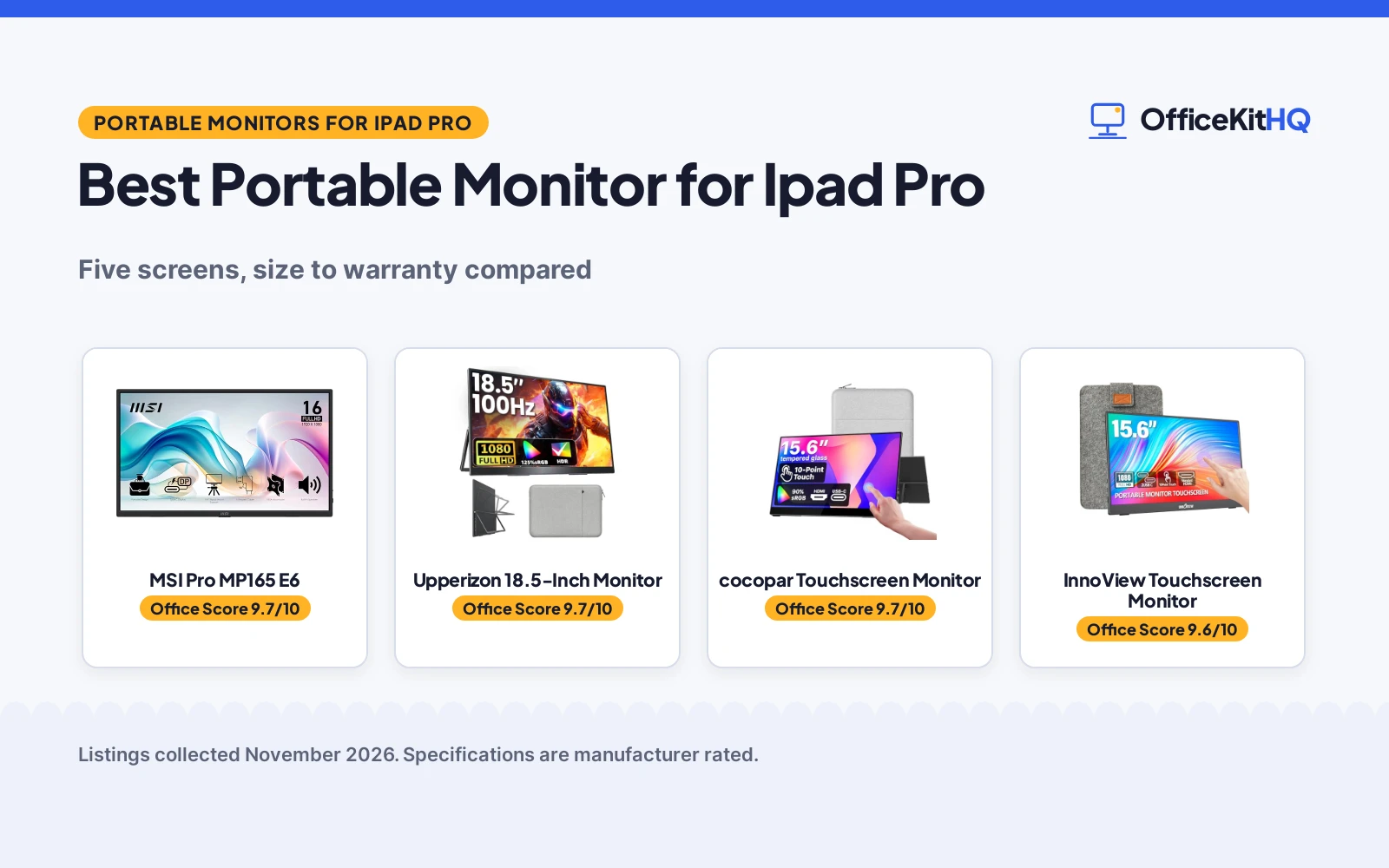
 Best Overall MSI Pro MP165 E6: 15.6-inch FHD IPS, TUV low blue light, tripod mount, 3-year warranty Check price on Amazon
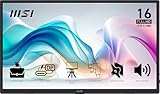
 Best Large Screen Upperizon 18.5-Inch Monitor: 18.5-inch 100Hz screen, 125% sRGB, speakers, VESA mount Check price on Amazon
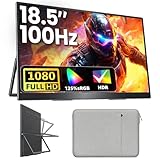
 Best Touchscreen cocopar Touchscreen Monitor: 15.6-inch touchscreen, single-cable USB-C, metal frame, 2-year warranty Check price on Amazon
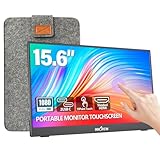 Best Sleeve and Stand InnoView Touchscreen Monitor: 10-point touchscreen with a sleeve and a 90-degree stand Check price on Amazon
 Best Adjustable Stand Lenovo L15 Portable Monitor: Height-adjustable stand, flicker-free screen, 1-year warranty Check price on Amazon
Our desk picks
| # | Product | Office Score | Buy |
|---|---|---|---|
| 1 | MSI Pro MP165 E6 | 9.7/10 | Buy on Amazon |
| 2 | Upperizon 18.5-Inch Monitor | 9.7/10 | Buy on Amazon |
| 3 | cocopar Touchscreen Monitor | 9.7/10 | Buy on Amazon |
| 4 | InnoView Touchscreen Monitor | 9.6/10 | Buy on Amazon |
| 5 | Lenovo L15 Portable Monitor | 9.5/10 | Buy on Amazon |

MSI Pro MP165 E6
A 15.6-inch FHD IPS portable monitor with a tripod mount, VESA mounting, built-in speakers and a 3-year warranty.
Pros
- TUV low blue light and flicker-free screen stated
- Tripod mount fits any standard camera tripod
- VESA mountable for a fixed desk setup
- Built-in speakers with L-shaped cable plugs
Cons
- No touchscreen for direct input
- 60Hz refresh is lower than the 100Hz Upperizon
- No kickstand for quick tabletop use
- USB-C port must support DisplayPort 1.2a Alt Mode
Detailed Review
The MSI Pro MP165 E6 is a 15.6-inch Full HD IPS monitor at 1920x1080 and 60Hz with 178-degree viewing angles, and the maker lists TUV Rheinland certified low blue light and flicker-free functions. A 1/4-inch tripod mount fits any standard camera tripod, VESA mounting adds a fixed desk option, and built-in speakers deliver audio without extra gear. The monitor weighs 0.78 kg, measures 1.38 cm slim, and connects through HDMI or USB Type-C with DisplayPort 1.2a Alt Mode.
Who it's for: someone who wants a light second screen for travel and presentations, with a tripod or a monitor arm. Who should skip it: anyone who wants touch input or a 100Hz panel.
Its Office Score of 9.7/10 comes from performance 32/35, build 22/25, value 21/25, safety 8/10 and warranty 4/5: 87 of 100 points, placed on our 9.2 to 9.8 scale.
Key Specifications
| Screen | 15.6 in |
|---|---|
| Resolution | 1920x1080 |
| Refresh | 60Hz |
| Weight | 0.78 kg |
These specs mirror the retailer listing as of 19 November 2026; performance figures are stated by the brand.
Safety and Warranty
What this listing states. TUV Rheinland certified low blue light and flicker-free screen, so safety scores 8 of 10. 3-year manufacturer warranty. It does not say everything a buyer needs, such as who pays return shipping, so warranty scores 4 of 5. See How We Pick.
Follow the manual. Assemble and use the product as the maker describes, stay under any stated capacity, and read the manual before first use.
This is general buying information, not professional advice. Follow each product manual and local rules, and see our Safety Disclaimer.

Upperizon 18.5-Inch Monitor
An 18.5-inch 100Hz FHD IPS portable monitor with 125% sRGB, built-in speakers, a kickstand and VESA mounting.
Pros
- 18.5-inch screen is the largest here
- 100Hz refresh rate with 125% sRGB color
- Built-in speakers and a blue light filter
- Kickstand plus VESA mounting for desk or wall
Cons
- No touchscreen for direct input
- At 2.7 lb it is heavier than the 2.0 lb cocopar
- 18.5-inch screen takes the most bag space here
- No height-adjustable stand like the Lenovo
Detailed Review
The Upperizon is an 18.5-inch 1080p FHD IPS screen at 100Hz with 125% sRGB, 88% NTSC, a 1200:1 contrast ratio and 8-bit color with 16.7 million colors. The aluminum alloy body weighs 2.7 lb, and the monitor connects through two USB-C ports and one HDMI port with a single USB-C cable. A blue light filter, anti-glare coating and flicker-free function are stated, built-in speakers are included, and the kickstand and VESA mounting allow vertical or horizontal use.
Who it's for: someone who wants the biggest second screen here for desk work and video. Who should skip it: anyone who needs the lightest bag or touch input.
Its Office Score of 9.7/10 comes from performance 30/35, build 21/25, value 21/25, safety 7/10 and warranty 3/5: 82 of 100 points, placed on our 9.2 to 9.8 scale.
Key Specifications
| Screen | 18.5 in |
|---|---|
| Resolution | 1080p |
| Refresh | 100Hz |
| Weight | 2.7 lb |
These specs mirror the retailer listing as of 19 November 2026; performance figures are stated by the brand.
Safety and Warranty
What this listing states. Blue light filter, anti-glare coating and flicker-free function, so safety scores 7 of 10. 2-year warranty. It does not say everything a buyer needs, such as who pays return shipping, so warranty scores 3 of 5. See How We Pick.
Follow the manual. Assemble and use the product as the maker describes, stay under any stated capacity, and read the manual before first use.
This is general buying information, not professional advice. Follow each product manual and local rules, and see our Safety Disclaimer.
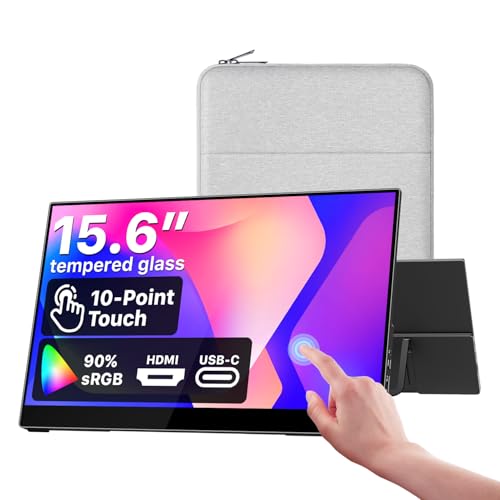
cocopar Touchscreen Monitor
A 15.6-inch touchscreen portable monitor with a single-cable USB-C connection, a metal frame, a kickstand and a 2-year warranty.
Pros
- Native touch gestures for macOS and Windows
- Single USB-C cable carries power, video and touch
- Tempered glass surface for scratch resistance
- Metal frame with a kickstand, sleeve and power adapter included
Cons
- Touch gestures are stated for macOS and Windows only, not for iPad
- 15.6-inch screen is smaller than the 18.5-inch Upperizon
- No tripod mount like the MSI
- Single-cable use needs Thunderbolt or USB-C DP Alt Mode
Detailed Review
The cocopar is a 15.6-inch FHD IPS touchscreen at 1920x1080 with 90% sRGB, 270 nits of brightness and 178-degree viewing angles, with a tempered glass surface. Touch gestures are stated for macOS and Windows, and a single USB-C cable carries power, video and touch when the computer supports Thunderbolt 3, 4 or 5 or USB-C DP Alt Mode. The metal frame has an integrated kickstand, and the package includes a protective sleeve, a power adapter and HDMI and USB-C cables.
Who it's for: someone who wants touch on a laptop and a complete kit in the box. Who should skip it: anyone who wants touch on an iPad, since touch is stated for macOS and Windows only.
Its Office Score of 9.7/10 comes from performance 32/35, build 22/25, value 21/25, safety 4/10 and warranty 3/5: 82 of 100 points, placed on our 9.2 to 9.8 scale.
Key Specifications
| Screen | 15.6 in |
|---|---|
| Resolution | 1920x1080 |
| Color | 90% sRGB |
| Weight | 2.0 lb |
These specs mirror the retailer listing as of 19 November 2026; performance figures are stated by the brand.
Safety and Warranty
What this listing states. VESA mountable with an integrated kickstand for stable placement, so safety scores 4 of 10. 2-year warranty. It does not say everything a buyer needs, such as who pays return shipping, so warranty scores 3 of 5. See How We Pick.
Follow the manual. Assemble and use the product as the maker describes, stay under any stated capacity, and read the manual before first use.
This is general buying information, not professional advice. Follow each product manual and local rules, and see our Safety Disclaimer.

InnoView Touchscreen Monitor
A 15.6-inch 10-point touchscreen portable monitor with a protective sleeve, a 90-degree stand and an 18-month warranty.
Pros
- 10-point touchscreen with 1200:1 contrast and HDR
- Protective sleeve with a built-in 90-degree stand
- Low blue light and flicker-free functions stated
- Two full-function Type-C ports plus HDMI
Cons
- Touch does not work on iPad, per the maker's note
- Power adapter is not included, and a 15W or higher adapter is needed when brightness or volume is low
- No VESA mounting stated
- 60Hz refresh is lower than the 100Hz Upperizon
Detailed Review
The InnoView is a 15.6-inch 1080P IPS touchscreen at 60Hz with 10-point touch, a 178-degree viewing angle, a 1200:1 contrast ratio and HDR. The maker states low blue light and flicker-free functions, two full-function Type-C ports and one HDMI port, and a protective sleeve with a built-in 90-degree adjustable stand. The maker notes that iPad cannot support touch, and that a 15W or higher power adapter is needed when brightness or volume is low, with the adapter not included.
Who it's for: someone who wants a touchscreen second screen for a laptop, with a sleeve and stand in the box. Who should skip it: anyone who wants touch on an iPad or a VESA mount.
Its Office Score of 9.6/10 comes from performance 30/35, build 20/25, value 20/25, safety 5/10 and warranty 3/5: 78 of 100 points, placed on our 9.2 to 9.8 scale.
Key Specifications
| Screen | 15.6 in |
|---|---|
| Resolution | 1080P |
| Touch | 10-point |
| Ports | 2x USB-C, HDMI |
These specs mirror the retailer listing as of 19 November 2026; performance figures are stated by the brand.
Safety and Warranty
What this listing states. Low blue light and flicker-free functions, so safety scores 5 of 10. 18-month warranty. It does not say everything a buyer needs, such as who pays return shipping, so warranty scores 3 of 5. See How We Pick.
Follow the manual. Assemble and use the product as the maker describes, stay under any stated capacity, and read the manual before first use.
This is general buying information, not professional advice. Follow each product manual and local rules, and see our Safety Disclaimer.

Lenovo L15 Portable Monitor
A 15.6-inch FHD IPS portable monitor with a height-adjustable stand, two USB-C ports and a 1-year warranty.
Pros
- Height-adjustable stand for viewing height
- 250-nit screen for bright rooms
- Flicker-free technology stated
- Two USB-C ports for a single-cable link
Cons
- No HDMI port, USB-C only
- 250-nit brightness is the lowest stated here
- 1-year warranty is the shortest stated here
- No speakers stated
Detailed Review
The Lenovo L15 is a 15.6-inch FHD IPS monitor at 60Hz with 250 nits of brightness and flicker-free technology, and the maker lists a height-adjustable stand and two USB-C ports. The maker gives two weights, under 2 lb and 4.7 lb; check before ordering. The small footprint suits a tight desk, and the stand adjusts the viewing height.
Who it's for: someone who wants a simple USB-C second screen with a stand that adjusts height. Who should skip it: anyone who needs HDMI, speakers or a longer warranty.
Its Office Score of 9.5/10 comes from performance 28/35, build 19/25, value 20/25, safety 4/10 and warranty 2/5: 73 of 100 points, placed on our 9.2 to 9.8 scale.
Key Specifications
| Screen | 15.6 in |
|---|---|
| Resolution | FHD |
| Brightness | 250 nits |
| Weight | Under 2 lb |
These specs mirror the retailer listing as of 19 November 2026; performance figures are stated by the brand.
Safety and Warranty
What this listing states. Flicker-free technology, so safety scores 4 of 10. 1-year manufacturer warranty. It does not say everything a buyer needs, such as who pays return shipping, so warranty scores 2 of 5. See How We Pick.
Follow the manual. Assemble and use the product as the maker describes, stay under any stated capacity, and read the manual before first use.
This is general buying information, not professional advice. Follow each product manual and local rules, and see our Safety Disclaimer.
As an Amazon Associate I earn from qualifying purchases.
More picks to compare
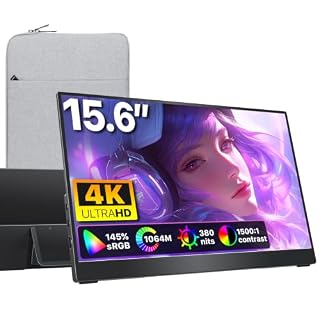 cocopar 4K Portable Monitor4K 15.6-inch screen with 145% sRGB for color-critical iPad workCheck on Amazon
 UPERFECT 24-Inch QLED Monitor24-inch 144Hz QLED screen for a large second displayCheck on Amazon
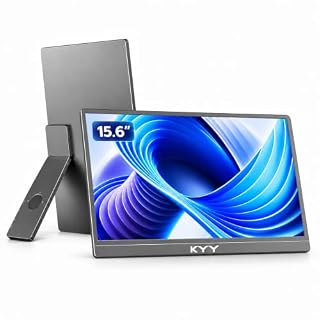 KYY 15.6-Inch Portable Monitor15.6-inch screen with a rotating kickstand for portrait or landscape useCheck on Amazon
Specs compared
| Monitor | Office Score | Screen | Resolution | Touch | Ports | Stand | Warranty | Amazon |
|---|---|---|---|---|---|---|---|---|
| MSI Pro MP165 E6 | 9.7/10 | 15.6 in | 1920×1080 | Not stated | USB-C, HDMI | Tripod mount | 3 years | View on Amazon |
| Upperizon 18.5-Inch Monitor | 9.7/10 | 18.5 in | 1080p | Not stated | 2x USB-C, HDMI | Kickstand | 2 years | View on Amazon |
| cocopar Touchscreen Monitor | 9.7/10 | 15.6 in | 1920×1080 | 10-point | 2x USB-C, HDMI | Kickstand | 2 years | View on Amazon |
| InnoView Touchscreen Monitor | 9.6/10 | 15.6 in | 1080P | 10-point | 2x USB-C, HDMI | 90-degree stand | 18 months | View on Amazon |
| Lenovo L15 Portable Monitor | 9.5/10 | 15.6 in | FHD | Not stated | 2x USB-C | Height-adjustable | 1 year | View on Amazon |
We quote these figures from each listing as the brand rates them; captured 19 November 2026. All five state a warranty term; three state VESA mounting.
How to choose the best portable monitor for iPad Pro
Check the USB-C port first
A single cable only works when the monitor and the tablet port both carry video over USB-C. The cocopar and Upperizon each work over a single USB-C cable for power, video and touch, and the InnoView works over a single full-featured Type-C cable for the same three signals. The MSI connects through USB Type-C with DisplayPort 1.2a Alt Mode, so the port must support that mode. If the InnoView picture or volume runs low, the maker notes that a 15W or higher power adapter is needed, and that adapter is not included. A USB-C hub for iPad Pro adds ports when the tablet needs more than the monitor gives.
Touch is for the laptop, not the iPad
Two monitors here have touchscreens, and both state touch for a laptop, not for an iPad. The cocopar touch gestures are stated for macOS and Windows, and the InnoView maker notes that iPad cannot support touch. Buy touch for laptop work, where a finger tap replaces the mouse, and do not pay for it when the iPad is the only host. The iPad screen itself stays the touch surface, and the portable monitor works as the second display.
Size, weight and the stand
Four monitors here measure 15.6 inches, and the Upperizon measures 18.5 inches, so the choice is between a screen that matches the iPad bag and a larger desk screen. The cocopar weighs 2.0 lb and the Upperizon weighs 2.7 lb, while the MSI weighs 0.78 kg and the Lenovo is stated at under 2 lb. Each monitor brings its own way to stand up: the cocopar and Upperizon have kickstands, the InnoView sleeve has a built-in 90-degree stand, the Lenovo stand adjusts height, and the MSI fits a standard camera tripod or a VESA mount.
Brightness and eye comfort
Brightness is stated on two monitors here: the cocopar at 270 nits and the Lenovo at 250 nits. Four monitors state flicker-free screens, and the MSI adds TUV Rheinland certified low blue light, while the Upperizon adds a blue light filter and an anti-glare coating. For color work, the Upperizon states 125% sRGB and the cocopar states 90% sRGB, and the cocopar 4K model in the more picks states 145% sRGB.
Read the warranty line
Warranty terms here run from 1 year on the Lenovo to 3 years on the MSI, with 18 months on the InnoView and 2 years on the cocopar and Upperizon. A longer term does not change the screen, but it does change how long the maker stands behind it. The InnoView also states a 30-day return policy, so check the return line alongside the warranty term before ordering. The portable monitor setup guide covers stands, cables and mounts for the desk.
Setup Notes
- Measure the bag against the 15.6-inch screens, or the 18.5-inch Upperizon, before ordering.
- Check that the USB-C port supports video output, with Thunderbolt or DP Alt Mode where the monitor asks for it.
- Plan power for the InnoView, since a 15W or higher adapter is needed when brightness or volume runs low.
- Set the kickstand or tripod on a flat surface, and use the sleeve to protect the screen in transit.
FAQ
Does a touchscreen portable monitor support touch on an iPad Pro?
No, not on the models here. The InnoView maker notes that iPad cannot support touch, and the cocopar touch gestures are stated for macOS and Windows only. Use the iPad screen itself for touch and the portable monitor as a second display.
Can I run a portable monitor from my iPad Pro with one cable?
Yes, when the monitor and the tablet port both carry video over USB-C. The cocopar and Upperizon each work over a single USB-C cable for power, video and touch, and the InnoView works over a single full-featured Type-C cable for the same three signals.
Which of these monitors has the largest screen?
The Upperizon at 18.5 inches, against 15.6 inches on the other four.
Which monitor has the longest warranty?
The MSI at 3 years, against 2 years on the cocopar and Upperizon, 18 months on the InnoView and 1 year on the Lenovo.
Do these monitors work as a second screen for a laptop too?
Yes. The cocopar, Upperizon, MSI and InnoView all name laptop use, and the first three also list MacBook and PC use.
Score breakdown
The Office Score weighs performance (screen size, resolution, touch, ports and refresh rate), build (frame, stand, stated weight and included accessories), value for the stated specs, safety and warranty. For a portable monitor, safety means stated eye-care features such as flicker-free screens and low blue light, plus stable mounting such as VESA or a kickstand; the InnoView, Upperizon, Lenovo and MSI state flicker-free or low blue light, and the cocopar, Upperizon and MSI state VESA mounting. Three monitors state a warranty term of 2 years or more: the MSI at 3 years and the cocopar and Upperizon at 2 years, with the InnoView at 18 months and the Lenovo at 1 year. How we pick explains the weights.
| Product | Office Score | Perf. /35 | Build /25 | Value /25 | Safety /10 | Warranty /5 |
|---|---|---|---|---|---|---|
| MSI Pro MP165 E6 | 9.7 | 32 | 22 | 21 | 8 | 4 |
| Upperizon 18.5-Inch Monitor | 9.7 | 30 | 21 | 21 | 7 | 3 |
| cocopar Touchscreen Monitor | 9.7 | 32 | 22 | 21 | 4 | 3 |
| InnoView Touchscreen Monitor | 9.6 | 30 | 20 | 20 | 5 | 3 |
| Lenovo L15 Portable Monitor | 9.5 | 28 | 19 | 20 | 4 | 2 |
Score placement follows the weighted total: the lowest totals read 9.2, the highest 9.8, and everything between keeps its order.
More for your workspace
See every computer peripherals guide and our best portable monitor for Mac picks.
More picks: portable monitor for MacBook Pro, portable monitor for laptop, and USB-C hub for iPad Pro.