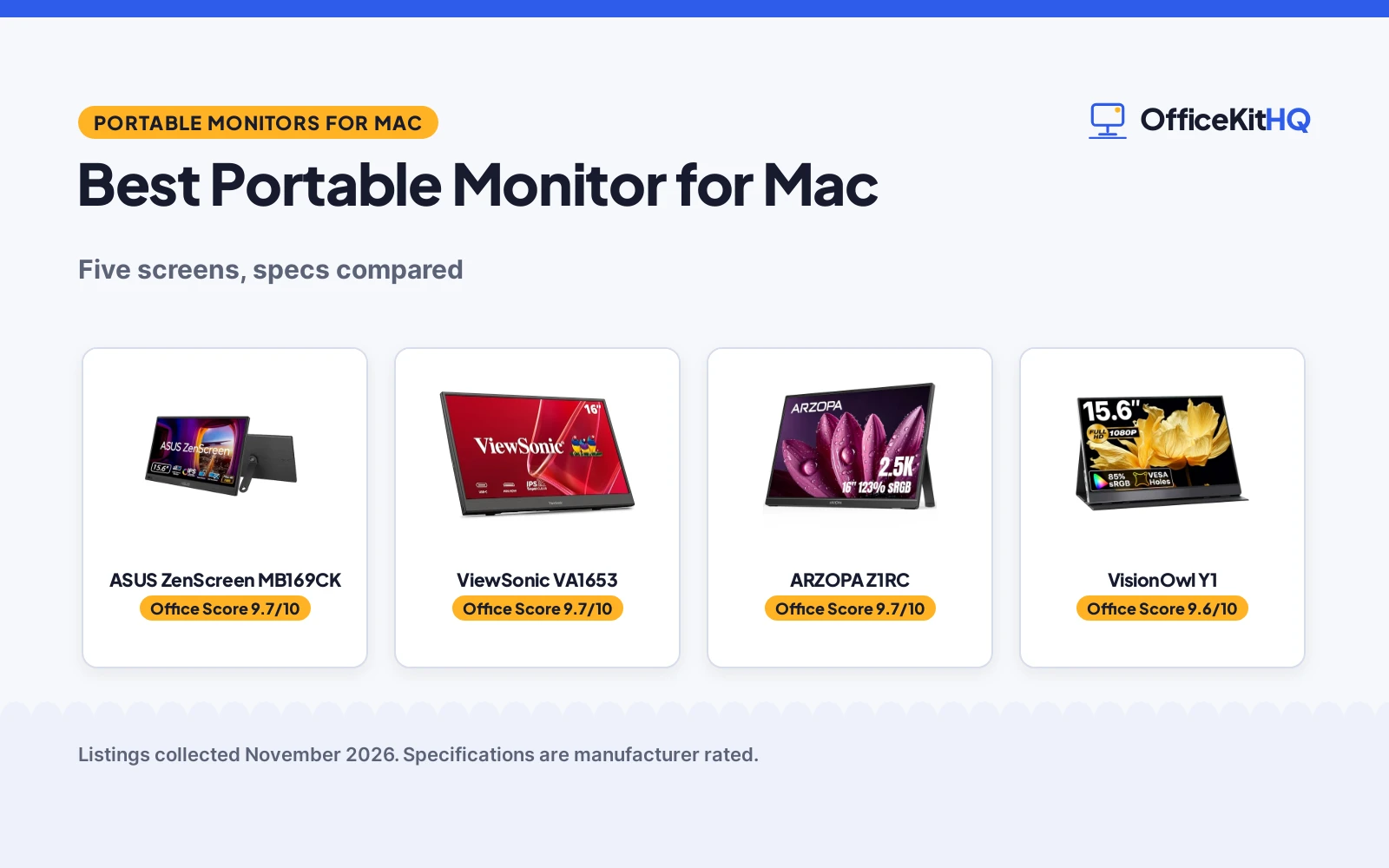
The best portable monitor for mac use turns a kitchen table into a second desk when the laptop screen alone will not hold the work. We compared the screens in this roundup on the figures the makers state: display size and resolution, weight, ports, stands and warranty terms. The ASUS leads with a single USB-C cable and a 3-year warranty, and the ARZOPA has the sharpest display here.
OfficeKitHQ earns a commission when you buy through links on this page, at no extra cost to you. As an Amazon Associate I earn from qualifying purchases. Affiliate disclosure.
Quick picks
 Best Overall ASUS ZenScreen MB169CK: single USB-C cable, 360 kickstand and a 3-year warranty Check price on Amazon
 Best for Travel ViewSonic VA1653: 1.5 lb with a foldable stand, sleeve and 3-year warranty Check price on Amazon
 Highest Resolution ARZOPA Z1RC: 2560×1600 display with 123% sRGB and 350 nits Check price on Amazon
 Best for Mounting VisionOwl Y1: VESA 75×75 mount with speakers and an aluminum body Check price on Amazon
 Best for HDR kksmart K-ZD156FHLH: 1080P HDR display with 88% sRGB and a kickstand Check price on Amazon
Our desk picks
| # | Product | Office Score | Buy |
|---|---|---|---|
| 1 | ASUS ZenScreen MB169CK | 9.7/10 | Buy on Amazon |
| 2 | ViewSonic VA1653 | 9.7/10 | Buy on Amazon |
| 3 | ARZOPA Z1RC | 9.7/10 | Buy on Amazon |
| 4 | VisionOwl Y1 | 9.6/10 | Buy on Amazon |
| 5 | kksmart K-ZD156FHLH | 9.5/10 | Buy on Amazon |

ASUS ZenScreen MB169CK
15.6 inch 1080p IPS monitor with single USB-C, a 360 kickstand, auto-rotate and a 3-year warranty.
Pros
- Single USB-C carries power and video through one cable
- 360 kickstand and tripod socket set the viewing angle anywhere
- Flicker-free and low blue light eye care technology stated
- Auto-rotate switches between portrait and landscape modes
Cons
- 1080p resolution is lower than the 2560x1600 of the ARZOPA
- No speakers are stated
- No VESA mounting is stated
- No HDMI port is stated
Detailed Review
The listing states a 15.6 inch FHD IPS anti-glare display with single USB-C connectivity for power and video through one cable. It is 0.78 kg and 11.8 mm thin, with a 360 kickstand and tripod socket, auto-rotate display software and flicker-free and low blue light technology. The maker gives two sizes, 15.6 inch and 16 inch; check before ordering. It carries a 3 year warranty with advanced replacement and repair service.
Who it's for: Mac owners who want a slim single-cable screen with a kickstand and a 3-year warranty. Who should skip it: Mac owners who want higher resolution or built-in speakers.
Its Office Score of 9.7/10 comes from performance 30/35, build 22/25, value 21/25, safety 5/10 and warranty 4/5: 82 of 100 points, placed on our 9.2 to 9.8 scale.
Key Specifications
| Display | 15.6 in, 1080p IPS, anti-glare |
|---|---|
| Connectivity | Single USB-C |
| Size | 0.78 kg, 11.8 mm thin |
| Stand | 360 kickstand, tripod socket |
These specs mirror the retailer listing as of 15 November 2026; performance figures are stated by the brand.
Safety and Warranty
What this listing states. Flicker-free and low blue light eye care technology stated, so safety scores 5 of 10. 3 year warranty with advanced replacement stated. It does not say everything a buyer needs, such as who pays return shipping, so warranty scores 4 of 5. See How We Pick.
Follow the manual. Assemble and use the product as the maker describes, stay under any stated capacity, and read the manual before first use.
This is general buying information, not professional advice. Follow each product manual and local rules, and see our Safety Disclaimer.

ViewSonic VA1653
1080p IPS monitor with single USB-C, two-way power delivery, a foldable stand and a 3-year limited warranty.
Pros
- Single USB-C cable carries data and video with two-way power delivery
- Foldable stand supports portrait and landscape modes
- Protective sleeve included for travel
- 0.7 inches thick and 1.5 lb for easy travel
Cons
- 1080p resolution is lower than the 2560x1600 of the ARZOPA
- No speakers are stated
- No VESA mounting is stated
- 15.6 inch screen is smaller than the 16 inch ARZOPA
Detailed Review
The listing states a 1080p IPS monitor at 1920 x 1080 with a single USB-C connection for data and video and two-way power delivery. It is 0.7 inches thick and weighs 1.5 lb, with a foldable stand for portrait and landscape modes and a protective sleeve. The maker gives two sizes, 16 inch and 15.6 inch; check before ordering. It carries a 3-year limited warranty on parts, labor and backlight.
Who it's for: Mac owners who want a slim travel screen with a stand, a sleeve and a 3-year warranty. Who should skip it: Mac owners who want higher resolution or built-in speakers.
Its Office Score of 9.7/10 comes from performance 29/35, build 22/25, value 21/25, safety 5/10 and warranty 4/5: 81 of 100 points, placed on our 9.2 to 9.8 scale.
Key Specifications
| Display | 1080p IPS, 1920x1080 |
|---|---|
| Connectivity | USB-C, Mini HDMI |
| Size | 0.7 in thick, 1.5 lb |
| Stand | Foldable stand, protective sleeve |
These specs mirror the retailer listing as of 15 November 2026; performance figures are stated by the brand.
Safety and Warranty
What this listing states. Eye care and anti-glare stated, so safety scores 5 of 10. 3-year limited warranty on parts, labor and backlight stated. It does not say everything a buyer needs, such as who pays return shipping, so warranty scores 4 of 5. See How We Pick.
Follow the manual. Assemble and use the product as the maker describes, stay under any stated capacity, and read the manual before first use.
This is general buying information, not professional advice. Follow each product manual and local rules, and see our Safety Disclaimer.

ARZOPA Z1RC
16 inch 2.5K monitor with a 2560x1600 IPS display, 123% sRGB, a built-in stand and a 2-year warranty.
Pros
- 2560x1600 resolution, the highest stated in this group
- 123% sRGB with a 1200:1 contrast ratio and 350 nits brightness
- 16:10 aspect ratio gives more vertical working area
- 1.46 lb with a built-in stand for travel
Cons
- No speakers are stated
- No VESA mounting is stated
- 16 inch screen needs more bag space than the 15.6 inch screens
- 2-year warranty is shorter than the 3-year terms on the ASUS and ViewSonic
Detailed Review
The listing states a 16 inch 2.5K QHD IPS display at 2560x1600 with 123% sRGB, a 1200:1 contrast ratio and 350 nits brightness. The 16:10 aspect ratio gives more vertical working area, and it connects by USB-C or HDMI with a built-in stand. It weighs 1.46 lb and measures 14 by 9.3 by 0.36 inches, and it carries a 2-year warranty.
Who it's for: Mac owners who want the sharpest display here for spreadsheets and code. Who should skip it: Mac owners who want built-in speakers or a 3-year warranty.
Its Office Score of 9.7/10 comes from performance 33/35, build 22/25, value 21/25, safety 4/10 and warranty 3/5: 83 of 100 points, placed on our 9.2 to 9.8 scale.
Key Specifications
| Display | 16 in, 2560x1600 IPS |
|---|---|
| Color | 123% sRGB, 1200:1, 350 nits |
| Size | 14 x 9.3 x 0.36 in, 1.46 lb |
| Stand | Built-in stand |
These specs mirror the retailer listing as of 15 November 2026; performance figures are stated by the brand.
Safety and Warranty
What this listing states. Eye care stated, so safety scores 4 of 10. 2-year warranty stated. It does not say everything a buyer needs, such as who pays return shipping, so warranty scores 3 of 5. See How We Pick.
Follow the manual. Assemble and use the product as the maker describes, stay under any stated capacity, and read the manual before first use.
This is general buying information, not professional advice. Follow each product manual and local rules, and see our Safety Disclaimer.
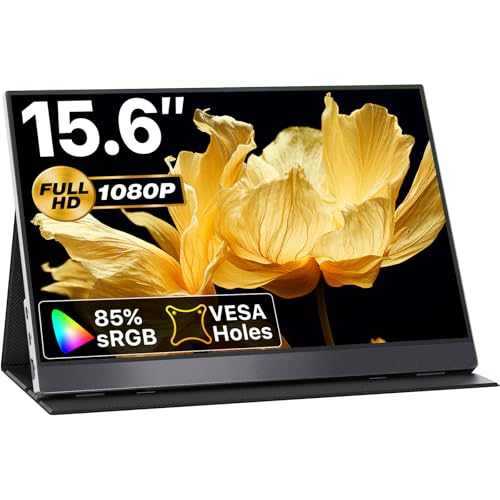
VisionOwl Y1
15.6 inch 1080p IPS monitor with dual USB-C, HDMI, VESA mounting, speakers and a 2-year warranty.
Pros
- Dual full-function USB-C ports plus HDMI for Mac and PC
- VESA mounting holes at 75x75mm for landscape and portrait modes
- Built-in dual stereo speakers
- Aluminum alloy body with a cover stand and all cables included
Cons
- 1080p resolution is lower than the 2560x1600 of the ARZOPA
- 2.3 lb with the cover, heavier than the 1.5 lb ViewSonic
- 85% sRGB is lower than the 123% sRGB of the ARZOPA
- 2-year warranty is shorter than the 3-year terms on the ASUS and ViewSonic
Detailed Review
The listing states a 15.6 inch FHD 1080p IPS panel with 85% sRGB and a 178-degree viewing angle, in an aluminum alloy body. It has dual full-function USB-C ports and an HDMI interface, with one-cable power and video for Thunderbolt 3, 4 and 5 laptops and DP Alt Mode devices. It has two VESA mounting holes at 75x75mm, built-in dual stereo speakers and a protective smart cover that doubles as a stand. It weighs 1.4 lb, or 2.3 lb with the cover, and carries a 2 year warranty.
Who it's for: Mac owners who want VESA mounting, speakers and a metal body. Who should skip it: Mac owners who want higher resolution or a lighter screen.
Its Office Score of 9.6/10 comes from performance 29/35, build 22/25, value 21/25, safety 0/10 and warranty 3/5: 75 of 100 points, placed on our 9.2 to 9.8 scale.
Key Specifications
| Display | 15.6 in, 1080p IPS, 85% sRGB |
|---|---|
| Connectivity | Dual USB-C, HDMI |
| Mount | VESA 75x75mm |
| Audio | Built-in dual speakers |
These specs mirror the retailer listing as of 15 November 2026; performance figures are stated by the brand.
Safety and Warranty
What this listing states. No safety listing or safety feature is stated, so safety scores zero. 2 year warranty stated. It does not say everything a buyer needs, such as who pays return shipping, so warranty scores 3 of 5. See How We Pick.
Follow the manual. Assemble and use the product as the maker describes, stay under any stated capacity, and read the manual before first use.
This is general buying information, not professional advice. Follow each product manual and local rules, and see our Safety Disclaimer.
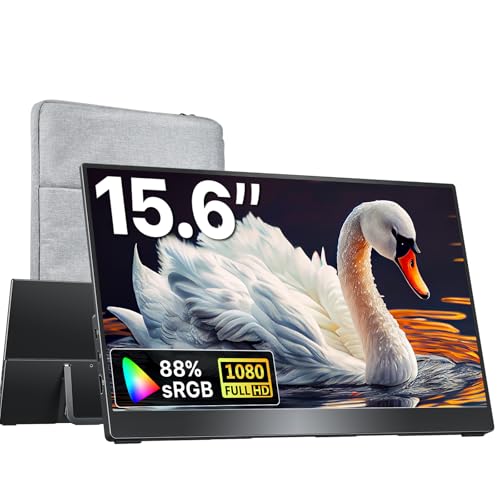
kksmart K-ZD156FHLH
15.6 inch 1080p monitor with 88% sRGB, 60Hz refresh, HDR, VESA mounting and a 2-year warranty.
Pros
- 1080P resolution with 88% sRGB and a 60Hz refresh rate
- HDR support for clearer everyday viewing
- Dual USB-C ports and an HDMI port
- VESA mountable with an integrated kickstand
Cons
- 1080p resolution is lower than the 2560x1600 of the ARZOPA
- 15.6 inch screen is smaller than the 16 inch ARZOPA
- 2-year warranty is shorter than the 3-year terms on the ASUS and ViewSonic
- Single-cable use needs a USB-C port with Thunderbolt 3, 4 or 5 or DP Alt Mode
Detailed Review
The listing states a 15.6 inch portable monitor with 1080P resolution, 88% sRGB and a 60Hz refresh rate, with HDR support. It has dual USB-C ports and an HDMI port, a built-in speaker, VESA mounting and an integrated kickstand. It is 0.4 inches thick and weighs 1.5 lb, and it carries a 2 year warranty.
Who it's for: Mac owners who want an HDR screen with a kickstand and VESA mounting. Who should skip it: Mac owners who want higher resolution or a 3-year warranty.
Its Office Score of 9.5/10 comes from performance 28/35, build 21/25, value 21/25, safety 0/10 and warranty 3/5: 73 of 100 points, placed on our 9.2 to 9.8 scale.
Key Specifications
| Display | 15.6 in, 1080p, 88% sRGB |
|---|---|
| Refresh | 60Hz, HDR |
| Connectivity | Dual USB-C, HDMI |
| Size | 0.4 in thick, 1.5 lb |
These specs mirror the retailer listing as of 15 November 2026; performance figures are stated by the brand.
Safety and Warranty
What this listing states. No safety listing or safety feature is stated, so safety scores zero. 2 year warranty stated. It does not say everything a buyer needs, such as who pays return shipping, so warranty scores 3 of 5. See How We Pick.
Follow the manual. Assemble and use the product as the maker describes, stay under any stated capacity, and read the manual before first use.
This is general buying information, not professional advice. Follow each product manual and local rules, and see our Safety Disclaimer.
As an Amazon Associate I earn from qualifying purchases.
More picks to compare
 VisionOwl Dual 15.6 MonitorTwo stacked 1080P screens with 107% sRGB for multitaskingCheck on Amazon
 Zerfis 15.6 Screen Extender1080P dual-screen extender with 360-degree rotation for laptopsCheck on Amazon
 WCV 15.6 Travel Monitor1080P screen with dual USB-C, HDMI and built-in speakersCheck on Amazon
 Acer PM161Q Portable Monitor15.6 inch FHD IPS screen with AdaptiveSync and a 3-year parts and labor warrantyCheck on Amazon
Specs compared
| Monitor | Office Score | Display | Resolution | Weight | Warranty | Amazon |
|---|---|---|---|---|---|---|
| ASUS ZenScreen MB169CK | 9.7/10 | 15.6 in IPS | 1920×1080 | 0.78 kg | 3 years | View on Amazon |
| ViewSonic VA1653 | 9.7/10 | 15.6 in IPS | 1920×1080 | 1.5 lb | 3 years | View on Amazon |
| ARZOPA Z1RC | 9.7/10 | 16 in IPS | 2560×1600 | 1.46 lb | 2 years | View on Amazon |
| VisionOwl Y1 | 9.6/10 | 15.6 in IPS | 1920×1080 | 1.4 lb | 2 years | View on Amazon |
| kksmart K-ZD156FHLH | 9.5/10 | 15.6 in IPS | 1920×1080 | 1.5 lb | 2 years | View on Amazon |
All numbers are the manufacturer’s stated specs, not measured in an office, pulled on 15 November 2026.
How to choose the best portable monitor for mac
Start from resolution and color
Resolution sets how sharp text looks, and color coverage sets how true photos look. The ARZOPA leads this group at 2560×1600 with 123% sRGB, a 1200:1 contrast ratio and 350 nits brightness. The other four are 1080p at 1920×1080: the VisionOwl with 85% sRGB and a 178-degree viewing angle, the kksmart with 88% sRGB and a 60Hz refresh rate, and the ASUS and ViewSonic with IPS panels and anti-glare. If your work is spreadsheets and code, the ARZOPA 16:10 display gives more vertical working area. See our best portable monitor for Macbook Pro guide for more Mac screens.
One cable or two
Cables decide how clean the desk stays. The ASUS and the ViewSonic connect with a single USB-C cable for power and video, and the ViewSonic adds two-way power delivery so the laptop can power the screen or pass power to a device. The VisionOwl and the kksmart have dual USB-C ports plus HDMI, and the ARZOPA connects by USB-C or HDMI. Single-cable use on the VisionOwl and the kksmart needs a USB-C port with Thunderbolt 3, 4 or 5 or DP Alt Mode. See our types of HDMI adapters guide if your Mac needs an adapter.
Stands, mounts and weight
A stand decides the viewing angle, and weight decides how it travels. The ASUS has a 360 kickstand and a tripod socket at 0.78 kg and 11.8 mm thin. The ViewSonic has a foldable stand for portrait and landscape modes with a protective sleeve, at 0.7 inches thick and 1.5 lb. The ARZOPA has a built-in stand at 1.46 lb. The VisionOwl has VESA mounting holes at 75x75mm with a cover stand, at 1.4 lb or 2.3 lb with the cover. The kksmart has an integrated kickstand and VESA mounting at 1.5 lb and 0.4 inches thick.
| Monitor | Resolution | Weight | Warranty |
|---|---|---|---|
| ASUS ZenScreen MB169CK | 1920×1080 | 0.78 kg | 3 years |
| ViewSonic VA1653 | 1920×1080 | 1.5 lb | 3 years |
| ARZOPA Z1RC | 2560×1600 | 1.46 lb | 2 years |
| VisionOwl Y1 | 1920×1080 | 1.4 lb | 2 years |
| kksmart K-ZD156FHLH | 1920×1080 | 1.5 lb | 2 years |
Warranty and eye care
Warranty and eye care split this group. The ASUS and the ViewSonic carry 3-year terms, while the ARZOPA, VisionOwl and kksmart carry 2-year terms. On eye care, the ASUS states flicker-free and low blue light technology, the ViewSonic states eye care with anti-glare, and the ARZOPA states eye care. The VisionOwl and the kksmart state no eye care feature. See our portable monitor setup guide for stands, cables and mounts.
Setup Notes
- Match the display to the work: 2560×1600 on the ARZOPA against 1920×1080 on the other four screens.
- Check the cable: single USB-C on the ASUS and ViewSonic, dual USB-C and HDMI on the VisionOwl and kksmart, USB-C or HDMI on the ARZOPA.
- Check the weight in the bag: 0.78 kg on the ASUS, 1.4 lb on the VisionOwl, 1.46 lb on the ARZOPA and 1.5 lb on the ViewSonic and kksmart.
- Check the stand: 360 kickstand on the ASUS, foldable stand on the ViewSonic, built-in stand on the ARZOPA and VESA 75x75mm on the VisionOwl.
- Check warranty terms: 3 years on the ASUS and ViewSonic, 2 years on the ARZOPA, VisionOwl and kksmart.
FAQ
Which monitor here has the highest resolution?
The ARZOPA Z1RC, at 2560×1600 with 123% sRGB. The other four screens are 1080p at 1920×1080.
Which monitors here have a 3-year warranty?
The ASUS ZenScreen MB169CK and the ViewSonic VA1653. The ARZOPA, VisionOwl and kksmart carry 2-year terms.
Which monitor here weighs the least?
The VisionOwl Y1, at 1.4 lb without the cover, or 2.3 lb with the cover. The ARZOPA weighs 1.46 lb and the ViewSonic and kksmart each weigh 1.5 lb.
Do these monitors work with a MacBook?
All five state Mac compatibility, and the ASUS and ViewSonic connect with a single USB-C cable.
Which monitors here have built-in speakers?
The VisionOwl has built-in dual stereo speakers and the kksmart has a built-in speaker.
Score breakdown
The Office Score weighs performance, build, value, safety and warranty. For a portable monitor, safety means eye care and anti-glare features the listing actually states; a screen that states none scores zero on that line, whatever its resolution. All five screens state a warranty term, from 2 years to 3 years. How we pick explains the weights.
| Product | Office Score | Perf. /35 | Build /25 | Value /25 | Safety /10 | Warranty /5 |
|---|---|---|---|---|---|---|
| ASUS ZenScreen MB169CK | 9.7 | 30 | 22 | 21 | 5 | 4 |
| ViewSonic VA1653 | 9.7 | 29 | 22 | 21 | 5 | 4 |
| ARZOPA Z1RC | 9.7 | 33 | 22 | 21 | 4 | 3 |
| VisionOwl Y1 | 9.6 | 29 | 22 | 21 | 0 | 3 |
| kksmart K-ZD156FHLH | 9.5 | 28 | 21 | 21 | 0 | 3 |
We fit point totals onto a 9.2 low and 9.8 high in a straight line. One item can outscore another only by earning more points.
More for your workspace
See every Monitor Arms and Stands guide and all Monitor Mounts, Keyboards and Mice guides. Also see our best portable monitor for laptop. Also see our Mac multi monitor setup.
More picks: best portable monitor for Macbook Pro, best portable monitor for gaming, monitor setup with laptop, are all monitors compatible with monitor arms.