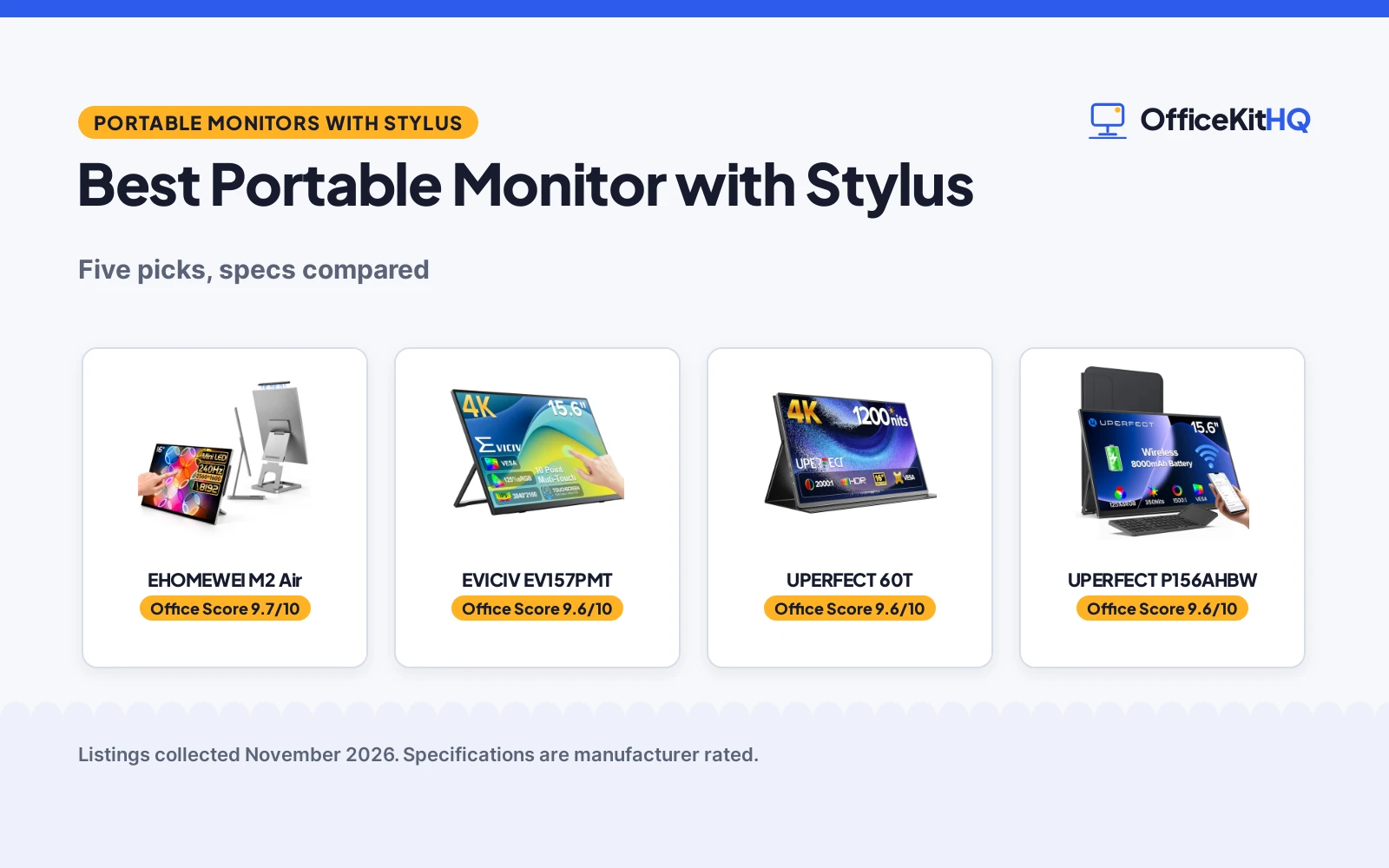
The morning call starts with a dim webcam, a laptop running everything off one hub, and a small screen that cannot hold the notes, the faces and the document at once, which is why the best portable monitor with stylus earns a place on a home desk. A second screen that accepts a pen turns a cramped corner into a worktop where notes, sketches and markups sit beside the main display. The monitors below were compared by screen size, resolution, touch, stylus, brightness and warranty term, using only what each listing publishes. Only the top pick includes a stylus in the box, and the rest show how the same screen size can serve a different job.
OfficeKitHQ earns a commission when you buy through links on this page, at no extra cost to you. As an Amazon Associate I earn from qualifying purchases. Affiliate disclosure.
Quick picks
 Best Overall EHOMEWEI M2 Air: 16 in Mini LED 2.5K, 240Hz, 8192-level stylus, 2-year warranty Check price on Amazon
 Best 4K Touch EVICIV EV157PMT: 15.6 in 4K touchscreen, 10-point touch, 450 nits, VESA mount Check price on Amazon
 Highest Brightness UPERFECT 60T: 16 in 4K, 1200 nits, 145% sRGB, VESA mount, Smart Cover Check price on Amazon
 Best Wireless UPERFECT P156AHBW: 15.6 in 1080p wireless, 8000mAh battery, keyboard included Check price on Amazon
 Smallest Screen HAILESI S123E: 12.3 in touchscreen, 1920 x 1280, 100% sRGB, 1.22 lb Check price on Amazon
Our desk picks
| # | Product | Office Score | Buy |
|---|---|---|---|
| 1 | EHOMEWEI M2 Air | 9.7/10 | Buy on Amazon |
| 2 | EVICIV EV157PMT | 9.6/10 | Buy on Amazon |
| 3 | UPERFECT 60T | 9.6/10 | Buy on Amazon |
| 4 | UPERFECT P156AHBW | 9.6/10 | Buy on Amazon |
| 5 | HAILESI S123E | 9.4/10 | Buy on Amazon |

EHOMEWEI M2 Air
A 16 in Mini LED touchscreen with a 2560 x 1600 display, a 240Hz refresh rate and an included 8192-level stylus, the only stylus pick among the five.
Pros
- Included stylus with 8192 levels of pressure sensitivity for drawing and note-taking
- 240Hz refresh rate with a 1ms response time and 2560 x 1600 Mini LED display
- Adjustable stand sets the viewing angle for desk use and dual-screen work
- iPad screen extension and touch through the dedicated app
Cons
- No brightness figure is stated in the listing
- No VESA mount is stated
- iPad touch works only through the dedicated app
- No weight is stated in the listing
Detailed Review
The EHOMEWEI M2 Air is a 16 in portable monitor with a Mini LED backlight, a 2560 x 1600 display, a refresh rate of up to 240Hz and a 1ms response time. The IPS panel gives a 178-degree viewing angle, and the included stylus offers 8192 levels of pressure sensitivity for illustration, design, photo editing and note-taking, with finger touch also supported. The dedicated app extends an iPad screen to the monitor and supports touch through the app. The adjustable stand sets the viewing angle, and the body measures 0.28 in thick with a 14.02 by 9.29 in footprint. The maker states a 2 Year Manufacturer warranty.
Who it's for: someone who wants a stylus in the box for drawing, annotation and note-taking on a 16 in screen. Who should skip it: anyone who needs a VESA mount or a stated brightness figure.
Its Office Score of 9.7/10 comes from performance 35/35, build 24/25, value 22/25, safety 0/10 and warranty 3/5: 84 of 100 points, placed on our 9.2 to 9.8 scale.
Key Specifications
| Screen | 16 in, 2560 x 1600 |
|---|---|
| Refresh | 240Hz |
| Stylus | 8192 levels |
| Warranty | 2 years |
These specs mirror the retailer listing as of 20 November 2026; performance figures are stated by the brand.
Safety and Warranty
What this listing states. This product does not plug in or run on a battery, so safety is not part of its score. 2 Year Manufacturer. It does not say everything a buyer needs, such as who pays return shipping, so warranty scores 3 of 5. See How We Pick.
Follow the manual. Assemble and use the product as the maker describes, stay under any stated capacity, and read the manual before first use.
This is general buying information, not professional advice. Follow each product manual and local rules, and see our Safety Disclaimer.

EVICIV EV157PMT
A 15.6 in 4K touchscreen with 10-point touch, a 3840 x 2160 display and a 450 nits peak brightness, in a 0.27 in body that weighs 1.8 lb.
Pros
- 4K display at 3840 x 2160 with 125% sRGB and 450 nits peak brightness
- 10-point capacitive touch for switching, sliding and zooming
- VESA 75x75mm mount stated, with a stand included
- USB-C and Mini HDMI connect to laptops and game consoles
Cons
- No stylus is stated in the listing
- No battery is stated in the listing
- No refresh rate is stated
- Peak brightness of 450 nits is lower than the 1200 nits of the UPERFECT 4K
Detailed Review
The EVICIV is a 15.6 in 4K touchscreen with a 3840 x 2160 display, 125% sRGB and a peak brightness of 450 nits. The 10-point capacitive touch handles switching, sliding and zooming, and the monitor connects by USB-C or Mini HDMI with no drivers needed. The body is 0.27 in thick, weighs 1.8 lb and measures 14.1 by 8.3 in, with VESA 75x75mm mounting stated. The maker states a 2 Years Warranty.
Who it's for: someone who wants a 4K touch screen for work and movies at a desk or on the road. Who should skip it: anyone who needs an included stylus or a battery.
Its Office Score of 9.6/10 comes from performance 29/35, build 21/25, value 20/25, safety 5/10 and warranty 3/5: 78 of 100 points, placed on our 9.2 to 9.8 scale.
Key Specifications
| Screen | 15.6 in, 3840 x 2160 |
|---|---|
| Touch | 10-point |
| Brightness | 450 nits |
| Warranty | 2 years |
These specs mirror the retailer listing as of 20 November 2026; performance figures are stated by the brand.
Safety and Warranty
What this listing states. VESA 75x75mm mount stated, so safety scores 5 of 10. 2 Years Warranty. It does not say everything a buyer needs, such as who pays return shipping, so warranty scores 3 of 5. See How We Pick.
Follow the manual. Assemble and use the product as the maker describes, stay under any stated capacity, and read the manual before first use.
This is general buying information, not professional advice. Follow each product manual and local rules, and see our Safety Disclaimer.

UPERFECT 60T
A 16 in 4K portable monitor with 1200 nits brightness, 145% sRGB and a 2000:1 contrast ratio, in an aluminum body with a Smart Cover.
Pros
- 1200 nits brightness, the highest stated here, with an anti-reflective coating
- 4K display at 3840 x 2400 with 145% sRGB
- Aluminum body with a Smart Cover in PU leather
- VESA 75x75 mount stated for wall or desktop fitting
Cons
- No touch is stated in the listing
- No stylus is stated in the listing
- Peak brightness needs power and a white background
- Stated 1.8 lb is heavier than the 1.7 lb wireless model
Detailed Review
The UPERFECT 4K is a 16 in portable monitor with a 3840 x 2400 display, 1200 nits brightness, 145% sRGB and a 2000:1 contrast ratio. The aluminum body uses a Smart Cover in PU leather, and a VESA 75x75 mount is stated for wall or desktop fitting. The maker gives two weights, 1.8 and 4.4 lb; check before ordering. The monitor connects by USB-C and Mini HDMI, and the maker states a 2 Year Warranty.
Who it's for: someone who works in bright light and wants the highest stated brightness here. Who should skip it: anyone who needs touch or a stylus.
Its Office Score of 9.6/10 comes from performance 29/35, build 21/25, value 19/25, safety 5/10 and warranty 3/5: 77 of 100 points, placed on our 9.2 to 9.8 scale.
Key Specifications
| Screen | 16 in, 3840 x 2400 |
|---|---|
| Brightness | 1200 nits |
| Contrast | 2000:1 |
| Warranty | 2 years |
These specs mirror the retailer listing as of 20 November 2026; performance figures are stated by the brand.
Safety and Warranty
What this listing states. VESA 75x75 mount stated, so safety scores 5 of 10. 2 Year Warranty. It does not say everything a buyer needs, such as who pays return shipping, so warranty scores 3 of 5. See How We Pick.
Follow the manual. Assemble and use the product as the maker describes, stay under any stated capacity, and read the manual before first use.
This is general buying information, not professional advice. Follow each product manual and local rules, and see our Safety Disclaimer.

UPERFECT P156AHBW
A 15.6 in wireless portable monitor with an 8000mAh battery, AirPlay and Miracast, a 1920 x 1080 display and an included keyboard.
Pros
- 8000mAh battery allows 3 to 4 hours of use without external power
- Wireless display with AirPlay and Miracast, plus wired USB-C and Mini HDMI
- Included keyboard, sleeve and stand for travel
- VESA 75x75mm mount and adjustable metal stand stated
Cons
- No touch is stated in the listing
- No stylus is stated in the listing
- 1080p resolution is lower than the 4K models here
- 350 nits brightness is lower than the 1200 nits of the UPERFECT 4K
Detailed Review
The UPERFECT wireless monitor is a 15.6 in Full HD portable monitor with a 1920 x 1080 IPS matte screen, 125% sRGB and 350 nits brightness. The built-in 8000mAh battery allows 3 to 4 hours of use without external power, and the monitor supports AirPlay and Miracast, with dual USB-C ports and Mini HDMI as a wired backup. The body is 0.23 in thick and weighs 1.7 lb, with a 75x75mm VESA mount and an adjustable metal stand. The maker gives two weights, 1.7 and 2.2 lb, and two thicknesses, 0.23 and 0.2 in; check before ordering. The maker states a 2 Year Warranty.
Who it's for: someone who wants a cable-free second screen for cafes, meetings and flights. Who should skip it: anyone who needs touch, a stylus or a 4K display.
Its Office Score of 9.6/10 comes from performance 27/35, build 20/25, value 20/25, safety 5/10 and warranty 3/5: 75 of 100 points, placed on our 9.2 to 9.8 scale.
Key Specifications
| Screen | 15.6 in, 1920 x 1080 |
|---|---|
| Battery | 8000mAh, 3 to 4 hours |
| Weight | 1.7 lb |
| Warranty | 2 years |
These specs mirror the retailer listing as of 20 November 2026; performance figures are stated by the brand.
Safety and Warranty
What this listing states. VESA 75x75mm mount stated, so safety scores 5 of 10. 2 Year Warranty. It does not say everything a buyer needs, such as who pays return shipping, so warranty scores 3 of 5. See How We Pick.
Follow the manual. Assemble and use the product as the maker describes, stay under any stated capacity, and read the manual before first use.
This is general buying information, not professional advice. Follow each product manual and local rules, and see our Safety Disclaimer.

HAILESI S123E
A 12.3 in touchscreen with a 1920 x 1280 display, 10-point touch, 100% sRGB and 300 nits brightness, at 1.22 lb.
Pros
- 10-point capacitive touch for swipe, pinch and zoom
- 100% sRGB with 300 nits brightness for photo and design work
- 1.22 lb and 0.43 in thick, the lowest stated weight here
- 60Hz refresh rate with a 3ms response time
Cons
- No stylus is stated in the listing
- 12.3 in screen is the smallest here
- One-year warranty is shorter than the 2-year terms of the other four
- No VESA mount is stated
Detailed Review
The HAILESI S123E is a 12.3 in touchscreen with a 1920 x 1280 IPS display, a 60Hz refresh rate, a 3ms response time, 100% sRGB and 300 nits brightness. The 10-point capacitive touch responds to swipe, pinch and zoom, and the monitor connects by a single USB-C cable for Switch and Switch 2 with no dock. The body is 0.43 in thick and weighs 1.22 lb. The maker states a one-year warranty.
Who it's for: someone who wants the smallest touch screen here at the lowest stated weight. Who should skip it: anyone who needs a stylus, a larger screen or a VESA mount.
Its Office Score of 9.4/10 comes from performance 28/35, build 20/25, value 20/25, safety 0/10 and warranty 0/5: 68 of 100 points, placed on our 9.2 to 9.8 scale.
Key Specifications
| Screen | 12.3 in, 1920 x 1280 |
|---|---|
| Touch | 10-point |
| Brightness | 300 nits |
| Warranty | 1 year |
These specs mirror the retailer listing as of 20 November 2026; performance figures are stated by the brand.
Safety and Warranty
What this listing states. No safety listing or safety feature is stated, so safety scores zero. No warranty term, so warranty scores zero. See How We Pick.
Follow the manual. Assemble and use the product as the maker describes, stay under any stated capacity, and read the manual before first use.
This is general buying information, not professional advice. Follow each product manual and local rules, and see our Safety Disclaimer.
As an Amazon Associate I earn from qualifying purchases.
More picks to compare
 DAMRAPT DCR_CF15P15.6 in touchscreen with MPP stylus for notes and sketching on Windows and Mac.Check on Amazon
 DAMRAPT 14-inch 4K OLED14 in 4K OLED touchscreen with MPP stylus for photo editing and design.Check on Amazon
 Qunub 14-inch 4K OLED14 in 4K OLED touchscreen with active stylus for editing and design work.Check on Amazon
 EHOMEWEI Q8g16 in 2K touchscreen with 4096-level stylus for drawing and gaming.Check on Amazon
 CAPERAVE CU15P15.6 in 4K touchscreen with MPP stylus for annotation and sketching.Check on Amazon
Specs compared
| Monitor | Office Score | Screen | Resolution | Touch | Stylus | Warranty | Amazon |
|---|---|---|---|---|---|---|---|
| EHOMEWEI M2 Air | 9.7/10 | 16 in | 2560 x 1600 | Touch | 8192-level stylus | 2 years | View on Amazon |
| EVICIV EV157PMT | 9.6/10 | 15.6 in | 3840 x 2160 | 10-point touch | Not stated | 2 years | View on Amazon |
| UPERFECT 60T | 9.6/10 | 16 in | 3840 x 2400 | Not stated | Not stated | 2 years | View on Amazon |
| UPERFECT P156AHBW | 9.6/10 | 15.6 in | 1920 x 1080 | Not stated | Not stated | 2 years | View on Amazon |
| HAILESI S123E | 9.4/10 | 12.3 in | 1920 x 1280 | 10-point touch | Not stated | 1 year | View on Amazon |
Specs reflect manufacturer claims on each product listing (as of 20 November 2026). All five state a warranty term; three state a VESA mount.
How to choose the best portable monitor with stylus
Start with the stylus, not the screen
Only the EHOMEWEI M2 Air includes a stylus, with 8192 levels of pressure sensitivity for illustration, design, photo editing and note-taking. The other four state no stylus, so if the pen is the point, the choice is made before the screen size is compared. The more picks below list five stylus monitors, including two DAMRAPT models and the EHOMEWEI Q8g with a 4096-level stylus, for buyers who want the pen on a different screen. The M2 Air also extends an iPad screen through its dedicated app, so see portable monitor for iPad Pro for a closer look at that use.
Match the resolution and brightness to the work
Resolution runs from 1920 x 1080 on the UPERFECT wireless and 1920 x 1280 on the HAILESI, through 2560 x 1600 on the EHOMEWEI M2 Air, to 3840 x 2160 on the EVICIV and 3840 x 2400 on the UPERFECT 4K. Brightness is stated on four of the five: 1200 nits on the UPERFECT 4K, 450 nits on the EVICIV, 350 nits on the UPERFECT wireless and 300 nits on the HAILESI. The EHOMEWEI M2 Air states no brightness figure, so a buyer who works near a bright window should weigh the stated figures of the others.
| Monitor | Screen | Resolution | Weight |
|---|---|---|---|
| EHOMEWEI M2 Air | 16 in | 2560 x 1600 | Not stated |
| EVICIV EV157PMT | 15.6 in | 3840 x 2160 | 1.8 lb |
| UPERFECT 60T | 16 in | 3840 x 2400 | 1.8 lb |
| UPERFECT P156AHBW | 15.6 in | 1920 x 1080 | 1.7 lb |
| HAILESI S123E | 12.3 in | 1920 x 1280 | 1.22 lb |
Figures as stated in each listing. The HAILESI is the smallest stated screen here, at 1.22 lb.
Check the weight, the stand and the mount
Stated weights run from 1.22 lb on the HAILESI through 1.7 lb on the UPERFECT wireless to 1.8 lb on the EVICIV and the UPERFECT 4K, while the EHOMEWEI M2 Air states no weight. The M2 Air has an adjustable stand, and the UPERFECT wireless has an adjustable metal stand, so both hold a viewing angle without extra hardware. Three of the five state a VESA 75x75mm mount: the EVICIV, the UPERFECT 4K and the UPERFECT wireless. A buyer who wants the screen on an arm should start with those three, and see monitor arm for Samsung Odyssey G5 and laptop stand for Dell for the rest of the desk setup.
Read the warranty line
Four of the five state a 2-year warranty: the EHOMEWEI M2 Air, the EVICIV, the UPERFECT 4K and the UPERFECT wireless. The HAILESI states a one-year warranty, which is the only shorter term in the group. A warranty term does not change the picture on the screen, but it is the one stated promise that outlasts the delivery box, so it belongs in the comparison beside resolution and brightness.
Cables, battery and power
The EVICIV and the UPERFECT 4K connect by USB-C or Mini HDMI, and the UPERFECT wireless adds AirPlay and Miracast with dual USB-C ports and Mini HDMI as a wired backup. Only the UPERFECT wireless states a battery, an 8000mAh battery that allows 3 to 4 hours of use without external power. The HAILESI connects a Switch or Switch 2 by a single USB-C cable with no dock, and the EHOMEWEI M2 Air needs its dedicated app for iPad screen extension and touch.
Setup Notes
- Measure the desk against the monitor footprint: the EHOMEWEI M2 Air measures 14.02 by 9.29 in and the EVICIV measures 14.1 by 8.3 in.
- Check the laptop has a USB-C port or a Mini HDMI port before ordering; the EVICIV and the UPERFECT 4K connect by USB-C or Mini HDMI.
- A VESA arm needs a 75x75mm mount; three of the five state that mount.
- The wireless UPERFECT runs 3 to 4 hours on its 8000mAh battery, so keep a charger near the desk for longer sessions.
- The EHOMEWEI M2 Air iPad screen extension and touch need the dedicated app.
FAQ
Which of these portable monitors includes a stylus?
Only the EHOMEWEI M2 Air includes a stylus, with 8192 levels of pressure sensitivity. The other four state no stylus. The more picks below list five stylus monitors, including two DAMRAPT models and the EHOMEWEI Q8g with a 4096-level stylus.
What screen sizes do these portable monitors have?
The EHOMEWEI M2 Air and the UPERFECT 4K measure 16 in, the EVICIV and the UPERFECT wireless measure 15.6 in, and the HAILESI measures 12.3 in.
Which portable monitor states the highest brightness?
The UPERFECT 4K states 1200 nits, the EVICIV states 450 nits, the UPERFECT wireless states 350 nits, and the HAILESI states 300 nits. The EHOMEWEI M2 Air states no brightness figure.
Do these portable monitors work with a VESA mount?
Three state a VESA mount: the UPERFECT 4K, the EVICIV and the UPERFECT wireless, each at 75x75mm. The EHOMEWEI M2 Air and the HAILESI state no VESA mount.
How long is the warranty on these portable monitors?
Four state a 2-year warranty: the EHOMEWEI M2 Air, the EVICIV, the UPERFECT 4K and the UPERFECT wireless. The HAILESI states a one-year warranty.
Which portable monitor has a battery?
Only the UPERFECT wireless states a battery, an 8000mAh battery that allows 3 to 4 hours of use without external power. The other four state no battery.
Score breakdown
The Office Score weighs performance, build, value, safety and warranty. For a portable monitor, performance means screen size, resolution, refresh rate, touch and whether a stylus is included; build means panel type, materials and weight; value means what the stated specs give for the desk; safety means a stated VESA mount or a stand that holds the screen steady. All five listings state a warranty term: four state a 2-year term and one states a one-year term. How we pick explains the weights.
| Product | Office Score | Perf. /35 | Build /25 | Value /25 | Safety /10 | Warranty /5 |
|---|---|---|---|---|---|---|
| EHOMEWEI M2 Air | 9.7 | 35 | 24 | 22 | 0 | 3 |
| EVICIV EV157PMT | 9.6 | 29 | 21 | 20 | 5 | 3 |
| UPERFECT 60T | 9.6 | 29 | 21 | 19 | 5 | 3 |
| UPERFECT P156AHBW | 9.6 | 27 | 20 | 20 | 5 | 3 |
| HAILESI S123E | 9.4 | 28 | 20 | 20 | 0 | 0 |
The scale opens at 9.2 and closes at 9.8; between those marks, weighted points translate linearly into the score you see.
More for your workspace
See every Monitor Mounts, Keyboards and Mice guide and all standing desk guides.
More picks: portable monitor for iPad Pro, laptop stand for Dell, monitor arm for Samsung Odyssey G5.