
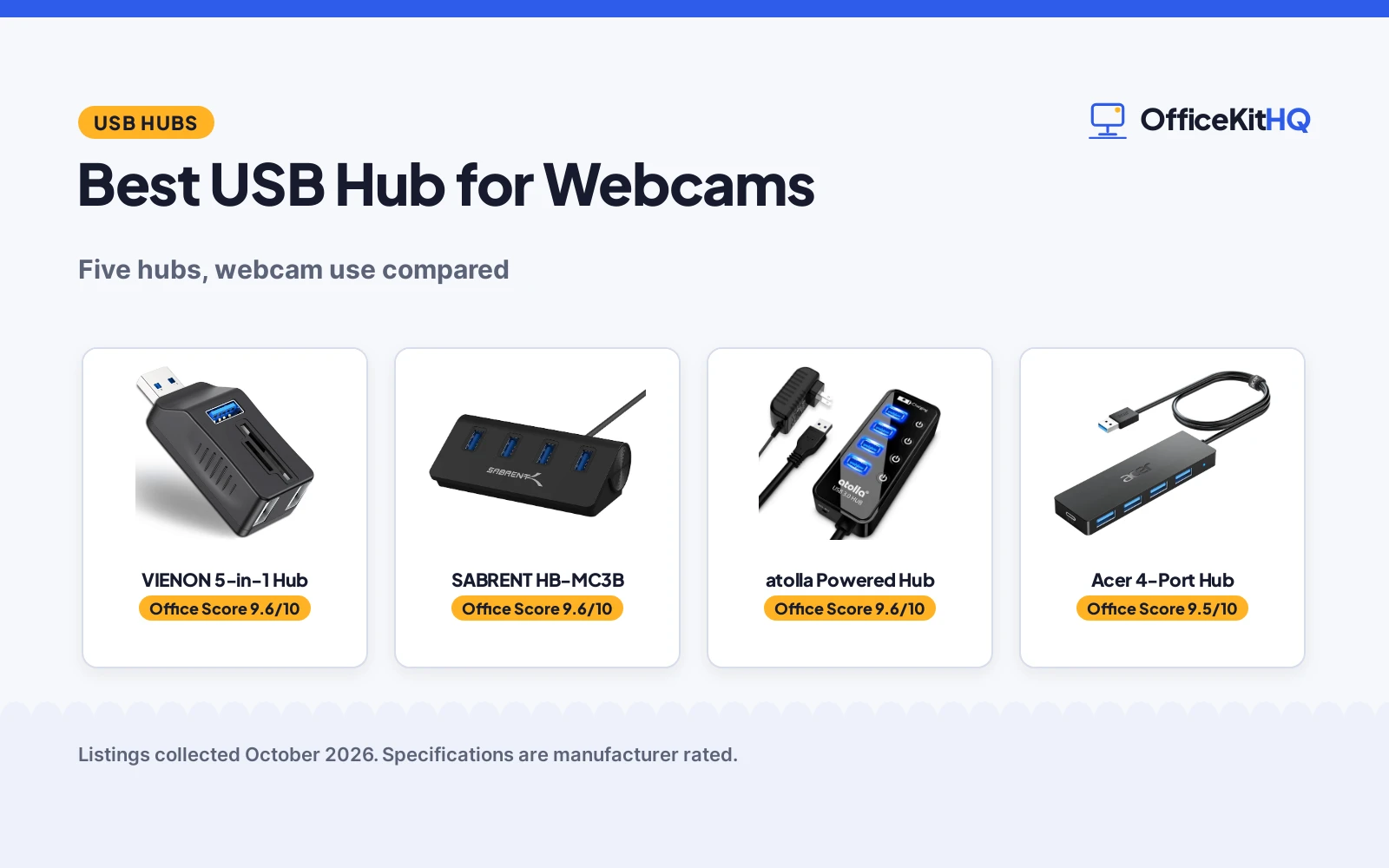
A webcam is only as useful as the port it plugs into. The best usb hub for webcams keeps the camera fed with bandwidth while the mic, light and drives share the desk. We compared five hubs by port count, USB version, extras and warranty, using only what each listing publishes, and ranked them by the Office Score. A good hub disappears into the setup; a bad one drops the camera mid-call. The picks below are ranked for exactly that reliability.
OfficeKitHQ earns a commission when you buy through links on this page, at no extra cost to you. As an Amazon Associate I earn from qualifying purchases. Affiliate disclosure.
Quick picks
 Best for Webcams VIENON 5-in-1 Hub: SD/TF card reader, 5 ports, 104MB/s transfers Check price on Amazon
 Best Aluminum SABRENT HB-MC3B: 4 USB 3.0 ports, 5Gbps, 2.5ft cable Check price on Amazon
 Best Powered atolla Powered Hub: Powered USB 3.0, individual switches, charging Check price on Amazon
 Best Cable Length Acer 4-Port Hub: 4-port USB 3.0, 4ft cable, Type-C power Check price on Amazon
 Best 4-Port 3.0 SABRENT 4-Port 3.0: Powered 4-port USB 3.0 with LED switches Check price on Amazon
The picks
| # | Product | Office Score | Buy |
|---|---|---|---|
| 1 | VIENON 5-in-1 Hub | 9.6/10 | Buy on Amazon |
| 2 | SABRENT HB-MC3B | 9.6/10 | Buy on Amazon |
| 3 | atolla Powered USB Hub | 9.6/10 | Buy on Amazon |
| 4 | Acer 4-Port USB 3.0 Hub | 9.5/10 | Buy on Amazon |
| 5 | SABRENT 4-Port | 9.4/10 | Buy on Amazon |

VIENON 5-in-1 Hub
A 5-in-1 USB 3.0 hub with SD/TF card reader, 1 USB 3.0 and 2 USB 2.0 ports for reviewing camera footage.
Pros
- SD/TF dual card slots for camera footage
- 5 ports work simultaneously
- 104MB/s card transfer, up to 2TB
- Plug and play, no drivers
Cons
- Only 1 USB 3.0 port; 2 are USB 2.0
- No warranty stated
- No cable length stated
- No charging stated
Detailed Review
VIENON lists a 5-in-1 USB 3.0 splitter with SD and Micro SD dual card slots plus 1 USB 3.0 and 2 USB 2.0 ports, all working simultaneously. The card reader supports SDXC, SDHC, SD, MMC, RS-MMC, Micro SDXC, Micro SD and Micro SDHC from cameras, GoPro, dash cams and surveillance cameras, with capacities up to 2TB and transfer rates up to 104MB/s. The listing positions it for viewing security camera, wildlife monitor and car monitor recordings without bringing the devices home.
The USB 3.0 port runs at 5Gbps for U disks and hard drives; the USB 2.0 and USB C data ports run at 480Mbps for mice, keyboards, phones and printers. Everything is plug and play with no drivers on Windows, macOS and Linux. The portable design fits a camera bag or backpack, and the listing targets travel and photography users.
Who it is for: webcam users who also pull footage from cameras and want one hub for both. Who should skip it: anyone who needs more than one USB 3.0 port or a stated warranty term.
Its Office Score of 9.6/10 comes from performance 30/35, build 20/25, value 21/25, safety not scored (non-powered gear) and warranty 0/5: 71 of 90 points, placed on our 9.2 to 9.8 scale.
Key Specifications
Figures as published on the retailer listing, collected 21 October 2026. Performance figures are manufacturer rated.
Safety and Warranty
What this listing states. This product does not plug in or run on a battery, so safety is not part of its score. No warranty term, so warranty scores zero. See How We Pick.
Power and heat. Use the supplied adapter, treat power delivery wattage and display support as the maker's claims for your laptop model, and give the dock room to vent.
This is general buying information, not professional advice. Follow each product manual and local rules, and see our Safety Disclaimer.

SABRENT HB-MC3B
A 4-port aluminum USB 3.0 hub with 2.5ft cable, 5Gbps transfer and reverse compatibility.
Pros
- 4 USB 3.0 ports with 5Gbps transfer
- Aluminum body, portable
- Reverse compatible with USB 2.0 and USB 1.1
- 2.5ft cable included
Cons
- No card reader
- No warranty stated
- Not powered stated
- 4 ports only
Detailed Review
SABRENT lists the HB-MC3B as a 4-port aluminum USB 3.0 hub with a 2.5ft cable. Transfer speeds reach 5Gbps on USB 3.0, 480Mbps on USB 2.0 and 12Mbps on USB 1.1, with reverse compatibility for older devices. Setup is plug-n-play and hot swappable on Windows, Mac and Linux. The aluminum body keeps it light for a laptop bag.
The listing states no warranty term and no powered operation, so it suits a simple desk: webcam on one port, mic, keyboard and drive on the others. The included 2.5ft cable decides placement; it is long enough to reach under a monitor but short for a floor tower.
Who it is for: a straightforward 4-port expansion with a solid metal body. Who should skip it: anyone who needs a card reader, a warranty term or powered ports.
Its Office Score of 9.6/10 comes from performance 29/35, build 21/25, value 21/25, safety not scored (non-powered gear) and warranty 0/5: 71 of 90 points, placed on our 9.2 to 9.8 scale.
Key Specifications
Figures as published on the retailer listing, collected 21 October 2026. Performance figures are manufacturer rated.
Safety and Warranty
What this listing states. This product does not plug in or run on a battery, so safety is not part of its score. No warranty term, so warranty scores zero. See How We Pick.
Power and heat. Use the supplied adapter, treat power delivery wattage and display support as the maker's claims for your laptop model, and give the dock room to vent.
This is general buying information, not professional advice. Follow each product manual and local rules, and see our Safety Disclaimer.

atolla Powered USB Hub
A powered 4-port USB 3.0 hub with a 5V/3A adapter, individual on-off switches and a charging port, suited to running multiple external hard drives at once.
Pros
- Powered design with 5V/3A adapter, the most reliable here for multiple HDDs
- Individual illuminated on-off switches for each port
- Charging port delivers up to 2.4A for phones and tablets
- 18-month warranty stated in the listing
Cons
- Bulkier than bus-powered hubs at 4.25 by 1.69 by 0.91 inches
- Needs a wall outlet for the power adapter
- Spec table lists 7 total ports while the title states 4; trust the title and bullet count of 4 data ports plus a charging port
- No 10Gbps option for external SSDs
Detailed Review
The atolla CH-204U3-K is the only powered hub here, and that is what matters for multiple external hard drives. The listing gives 4 USB 3.0 data ports syncing at up to 5Gbps, a separate charging port rated up to 2.4A, and a 5V/3A AC power adapter in the box. Four illuminated individual switches control each data port, and the 65 cm cable reaches from a desktop tower to a desk.
Who it is for: anyone running two or more spinning hard drives, or a drive plus peripherals, who wants stable power without dropouts. Who should skip it: a traveler who wants the smallest possible hub, since the adapter and 4.25 by 1.69 by 0.91 inch case take up real bag space.
Its Office Score of 9.6/10 comes from performance 33/35, build 22/25, value 21/25, safety 0/10 and warranty 3/5: 79 of 100 points, placed on our 9.2 to 9.8 scale.
Key Specifications
| Ports | 4 USB 3.0 data + 1 charging port |
|---|---|
| Data rate | 5Gbps |
| Power | 5V/3A AC adapter included |
| Cable | 65 cm |
| Dimensions | 4.25 x 1.69 x 0.91 inches |
| Warranty | 18 months |
Figures as published on the retailer listing, collected 18 October 2026. Performance figures are manufacturer rated.
Safety and Warranty
What this listing states. No UL, FCC or over-current protection statement is stated, so safety scores zero. 18-month warranty. It does not say everything a buyer needs, such as who pays return shipping, so warranty scores 3 of 5. See How We Pick.
Power and heat. Use the supplied adapter, treat power delivery wattage and display support as the maker's claims for your laptop model, and give the dock room to vent.
This is general buying information, not professional advice. Follow each product manual and local rules, and see our Safety Disclaimer.

Acer 4-Port USB 3.0 Hub
A 4-port hub with a 4 ft cable and a USB-C 5V power input for steadier drive transfers.
Pros
- USB-C 5V power input steadies hard drive transfers
- GL3510 chip with thermal design stated
- LED indicator shows it is working
- 1 year manufacturer warranty stated
Cons
- Only 4 ports
- USB-C port cannot transfer data or charge other devices
- No per-port switches
- ABS housing rather than aluminum
Detailed Review
Acer lists a 4-port USB 3.0 hub with a 4 ft cable, 5Gbps data rate, a GL3510 chip and a USB-C port that takes 5V in to steady transfers to hard drives; the listing warns the USB-C port cannot transfer data or charge other devices. The housing is ABS, it weighs 68 g and the listing states a 1 year manufacturer warranty.
Who it's for: users who run external drives off a hub and want a powered 5V input for stable transfers. Who should skip it: anyone who needs more than four ports.
Its Office Score of 9.5/10 comes from performance 28/35, build 20/25, value 20/25, safety 0/10 and warranty 2/5: 70 of 100 points, placed on our 9.2 to 9.8 scale.
Key Specifications
| Cable | 4 ft |
|---|---|
| Ports | 4 USB-A + USB-C 5V power in |
| Data rate | 5Gbps |
| Warranty | 1 year |
Figures as published on the retailer listing, collected 18 October 2026. Performance figures are manufacturer rated.
Safety and Warranty
What this listing states. No UL, FCC or over-current protection statement is stated, so safety scores zero. 1 year manufacturer warranty stated. It does not say everything a buyer needs, such as who pays return shipping, so warranty scores 2 of 5. See How We Pick.
Power and heat. Use the supplied adapter, treat power delivery wattage and display support as the maker's claims for your laptop model, and give the dock room to vent.
This is general buying information, not professional advice. Follow each product manual and local rules, and see our Safety Disclaimer.

SABRENT 4-Port
A compact 4-port powered USB 3.0 hub with individual LED switches, for travel and light desk use.
Pros
- Thin, lightweight and portable at 1.5 oz
- Individual LED-lit power switches
- 5V/2.5A power adapter included
- Speeds up to 5Gbps
Cons
- No warranty term is stated
- Only 4 data ports, no charging port
- 2.5A adapter suits lighter loads
- No circuit protection statement
Detailed Review
SABRENT lists the 4-port hub as 4 USB 3.0 ports with individual LED-lit power switches and a 5V/2.5A power adapter, with speeds up to 5Gbps. The bullets describe a thin, lightweight plastic design for travel. No warranty term is stated.
Who it's for: travelers and light desk setups with few devices. Who should skip it: anyone running multiple external hard drives at once.
Its Office Score of 9.4/10 comes from performance 26/35, build 20/25, value 20/25, safety 0/10 and warranty 0/5: 66 of 100 points, placed on our 9.2 to 9.8 scale.
Key Specifications
| Ports | 4 data |
|---|---|
| Speed | 5Gbps |
| Adapter | 5V/2.5A |
| Warranty | Not stated |
Figures as published on the retailer listing, collected 18 October 2026. Performance figures are manufacturer rated.
Safety and Warranty
What this listing states. No UL, FCC or over-current protection statement is stated, so safety scores zero. No warranty term, so warranty scores zero. See How We Pick.
Power and heat. Use the supplied adapter, treat power delivery wattage and display support as the maker's claims for your laptop model, and give the dock room to vent.
This is general buying information, not professional advice. Follow each product manual and local rules, and see our Safety Disclaimer.
As an Amazon Associate I earn from qualifying purchases.
Compare the picks
| Hub | Office Score | Ports | USB version | Extras | Warranty | Amazon |
|---|---|---|---|---|---|---|
| VIENON 5-in-1 Hub | 9.6/10 | 5 | USB 3.0, 5 Gbps | SD/TF card reader | Not stated | View on Amazon |
| SABRENT HB-MC3B | 9.6/10 | 4 | USB 3.0, 5 Gbps | Aluminum body | Not stated | View on Amazon |
| atolla Powered Hub | 9.6/10 | Not stated | USB 3.0 | Individual switches | Not stated | |
| Acer 4-Port Hub | 9.5/10 | 4 | USB 3.0 | 4ft cable, Type-C power | Not stated | |
| SABRENT 4-Port 3.0 | 9.6/10 | 4 | USB 3.0 | LED switches | Not stated |
Specifications are manufacturer rated as listed, collected 21 October 2026. A figure from one listing describes that listing only.
How we scored them
The Office Score weighs performance, build, value, safety and warranty. Performance favors USB 3.0 bandwidth and webcam-relevant extras like card readers and switches; build favors aluminum and powered designs; value favors higher port counts. No listing states a warranty term or a safety certification, so those score zero across the board. How we pick explains the weights. Reviews carry the webcam angle: card readers, switches and stable power score higher because they serve the camera workflow directly.
| Product | Office Score | Perf. /35 | Build /25 | Value /25 | Safety /10 | Warranty /5 |
|---|---|---|---|---|---|---|
| VIENON 5-in-1 Hub | 9.6 | 30 | 20 | 21 | n/a | 0 |
| SABRENT HB-MC3B | 9.6 | 29 | 21 | 21 | n/a | 0 |
Scores run from 9.2 to 9.8: each product’s point total is placed on that range, so more points always means a higher score. Safety counts only for powered gear or where the listing states safety features; where it does not apply, the score is taken over the remaining 90 points.
How to choose the best usb hub for webcams
Bandwidth for the camera
A webcam wants a USB 3.0 port with real throughput. The VIENON and SABRENT list 5Gbps on their USB 3.0 ports; the VIENON’s other two ports are USB 2.0 at 480Mbps, fine for a mouse or keyboard. The SABRENT HB-MC3B lists 5Gbps with backward compatibility to USB 2.0 and 1.1. Keep the camera on a 3.0 port and the peripherals on the rest. The SABRENT HB-MC3B lists 480Mbps on USB 2.0 and 12Mbps on USB 1.1 for those older devices, so nothing on the desk is left without a working port. Our docking stations and USB hubs category covers more options.
Card readers for footage
Webcam users often pull footage from cameras too. The VIENON has SD and Micro SD dual slots with up to 104MB/s transfer and 2TB capacity support, so recordings can be reviewed without carrying the camera home. None of the other four picks lists a card reader. If your workflow is live-only, this matters less; if you archive footage, it is the deciding feature. The VIENON handles SDXC, SDHC, SD, MMC, RS-MMC, Micro SDXC, Micro SD and Micro SDHC cards, so almost any camera card drops straight in.
Power and switches
A camera, a light and a drive on one bus need stable power. The atolla and SABRENT 3.0 are powered hubs; the Acer adds a Type-C power port. The atolla’s individual switches and the SABRENT’s LED power switches let idle devices be cut without unplugging. The VIENON and SABRENT HB-MC3B state no powered operation, so load them lightly.
Cable length and placement
The SABRENT HB-MC3B includes a 2.5ft cable and the Acer a 4ft cable, which decides whether the hub sits by the laptop or under the monitor. A longer cable keeps the hub off a crowded desk; a shorter one suits a laptop bag. The VIENON is marketed as portable for camera bags and backpacks, though no cable length is stated.
Daisy-chaining and port planning
One hub rarely ends the story. Plan which devices stay on the hub and which go straight to the computer: the webcam and its mic deserve the most direct path, while drives, lights and chargers can share the hub. None of the picks here states daisy-chaining support, so treat each hub as the last stop. If the desk grows past five devices, a second hub on another computer port beats overloading one. Two modest hubs on separate ports outperform one crowded hub every time.
Frequently Asked Questions
Does a webcam need USB 3.0?
USB 3.0 gives the camera full bandwidth; the VIENON and SABRENT HB-MC3B list 5Gbps ports. USB 2.0 works for basic webcams, but a 3.0 port leaves headroom for higher resolutions. Put the mic and light on 2.0 ports and keep the camera on 3.0.
Can a hub power a webcam, mic and light at once?
A powered hub handles that load best; the atolla and SABRENT 3.0 are powered. On an unpowered hub, spread high-draw devices across ports and watch for dropouts. If the camera freezes when the drive spins up, that is the sign to switch to a powered hub.
How do I get footage off a camera fast?
Use a card reader rather than the camera’s USB cable. The VIENON’s SD/TF slots transfer at up to 104MB/s and support cards up to 2TB.
Will these hubs work on any computer?
The VIENON lists Windows, macOS and Linux with plug-and-play and no drivers; the SABRENT HB-MC3B lists the same three systems with hot-swap support. The reused picks state no OS detail.
Can I charge devices through these hubs?
Only where the listing says so. The atolla lists a charging port and the Acer lists a Type-C power port; the VIENON states no charging and the SABRENT picks state no power at all. For charging, pick a hub that names it. A charger stays on the wall outlet; the hub stays for data.
Related guides
See all connectivity guides.
More picks: docking stations and USB hubs and our connectivity guides.



