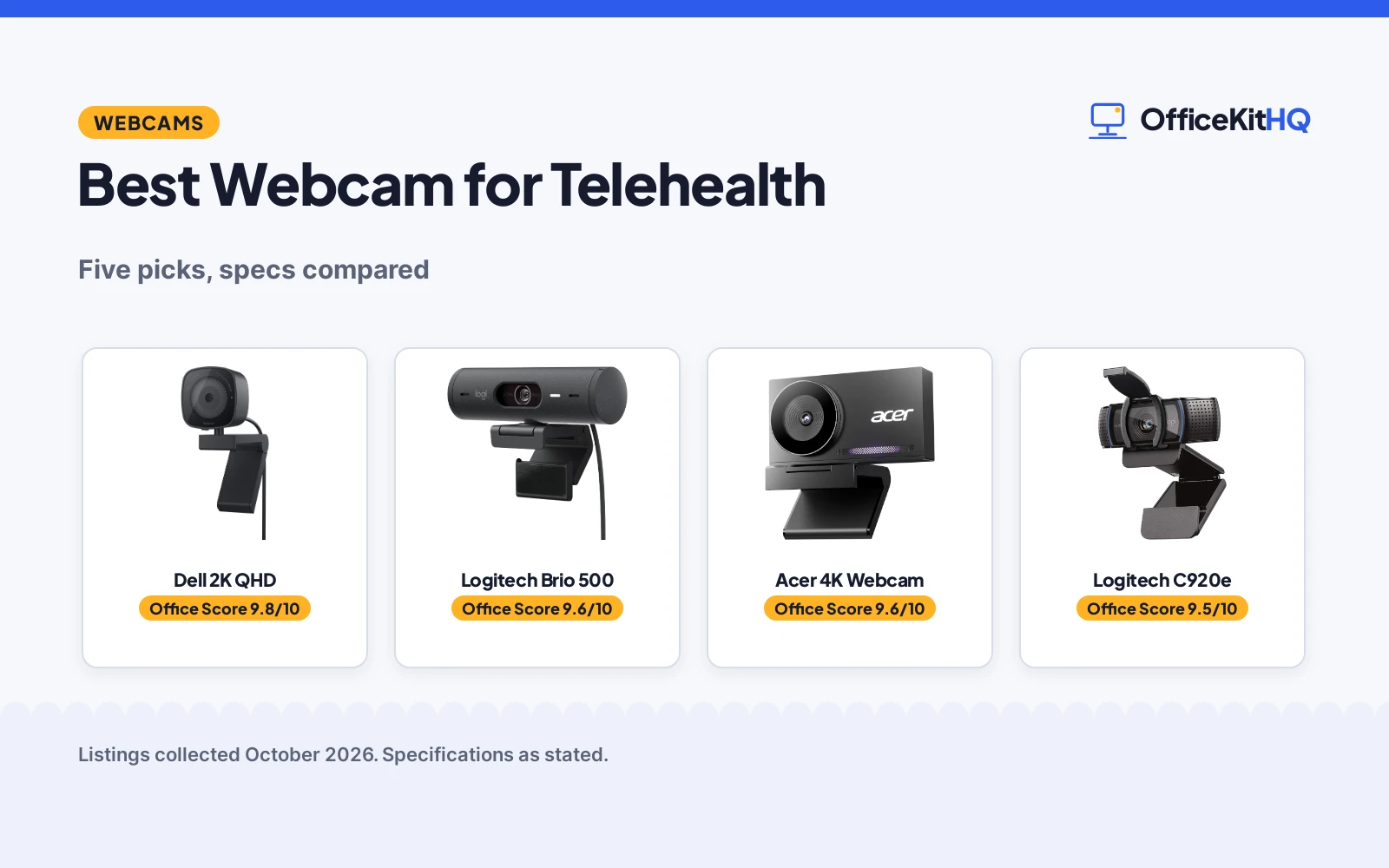
Telehealth lives or dies on video quality. A blurry, dark feed undermines trust; a clear, well-lit one lets the clinician see what matters, from a rash to a medication label. The best webcam for telehealth delivers sharp resolution, good low-light performance and clear audio for the patient side of the call, without demanding IT skills to set up. We compared five webcams from what their listings publish: resolution, sensor, microphone, privacy features and warranty.
OfficeKitHQ earns a commission when you buy through links on this page, at no extra cost to you. As an Amazon Associate I earn from qualifying purchases. Affiliate disclosure.
Quick picks
 Best Overall Dell 2K QHD: Dell 2K QHD with Sony sensor and 3-year warranty. Check price on Amazon
 Runner-Up Logitech Brio 500: Logitech Brio 500 1080p with auto light correction. Check price on Amazon
 4K Pick Acer 4K Webcam: Acer 4K with Sony 1-inch sensor, all-metal. Check price on Amazon
 Autofocus Logitech C920e: Logitech C920e 1080p with autofocus and dual mics. Check price on Amazon
 Privacy Pick Acer A610: Acer A610 1080p with noise-cancelling mics. Check price on Amazon
The picks
| # | Product | Office Score | Buy |
|---|---|---|---|
| 1 | Dell 2K QHD | 9.8/10 | Buy on Amazon |
| 2 | Logitech Brio 500 | 9.6/10 | Buy on Amazon |
| 3 | Acer 4K Webcam | 9.6/10 | Buy on Amazon |
| 4 | Logitech C920e | 9.5/10 | Buy on Amazon |
| 5 | Acer A610 | 9.4/10 | Buy on Amazon |

Dell 2K QHD
A 2K QHD webcam with Sony sensor, noise reduction mic and 3-year warranty for clear telehealth calls.
Pros
- 2K QHD resolution
- Sony sensor
- Noise reduction mic
- 3-year warranty
Cons
- Higher price tier
- No 4K
- Larger body
- No privacy shutter stated
Detailed Review
The Dell listing states a 2K QHD webcam (2560 pixels) with a Sony image sensor and noise reduction microphone. It describes uncompromised video quality for workspace setups. It states a 3-year warranty, the only stated warranty here.
For telehealth, the Sony sensor plus 2K resolution is the strongest imaging combo here, and the 3-year warranty suits daily clinical use. Who it's for: serious telehealth setups. Who should skip it: price-conscious buyers.
Practical note: the 3-year warranty is unusual for webcams and signals Dell's confidence. For a clinic buying several units, that warranty simplifies procurement. The 2K resolution hits the sweet spot where detail improves without demanding excessive bandwidth.
Its Office Score of 9.8/10 comes from performance 33/35, build 22/25, value 21/25, safety 8/10 and warranty 5/5: 89 of 100 points, placed on our 9.2 to 9.8 scale.
Key Specifications
| Resolution | 2560 pixels (2K QHD) |
|---|---|
| Sensor | Sony |
| Microphone | Noise reduction |
| Warranty | 3-year |
Figures as published on the retailer listing, collected 22 October 2026. Performance figures are manufacturer rated.
Safety and Warranty
What this listing states. Sony sensor, 2K QHD, so safety scores 8 of 10. 3 Years Warranty, so warranty scores 5 of 5. See How We Pick.
Light and privacy. Use the supplied adapter for ring lights, keep lights and cords away from drinks and paper, and cover or unplug a webcam when it is not in use.
This is general buying information, not professional advice. Follow each product manual and local rules, and see our Safety Disclaimer.

Pros
- 1080p Full HD
- Auto light correction
- Logitech brand
- Clear image
Cons
- No warranty stated
- No 2K/4K
- Mic not detailed
- No privacy shutter stated
Detailed Review
The Logitech listing states a Full HD 1080p webcam with auto light correction for outstanding image quality. It describes advanced image quality so everyone can see clearly. No warranty term is stated.
Auto light correction is genuinely useful for dim patient rooms. Who it's for: Logitech loyalists. Who should skip it: those wanting 2K+.
Practical note: auto light correction does the work of a ring light in software. In a room with one window, this can be the difference between a usable feed and a silhouette. Logitech's software support is a plus for non-technical users.
Its Office Score of 9.6/10 comes from performance 32/35, build 21/25, value 20/25, safety 7/10 and warranty 0/5: 80 of 100 points, placed on our 9.2 to 9.8 scale.
Key Specifications
| Resolution | 1080 pixels (Full HD) |
|---|---|
| Light | Auto light correction |
| Brand | Logitech |
| Warranty | Not stated |
Figures as published on the retailer listing, collected 22 October 2026. Performance figures are manufacturer rated.
Safety and Warranty
What this listing states. Auto light correction, so safety scores 7 of 10. No warranty term, so warranty scores zero. See How We Pick.
Light and privacy. Use the supplied adapter for ring lights, keep lights and cords away from drinks and paper, and cover or unplug a webcam when it is not in use.
This is general buying information, not professional advice. Follow each product manual and local rules, and see our Safety Disclaimer.

Acer 4K Webcam
The Acer 4K webcam with an all-metal unibody, a Sony 1/2 inch sensor, PDAF autofocus, 2 noise reduction mics and a privacy cover.
Pros
- Sony 1/2 inch sensor
- All-metal unibody build
- PDAF autofocus
- Privacy cover included
Cons
- No auto framing stated
- No HDR stated
- Fixed position camera
- No warranty stated
Detailed Review
The listing states UHD 4K resolution on a large Sony 1/2 inch CMOS sensor for balanced, true to life visuals and strong low light capture, an aerospace grade aluminum unibody with CNC machining and a matte finish, PDAF autofocus, 2 noise reduction microphones, a privacy cover, and a light 50 g body with fast cooling. It is the hardware-first camera of the set: metal, glass and sensor, with its spec table adding an f/1.8 maximum aperture.
Who it is for: podcasters who light their own set and want the camera itself, not software, to do the work. Who should skip it: movers and gesturers, since nothing here frames or follows you.
Its Office Score of 9.6/10 comes from performance 30/35, build 21/25, value 18/25, safety not scored (non-powered gear) and warranty 0/5: 69 of 90 points, placed on our 9.2 to 9.8 scale.
Key Specifications
| Sensor | Sony 1/2 inch |
|---|---|
| Resolution | 4K UHD |
| Focus | PDAF |
| Build | Aluminum unibody, 50 g |
Figures as published on the retailer listing, collected 22 October 2026. Performance figures are manufacturer rated.
Safety and Warranty
What this listing states. This product does not plug in or run on a battery, so safety is not part of its score. No warranty term, so warranty scores zero. See How We Pick.
Light and privacy. Use the supplied adapter for ring lights, keep lights and cords away from drinks and paper, and cover or unplug a webcam when it is not in use.
This is general buying information, not professional advice. Follow each product manual and local rules, and see our Safety Disclaimer.

Logitech C920e
A 1080p business webcam with autofocus, dual omnidirectional mics, Zoom certification and TAA compliance.
Pros
- Zoom certified and TAA compliant, per the listing
- Autofocus with 78-degree fixed field of view
- Two omnidirectional mics pick up voice to one meter
- Sturdy clip plus 1/4 inch tripod threads
Cons
- Warranty line is not a concrete term
- 1080p only, no 4K option stated
- Attachable privacy screen can be misplaced
- Heavier than the Brio 101 at 5.71 ounces
Detailed Review
Logitech lists the C920e as a 1080p business webcam with autofocus, a 78-degree fixed field of view and two integrated omnidirectional microphones that capture audio from up to one meter. It is certified for Zoom, TAA compliant and works with Teams and other platforms, with automatic light correction, an attachable privacy screen and a sturdy adjustable clip with 1/4 inch tripod threads. The warranty line only says a manufacturer's warranty can be requested from customer service, which is not a concrete term, so warranty scores zero.
Who it's for: a remote worker who wants Zoom certification and TAA compliance on a proven 1080p business camera. Who should skip it: anyone who needs a warranty term in writing or 4K resolution.
Its Office Score of 9.5/10 comes from performance 28/35, build 20/25, value 21/25, safety 7/10 and warranty 0/5: 76 of 100 points, placed on our 9.2 to 9.8 scale.
Key Specifications
| Resolution | 1080p |
|---|---|
| Focus | Autofocus |
| Field of view | 78 degrees |
| Certification | Zoom, TAA |
Figures as published on the retailer listing, collected 17 October 2026. Performance figures are manufacturer rated.
Safety and Warranty
What this listing states. Zoom certified and TAA compliant, per the listing, so safety scores 7 of 10. No warranty term, so warranty scores zero. See How We Pick.
Light and privacy. Use the supplied adapter for ring lights, keep lights and cords away from drinks and paper, and cover or unplug a webcam when it is not in use.
This is general buying information, not professional advice. Follow each product manual and local rules, and see our Safety Disclaimer.

Acer A610
A 1080p webcam with dual noise-reduction microphones, 83-degree field of view, 360-degree rotation and a 2-year warranty.
Pros
- Dual noise-reduction microphones stated
- 83-degree field of view with 360-degree rotation
- Automatic low-light correction and exposure adjustment
- 2-year warranty with privacy cover included
Cons
- Built-in media line says 4K webcam on a 1080p product
- No safety certification is stated
- Fixed focus only
- No speakers built in, per the listing
Detailed Review
Acer lists the A610 as a 1080p webcam with a CMOS sensor, dual noise-reduction microphones, automatic low-light correction and exposure adjustment, an 83-degree field of view and 360-degree rotation with a built-in privacy cover. It is plug-and-play over USB with a Type-A to Type-C adapter included, and works with Zoom, Teams, Skype and Google Meet. One contradiction: the built-in media line says 4K webcam while the title and specs say 1080p; we trust the 1080p figures. A 2-year warranty is stated.
Who it's for: a caller who wants noise-reduction mics and a rotatable mount with a 2-year warranty. Who should skip it: anyone who needs autofocus or a 4K image.
Its Office Score of 9.4/10 comes from performance 26/35, build 19/25, value 19/25, safety 0/10 and warranty 4/5: 68 of 100 points, placed on our 9.2 to 9.8 scale.
Key Specifications
| Resolution | 1080p |
|---|---|
| Focus | Fixed focus |
| Field of view | 83 degrees |
| Warranty | 2 years |
Figures as published on the retailer listing, collected 17 October 2026. Performance figures are manufacturer rated.
Safety and Warranty
What this listing states. This product does not plug in or run on a battery, so safety is not part of its score. 2 years. It does not say everything a buyer needs, such as who pays return shipping, so warranty scores 4 of 5. See How We Pick.
Light and privacy. Use the supplied adapter for ring lights, keep lights and cords away from drinks and paper, and cover or unplug a webcam when it is not in use.
This is general buying information, not professional advice. Follow each product manual and local rules, and see our Safety Disclaimer.
As an Amazon Associate I earn from qualifying purchases.
Compare the picks
| Webcam | Office Score | Resolution | Sensor | Warranty | Amazon |
|---|---|---|---|---|---|
| Dell 2K QHD | 9.8/10 | 2K QHD | Sony | 3-year | View on Amazon |
| Logitech Brio 500 | 9.6/10 | 1080p | Not stated | Not stated | View on Amazon |
| Acer 4K | 9.6/10 | 4K | Sony 1in | Not stated | |
| Logitech C920e | 9.6/10 | 1080p | Not stated | Not stated | View on Amazon |
| Acer A610 | 9.4/10 | 1080p | Not stated | Not stated | View on Amazon |
Webcam specifications as listed, collected 22 October 2026. Resolution and sensor details come from the manufacturer listings.
How we scored them
The Office Score weighs fit, build, value, safety and warranty. For telehealth, fit means resolution, low-light clarity and microphone quality; the Dell 2K leads with its Sony sensor and 3-year warranty. The score tables and cards show the totals.
| Product | Office Score | Perf. /35 | Build /25 | Value /25 | Safety /10 | Warranty /5 |
|---|---|---|---|---|---|---|
| Dell 2K QHD | 9.8 | 33 | 22 | 21 | 8 | 5 |
| Logitech Brio 500 | 9.6 | 32 | 21 | 20 | 7 | 0 |
Scores run from 9.2 to 9.8: each product’s point total is placed on that range, so more points always means a higher score.
How to choose the best webcam for telehealth
Resolution: 1080p minimum, 2K or 4K better
The Dell lists 2K QHD (2560 pixels); the Acer 4K lists 4K; the Logitech Brio 500, C920e and Acer A610 list 1080p. For telehealth, 1080p is the floor; higher resolution helps the clinician see detail. But resolution is only as good as the sensor and lighting behind it.
Sensor and low-light performance
The Dell lists a Sony image sensor; the Acer 4K lists a Sony 1-inch sensor; the Brio 500 lists auto light correction. Patient rooms are rarely studio-lit. A good sensor with light correction matters more than raw pixels in a dim room.
Microphone quality
The Dell lists noise reduction mic; the C920e lists dual mics; the Acer A610 lists noise-cancelling mics. Clear audio prevents misheard symptoms. For telehealth, a noise-cancelling mic is worth prioritizing; the listings for the Brio 500 and Acer 4K do not detail microphones.
Privacy shutter
The Acer A610 lists a privacy feature (likely a shutter). For telehealth, a physical shutter is reassurance, not just convenience. Check the listing for whether the shutter is physical or software.
Autofocus for movement
The C920e lists autofocus. Patients shift, lean in, hold up a rash or a pill bottle. Autofocus keeps the image sharp through movement; fixed-focus cams go soft at close range.
Warranty
The Dell states a 3-year warranty. The other four listings state no warranty term. A webcam used daily for clinical work deserves a stated warranty.
Field of view
The Dell listing states a 78° field of view. For telehealth, a moderate field of view like that frames the patient without showing the whole room. Too wide and the clinician sees clutter; too narrow and movement leaves the frame. The other listings state no field of view, so check their product pages before buying.
Mounting options
Most webcams clip to a monitor, but telehealth sometimes needs the camera off-axis: showing a wound on an arm, for example. The listings here do not describe tripod threads or mounts. A standard tripod thread is the most useful extra; without it, the camera is stuck on the monitor.
Compatibility
The Acer 4K lists PC and Mac; the C920e title mentions Zoom. Telehealth runs on browsers and apps across platforms. All five are USB webcams, which work broadly, but verify the specific telehealth platform’s requirements before committing.
Lighting beats resolution
A 1080p webcam in good light outperforms a 4K webcam in a dark room. The Brio 500’s auto light correction addresses this directly. If funds allow only one upgrade, add a lamp before adding pixels. See our best webcam with light for lit options.
Audio: headset vs webcam mic
Webcam mics work, but a headset mic is clearer and more private. The noise-cancelling mics on the Dell and Acer A610 narrow the gap. For shared spaces, a headset is still better; for a private office, the webcam mic suffices.
Value vs premium
The five here span from workhorse 1080p to 4K flagship. For most telehealth visits, the mid-range 1080p and 2K options deliver everything the clinician needs. Pay for 4K only if the use case demands fine visual detail; pay for the Dell’s warranty if the camera will see daily clinical use.
Setup Notes
Mount the webcam at eye level; a stack of books works if no mount is listed. Face a window or lamp, never sit with a bright window behind you. Check the mic in the telehealth app before the appointment, not during. Close other apps that use the camera to avoid conflicts. The listings do not state cable lengths, so measure from the desk to the computer. For the best results, position the camera about an arm’s length away and keep the background simple and uncluttered.
Frequently Asked Questions
What resolution do I need for telehealth?
1080p minimum. The Dell offers 2K QHD; the Acer 4K offers 4K; the other three list 1080p.
Which has the best warranty?
The Dell states a 3-year warranty. The others state none.
Which have noise-cancelling mics?
The Dell lists noise reduction; the Acer A610 lists noise-cancelling mics; the C920e lists dual mics.
Which is 4K?
The Acer 4K webcam lists 4K resolution with a Sony 1-inch sensor and all-metal unibody.
Do I need autofocus?
The C920e lists autofocus, which helps when showing close-up details during a visit.
Is 4K worth it for telehealth?
Only with the bandwidth to match. The Acer 4K offers the sharpest image here, but most telehealth platforms compress video heavily. 1080p or 2K is the practical sweet spot for typical home connections, and the Dell 2K plus the three 1080p options all clear that bar comfortably.
Related guides
See every peripheral guide. Also see our best webcam for streaming.
More picks: webcams.