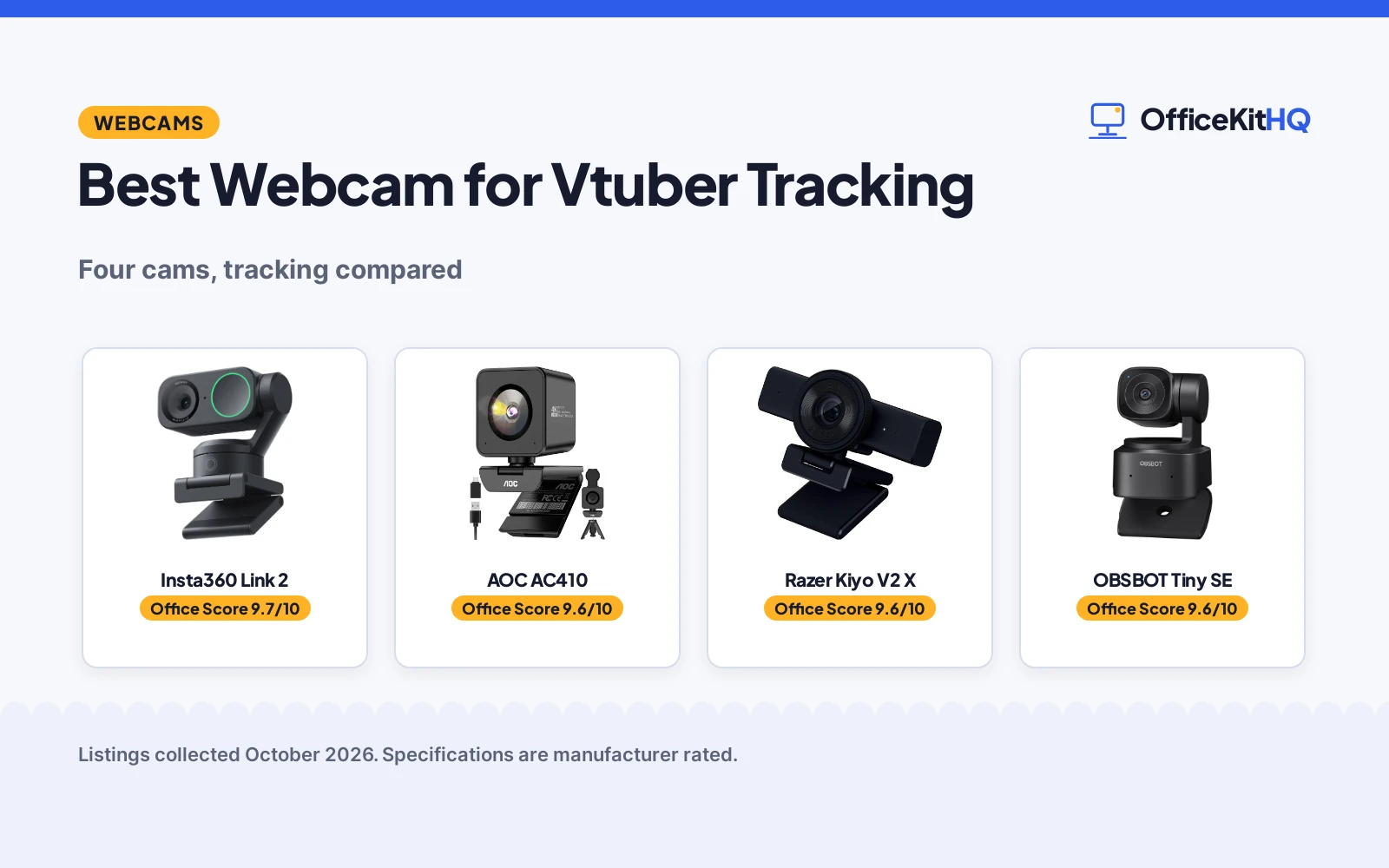
The best webcam for vtuber tracking is the one that keeps your avatar on screen while you lean, gesture and slide around the desk, because tracking is the whole point. My desk routine starts with a 9 a.m. call on a dim webcam and ends with cable spaghetti behind the monitor; a camera that pans and tilts to follow me solves half the framing problem by itself. We compared four webcams by stated tracking features, resolution, frame rate, privacy controls, connectivity and warranty term, using only what each listing publishes.
OfficeKitHQ earns a commission when you buy through links on this page, at no extra cost to you. As an Amazon Associate I earn from qualifying purchases. Affiliate disclosure.
Quick picks
 Best Overall Insta360 Link 2: 4K PTZ with AI tracking, PDAF and gesture control Check price on Amazon
 Best Warranty AOC AC410: 4K with PDAF, tripod included and a stated 2-year warranty Check price on Amazon
 Best 1440p Razer Kiyo V2 X: 1440p 60 FPS with AI auto-framing and privacy shutter Check price on Amazon
 Best Frame Rate OBSBOT Tiny SE: 1080p at 100 FPS with zone and bodypart AI tracking Check price on Amazon
The picks
| # | Product | Office Score | Buy |
|---|---|---|---|
| 1 | Insta360 Link 2 | 9.7/10 | Buy on Amazon |
| 2 | AOC AC410 | 9.6/10 | Buy on Amazon |
| 3 | Razer Kiyo V2 X | 9.6/10 | Buy on Amazon |
| 4 | OBSBOT Tiny SE | 9.6/10 | Buy on Amazon |

Insta360 Link 2
A 4K PTZ webcam with AI tracking that physically pans and tilts, gesture control and a tilt-down privacy mode.
Pros
- Physical PTZ: the camera pans and tilts to follow movement, per the listing
- 4K video with a stated 1/2-inch sensor, HDR and phase-detection autofocus
- Gesture control and remote smartphone control for tracking, zoom and whiteboard mode
- 1-year warranty stated, plus a tilt-down privacy mode after 10 seconds idle
Cons
- Not compatible with ARM-based Windows systems or Windows Hello, per the listing
- Spec table lists 1 9V battery as required, though the camera connects over USB
- Stated frame rate is absent, unlike the 100 FPS and 60 FPS figures on other picks
- DeskView, whiteboard and portrait modes need the free Link Controller software
Detailed Review
Insta360 lists the Link 2 as a 4K PTZ webcam with a 1/2-inch CMOS sensor, phase-detection autofocus, HDR and AI tracking that physically pans and tilts to follow movement. Gesture control starts tracking and zoom, DeskView and Whiteboard modes are stated, and the free Link Controller software handles settings. The listing states an AI noise-canceling mic, a tilt-down privacy mode after 10 seconds of inactivity, and compatibility with Teams, Zoom and Twitch. One contradiction: the spec table lists 1 9V battery as required, which does not match the USB connection in the title and bullets; we trust the title and bullets. The spec table also states a 1-year warranty.
Who it's for: streamers who want a camera that physically follows them around the room and a maker-stated 4K sensor. Who should skip it: anyone on an ARM-based Windows machine or who needs Windows Hello, which the listing rules out.
Its Office Score of 9.7/10 comes from performance 33/35, build 21/25, value 20/25, safety 7/10 and warranty 3/5: 84 of 100 points, placed on our 9.2 to 9.8 scale.
Key Specifications
| Video | 4K |
|---|---|
| Sensor | 1/2-inch CMOS |
| Tracking | PTZ AI tracking |
| Warranty | 1 year |
Figures as published on the retailer listing, collected 17 October 2026. Performance figures are manufacturer rated.
Safety and Warranty
What this listing states. Privacy mode tilts the camera down after 10 seconds of inactivity, so safety scores 7 of 10. 1 year warranty. It does not say everything a buyer needs, such as who pays return shipping, so warranty scores 3 of 5. See How We Pick.
Light and privacy. Use the supplied adapter for ring lights, keep lights and cords away from drinks and paper, and cover or unplug a webcam when it is not in use.
This is general buying information, not professional advice. Follow each product manual and local rules, and see our Safety Disclaimer.

AOC AC410
A 4K webcam with PDAF, a 75-degree field of view, a physical privacy shutter and an included tripod.
Pros
- 4K (2160p) with a stated flagship IMX363 sensor and phase-detection autofocus
- 1080p at 60 FPS with a physical privacy shutter and noise-canceling mic
- Desktop tripod and USB A-to-C adapter included in the box
- 2-year warranty stated, the longest term here
Cons
- Fixed lens with no tracking feature stated
- Spec table lists both maximum and minimum focal length as 20 centimeters
- 75-degree FOV is narrower than the Razer's stated 80 degrees
- No frame-rate option above 1080p at 60 FPS is stated
Detailed Review
AOC lists the AC410 as a 4K webcam with a flagship IMX363 sensor, phase-detection autofocus, 1080p at 60 FPS, a 75-degree field of view, automatic light correction, a noise-canceling mic and a physical privacy shutter. The box includes a desktop tripod and a USB A-to-C adapter, and the camera is listed as driver-free. One oddity: the spec table lists both the maximum and minimum focal length as 20 centimeters, which the bullets do not explain; we trust the bullets. The spec table states a 2-year warranty.
Who it's for: callers who want stated 4K with a tripod and the longest warranty term here. Who should skip it: VTubers who need tracking, which this listing does not state.
Its Office Score of 9.6/10 comes from performance 27/35, build 20/25, value 21/25, safety 7/10 and warranty 4/5: 79 of 100 points, placed on our 9.2 to 9.8 scale.
Key Specifications
| Video | 4K (2160p) |
|---|---|
| Focus | PDAF |
| FOV | 75 degrees |
| Warranty | 2 years |
Figures as published on the retailer listing, collected 17 October 2026. Performance figures are manufacturer rated.
Safety and Warranty
What this listing states. Physical privacy shutter, so safety scores 7 of 10. 2 year warranty. It does not say everything a buyer needs, such as who pays return shipping, so warranty scores 4 of 5. See How We Pick.
Light and privacy. Use the supplied adapter for ring lights, keep lights and cords away from drinks and paper, and cover or unplug a webcam when it is not in use.
This is general buying information, not professional advice. Follow each product manual and local rules, and see our Safety Disclaimer.

Razer Kiyo V2 X
A 1440p 60 FPS webcam with AI auto-framing, an ultrawide lens and an integrated privacy shutter.
Pros
- 1440p at 60 FPS with stated AI-powered auto-framing
- Ultrawide-angle lens with a stated 80-degree viewing angle
- Integrated privacy shutter and built-in mic
- Universal pivoting mount with a built-in tripod thread; 1-year manufacturer warranty stated
Cons
- Fixed lens, no physical pan or tilt tracking
- Spec table lists a maximum focal length of 3 mm and a minimum of 20 mm, which reads backwards
- Razer Synapse is needed for presets and fine-tuning
- Compatibility is limited to Windows 10 64-bit or higher and macOS 14 or higher
Detailed Review
Razer lists the Kiyo V2 X as a 1440p webcam at 60 FPS with AI-powered auto-framing, fast autofocus, a built-in mic, an ultrawide-angle lens and an integrated privacy shutter. The universal pivoting mount tilts and swivels on a monitor or fixes to a tripod via a built-in thread, and Razer Synapse handles presets and fine-tuning. Compatibility is listed as Windows 10 64-bit or higher and macOS 14 or higher. One oddity: the spec table lists a maximum focal length of 3 mm and a minimum focal length of 20 mm, which reads backwards against the ultrawide lens in the bullets; we trust the bullets. The spec table states a 1-year manufacturer warranty.
Who it's for: streamers who want 1440p at 60 FPS with auto-framing and a physical privacy shutter. Who should skip it: anyone who needs physical pan-and-tilt tracking or 4K.
Its Office Score of 9.6/10 comes from performance 28/35, build 20/25, value 20/25, safety 7/10 and warranty 3/5: 78 of 100 points, placed on our 9.2 to 9.8 scale.
Key Specifications
| Video | 1440p |
|---|---|
| Frame rate | 60 FPS |
| Viewing angle | 80 degrees |
| Warranty | 1 year manufacturer |
Figures as published on the retailer listing, collected 17 October 2026. Performance figures are manufacturer rated.
Safety and Warranty
What this listing states. Integrated privacy shutter, so safety scores 7 of 10. 1 year manufacturer. It does not say everything a buyer needs, such as who pays return shipping, so warranty scores 3 of 5. See How We Pick.
Light and privacy. Use the supplied adapter for ring lights, keep lights and cords away from drinks and paper, and cover or unplug a webcam when it is not in use.
This is general buying information, not professional advice. Follow each product manual and local rules, and see our Safety Disclaimer.

OBSBOT Tiny SE
A 1080p 100 FPS webcam with PTZ AI tracking, zone and bodypart tracking, and gesture control.
Pros
- Stated 1080p at 100 FPS and 720p at 150 FPS, the highest stated frame rates here
- AI tracking with zone tracking and bodypart tracking, plus customizable presets
- 1/2.8-inch stacked CMOS with dual native ISO and staggered HDR
- 1-year warranty stated; works with Stream Deck, hotkeys and OSC
Cons
- 1080p max resolution, below the 4K and 1440p picks
- No privacy shutter or privacy mode is stated
- Spec table lists a 2.8-inch LCD screen and viewfinder that the title and bullets never mention
- Spec table lists a 1.5 g item weight, which does not read as a PTZ webcam weight
Detailed Review
OBSBOT lists the Tiny SE as a 1080p webcam with AI PTZ tracking, including zone tracking and bodypart tracking, gesture control 2.0, and preset positions with per-preset parameters. The listing states 1080p at 100 FPS and 720p at 150 FPS, a 1/2.8-inch stacked CMOS sensor, dual native ISO, staggered HDR and 4x digital zoom, with USB connection and Stream Deck and hotkey support. Two spec table lines do not match the rest: a 2.8-inch LCD screen and viewfinder are listed though the title and bullets describe a lens-only webcam, and the item weight is listed as 1.5 g. We trust the title and bullets. The spec table states a 1-year warranty.
Who it's for: VTubers and streamers who want the highest stated frame rates and zone-based tracking on a USB camera. Who should skip it: anyone who wants 4K resolution or a stated privacy shutter.
Its Office Score of 9.6/10 comes from performance 32/35, build 20/25, value 21/25, safety 0/10 and warranty 3/5: 76 of 100 points, placed on our 9.2 to 9.8 scale.
Key Specifications
| Video | 1080P@100FPS |
|---|---|
| Tracking | PTZ AI, zone and bodypart |
| Digital zoom | 4x |
| Warranty | 1 year |
Figures as published on the retailer listing, collected 17 October 2026. Performance figures are manufacturer rated.
Safety and Warranty
What this listing states. This product does not plug in or run on a battery, so safety is not part of its score. 1 year warranty. It does not say everything a buyer needs, such as who pays return shipping, so warranty scores 3 of 5. See How We Pick.
Light and privacy. Use the supplied adapter for ring lights, keep lights and cords away from drinks and paper, and cover or unplug a webcam when it is not in use.
This is general buying information, not professional advice. Follow each product manual and local rules, and see our Safety Disclaimer.
As an Amazon Associate I earn from qualifying purchases.
Compare the picks
| Webcam | Office Score | Resolution | Tracking | Privacy | Warranty | Amazon |
|---|---|---|---|---|---|---|
| Insta360 Link 2 | 9.7/10 | 4K | PTZ AI tracking, gesture control | Tilt-down privacy mode | 1 year | View on Amazon |
| AOC AC410 | 9.6/10 | 4K | None stated | Physical privacy shutter | 2 years | View on Amazon |
| Razer Kiyo V2 X | 9.6/10 | 1440p | AI auto-framing | Integrated privacy shutter | 1 year | View on Amazon |
| OBSBOT Tiny SE | 9.6/10 | 1080p | PTZ AI, zone and bodypart tracking | Not stated | 1 year | View on Amazon |
Specifications are manufacturer rated as listed, collected 17 October 2026.
How we scored them
The Office Score weighs performance (stated tracking features, resolution and frame rate), build, value for the stated specs, safety and warranty. For a webcam, safety means a stated privacy feature such as a physical shutter or a tilt-down privacy mode; three of the four picks name one, and the OBSBOT does not. All four listings state a warranty term: 1 year for the Insta360, OBSBOT and Razer, and 2 years for the AOC. How we pick explains the weights.
| Product | Office Score | Perf. /35 | Build /25 | Value /25 | Safety /10 | Warranty /5 |
|---|---|---|---|---|---|---|
| Insta360 Link 2 | 9.7 | 33 | 21 | 20 | 7 | 3 |
| AOC AC410 | 9.6 | 27 | 20 | 21 | 7 | 4 |
| Razer Kiyo V2 X | 9.6 | 28 | 20 | 20 | 7 | 3 |
| OBSBOT Tiny SE | 9.6 | 32 | 20 | 21 | 0 | 3 |
Scores run from 9.2 to 9.8: each product’s point total is placed on that range, so more points always means a higher score.
How to choose the best webcam for vtuber tracking
Tracking that actually moves
Two of these cameras physically move. The Insta360 Link 2 pans and tilts to follow movement around the room, with gesture control to start tracking or zoom. The OBSBOT Tiny SE goes further on software, with zone tracking that limits the area it follows and bodypart tracking for the upper body or hands, plus preset positions with per-preset tracking modes. The Razer Kiyo V2 X does AI-powered auto-framing on a fixed lens, which keeps you centered but cannot follow you across the room, and the AOC AC410 states no tracking feature at all. If your avatar software reads body motion, a moving camera like the Insta360 or OBSBOT gives it more to work with. For a face-focused setup, see our webcam for VTubing face tracking guide.
| Webcam | Tracking | Resolution | Frame rate |
|---|---|---|---|
| Insta360 Link 2 | PTZ AI tracking, gesture control | 4K | Not stated |
| AOC AC410 | None stated | 4K (2160p) | 1080p at 60 FPS |
| Razer Kiyo V2 X | AI auto-framing | 1440p | 60 FPS |
| OBSBOT Tiny SE | PTZ AI, zone and bodypart tracking | 1080p | 1080p at 100 FPS |
Resolution and frame rate for avatars
The Insta360 and AOC state 4K, the Razer states 1440p at 60 FPS, and the OBSBOT states 1080p at 100 FPS with 720p at 150 FPS. VTuber rigs usually care more about frame rate than pixels, since smooth motion keeps the avatar from jittering; the OBSBOT’s stated 100 FPS is the highest figure here. The AOC pairs 4K with 1080p at 60 FPS and automatic light correction, which suits a dim desk corner better than a bright studio. None of the four states a low-light lux figure, so treat dim-room claims as the maker’s word. For shooting in poor light, see our webcam for light correction guide.
Privacy when the stream ends
A camera that watches you all day should have an off switch you can see. The Razer Kiyo V2 X has an integrated privacy shutter, the AOC AC410 has a physical privacy shutter, and the Insta360 Link 2 tilts down automatically after 10 seconds of inactivity. The OBSBOT Tiny SE states no privacy feature, which matters if the camera sits on a shared desk. A physical cover beats software every time, because it cannot be overridden by an app.
Desk fit and cable planning
All four connect over USB. The Insta360 box includes a USB-C cable and a USB-C to A adapter with a magnetic mount, and the OBSBOT includes a USB-C cable and adapter. The AOC ships with a desktop tripod and a USB A-to-C adapter and is listed as driver-free, while the Razer has a universal pivoting mount that tilts and swivels on a monitor or fixes to a tripod via its built-in thread. Plan one free USB port and a cable route that reaches your hub without crossing your keyboard. Note the compatibility caveat: the Insta360 listing says it is not compatible with ARM-based Windows systems or Windows Hello. Browse the whole webcams and ring lights category for mounts and lighting to pair with any of these.
Setup Notes
- Check the mount first: the Razer mount tilts and swivels on a monitor or fixes to a tripod via its built-in thread, and the AOC ships with a desktop tripod.
- Plan one USB port and a cable route: the Insta360 box includes a USB-C cable and a USB-C to A adapter, the OBSBOT includes a USB-C cable and adapter, and the AOC includes a USB A-to-C adapter.
- Mind the compatibility line: the Insta360 listing says it is not compatible with ARM-based Windows systems or Windows Hello Face Recognition.
- Budget a software install: the Insta360 uses the free Link Controller software, Razer uses Synapse, and the OBSBOT supports Stream Deck and global hotkeys.
Frequently Asked Questions
Which webcam tracks movement for VTubers?
The Insta360 Link 2 physically pans and tilts to follow movement, and the OBSBOT Tiny SE adds zone tracking and bodypart tracking with preset positions. The Razer Kiyo V2 X does AI auto-framing on a fixed lens, and the AOC AC410 states no tracking.
What frame rate do VTuber tracking setups want?
The OBSBOT Tiny SE states the highest figures here: 1080p at 100 FPS and 720p at 150 FPS. The AOC AC410 and Razer Kiyo V2 X state 60 FPS, and the Insta360 Link 2 states no frame rate. Higher stated frame rates give smoother avatar motion.
Do any of these work with Windows Hello?
The Insta360 Link 2 listing says it is not compatible with Windows Hello Face Recognition. None of the other three ranked picks state Windows Hello support.
Which webcams have a privacy shutter?
The Razer Kiyo V2 X has an integrated privacy shutter and the AOC AC410 has a physical privacy shutter. The Insta360 Link 2 tilts down after 10 seconds of inactivity. The OBSBOT Tiny SE states no privacy feature.
Which of these include a tripod?
The AOC AC410 includes a desktop tripod. The Razer Kiyo V2 X has a built-in tripod thread so you can add your own. The Insta360 and OBSBOT listings include cables and adapters but no tripod.
Related guides
See every webcams and ring lights guide and all monitor mounts, keyboards and mice guides.
More picks: webcam for Zoom and Teams meetings, portable ring light for laptop, webcam with speaker and microphone.