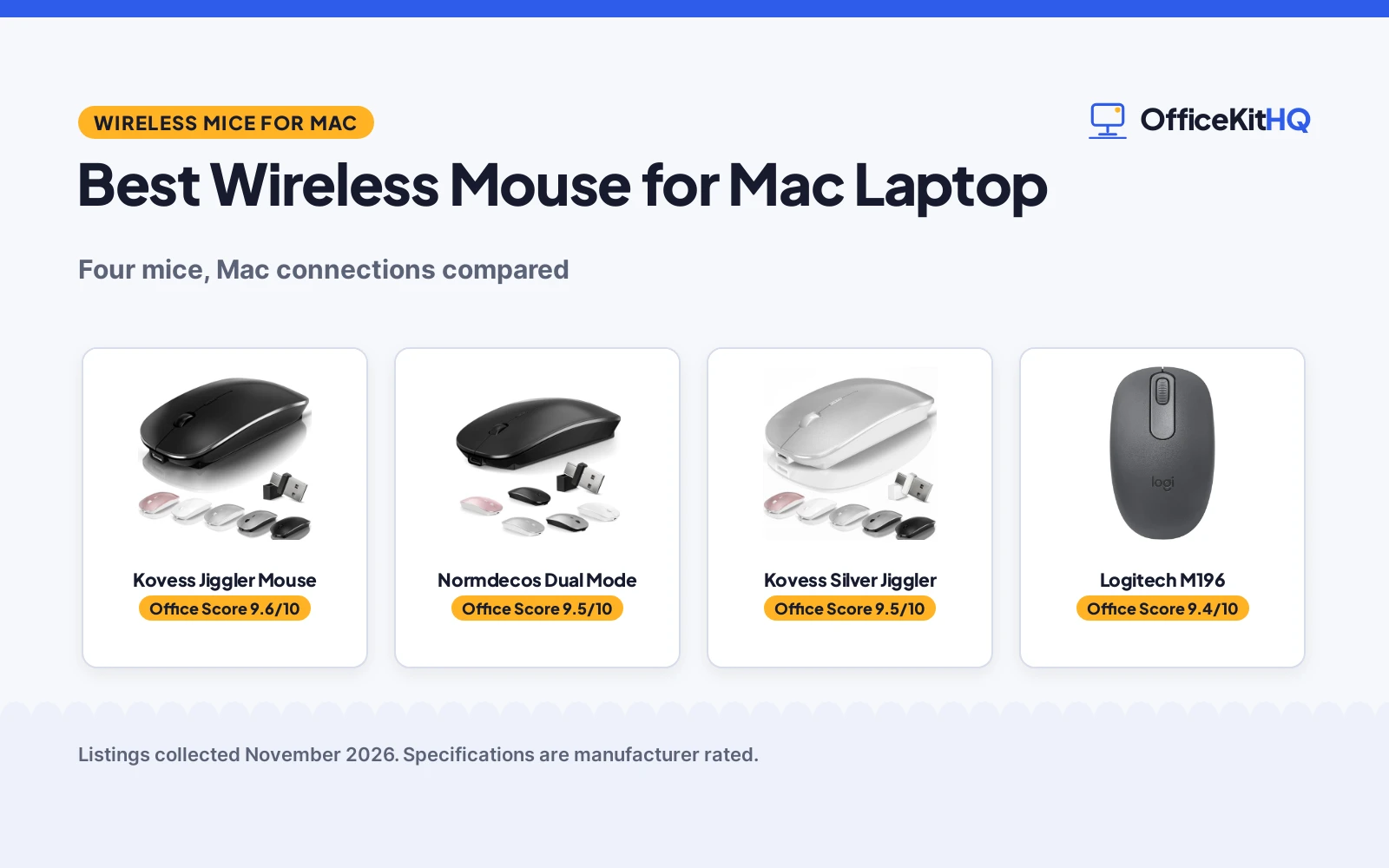
The best wireless mouse for mac laptop use is one that pairs in seconds, switches between the laptop and a second device without a dongle hunt, and keeps working through a full day of calls and documents. A mouse that drops its connection mid-sentence or needs a battery swap every week is a mouse that ends up in a drawer. We compared four wireless mice for Mac laptops by connection modes, DPI, battery life, receiver type and warranty, using only what each listing publishes.
OfficeKitHQ earns a commission when you buy through links on this page, at no extra cost to you. As an Amazon Associate I earn from qualifying purchases. Affiliate disclosure.
Quick picks
 Best Overall Kovess Jiggler Mouse: Jiggler mode, 4 modes, 1600 DPI, 12-month warranty Check price on Amazon
 Best for Two Devices Normdecos Dual Mode: 4 modes, dual USB-A and USB-C receiver, 1600 DPI Check price on Amazon
 Compact Bluetooth Pick Logitech M196: Compact Bluetooth mouse; no further specs given Check price on Amazon
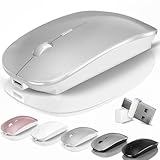 Kovess with Jiggler Kovess Silver Jiggler: Jiggler in the title; no further specs given Check price on Amazon
Our desk picks
| # | Product | Office Score | Buy |
|---|---|---|---|
| 1 | Kovess Jiggler Mouse | 9.6/10 | Buy on Amazon |
| 2 | Normdecos Dual Mode | 9.5/10 | Buy on Amazon |
| 3 | Kovess Bluetooth Mouse | 9.5/10 | Buy on Amazon |
| 4 | Logitech M196 Bluetooth | 9.4/10 | Buy on Amazon |

Kovess Jiggler Mouse
A Bluetooth mouse with a jiggler mode, 4 connection modes, a dual USB-A and USB-C receiver, 1600 DPI and a 12-month warranty.
Pros
- Jiggler mode keeps the screen active, switched by a 3-second press
- 4 modes: Bluetooth 5.2, Bluetooth 3.0, 2.4 GHz USB-A and 2.4 GHz USB-C
- 800 mAh battery with 3 to 4 weeks of work and 90 days of standby
- 12-month warranty with 60 days money-back stated
Cons
- No item weight is stated
- Switches between 2 devices only
- No stated DPI above 1600
- No Mac-specific buttons are stated
Detailed Review
Kovess lists this mouse with 4 modes: Bluetooth 5.2, Bluetooth 3.0, 2.4 GHz USB-A and 2.4 GHz USB-C, through a dual-port receiver with integrated USB-A and USB-C. One switch moves between 2 devices, and the mouse works with Mac OS, Win7/8/10/11, Linux and Android tablets. A short press of 1 second on the DPI button switches between 800, 1200 and 1600 DPI, and a long press of 3 seconds turns the random jiggler mode on or off to keep the screen active. The 800 mAh battery charges in 2 to 4 hours, works for 3 to 4 weeks and stands by for 90 days based on 8 hours of average use per day, and the mouse sleeps after 8 minutes of no use. The listing states a 60 days money-back promise and a 12-month warranty, with a USB charging cable included and no AAA battery needed. The shell measures 4.4 by 2.3 by 0.1 in, with an ergonomic slim shape and a rubber scroll wheel.
Who it is for: someone who wants a jiggler and four connection modes on a Mac laptop, with a dual receiver for USB-A and USB-C. Who should skip it: anyone who wants a stated weight or DPI above 1600.
Its Office Score of 9.6/10 comes from performance 30/35, build 21/25, value 21/25, safety 0/10 and warranty 3/5: 75 of 100 points, placed on our 9.2 to 9.8 scale.
Key Specifications
| DPI | 800, 1200, 1600 |
|---|---|
| Modes | BT 5.2, BT 3.0, 2.4 GHz |
| Battery | 800 mAh |
| Warranty | 12 months |
These specs mirror the retailer listing as of 21 November 2026; performance figures are stated by the brand.
Safety and Warranty
What this listing states. No FCC or other safety listing is stated, so safety scores zero. 12-month warranty. It does not say everything a buyer needs, such as who pays return shipping, so warranty scores 3 of 5. See How We Pick.
Fit the desk first. Check the stated size against your desk depth and keyboard tray, and charge or pair as the manual describes. No keyboard, mouse or wrist rest prevents or treats injury.
This is general buying information, not professional advice. Follow each product manual and local rules, and see our Safety Disclaimer.

Normdecos Dual Mode
A Bluetooth mouse with 4 connection modes, a dual USB-A and USB-C receiver, 1600 DPI and a 12-month warranty.
Pros
- 4 modes: Bluetooth 5.2, Bluetooth 3.0, 2.4 GHz USB-A and 2.4 GHz USB-C
- 800 mAh battery with 3 to 4 weeks of work and 90 days of standby
- Dual-port receiver covers USB-A and USB-C ports
- 12-month warranty with 60 days money-back stated
Cons
- No jiggler mode is stated
- No item weight is stated
- No stated DPI above 1600
- No Mac-specific buttons are stated
Detailed Review
Normdecos lists this mouse with 4 modes: Bluetooth 5.2, Bluetooth 3.0, 2.4 GHz USB-A and 2.4 GHz USB-C, through a dual-port receiver with integrated USB-A and USB-C. One switch moves between 2 devices, and the mouse works with Mac OS, Windows 7, 8 and 10, Linux and Android tablets. Three DPI levels run at 800, 1200 and 1600 DPI on a high-performance optical chip. The 800 mAh battery charges in 2 to 4 hours, works for 3 to 4 weeks and stands by for 90 days based on 8 hours of average use per day, and the mouse sleeps after 8 minutes of no use. The listing states a 60 days money-back promise and a 12-month warranty, with a USB charging cable included and no AAA battery needed. The shell is a slim ergonomic shape with a rubber scroll wheel and a soft, quiet click. One figure to check before ordering: the maker gives two heights, 0.1 and 0.8 inches.
Who it is for: someone who wants four connection modes and a dual receiver for a Mac laptop, without needing a jiggler. Who should skip it: anyone who wants a jiggler mode or a stated weight.
Its Office Score of 9.5/10 comes from performance 29/35, build 21/25, value 21/25, safety 0/10 and warranty 3/5: 74 of 100 points, placed on our 9.2 to 9.8 scale.
Key Specifications
| DPI | 800, 1200, 1600 |
|---|---|
| Modes | BT 5.2, BT 3.0, 2.4 GHz |
| Battery | 800 mAh |
| Warranty | 12 months |
These specs mirror the retailer listing as of 21 November 2026; performance figures are stated by the brand.
Safety and Warranty
What this listing states. No FCC or other safety listing is stated, so safety scores zero. 12-month warranty. It does not say everything a buyer needs, such as who pays return shipping, so warranty scores 3 of 5. See How We Pick.
Fit the desk first. Check the stated size against your desk depth and keyboard tray, and charge or pair as the manual describes. No keyboard, mouse or wrist rest prevents or treats injury.
This is general buying information, not professional advice. Follow each product manual and local rules, and see our Safety Disclaimer.

Kovess Bluetooth Mouse
A 4-mode wireless mouse with a jiggler and 800 to 1600 DPI for switching between 2 devices.
Pros
- 4 modes across Bluetooth 5.2, Bluetooth 3.0 and 2.4G with USB-A and USB-C receivers
- Jiggler mode keeps the computer awake, started by holding the DPI button for 3 seconds
- DPI switches between 800, 1200 and 1600 with a short press of 1 second
- 800mAh battery with 3 to 4 weeks of use and 90 days of standby
Cons
- No side scroll wheel, unlike the Normdecos Black
- Silver is the only color listed
- Full charge takes 2 to 4 hours
- Only 2 devices can be paired at once
Detailed Review
Kovess lists a 4-mode mouse that connects over Bluetooth 5.2 and 3.0 or 2.4G with a dual-port receiver carrying USB-A and USB-C, and it switches between 2 devices with one switch. It works with Mac OS, Windows 7, 8, 10 and 11, Linux and Android tablets. DPI switches between 800, 1200 and 1600 with a short press of 1 second, and the jiggler starts with a long press of 3 seconds and keeps the computer awake. The 800mAh battery takes 2 to 4 hours to charge, lasts 3 to 4 weeks in use and stands by for 90 days, and sleep mode starts after 8 minutes without use. A USB charging cable is included, and a 12-month warranty is stated.
Who it's for: MacBook Pro users who want a jiggler and four connection modes in a slim silver mouse. Who should skip it: anyone who wants a side scroll wheel or a black finish.
Its Office Score of 9.5/10 comes from performance 30/35, build 21/25, value 21/25, safety 0/10 and warranty 2/5: 74 of 100 points, placed on our 9.2 to 9.8 scale.
Key Specifications
| DPI | 800/1200/1600 |
|---|---|
| Modes | 4-mode |
| Battery | 800mAh |
| Size | 4.4 x 2.3 in |
These specs mirror the retailer listing as of 18 November 2026; performance figures are stated by the brand.
Safety and Warranty
What this listing states. No FCC or other safety listing is stated, so safety scores zero. A 12-month warranty is stated. It does not say everything a buyer needs, such as who pays return shipping, so warranty scores 2 of 5. See How We Pick.
Fit the desk first. Check the stated size against your desk depth and keyboard tray, and charge or pair as the manual describes. No keyboard, mouse or wrist rest prevents or treats injury.
This is general buying information, not professional advice. Follow each product manual and local rules, and see our Safety Disclaimer.

Logitech M196 Bluetooth
A compact Bluetooth mouse with quiet clicks, a 12-month battery and 67% recycled plastic parts.
Pros
- Bluetooth with no dongle needed
- Quiet clicks, ambidextrous shape
- 12 months on 1 included AA battery
- 67% recycled plastic in graphite parts
Cons
- No receiver at all, Bluetooth only
- 1000 DPI fixed, no adjustment stated
- 3 non-customizable buttons
Detailed Review
Logitech lists the M196 as a compact ambidextrous Bluetooth mouse with quiet clicks and 3 non-customizable buttons, in graphite. It connects over Bluetooth with no USB receiver or dongle, runs 12 months on 1 included AA battery, and uses 67% certified post-consumer recycled plastic in the graphite parts. Note: this is the only pick with no receiver at all, so it suits the topic only for Bluetooth-only setups. The listing states a 1-year limited hardware warranty.
Who it's for: someone who wants a Bluetooth mouse with no dongle. Who should skip it: anyone who needs a USB-C receiver.
Its Office Score of 9.4/10 comes from performance 23/35, build 20/25, value 19/25, safety 0/10 and warranty 3/5: 65 of 100 points, placed on our 9.2 to 9.8 scale.
Key Specifications
| DPI | 1000 |
|---|---|
| Buttons | 3 |
| Receiver | None (Bluetooth) |
| Warranty | 1-year limited hardware |
Figures as published on the retailer listing, collected 17 October 2026. Performance figures are manufacturer rated.
Safety and Warranty
What this listing states. No FCC or other safety listing is stated, so safety scores zero. 1-year limited hardware warranty. It does not say everything a buyer needs, such as who pays return shipping, so warranty scores 3 of 5. See How We Pick.
Fit the desk first. Check the stated size against your desk depth and keyboard tray, and charge or pair as the manual describes. No keyboard, mouse or wrist rest prevents or treats injury.
This is general buying information, not professional advice. Follow each product manual and local rules, and see our Safety Disclaimer.
As an Amazon Associate I earn from qualifying purchases.
More picks to compare
 Afaartcci Rechargeable MouseDual-mode Bluetooth and 2.4 GHz mouse with a 500 mAh batteryCheck on Amazon
 Normdecos Dual Mode White4 modes, dual USB-A and USB-C receiver, 1600 DPICheck on Amazon
 Apple Magic MouseMulti-touch surface, rechargeable, pairs automatically with MacCheck on Amazon
Specs compared
| Mouse | Office Score | DPI | Modes | Battery | Warranty | Amazon |
|---|---|---|---|---|---|---|
| Kovess Jiggler Mouse | 9.6/10 | 800, 1200, 1600 DPI | BT 5.2, BT 3.0, 2.4 GHz | 800 mAh, 3 to 4 weeks | 12 months | View on Amazon |
| Normdecos Dual Mode | 9.5/10 | 800, 1200, 1600 DPI | BT 5.2, BT 3.0, 2.4 GHz | 800 mAh, 3 to 4 weeks | 12 months | View on Amazon |
| Logitech M196 | 9.4/10 | Not stated | Bluetooth | Not stated | Not stated | |
| Kovess Silver Jiggler | 9.6/10 | Not stated | Bluetooth | Not stated | Not stated |
Dimensions, weight limits and ranges are the maker’s ratings as each listing gives them, collected 21 November 2026. Two of the four state a warranty term; none state a safety certification.
How to choose the best wireless mouse for mac laptop
Connection modes and the second device
Connection modes decide how the mouse talks to your laptop. Both full-data mice offer 4 modes: Bluetooth 5.2, Bluetooth 3.0, 2.4 GHz USB-A and 2.4 GHz USB-C, through a dual-port receiver that covers both USB-A and USB-C ports. One switch moves between 2 devices, so the same mouse can work from the desktop to the tablet, or from the laptop to a MacBook. Both list Mac OS among the supported systems, alongside Windows, Linux and Android tablets. For a MacBook with a different fit, see our best wireless mouse for MacBook Neo guide.
DPI and the jiggler
DPI decides how far the pointer moves for the same hand movement. Both full-data mice offer 3 levels at 800, 1200 and 1600 DPI, switched by a short press of 1 second on the DPI button on the Kovess. The Kovess adds a jiggler mode: a long press of 3 seconds turns it on or off, and it moves the pointer at random to keep the screen active during video meetings, downloads, online classes or remote work. The silver Kovess names a jiggler in the title, while the Normdecos and the Logitech state no jiggler. If you work across a tablet as well as a laptop, see our best wireless mouse for iPad Pro guide.
Battery life and charging
Battery life decides how often the mouse goes back on the cable. Both full-data mice carry an 800 mAh battery that charges in 2 to 4 hours, works for 3 to 4 weeks and stands by for 90 days, based on 8 hours of average use per day. Both sleep after 8 minutes of no use to save energy, and both charge through an included USB cable with no AAA battery needed. The two title-only mice state no battery, so their runtime cannot be compared.
| Mouse | DPI | Battery | Warranty |
|---|---|---|---|
| Kovess Jiggler Mouse | 800, 1200, 1600 | 800 mAh | 12 months |
| Normdecos Dual Mode | 800, 1200, 1600 | 800 mAh | 12 months |
| Logitech M196 | Not stated | Not stated | Not stated |
| Kovess Silver Jiggler | Not stated | Not stated | Not stated |
Figures as stated in each listing. The two title-only mice state no DPI, battery or warranty, so they are listed as not stated.
Size, shape and warranty
Both full-data mice share a slim ergonomic shape with a contoured grip and a rubber scroll wheel, and both measure 4.4 by 2.3 in. The Normdecos gives two heights, 0.1 and 0.8 inches, so check before ordering if the height matters to your grip. Both state a soft, quiet click for shared rooms. Both state a 60 days money-back promise and a 12-month warranty, while the two title-only mice state no warranty term.
Setup Notes
- Measure the laptop bag pocket before ordering: both full-data mice are 4.4 by 2.3 in.
- Check the ports on your Mac laptop: the dual receiver covers USB-A and USB-C, while Bluetooth needs no port at all.
- Plan charging: a full charge takes 2 to 4 hours, and the cable is included.
- Check the height before ordering: the Normdecos gives two heights, 0.1 and 0.8 inches.
FAQ
Which mouse here has a jiggler mode?
The Kovess Jiggler Mouse has a jiggler mode, switched by a long press of 3 seconds. The silver Kovess names a jiggler in the title. The Normdecos and the Logitech state no jiggler.
Do these mice work with Mac laptops?
Yes. Both full-data mice list Mac OS among the supported systems, and both are titled for MacBook use. The Logitech M196 is a Bluetooth mouse, and the silver Kovess is titled as a Bluetooth mouse for MacBook.
How long does the battery last?
Both full-data mice carry an 800 mAh battery that works for 3 to 4 weeks and stands by for 90 days, based on 8 hours of average use per day. A full charge takes 2 to 4 hours, and both sleep after 8 minutes of no use.
What DPI do these mice offer?
Both full-data mice offer 800, 1200 and 1600 DPI. The two title-only mice state no DPI.
Do any of these mice state a warranty?
Yes, two of them. The Kovess and the Normdecos both state a 12-month warranty with a 60 days money-back promise. The Logitech and the silver Kovess state no warranty term.
Score breakdown
The Office Score weighs performance (connection modes, DPI, battery life and extra features), build (size, shape and stated battery), value for the stated specs, safety and warranty. For a mouse, safety means a stated certification or a safety-relevant feature on the listing; none of the four state one. Two listings state a warranty term: the Kovess and the Normdecos at 12 months. How we pick explains the weights.
| Product | Office Score | Perf. /35 | Build /25 | Value /25 | Safety /10 | Warranty /5 |
|---|---|---|---|---|---|---|
| Kovess Jiggler Mouse | 9.6 | 30 | 21 | 21 | 0 | 3 |
| Normdecos Dual Mode | 9.5 | 29 | 21 | 21 | 0 | 3 |
Office Scores run on a short 9.2 to 9.8 scale. We place each item’s weighted point total on it in proportion, so a larger total is always shown as a larger score.
More for your workspace
See every mouse and mouse pad guide and all monitor mounts, keyboards and mice guides. Also see our best wireless mouse for Asus laptop.
More picks: chair mats, casters and footrests, standing desks, mouse pad for Logitech G Pro.