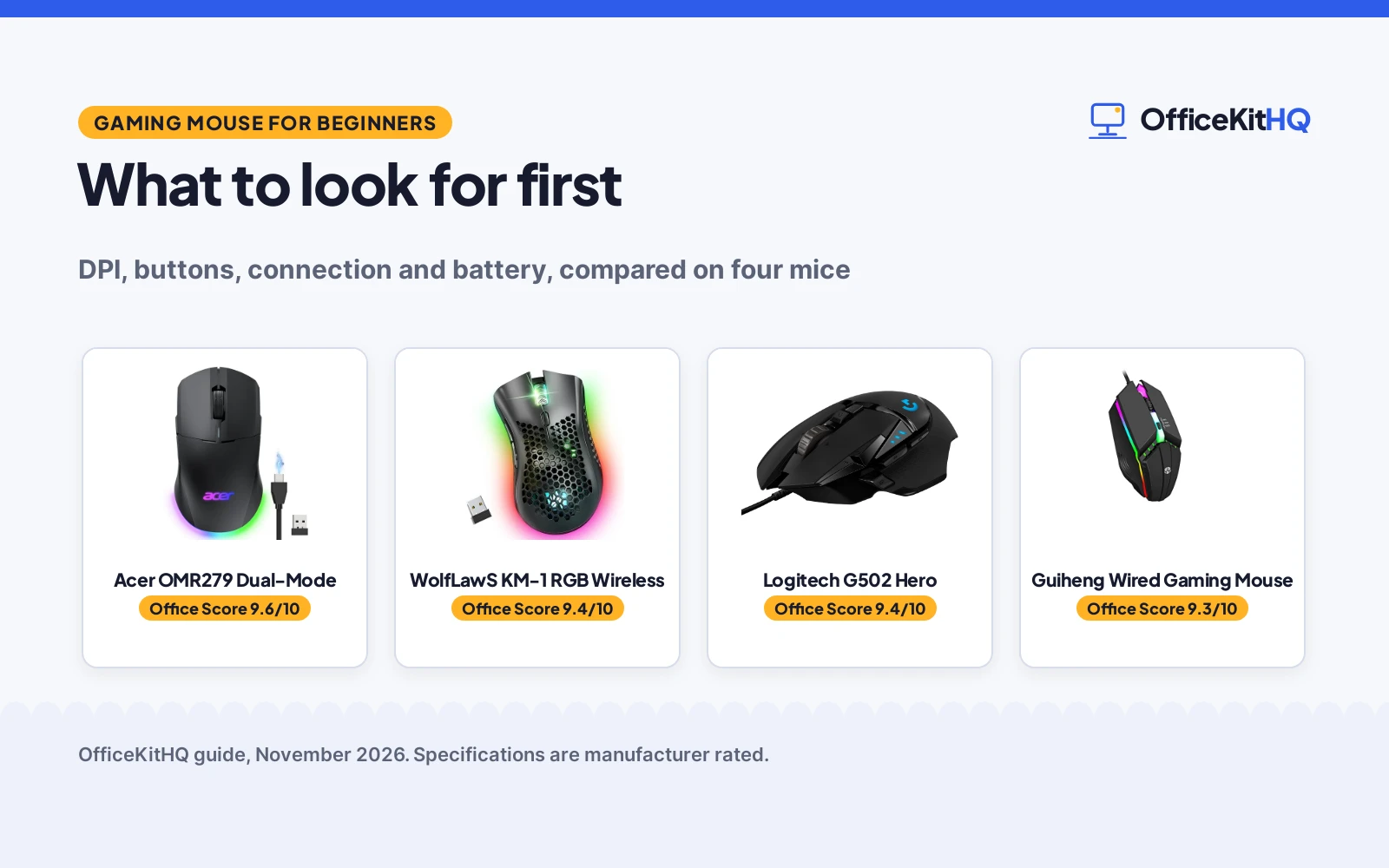
A gaming mouse for beginners is a simple, comfortable mouse with adjustable sensitivity, a few extra buttons and a connection that just works, so the first game is about playing, not about setup. Sensitivity, buttons, connection and fit are the four things to check, and the mice in this guide show how those choices differ in practice. Read the steps below, then match them to the gear at the end.
OfficeKitHQ earns a commission when you buy through links on this page, at no extra cost to you. As an Amazon Associate I earn from qualifying purchases. Affiliate disclosure.
The quick answer
Pick a mouse with adjustable DPI, at least 6 buttons, and a connection that fits the desk. Wired mice never need charging, while wireless mice need a receiver and a battery plan. The Acer below leads with up to 24,000 DPI, 8 programmable buttons and up to 40 hours of battery, while the WolfLawS and Guiheng cover the basics with 6 buttons and lower DPI ranges. The Logitech G502 Hero is a wired mouse with on-board memory, listed with title details only. The gaming mouse types guide explains the wired, wireless and ergonomic split in more detail.
Gaming mouse for beginners: what matters most
Four things decide whether a first gaming mouse feels right: sensitivity, buttons, connection and fit. Sensitivity sets how far the cursor moves for a small hand movement. Buttons decide how many actions sit under the fingers. Connection decides whether a cable or a receiver sits on the desk. Fit decides whether the hand rests easy through a long session. The sections below take each one in turn, with the four mice as examples.
Pick the connection first
Wired mice plug in and work, with no battery to charge and no receiver to lose. The Guiheng and the Logitech G502 Hero are wired, and the Acer runs wired over USB-A as well as wireless. Wireless mice cut the cable: the WolfLawS runs on 2.4GHz with a range of up to 33ft/10m, and the Acer switches between 2.4GHz wireless and a wired mode. Wireless needs a plan for power: the Acer battery (on Amazon) gives up to 40 hours of playtime and can charge while playing wired, while the WolfLawS recharges over a cable and sleeps after inactivity to save power. The Acer does not support Bluetooth, so its wireless link runs through the USB-A receiver stored under the back cover. The wireless mouse setup guide walks through receiver placement and pairing.
Set the sensitivity
DPI sets cursor speed: a higher DPI moves the cursor further for the same hand movement. The Acer reaches up to 24,000 DPI across 6 levels, with a default of 2400 and a minimum of 1200, all adjustable in the driver. The WolfLawS switches between 800, 1600 and 3200 DPI, and the Guiheng between 800, 1200 and 1600 DPI. A beginner can start at the low end of the range and move up as aim steadies: 800 DPI is the lowest setting on both the WolfLawS and the Guiheng. The Logitech listing states no DPI figure, so its sensitivity cannot be compared here.
| Mouse | DPI levels | Buttons | Amazon |
|---|---|---|---|
| Acer OMR279 Dual-Mode | Up to 24,000 DPI, 6 levels | 8 programmable | View on Amazon |
| WolfLawS KM-1 RGB Wireless | 800, 1600, 3200 DPI | 6 | View on Amazon |
| Guiheng Wired Gaming Mouse | 800, 1200, 1600 DPI | 6, 4 programmable | View on Amazon |
| Logitech G502 Hero | Not stated | Not stated | View on Amazon |
Count the buttons
Six buttons cover the basics, with spares for forward and back. The WolfLawS and the Guiheng both list 6 buttons, and the Guiheng title names 4 of them programmable. The Acer lists 8 programmable buttons with full macro editing in the driver, plus dedicated forward and back side buttons for faster in-game actions. More buttons help only if the extra ones get used: a beginner who never programs macros gains nothing from the extra buttons, while a player who maps keys early will outgrow 6 buttons fast.
Check the fit and the battery
Shape matters more than weight on a first mouse. The Acer is symmetrical and suits left- and right-handed users, in a medium size. The WolfLawS has a honeycomb shell and an ergonomic shape, and its quiet clicks suit shared rooms. The Guiheng is ergonomic too, with RGB lighting that suits a gaming desk. Battery is the wireless question: the Acer gives up to 40 hours from a 650mAh battery, while the WolfLawS recharges over a cable and sleeps after inactivity, with no hours stated. RGB lighting is cosmetic on all three lit mice: the WolfLawS offers rainbow, breathing and static modes and can turn the lighting off to save battery, and the Acer offers 9 dynamic modes with 16.8M colors. The gaming mouse size guide shows how to match a mouse to the hand.
Gaming mice for beginners: the gear
The four mice below cover the steps above: DPI range for the sensitivity step, buttons for the button step, and connection and battery for the connection and fit steps.
| # | Product | Office Score | Buy |
|---|---|---|---|
| 1 | 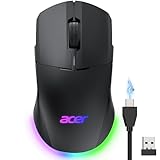 Acer OMR279 Dual-Mode | 9.6/10 | Buy on Amazon |
| 2 |  WolfLawS KM-1 RGB Wireless | 9.4/10 | Buy on Amazon |
| 3 |  Logitech G502 Hero | 9.4/10 | Buy on Amazon |
| 4 |  Guiheng Wired Gaming Mouse | 9.3/10 | Buy on Amazon |

Acer OMR279 Dual-Mode
A dual-mode wireless and wired gaming mouse with up to 24,000 DPI, 8 programmable buttons, a 1000Hz polling rate and up to 40 hours of battery.
Pros
- Up to 24,000 DPI across 6 levels, with a 1000Hz polling rate
- 8 programmable buttons with macro editing in the driver
- Dual-mode 2.4GHz wireless and USB-A wired in one mouse
- 650mAh battery with up to 40 hours of playtime, and play while charging
Cons
- No Bluetooth, so wireless runs through the USB-A receiver only
- Sleep mode cannot be disabled
- Macros, DPI levels and RGB need the driver to adjust
- Wired mode ties the mouse to a USB-A cable
Detailed Review
Acer lists the OMR279 as a dual-mode gaming mouse with a high-performance optical sensor at up to 24,000 DPI, a 1000Hz polling rate and 35G acceleration, with 6 DPI levels from a 1200 minimum to a 24000 maximum and a 2400 default, all adjustable in the driver. It has 8 programmable buttons with macro editing, dedicated forward and back side buttons, a symmetrical shape for left- and right-handed users, and 9 dynamic RGB modes with 16.8M colors. The 650mAh battery gives up to 40 hours of playtime, and the mouse plays wired while charging. It supports 2.4GHz wireless and wired connection and does not support Bluetooth.
Who it's for: a beginner who wants the widest DPI range, programmable buttons and a battery that lasts up to 40 hours. Who should skip it: anyone who wants Bluetooth or a mouse that never sleeps.
Its Office Score of 9.6/10 comes from performance 32/35, build 22/25, value 21/25, safety 0/10 and warranty 3/5: 78 of 100 points, placed on our 9.2 to 9.8 scale.
Key Specifications
| DPI | Up to 24,000 |
|---|---|
| Polling rate | 1000Hz |
| Buttons | 8 programmable |
| Battery | 650mAh, up to 40 hours |
These specs mirror the retailer listing as of 14 November 2026; performance figures are stated by the brand.
Safety and Warranty
What this listing states. No FCC or other safety listing is stated, so safety scores zero. 1 Year Manufacturer. It does not say everything a buyer needs, such as who pays return shipping, so warranty scores 3 of 5. See How We Pick.
Fit the desk first. Check the stated size against your desk depth and keyboard tray, and charge or pair as the manual describes. No keyboard, mouse or wrist rest prevents or treats injury.
This is general buying information, not professional advice. Follow each product manual and local rules, and see our Safety Disclaimer.
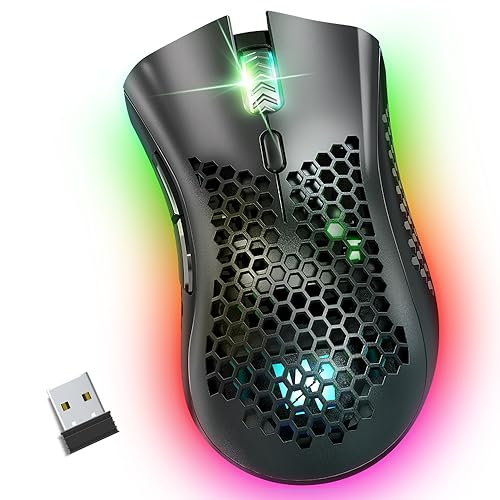
WolfLawS KM-1 RGB Wireless
A rechargeable 2.4GHz wireless gaming mouse with a honeycomb shell, 6 buttons, 3 DPI levels and RGB lighting that can turn off.
Pros
- 3 DPI levels at 800, 1600 and 3200 for easy speed changes
- Quiet clicks rated for up to 5 million clicks
- Rechargeable battery with a power-saving sleep mode
- RGB lighting with rainbow, breathing and static modes, or off
Cons
- No warranty term is stated
- Cursor moves slowly or stops at low battery
- Rechargeable battery needs charging downtime
- 6 buttons, fewer than the 8 on the Acer
Detailed Review
WolfLawS lists the KM-1 as a 2.4GHz wireless gaming mouse with a honeycomb shell, 6 buttons and 3 adjustable DPI levels at 800, 1600 and 3200, plus RGB lighting in rainbow, breathing and static modes that can turn off to save battery. The clicks are quiet and rated for up to 5 million clicks, the battery recharges over an included cable, and a power-saving mode sleeps after inactivity. The wireless link reaches up to 33ft/10m and works with laptops, desktops and Chromebooks on Windows and Mac OS. The maker notes the cursor moves slowly, unstable or stops at low battery, and asks for charging in time.
Who it's for: a beginner who wants a quiet wireless mouse with simple DPI steps and RGB that can turn off. Who should skip it: anyone who wants programmable macros or a stated warranty term.
Its Office Score of 9.4/10 comes from performance 28/35, build 20/25, value 20/25, safety 0/10 and warranty 0/5: 68 of 100 points, placed on our 9.2 to 9.8 scale.
Key Specifications
| DPI | 800, 1600, 3200 |
|---|---|
| Buttons | 6 |
| Connection | 2.4GHz wireless, up to 33ft/10m |
| Battery | Rechargeable, sleep mode |
These specs mirror the retailer listing as of 14 November 2026; performance figures are stated by the brand.
Safety and Warranty
What this listing states. No FCC or other safety listing is stated, so safety scores zero. No warranty term, so warranty scores zero. See How We Pick.
Fit the desk first. Check the stated size against your desk depth and keyboard tray, and charge or pair as the manual describes. No keyboard, mouse or wrist rest prevents or treats injury.
This is general buying information, not professional advice. Follow each product manual and local rules, and see our Safety Disclaimer.

Logitech G502 Hero
A wired gaming mouse with 11 programmable buttons, on-board memory and 25600 DPI.
Pros
- On-board memory stated with 11 buttons
- 25600 DPI HERO sensor stated
- Adjustable weights with 5 x 3.6 g stated
- 1-year hardware limited warranty stated
Cons
- Wired only; not wireless
- RGB needs Logitech Gaming Software stated
- Heavier with weights fitted
- Right-hand shape only
Detailed Review
Logitech lists the G502 Hero as a wired gaming mouse with 11 programmable buttons, on-board memory and a HERO sensor up to 25600 DPI. The listing states adjustable weights with five 3.6 g units, LIGHTSYNC RGB and mechanical switch button tensioning. It is wired only, so it fits this roundup on memory but not on wireless. A 1-year hardware limited warranty is stated.
Who it's for: wired users who want on-board memory and weight tuning. Who should skip it: anyone who needs wireless.
Its Office Score of 9.4/10 comes from performance 23/35, build 20/25, value 19/25, safety 0/10 and warranty 2/5: 64 of 100 points, placed on our 9.2 to 9.8 scale.
Key Specifications
| DPI | 25600 |
|---|---|
| Profiles | On-board |
| Buttons | 11 |
| Connection | Wired |
Figures as published on the retailer listing, collected 17 October 2026. Performance figures are manufacturer rated.
Safety and Warranty
What this listing states. This product does not plug in or run on a battery, so safety is not part of its score. 1 year hardware limited. It does not say everything a buyer needs, such as who pays return shipping, so warranty scores 2 of 5. See How We Pick.
Fit the desk first. Check the stated size against your desk depth and keyboard tray, and charge or pair as the manual describes. No keyboard, mouse or wrist rest prevents or treats injury.
This is general buying information, not professional advice. Follow each product manual and local rules, and see our Safety Disclaimer.
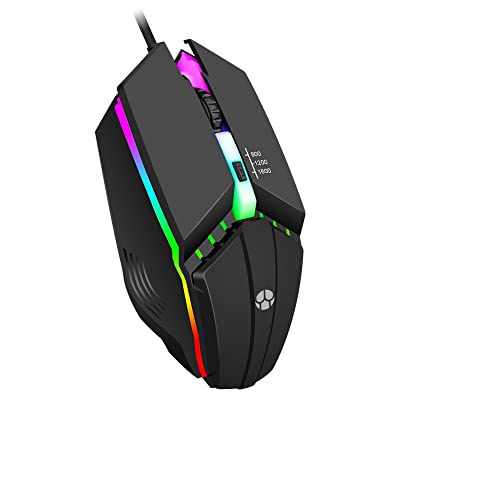
Guiheng Wired Gaming Mouse
A wired optical gaming mouse with 800 to 1600 DPI in 3 speed steps, 6 buttons and RGB lighting.
Pros
- 3 DPI steps at 800, 1200 and 1600 for simple speed control
- 6 buttons, with 4 named programmable
- Wired USB, so no battery or charging is needed
- RGB lighting in many colors for a gaming desk
Cons
- No warranty term is stated
- Wired only, so the cable stays on the desk
- 800 to 1600 DPI tops out far below the Acer 24,000 DPI
- 6 buttons, fewer than the 8 on the Acer
Detailed Review
Guiheng lists a wired optical gaming mouse with 3 adjustable speed steps at 800, 1200 and 1600 DPI, RGB lighting in many colors, and 6 buttons for different games. The title names 4 programmable buttons while the bullets count six buttons in all, so read it as 6 buttons with 4 programmable. It works with Windows XP, Vista, Windows 7 and Windows 8, plus Macbook, Chromebook and Linux systems.
Who it's for: a beginner who wants a simple wired mouse with RGB and a low DPI range. Who should skip it: anyone who wants wireless, programmable macros or a stated warranty term.
Its Office Score of 9.3/10 comes from performance 23/35, build 19/25, value 19/25, safety 0/10 and warranty 0/5: 61 of 100 points, placed on our 9.2 to 9.8 scale.
Key Specifications
| DPI | 800, 1200, 1600 |
|---|---|
| Buttons | 6 buttons, 4 programmable |
| Connection | Wired USB |
| Systems | Windows 7, 8, 10, XP, Vista, Linux, Chromebook |
These specs mirror the retailer listing as of 14 November 2026; performance figures are stated by the brand.
Safety and Warranty
What this listing states. No FCC or other safety listing is stated, so safety scores zero. No warranty term, so warranty scores zero. See How We Pick.
Fit the desk first. Check the stated size against your desk depth and keyboard tray, and charge or pair as the manual describes. No keyboard, mouse or wrist rest prevents or treats injury.
This is general buying information, not professional advice. Follow each product manual and local rules, and see our Safety Disclaimer.
As an Amazon Associate I earn from qualifying purchases.
FAQ
What DPI should a beginner use on a gaming mouse?
Start at the low end and move up as aim steadies. The WolfLawS switches between 800, 1600 and 3200 DPI, and the Guiheng between 800, 1200 and 1600 DPI, so 800 DPI is the lowest setting on both.
Is a wireless gaming mouse good for beginners?
Yes, if the battery plan is clear. The WolfLawS runs on 2.4GHz with a range of up to 33ft/10m and recharges over a cable, while the Acer gives up to 40 hours from a 650mAh battery and can charge while playing wired.
How many buttons does a beginner gaming mouse need?
Six buttons cover the basics. The WolfLawS and the Guiheng both list 6 buttons, while the Acer lists 8 programmable buttons with macro editing for players who map keys early.
Does a beginner gaming mouse need RGB lighting?
No, RGB lighting is cosmetic. The WolfLawS offers rainbow, breathing and static modes and can turn the lighting off to save battery, and the Acer offers 9 dynamic modes with 16.8M colors.
More for your workspace
See every mice and mouse pads guide and all computer peripherals guides.
More picks: gaming mouse types, gaming mouse size, wireless mouse setup and mouse pad types.