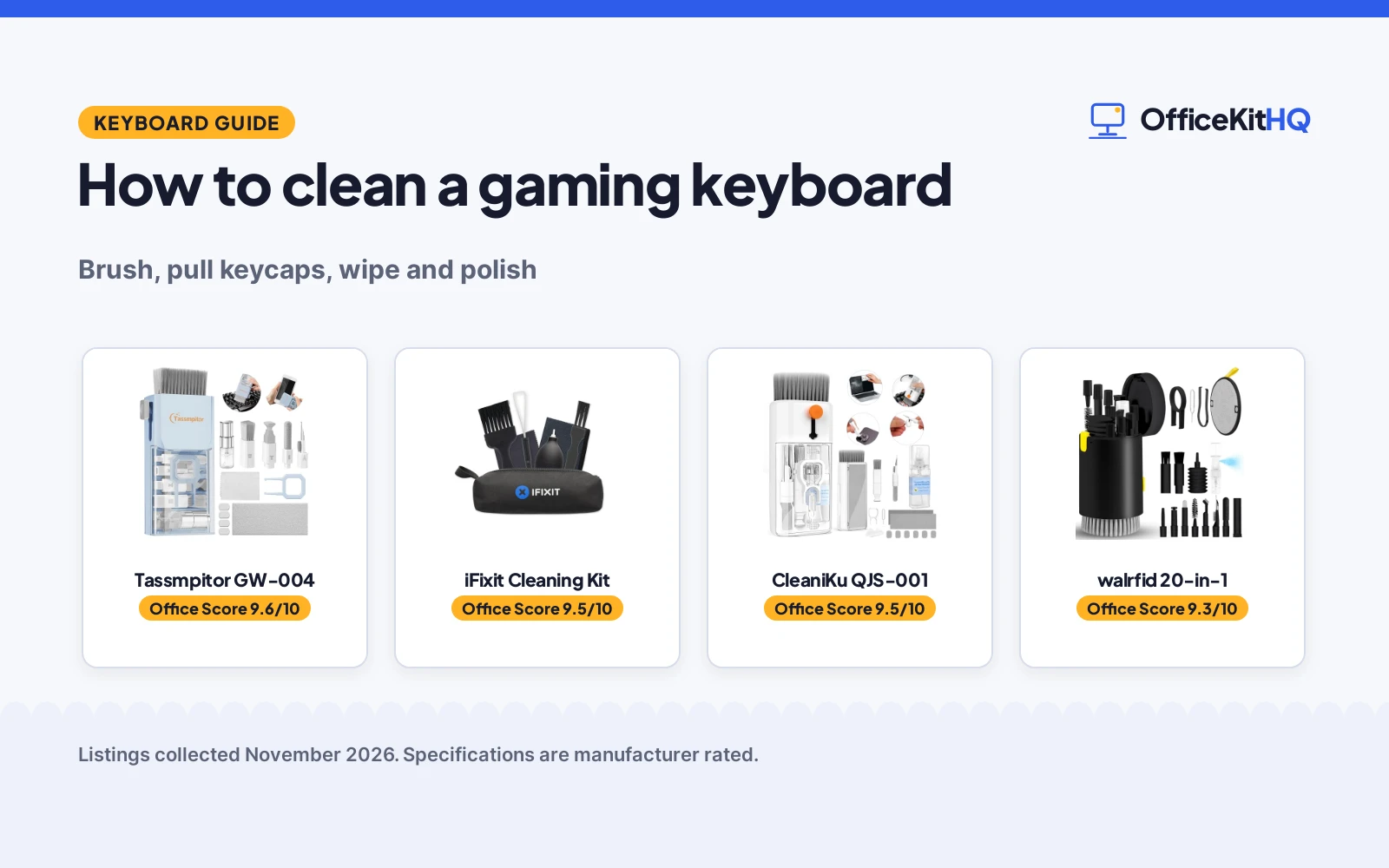
This guide covers how to clean gaming keyboard. How to clean a gaming keyboard starts with power: turn off and unplug the computer, tip the board over to shake out loose debris, then brush between the keys, lift the keycaps with a puller for a deep clean, and wipe the caps and the surface with a dry microfiber cloth. The steps below follow the kit manuals, and the gear section matches each step to a cleaning kit.
OfficeKitHQ earns a commission when you buy through links on this page, at no extra cost to you. As an Amazon Associate I earn from qualifying purchases. Affiliate disclosure.
How to clean a gaming keyboard: the quick answer
Turn off and unplug the computer, tip the board over to remove larger debris, brush between the keys, pull the keycaps, clean the grooves with a metal pen tip, then wipe in one direction and polish with a dry microfiber cloth. The table below lines each step up with the tool that handles it.
| Step | Do this | Tool | Amazon |
|---|---|---|---|
| Power off | Turn off and unplug the computer | No tool needed | |
| Shake out debris | Tip the board over to remove larger debris | No tool needed | |
| Brush | Brush between the keys and into crevices | Retractable brush | |
| Pull keycaps | Lift keycaps with a puller for a deep clean | Keycap puller | |
| Detail grooves | Clean grooves with a metal pen tip | Metal pen tip | |
| Wipe and polish | Wipe in one direction, then polish with a dry cloth | Microfiber cloth and spray |
Step 1: Turn off and unplug
Every clean starts with power off. The Tassmpitor manual states it plainly: turn off and unplug the computer before cleaning. A powered board can register stray key presses while the brush moves across it, and unplugging keeps the cable out of the way while the board is tipped over.
Step 2: Shake out loose debris
Tip the board over to remove larger debris, as the Tassmpitor manual directs. Crumbs and dust fall out under their own weight, and the board needs no tool for this step. Hold the board over a bin or a desk mat so the debris lands in one place.
Step 3: Brush between the keys
Brush between the keys with a retractable brush, then reach the crevices with a mini high-density brush. The Tassmpitor kit pairs a retractable large brush with a mini high-density brush for crevices between mechanical keyboard keys, and the CleaniKu kit (on Amazon) pairs a retractable large brush with a thin soft brush. The iFixit kit (on Amazon) uses a dust blower for the same hard-to-reach areas, and its anti-static brushes scrub away grime without damaging sensitive surfaces. Brush before wiping, so loose dust comes off before the cloth goes over the caps.
Step 4: Pull the keycaps for a deep clean
For a deep clean, lift the keycaps with a puller. The CleaniKu keycap puller removes keycaps from most keyboards without damage, and the iFixit keycap puller removes keycaps on mechanical keyboards for a deep clean underneath. The Tassmpitor keycap puller is stated for most keyboards as well. With the caps off, the brush and the metal pen tip reach the grooves and the board surface that the caps cover. Keep the caps in order so each one goes back on the same switch.
Step 5: Wipe and polish
Wipe the screen and the caps gently in one direction, avoiding circles and excessive pressure, as the Tassmpitor manual directs, then polish the surface with a dry microfiber cloth. The CleaniKu spray is 10ml and the Tassmpitor spray is 2ml, and both pair with a polishing cloth that will not discolor, streak or shed fibers on the screen, per the listings. The 2mm thickened Tassmpitor cloth is shaped for the four screen corners. A dry cloth finishes the job: the Tassmpitor manual ends with a dry microfiber cloth to polish the surface.
The cleaning kits: how to clean gaming keyboard
Each kit below handles a different step of the clean, from brushing and wiping to blowing dust out of hard-to-reach areas.
| # | Product | Office Score | Buy |
|---|---|---|---|
| 1 |  Tassmpitor GW-004 | 9.6/10 | Buy on Amazon |
| 2 | 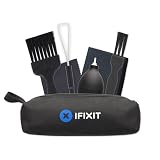 iFixit Cleaning Kit | 9.5/10 | Buy on Amazon |
| 3 |  CleaniKu QJS-001 | 9.5/10 | Buy on Amazon |
| 4 |  walrfid 20-in-1 | 9.3/10 | Buy on Amazon |

Tassmpitor GW-004
A cleaning kit with a retractable brush, a 2ml spray, a 2mm thickened polishing cloth, a keycap puller and 5 replacing cloths, with a 1 year warranty.
Pros
- Retractable brush plus a mini high-density brush for crevices between keys
- 2mm thickened polishing cloth shaped for the four screen corners
- 5 replacing cloths plus a large microfiber cloth are included
- 1 year warranty is stated, the only warranty term here
Cons
- Spray is 2ml, smaller than the 10ml spray in the CleaniKu kit
- No dust blower is included
- No storage pouch is stated
- The stated steps describe a laptop, not a standalone board
Detailed Review
Tassmpitor lists a kit with a retractable large brush, a polishing cloth, a keycap puller, a metal pen tip, a flocking sponge, a thin soft brush, a soft plastic lens cleaning pen, 5 replacing cloths, a large microfiber cloth and a recyclable spray of 2ml. The retractable brush works on laptops and keyboards, the mini high-density brush reaches crevices between mechanical keyboard keys, and the metal pin tip removes stains between keys and at the hinge of a laptop. The 2mm thickened polishing cloth is shaped for the four screen corners, and the listing states zero streaks, zero discoloration and no fiber shedding. It handles the brushing and wiping steps of the clean, with the most stated cloths here. The warranty is 1 year.
Who it's for: someone who wants the fullest stated kit for keyboards, screens and earbuds, with a warranty term. Who should skip it: anyone who wants a larger spray or a dust blower.
Its Office Score of 9.6/10 comes from performance 30/35, build 21/25, value 21/25, safety 0/10 and warranty 3/5: 75 of 100 points, placed on our 9.2 to 9.8 scale.
Key Specifications
| Spray | 2ml, recyclable |
|---|---|
| Polishing cloth | 2mm thickened |
| Replacing cloths | 5 |
| Item weight | 0.33 pounds |
These specs mirror the retailer listing as of 13 November 2026; performance figures are stated by the brand.
Safety and Warranty
What this listing states. This product does not plug in or run on a battery, so safety is not part of its score. 1 year. It does not say everything a buyer needs, such as who pays return shipping, so warranty scores 3 of 5. See How We Pick.
Fit the desk first. Check the stated size against your desk depth and keyboard tray, and charge or pair as the manual describes. No keyboard, mouse or wrist rest prevents or treats injury.
This is general buying information, not professional advice. Follow each product manual and local rules, and see our Safety Disclaimer.

iFixit Cleaning Kit
A keyboard cleaning kit with microfiber cloths, a dust blower, 2 anti-static brushes, a keycap puller and a tool pouch.
Pros
- Dust blower removes dust from hard-to-reach areas
- 2 anti-static brushes, medium and wide, are stated
- Keycap puller removes keycaps for a deep clean underneath
- Tool pouch keeps the tools organized
Cons
- No cleaning spray is stated
- Sold as-is, with no refunds or returns
- No replacement parts are stated
- No item weight is stated
Detailed Review
iFixit lists a kit with microfiber cleaning cloths, a dust blower, an anti-static brush in medium, a keycap puller, a larger anti-static brush in wide and a tool pouch. The dust blower removes dust and debris from hard-to-reach areas, the anti-static brushes scrub away grime without damaging sensitive surfaces, and the keycap puller removes keycaps on mechanical keyboards for a deep clean underneath. The tool pouch stores all the tools. The listing gives dimensions of 10.02 by 4.11 by 1.36 in and states the kit is sold as-is, with no refunds or returns. It handles the dust-blowing step of the clean, the only blower here.
Who it's for: someone who wants a blower and anti-static brushes for a mechanical keyboard, with a pouch for storage. Who should skip it: anyone who wants a cleaning spray or a warranty term.
Its Office Score of 9.5/10 comes from performance 28/35, build 21/25, value 19/25, safety 5/10 and warranty 0/5: 73 of 100 points, placed on our 9.2 to 9.8 scale.
Key Specifications
| Dust blower | Included |
|---|---|
| Anti-static brushes | Medium and wide |
| Keycap puller | Included |
| Dimensions | 10.02 by 4.11 by 1.36 in |
These specs mirror the retailer listing as of 13 November 2026; performance figures are stated by the brand.
Safety and Warranty
What this listing states. Anti-static brushes (medium and wide) are stated, so safety scores 5 of 10. No warranty term, so warranty scores zero. See How We Pick.
Fit the desk first. Check the stated size against your desk depth and keyboard tray, and charge or pair as the manual describes. No keyboard, mouse or wrist rest prevents or treats injury.
This is general buying information, not professional advice. Follow each product manual and local rules, and see our Safety Disclaimer.

CleaniKu QJS-001
A multi-function cleaning kit with a 10ml screen spray, 2 polishing cloths, a keycap puller, a retractable brush and replacement parts.
Pros
- 10ml spray, the largest spray stated here
- Keycap puller removes keycaps from most keyboards without damage
- Replacement parts are included to extend the kit
- Instruction manual is included for keyboard and screen cleaning
Cons
- No warranty term is stated
- No dust blower is stated
- No item weight is stated
- Only Bright White is stated as a color
Detailed Review
CleaniKu lists a kit with a retractable large brush, 2 polishing cloths, a keycap puller, a metal pen tip, a flocking sponge, a thin soft brush and a lens pen, with a screen spray of 10ml. The keycap puller removes keycaps from most keyboards without damage, the retractable brush targets hard-to-reach areas between mechanical and gaming keyboard keys, and the metal pen tip cleans grooves. The cloth with the spray will not discolor, streak or shed fibers on the screen, per the listing, and replacement parts are included. The listing gives dimensions of 5.4 by 2.5 by 1.5 in and states no warranty term. It handles the spray-and-wipe step of the clean, with the largest stated spray here.
Who it's for: someone who wants the largest stated spray and replacement parts in a compact kit. Who should skip it: anyone who wants a stated warranty or a dust blower.
Its Office Score of 9.5/10 comes from performance 30/35, build 21/25, value 20/25, safety 0/10 and warranty 0/5: 71 of 100 points, placed on our 9.2 to 9.8 scale.
Key Specifications
| Spray | 10ml |
|---|---|
| Polishing cloths | 2 |
| Dimensions | 5.4 by 2.5 by 1.5 in |
| Keycap puller | Included |
These specs mirror the retailer listing as of 13 November 2026; performance figures are stated by the brand.
Safety and Warranty
What this listing states. This product does not plug in or run on a battery, so safety is not part of its score. No warranty term, so warranty scores zero. See How We Pick.
Fit the desk first. Check the stated size against your desk depth and keyboard tray, and charge or pair as the manual describes. No keyboard, mouse or wrist rest prevents or treats injury.
This is general buying information, not professional advice. Follow each product manual and local rules, and see our Safety Disclaimer.

walrfid 20-in-1
A 20-in-1 cleaning kit in Black, with almost no stated contents beyond the title.
Pros
- 20-in-1 kit, per the title
- Item weight of 0.33 pounds matches the Tassmpitor kit
- Black color is stated
- Title states phones and earbuds beside keyboards
Cons
- Bullets state almost nothing about the contents
- No brush, spray, cloth or puller is stated
- Warranty is stated as No
- No dimensions are stated
Detailed Review
walrfid lists a 20-in-1 keyboard cleaner kit for phones and earbuds, in Black, with an item weight of 0.33 pounds. The bullets state only 'phone Cleaning Kit', so no brush, spray, cloth, keycap puller or other tool is stated anywhere in the listing, and no dimensions are stated. The spec table states the warranty as No. The thin listing makes the 20-in-1 claim impossible to check against stated contents, so it scores low on performance and build. It handles no step of the clean in the listing, since no tool is stated.
Who it's for: someone who wants a 20-in-1 kit on the strength of the title alone. Who should skip it: anyone who wants stated tools, a stated warranty or stated dimensions.
Its Office Score of 9.3/10 comes from performance 23/35, build 18/25, value 18/25, safety 0/10 and warranty 0/5: 59 of 100 points, placed on our 9.2 to 9.8 scale.
Key Specifications
| Kit size | 20-in-1 |
|---|---|
| Color | Black |
| Item weight | 0.33 pounds |
| Warranty | No |
These specs mirror the retailer listing as of 13 November 2026; performance figures are stated by the brand.
Safety and Warranty
What this listing states. This product does not plug in or run on a battery, so safety is not part of its score. No warranty term, so warranty scores zero. See How We Pick.
Fit the desk first. Check the stated size against your desk depth and keyboard tray, and charge or pair as the manual describes. No keyboard, mouse or wrist rest prevents or treats injury.
This is general buying information, not professional advice. Follow each product manual and local rules, and see our Safety Disclaimer.
As an Amazon Associate I earn from qualifying purchases.
FAQ
Can I use a cleaning spray on a gaming keyboard?
The CleaniKu kit includes a 10ml spray and the Tassmpitor kit includes a 2ml spray, both paired with a polishing cloth for screens and surfaces. Wipe gently in one direction and polish with a dry microfiber cloth, as the Tassmpitor manual directs.
Do I need to remove the keycaps to clean a gaming keyboard?
Not for a surface clean, but the keycap puller in the CleaniKu, Tassmpitor and iFixit kits lifts the caps for a deep clean underneath. The CleaniKu puller is stated for most keyboards, and the iFixit puller is stated for mechanical keyboards.
What is in a keyboard cleaning kit?
The kits here include a retractable brush, a keycap puller, a metal pen tip, a flocking sponge and polishing cloths, with the CleaniKu kit adding a 10ml spray and the Tassmpitor kit adding 5 replacing cloths. The iFixit kit swaps the spray for a dust blower, 2 anti-static brushes and a tool pouch.
How do I clean between the keys?
Brush between the keys with a retractable brush, reach crevices with a mini high-density brush, and clean grooves with a metal pen tip. The Tassmpitor kit states a retractable brush, a mini high-density brush and a metal pen tip, and the CleaniKu kit states a retractable brush, a thin soft brush and a metal pen tip.
Can I clean a laptop keyboard the same way?
The CleaniKu and Tassmpitor kits state use on MacBook and laptop keyboards, and the Tassmpitor manual gives the same steps: turn off and unplug, tip the laptop over to remove larger debris, then brush, wipe in one direction and polish with a dry cloth.
Score breakdown
The Office Score weighs performance, build, value, safety and warranty. For cleaning kits, performance covers the stated tools and how completely they cover the steps, build covers the stated materials and included replacements, and value weighs the stated kit against the other kits here. Safety covers anti-static features, and only the iFixit kit states anti-static brushes, so it is the only kit with a safety score above zero. Warranty covers the stated term, and only the Tassmpitor kit states one, a 1 year term. How we pick explains the weights.
More for your workspace
See every Keyboards and Keyboard Trays guide and all Monitor Mounts, Keyboards and Mice guides.
More picks: keyboard vacuums and air dusters, keyboard cleaning sprays, cleaning kits for gaming mice and mechanical keyboard sizes.