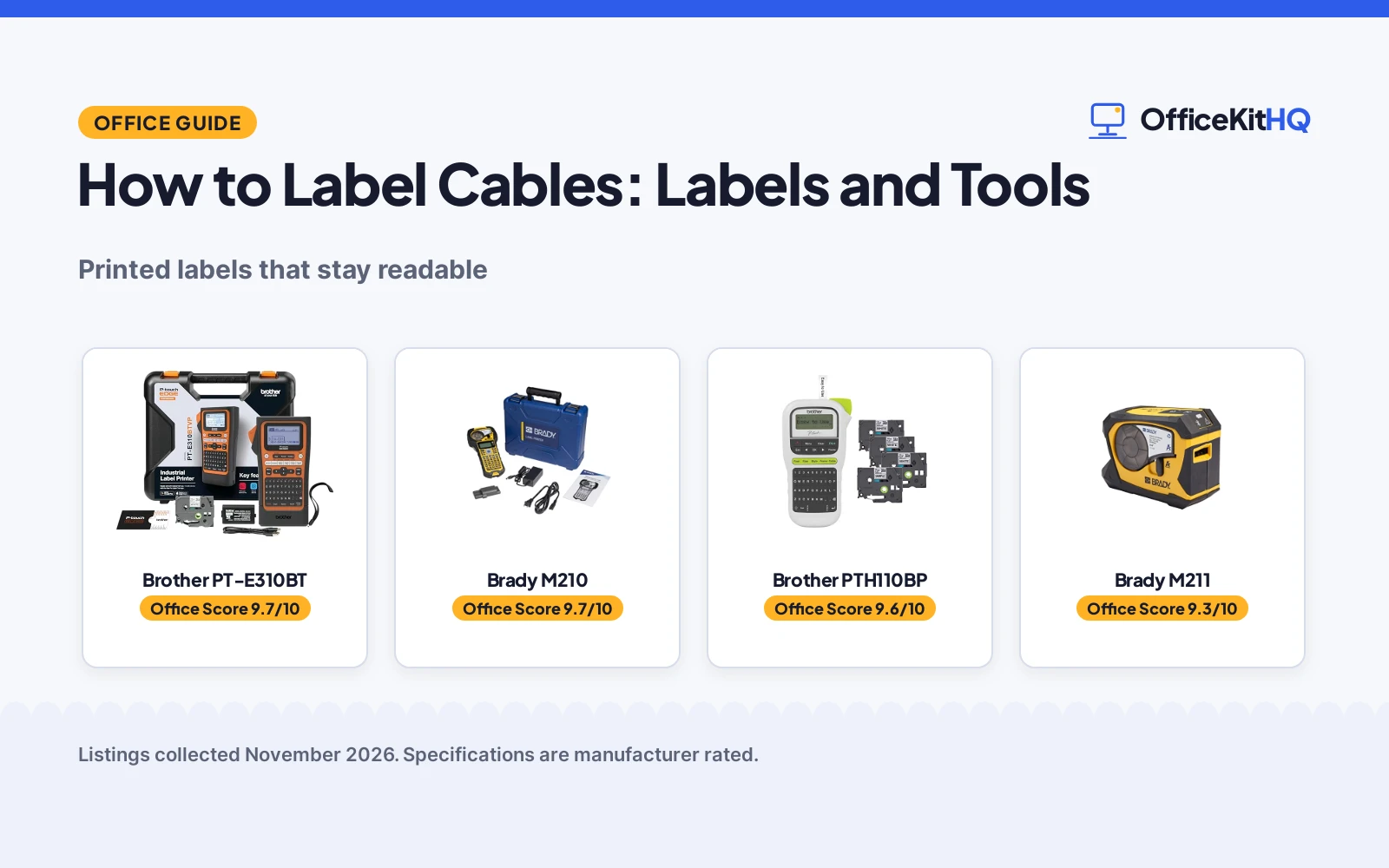
A tangle of lookalike cords sits behind the desk, and the call starts in minutes while the charger you need hides in the mess. Learning how to label cables starts with giving a cord a readable tag near the plug that names what it connects, and using the same wording at the matching port. A printed label beats a handwritten strip because the text stays legible, and a wrap or flag label stays put when cords move.
OfficeKitHQ earns a commission when you buy through links on this page, at no extra cost to you. As an Amazon Associate I earn from qualifying purchases. Affiliate disclosure.
The quick answer
How to label cables in short: plan short wording that names the device and the port, print it on a laminated tape or a heat shrink tube, and put the same label at each end of the cord. Wrap labels suit round cords, flag labels suit cords that get unplugged often, and patch panel labels suit fixed network runs. The steps below show the order to work in.
Step 1: Plan the wording
Write the label text before printing anything. Name the device and the port, such as the monitor power cord or the router network cable, and keep the same wording on the label at the far end so the cord can be traced from either side. Short text prints larger and stays readable, and the Brady M210 (on Amazon) below offers 6 text sizes from 6 point to 40 point. The Brother PTH110BP (on Amazon) stores up to 15 labels in memory, which helps when wording repeats.
Step 2: Pick the label type
Match the label to the cord. Laminated tapes suit cords that get handled, since the Brother PTH110BP uses laminated, water-resistant TZe tapes, and heat shrink tubes suit cords that need a snug sleeve, with the Brother PT-E310BT (on Amazon) printing tubes from 3.5 mm to 18 mm. Cable wrap labels coil around a round cord, cable flag labels fold into a tab for quick reading, and patch panel labels mark fixed ports; the PT-E310BT has quick keys for cable wrap, cable flag, patch panel, punch block and faceplate labels. The Brady M210 works with 90 plus cartridges and 12 material types.
Step 3: Print and apply the labels
Print from the keyboard, the app or the PC, then press the label on with the text facing out. The Brady M210 has a keypad with letters A to Z and numbers 0 to 9 plus a backlit LCD graphics display, which helps behind a desk. The Brother PT-E310BT prints from a mobile device through the Pro Label Tool app over Bluetooth, and it also connects to a PC with USB-C for design in P-touch Editor label design software. The Brother PTH110BP prints from its QWERTY keyboard with a preview display, using 3 fonts, 14 decorative frames and over 250 symbols.
Step 4: Check the ends match
Read the label at the plug, then read the label at the far end and confirm the wording agrees. A label that names the device and the port at the plug end should carry the same wording at the port end. When a cord moves to a new device, print a fresh label, keep spare tapes on hand: the Brother PTH110BP bundle includes 4 label tapes, with one sample tape and 3 full-length tapes at 12 mm width.
Gear for how to label cables
The printers below handle the printing, from a simple keyboard maker to an industrial printer with cable wrap and cable flag keys.
| # | Product | Office Score | Buy |
|---|---|---|---|
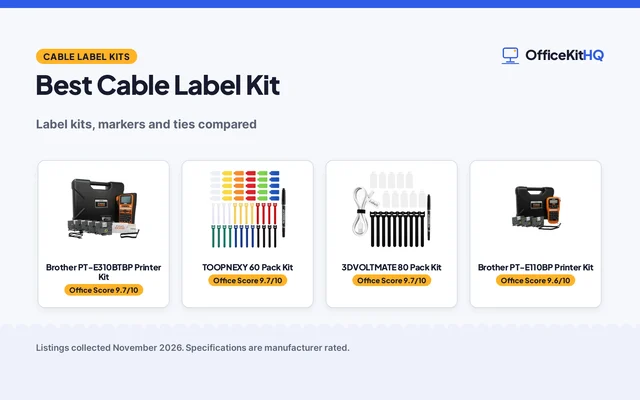
| 1 | 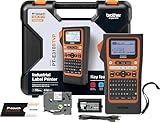 Brother PT-E310BT | 9.7/10 | Buy on Amazon |
| 2 |  Brady M210 | 9.7/10 | Buy on Amazon |
| 3 |  Brother PTH110BP | 9.6/10 | Buy on Amazon |
| 4 | 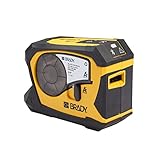 Brady M211 | 9.3/10 | Buy on Amazon |
Brother PT-E310BT
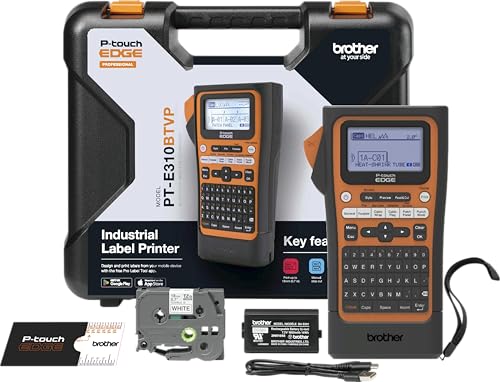
A portable industrial label printer with Bluetooth and USB-C that prints laminated labels and heat shrink tubes from 3.5 mm to 18 mm, with quick keys for cable wrap, cable flag, patch panel, punch block and faceplate labels.
Pros
- Prints laminated labels and heat shrink tubes from 3.5 mm to 18 mm
- Quick keys for cable wrap, cable flag, patch panel, punch block and faceplate labels
- Adds QR codes and linear barcodes to labels
- Bluetooth printing from the Pro Label Tool app, plus USB-C charging and PC connection
Cons
- No tape width above 18 mm is stated, so wider labels are not covered
- No battery capacity or run time is stated
- No label tape is listed as included in the box
- At 1.76 lb it weighs more than the 0.9 lb PTH110BP
Detailed Review
Brother lists the PT-E310BT as a portable industrial label printer with Bluetooth and USB-C connectivity. The listing states laminated labels and heat shrink tubes from 3.5 mm to 18 mm, quick keys for cable wrap, cable flag, patch panel, punch block and faceplate labels, plus QR codes and linear barcodes. Databases and templates can be stored for printing from existing work, and labels can be designed in the Pro Label Tool app or in P-touch Editor label design software on a PC. The spec table gives 2.76 by 5.31 by 9.3 in and a 1.76 lb item weight, with a 2-year limited exchange warranty.
Who it's for: someone labelling network cables, patch panels and punch blocks who wants cable wrap and cable flag keys with Bluetooth printing. Who should skip it: anyone who wants tapes in the box or a stated battery run time.
Its Office Score of 9.7/10 comes from performance 33/35, build 21/25, value 21/25, safety not scored (non-powered gear) and warranty 3/5: 78 of 90 points, placed on our 9.2 to 9.8 scale.
Key Specifications
| Label width | 3.5 mm to 18 mm |
|---|---|
| Connectivity | Bluetooth, USB-C |
| Item weight | 1.76 lb |
| Dimensions | 2.76 x 5.31 x 9.3 in |
Figures as published on the retailer listing, collected 13 November 2026. Performance figures are manufacturer rated.
Safety and Warranty
What this listing states. This product does not plug in or run on a battery, so safety is not part of its score. 2-Year Limited Exchange Warranty. It does not say everything a buyer needs, such as who pays return shipping, so warranty scores 3 of 5. See How We Pick.
Shredder and printer safety. Keep hair, ties, jewelry, children and pets away from the feed slot, use the safety lock, unplug when not in use, and give printers and adapters room to vent.
This is general buying information, not professional advice. Follow each product manual and local rules, and see our Safety Disclaimer.

Brady M210
A portable label printer kit that prints multi-line labels in 6 text sizes from 6 point to 40 point, with a backlit LCD and support for 90 plus cartridges and 12 material types.
Pros
- Prints in 6 text sizes from 6 point to 40 point in a single color
- Works with 90 plus cartridges and 12 material types
- Backlit LCD graphics display for labelling in low-lit areas
- Molded rubber impact bumpers for durability in demanding work environments
Cons
- Heaviest printer here at 4.5 lb
- No Bluetooth or wireless printing is stated
- The listing does not state which cartridges or tapes the kit includes
- Single-color printing only
Detailed Review
Brady lists the M210 as a portable label printer kit that creates multi-line labels for wires, panels, circuit boards and other industrial items. The keypad holds letters A to Z and numbers 0 to 9, with a backlit LCD graphics display, and it prints in 6 text sizes from 6 point to 40 point in a single color. The listing states support for 90 plus cartridges in continuous tape and pre-sized labels, across 12 material types, and molded rubber impact bumpers. The spec table gives 2.5 by 4.5 by 9.5 in, a 4.5 lb item weight and a 2-year warranty.
Who it's for: someone labelling wires and panels in industrial settings who wants many material types and large text sizes. Who should skip it: anyone who wants Bluetooth printing or a lighter printer to carry.
Its Office Score of 9.7/10 comes from performance 30/35, build 22/25, value 20/25, safety not scored (non-powered gear) and warranty 3/5: 75 of 90 points, placed on our 9.2 to 9.8 scale.
Key Specifications
| Text sizes | 6 point to 40 point |
|---|---|
| Cartridges | 90 plus |
| Material types | 12 |
| Item weight | 4.5 lb |
Figures as published on the retailer listing, collected 13 November 2026. Performance figures are manufacturer rated.
Safety and Warranty
What this listing states. This product does not plug in or run on a battery, so safety is not part of its score. 2 Years. It does not say everything a buyer needs, such as who pays return shipping, so warranty scores 3 of 5. See How We Pick.
Shredder and printer safety. Keep hair, ties, jewelry, children and pets away from the feed slot, use the safety lock, unplug when not in use, and give printers and adapters room to vent.
This is general buying information, not professional advice. Follow each product manual and local rules, and see our Safety Disclaimer.

Brother PTH110BP
A portable label maker bundle with 4 label tapes, a QWERTY keyboard and a preview display, with 3 fonts, 14 decorative frames and over 250 symbols.
Pros
- Bundle includes 4 label tapes, all 12 mm black-on-white
- 3 fonts, 14 decorative frames and over 250 symbols
- Built-in memory stores up to 15 labels for quick reprinting
- Laminated, water-resistant TZe tapes
Cons
- AC adapter sold separately
- No Bluetooth or app printing is stated
- No heat shrink tube support is stated
- Only 12 mm tape width is stated for the included tapes
Detailed Review
Brother lists the PTH110BP as a portable label maker bundle with 4 label tapes included. The listing states a QWERTY keyboard, a preview display, 3 fonts, 14 decorative frames and over 250 symbols, with one-touch keys and built-in memory storing up to 15 labels. The TZe tapes are laminated and water-resistant, and the bundle holds one sample black-on-white tape and 3 full-length black-on-white tapes at 12 mm width. Power comes from 6 AAA batteries or an AC adapter sold separately. The title describes the maker as white, while the spec table lists the color as black, so the listing disagrees with itself on color. The spec table gives 4.3 by 8.0 by 2.2 in, a 0.9 lb item weight and a 1-year limited warranty.
Who it's for: someone who wants a simple keyboard label maker with tapes in the box for home and small business labelling. Who should skip it: anyone who wants Bluetooth printing, heat shrink tubes or an included AC adapter.
Its Office Score of 9.6/10 comes from performance 28/35, build 20/25, value 21/25, safety not scored (non-powered gear) and warranty 0/5: 69 of 90 points, placed on our 9.2 to 9.8 scale.
Key Specifications
| Included tapes | 4 black-on-white, 12 mm |
|---|---|
| Fonts and frames | 3 fonts, 14 frames |
| Label memory | 15 labels |
| Item weight | 0.9 lb |
Figures as published on the retailer listing, collected 13 November 2026. Performance figures are manufacturer rated.
Safety and Warranty
What this listing states. This product does not plug in or run on a battery, so safety is not part of its score. No warranty term, so warranty scores zero. See How We Pick.
Shredder and printer safety. Keep hair, ties, jewelry, children and pets away from the feed slot, use the safety lock, unplug when not in use, and give printers and adapters room to vent.
This is general buying information, not professional advice. Follow each product manual and local rules, and see our Safety Disclaimer.

Brady M211
A portable Bluetooth monochrome label printer with a short listing that states few details beyond Bluetooth printing.
Pros
- Bluetooth printing from a mobile device
- Light at 1.44 lb
- Compact at 2.6 by 5.4 by 4.0 in
- Bluetooth connection avoids a cable between phone and printer
Cons
- No warranty term is stated
- No text sizes, tape widths or material types are stated
- No keypad, display or battery details are stated
- Only one bullet of detail in the listing
Detailed Review
Brady lists the M211 as a portable Bluetooth monochrome label printer. The listing gives a single line of detail and states no text sizes, tape widths, material types, keypad or display facts, and no warranty term appears in the spec table. The spec table gives 2.6 by 5.4 by 4.0 in and a 1.44 lb item weight.
Who it's for: someone who only needs Bluetooth printing from a phone and wants a light, compact printer. Who should skip it: anyone who wants stated tape widths, text sizes or a warranty term before buying.
Its Office Score of 9.3/10 comes from performance 23/35, build 18/25, value 15/25, safety not scored (non-powered gear) and warranty 0/5: 56 of 90 points, placed on our 9.2 to 9.8 scale.
Key Specifications
| Connectivity | Bluetooth |
|---|---|
| Print type | Monochrome |
| Item weight | 1.44 lb |
| Dimensions | 2.6 x 5.4 x 4.0 in |
Figures as published on the retailer listing, collected 13 November 2026. Performance figures are manufacturer rated.
Safety and Warranty
What this listing states. This product does not plug in or run on a battery, so safety is not part of its score. No warranty term, so warranty scores zero. See How We Pick.
Shredder and printer safety. Keep hair, ties, jewelry, children and pets away from the feed slot, use the safety lock, unplug when not in use, and give printers and adapters room to vent.
This is general buying information, not professional advice. Follow each product manual and local rules, and see our Safety Disclaimer.
As an Amazon Associate I earn from qualifying purchases.
FAQ
What is the best way to label cables?
The best way to label cables is to print short wording that names the device and the port, put the same label at each end, and use laminated tape or heat shrink tubes so the text stays readable. The Brother PT-E310BT prints labels from 3.5 mm to 18 mm wide, and the Brady M210 prints text from 6 point to 40 point.
How do you label network cables?
Label network cables with a cable wrap or cable flag label at the cord and a patch panel label at the fixed port, using the same wording in each place. The Brother PT-E310BT has quick keys for cable wrap, cable flag and patch panel labels, and it adds QR codes and linear barcodes when a label needs a code too.
Should labels go at each end of a cable?
Yes, a label at the plug end and the same wording at the port end lets a cord be traced without pulling it out of the run. The Brother PTH110BP stores up to 15 labels in memory, which helps when wording repeats.
What size label works for cables?
It depends on the cord and the tape the printer takes. The Brother PT-E310BT prints laminated labels and heat shrink tubes from 3.5 mm to 18 mm, the Brother PTH110BP bundle tapes are 12 mm wide, and the Brady M210 prints text from 6 point to 40 point.
More for your workspace
See the best label makers for labeling cables, the best cable label makers, the best wire and cable labels and the best cable management labels.