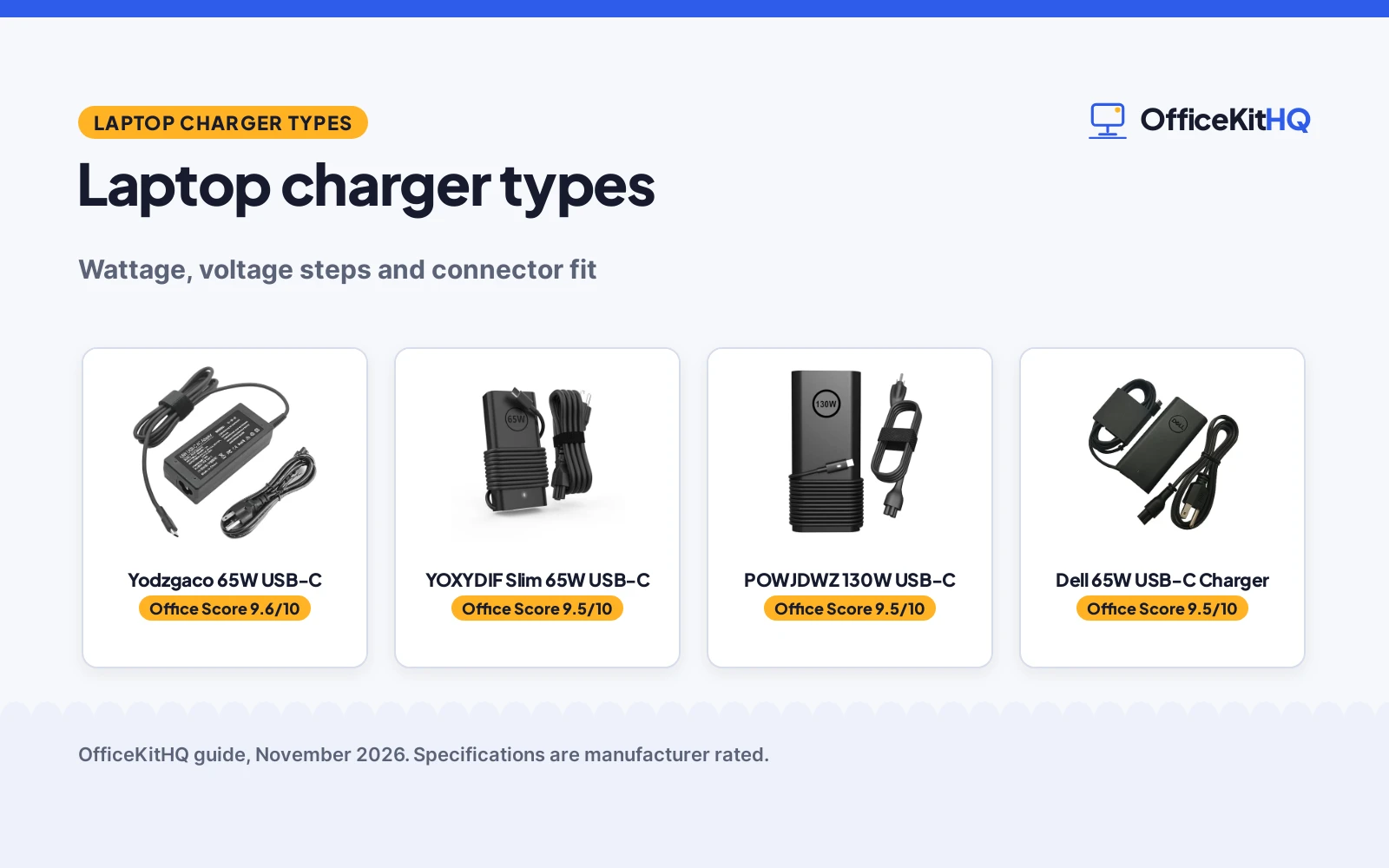
The laptop sits on the desk with a hub and a monitor cable sharing the outlet strip, and the charger is the part that has to match the laptop. Laptop charger types come down to wattage, voltage steps and connector fit: the wattage the laptop asks for, the voltage steps the charger offers, and the USB-C tip that fits the port. Get those matches right and the laptop charges; get a match wrong and it charges slowly or not at all.
OfficeKitHQ earns a commission when you buy through links on this page, at no extra cost to you. As an Amazon Associate I earn from qualifying purchases. Affiliate disclosure.
Laptop charger types at a glance
All 4 chargers here use a USB-C connector, and they split into 65W chargers and a 130W charger. The table below shows the wattage and output steps each listing states.
| Charger | Wattage | Output steps stated | Connector | Amazon |
|---|---|---|---|---|
| Dell 65W USB-C | 65W | 65W, 45W, 27W, 15W | USB Type C | |
| Yodzgaco 65W USB-C | 65W | 65W, 45W, 27W, 15W | USB Type C | View on Amazon |
| YOXYDIF Slim 65W USB-C | 65W | 65W, 45W | Type C | View on Amazon |
| POWJDWZ 130W USB-C | 130W | 130W | USB-C | View on Amazon |
Step 1: Match the wattage
Start with the wattage your laptop asks for, which is the figure on the charger that came with it or in the laptop manual. The 65W chargers here cover Dell Latitude and XPS models, Lenovo ThinkPad and Chromebook models and HP Chromebook models, while the 130W charger covers XPS 15 and XPS 17, Precision and Alienware models. The YOXYDIF listing states its 65W charger is compatible with a 45W laptop charger, so a 65W charger covers a 45W laptop in that listing.
A charger with more wattage than the laptop asks for is not automatically the right pick: the 130W charger here names XPS 15, XPS 17, Precision and Alienware models, and its listing does not state 65W compatibility. Match the wattage to the laptop, not to the biggest number on the shelf.
Step 2: Check the voltage steps
Wattage is the headline, and the voltage steps are the detail that makes it work. The Dell listing states outputs of 65W, 45W, 27W and 15W, and the Yodzgaco listing states outputs of 5V-3A, 9V-3A, 15V-3A and 20V-3.25A. The YOXYDIF listing states 5V-3A, 9V-3A, 15V-3A, 20V-2.25A and 20V-3.25A, and the POWJDWZ listing states 20V at 6.5A with a 5V output at 1A. Compare the output list on the listing with the wattage and voltage your laptop asks for, and read the figures as printed: the Dell listing prints 32.5A at 20V for its 65W output, a figure that does not match the 65W rating.
Step 3: Check the connector and the cord
All 4 chargers here use a USB-C connector, so the tip fits a laptop with a USB-C charging port. Check the cord as well: the Dell listing states it includes a 3FT power cord, while the other listings here do not state a cord length. If the outlet is far from the desk, the cord length matters as much as the wattage.
Chargers that cover the types above
Each charger below handles part of the match: wattage, voltage steps or connector fit, so check the output list against the laptop before you choose.
| # | Product | Office Score | Buy |
|---|---|---|---|
| 1 |  Yodzgaco 65W USB-C | 9.6/10 | Buy on Amazon |
| 2 |  YOXYDIF Slim 65W USB-C | 9.5/10 | Buy on Amazon |
| 3 |  POWJDWZ 130W USB-C | 9.5/10 | Buy on Amazon |
| 4 |  Dell 65W USB-C Charger | 9.5/10 | Buy on Amazon |

Yodzgaco 65W USB-C
A 65W USB-C charger with 5V, 9V, 15V and 20V output steps, sized 4.17 by 1.81 by 1.12 inches, for Lenovo, HP and Dell laptops.
Pros
- Output steps of 15W, 27W, 45W and 65W stated
- Compatible with Lenovo, HP and Dell laptops
- Input 100-240V, 50/60Hz
- 1 Year warranty stated
Cons
- No safety certification stated
- No cord length stated
- Long model list to check before you buy
- Matte Black-1 is the only color in this listing
Detailed Review
Yodzgaco lists this as a 65W USB-C charger with an input of 100-240V at 1.2A and 50/60Hz, and outputs of 5V-3A, 9V-3A, 15V-3A and 20V-3.25A, for 15W, 27W, 45W and 65W. The listing names Lenovo ThinkPad and Chromebook models, HP Chromebook models and Dell Latitude and XPS models, and states a 1 Year warranty. The charger measures 4.17 by 1.81 by 1.12 inches.
Who it's for: someone with a Lenovo, HP or Dell laptop who wants a charger that works across brands and a stated output list. Who should skip it: anyone who wants a stated cord length or a safety certification on the listing.
Its Office Score of 9.6/10 comes from performance 30/35, build 21/25, value 21/25, safety 0/10 and warranty 3/5: 75 of 100 points, placed on our 9.2 to 9.8 scale.
Key Specifications
| Wattage | 65W |
|---|---|
| Output | 5V-3A, 9V-3A, 15V-3A, 20V-3.25A |
| Input | 100-240V, 50/60Hz, 1.2A |
| Size | 4.17 x 1.81 x 1.12 in |
These specs mirror the retailer listing as of 13 November 2026; performance figures are stated by the brand.
Safety and Warranty
What this listing states. No UL, FCC or over-current protection statement is stated, so safety scores zero. 1 Year warranty stated. It does not say everything a buyer needs, such as who pays return shipping, so warranty scores 3 of 5. See How We Pick.
Power and heat. Use the supplied adapter, treat power delivery wattage and display support as the maker's claims for your laptop model, and give the dock room to vent.
This is general buying information, not professional advice. Follow each product manual and local rules, and see our Safety Disclaimer.

YOXYDIF Slim 65W USB-C
A slim 65W Type-C charger with 20V outputs at 2.25A and 3.25A, stated as lighter and smaller than a regular 65W charger, for Dell Latitude and XPS laptops.
Pros
- Slim size, stated as lighter and smaller than a regular 65W charger
- 20V outputs at 2.25A and 3.25A
- Compatible with 45W laptop chargers
- 1 year manufacturer warranty stated
Cons
- No safety certification stated
- No dimensions stated
- No cord length stated
- No weight stated
Detailed Review
YOXYDIF lists this as a slim 65W Type-C charger with an input of 100-240V at 50-60Hz and 1.8A, and outputs of 5V-3A, 9V-3A, 15V-3A, 20V-2.25A and 20V-3.25A. The listing states it is lighter, smaller and more portable than a regular 65W charger, and names Dell Latitude, XPS, Chromebook and Inspiron models. The listing states a 1 year manufacturer warranty.
Who it's for: someone who wants a slim backup charger for a Dell laptop and a stated 65W output. Who should skip it: anyone who wants stated dimensions or a cord length on the listing.
Its Office Score of 9.5/10 comes from performance 28/35, build 22/25, value 21/25, safety 0/10 and warranty 3/5: 74 of 100 points, placed on our 9.2 to 9.8 scale.
Key Specifications
| Wattage | 65W |
|---|---|
| Output | 5V-3A, 9V-3A, 15V-3A, 20V-2.25A, 20V-3.25A |
| Input | 100-240V, 50-60Hz, 1.8A |
| Size | Small |
These specs mirror the retailer listing as of 13 November 2026; performance figures are stated by the brand.
Safety and Warranty
What this listing states. No UL, FCC or over-current protection statement is stated, so safety scores zero. 1 year manufacturer warranty stated. It does not say everything a buyer needs, such as who pays return shipping, so warranty scores 3 of 5. See How We Pick.
Power and heat. Use the supplied adapter, treat power delivery wattage and display support as the maker's claims for your laptop model, and give the dock room to vent.
This is general buying information, not professional advice. Follow each product manual and local rules, and see our Safety Disclaimer.
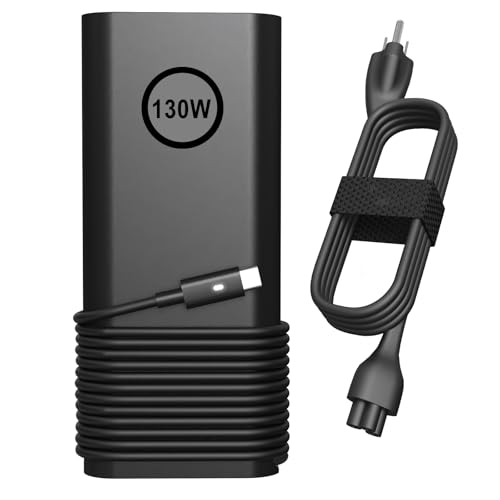
POWJDWZ 130W USB-C
A 130W USB-C charger with a 20V output at 6.5A, for Dell XPS 15 and XPS 17, Precision and Alienware laptops.
Pros
- 130W, the highest wattage in this group
- 20V output at 6.5A stated
- Compatible with XPS 15, XPS 17, Precision and Alienware
- 1 Year Manufacturer warranty stated
Cons
- No dimensions stated
- No weight stated
- No cord length stated
- No safety certification stated
Detailed Review
POWJDWZ lists this as a 130W USB-C charger with an input of 100-240V at 50-60Hz and 1.8A, and an output of 20V at 6.5A with a 5V output at 1A. The listing names Dell XPS 15 and XPS 17, Precision, Latitude, Inspiron and Alienware models, and states a 1 Year Manufacturer warranty. No dimensions or weight are stated.
Who it's for: someone with a high-wattage Dell laptop, such as an XPS 15 or XPS 17, who wants a stated 130W output. Who should skip it: anyone whose laptop is not on the listing's model list or who wants stated dimensions.
Its Office Score of 9.5/10 comes from performance 30/35, build 19/25, value 20/25, safety 0/10 and warranty 3/5: 72 of 100 points, placed on our 9.2 to 9.8 scale.
Key Specifications
| Wattage | 130W |
|---|---|
| Output | 20V-6.5A, 5V-1A |
| Input | 100-240V, 50-60Hz, 1.8A |
| Model | SM130CS-01 |
These specs mirror the retailer listing as of 13 November 2026; performance figures are stated by the brand.
Safety and Warranty
What this listing states. No UL, FCC or over-current protection statement is stated, so safety scores zero. 1 Year Manufacturer warranty stated. It does not say everything a buyer needs, such as who pays return shipping, so warranty scores 3 of 5. See How We Pick.
Power and heat. Use the supplied adapter, treat power delivery wattage and display support as the maker's claims for your laptop model, and give the dock room to vent.
This is general buying information, not professional advice. Follow each product manual and local rules, and see our Safety Disclaimer.

Dell 65W USB-C Charger
A genuine Dell 65W USB-C charger with a 3FT power cord and outputs at 65W, 45W, 27W and 15W, for Dell Latitude and XPS laptops.
Pros
- Genuine Dell adapter stated
- 3FT power cord included
- Output levels of 65W, 45W, 27W and 15W stated
- 1 year warranty stated
Cons
- Output figures in the bullets do not match their wattages
- Compatible with Dell laptops only
- No safety certification stated
- No weight stated
Detailed Review
Dell lists this as a genuine 65W USB-C adapter with a 3FT power cord, with outputs of 65W, 45W, 27W and 15W, and names Dell Latitude and XPS models. The adapter measures 4.3 by 2.0 by 1.1 inches, and the listing states a 1 year warranty. The bullets print 65W at 32.5A-20V and 45W at 10V-3A, figures that do not match their wattages, so the wattage is the figure to match on.
Who it's for: someone with a Dell Latitude or XPS laptop who wants a genuine Dell adapter with a stated cord. Who should skip it: anyone with a non-Dell laptop.
Its Office Score of 9.5/10 comes from performance 28/35, build 20/25, value 20/25, safety 0/10 and warranty 3/5: 71 of 100 points, placed on our 9.2 to 9.8 scale.
Key Specifications
| Wattage | 65W |
|---|---|
| Output | 65W, 45W, 27W, 15W |
| Cord | 3FT power cord |
| Size | 4.3 x 2.0 x 1.1 in |
These specs mirror the retailer listing as of 13 November 2026; performance figures are stated by the brand.
Safety and Warranty
What this listing states. No UL, FCC or over-current protection statement is stated, so safety scores zero. 1 year warranty stated. It does not say everything a buyer needs, such as who pays return shipping, so warranty scores 3 of 5. See How We Pick.
Power and heat. Use the supplied adapter, treat power delivery wattage and display support as the maker's claims for your laptop model, and give the dock room to vent.
This is general buying information, not professional advice. Follow each product manual and local rules, and see our Safety Disclaimer.
As an Amazon Associate I earn from qualifying purchases.
FAQ
What wattage laptop charger do I need?
Match the wattage your laptop asks for: the listings here offer 65W chargers and a 130W charger. The YOXYDIF listing states its 65W charger is compatible with a 45W laptop charger, and the POWJDWZ listing states 130W for XPS 15 and XPS 17 and Precision models.
Are USB-C laptop chargers interchangeable?
Only when the wattage, voltage steps and connector match. The Yodzgaco listing names Lenovo, HP and Dell models it fits, while the Dell listing names Dell Latitude and XPS models, so check the model list on the listing.
Can a 65W charger charge a 45W laptop?
The YOXYDIF listing states its 65W charger is compatible with a 45W laptop charger, so the listing says yes for that pair. Check the output list on the listing for your own laptop.
What does the output list on a charger mean?
The output list states the voltage and current steps the charger offers, such as 5V-3A, 9V-3A, 15V-3A and 20V-3.25A on the Yodzgaco listing. Match those steps to the wattage and voltage your laptop asks for.
Do these chargers come with a power cord?
The Dell listing states it includes a power cord, 3FT long. The other listings here do not state a cord length, so check the listing before you buy.
More for your workspace
See the high power laptop charger roundup, the USB-C laptop chargers for fast charging roundup and the USB-C cable guide, and every connectivity guide.