The lights flicker, the monitor goes dark mid-call, and the router light dies with it. That is the moment that makes a desk worker ask what size battery backup do i need, and the short answer is to add up the watts of the gear that must stay on, then pick a UPS rated above that total, with enough runtime to save work and shut the computer down cleanly.
OfficeKitHQ earns a commission when you buy through links on this page, at no extra cost to you. As an Amazon Associate I earn from qualifying purchases. Affiliate disclosure.
The quick answer
Size a UPS by watts, not by the number of outlets. Add the watts of every device that must keep running through an outage, then choose a unit whose watt figure sits above that total, and keep the load below 80% of the rated capacity, as the Amazon Basics listings advise. The listings here run from 255W to 900W, so a desk with a computer, a monitor and a router fits the middle of that range, while a desk with a desktop PC and extra gear needs the larger end. Runtime is the other half of the size question: a 400VA/255W unit gives about 6 minutes at half load, an 800VA/450W unit gives about 12 minutes at half load, and the APC unit gives up to 22 minutes at a 100W load, so pick the runtime that covers saving work and shutting down.
What size battery backup do I need for a desk setup
The table below lists the battery backup sizes in the reference listings, from the smallest standby unit to the largest line-interactive unit, with the battery backup outlets and the runtime each maker states.
| UPS | VA / W | Battery backup outlets | Runtime stated |
|---|---|---|---|
| Amazon Basics 400VA | 400VA / 255W | 3 of 6 | About 6 minutes at half load |
| Amazon Basics 800VA | 800VA / 450W | 6 of 12 | About 12 minutes at half load |
| APC BE650G1 | 650VA / 390W | 4 of 8 | Up to 22 minutes at a 100W load |
| CyberPower SL700U | 700VA / 370W | 5 of 8 | Not stated |
| CyberPower ST900U | 900VA / 500W | 6 of 12 | Not stated |
| CyberPower CP850PFCLCD | 850VA / 510W | 5 of 10 | Not stated |
| CyberPower SL950U | 950VA / 510W | 5 of 8 | Not stated |
| GOLDENMATE 1000VA/600W | 1000VA / 600W | 8 of 8 | Not stated |
| GOLDENMATE 1000VA/800W | 1000VA / 800W | 8 of 8 | Not stated |
| CyberPower CP1500GAVR | 1500VA / 900W | 5 of 10 | Not stated |
Runtime falls as the load rises: the 400VA unit gives about 6 minutes at half load and about 1.5 minutes at full load, and the 800VA unit gives about 12 minutes at half load and about 2 minutes at full load. Check the runtime at the load you plan to run, not at the figure on the box.
Step 1: List the gear that must stay on
Write down every device that must keep running when the power drops: the computer, the monitor, the router and modem, and any external drive or network storage. Leave off the printer, the desk lamp and the phone charger, which can wait out an outage on surge-only outlets. The listings here cover computers, Wi-Fi routers, modems, external drives, NAS and smart-home devices, so the list is the gear the UPS is built to protect. Count the battery backup outlets the list needs, then match that count to a unit: the listings here offer 3, 4, 5, 6 or 8 battery backup outlets, so a short list fits a smaller unit and a longer list needs a larger one.
Step 2: Add the watts and leave headroom
Add the watts of the devices on the list, using the watt figure each device maker states, then pick a UPS whose watt figure sits above that total. The listings here give the watt figure beside the VA figure: 400VA/255W, 700VA/370W, 900VA/500W, 850VA/510W, 950VA/510W, 1000VA/600W, 1000VA/800W and 1500VA/900W, so the watt figure is the one to size by. Keep the load below 80% of the rated capacity, as the Amazon Basics listings advise, so a unit rated at 450W is not the pick for a load that already reaches its limit. When the load is close to a figure, move up to the next size rather than running a unit near its limit.
Step 3: Pick the runtime you need
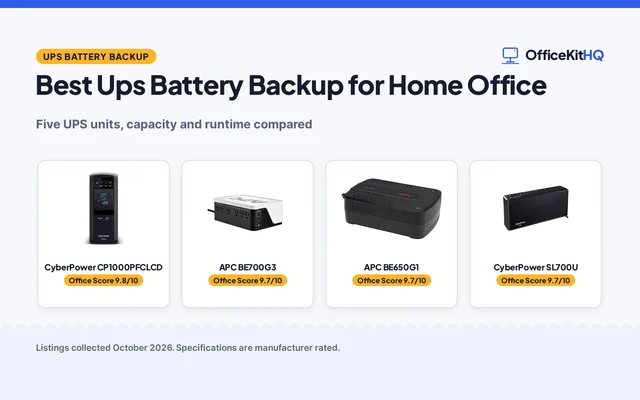
Runtime is how long the battery keeps the gear running, and the listings here state it at a stated load. The 400VA unit gives about 6 minutes at half load and about 1.5 minutes at full load, the 800VA unit gives about 12 minutes at half load and about 2 minutes at full load, and the APC unit gives up to 22 minutes at a 100W load. A short runtime covers saving open work and shutting the computer down; a longer runtime covers riding out a short outage without shutting down. If the work cannot be lost, pick the size whose stated runtime covers the shutdown, and remember that runtime falls as the load rises. The best UPS for home office guide compares units by size for a desk setup.
Step 4: Count the outlets and check the cord
Count the battery backup outlets separately from the surge-only outlets: the 400VA unit has 3 battery backup outlets of 6 total, the 800VA unit has 6 of 12, the APC unit has 4 of 8, and the GOLDENMATE units have 8 battery backup outlets of 8 total. Plug the gear that must stay on into the battery backup outlets, and the printer, lamp and charger into the surge-only outlets. Check the cord length against the distance to the outlet: most units here have a 5-foot cord, and the 1500VA unit has a six-foot cord. Check the size against the space under or beside the desk: the 400VA unit measures 7.24 by 4.33 by 3.22 inches, and the 1500VA unit measures 13.7 by 3.94 by 9.8 inches, so the larger unit needs the larger space. For the gear that only needs surge protection, see the surge protector types guide.
Sine wave, AVR and battery type, in plain words
The listings here name three kinds of output: the GOLDENMATE units give pure sine wave output, the CyberPower CP850PFCLCD (on Amazon) gives PFC sine wave output, and the CyberPower standby units give simulated sine wave output. Automatic voltage regulation, named AVR, corrects minor power fluctuations without switching to battery power, and the CP850PFCLCD and the CP1500GAVR both list AVR. The GOLDENMATE units use a lithium iron phosphate battery, stated as LiFePO4, with a lifespan of over 10 years and more than 5000 charge cycles, and a 153.6 Wh or 230Wh battery, while the other units use the lead-acid battery the GOLDENMATE listings compare against. A color LCD shows battery and power conditions on the GOLDENMATE units, the CP850PFCLCD and the CP1500GAVR, and the CP850PFCLCD screen tilts up to 22 degrees. Two USB charging ports share 2.4 amps on the SL700U, and the SL950U adds one USB-A port and one USB-C port at 18W PD.
FAQ
How many watts does a desk setup need?
Add the watts of the computer, monitor, router and modem, then pick a UPS whose watt figure sits above that total and keep the load below 80% of the rated capacity. The listings here run from 255W to 900W, so a light desk fits the smaller end and a desk with a desktop PC fits the larger end.
How long will a UPS keep a computer running?
It depends on the load. The 400VA unit gives about 6 minutes at half load and about 1.5 minutes at full load, the 800VA unit gives about 12 minutes at half load and about 2 minutes at full load, and the APC unit gives up to 22 minutes at a 100W load. Runtime falls as the load rises, so check the runtime at the load you plan to run.
What is the difference between VA and watts?
VA is the figure the maker lists first, and watts are the power the connected gear draws. The listings pair them, such as 400VA/255W, 800VA/450W and 1500VA/900W, so size by the watt figure and keep the load below 80% of the rated capacity.
Do I need a pure sine wave UPS?
It depends on the gear. The GOLDENMATE units give pure sine wave output, the CyberPower CP850PFCLCD gives PFC sine wave output, and the CyberPower standby units give simulated sine wave output. The CP850PFCLCD is made to support active PFC power supplies, so a desktop PC with an active PFC supply suits a sine wave unit.
How many outlets should a UPS have?
Enough battery backup outlets for the gear that must stay on, plus surge-only outlets for the rest. The listings here offer 6, 8, 10 or 12 outlets in total, with 3, 4, 5, 6 or 8 of them on battery backup, so count the gear first and match the count to a unit.
More for your workspace
See every Audio, Power and Connectivity guide, the best UPS battery backup picks, the best UPS for home office units and the surge protector joules chart.