
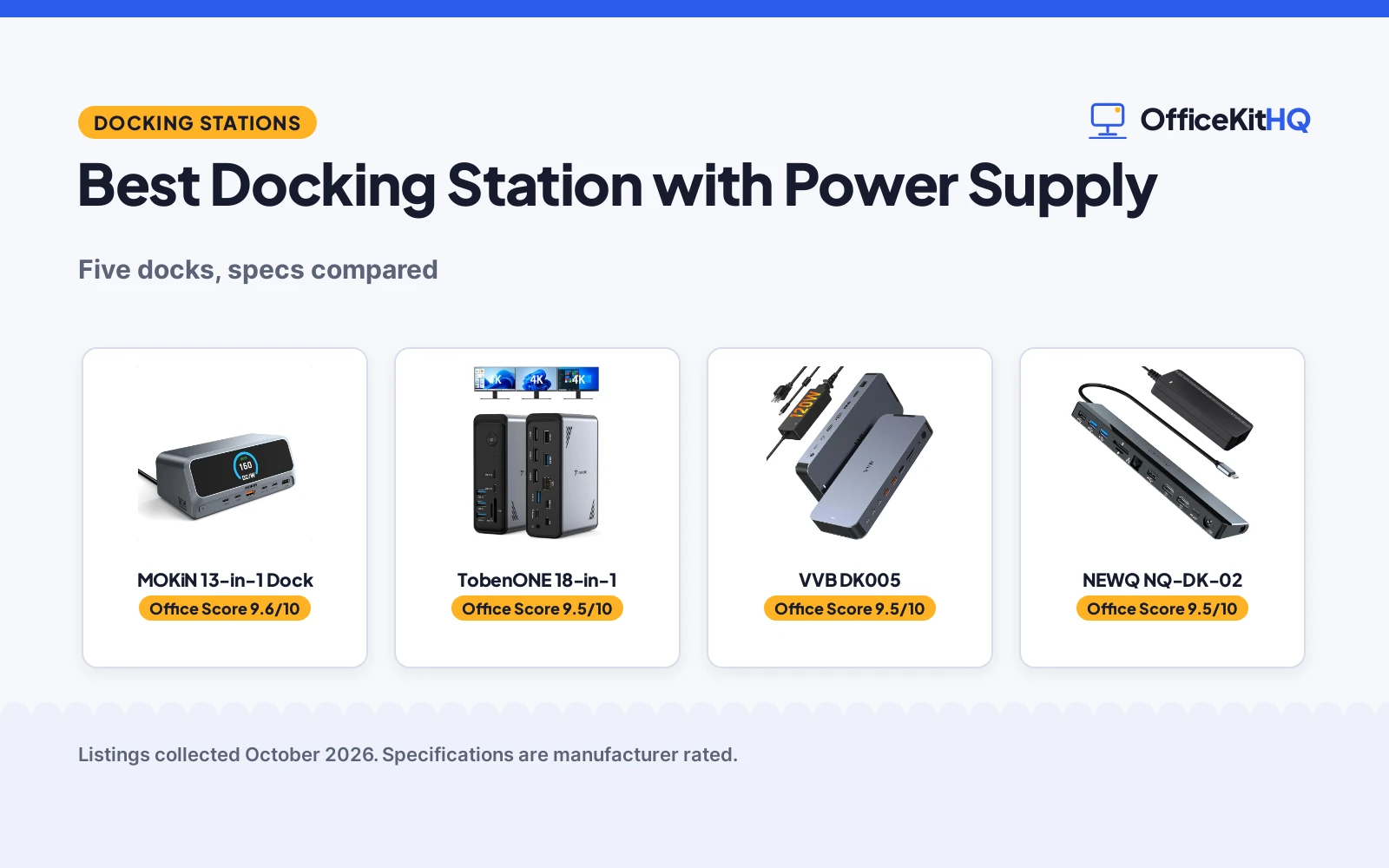
The best docking station with power supply is the one whose wattage covers your laptop and your peripherals at once. A built-in 160W supply with no brick, a 120W adapter in the box, or a dock that needs you to bring your own charger: the power story differs. We compared five docking stations by total wattage, laptop power delivery, display support, port count and warranty, using only what each listing publishes.
OfficeKitHQ earns a commission when you buy through links on this page, at no extra cost to you. As an Amazon Associate I earn from qualifying purchases. Affiliate disclosure.
Quick picks
 Best Overall MOKiN 13-in-1 Dock: Built-in 160W, dual 4K@60, LCD, 2-year warranty Check price on Amazon
 Best Triple Display TobenONE 18-in-1: Triple 4K HDMI, 100W PD, 2-year warranty Check price on Amazon
 Best 8K VVB DK005: 120W adapter, 8K DP, Thunderbolt 4 Check price on Amazon
 Best 18-Month Warranty NEWQ NQ-DK-02: 96W adapter, dual 4K@30, 18-month warranty Check price on Amazon
 Best Dell Dell WD19S: 180W, 130W PD, dual DisplayPort Check price on Amazon
The picks
| # | Product | Office Score | Buy |
|---|---|---|---|
| 1 | MOKiN 13-in-1 Dock | 9.6/10 | Buy on Amazon |
| 2 | TobenONE 18-in-1 | 9.5/10 | Buy on Amazon |
| 3 | VVB DK005 | 9.5/10 | Buy on Amazon |
| 4 | NEWQ NQ-DK-02 | 9.5/10 | Buy on Amazon |
| 5 | Dell WD19S | 9.5/10 | Buy on Amazon |

MOKiN 13-in-1 Dock
A 13-in-1 docking station with built-in 160W power, dual 4K HDMI and an LCD status display.
Pros
- Built-in 160W supply, no external power brick
- Up to 100W laptop charging plus 100W and 12W device ports
- Dual 4K@60 HDMI with a 2.26 in LCD status display
- 2 Years warranty is stated
Cons
- MacBooks mirror only, no extended display
- No quality standard is stated
- Charging ports do not support data or video, per the listing
- No DisplayPort is listed
Detailed Review
MOKiN lists a 13-in-1 USB-C docking station with a built-in 160W power supply, dual HDMI at 4K@60, a 2.26 in LCD smart display and a physical privacy button. It delivers up to 100W to the laptop plus two 100W USB-C and one 12W USB-A for other devices, with 10Gbps data ports and Gigabit Ethernet. The listing states a 2 Years warranty.
Who it's for: someone who wants the biggest built-in supply with no brick. Who should skip it: a Mac user who needs extended displays.
Its Office Score of 9.6/10 comes from performance 34/35, build 21/25, value 21/25, safety 0/10 and warranty 4/5: 80 of 100 points, placed on our 9.2 to 9.8 scale.
Key Specifications
| Power | 160W built-in |
|---|---|
| Laptop PD | 100W |
| Displays | Dual 4K@60 |
| Warranty | 2 years |
Figures as published on the retailer listing, collected 18 October 2026. Performance figures are manufacturer rated.
Safety and Warranty
What this listing states. No UL, FCC or over-current protection statement is stated, so safety scores zero. 2 Years. It does not say everything a buyer needs, such as who pays return shipping, so warranty scores 4 of 5. See How We Pick.
Power and heat. Use the supplied adapter, treat power delivery wattage and display support as the maker's claims for your laptop model, and give the dock room to vent.
This is general buying information, not professional advice. Follow each product manual and local rules, and see our Safety Disclaimer.

Pros
- Triple 4K@60 HDMI for three monitors
- 18 ports including 9 USB
- 100W PD charging for the laptop
- 2 Year Warranty is stated
Cons
- No power adapter is included; needs a 65W-plus supply
- Not recommended for Mac users
- No quality standard is stated
- 10.88 oz, light for an 18-port dock
Detailed Review
TobenONE lists an 18-in-1 USB-C docking station with triple 4K@60 HDMI, 9 USB ports, Gigabit Ethernet and 100W PD charging. It is designed for Windows and Chrome OS and is not recommended for Mac. No power adapter is included; the listing says to connect a supply over 65W. The listing states a 2 Year Warranty.
Who it's for: a Windows user who wants three 4K monitors. Who should skip it: anyone who needs a power adapter in the box.
Its Office Score of 9.5/10 comes from performance 33/35, build 20/25, value 19/25, safety 0/10 and warranty 4/5: 76 of 100 points, placed on our 9.2 to 9.8 scale.
Key Specifications
| Power | 100W PD |
|---|---|
| Displays | Triple 4K@60 |
| Ports | 18 |
| Warranty | 2 years |
Figures as published on the retailer listing, collected 18 October 2026. Performance figures are manufacturer rated.
Safety and Warranty
What this listing states. No UL, FCC or over-current protection statement is stated, so safety scores zero. 2 Year Warranty. It does not say everything a buyer needs, such as who pays return shipping, so warranty scores 4 of 5. See How We Pick.
Power and heat. Use the supplied adapter, treat power delivery wattage and display support as the maker's claims for your laptop model, and give the dock room to vent.
This is general buying information, not professional advice. Follow each product manual and local rules, and see our Safety Disclaimer.

VVB DK005
An 8-in-1 docking station with a 120W adapter, 8K DisplayPort and Thunderbolt 4 support.
Pros
- 120W adapter included: 100W laptop plus 30W phone charging
- 8K DisplayPort plus dual 4K@60 HDMI
- Thunderbolt 4/3 and USB4 compatible
- 1 year warranty is stated
Cons
- MacBooks mirror only, no extended display
- Multi-display lowers resolution, per the listing
- No quality standard is stated
- 8-in-1 has fewer ports than the 18-port docks
Detailed Review
VVB lists the DK005 as an 8-in-1 USB-C docking station with a 120W adapter, 100W laptop charging plus 30W for phones, dual 4K@60 HDMI and an 8K DisplayPort. It is Thunderbolt 4/3 and USB4 compatible with 10Gbps ports and Gigabit Ethernet. The listing states a 1 year warranty.
Who it's for: someone who wants 8K output with an adapter in the box. Who should skip it: a Mac user who needs extended displays.
Its Office Score of 9.5/10 comes from performance 33/35, build 20/25, value 20/25, safety 0/10 and warranty 3/5: 76 of 100 points, placed on our 9.2 to 9.8 scale.
Key Specifications
| Power | 120W adapter |
|---|---|
| Laptop PD | 100W |
| Displays | 8K DP, dual 4K@60 |
| Warranty | 1 year |
Figures as published on the retailer listing, collected 18 October 2026. Performance figures are manufacturer rated.
Safety and Warranty
What this listing states. No UL, FCC or over-current protection statement is stated, so safety scores zero. 1 year. It does not say everything a buyer needs, such as who pays return shipping, so warranty scores 3 of 5. See How We Pick.
Power and heat. Use the supplied adapter, treat power delivery wattage and display support as the maker's claims for your laptop model, and give the dock room to vent.
This is general buying information, not professional advice. Follow each product manual and local rules, and see our Safety Disclaimer.

NEWQ NQ-DK-02
A 12-in-1 docking station with a 96W adapter and 18-month warranty.
Pros
- 96W adapter included: 65W minimum for the laptop plus 18W PD
- Dual 4K@30 HDMI or single 4K@60
- 12 ports including Ethernet and SD/TF
- 18-Month warranty is stated
Cons
- Dual 4K only at 30Hz, not 60Hz
- No quality standard is stated
- 1.5 lb unit weight
- No DisplayPort is listed
Detailed Review
NEWQ lists the NQ-DK-02 as a 12-in-1 USB-C docking station with a 96W adapter, dual 4K@30 HDMI or single 4K@60, 5Gbps USB ports and an SD/TF reader. The laptop charges at 65W minimum with an 18W PD port for phones. The listing states an 18-Month warranty.
Who it's for: someone who wants an adapter in the box at a lower wattage. Who should skip it: anyone who needs dual 4K at 60Hz.
Its Office Score of 9.5/10 comes from performance 30/35, build 19/25, value 19/25, safety 0/10 and warranty 3/5: 71 of 100 points, placed on our 9.2 to 9.8 scale.
Key Specifications
| Power | 96W adapter |
|---|---|
| Laptop PD | 65W min |
| Displays | Dual 4K@30 |
| Warranty | 18 months |
Figures as published on the retailer listing, collected 18 October 2026. Performance figures are manufacturer rated.
Safety and Warranty
What this listing states. No UL, FCC or over-current protection statement is stated, so safety scores zero. 18-Month. It does not say everything a buyer needs, such as who pays return shipping, so warranty scores 3 of 5. See How We Pick.
Power and heat. Use the supplied adapter, treat power delivery wattage and display support as the maker's claims for your laptop model, and give the dock room to vent.
This is general buying information, not professional advice. Follow each product manual and local rules, and see our Safety Disclaimer.

Dell WD19S
A Dell 180W docking station with 130W power delivery and dual DisplayPort.
Pros
- 180W total with 130W power delivery to the laptop
- Dual DisplayPort plus HDMI
- Dell build quality at 1.3 lb
- USB-C host connection
Cons
- Warranty field reads only 'manufacturer', no term
- No quality standard is stated
- Few stated specs beyond power and ports
- Likely aimed at Dell laptops
Detailed Review
Dell lists the WD19S as a 180W docking station with 130W power delivery, USB-C, HDMI and dual DisplayPort. The spec table gives 6 USB ports and a 1.3 lb weight. The warranty field reads only 'manufacturer' with no term.
Who it's for: a Dell laptop owner who wants the most total power. Who should skip it: anyone who wants a stated warranty term.
Its Office Score of 9.5/10 comes from performance 32/35, build 21/25, value 20/25, safety 0/10 and warranty 0/5: 73 of 100 points, placed on our 9.2 to 9.8 scale.
Key Specifications
| Power | 180W |
|---|---|
| Laptop PD | 130W |
| Displays | Dual DisplayPort |
| Weight | 1.3 lb |
Figures as published on the retailer listing, collected 18 October 2026. Performance figures are manufacturer rated.
Safety and Warranty
What this listing states. No UL, FCC or over-current protection statement is stated, so safety scores zero. No warranty term, so warranty scores zero. See How We Pick.
Power and heat. Use the supplied adapter, treat power delivery wattage and display support as the maker's claims for your laptop model, and give the dock room to vent.
This is general buying information, not professional advice. Follow each product manual and local rules, and see our Safety Disclaimer.
As an Amazon Associate I earn from qualifying purchases.
More picks to compare
 Brydge Stone CORE Powered ChargingCheck on Amazon
 Rocketek Docking StationCheck on Amazon
Compare the picks
| Dock | Office Score | Power | Displays | Ports | Warranty | Amazon |
|---|---|---|---|---|---|---|
| MOKiN 13-in-1 Dock | 9.6/10 | 160W built-in | Dual 4K@60 | 13 | 2 years | View on Amazon |
| TobenONE 18-in-1 | 9.5/10 | 100W PD, no adapter | Triple 4K@60 | 18 | 2 years | View on Amazon |
| VVB DK005 | 9.5/10 | 120W adapter | 2x 4K@60, 8K DP | 18 | 1 year | View on Amazon |
| NEWQ NQ-DK-02 | 9.5/10 | 96W adapter | Dual 4K@30 | 12 | 18 months | View on Amazon |
| Dell WD19S | 9.5/10 | 180W, 130W PD | Dual DisplayPort | 6 USB | Not stated | View on Amazon |
Specifications are manufacturer rated as listed, collected 18 October 2026.
How we scored them
The Office Score weighs performance (wattage, display support and ports), build (materials and unit weight), value for the stated specs, safety and warranty. For a dock, safety means a stated certification on the listing; none of the five states one. The MOKiN and TobenONE state 2 years, the VVB states 1 year and the NEWQ states 18 months. How we pick explains the weights.
| Product | Office Score | Perf. /35 | Build /25 | Value /25 | Safety /10 | Warranty /5 |
|---|---|---|---|---|---|---|
| MOKiN 13-in-1 Dock | 9.6 | 34 | 21 | 21 | 0 | 4 |
| TobenONE 18-in-1 | 9.5 | 33 | 20 | 19 | 0 | 4 |
| VVB DK005 | 9.5 | 33 | 20 | 20 | 0 | 3 |
| NEWQ NQ-DK-02 | 9.5 | 30 | 19 | 19 | 0 | 3 |
| Dell WD19S | 9.5 | 32 | 21 | 20 | 0 | 0 |
Scores run from 9.2 to 9.8: each product’s point total is placed on that range, so more points always means a higher score.
How to choose the best docking station with power supply
Built-in power or adapter in the box
The MOKiN has a built-in 160W supply with no external brick; the VVB includes a 120W adapter; the NEWQ includes a 96W adapter; the Dell is 180W. The TobenONE includes no adapter and needs a 65W-plus supply for stable use.
Displays and resolution
| Dock | Power | Displays | Ports |
|---|---|---|---|
| MOKiN | 160W built-in | Dual 4K@60 | 13 |
| TobenONE | 100W PD, adapter not included | Triple 4K@60 | 18 |
| VVB DK005 | 120W adapter | 2x 4K@60, 8K DP | 18 |
| NEWQ | 96W adapter | Dual 4K@30 | 12 |
| Dell WD19S | 180W, 130W PD | Dual DisplayPort | 6 USB |
Figures as stated in each listing. MacBooks mirror only on the MOKiN and VVB; the TobenONE is not recommended for Mac. For triple-display setups, see best docking station for triple monitors.
Charging split
The MOKiN delivers up to 100W to the laptop plus two 100W USB-C and one 12W USB-A for other devices. The VVB does 100W plus 30W. The NEWQ does 65W minimum plus 18W. Match the laptop wattage to your machine’s charger. For dual 4K setups, see best docking station for dual 4K monitors.
Warranty
The MOKiN and TobenONE state 2 years; the VVB states 1 year; the NEWQ states 18 months. The Dell’s warranty field reads only ‘manufacturer’ with no term.
Setup Notes
- The MOKiN connects directly to a wall outlet with the included cable; no power brick.
- The VVB notes to plug in the 120W adapter before use.
- The TobenONE needs a power supply over 65W for stable use, per the listing.
- The MOKiN’s privacy button cuts data and video transmission with a physical press.
- The TobenONE is designed for Windows and Chrome OS; Mac users should look elsewhere.
Frequently Asked Questions
Which has the most total power?
The Dell at 180W, though only 130W goes to the laptop. The MOKiN has 160W built in with no brick.
Which include a power adapter?
The VVB (120W) and the NEWQ (96W). The MOKiN has built-in power; the TobenONE includes none.
Which support triple displays?
The TobenONE: triple 4K@60. The VVB does 8K on DisplayPort plus dual 4K on HDMI.
Which state a warranty?
The MOKiN and TobenONE: 2 years. The VVB: 1 year. The NEWQ: 18 months. The Dell states no term.
Related guides
See every docking stations and USB hubs guide and all connectivity guides.
More picks: best docking station for triple monitors, best docking station for dual 4K monitors, best docking station for multiple monitors.



