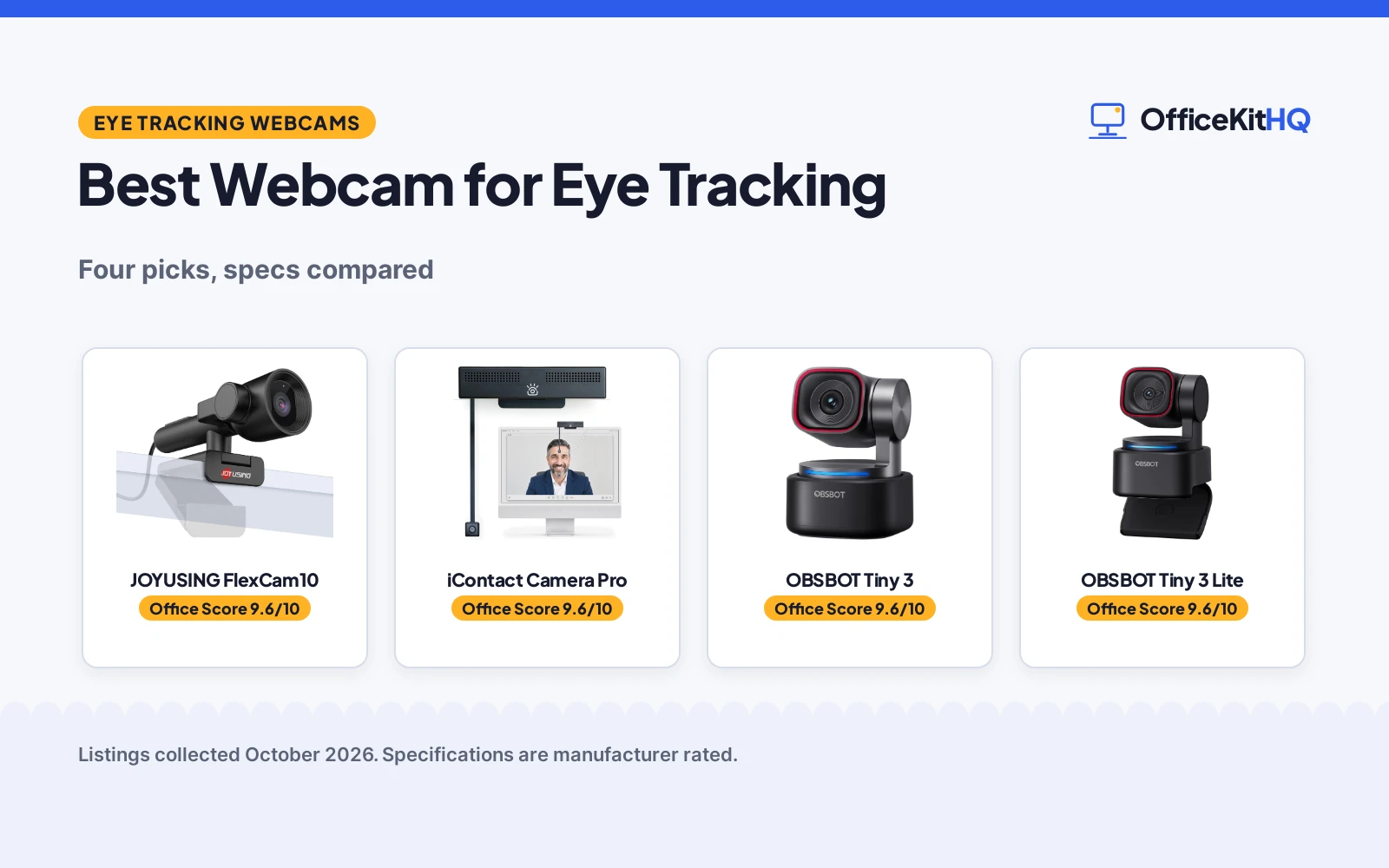
Eye contact is the missing piece in most video calls, and the best webcam for eye tracking restores it in one of two ways: a lens that sits at eye level, or software that nudges your gaze back toward the person on screen. At 9 a.m., with a dim webcam and a laptop running everything off one hub, the difference shows up in every meeting. We compared four webcams by eye-contact design, video resolution, autofocus, microphone setup, privacy features and stated warranty, using only what each listing publishes.
OfficeKitHQ earns a commission when you buy through links on this page, at no extra cost to you. As an Amazon Associate I earn from qualifying purchases. Affiliate disclosure.
Quick picks
 Best Overall JOYUSING FlexCam10: Eye contact, desk view and privacy modes, PDAF focus, 1-year warranty Check price on Amazon
 Eye-Level Eye Contact iContact Camera Pro: Center-screen lens, hardware power-cut privacy, Zoom certified Check price on Amazon
 Strongest Imaging OBSBOT Tiny 3: 1/1.28-inch sensor, dual PDAF, 1080p at 120 fps, 1-year warranty Check price on Amazon
 Lightest AI Camera OBSBOT Tiny 3 Lite: 200 g, 4K video, AI tracking and voice control, 1-year warranty Check price on Amazon
The picks
| # | Product | Office Score | Buy |
|---|---|---|---|
| 1 | JOYUSING FlexCam10 | 9.6/10 | Buy on Amazon |
| 2 | iContact Camera Pro | 9.6/10 | Buy on Amazon |
| 3 | OBSBOT Tiny 3 | 9.6/10 | Buy on Amazon |
| 4 | OBSBOT Tiny 3 Lite | 9.6/10 | Buy on Amazon |

JOYUSING FlexCam10
A 4K webcam with four usage modes, eye contact, desk view and privacy among them, PDAF autofocus in a 0.65 to 10 ft range and two noise-canceling microphones.
Pros
- Four usage modes: standard 4K webcam, eye contact, desk view and privacy
- PDAF autofocus focuses within a stated 0.65 to 10 ft range
- 180-degree rotation flips the lens inward for a physical privacy mode
- 1-year manufacturer warranty is stated
Cons
- JoyTune tuning app is Windows only, per the listing
- No still-image resolution is stated
- Sensor size is not stated
- 0.47 kg is the heaviest item weight with a stated figure here
Detailed Review
JOYUSING lists the FlexCam10 as a 4K webcam with four modes: a standard webcam, an eye contact webcam, a desk view and a privacy mode. The listing states PDAF autofocus with a 0.65 to 10 ft focus range, a fixed 79-degree field of view, two noise-canceling microphones and automatic light adjustment. The camera rotates 180 degrees and flips inward toward the screen for privacy, and the JoyTune app (Windows only) tunes brightness, contrast and saturation. It connects over USB with plug-and-play setup, works with Windows, macOS and Linux, and lists Zoom, Google Meet and Skype compatibility. The box includes a USB cable, and the listing states a 1 year manufacture warranty.
Who it's for: someone who wants an eye contact mode, a desk view and a physical privacy position in one webcam, and calls mostly on Windows. Who should skip it: anyone who wants a stated sensor size or tuning software on a Mac.
Its Office Score of 9.6/10 comes from performance 30/35, build 20/25, value 21/25, safety 7/10 and warranty 2/5: 80 of 100 points, placed on our 9.2 to 9.8 scale.
Key Specifications
| Video | 4K |
|---|---|
| Focus | PDAF, 0.65 to 10 ft |
| Field of view | 79 degrees |
| Item weight | 0.47 kg |
Figures as published on the retailer listing, collected 18 October 2026. Performance figures are manufacturer rated.
Safety and Warranty
What this listing states. Privacy mode: the camera rotates 180 degrees and flips inward toward the screen, so safety scores 7 of 10. 1-year manufacturer warranty (listing states '1 year manufacture'). It does not say everything a buyer needs, such as who pays return shipping, so warranty scores 2 of 5. See How We Pick.
Light and privacy. Use the supplied adapter for ring lights, keep lights and cords away from drinks and paper, and cover or unplug a webcam when it is not in use.
This is general buying information, not professional advice. Follow each product manual and local rules, and see our Safety Disclaimer.

iContact Camera Pro
An eye-level 4K webcam that centers the lens on the screen for natural eye contact, with a hardware Secure Switch that cuts power when folded away.
Pros
- Eye-level design aligns the lens with the person on screen for natural eye contact
- Hardware Secure Switch physically cuts power to camera and mics when the arm folds up
- 4K video at 30 fps from a 13MP sensor, with a 78-degree field of view for one person
- Zoom certified; works with Teams, Meet and Webex with no drivers, per the listing
Cons
- Fits monitors 20 to 30 in only; other sizes need the ProMini or ProXL
- Warranty description reads '2' with no unit, so no warranty term is stated
- Integrated light mount needs the iContact SoftLight, sold separately
- No video resolution beyond 4K at 30 fps is stated
Detailed Review
iContact Camera lists the Pro as a 4K eye contact webcam that mounts at screen center, so the lens lines up with the person on screen and callers keep eye contact instead of looking down at the lens. The listing states it fits monitors 20 to 30 in, and points smaller screens to the ProMini and larger ones to the ProXL. A 13MP sensor records 3840 by 2160 at 30 fps through a 78-degree field of view, and dual noise-reducing microphones handle audio. The flip-up arm carries a Secure Switch that physically cuts power to the camera and microphones when folded up, and a built-in mount holds the optional iContact SoftLight, sold separately. It connects over USB with no drivers, is Zoom certified, and lists Teams, Meet and Webex compatibility. The free desktop app needs no subscription. Note: the warranty description reads '2' with no time unit, so we treat no warranty term as stated.
Who it's for: someone on a 20 to 30 in monitor who wants the most direct eye contact design and a hardware-level privacy cutoff. Who should skip it: anyone outside that monitor size band, or anyone who wants a warranty term in writing.
Its Office Score of 9.6/10 comes from performance 32/35, build 21/25, value 20/25, safety 8/10 and warranty 0/5: 81 of 100 points, placed on our 9.2 to 9.8 scale.
Key Specifications
| Video | 4K, 3840 by 2160 at 30 fps |
|---|---|
| Field of view | 78 degrees |
| Monitor fit | 20 to 30 in |
| Privacy | Secure Switch power cut |
Figures as published on the retailer listing, collected 18 October 2026. Performance figures are manufacturer rated.
Safety and Warranty
What this listing states. Hardware Secure Switch physically cuts power to the camera and microphones when the arm is folded up, so safety scores 8 of 10. No warranty term, so warranty scores zero. See How We Pick.
Light and privacy. Use the supplied adapter for ring lights, keep lights and cords away from drinks and paper, and cover or unplug a webcam when it is not in use.
This is general buying information, not professional advice. Follow each product manual and local rules, and see our Safety Disclaimer.

OBSBOT Tiny 3
A 4K AI-tracking PTZ webcam with a 1/1.28-inch sensor, dual all-pixel PDAF, 4x digital zoom and NVIDIA Maxine eye contact support in software.
Pros
- 1/1.28-inch sensor is the largest stated here, with ISO 0 to 12800 and DCG HDR
- Dual all-pixel PDAF autofocus
- 4K at 30 fps and 1080p at 120 fps, with 4x digital zoom
- NVIDIA Maxine eye contact support via OBSBOT Center software
Cons
- No privacy shutter or hardware power-cut feature is stated
- 310 g is the heaviest of the two OBSBOT cameras
- Lists Windows 10 (64-bit) or later and macOS 11.0 or later only
- Listing advises switching voice or gesture control off if the gimbal behaves erratically
Detailed Review
OBSBOT lists the Tiny 3 as a 4K AI-tracking PTZ webcam with a 1/1.28-inch CMOS, dual all-pixel PDAF, 4K at 30 fps or 1080p at 120 fps, 4x digital zoom and DCG HDR over a wide ISO range of 0 to 12800. AI Tracking 2.0 locks onto people, groups or over 200 types of objects, and voice and gesture control handle wake, tracking, zoom and presets; the listing advises switching those off if the gimbal behaves erratically. OBSBOT Center software adds modes including NVIDIA Maxine Eye Contact. It connects to Windows 10 (64-bit) or later and macOS 11.0 or later over USB. The box includes the camera, a USB-C cable, a USB-C to USB-A adapter, an adjustable mount, a storage case, a user manual and a warranty card, and the listing states a 1-year warranty.
Who it's for: someone who wants the strongest imaging specs here and software-assisted eye contact on a Windows or Mac desktop. Who should skip it: anyone who wants a stated privacy feature, or a camera for Linux or ChromeOS.
Its Office Score of 9.6/10 comes from performance 33/35, build 22/25, value 21/25, safety 0/10 and warranty 2/5: 78 of 100 points, placed on our 9.2 to 9.8 scale.
Key Specifications
| Video | 4K at 30 fps, 1080p at 120 fps |
|---|---|
| Sensor | 1/1.28 in CMOS |
| Focus | Dual all-pixel PDAF |
| Item weight | 310 g |
Figures as published on the retailer listing, collected 18 October 2026. Performance figures are manufacturer rated.
Safety and Warranty
What this listing states. This product does not plug in or run on a battery, so safety is not part of its score. 1-year warranty. It does not say everything a buyer needs, such as who pays return shipping, so warranty scores 2 of 5. See How We Pick.
Light and privacy. Use the supplied adapter for ring lights, keep lights and cords away from drinks and paper, and cover or unplug a webcam when it is not in use.
This is general buying information, not professional advice. Follow each product manual and local rules, and see our Safety Disclaimer.

OBSBOT Tiny 3 Lite
A compact 200 g 4K AI-tracking PTZ webcam with a 1/2-inch sensor, PDAF autofocus, 1080p at 120 fps and a triple-mic spatial audio array.
Pros
- 200 g, the lightest stated item weight here
- 4K at 30 fps and 1080p at 120 fps with PDAF autofocus and HDR
- Triple-mic array with five audio modes and voice control
- AI Tracking 2.0 with multiple tracking modes
Cons
- 1/2-inch sensor is smaller than the Tiny 3's 1/1.28-inch sensor
- No privacy shutter or hardware power-cut feature is stated
- Listing carries the same gimbal note: voice or gesture control may need switching off
- Stated 48 MP still resolution is lower than the Tiny 3's stated 50 MP
Detailed Review
OBSBOT lists the Tiny 3 Lite as a compact 4K AI-tracking PTZ webcam with a 1/2-inch CMOS, PDAF autofocus, 4K at 30 fps or 1080p at 120 fps, and a triple-mic array driving five audio modes. AI Tracking 2.0 locks onto people, groups or over 200 types of objects, with voice and gesture control for wake, tracking, zoom and presets; the listing notes the gimbal can behave erratically if those stay on. The OBSBOT Center software adds modes including NVIDIA Maxine Eye Contact. The box includes the camera, a USB-C cable, a USB-C to USB-A adapter, a user manual and a warranty card, and the listing states a 1-year warranty. At 200 g it is the lightest stated item weight here, lighter than the Tiny 3.
Who it's for: someone who wants the Tiny 3 feature set in the lightest, most portable housing here. Who should skip it: anyone who wants the largest sensor here, or a stated privacy feature.
Its Office Score of 9.6/10 comes from performance 30/35, build 21/25, value 22/25, safety 0/10 and warranty 2/5: 75 of 100 points, placed on our 9.2 to 9.8 scale.
Key Specifications
| Video | 4K at 30 fps, 1080p at 120 fps |
|---|---|
| Sensor | 1/2 in CMOS |
| Focus | PDAF |
| Item weight | 200 g |
Figures as published on the retailer listing, collected 18 October 2026. Performance figures are manufacturer rated.
Safety and Warranty
What this listing states. This product does not plug in or run on a battery, so safety is not part of its score. 1-year warranty. It does not say everything a buyer needs, such as who pays return shipping, so warranty scores 2 of 5. See How We Pick.
Light and privacy. Use the supplied adapter for ring lights, keep lights and cords away from drinks and paper, and cover or unplug a webcam when it is not in use.
This is general buying information, not professional advice. Follow each product manual and local rules, and see our Safety Disclaimer.
As an Amazon Associate I earn from qualifying purchases.
Compare the picks
| Webcam | Office Score | Video | Focus | Audio | Privacy | Warranty | Amazon |
|---|---|---|---|---|---|---|---|
| JOYUSING FlexCam10 | 9.6/10 | 4K | PDAF, 0.65 to 10 ft | 2 noise-canceling mics | 180-degree flip privacy | 1 year stated | View on Amazon |
| iContact Camera Pro | 9.6/10 | 4K, 3840 by 2160 at 30 fps | Auto focus | Dual noise-reducing mics | Secure Switch power cut | Not stated | View on Amazon |
| OBSBOT Tiny 3 | 9.6/10 | 4K at 30 fps, 1080p at 120 fps | Dual all-pixel PDAF | Tri-mic array | Not stated | 1 year | View on Amazon |
| OBSBOT Tiny 3 Lite | 9.6/10 | 4K at 30 fps, 1080p at 120 fps | PDAF | Tri-mic array | Not stated | 1 year | View on Amazon |
Specifications are manufacturer rated as listed, collected 18 October 2026. Three of the four state a warranty term; two state a hardware-level privacy feature.
How we scored them
The Office Score weighs performance (eye-contact design, video resolution, autofocus, tracking and audio), build (sensor, housing, item weight and included parts), value for the stated specs, safety and warranty. For a webcam, safety means a stated privacy safeguard such as a hardware power cut or a physical privacy position; the iContact Pro and the JOYUSING FlexCam10 state one, the two OBSBOT cameras do not. Three listings state a warranty term: the two OBSBOT cameras at 1 year each and the FlexCam10 at ‘1 year manufacture’; the iContact listing carries a warranty description of ‘2’ with no time unit, so no warranty term is stated. How we pick explains the weights.
| Product | Office Score | Perf. /35 | Build /25 | Value /25 | Safety /10 | Warranty /5 |
|---|---|---|---|---|---|---|
| JOYUSING FlexCam10 | 9.6 | 30 | 20 | 21 | 7 | 2 |
| iContact Camera Pro | 9.6 | 32 | 21 | 20 | 8 | 0 |
| OBSBOT Tiny 3 | 9.6 | 33 | 22 | 21 | 0 | 2 |
| OBSBOT Tiny 3 Lite | 9.6 | 30 | 21 | 22 | 0 | 2 |
Scores run from 9.2 to 9.8: each product’s point total is placed on that range, so more points always means a higher score.
How to choose the best webcam for eye tracking
Pick the eye-contact style that fits your setup
The iContact Pro mounts at screen center on monitors 20 to 30 in, so the lens lines up with the person on screen; the listing points smaller screens to the ProMini and larger ones to the ProXL. The FlexCam10 takes a different route with a dedicated eye contact mode among its four usage modes, and both OBSBOT cameras lean on software, with the Tiny 3 listing NVIDIA Maxine Eye Contact support in OBSBOT Center. If your monitor is outside the 20 to 30 in band, the mode or software route fits more easily. See every webcam and ring light guide for the full category.
Sensor, focus and light handling
The OBSBOT Tiny 3 leads on imaging specs: a 1/1.28-inch CMOS, dual all-pixel PDAF, an ISO range of 0 to 12800 and DCG HDR. The Tiny 3 Lite uses a 1/2-inch CMOS with PDAF, and both OBSBOTs record 4K at 30 fps and 1080p at 120 fps with 4x digital zoom. The FlexCam10 pairs PDAF with a stated focus range of 0.65 to 10 ft and a 79-degree field of view; the iContact states a 78-degree field of view designed for one person.
| Webcam | Sensor | Focus | Field of view | Item weight |
|---|---|---|---|---|
| JOYUSING FlexCam10 | Not stated | PDAF, 0.65 to 10 ft | 79 degrees | 0.47 kg |
| iContact Camera Pro | 13MP CMOS | Auto focus | 78 degrees | Not stated |
| OBSBOT Tiny 3 | 1/1.28 in CMOS | Dual all-pixel PDAF | Not stated | 310 g |
| OBSBOT Tiny 3 Lite | 1/2 in CMOS | PDAF | Not stated | 200 g |
Figures as stated in each listing’s spec table.
Microphones and noise handling
Both OBSBOT cameras list a triple-mic array with five audio modes; the FlexCam10 and the iContact Pro each list two microphones with noise reduction. None of the four lists a speaker. If calls happen in a busy room, the noise-handling claim matters more than the mic count, and each claim here is the maker’s own, taken as stated.
Privacy: hardware beats software
The iContact Pro’s Secure Switch physically cuts power to the camera and microphones when the arm folds up, which is the strongest privacy statement here. The FlexCam10 rotates 180 degrees and flips the lens inward toward the screen. Neither OBSBOT camera lists a privacy feature, so plan a separate shutter or cover if that matters to you. A related comparison is our best webcam for professional meetings guide.
Read the warranty line, not the headline
Both OBSBOT cameras state a 1-year warranty. The FlexCam10 states ‘1 year manufacture’, which we read as a 1-year manufacturer term. The iContact listing carries a warranty description of ‘2’ with no time unit, so no warranty term is stated. For background on camera-assisted gaze correction, see our best webcam for beam eye tracker.
Setup Notes
- Measure your monitor first: the iContact Pro fits screens 20 to 30 in; smaller or larger screens need the ProMini or ProXL.
- Check your USB port: both OBSBOT cameras include a USB-C cable and a USB-C to USB-A adapter in the box.
- Leave clearance above the screen for the FlexCam10, which rotates 180 degrees and flips inward for privacy.
- Two pieces of tuning software are Windows only: JoyTune for the FlexCam10, and the OBSBOT Center app that unlocks features like NVIDIA Maxine Eye Contact.
- All four connect over USB with plug and play setup; no separate power supply is listed.
Frequently Asked Questions
What is the best webcam for eye tracking on a desktop monitor?
On a monitor 20 to 30 in, the iContact Pro mounts at screen center so you keep eye contact with the person on screen. The FlexCam10’s eye contact mode and the OBSBOT cameras’ software eye contact support are the alternatives outside that size band.
What does PDAF autofocus do?
PDAF, phase detection autofocus, focuses fast and accurately while you move. The FlexCam10 lists a 0.65 to 10 ft focus range, and the OBSBOT Tiny 3 lists dual all-pixel PDAF.
Do these webcams work with Zoom and Microsoft Teams?
Yes. The iContact Pro is Zoom certified; the FlexCam10 lists Zoom, Teams and Google Meet compatibility, and both OBSBOT cameras list Zoom and Teams among their supported platforms.
Which of these webcams has a privacy feature?
The iContact Pro’s Secure Switch physically cuts power to the camera and microphones when the arm folds up. The FlexCam10 rotates 180 degrees and flips the lens inward. Neither OBSBOT camera lists a privacy feature.
Do any of these work on a Mac?
Yes. The OBSBOT Tiny 3 Lite lists PC and Mac, the Tiny 3 lists macOS 11.0 or later, the FlexCam10 lists macOS, and the iContact Pro lists Mac.
Which webcam has the largest sensor?
The OBSBOT Tiny 3 lists a 1/1.28-inch CMOS, the largest stated here. The Tiny 3 Lite lists a 1/2-inch CMOS, the iContact lists a 13MP sensor with no stated size, and the FlexCam10 states no sensor size.
Related guides
See every webcam and ring light guide and all monitor mounts, keyboards and mice guides. Also see our best webcam for beam eye tracker. Also see our best webcam for vtuber tracking.
More picks: ring light for office desk, webcam for professional meetings, webcam for vtubing face tracking.