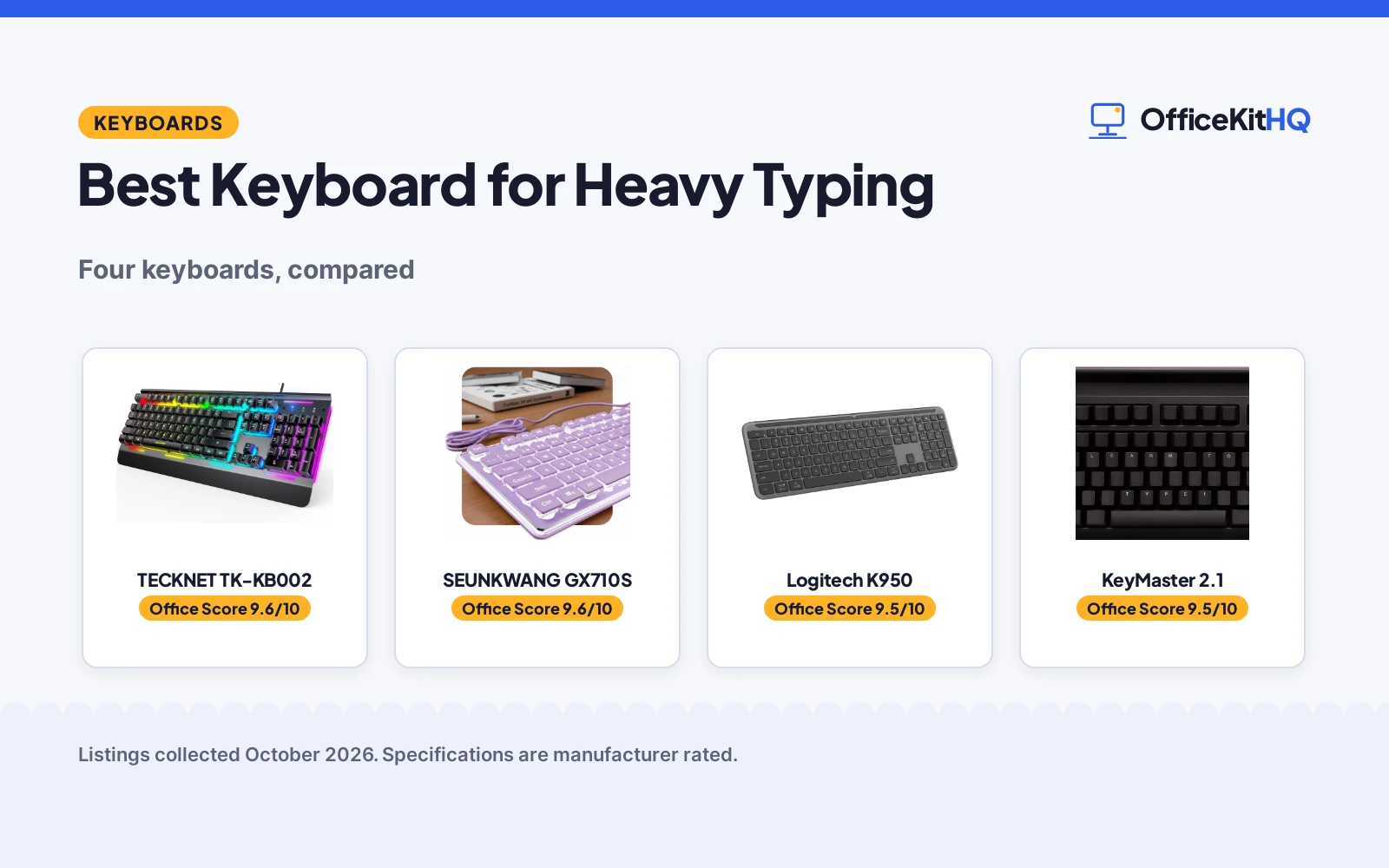
The best keyboard for heavy typing survives millions of keystrokes: a metal panel, quiet switches and keys that do not fade. We compared four keyboards by typing feel, durability, features and warranty, using only what each listing publishes.
OfficeKitHQ earns a commission when you buy through links on this page, at no extra cost to you. As an Amazon Associate I earn from qualifying purchases. Affiliate disclosure.
Quick picks
 Best Overall TECKNET TK-KB002: RGB, metal panel, lifetime support Check price on Amazon
 Best Office SEUNKWANG GX710S: White backlit, aluminum, 2-year warranty Check price on Amazon
 Best Wireless Logitech K950: Quiet typing, 3-device pairing Check price on Amazon
 Best Learning KeyMaster 2.1: Blank keycaps, silent linear Check price on Amazon
The picks
| # | Product | Office Score | Buy |
|---|---|---|---|
| 1 | TECKNET TK-KB002 | 9.6/10 | Buy on Amazon |
| 2 | SEUNKWANG GX710S | 9.6/10 | Buy on Amazon |
| 3 | Logitech K950 | 9.5/10 | Buy on Amazon |
| 4 | KeyMaster 2.1 | 9.5/10 | Buy on Amazon |

Pros
- 15-zone RGB illumination
- IP32 water resistance
- 50 million keystroke lifespan
- Lifetime support is stated
Cons
- Wired only
- Membrane, not mechanical
- RGB may not suit offices
- Lifetime support needs registration
Detailed Review
TECKNET lists the TK-KB002 as a wired gaming keyboard with a metal panel, 15-zone RGB illumination, whisper-quiet membrane switches and IP32 water resistance. It has 25 anti-ghosting keys and 12 multimedia keys, with a 50-million-keystroke lifespan. The listing states lifetime support with registration.
Who it's for: someone who types hard all day. Who should skip it: anyone who wants wireless.
Its Office Score of 9.6/10 comes from performance 32/35, build 20/25, value 21/25, safety 3/10 and warranty 5/5: 81 of 100 points, placed on our 9.2 to 9.8 scale.
Key Specifications
| Type | Wired |
|---|---|
| Keys | 104 |
| Switch | Membrane |
| Water | IP32 |
Figures as published on the retailer listing, collected 18 October 2026. Performance figures are manufacturer rated.
Safety and Warranty
What this listing states. IP32 water resistance, so safety scores 3 of 10. Lifetime support, so warranty scores 5 of 5. See How We Pick.
Fit the desk first. Check the stated size against your desk depth and keyboard tray, and charge or pair as the manual describes. No keyboard, mouse or wrist rest prevents or treats injury.
This is general buying information, not professional advice. Follow each product manual and local rules, and see our Safety Disclaimer.

Pros
- White backlit pudding keycaps
- Aluminum alloy panel
- 26-key anti-ghosting
- 2 Year Manufacturer warranty is stated
Cons
- Wired only
- Purple keycaps
- Membrane, not mechanical
- No quality standard is stated
Detailed Review
SEUNKWANG lists the GX710S as a wired keyboard with white backlight, purple pudding keycaps and an aluminum alloy panel. The double-shot ABS keycaps resist fading, and it has 26-key anti-ghosting. The listing states a 2 Year Manufacturer warranty.
Who it's for: someone who wants a quiet office keyboard. Who should skip it: anyone who wants RGB.
Its Office Score of 9.6/10 comes from performance 32/35, build 20/25, value 21/25, safety 0/10 and warranty 4/5: 77 of 100 points, placed on our 9.2 to 9.8 scale.
Key Specifications
| Type | Wired |
|---|---|
| Keys | 104 |
| Switch | Membrane |
| Warranty | 2 years |
Figures as published on the retailer listing, collected 18 October 2026. Performance figures are manufacturer rated.
Safety and Warranty
What this listing states. This product does not plug in or run on a battery, so safety is not part of its score. 2 Year Manufacturer. It does not say everything a buyer needs, such as who pays return shipping, so warranty scores 4 of 5. See How We Pick.
Fit the desk first. Check the stated size against your desk depth and keyboard tray, and charge or pair as the manual describes. No keyboard, mouse or wrist rest prevents or treats injury.
This is general buying information, not professional advice. Follow each product manual and local rules, and see our Safety Disclaimer.

Pros
- Pairs with up to 3 multi-OS devices
- Quiet typing
- Full size with number pad
- 1 Year Limited Hardware Warranty is stated
Cons
- Battery powered
- No backlight is stated
- No metal panel is stated
- No quality standard is stated
Detailed Review
Logitech lists the Signature Slim K950 as a wireless full-size keyboard with quiet typing, a number pad and pairing for up to 3 multi-OS devices. It weighs 685 g and uses recycled plastic. The listing states a 1 Year Limited Hardware Warranty.
Who it's for: someone who wants wireless and multi-device. Who should skip it: anyone who wants a metal panel.
Its Office Score of 9.5/10 comes from performance 30/35, build 19/25, value 20/25, safety 0/10 and warranty 3/5: 72 of 100 points, placed on our 9.2 to 9.8 scale.
Key Specifications
| Type | Wireless |
|---|---|
| Keys | 108 |
| Weight | 685 g |
| Warranty | 1 year |
Figures as published on the retailer listing, collected 18 October 2026. Performance figures are manufacturer rated.
Safety and Warranty
What this listing states. This product does not plug in or run on a battery, so safety is not part of its score. 1 Year Limited Hardware Warranty. It does not say everything a buyer needs, such as who pays return shipping, so warranty scores 3 of 5. See How We Pick.
Fit the desk first. Check the stated size against your desk depth and keyboard tray, and charge or pair as the manual describes. No keyboard, mouse or wrist rest prevents or treats injury.
This is general buying information, not professional advice. Follow each product manual and local rules, and see our Safety Disclaimer.
Pros
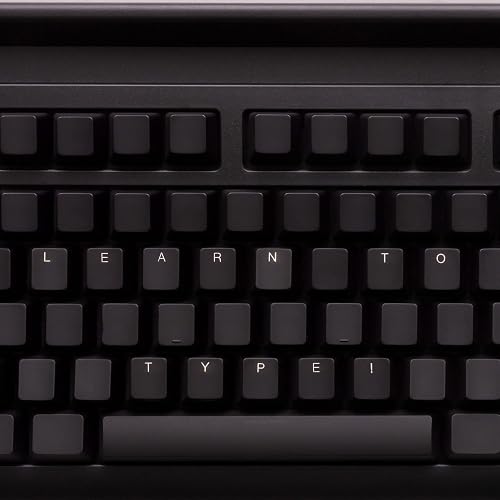
- Blank keycaps for touch typing
- Silent linear Outemu Red Silent switches
- Aluminum plate
- 1 year manufacturer warranty is stated
Cons
- Blank keycaps, no legends
- Niche learning tool
- No quality standard is stated
- Not water resistant
Detailed Review
KeyMaster Electronics lists the 2.1 as a learn-to-type keyboard with blank keycaps and on/off backlighting that shows or hides lettering. It has silent linear Outemu Red Silent switches and an aluminum plate. The listing states a 1 year manufacturer warranty.
Who it's for: someone learning touch typing. Who should skip it: anyone who wants printed legends.
Its Office Score of 9.5/10 comes from performance 29/35, build 19/25, value 20/25, safety 0/10 and warranty 3/5: 71 of 100 points, placed on our 9.2 to 9.8 scale.
Key Specifications
| Type | Wired |
|---|---|
| Keys | 104 |
| Switch | Silent linear |
| Warranty | 1 year |
Figures as published on the retailer listing, collected 18 October 2026. Performance figures are manufacturer rated.
Safety and Warranty
What this listing states. This product does not plug in or run on a battery, so safety is not part of its score. 1 year manufacturer. It does not say everything a buyer needs, such as who pays return shipping, so warranty scores 3 of 5. See How We Pick.
Fit the desk first. Check the stated size against your desk depth and keyboard tray, and charge or pair as the manual describes. No keyboard, mouse or wrist rest prevents or treats injury.
This is general buying information, not professional advice. Follow each product manual and local rules, and see our Safety Disclaimer.
As an Amazon Associate I earn from qualifying purchases.
Compare the picks
| Keyboard | Office Score | Type | Keys | Switch | Warranty | Amazon |
|---|---|---|---|---|---|---|
| TECKNET TK-KB002 | 9.6/10 | Wired | 104 | Membrane | Lifetime support | View on Amazon |
| SEUNKWANG GX710S | 9.6/10 | Wired | 104 | Membrane | 2 years | View on Amazon |
| Logitech K950 | 9.5/10 | Wireless | 108 | Membrane | 1 year | View on Amazon |
| KeyMaster 2.1 | 9.5/10 | Wired | 104 | Silent linear | 1 year | View on Amazon |
Specifications are manufacturer rated as listed, collected 18 October 2026.
How we scored them
The Office Score weighs performance (typing feel and features), build (materials and weight), value for the stated specs, safety and warranty. The TECKNET states lifetime support; the SEUNKWANG states 2 years; the Logitech and KeyMaster state 1 year each. How we pick explains the weights.
| Product | Office Score | Perf. /35 | Build /25 | Value /25 | Safety /10 | Warranty /5 |
|---|---|---|---|---|---|---|
| TECKNET TK-KB002 | 9.6 | 32 | 20 | 21 | 3 | 5 |
| SEUNKWANG GX710S | 9.6 | 32 | 20 | 21 | 0 | 4 |
| Logitech K950 | 9.5 | 30 | 19 | 20 | 0 | 3 |
| KeyMaster 2.1 | 9.5 | 29 | 19 | 20 | 0 | 3 |
Scores run from 9.2 to 9.8: each product’s point total is placed on that range, so more points always means a higher score.
How to choose the best keyboard for heavy typing
Switch type
Three are membrane; the KeyMaster is silent linear with Outemu Red Silent switches.
Durability
| Keyboard | Panel | Keycaps | Lifespan |
|---|---|---|---|
| TECKNET | Metal | ABS | 50 million keystrokes |
| SEUNKWANG | Aluminum | Double-shot ABS | Not stated |
| Logitech | Not stated | Not stated | Not stated |
| KeyMaster | Aluminum plate | Blank | Not stated |
For mouse pads, see best mouse pad for wireless mouse. For ergonomic mice, see best mouse pad for ergonomic mouse.
Backlight
The TECKNET has 15-zone RGB; the SEUNKWANG has white backlight; the KeyMaster has on/off backlighting; the Logitech states none.
Warranty
The TECKNET states lifetime support; the SEUNKWANG states 2 years; the Logitech and KeyMaster state 1 year.
Setup Notes
- The TECKNET is USB-A wired.
- The SEUNKWANG is plug-and-play with no drivers.
- The Logitech pairs with up to 3 devices.
- The KeyMaster’s keycaps are blank for touch typing.
- The TECKNET’s backlight sleeps after 30 minutes.
Frequently Asked Questions
Which are wired?
The TECKNET, SEUNKWANG and KeyMaster.
Which are quiet?
The TECKNET (whisper quiet), SEUNKWANG (quiet-touch) and KeyMaster (silent linear).
Which state a warranty?
All four: lifetime support, 2 years, 1 year and 1 year.
Which have metal panels?
The TECKNET, SEUNKWANG and KeyMaster.
Related guides
See every keyboards guide and all computer peripherals guides.
More picks: best mouse pad for wireless mouse, best mouse pad for ergonomic mouse.