
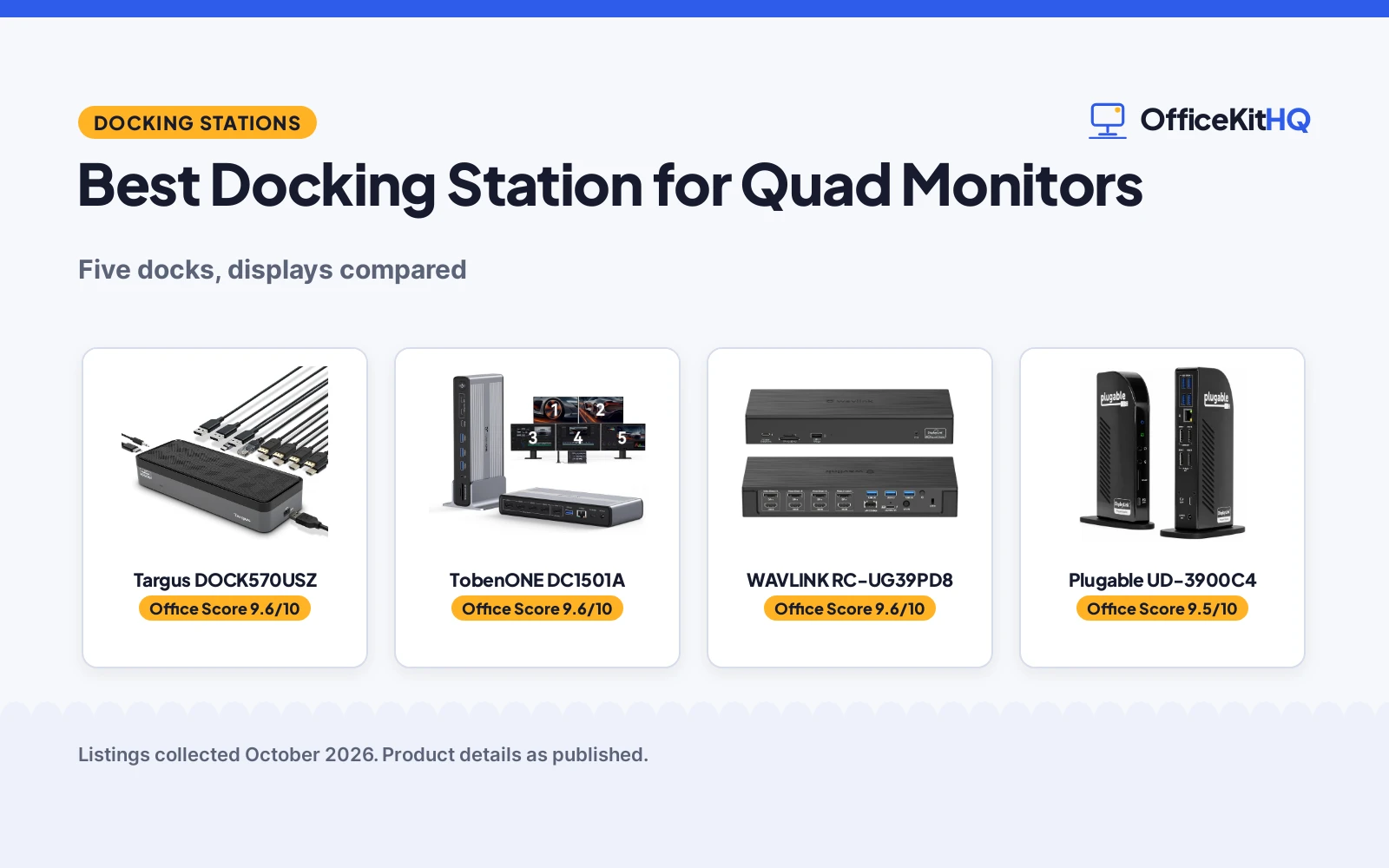
Choosing the best docking station for quad monitors starts with resolution and refresh rate, because four 1080p screens and four 4K screens at 144Hz are very different workloads. Some docks here push 4K at 60Hz across four outputs, one pushes 4K at 144Hz, and one drives five screens up to 8K. We compared five docks by display support, charging power, ports, size and stated warranty, so you can match the dock to your monitors.
OfficeKitHQ earns a commission when you buy through links on this page, at no extra cost to you. As an Amazon Associate I earn from qualifying purchases. Affiliate disclosure.
Quick picks
 Best Overall Targus DOCK570USZ: Quad 4K, 100W PD, 3-year warranty Check price on Amazon
 Best 5-Display TobenONE DC1501A: 8K plus quad 4K at 120Hz, cooling fan Check price on Amazon
 Best Ports WAVLINK RC-UG39PD8: 19 ports, 4 HDMI and 4 DP, 100W PD Check price on Amazon
 Best 144Hz WAVLINK UMD323: 4K at 144Hz, 5G Ethernet, Windows Check price on Amazon
 Best Value Plugable UD-3900C4: 14-in-1, 96W charging, 2-year warranty Check price on Amazon
The picks
| # | Product | Office Score | Buy |
|---|---|---|---|
| 1 | Targus DOCK570USZ | 9.6/10 | Buy on Amazon |
| 2 | TobenONE DC1501A | 9.6/10 | Buy on Amazon |
| 3 | WAVLINK RC-UG39PD8 | 9.6/10 | Buy on Amazon |
| 4 | Plugable UD-3900C4 | 9.5/10 | Buy on Amazon |
| 5 | WAVLINK UMD323 | 9.5/10 | Buy on Amazon |

Targus DOCK570USZ
A USB-C universal quad 4K docking station with 100W Power Delivery.
Pros
- Four 4K UHD displays via four DisplayPort or four HDMI ports, per the listing.
- 100W Power Delivery, per the listing.
- 5 USB ports with 1 fast charging, per the listing.
- 3 year Manufacturer warranty.
Cons
- 1.5 pounds.
- HDMI limited to 4K at p50, per the listing.
- The lock slot needs a lock sold separately.
- The VESA bracket is sold separately.
Detailed Review
The Targus DOCK570USZ listing describes a USB-C universal quad 4K docking station with four DisplayPort and four HDMI ports supporting four 4K UHD displays, 100W Power Delivery, 5 USB ports, Gigabit Ethernet and audio. It weighs 1.5 pounds.
The spec table lists a 3 year Manufacturer warranty; the listing includes an integrated lock slot and notes compatibility with a Targus VESA mounting bracket, both needing separate purchases.
Its Office Score of 9.6/10 comes from performance 32/35, build 21/25, value 21/25, safety 0/10 and warranty 4/5: 78 of 100 points, placed on our 9.2 to 9.8 scale.
Key Specifications
Figures as published on the retailer listing, collected 18 October 2026. Performance figures are manufacturer rated.
Safety and Warranty
What this listing states. No UL, FCC or over-current protection statement is stated, so safety scores zero. 3 year Manufacturer. It does not say everything a buyer needs, such as who pays return shipping, so warranty scores 4 of 5. See How We Pick.
Power and heat. Use the supplied adapter, treat power delivery wattage and display support as the maker's claims for your laptop model, and give the dock room to vent.
This is general buying information, not professional advice. Follow each product manual and local rules, and see our Safety Disclaimer.

TobenONE DC1501A
A DisplayLink docking station for five monitors with a cooling fan.
Pros
- Five displays: 8K plus four 4K at 120Hz, per the listing.
- Active cooling fan for heat dissipation, per the listing.
- 2.5Gbps Ethernet and 7 USB ports, per the listing.
- 2 Year Warranty.
Cons
- 45W charging, lower than the 100W docks here.
- A DisplayLink driver is required before use.
- HDCP not supported, per the listing.
- 3.5 by 1.18 by 7.87 inches, a tall form factor.
Detailed Review
The TobenONE DC1501A listing describes a DisplayLink docking station supporting five displays (8K plus four 4K at 120Hz), with a 150W power supply, 45W USB-C charging, 2.5Gbps Ethernet, 7 USB ports and an active cooling fan.
The spec table lists a 2 Year Warranty; the listing notes a DisplayLink driver must be installed before use and that HDCP is not supported.
Its Office Score of 9.6/10 comes from performance 33/35, build 21/25, value 21/25, safety 0/10 and warranty 3/5: 78 of 100 points, placed on our 9.2 to 9.8 scale.
Key Specifications
Figures as published on the retailer listing, collected 18 October 2026. Performance figures are manufacturer rated.
Safety and Warranty
What this listing states. This product does not plug in or run on a battery, so safety is not part of its score. 2 Year Warranty. It does not say everything a buyer needs, such as who pays return shipping, so warranty scores 3 of 5. See How We Pick.
Power and heat. Use the supplied adapter, treat power delivery wattage and display support as the maker's claims for your laptop model, and give the dock room to vent.
This is general buying information, not professional advice. Follow each product manual and local rules, and see our Safety Disclaimer.

WAVLINK RC-UG39PD8
A DisplayLink quad monitor docking station with 4K at 60Hz and 100W charging.
Pros
- Quad 4K at 60Hz via 4 HDMI and 4 DisplayPort, per the listing.
- 100W PD charging for the laptop, per the listing.
- Thunderbolt 5/4/3 compatible, per the listing.
- 2.5Gbps LAN and SD 4.0 card reader, per the listing.
Cons
- 18 months warranty, shorter than the 2 and 3-year terms here.
- 890 grams.
- 19 ports may be more than needed.
- The driver download link is CD-shaped, per the listing.
Detailed Review
The WAVLINK RC-UG39PD8 listing describes a DisplayLink quad monitor docking station with 4 HDMI and 4 DisplayPort outputs at 4K at 60Hz, 100W PD laptop charging, Thunderbolt 5/4/3 compatibility, 2.5Gbps Ethernet and an SD 4.0 card reader. It weighs 890 grams.
The listing states an 18 months worry-free warranty; the box includes a 180W power adapter and a 2-in-1 USB-C cable.
Its Office Score of 9.6/10 comes from performance 33/35, build 21/25, value 21/25, safety 0/10 and warranty 3/5: 78 of 100 points, placed on our 9.2 to 9.8 scale.
Key Specifications
Figures as published on the retailer listing, collected 18 October 2026. Performance figures are manufacturer rated.
Safety and Warranty
What this listing states. No UL, FCC or over-current protection statement is stated, so safety scores zero. 18 months worry-free warranty. It does not say everything a buyer needs, such as who pays return shipping, so warranty scores 3 of 5. See How We Pick.
Power and heat. Use the supplied adapter, treat power delivery wattage and display support as the maker's claims for your laptop model, and give the dock room to vent.
This is general buying information, not professional advice. Follow each product manual and local rules, and see our Safety Disclaimer.

Plugable UD-3900C4
A 14-in-1 USB-C docking station with 4 HDMI ports and 96W charging.
Pros
- 14-in-1 with 4 HDMI ports, per the listing.
- 96W laptop charging, per the listing.
- TAA-compliant, per the listing.
- 2 Year Limited Parts and Labor with lifetime support, per the listing.
Cons
- HDMI limited to 1080p at 60Hz, lower than the 4K docks here.
- On macOS the fourth display mirrors, per the listing.
- HDMI 3 and 4 need DisplayPort Alt Mode MST, per the listing.
- DisplayLink drivers are required.
Detailed Review
The Plugable UD-3900C4 listing describes a 14-in-1 USB-C docking station with 4 HDMI ports at 1080p at 60Hz, 96W laptop charging, 4 USB 3.0, USB-C, Ethernet, SD card reader and audio. It is TAA-compliant.
The spec table lists a 2 Year Limited Parts and Labor warranty with lifetime support; on macOS the fourth display mirrors due to no MST support.
Its Office Score of 9.5/10 comes from performance 29/35, build 20/25, value 20/25, safety 0/10 and warranty 3/5: 72 of 100 points, placed on our 9.2 to 9.8 scale.
Key Specifications
Figures as published on the retailer listing, collected 18 October 2026. Performance figures are manufacturer rated.
Safety and Warranty
What this listing states. No UL, FCC or over-current protection statement is stated, so safety scores zero. 2 Year Limited Parts and Labor. It does not say everything a buyer needs, such as who pays return shipping, so warranty scores 3 of 5. See How We Pick.
Power and heat. Use the supplied adapter, treat power delivery wattage and display support as the maker's claims for your laptop model, and give the dock room to vent.
This is general buying information, not professional advice. Follow each product manual and local rules, and see our Safety Disclaimer.

WAVLINK UMD323
A 4-monitor docking station with 4K at 144Hz and 5G Ethernet, Windows only.
Pros
- 4K at 144Hz via DisplayPort 2.1, per the listing.
- 5G Ethernet port, per the listing.
- 100W PD in, 90W for laptop charging, per the listing.
- A two-year warranty is stated in the bullets.
Cons
- Windows only; not compatible with Mac OS, per the listing.
- The spec table lists a 1 year manufacture warranty, contradicting the bullets.
- HDMI limited to 4K at 120Hz, per the listing.
- The charger is not included; a 20V/5A/100W charger is needed, per the listing.
Detailed Review
The WAVLINK UMD323 listing describes a 4-monitor docking station with dual DisplayPort 2.1 and dual HDMI 2.1, supporting 4K at 144Hz, 100W PD in with 90W for laptop charging, and 5G Ethernet. It is Windows only.
The bullets state a two-year warranty but the spec table lists 1 year manufacture; the bullets are trusted here. The charger is not included.
Its Office Score of 9.5/10 comes from performance 32/35, build 20/25, value 20/25, safety 0/10 and warranty 0/5: 72 of 100 points, placed on our 9.2 to 9.8 scale.
Key Specifications
Figures as published on the retailer listing, collected 18 October 2026. Performance figures are manufacturer rated.
Safety and Warranty
What this listing states. This product does not plug in or run on a battery, so safety is not part of its score. No warranty term, so warranty scores zero. See How We Pick.
Power and heat. Use the supplied adapter, treat power delivery wattage and display support as the maker's claims for your laptop model, and give the dock room to vent.
This is general buying information, not professional advice. Follow each product manual and local rules, and see our Safety Disclaimer.
As an Amazon Associate I earn from qualifying purchases.
More picks to compare
 WAVLINK Laptop Docking StationCheck on Amazon
 StarTech.com StarTech USB-C to Quad HDMI 4K60Check on Amazon
 StarTech.com StarTech USB-C to QuadCheck on Amazon
Compare the picks
| Dock | OfficeKit Score | Brand | Monitors | Charging | Warranty | Amazon |
|---|---|---|---|---|---|---|
| Targus DOCK570USZ | 9.6/10 | Targus | 4x 4K | 100W | 3 year Manufacturer | View on Amazon |
| TobenONE DC1501A | 9.6/10 | TobenONE | 5 (8K+4x4K) | 45W | 2 Year Warranty | View on Amazon |
| WAVLINK RC-UG39PD8 | 9.6/10 | WAVLINK | 4x 4K@60Hz | 100W | 18 months worry-free warranty | View on Amazon |
| Plugable UD-3900C4 | 9.5/10 | Plugable | 4x 1080p | 96W | 2 Year Limited Parts and Labor | View on Amazon |
| WAVLINK UMD323 | 9.5/10 | WAVLINK | 4x 4K@144Hz | 100W in | Not stated | View on Amazon |
Product details as published on each listing, collected 18 October 2026.
How we scored them
The OfficeKit Score weighs performance, build, value, safety and warranty. The Targus leads on its 3-year warranty and full quad 4K support; the TobenONE follows with five-display support and a cooling fan. How we pick explains the weights.
| Product | Office Score | Perf. /35 | Build /25 | Value /25 | Safety /10 | Warranty /5 |
|---|---|---|---|---|---|---|
| Targus DOCK570USZ | 9.6 | 32 | 21 | 21 | 0 | 4 |
| TobenONE DC1501A | 9.6 | 33 | 21 | 21 | 0 | 3 |
| WAVLINK RC-UG39PD8 | 9.6 | 33 | 21 | 21 | 0 | 3 |
| Plugable UD-3900C4 | 9.5 | 29 | 20 | 20 | 0 | 3 |
| WAVLINK UMD323 | 9.5 | 32 | 20 | 20 | 0 | 0 |
Scores run from 9.2 to 9.8: each product’s point total is placed on that range, so more points always means a higher score.
How to choose the best docking station for quad monitors
Check the resolution and refresh rate
Four of the five docks support four 4K monitors. The Targus drives four 4K UHD displays via DisplayPort or HDMI. The WAVLINK RC-UG39PD8 drives quad 4K at 60Hz via 4 HDMI and 4 DisplayPort. The WAVLINK UMD323 pushes 4K at 144Hz over DisplayPort 2.1. The TobenONE drives five screens: 8K plus four 4K at 120Hz. The Plugable is the exception at 1080p per HDMI port. If your monitors are 4K, skip the Plugable; if you game at high refresh, the UMD323 and TobenONE fit. For triple-monitor setups, see docking stations for triple monitors.
Match the charging power to your laptop
Charging power runs from 45W to 100W. The Targus and both WAVLINK docks deliver 100W PD charging. The Plugable delivers 96W. The TobenONE delivers 45W with a 150W power supply. Check your laptop’s charger: the UMD323 notes it will not charge above 90W and needs a 20V/5A/100W charger, which is not included. A 45W dock may not keep a power-hungry workstation laptop charged under load. For docks with power supplies, see docking stations with power supply.
Count the ports you need
Port counts vary. The WAVLINK RC-UG39PD8 lists 19 ports with 4 HDMI, 4 DP, 2.5Gbps LAN and SD 4.0. The TobenONE lists 7 USB ports, 5 HDMI, 2.5GbE and SD/MicroSD 4.0. The Plugable is 14-in-1 with 4 HDMI, USB-C, Ethernet, SD and audio. The Targus lists 5 USB ports, Gigabit Ethernet and audio. The UMD323 lists 7 ports with 5G Ethernet. If you run wired networking, the 2.5Gbps and 5G options beat Gigabit. For 3-HDMI options, see docking stations with 3 HDMI ports.
Check compatibility and drivers
Compatibility differs by OS. The WAVLINK UMD323 is Windows only and states it is not compatible with Mac OS. The Plugable supports four monitors on Windows and ChromeOS but only three extended displays on macOS, with the fourth mirroring. The TobenONE needs a DisplayLink driver installed before use. The Targus works with Alt Mode hosts including Thunderbolt 3. Check your laptop’s USB-C port supports video output and charging before buying. For work-from-home setups, browse the docking stations and USB hubs lists.
Before you buy
- Check the resolution: four docks do quad 4K; the Plugable does 1080p per port.
- Match charging power: 45W to 100W across these five; check your laptop’s needs.
- Confirm OS support: one is Windows only; one needs a DisplayLink driver.
- Compare warranties: 3 years on the Targus, 2 years on three, 18 months on one.
Frequently Asked Questions
Which dock supports the most monitors?
The TobenONE supports five displays: 8K plus four 4K at 120Hz. The other four support four monitors each.
Which docks do quad 4K?
The Targus, both WAVLINK docks and the TobenONE support four 4K monitors. The Plugable supports 1080p per HDMI port.
Which dock charges a laptop fastest?
The Targus and both WAVLINK docks list 100W PD charging. The Plugable lists 96W and the TobenONE 45W.
Which docks work with Mac?
The WAVLINK RC-UG39PD8 lists Mac M1-M5 support. The Plugable supports three extended displays on macOS. The WAVLINK UMD323 is Windows only.
Related lists
See every docking stations and USB hubs list and all connectivity lists.
More lists: docking stations for triple monitors, docking stations for dual 4K monitors and docking stations for work from home.



